Best Dash Cam for Parents Purchase Guide
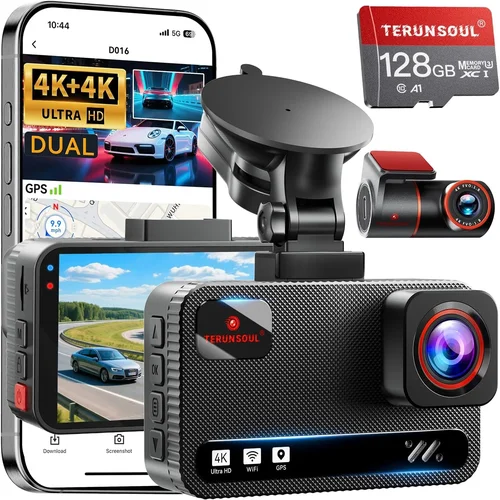
When it comes to keeping your children safe on the road, a dash cam can be an invaluable tool for any parent. Whether you’re driving your child to school, running errands around town, or taking a family vacation, having a reliable dash cam in your vehicle provides peace of mind and important documentation in case of accidents or disputes. This comprehensive buying guide will walk you through everything you need to know about choosing the best dash cam for parents, helping you make an informed decision that fits your needs, budget, and lifestyle.
In this detailed article, you’ll learn how to evaluate different models based on critical factors such as video quality, storage capacity, ease of installation, and smart features like parking mode and emergency recording. We’ll explore the various types of dash cams available on the market, from basic single-channel devices to advanced dual-camera systems with night vision and GPS tracking. You’ll also discover common mistakes parents make when purchasing dash cams, get expert tips for maximizing value, and find answers to frequently asked questions. By the end of this guide, you’ll have all the knowledge necessary to select a dash cam that not only captures high-quality footage but also offers the safety features and reliability that every parent deserves.
The market for dash cams has grown significantly over the past decade, with manufacturers offering increasingly sophisticated technology at competitive prices. While some models are designed primarily for legal protection after an incident, others focus on real-time monitoring and parental control features—making them ideal for families with young drivers or kids who frequently ride as passengers. Understanding the differences between these use cases is essential when selecting the right device for your household.

What to Look for When Buying Dash Cams
Choosing the right dash cam isn’t just about picking the one with the most stars online. Instead, it’s about matching your specific needs with the features that matter most to you as a parent. Below are the key factors every parent should consider before making a purchase.
1. Video Quality & Resolution
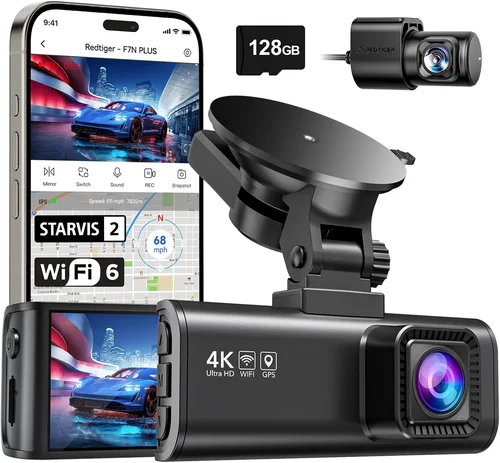
The primary purpose of any dash cam is to capture clear, usable footage. As a parent, you want to ensure that if something happens on the road—whether it’s another driver cutting off your child or unexpected behavior inside the car—you have evidence that’s sharp enough to be useful. Most modern dash cams offer resolutions ranging from 720p HD up to 4K Ultra HD.
Why resolution matters: Higher-resolution cameras record more detail, which becomes crucial during accident reconstruction or insurance claims. A 1080p camera is generally sufficient for most daily commutes, while 2K or 4K models provide enhanced clarity, especially in low-light conditions or when zooming in on distant license plates.
Frame rate (fps): Look for at least 30 frames per second (fps); higher frame rates like 60 fps improve motion smoothness and help reduce blur during sudden stops or fast-moving traffic.
Low-light performance: Night driving is inevitable for many families, so opt for a dash cam with good low-light sensitivity. Models equipped with wide dynamic range (WDR) or HDR technology balance bright headlights with darker road surfaces, preventing overexposure and underexposure in challenging lighting.
2. Field of View (FOV)
The field of view determines how much of the road ahead and surroundings are captured by your dash cam. A wider FOV means more coverage but may introduce fisheye distortion at the edges. For parents, a balanced FOV between 120° and 150° is ideal—it captures enough context without compromising image quality.
A narrow FOV might miss important details like lane changes or pedestrian crossings, while an excessively wide angle can make objects appear smaller and less defined. Some dual-channel dash cams offer front and rear views simultaneously, giving you complete situational awareness.
3. Storage Capacity & Loop Recording
Dash cams continuously overwrite old footage using loop recording, so you don’t need endless storage space. However, the size and type of memory card you choose directly impact how long your recordings last before being replaced.
Recommended memory cards: Use Class 10 or U3 microSD cards (minimum 32GB, preferably 64GB or higher). These support high-speed writing required for stable video capture. Avoid counterfeit or low-quality cards, as they often fail prematurely and corrupt files.
Cloud storage options: Some premium dash cams sync footage automatically to the cloud via Wi-Fi, allowing remote access from your smartphone. This feature is particularly useful if you share rides with multiple family members or want to review incidents without removing the memory card.
4. Parking Mode & Motion Detection
This is arguably one of the most important features for parents—especially those who park their cars in public areas overnight or leave vehicles unattended for extended periods. Parking mode activates when the dash cam detects motion or impacts while the car is turned off.
Battery-powered vs. hardwired: Hardwiring your dash cam to the car’s electrical system ensures continuous operation during parking mode. If hardwiring isn’t feasible, look for models with built-in supercapacitors or replaceable batteries that last several hours.
Sensitivity settings: Adjustable motion detection helps avoid false triggers from passing animals, streetlights, or vibrations. Many dash cams allow you to customize sensitivity levels based on your environment.
5. Dual-Camera Systems
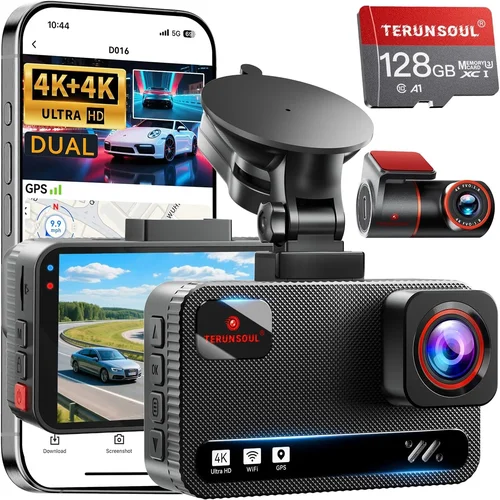
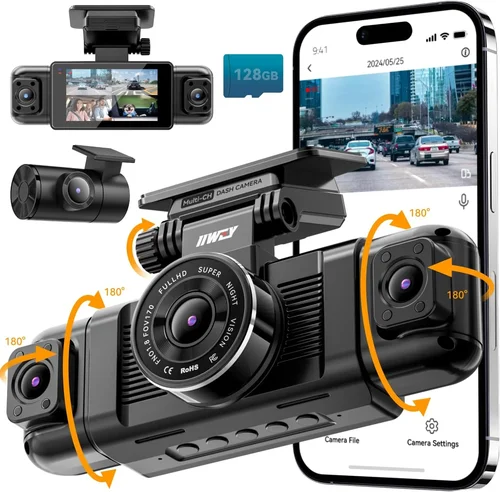
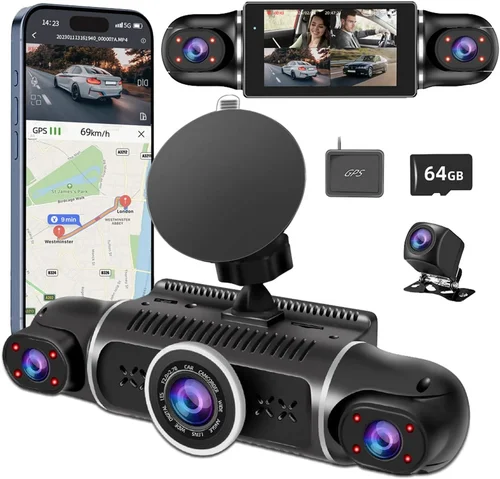
For families with older children learning to drive or teenagers who frequently ride as passengers, a dual-camera setup offers added security. The front camera records what’s happening outside the vehicle, while the cabin-facing camera monitors activity inside the car.
Cabin monitoring benefits: Parents can check in on younger kids during long drives, ensure seatbelt usage, or even deter distracted driving among teen passengers. Some models include privacy features like manual shut-off switches or physical covers for the interior lens.
Storage considerations: Dual cameras double the data load, so opt for larger memory cards or cloud-based solutions to manage file sizes efficiently.
6. Ease of Installation & Setup
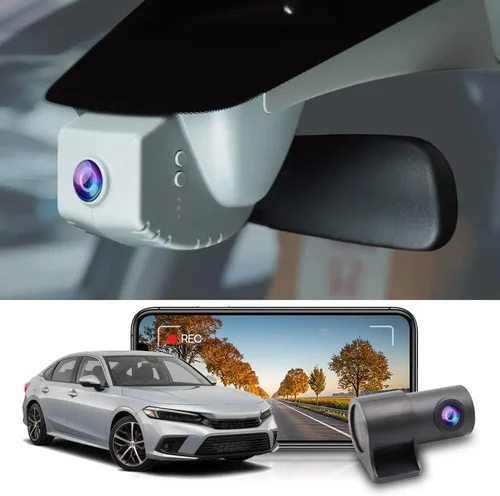
As a busy parent, you don’t want to spend hours wrestling with complicated wiring or technical manuals. Choose a dash cam that installs quickly and securely using suction cups, adhesive mounts, or plug-and-play designs.
Wireless connectivity: Wi-Fi-enabled dash cams pair easily with smartphones via companion apps, simplifying firmware updates, live viewing, and file management. Bluetooth pairing is also helpful for hands-free operation.
Voice commands & touch controls: Intuitive interfaces reduce distractions while driving. Look for models with simple menus, large buttons, and audible feedback for critical functions like locking recordings.
7. Reliability & Build Quality
Children can be unpredictable—both in and out of the car—so your dash cam must withstand bumps, temperature swings, and accidental knocks. Rugged construction materials like aluminum alloy housings and tempered glass lenses enhance durability.
Temperature resistance: Extreme heat or cold can affect battery life and sensor performance. Check manufacturer specifications for operating ranges; most reliable models function well between -4°F and 140°F (-20°C to 60°C).
Waterproofing: Although dash cams aren’t typically exposed to heavy rain, splash-resistant coatings help protect internal components during sudden downpours.
8. Brand Reputation & Customer Support
Purchasing from reputable brands ensures access to timely software updates, responsive customer service, and genuine replacement parts. Established companies like Garmin, BlackVue, Nextbase, and Rexing have built trust through consistent performance and transparent policies.
Read user reviews carefully, paying attention to recurring complaints about malfunctions, poor support, or misleading product descriptions. Long-term reliability outweighs short-term savings when it comes to safety equipment.
Different Types of Dash Cams

Common Buying Mistakes to Avoid
❌ Mistake: Ignoring Low-Light Performance
Why it’s bad: Many parents assume that daytime visibility is the only concern, but dusk, dawn, and nighttime driving account for a significant portion of accidents. A dash cam with poor low-light sensitivity will produce grainy, unusable footage when it matters most.
What to do instead: Prioritize models with WDR/HDR, large aperture lenses (f/1.8 or lower), and infrared LEDs for true night vision. Test sample videos from the manufacturer’s website or YouTube reviews before purchasing.
❌ Mistake: Choosing Based Solely on Price
Why it’s bad: The cheapest dash cam may lack essential features like G-sensor protection, loop recording, or reliable build quality. Over time, frequent replacements or corrupted files can cost more than investing in a mid-range model upfront.
What to do instead: Compare value across price tiers. Read professional reviews from trusted sources like Wirecutter, PCMag, or RTINGS.com to identify top performers within your budget range.
❌ Mistake: Forgetting About Storage Management
Why it’s bad: Without proper loop recording settings or automatic file deletion, your dash cam could run out of space mid-drive, causing missed critical moments. Manual intervention defeats the purpose of continuous recording.
What to do instead: Ensure your chosen model supports seamless overwrite cycles. Consider cloud storage if you need off-device backups but still want uninterrupted local recording.
❌ Mistake: Skipping Hardwiring for Parking Mode
Why it’s bad: Relying solely on internal batteries limits parking surveillance duration. In hot climates, prolonged exposure to sunlight can degrade battery health quickly.
What to do instead: Install a hardwire kit compatible with your vehicle’s fuse box. This provides unlimited runtime and protects against power surges.
❌ Mistake: Overlooking Privacy Concerns
Why it’s bad: Cabin-facing cameras raise ethical questions about monitoring minors without consent. Legal jurisdictions vary, and misuse could lead to unintended consequences.
What to do instead: Only enable interior recording when necessary (e.g., during long trips with toddlers). Use physical lens covers or app-based toggles to disable the camera when privacy is preferred.
❌ Mistake: Neglecting Firmware Updates
Why it’s bad: Manufacturers regularly release updates to fix bugs, improve compatibility, and add new features. Outdated firmware can cause crashes, failed recordings, or security vulnerabilities.
What to do instead: Enable automatic updates in the companion app. Subscribe to brand newsletters to stay informed about major releases.
Budget Guidelines: How Much Should You Spend?
Entry-Level ($50 – $120)
This category includes basic single-channel dash cams with 1080p resolution, decent FOV, and essential safety features. Ideal for parents seeking affordable protection without sacrificing core functionality. Brands like Viofo, Apeman, and Z-Edge offer reliable entry points into dash cam ownership.
Expect limitations such as smaller screens, limited parking mode duration, and fewer smart features. However, these models perform well for everyday use and occasional emergency documentation.
Mid-Range ($120 – $300)
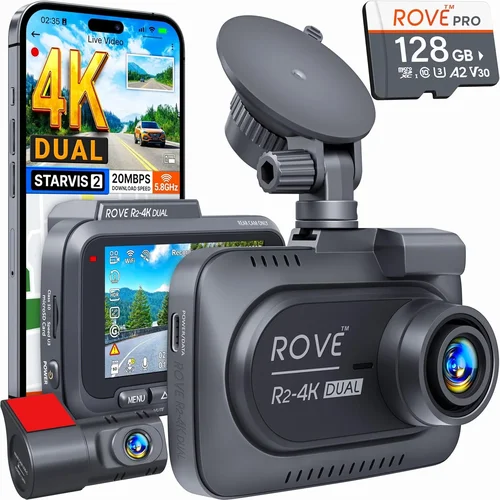
The sweet spot for most families balances performance, features, and price. Mid-tier dash cams typically include dual-channel recording, GPS logging, Wi-Fi connectivity, and robust parking modes. Models from Nextbase, Garmin, and BlackVue fall into this range and receive high marks for reliability and user experience.
These devices are perfect for parents who want peace of mind without overspending. They handle variable weather, long drives, and occasional off-road adventures with confidence.
Premium ($300 – $600)
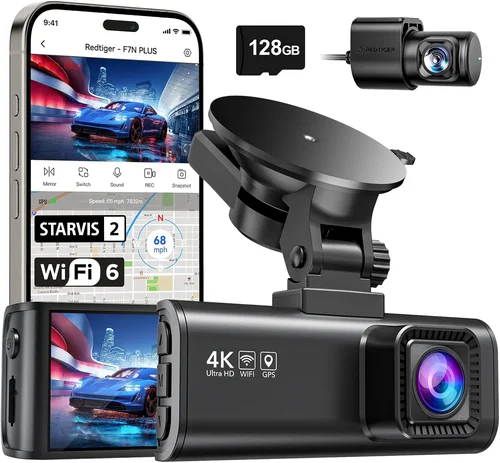
For tech enthusiasts and safety-focused households, premium dash cams deliver 4K resolution, advanced AI detection, thermal sensors, and seamless cloud integration. Brands like Thinkware, Rexing, and Owlstone compete here with cutting-edge innovations.
While pricier, these systems justify their cost through superior image processing, extended warranty coverage, and professional-grade build quality. They’re especially valuable if you frequently transport vulnerable passengers or operate in high-risk environments.
Luxury ($600+)
Ultra-premium dash cams cater to fleet operators, commercial drivers, and luxury vehicle owners. Features like multi-camera arrays, encrypted data transmission, and integration with ADAS (Advanced Driver Assistance Systems) set them apart. Thinkware F800 Pro and BlackVue DR970X-2CH represent the pinnacle of consumer dash cam technology.
For average families, luxury models offer diminishing returns unless you require specialized capabilities like dashcam-to-dashcam networking or industrial-grade durability.
Expert Tips for Getting the Best Deal
Timing Your Purchase
Avoid shopping during peak holiday seasons like Black Friday or Christmas, where discounts are already baked into MSRP. Instead, target back-to-school sales (August–September) or post-holiday clearance events (January–February). Retailers often slash prices on discontinued models to make room for new inventory.
Leverage Online Marketplaces
Amazon, Best Buy, and Walmart offer competitive pricing, fast shipping, and generous return policies. Use price-tracking tools like Honey or CamelCamelCamel to monitor fluctuations and alert you when prices drop below historical averages.
Check Manufacturer Websites
Brands sometimes run exclusive promotions, bundle offers, or loyalty rewards unavailable elsewhere. Sign up for newsletters to receive early access to flash sales or free accessory kits with purchase.
Verify Warranty Coverage
Most dash cams include 1–3 years of limited warranty coverage. Confirm what’s included (labor, parts, accidental damage) and whether international shipping applies if you travel abroad. Extended warranties rarely justify the cost for non-critical electronics.
Test Before Committing
If possible, visit physical stores like Staples or Target to inspect build quality, button placement, and screen readability. Hands-on evaluation prevents buyer’s remorse after delivery.
Join Parenting Forums & Communities
Platforms like Reddit (r/dashcams), Facebook groups, and parenting blogs host honest discussions about product experiences. Ask seasoned users about long-term reliability, troubleshooting tips, and hidden gems.
Beware of Counterfeits
Stick to official sellers and avoid suspiciously low prices on unknown platforms. Counterfeit units often fail within weeks and void any remaining warranty. Look for hologram seals, serial numbers, and secure packaging.
Consider Multi-Car Packages
Some brands sell bundles with extra memory cards, suction mounts, or hardwire kits. While not always cheaper individually, packages reduce hassle and ensure compatibility across your vehicle fleet.

Frequently Asked Questions
Q: Can I use my existing microSD card, or do I need a new one?
A: Always use a fresh, high-quality Class 10 or U3 card. Old cards may lack the write speed needed for stable recording, leading to dropped frames or corruption. Recommended capacities are 64GB minimum, though 128GB is better for dual-channel models.
Q: Is parking mode worth the extra cost?
A: Absolutely—if you park in public spaces overnight or leave your car unattended for extended periods. Parking mode deters hit-and-runs, documents vandalism, and provides evidence of irresponsible drivers. Just ensure hardwiring for optimal battery life.
Q: Do dash cams record audio?
A: Yes, most modern models include built-in microphones. However, privacy laws restrict audio recording in certain regions (e.g., two-party consent states in the U.S.). Disable audio if concerned about legal compliance or unwanted conversations.
Q: How often should I clean my dash cam lens?
A: Weekly cleaning prevents smudges and debris buildup. Use microfiber cloths and lens-safe wipes. Avoid alcohol-based cleaners, which can damage protective coatings over time.
Q: Can I access footage remotely while driving?
A: Not recommended. Streaming live video consumes excessive data and distracts from safe driving. Instead, download clips after arriving home using Wi-Fi transfer.
Q: What happens if my dash cam runs out of battery during parking mode?
A: Most models enter sleep mode or stop recording entirely. Hardwired installations eliminate this risk by drawing power directly from your car’s electrical system.
Q: Are dash cams legal everywhere?
A: Generally yes, but regulations vary by country and state. In Europe, dash cams are widely accepted; in Asia, some nations restrict their use. Always verify local laws before installation.
Q: Should I hide my dash cam to prevent theft?
A: No. Concealing the device defeats its purpose and may violate disclosure requirements in accident investigations. Keep it visible and secure with anti-theft brackets or adhesive mounts.
Q: How long does recorded footage last before being overwritten?
A: Typically 1–3 minutes per GB of storage, depending on resolution and compression settings. Larger cards extend retention time. Loop recording ensures continuous operation without manual cleanup.
Q: Can I install multiple dash cams in one car?
A: Technically yes, but unnecessary duplication increases costs and complexity. One high-quality front-facing camera usually suffices unless you require rear surveillance (e.g., valet parking or school buses).
Our Final Recommendations
Best for Budget-Conscious Buyers
Viofo A119 v3 – Priced under $100, this 1080p dash cam delivers solid performance with 140° FOV, G-sensor protection, and seamless loop recording. Its compact size fits discreetly on most windshields, and the included suction mount ensures secure placement. Ideal for parents prioritizing affordability without sacrificing reliability.
Best Overall Value
Nextbase 522GW – Winner of multiple awards, this dual-channel 1080p dash cam includes Alexa voice control, emergency SOS button, and First Click parking mode. Wi-Fi connectivity simplifies file sharing, while the intuitive interface appeals to non-tech-savvy users. At $180, it strikes the perfect balance between innovation and usability.
Best Premium Option
Thinkware Q800 Pro – For families demanding top-tier quality, this 4K dash cam features super-wide 150° FOV, thermal imaging, and cloud backup via Thinkware Cloud. Advanced driver alerts and blind-spot monitoring add extra layers of safety. Though priced at $450, its professional-grade specs justify the investment for serious drivers.
Best for Beginners
Apeman F450 – Simple setup, clear display, and robust build make this 1080p dash cam beginner-friendly. It lacks frills like GPS or Wi-Fi but excels at capturing crisp, stable footage during daily routines. Perfect for first-time buyers exploring dash cam technology.
Best for Advanced Users
BlackVue DR970-2CH LTE – This flagship model combines dual 2K cameras, 130° FOV, and cellular connectivity for real-time alerts and cloud streaming. Built-in Wi-Fi and GPS enhance functionality, while military-grade housing withstands extreme conditions. Tailored for tech enthusiasts and fleet operators alike.
Conclusion: Making the Right Choice
Selecting the best dash cam for parents requires balancing practicality, safety, and long-term value. Rather than chasing the latest gimmicks, focus on core attributes like video clarity, parking surveillance, and ease of use. Remember that your primary goal is to protect your children—not to impress neighbors with specs.
Start by assessing your typical driving patterns: Do you frequently park in high-crime areas? Does your child have a driver’s license yet? Will you need cabin monitoring for younger siblings? Answering these questions guides you toward the ideal model within your comfort zone.
Don’t hesitate to invest in a slightly higher-end option if it means gaining critical features like dual recording or hardwired reliability. After all, when it comes to safeguarding your family, preparedness trumps penny-pinching.
Finally, treat your dash cam as part of your broader safety ecosystem—pair it with seatbelt reminders, defensive driving courses, and regular vehicle maintenance. Together, these measures create a comprehensive shield against the unpredictable nature of the road.