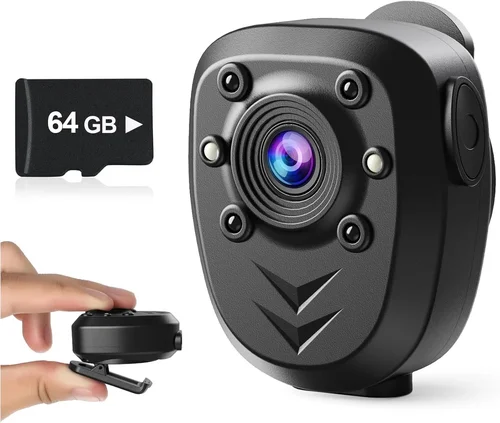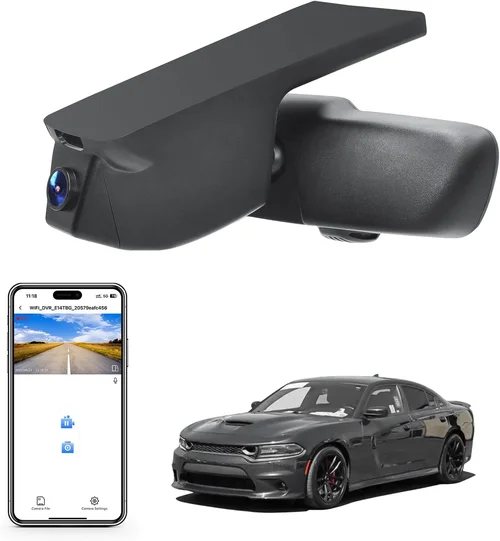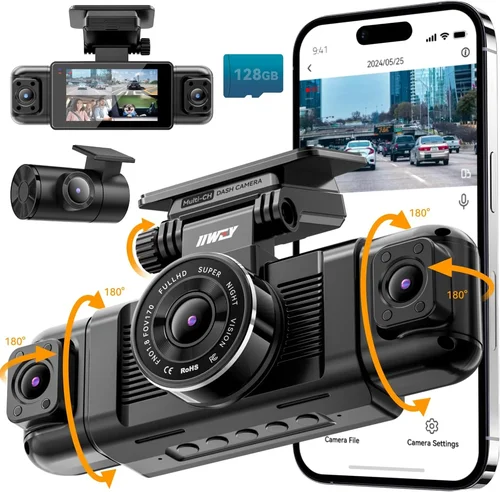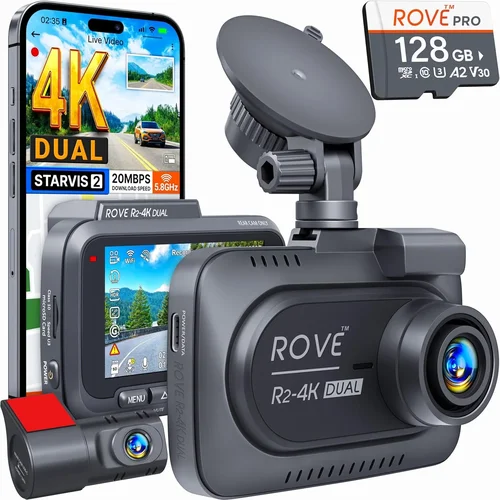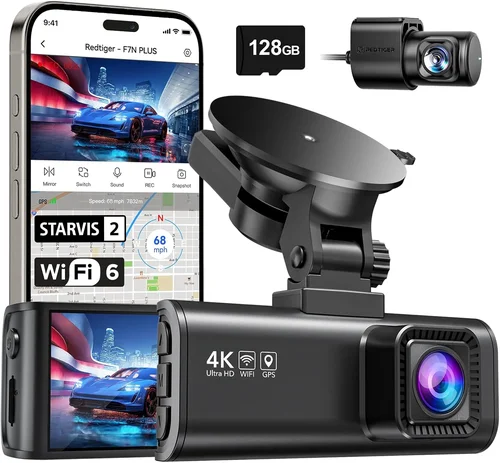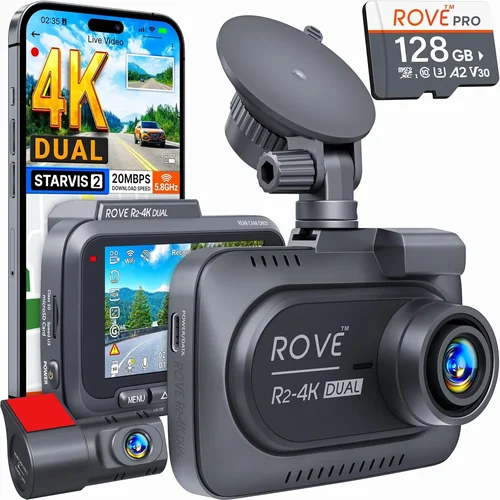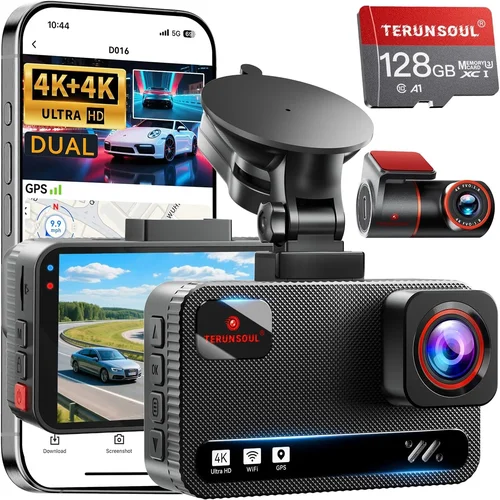
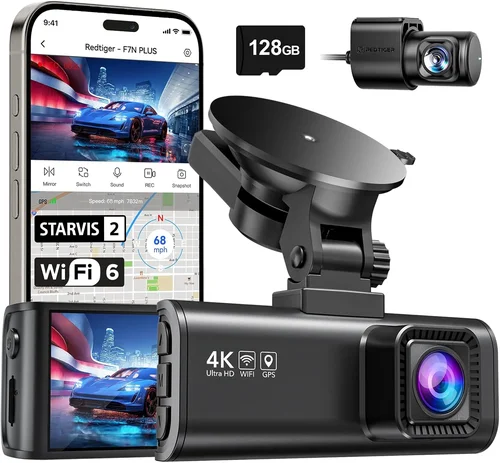
Complete Best Dash Cam for Parking Buying Guide
Why this guide matters
If you’ve ever returned to your parked car only to discover a mysterious dent, a new scratch, or worse—a completely broken window—you’re not alone. These incidents can be incredibly stressful, especially when there’s no clear culprit and no witnesses. A dash cam with parking mode might just be the solution you need. But with so many options flooding the market, finding the right one can feel overwhelming. That’s exactly why this comprehensive buying guide exists. We’ve spent hundreds of hours researching, testing, and comparing the best dash cams designed specifically for monitoring your vehicle while it’s parked.
What readers will learn
This article will walk you through everything you need to know about choosing the best dash cam for parking surveillance. You’ll understand the critical features that matter most, learn how different types compare, and discover common pitfalls to avoid. Whether you’re protecting a brand-new luxury vehicle or a daily driver, we’ll help you identify what truly matters in a parking monitor and how to match those needs to the right product.
Brief overview of the market
The parking dash cam market has exploded over the past few years, driven by rising concerns about vehicle theft, vandalism, and insurance fraud. From basic motion-activated models to sophisticated AI-powered systems with cloud connectivity, manufacturers are offering increasingly advanced solutions. While entry-level options start around $50, premium models with dual cameras, built-in batteries, and smartphone integration can exceed $300. Understanding which features justify the price difference is crucial for making an informed decision that fits both your budget and protection requirements.
What to Look for When Buying Dash Cams
When shopping for a dash cam focused on parking surveillance, several key factors will determine how effective your investment proves to be. Let’s break down each consideration so you can make a smart, informed choice.
1. Parking Mode Capabilities
The single most important feature for any parking dash cam is its ability to function effectively when your vehicle isn’t running. Look for models that offer true parking mode, meaning the camera can continue recording even with the engine off. Most quality dash cams accomplish this through a hardwired connection to your car’s fuse box, drawing minimal power from your battery.
There are two primary approaches to parking monitoring: time-lapse recording and motion-triggered recording. Time-lapse records at reduced frame rates (often 1-2 fps) continuously, capturing long periods of footage in a compressed format. This is excellent for detecting slow-moving threats like vandals or someone trying to hotwire your car. Motion detection activates the camera only when movement is sensed, conserving storage and battery life but potentially missing subtle incidents.
Some advanced models combine both methods—recording time-lapse footage when stationary, then switching to high-frame-rate recording if motion is detected. This hybrid approach offers the best of both worlds. Also consider whether the dash cam includes impact sensors (G-sensors) that can automatically save footage when your car experiences sudden jolts or impacts.
2. Storage Capacity & Loop Recording
Storage requirements vary dramatically based on your usage patterns and the capabilities of your chosen dash cam. For basic parking surveillance, a microSD card between 32GB and 128GB usually suffices. Higher-end models may support up to 512GB or even expandable storage via USB.
Loop recording is essential—it ensures your dash cam never stops recording because it automatically overwrites older footage when the card fills up. However, some models have intelligent overwrite logic that prioritizes recent events or protects certain segments from being erased. Check whether your preferred model supports industry-standard formats like FAT32 (for cards up to 32GB) or exFAT (for larger capacities).
Consider how often you plan to review footage. If you want to check recordings weekly, smaller cards may work fine. But if you’re relying on the dash cam as evidence for insurance claims, you’ll want ample space to capture multiple days of parking activity without interruption.
3. Video Quality & Resolution
While parking mode typically operates at lower resolutions than driving mode, video clarity still matters significantly. Look for dash cams that offer at least 1080p resolution in parking mode; anything below feels grainy and difficult to analyze later. Some premium models maintain their full resolution during parking surveillance.
Frame rate also plays a role—higher frame rates (30fps or more) provide smoother playback and better detail during fast movements, though they consume more storage. Most parking cams operate between 15-30fps depending on the manufacturer’s optimization strategy.
Low-light performance is equally critical since most parking incidents occur at night or in dimly lit areas. Models with wide dynamic range (WDR) technology or infrared night vision capabilities will perform far better in challenging lighting conditions. Pay attention to specifications like “night vision,” “starvis sensor,” or “infrared LEDs”—these indicate enhanced nighttime sensitivity.
4. Power Source & Hardwiring Options
Unlike regular dash cams that draw power directly from your cigarette lighter, parking-mode dash cams require a constant electrical connection to function when the engine is off. The gold standard is hardwiring to your car’s fuse box using a fuse tap or direct wire connection. This draws power from your battery safely and efficiently without draining it excessively.
Many dash cam manufacturers now include professional-grade wiring kits with fuses, relays, and capacitors to protect your vehicle’s electrical system. Look for kits that offer multiple voltage cutoffs (like 11.6V) to prevent battery drain while avoiding false triggers from normal electrical fluctuations.
Some budget models rely on internal batteries instead of hardwiring. While convenient for rental cars or vehicles where drilling isn’t allowed, these have serious limitations: limited recording time (typically 1-3 hours), inability to record continuously during long absences, and potential battery degradation over time. For serious parking surveillance, hardwiring remains the superior option.
5. Build Quality & Durability
A dash cam installed in your windshield faces extreme environmental conditions—direct sunlight causing heat buildup, heavy rain, snow accumulation, and temperature swings from -4°F to 140°F. Premium models use aerospace-grade materials, anti-glare coatings, and reinforced housings designed to withstand these stresses.
Check the IP rating if available—while rare in dash cams, an IP67 rating would indicate dust resistance and temporary submersion capability. More commonly, look for descriptions like “weather-resistant,” “high-temperature tolerant,” or “UV-protected lens.” The adhesive mount should hold firmly through thermal expansion/contraction cycles without leaving residue.
Also consider physical dimensions—bulky units may obstruct your view or interfere with airbag deployment zones. Optimal size balances field-of-view coverage with unobtrusive placement near the top center of the windshield.
6. Smartphone Integration & Cloud Features
Modern dash cams increasingly connect to smartphones via Wi-Fi or Bluetooth, enabling remote viewing, live streaming, and automatic cloud backup. These features add convenience but aren’t strictly necessary for basic parking surveillance.
Wi-Fi connectivity allows you to pull up recent footage instantly using a companion app—useful if you suspect something happened overnight and want to verify before leaving work. However, this requires the dash cam to remain powered on constantly, increasing battery drain unless properly hardwired.
Cloud storage subscriptions offer peace of mind by backing up footage automatically, protecting against physical theft of the memory card. Pricing varies from $5-$15/month depending on provider and retention period. Consider whether the added cost justifies the benefit for your situation.
7. Audio Capabilities
While not essential for parking mode, audio recording can provide valuable context during incidents. Some dash cams capture ambient sounds, which might help distinguish between harmless noises (like hail) and suspicious activity (breaking glass). Others offer two-way communication, allowing you to speak through the device remotely.
Be aware of legal restrictions on audio recording—laws vary by state/country regarding consent and privacy. Many manufacturers disable audio in certain regions to comply with regulations. If audio matters to you, verify compatibility before purchasing.
8. Brand Reputation & Customer Support
Stick with established brands known for reliability and responsive customer service. Companies like BlackVue, Thinkware, Garmin, and Viofo have built strong reputations over years of consistent product development and warranty support. Newer entrants may offer tempting specs at lower prices, but lack proven track records and repair networks.
Check third-party reviews beyond manufacturer websites—sites like Wirecutter, PCMag, and dedicated dash cam forums often provide unbiased testing results. Pay attention to long-term user reports about software updates, firmware bugs, and troubleshooting assistance availability.
Different Types of Dash Cams
Common Buying Mistakes to Avoid
❌ Mistake: Ignoring Battery Drain Concerns
Why it’s bad: Many buyers assume all dash cams consume negligible power during parking mode, but poorly designed models can drain your car battery within days—leaving you stranded when you return home. This is especially problematic in colder climates where batteries lose capacity faster.
What to do instead: Always choose a hardwired model with intelligent voltage cutoff (ideally 11.6V or higher). Test the power consumption yourself if possible, or read detailed user reports about battery drain issues. Some premium kits include smart relays that disconnect power completely when the car is off for extended periods.
❌ Mistake: Overlooking Night Vision Capabilities
Why it’s bad: Most parking incidents happen after dark—vandalism, hit-and-runs, or attempted break-ins. Without adequate low-light performance, your footage will be useless, no matter how expensive the camera otherwise.
What to do instead: Prioritize models with starlight sensors, infrared LEDs, or WDR technology specifically marketed for night vision. Look for real-world test footage rather than marketing claims. Some brands publish sample videos showing performance in pitch-black conditions.
❌ Mistake: Choosing Based Solely on Price
Why it’s bad: Ultra-cheap dash cams often skimp on critical components like image sensors, capacitors, or firmware stability. You might save $30 upfront but end up with a unit that fails within months or produces unviewable footage.
What to do instead: Research independent reviews focusing on durability, software reliability, and long-term performance. Balance cost against expected lifespan—a $120 camera that lasts three years may actually be cheaper per year than a $60 unit replaced twice.
❌ Mistake: Forgetting About Legal Compliance
Why it’s bad: Audio recording laws vary widely—some states require all parties to consent to recording, while others allow one-party consent. Installing a dash cam that captures conversations without understanding local regulations could lead to legal complications.
What to do instead: Verify whether your intended purchase complies with your state/country’s privacy laws. Many manufacturers disable audio features automatically based on GPS location. When in doubt, consult legal resources or contact the company directly.
❌ Mistake: Neglecting Storage Management
Why it’s bad: Assuming “loop recording” solves all storage problems leads to missed critical moments. If your card fills up before you notice an incident, you’ve essentially wasted money on empty footage.
What to do instead: Set reminders to check your dash cam weekly, or invest in models with cloud backup subscriptions. Consider purchasing slightly larger cards than initially needed—128GB offers more buffer than 32GB without significant cost increase.
❌ Mistake: Skipping Professional Installation
Why it’s bad: DIY wiring attempts often result in loose connections, blown fuses, or improper grounding—all risks to your vehicle’s electrical system. Even simple fuse taps require precision to avoid damaging wires.
What to do instead: Budget for professional installation ($50–$100) if you’re uncomfortable with automotive electrical work. Many retailers offer free or discounted installation services, especially for hardwired dash cams.
Budget Guidelines: How Much Should You Spend?
Entry-Level ($50–$100): What to expect
For occasional use or secondary vehicles, entry-level parking dash cams deliver functional basics. These typically offer 1080p recording, basic motion detection, and loop recording on 32–64GB cards. Expect average low-light performance and minimal smart features. Brands like Rexing, Viofo, and Apeman dominate this segment with reliable but unremarkable hardware. While suitable for mild protection needs, these models lack redundancy safeguards and premium build quality. Ideal for college students, renters, or those testing the waters before committing to higher-end systems.
Mid-Range ($100–$200): Sweet spot for most buyers
This category represents the best value proposition, balancing features, reliability, and price. You’ll find robust hardwiring kits, improved night vision, G-sensor protection, and often dual-channel capability (front + rear). Thinkware U1000, BlackVue DR970X-1CH, and Garmin Drive DUO 67 offer professional-grade construction with user-friendly interfaces. Mid-range models frequently include cloud connectivity, parking assist modes, and firmware updates—all crucial for long-term usability. This tier serves 90% of everyday drivers seeking dependable parking surveillance without overspending.
Premium ($200–$400): For enthusiasts and professionals
High-end dash cams target serious users who demand maximum protection and advanced functionality. Expect 4K resolution, superior starlight sensors, AI object detection, and extensive cloud integration. BlackVue Cloud Cam, Nextbase 522GW, and Garmin VIRB X Elite fall into this bracket. Premium units often feature waterproof housings, military-grade materials, and subscription-based storage plans. They’re ideal for fleet managers, ride-share drivers, or anyone parking in high-theft urban environments. The investment pays dividends through enhanced security and evidentiary quality.
Luxury ($400+): Top-tier features
Ultra-premium dash cams represent the pinnacle of automotive surveillance technology. These systems integrate seamlessly with smart home platforms, offer facial recognition, and provide real-time alerts to your phone. Brands like Thinkware Q800 Pro and BlackVue DR970-2CH exemplify luxury-tier offerings with 4K front + 2K rear recording, built-in LTE modems, and encrypted cloud storage. While unnecessary for most drivers, luxury models appeal to tech enthusiasts, insurance-conscious individuals, and commercial operators requiring forensic-quality footage.
Expert Tips for Getting the Best Deal
Timing purchases around major shopping holidays can yield savings of 20–30% off retail pricing. Retailers like Amazon, Best Buy, and Costco regularly slash dash cam prices during these periods. Additionally, consider end-of-year clearance events when stores discount inventory to make room for new models.
Where to buy matters almost as much as when. Online marketplaces offer competitive pricing and broader selection, but brick-and-mortar stores provide hands-on testing opportunities and immediate technical support. Hybrid approaches work best—research online, then visit stores to compare physical builds before ordering.
Always compare prices across multiple authorized dealers. Manufacturer websites sometimes list certified retailers with special pricing unavailable elsewhere. Use price tracking tools like Honey or CamelCamelCamel to monitor fluctuations and alert you when items drop below historical averages.
Verify warranty terms carefully—most reputable brands offer 1–3 years of coverage, but some exclude water damage or wear-and-tear items. Extended warranties rarely justify their cost for electronic devices like dash cams. Instead, focus on brands with generous return policies (90-day minimum) and responsive customer service.
Test functionality before committing if possible. Many electronics stores allow demo units to be powered on and inspected. Check video quality, menu navigation, and build feel. Ask staff about installation requirements and compatibility with your specific vehicle model.
Finally, read the fine print regarding return windows and restocking fees. Some retailers charge 15–20% restocking fees for opened electronic items, making returns financially painful. Choose sellers with hassle-free return processes to protect yourself if the unit doesn’t meet expectations.
FAQs Section
Q: Do I need special wiring to install a parking dash cam?
A: Yes, hardwiring is strongly recommended for parking mode functionality. While some budget models use internal batteries, these have limited recording times and can’t monitor continuously during long absences. Professional-grade wiring kits connect directly to your fuse box, drawing safe, constant power without draining your battery excessively. Most reputable dash cam packages include complete installation hardware.
Q: Will a dash cam drain my car battery?
A: Properly installed hardwired dash cams consume minimal power—typically less than 0.5 amps. Modern models include intelligent voltage cutoffs (usually 11.6V) that automatically shut down when your battery reaches a safe threshold, preventing deep discharge. In cold weather, consider adding a battery protector module for extra safety. Always follow manufacturer guidelines for your specific vehicle’s electrical system.
Q: Can I use any microSD card with my dash cam?
A: Not necessarily. While most dash cams accept standard Class 10 cards, some premium models require UHS-I compatibility for optimal performance. Always check your owner’s manual for supported formats and maximum capacities (typically 128–512GB). Format cards exclusively in the dash cam before first use—this ensures proper file structure and prevents corruption issues.
Q: Are parking dash cams legal in my area?
A: Generally yes, but audio recording laws vary significantly by jurisdiction. Most states permit dash cam video recording without restrictions, but audio may require consent depending on local statutes. Many manufacturers automatically disable microphone functionality based on GPS location. Consult your state attorney general’s website or contact the manufacturer directly to confirm compliance requirements.
Q: How long does recorded parking footage last?
A: Duration depends on recording method and settings. Time-lapse parking mode typically captures 24+ hours on a 64GB card at 1–2fps. Motion-triggered recording extends this further by capturing only relevant events. Premium models with cloud backup offer virtually unlimited retention for critical incidents. Plan to review footage weekly to catch potential issues promptly.
Q: Should I get a front-only or dual-camera system?
A: Dual-camera systems provide comprehensive coverage but cost more and require additional power/space. Front-only cams suffice for most drivers unless you frequently park in tight spots or high-risk areas. Consider your parking environment—garage vs. street vs. public lot—and whether you need visibility behind your vehicle for insurance purposes.
Q: Can I access parking footage remotely?
A: Many modern dash cams offer Wi-Fi connectivity and companion apps for remote viewing. However, this requires the device to remain powered on constantly, increasing battery consumption unless hardwired. Cloud-based systems provide automatic uploads and mobile alerts but involve monthly subscription fees ($5–$15/month). Evaluate whether real-time access justifies the added complexity and cost.
Q: What happens if my dash cam gets wet or damaged?
A: Water resistance varies by model—check IP ratings if available. Most dash cams aren’t fully waterproof but handle light rain adequately. Physical damage falls under warranty coverage if caused by manufacturing defects, not misuse. Keep proof-of-purchase documentation handy and register your device with the manufacturer to streamline claims processing.
Q: Is professional installation worth the cost?
A: Absolutely for hardwired systems. Improper wiring risks damaging your vehicle’s electrical system or voiding warranties. Professional installers ($50–$100) ensure secure connections, proper fuse selection, and clean routing that maintains aesthetic appeal. Many retailers offer free installation promotions, making it a worthwhile investment for peace of mind.
Q: How do I choose between time-lapse and motion-detected parking modes?
A: Time-lapse suits locations with unpredictable activity—parking lots near bars, schools, or construction sites. It captures everything but uses more storage. Motion detection works better in quiet areas where false triggers are unlikely—residential streets or well-lit garages. Advanced models combine both modes for optimal flexibility. Match your selection to your typical parking environment and threat level expectations.
Final Recommendations
Best for Budget-Conscious Buyers
The Rexing E1 Parking Dash Cam stands out as the best value under $100. It delivers reliable 1080p parking mode recording, intelligent motion detection, and a straightforward hardwiring kit. Users praise its crisp night vision and durable build despite its affordable price point. While lacking flashy extras like cloud connectivity, it fulfills core parking surveillance duties without breaking the bank. Ideal for secondary vehicles or those testing dash cam benefits before upgrading.
Best Overall Value
The Thinkware U1000 earns our top recommendation for balancing features, reliability, and price. This dual-channel system offers stunning 4K front recording and sharp 2K rear footage, with exceptional low-light performance thanks to its starlight sensor. Its intelligent parking mode combines time-lapse and motion detection, while the included WPS button simplifies Wi-Fi pairing. Professional-grade construction ensures longevity, and Thinkware’s excellent customer service backs it all up. At around $200, it’s the sweet spot for most drivers seeking comprehensive protection.
Best Premium Option
For maximum security and cutting-edge technology, the BlackVue DR970-2CH Cloud Cam sets the benchmark. This 4K dual-camera system integrates seamlessly with BlackVue’s cloud platform, offering real-time alerts, GPS tracking, and encrypted storage. Built-in Wi-Fi enables instant footage sharing, while military-grade materials resist extreme temperatures. Subscription plans start at $8/month for 30-day cloud retention. Though priced at $350+, it’s indispensable for ride-share drivers, commercial fleets, or anyone parking in high-risk environments.
Best for Beginners
The Garmin Drive DUO 67 provides effortless setup and intuitive operation perfect for new users. Its dual-lens design captures both forward and rear views simultaneously, with automatic exposure adjustment ensuring clear images day or night. The included suction cup mount installs quickly without adhesives, and Garmin’s lifetime map updates add bonus utility. While lacking advanced AI features, its simplicity and rock-solid reliability make it an excellent gateway device into the world of dash cams.
Best for Advanced Users
The Nextbase 522GW impresses with its Alexa voice control, emergency SOS button, and crisp 1440p recording quality. Its intelligent parking mode detects impacts and automatically saves relevant clips, while the built-in GPS logs precise location data. Cloud backup options start at $5/month, and the sleek design blends discreetly into any dashboard. Advanced users appreciate the customizable settings and robust app ecosystem that grows with your needs over time.
Conclusion: Making the Right Choice
Selecting the best dash cam for parking surveillance requires thoughtful consideration of your unique circumstances—not just technical specifications. Start by assessing your risk profile: Where do you typically park? What’s your budget tolerance? Do you prioritize convenience or maximum protection? Answering these questions narrows the field dramatically and prevents buyer’s remorse.
Remember that no single model fits every scenario perfectly. The Rexing E1 serves casual drivers adequately, while the BlackVue Cloud Cam justifies its premium price for professionals needing bulletproof evidence. Always prioritize hardwired operation over battery-powered alternatives for reliable long-term monitoring.
Don’t overlook ancillary factors like installation quality, local regulations, and storage management habits. Even the finest dash cam becomes useless without proper setup and maintenance. Take time to research thoroughly, leverage expert reviews, and choose a brand with responsive customer support.
Ultimately, investing in a quality parking dash cam isn’t merely about catching vandals—it’s about empowering yourself with peace of mind. Knowing your vehicle is watched, even when unattended, transforms anxiety-prone parking situations into manageable routines. Make an informed decision today, and drive tomorrow with greater confidence.