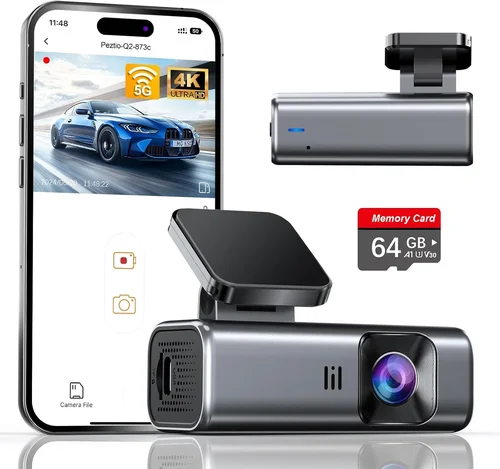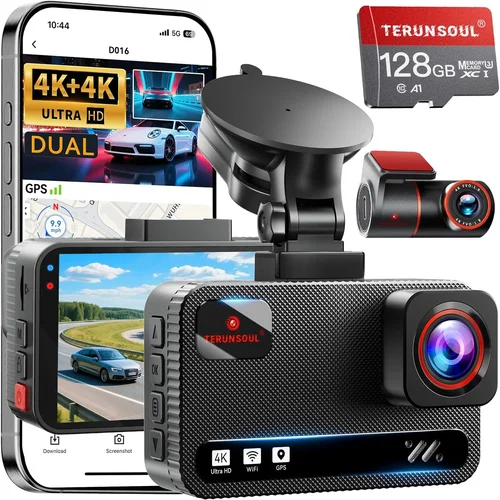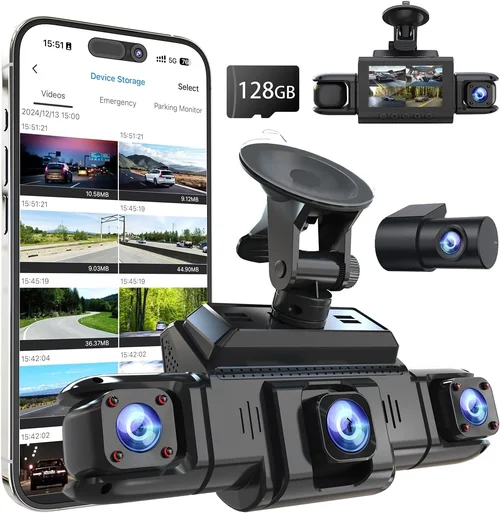
Best 360 View Dash Cam Buying Guide
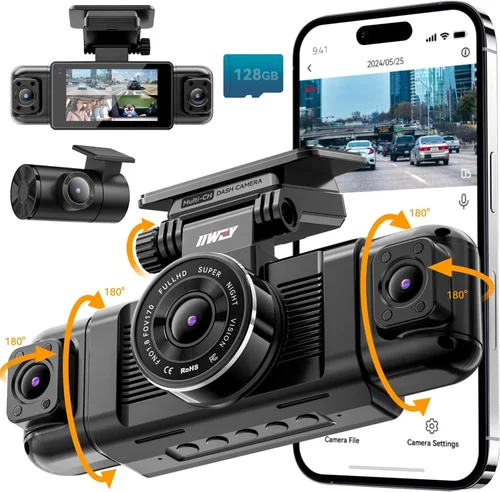
When it comes to protecting your vehicle and ensuring peace of mind on the road, a dash cam has become an essential automotive accessory. Among the most advanced and sought-after options available today are 360-degree dash cameras, which offer comprehensive coverage by capturing footage from multiple angles simultaneously. These systems provide drivers with unmatched visibility, making them invaluable for accident documentation, parking surveillance, and general driving safety. Whether you’re navigating busy city streets or traveling on winding rural roads, having complete situational awareness can make all the difference.
This comprehensive buying guide will walk you through everything you need to know about selecting the best 360 view dash cam for your car. We’ll explore the critical features that define performance, break down the different types of 360 camera systems, highlight common purchasing pitfalls, and provide expert recommendations tailored to various budgets and needs. By the end of this article, you’ll have a clear understanding of what makes a high-quality 360 dash cam stand out, how to evaluate technical specifications, and which models currently deliver the best balance of reliability, image quality, and smart functionality.
The market for automotive security and recording devices continues to evolve rapidly, with new innovations in sensor technology, connectivity, and AI-enhanced features emerging regularly. While basic single-lens dash cams remain popular, the growing demand for full-perimeter monitoring has driven significant advancements in multi-camera systems. Modern 360 view dash cams integrate front, rear, side, and interior lenses—often with wireless synchronization—to create a seamless panoramic recording experience. However, not all 360 camera setups are created equal. Factors such as resolution, field of view, night vision capability, storage capacity, and integration with mobile apps play crucial roles in determining overall effectiveness.
Understanding these nuances is key to making an informed decision that aligns with your specific requirements. Whether you prioritize crystal-clear video evidence for insurance claims, want real-time alerts when your car is approached while parked, or simply desire the comfort of knowing every corner of your vehicle is under surveillance, choosing the right 360 dash cam involves more than just picking the most expensive model. In this guide, we’ll demystify the technology behind 360 view systems, compare top performers across categories, and equip you with the knowledge needed to invest wisely in a solution that enhances both safety and security.

What to Look for When Buying Dash Cams
1. Resolution and Image Quality
The foundation of any effective dash cam lies in its ability to capture clear, detailed footage. For 360 view systems, this means evaluating the resolution of each individual camera lens—typically measured in megapixels or video resolution (e.g., 1080p, 4K). Higher resolutions ensure that license plates, facial expressions, and road signs remain legible even during fast-moving scenarios or low-light conditions. Most reputable 360 dash cams feature front-facing lenses rated at 1920×1080 (Full HD) or higher, while auxiliary cameras often operate at slightly lower resolutions but still maintain excellent clarity.
Beyond raw resolution, consider dynamic range and low-light performance. A camera with good HDR (High Dynamic Range) capability can better handle high-contrast scenes like sunsets or tunnel entrances without overexposing highlights or underexposing shadows. Similarly, infrared LEDs or starlight sensors enhance nighttime visibility by illuminating dark areas and reducing noise in dim environments. Always check user reviews specifically regarding nighttime footage quality, as many budget models struggle significantly after sunset.
2. Field of View (FOV)
Achieving true “360” coverage requires wide-angle lenses on each camera. The standard FOV for dash cam lenses typically ranges between 120° to 170°, depending on the manufacturer and intended use. A wider angle captures more of the surroundings but may introduce some distortion at the edges—a phenomenon known as barrel distortion. Premium systems often employ fisheye correction algorithms to minimize this effect and present a more natural-looking image when stitching together multiple feeds.
For optimal 360 protection, aim for a system where the combined horizontal coverage spans at least 300 degrees. Some advanced models even include ultra-wide lenses on side cameras to detect vehicles approaching from blind spots. Be sure to verify whether the manufacturer provides software that accurately stitches these images into a cohesive panorama; otherwise, gaps or overlaps could compromise usability during playback or evidence review.
3. Storage and Recording Capacity
Continuous recording demands reliable storage solutions. Most 360 dash cams support microSD cards ranging from 32GB to 512GB, though capacity needs vary based on recording duration, compression settings, and loop overwrite behavior. Higher bitrate recordings consume storage faster—especially at 4K resolution—so if you plan to store extended periods of footage, opt for larger cards (128GB+) or models compatible with cloud storage subscriptions.
Loop recording ensures older clips automatically replace newer ones once the card fills up, preserving only the most recent data unless manually saved. Look for G-sensor-triggered event locking, which protects critical incidents from being overwritten. Additionally, consider whether the system offers automatic backup to USB drives or external hard disks via built-in ports.
4. Connectivity and Smart Features
Modern 360 view dash cams increasingly integrate Wi-Fi, Bluetooth, and smartphone connectivity for enhanced functionality. Through companion apps (like Garmin Drive, Viofo Mini Pro, or Thinkware Home), users can remotely access live feeds, download clips, adjust settings, and receive alerts about unusual activity near their parked vehicle. Some systems even support voice control or GPS tagging to log location and speed data alongside video.
Advanced features worth considering include:
- Parking Mode: Monitors your vehicle when unattended using motion detection or impact sensors.
- Driver Assistance: Lane departure warnings, forward collision alerts, or blind spot monitoring.
- Cloud Backup: Automatic upload of selected videos to secure online servers for long-term retention.
- Two-Way Audio: Communicate through the app or internal mic/speaker for added security.
However, always weigh these extras against battery drain concerns—some smart functions require constant power, necessitating a hardwired connection to your car’s electrical system.
5. Installation Complexity
Installing a 360 dash cam involves mounting multiple lenses around the vehicle, which can range from simple adhesive mounts to complex wiring jobs requiring professional assistance. Single-lens systems usually attach behind the rearview mirror with minimal effort, but multi-camera setups demand careful planning to avoid obstructing visibility or damaging paintwork.
Look for kits that include adhesive pads designed for curved surfaces, zip ties for clean cable management, and pre-cut templates to guide placement. Wireless models simplify installation by eliminating tangled wires between cameras, though they may sacrifice some reliability due to signal interference risks. If unsure about DIY skills, factor in the cost of professional installation when comparing total ownership expenses.
6. Durability and Weather Resistance
Dash cams operate in harsh environments—extreme temperatures, rain, dust, and vibrations—so build quality matters greatly. Housing materials should be ruggedized to withstand impacts and UV exposure. Check IP ratings (if provided) for water and debris resistance; even modest ingress protection (e.g., IPX4) helps prevent internal damage during heavy weather.
Additionally, ensure lenses are scratch-resistant and anti-fog coated to maintain optical clarity year-round. Internal components must also endure temperature fluctuations common in vehicles parked outdoors—from scorching summers to freezing winters. Brands like BlackVue, Nextbase, and Garmin are known for engineering robust units capable of lasting several years under demanding conditions.
7. Power Source and Wiring Options
Most dash cams draw power directly from your car’s cigarette lighter socket or fuse box via a hardwire kit. Hardwiring offers cleaner aesthetics and enables features like parking mode without draining your battery excessively. Many manufacturers sell dedicated harnesses that tap into the OBD-II port or fuse box safely without voiding warranties.
Consider whether the system supports dual-voltage operation (12V/24V) if you drive trucks or RVs. Also, verify compatibility with your vehicle’s year/make/model—some older cars lack sufficient power outlets or require adapters. Solar-powered add-ons exist but rarely suffice as primary sources for continuous recording.
8. Brand Reputation and Customer Support
Purchasing from established brands reduces the risk of encountering hardware defects, firmware bugs, or poor customer service. Research user forums, Reddit threads, and third-party review sites to gauge long-term reliability. Companies offering responsive tech support, frequent firmware updates, and generous return policies tend to earn higher trust scores.
Warranty terms also reflect confidence in product durability. Look for at least a two-year limited warranty covering manufacturing flaws, with options to extend coverage through registered owners. Avoid obscure private-label brands lacking transparent contact information or repair networks.
Different Types of Dash Cams

Common Buying Mistakes to Avoid
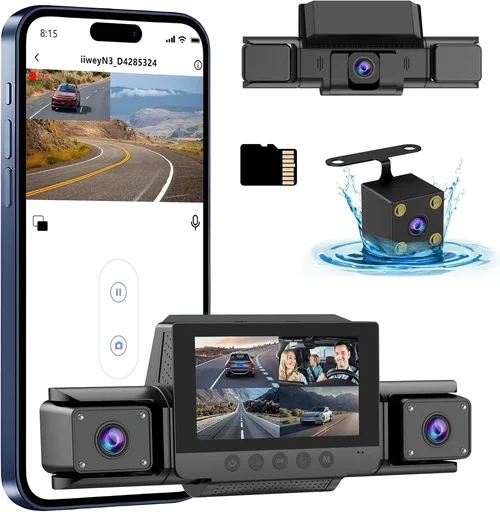
❌ Mistake: Ignoring Night Vision Capabilities
Why it’s bad: Many buyers assume all dash cams perform equally in darkness, but inferior low-light sensors produce grainy, unusable footage after sunset. Without proper night vision, critical evidence—such as hit-and-run incidents or suspicious activity near your parked car—becomes nearly impossible to analyze.
What to do instead: Prioritize models with infrared LEDs, large aperture lenses (f/1.8 or lower), and verified night-mode performance. Read hands-on reviews that test nighttime recording under realistic conditions, not just marketing claims.
❌ Mistake: Overlooking Storage Limitations
Why it’s bad: Assuming a 64GB card will last weeks ignores compression settings and recording length. High-bitrate 4K streams consume gigabytes hourly, quickly filling smaller cards and overwriting important events before they’re reviewed.
What to do instead: Calculate your daily storage needs based on commute length and desired retention period. Choose cards rated for dash cam use (Class 10, U3/V30 speeds) and enable G-sensor locking to preserve impact-triggered clips indefinitely.
❌ Mistake: Skipping Compatibility Checks
Why it’s bad: Installing a system incompatible with your vehicle’s electrical system or dashboard layout leads to poor fitment, obstructed views, or accidental damage during removal. Some cars lack adequate mounting space or power outlets for multi-camera rigs.
What to do instead: Consult manufacturer compatibility lists or seek advice from automotive forums specific to your car model. Verify hardwiring kit availability if planning parking mode functionality.
❌ Mistake: Prioritizing Price Over Reliability
Why it’s bad: Ultra-cheap 360 dash cams often suffer from inconsistent sync issues, laggy interfaces, and short lifespans. Frequent reboots or failed recordings waste time and undermine trust when legal evidence is required.
What to do instead: Allocate budget toward proven brands with strong track records. Spend slightly more upfront to avoid replacement costs and frustration later.
❌ Mistake: Neglecting Software and App Experience
Why it’s bad: Even the best hardware fails if paired with clunky software or unreliable cloud services. Poor app design makes clip retrieval tedious, while unstable connections interrupt live streaming or delay notifications.
What to do instead: Download demo versions of companion apps before purchasing. Test navigation, search filters, and export workflows to ensure they meet your workflow preferences.
❌ Mistake: Assuming All 360 Systems Are Equal
Why it’s bad: Marketing terms like “full 360 coverage” don’t guarantee seamless stitching or gap-free panoramas. Some systems only record overlapping segments without true omnidirectional fusion, leaving blind spots.
What to do instead: Watch unboxing or setup videos showing actual field-of-view comparisons. Confirm whether the system uses proprietary algorithms to merge feeds intelligently rather than simply concatenating clips.
❌ Mistake: Forgetting About Legal Considerations
Why it’s bad: In some regions, recording audio without consent violates wiretapping laws. Similarly, capturing private property or pedestrians may raise privacy concerns if footage is shared improperly.
What to do instead: Research local regulations regarding dash cam usage. Disable audio recording where prohibited and avoid publishing unedited clips online unless anonymized and legally permissible.
Budget Guidelines: How Much Should You Spend?
Entry-Level ($100 – $200)
This tier suits drivers seeking basic perimeter monitoring without breaking the bank. Expect Full HD front/rear cameras, loop recording, and motion-activated parking mode. While image quality won’t match premium rivals, brands like Victure, Reolink, and Apeman deliver respectable performance for casual users. Ideal if you already own a reliable single-lens cam and want supplemental side coverage.
Mid-Range ($200 – $400)
The sweet spot for most buyers balances affordability with advanced features. Models in this range typically offer 4K front lenses, wireless connectivity, GPS tagging, and robust app ecosystems. Notable examples include the Garmin Dash Cam 67W (with optional rear cam) and the Blackvue DR970X-2CH (expandable to four channels). Great value for those wanting professional-grade clarity without enterprise pricing.
Premium ($400 – $700)
Enthusiasts and families investing heavily in safety gravitate toward this category. Top contenders boast 4K multi-channel recording, superior HDR imaging, cloud backup, driver assistance alerts, and seamless smartphone integration. The Thinkware U1000 and Nextbase 522GW+ exemplify excellence here—though note that expanding beyond three channels increases complexity and cost.
Luxury ($700+)
At the upper echelon, commercial fleets and tech-forward individuals find systems with AI recognition, thermal imaging, encrypted storage, and remote fleet management dashboards. Brands like Garmin, BlackVue, and Snooper dominate this space, offering military-grade durability and regulatory compliance certifications. Justifiable only if liability protection or operational efficiency demands maximum capability.
Expert Tips & Pro Advice
Time Your Purchase Strategically
Avoid buying during peak summer months when demand spikes and discounts shrink. Instead, target holiday sales (Black Friday, Cyber Monday), back-to-school promotions, or post-season clearance events in late fall/winter. Retailers like Amazon, Best Buy, and B&H Photo frequently slash dash cam prices during these windows.
Shop Across Multiple Retailers
Compare listings on Amazon (for customer reviews), manufacturer websites (for direct deals), and electronics chains like Costco or Sam’s Club (for bundle savings). Sometimes, buying locally allows testing physical controls before committing online.
Verify Firmware Updates Are Available
Check manufacturer support pages to confirm ongoing development. Regular firmware improves stability, adds features, and patches security vulnerabilities. Abandoned products stop receiving updates within 1–2 years, signaling obsolescence.
Test Return Policies Before Committing
Electronics have high defect rates—plan to return faulty units promptly. Opt for stores offering 30–90 day return windows and free prepaid shipping labels. Avoid gray-market imports with restrictive restocking fees.
Prioritize Hardwiring for Parking Mode
Without constant power, parking surveillance drains your battery overnight. Hardwire kits protect your vehicle while enabling features like impact detection and scheduled recording. Most kits draw less than 1A, minimizing load.
Use High-Quality Memory Cards
Cheap SD cards corrupt files or fail prematurely under write-heavy workloads. Invest in reputable brands like SanDisk Extreme, Samsung EVO Select, or Lexar Professional—all labeled U3 or V30 for sustained video recording.
Calibrate Your Expectations
No dash cam captures perfect detail at highway speeds or in blinding sunlight. Focus on consistency, not perfection. Minor distortions or occasional dropped frames rarely affect evidentiary validity when properly stabilized and annotated.

Frequently Asked Questions
Q: Do I really need a 360 view dash cam if I already have a regular one?
A: It depends on your priorities. Standard single-lens cams monitor the road ahead and sometimes the cabin interior. Adding rear and side cameras creates a safety net around your entire vehicle, especially useful for backing out of tight spaces, detecting passing threats, or documenting multi-vehicle collisions where blame isn’t immediately clear. For urban drivers or those living in high-theft areas, expanded coverage significantly boosts security.
Q: Can I install a 360 dash cam myself, or do I need a pro?
A: Simple adhesive-mount kits (like the VIOFO A119 V3) are designed for DIY installation and take under an hour. However, multi-camera systems with hardwiring, side lenses, or interior monitoring require routing cables through doors and tapping into your car’s electrical system—best handled by professionals unless you’re experienced with automotive wiring. Many manufacturers partner with certified installers for hassle-free setup.
Q: Will a 360 dash cam drain my car battery?
A: Yes, if left connected without a power-saving configuration. Continuous recording or active parking mode consumes electricity. To prevent deep discharge, use a low-power hardwire kit with automatic shutoff after 12–24 hours of inactivity. Some advanced models enter sleep mode when the engine is off, drawing virtually nothing until triggered by vibration or motion.
Q: How much storage do I actually need?
A: For moderate use (daily commutes under 30 minutes), a 64–128GB card suffices for 1–2 weeks of loop recording at 1080p. At 4K, expect 2–4 days per 64GB. Adjust based on incident frequency: if you encounter frequent stops or want longer retention, upgrade to 256GB+. Cloud backup eliminates local storage limits but requires internet access and monthly fees.
Q: Are wireless 360 systems reliable?
A: They’ve improved dramatically but still face challenges. Bluetooth or Wi-Fi signals can drop during heavy rain, tunnel travel, or metal-rich environments. Wired systems remain more dependable for critical recording, though wireless excels in convenience and aesthetics. Hybrid approaches—using wired primary cameras with wireless auxiliaries—offer a middle ground.
Q: What’s the difference between “loop recording” and “event locking”?
A: Loop recording continuously overwrites old footage once the card fills up, ensuring uninterrupted operation. Event locking uses built-in accelerometers (G-sensors) to detect sudden jolts or impacts, flagging those clips for permanent retention regardless of loop cycles. This preserves evidence from accidents or vandalism attempts.
Q: Can dash cams record audio?
A: Most do, but regulations vary widely. In the U.S., federal law permits recording in public spaces, but states like California prohibit audio capture without all parties’ consent. Always disable microphone input where illegal and respect privacy boundaries to avoid ethical dilemmas.
Q: How long do dash cam batteries last?
A: Built-in rechargeable batteries (common in portable models) typically last 1–2 hours of continuous recording. For fixed installations, reliance on vehicle power eliminates battery concerns. If using removable batteries for backup, lithium-ion packs provide stable output but degrade over time—replace every 2–3 years.
Our Final Recommendations
Best for Budget-Conscious Buyers
The Victure MC700 Pro delivers impressive 1440p front/rear recording, 150° FOV, and parking mode for under $150. Its compact design fits discreetly behind mirrors, and included accessories simplify installation. While lacking advanced AI features, it outperforms similarly priced rivals in low-light clarity and reliable loop recording—making it ideal for first-time 360 buyers.
Best Overall Value
The Garmin Dash Cam 67W + Rear Camera combines sleek aesthetics, 4K front imaging, voice control, and seamless app integration. Though pricier than entry-level options, its durability, global firmware support, and optional blind-spot monitoring justify the investment. Expandable to four channels via additional lenses, it adapts well to evolving needs.
Best Premium Option
The Thinkware U1000 2-Channel Dash Cam sets the benchmark for performance with 4K front, 2K rear, HDR+, and cloud backup. Its dual-band Wi-Fi, parking guard, and driver fatigue alerts cater to safety-focused drivers. While expensive, its enterprise-grade reliability and frequent software enhancements ensure long-term satisfaction.
Best for Beginners
The Apeman F900S 360 System offers plug-and-play simplicity with front, rear, and cabin cameras pre-synced via wireless pairing. Intuitive menus, automatic updates, and a generous 128GB card included reduce setup anxiety. Perfect for families or new drivers wanting stress-free 360 coverage.
Best for Advanced Users
The Blackvue DR970X-2CH appeals to tech enthusiasts with LTE connectivity, impact-sensing parking mode, and AI-powered incident detection. Fleet managers appreciate its remote viewing and geo-fencing capabilities. Robust build quality and extensive accessory ecosystem make it a future-proof choice despite its premium price.
Conclusion: Making the Right Choice
Choosing the best 360 view dash cam ultimately hinges on aligning features with your lifestyle, budget, and risk tolerance. There’s no universal winner—only the right fit for your unique circumstances. Whether you’re a commuter prioritizing accident prevention, a parent safeguarding children in the backseat, or a business owner managing company vehicles, understanding core specifications like resolution, connectivity, and installation requirements empowers smarter decisions.
Remember that even the most sophisticated system loses value if improperly installed or poorly maintained. Take time to research compatibility, read real user experiences, and leverage expert reviews before committing. And never underestimate the psychological benefit of knowing every angle of your journey is documented—it fosters safer habits and greater confidence behind the wheel.
As technology advances, 360 dash cams will continue integrating artificial intelligence, predictive analytics, and seamless vehicle integration. But for now, focus on proven reliability, clear visuals, and intuitive operation. With the insights from this guide, you’re equipped to navigate the marketplace confidently and select a system that delivers peace of mind mile after mile.