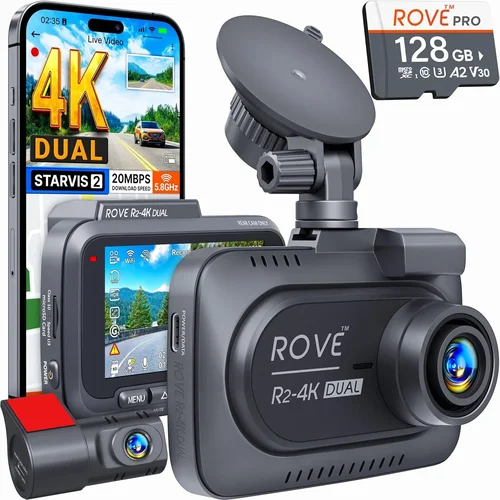
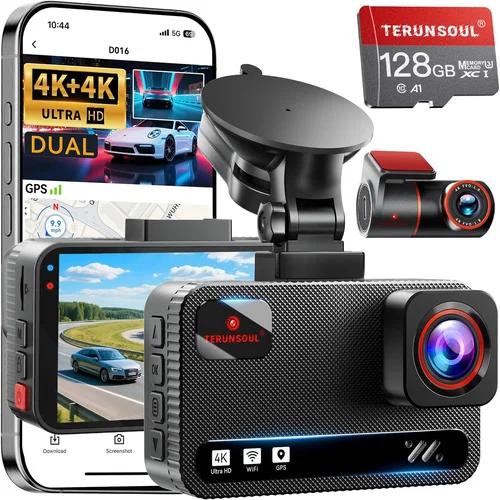
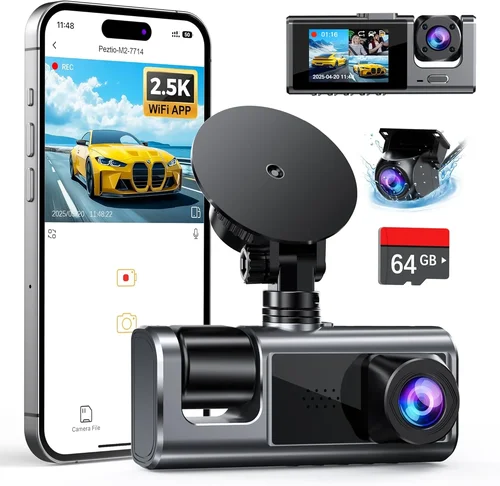
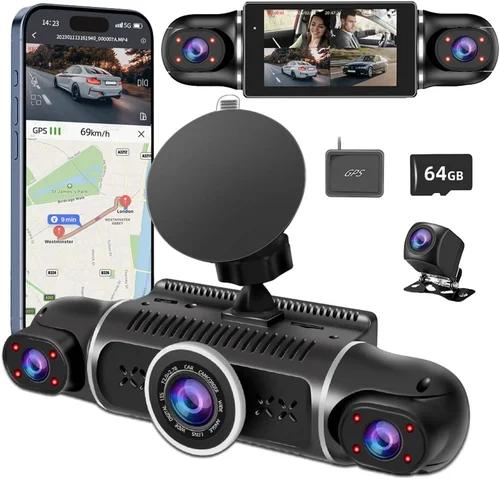
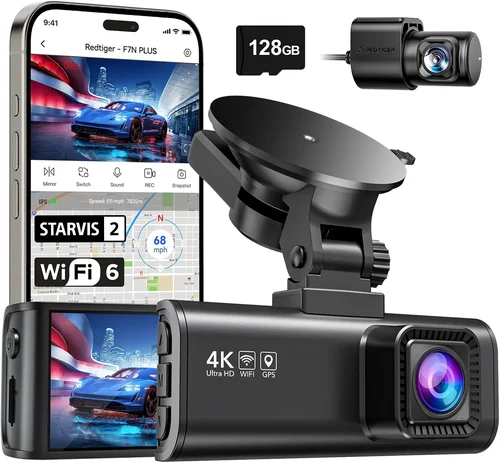
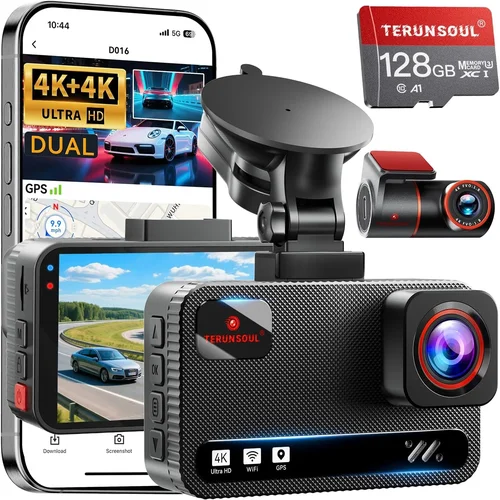
Best Car Dash Cam Buying Guide 2026
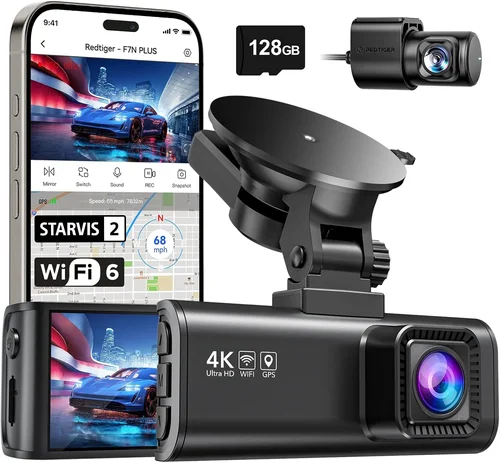
Why this guide matters
Choosing the right dash cam for your car isn’t just about recording your drive—it’s about protecting yourself, your passengers, and your vehicle in ways that insurance companies and legal systems increasingly recognize. As automotive technology evolves and driving conditions become more challenging, having a reliable dash cam can mean the difference between a minor incident and a costly dispute. This comprehensive buying guide will walk you through every aspect of selecting the perfect dash cam for 2026, ensuring you make an informed decision based on real-world needs rather than marketing hype.
What readers will learn
By the end of this guide, you’ll understand how to evaluate dash cams across multiple dimensions including video quality, storage capacity, connectivity options, and intelligent features. You’ll learn about the latest technological advancements like AI-powered object detection, cloud integration, and advanced parking modes that go beyond simple recording. We’ll also cover installation considerations, maintenance requirements, and how to choose between different mounting styles and form factors.
Brief overview of the market
The dash cam market has matured significantly over the past decade, with 2026 seeing unprecedented levels of sophistication. From basic single-lens models to advanced dual-camera systems with 4K recording capabilities, manufacturers are now incorporating smartphone integration, GPS tracking, and even driver monitoring features. The competition between established brands like BlackVue, Garmin, and Thinkware has driven innovation while keeping prices competitive. Whether you’re a daily commuter concerned about liability or a weekend adventure enthusiast wanting to capture stunning footage, understanding these options will help you select the ideal solution for your specific situation.

What to Look for When Buying Dash Cams
Budget & Price Range
Your budget should align with your intended use and the level of protection you need. Entry-level dash cams typically range from $50-$100 and offer basic recording functionality with lower resolution sensors. Mid-range models ($100-$300) provide better image quality, additional features like GPS and Wi-Fi connectivity, and improved build quality. Premium options ($300+) include advanced technologies such as night vision enhancement, driver assistance features, and cloud-based storage solutions. Remember that investing more often means fewer compromises on critical features like video resolution and reliability.
Performance Specifications
Video resolution remains one of the most important specifications—most modern dash cams offer at least 1080p Full HD, with 2K and 4K models becoming increasingly common. Higher resolutions provide clearer details during license plate recognition and accident reconstruction. Frame rate matters too; 30fps is standard, but 60fps models offer smoother motion capture for fast-moving vehicles. Low-light performance is crucial since many incidents occur at dawn, dusk, or in poorly lit areas. Look for cameras with wide dynamic range (WDR) or HDR capabilities to handle high-contrast lighting situations effectively.
Build Quality & Durability
A dash cam should withstand extreme temperatures, vibrations, and potential impacts. Check if the housing is made from shock-resistant materials and whether it has passed military-grade durability tests. Temperature resistance is particularly important—some units can operate reliably from -4°F to 140°F (-20°C to 60°C). Water resistance ratings (IPX standards) ensure protection against moisture and splashes. Consider models with reinforced glass lenses and anti-reflective coatings to maintain clarity under various weather conditions.
Features & Functionality
Modern dash cams offer numerous intelligent features that enhance their usefulness beyond basic recording. Loop recording automatically overwrites older footage when storage is full, ensuring continuous operation without manual intervention. G-sensor technology detects sudden impacts and protects relevant footage by locking it from being overwritten. Built-in GPS tracks location data and speed information, while Wi-Fi connectivity allows wireless file transfer and live viewing via companion apps. Some premium models include parking mode that activates when the car is off, using motion detection to record incidents that occur while you’re away from your vehicle.
Brand Reputation
Established brands like BlackVue, Garmin, and Thinkware have built strong reputations through consistent product quality and reliable customer support. These companies typically offer longer warranties (often 1-3 years), regular firmware updates, and responsive technical assistance. Newer entrants may offer innovative features at lower prices, but may lack the same level of long-term reliability and service infrastructure. Research user forums and professional reviews to gauge real-world performance and customer satisfaction before making your decision.
Warranty & Support
A comprehensive warranty covering both parts and labor demonstrates manufacturer confidence in their product’s reliability. Look for warranties that last at least 12 months, with some premium brands offering up to 3 years. Customer support availability—whether phone, email, or online chat—can be crucial when troubleshooting issues or seeking installation guidance. Some brands provide extended warranty options or trade-up programs for newer models, which adds value to your purchase.
Size & Portability
Dash cam size affects both visibility and discreetness. Smaller models (around 2-3 inches diagonally) are less obtrusive and easier to mount, while larger screens (4+ inches) offer better viewing angles and easier menu navigation. Consider whether you want a compact model that won’t distract your view or a larger unit with integrated displays for quick reference. Some users prefer portable models that can be moved between vehicles, though these often require separate power sources.
User Reviews & Ratings
Real-world feedback from other drivers provides invaluable insights into long-term reliability and hidden drawbacks. Pay attention to reviews that mention specific issues like battery life problems, software glitches, or installation challenges. Look for patterns in complaints rather than isolated negative comments. Professional review sites and YouTube channels dedicated to automotive technology often provide detailed hands-on testing that complements user experiences.
Different Types of Dash Cams

Common Buying Mistakes to Avoid
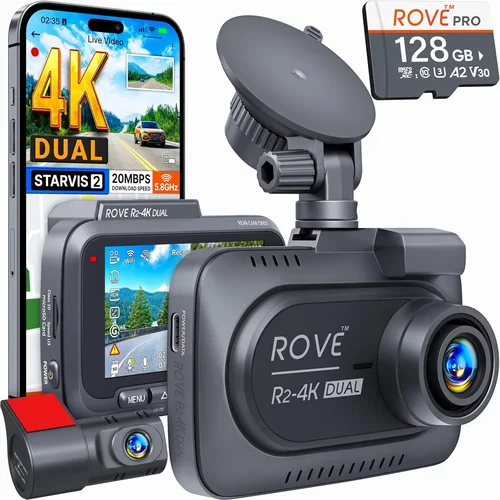
❌ Mistake: Prioritizing price over video quality
Why it’s bad: Choosing the cheapest option often means compromising on essential features like resolution and low-light performance. A $50 dash cam with 720p recording might seem economical, but it will struggle to capture clear details during nighttime accidents or fast-moving traffic scenarios where license plates need to be readable.
What to do instead: Set aside at least $100 for a model that guarantees at least 1080p Full HD recording with good low-light sensitivity. The extra investment pays dividends in evidence quality and peace of mind.
❌ Mistake: Ignoring storage capacity planning
Why it’s bad: Most dash cams use microSD cards ranging from 32GB to 256GB, but many buyers fail to consider how much footage each card holds. A 32GB card might only store about 3 hours of 1080p footage, quickly filling up during daily commutes. Without proper storage planning, you risk losing important recordings due to full memory cards.
What to do instead: Calculate your typical driving time and choose appropriate card sizes. For daily commuters, 64GB or 128GB cards are recommended. Enable loop recording and configure the camera to overwrite older files automatically, ensuring continuous operation without manual intervention.
❌ Mistake: Overlooking mounting location and visibility
Why it’s bad: Poor mounting positions can obstruct your view, create glare from dashboard lights, or make the device difficult to reach for adjustments. Many users place dash cams directly behind the rearview mirror, which not only blocks vision but often violates local regulations in certain jurisdictions.
What to do instead: Mount the camera as high as possible above the windshield without interfering with your line of sight. Use the included suction cup mount or adhesive pad according to manufacturer instructions. Ensure the lens faces forward clearly and avoid positioning near airbag deployment zones.
❌ Mistake: Neglecting power source considerations
Why it’s bad: Relying solely on cigarette lighter adapters limits functionality and can drain your car’s battery over time. Without proper power management, dash cams may shut down unexpectedly or fail to activate during extended parking periods when you’re away from your vehicle.
What to do instead: Consider hardwiring options for permanent installations that draw minimal power and integrate with your car’s electrical system. For temporary setups, use quality USB adapters with built-in voltage regulators to prevent battery drain. Always disconnect power sources when parking overnight in cold climates to avoid parasitic drain.
❌ Mistake: Focusing exclusively on megapixels rather than real-world performance
Why it’s bad: Manufacturers sometimes exaggerate technical specifications without delivering practical results. A camera might boast 20MP sensors but still produce blurry footage due to poor optics, insufficient light sensitivity, or inadequate processing algorithms. Megapixel counts alone don’t guarantee usable video quality.
What to do instead: Read detailed reviews focusing on actual video samples rather than spec sheets. Look for cameras tested under realistic conditions including nighttime recording, rainy weather, and high-speed scenarios. Real-world performance metrics matter far more than theoretical maximums.
❌ Mistake: Assuming all dash cams have equal feature sets
Why it’s bad: Feature availability varies dramatically between models and brands. Some budget options lack essential protections like G-sensor-triggered file locking, while others omit useful tools like built-in GPS or Wi-Fi connectivity. Assuming all units are equivalent leads to disappointment when expected functionality is missing.
What to do instead: Create a checklist of must-have features based on your specific needs. Compare feature lists across multiple models before deciding. Don’t compromise on critical safety features like automatic emergency recording or impact detection just to save money.
Budget Guidelines: How Much Should You Spend?
Entry-Level ($50 – $100)
This category offers basic functionality suitable for occasional drivers or those on tight budgets. Expect 1080p recording capability, loop recording, and simple G-sensor protection. While these models may lack advanced features like GPS tracking or Wi-Fi connectivity, they provide reliable foundation recording for everyday use. Brands like Viofo and Rexing offer solid entry-level options within this range. However, be prepared for plastic construction that may feel less durable than higher-end alternatives, and limited warranty coverage typically lasting only 6-12 months.
Mid-Range ($100 – $300)
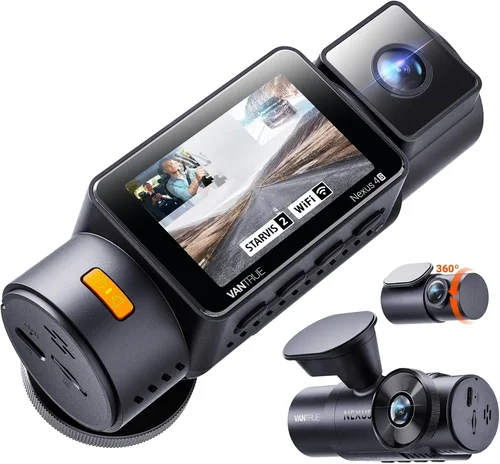
The sweet spot for most buyers, this tier delivers excellent value with upgraded components and additional smart features. You’ll find 2K or even 4K recording capabilities, enhanced low-light performance, built-in GPS modules, and reliable Wi-Fi connectivity for mobile app integration. Dual-camera systems become available in this range, offering interior and exterior views simultaneously. Popular choices include BlackVue DR900X series and Thinkware U1000 models. Warranties usually extend to 1-2 years, reflecting manufacturers’ confidence in their product reliability.
Premium ($300 – $600)
For enthusiasts and professionals requiring top-tier performance, premium dash cams deliver exceptional image quality, robust build materials, and sophisticated software ecosystems. Features like advanced driver assistance, cloud connectivity, and professional-grade audio recording distinguish these models. Expect superior sensor technology, wider temperature tolerance ranges, and comprehensive accessory compatibility. BlackVue Cloud and Garmin Speak+ represent leading examples in this category, offering subscription-based services for remote access and enhanced security features. These investments pay off for frequent travelers, fleet operators, or anyone prioritizing maximum evidence quality.
Luxury ($600+)
Ultra-premium dash cams target specialized applications requiring ultimate reliability and cutting-edge technology. These systems often include redundant recording capabilities, encrypted data transmission, and industrial-grade construction suitable for harsh environments. Subscription fees frequently accompany luxury models, providing cloud storage, real-time alerts, and advanced analytics. While excessive for personal use, these solutions serve commercial fleets, rideshare operations, and security-critical applications where downtime or data loss cannot be tolerated.
Expert Tips for Getting the Best Deal
Timing Your Purchase Strategically
Major shopping events present excellent opportunities for dash cam deals. Black Friday and Cyber Monday consistently offer substantial discounts across multiple retailers. Amazon Prime Day and holiday sales seasons (particularly around Christmas) see significant markdowns on electronics categories. Seasonal transitions—such as summer-to-fall or winter-to-spring—also trigger inventory clearance sales as manufacturers update their product lines. Sign up for retailer newsletters and price alert services to stay informed about upcoming promotions.
Comparing Retailer Options
Online marketplaces like Amazon, Best Buy, and Walmart offer competitive pricing but vary in shipping policies and return flexibility. Specialty automotive retailers such as AutoZone or Advance Auto Parts may provide expert installation assistance alongside product sales. Local electronics stores sometimes bundle dash cams with complementary accessories like premium SD cards or wiring kits. Always compare not just product prices but also shipping costs, handling fees, and return window durations before finalizing your purchase decision.
Identifying Authentic Deals vs. Marketing Tactics
Beware of “too good to be true” pricing that may indicate counterfeit products or refurbished units sold as new. Verify seller ratings and return policies regardless of advertised savings. Check if discounted items include full manufacturer warranties and original packaging. Be skeptical of limited-time offers that pressure immediate purchases—take time to research thoroughly rather than rushing into potentially suboptimal deals.
Understanding Warranty Implications
Extended warranty programs offered by third-party providers often cost 15-30% of the original item price. Evaluate whether this coverage justifies the expense based on your usage frequency and tolerance for risk. Manufacturer direct warranties typically provide better service than third-party options, so factor this into your purchasing strategy. Some brands offer trade-up programs allowing upgrades to newer models at reduced costs when current devices reach end-of-life.
Examining Return Policies Carefully
Most reputable sellers offer 30-day return windows for electronics testing, but restocking fees and condition requirements vary significantly. Request detailed return policy documentation before purchasing, especially for expensive models. Understand what constitutes acceptable return condition—many retailers require original packaging and unopened seals. Testing installation and basic functionality immediately after unboxing helps identify any defects before return deadlines expire.
Testing Before Committing
Whenever possible, inspect dash cams in person before buying. Visit local electronics stores or automotive specialty shops to compare physical builds, screen readability, and button responsiveness. Ask staff about recent customer feedback regarding reliability issues. If testing isn’t feasible, prioritize brands with generous return policies and read detailed user reviews focusing on real-world performance rather than theoretical specifications.
Leveraging Bundle Opportunities
Many retailers package dash cams with essential accessories like high-quality microSD cards, professional mounting hardware, and hardwiring kits at discounted rates. These bundles can save 20-40% compared to individual purchases while ensuring compatibility between components. Watch for promotions combining dash cams with complementary products like backup cameras or tire pressure monitors for comprehensive vehicle safety upgrades.
Considering Refurbished or Open-Box Options
Certified refurbished units from authorized sellers often provide significant savings while maintaining full warranty coverage. These items undergo rigorous testing and come with renewed components replaced as needed. Open-box products sold by major retailers typically include original accessories and packaging but may show minor cosmetic imperfections. Both options represent environmentally responsible choices that reduce electronic waste while delivering reliable performance.

Frequently Asked Questions
Q: Do I really need a dash cam, or is it just for insurance purposes?
A: While dash cams can certainly support insurance claims, their benefits extend far beyond legal protection. They provide peace of mind during daily driving, capture memorable road trips and scenic routes, deter theft and vandalism, and help resolve disputes quickly when conflicts arise. Many modern dash cams also include driver assistance features that actively improve safety, making them valuable additions regardless of insurance considerations.
Q: What’s the difference between 1080p, 2K, and 4K recording?
A: Video resolution determines how much detail your dash cam can capture. Standard 1080p Full HD offers sufficient clarity for most situations including license plate recognition. 2K provides approximately 2.7 times more pixels than 1080p, delivering crisper images with finer details. 4K Ultra HD quadruples pixel count again, offering exceptional detail for forensic analysis or close-up evidence collection. Higher resolutions require more storage space and processing power, so balance quality needs with practical constraints.
Q: How much storage space do I actually need?
A: Storage requirements depend heavily on your driving habits and video quality settings. A 32GB microSD card stores about 3-4 hours of 1080p footage, while 128GB cards hold 12-16 hours. For daily commuters recording 1-2 hours per day, 64GB provides adequate storage for several weeks. Professionals who record extensively or require extended event retention should consider 256GB+ cards. Always enable loop recording and configure overwrite settings appropriately to avoid accidental loss of important footage.
Q: Can dash cams drain my car’s battery?
A: Yes, improperly installed dash cams can cause significant battery drain, especially when left connected overnight or parked for extended periods. Hardwired installations drawing constant power may slowly discharge batteries over days. To prevent this, use smart parking modes that automatically shut down when battery voltage drops below safe thresholds, or install voltage-sensitive cutoffs that disconnect power when necessary. Always consult your vehicle’s electrical system specifications before permanent installation.
Q: Are there legal restrictions on dash cam usage?
A: Regulations vary by country and state/province, but generally allow dash cam use for personal recording purposes. Some locations prohibit recording audio without consent due to wiretapping laws, while others restrict placement near mirrors or airbags. Always check local ordinances before installation and avoid using dash cams to record private properties or individuals without permission. Most jurisdictions permit dash cams for accident documentation and traffic violation evidence collection.
Q: What happens if my dash cam stops working suddenly?
A: Modern dash cams include various safeguards to protect against unexpected failures. G-sensors automatically lock footage during impacts to preserve evidence, while loop recording ensures continuous operation by overwriting oldest files first. If a camera fails completely, many models retain critical settings in non-volatile memory, allowing quick restoration once power resumes. Regular firmware updates and proper storage maintenance further reduce failure risks and extend operational lifespan.
Q: Should I get a single-lens or dual-camera system?
A: Single-lens dash cams offer simplicity and cost-effectiveness for basic recording needs focused solely on the road ahead. Dual-camera systems add interior monitoring capability, useful for capturing passenger interactions, child safety, or documenting cargo loading/unloading. Choose single-lens for straightforward front-facing recording, or opt for dual-cameras if you need comprehensive coverage inside and outside the vehicle, especially for fleet operations or rideshare services.
Q: How do I choose between wired and wireless connectivity?
A: Wired dash cams connect via USB cables to smartphones or computers for file transfers and firmware updates. Wireless models use Wi-Fi or cellular networks for instant sharing, remote viewing, and cloud synchronization. Wireless connectivity enables real-time alerts and live streaming but requires stable network connections and often incurs subscription fees. Wired solutions provide more reliable performance without recurring costs but demand physical connections for data exchange.
Q: What maintenance does a dash cam require?
A: Routine maintenance includes cleaning the lens regularly with microfiber cloths to remove smudges and debris that degrade image quality. Check microSD card health periodically using manufacturer diagnostic tools, and replace aging cards before they fail unexpectedly. Update firmware when new versions become available to access bug fixes and feature enhancements. Store dash cams in moderate temperatures when not in use to prevent component degradation from extreme heat or cold exposure.
Q: Can I install a dash cam myself, or should I hire a professional?
A: Most dash cams include straightforward installation instructions suitable for DIY enthusiasts with basic tools. Suction cup mounts and adhesive pads require minimal effort, while hardwiring kits demand electrical knowledge and caution around vehicle wiring harnesses. Professional installation services cost $50-$150 but ensure proper routing, secure mounting, and compliance with local regulations. Assess your comfort level with automotive electrical work before deciding whether to tackle installation personally or seek professional assistance.
Our Final Recommendations
Best for Budget-Conscious Buyers
For those seeking essential recording capabilities without breaking the bank, the Viofo A119 V3 delivers outstanding value with its reliable 1080p recording, robust G-sensor protection, and straightforward operation. Priced around $90, this model provides trustworthy performance for daily commuters who prioritize basic functionality over advanced features. Its compact design fits discreetly on most windshields, and the included suction mount offers flexible positioning options. While lacking GPS and Wi-Fi connectivity, the A119 V3 excels at core recording tasks with minimal fuss and maximum reliability.
Best Overall Value
The BlackVue DR900S-2CH represents the pinnacle of mid-range dash cam excellence, offering dual 2K recording with impressive low-light sensitivity and comprehensive smart features. Priced approximately $350, this system includes built-in GPS, Wi-Fi connectivity, and advanced parking mode protection. The cloud-enabled version provides remote viewing and management capabilities through BlackVue’s intuitive mobile app interface. Its durable construction withstands extreme temperatures, and the included accessories simplify professional installation. For drivers wanting premium performance without luxury pricing, the DR900S-2CH strikes the perfect balance between capability and affordability.
Best Premium Option
When maximum performance and reliability are non-negotiable, the Garmin Dash Cam 77 delivers exceptional quality with its 4K recording capability, voice control functionality, and integrated driver assist features. Pricing around $400, this model includes lifetime maps updates, collision warning alerts, and advanced parking surveillance. Its compact design minimizes visual obstruction while maximizing recording quality. The included mounting bracket provides secure positioning, and the built-in microphone captures clear audio for complete incident documentation. For discerning drivers demanding top-tier performance, the Garmin 77 sets the benchmark for premium dash cam excellence.
Best for Beginners
New to dash cam technology? The Thinkware Q800PRO offers an ideal introduction with its user-friendly interface, automatic settings optimization, and reliable 2K recording performance. Priced competitively around $180, this model includes essential features like GPS tracking, Wi-Fi connectivity, and intelligent parking mode detection. Its intuitive menu system makes configuration simple even for first-time users, while the included accessories facilitate hassle-free installation. With a reputation for consistent reliability and responsive customer support, the Q800PRO helps beginners transition smoothly into dash cam ownership without overwhelming complexity.
Best for Advanced Users
Power users and professionals requiring ultimate control and customization will appreciate the BlackVue DR900S-1CH Cloud, priced around $500. This advanced system offers standalone recording with optional cloud connectivity, providing maximum flexibility depending on your specific workflow needs. Its professional-grade sensors deliver exceptional image quality in all lighting conditions, while the robust firmware supports extensive customization options. Advanced users gain access to detailed analytics, remote management capabilities, and seamless integration with existing fleet management systems. For those who demand maximum functionality and adaptability, this represents the definitive choice among premium dash cams.
Conclusion: Making the Right Choice
Selecting the optimal dash cam for your vehicle involves careful consideration of multiple interconnected factors ranging from fundamental specifications to lifestyle requirements and budget constraints. Rather than chasing the latest technological trends or simply choosing the most expensive option, successful dash cam selection begins with honest self-assessment regarding your specific needs and expectations. Are you primarily concerned with legal protection, recreational recording, or comprehensive vehicle security? Do you require basic functionality or advanced intelligent features?
Remember that no single dash cam perfectly suits every situation—the key lies in matching your unique circumstances with appropriate technology. Budget-conscious commuters benefit from reliable entry-level models, while tech-savvy enthusiasts thrive with advanced connected systems. Fleet operators demand professional-grade solutions with comprehensive management capabilities, whereas occasional drivers may prefer simple, unobtrusive recording devices.
As automotive technology continues evolving rapidly, staying informed about new developments while maintaining focus on proven fundamentals ensures your dash cam investment delivers lasting value. Regular software updates, proper maintenance practices, and thoughtful installation techniques further maximize your device’s effectiveness and longevity. By approaching your selection process systematically and prioritizing features that genuinely address your needs, you’ll acquire a dash cam that serves as both practical tool and valuable peace-of-mind companion throughout countless journeys ahead.