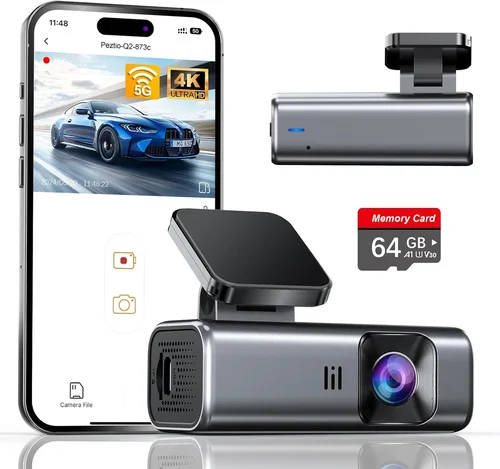
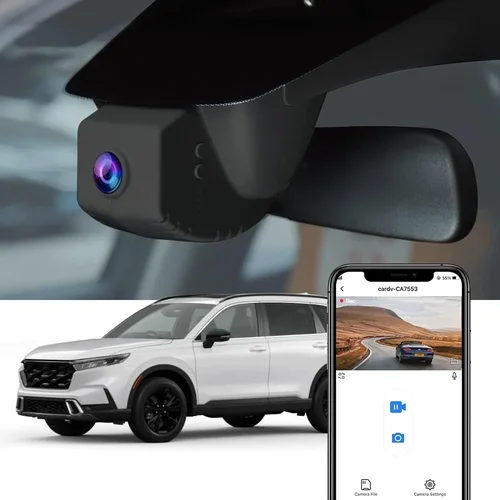
Best Dash Cam for Home Security Buying Guide
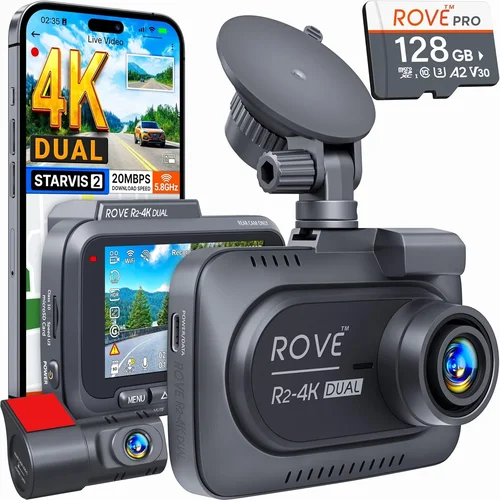
In today’s world, where home security is more important than ever, many homeowners are turning to innovative solutions that extend beyond traditional alarms and surveillance cameras. One increasingly popular option is using dash cam technology for home security purposes – essentially repurposing automotive-grade recording devices to monitor your property. This comprehensive guide will walk you through everything you need to know about selecting the best dash cam for home security, helping you make an informed decision that matches your specific needs and budget.
Whether you’re concerned about package theft, neighborhood activity, or simply want peace of mind knowing your property is being monitored, understanding what makes a dash cam effective for home use is crucial. We’ll explore the key features to consider, compare different types available on the market, and provide expert recommendations based on real-world performance and user experiences. By the end of this article, you’ll have the knowledge needed to choose a reliable, high-quality dash cam that delivers excellent home security coverage.
The dash cam market has evolved significantly over the past decade, with manufacturers now offering models specifically designed for both automotive and stationary monitoring applications. These devices typically feature high-resolution video recording, night vision capabilities, motion detection, cloud connectivity, and various mounting options that make them perfect for perimeter surveillance around homes, driveways, backyards, or even entire properties. With prices ranging from affordable entry-level options to premium professional-grade systems, there’s something suitable for every budget and requirement.

What to Look for When Buying Dash Cams
1. Resolution and Video Quality
When it comes to home security, video resolution is arguably the most critical factor to consider. The quality of footage directly impacts your ability to identify individuals, capture license plates, and provide clear evidence when needed. For home security applications, we recommend looking for dash cams that offer at least 1080p Full HD resolution, though higher resolutions like 2K (2560×1440) or 4K Ultra HD provide even greater detail and clarity.
Resolution affects several aspects of your security footage:
– Plate Recognition: Higher resolution allows you to clearly read vehicle license plates, which can be crucial for identifying suspects or vehicles involved in incidents
– Person Identification: You’ll be able to distinguish between different people, their clothing colors, and even facial features more easily
– Environmental Details: Better resolution captures small details like hand gestures, vehicle makes/models, or specific actions that might be relevant to your investigation
Look for cameras with advanced image sensors such as Sony Starvis or Starlight technology, which perform exceptionally well in low-light conditions. Many modern dash cams also include HDR (High Dynamic Range) capabilities that balance exposure across bright and dark areas of the frame, preventing washed-out skies while keeping shadows visible.
2. Field of View (FOV)
The field of view determines how much area your dash cam can monitor at once. A wider FOV means you can cover more ground without needing multiple cameras, while a narrower angle provides greater detail within a smaller area. For home security, the ideal FOV depends on your specific monitoring needs:
– Wide-angle lenses (120°-170°): Perfect for covering large areas like driveways, front yards, or parking lots where you need maximum coverage
– Medium FOV (90°-120°): Ideal for focusing on specific entrances, doorways, or smaller areas where you want to maximize detail
– Narrow FOV (below 90°): Best for detailed monitoring of small spaces like mailboxes or specific entry points
Most home security dash cams come with fixed focal lengths, so it’s essential to position your camera carefully based on its FOV specifications. Some advanced models offer dual-lens configurations with different FOVs, allowing you to monitor both a wide area and a specific spot simultaneously.
3. Night Vision and Low-Light Performance
Home security often requires 24/7 monitoring, making night vision capability absolutely essential. Poor low-light performance can turn what should be clear evidence into grainy, unusable footage when incidents occur after dark. Modern dash cams use several technologies to enhance nighttime visibility:
– Infrared (IR) LEDs: These emit near-infrared light that illuminates subjects without being visible to the human eye, creating clear black-and-white footage even in complete darkness
– Sony Starvis Sensors: Advanced CMOS sensors designed specifically for superior performance in low-light environments
– Wide Aperture Lenses: Larger lens openings allow more light to reach the sensor, improving visibility in dim conditions
– Night Mode Algorithms: Special processing techniques that reduce noise and enhance contrast during nighttime recording
When evaluating night vision capabilities, look for dash cams that maintain clear image quality down to extremely low light levels. Some models can record effectively in moonlight or street lighting conditions, while others require additional IR illumination for optimal performance after sunset.
4. Storage Options and Capacity
Storage is another crucial consideration for home security dash cams. Unlike car dash cams that loop continuously, home security systems may need to save footage for extended periods, especially if they detect suspicious activity. Understanding your storage requirements will help you avoid running out of space unexpectedly:
– Internal Memory: Built-in storage (typically 16GB-64GB) is convenient but limited in capacity. Most home security dash cams don’t rely solely on internal memory due to these limitations
– MicroSD Cards: The most common external storage option. Look for compatibility with high-capacity cards (up to 512GB or 1TB) and support for UHS-I/UHS-II standards for faster write speeds
– Cloud Storage: Some advanced models offer subscription-based cloud backup, automatically uploading important footage to remote servers. This provides off-site protection against theft or damage while freeing up local storage
– Hybrid Systems: Many modern dash cams combine local microSD storage with cloud backup for redundancy and peace of mind
Consider how long you need to retain footage before overwriting older files. Most dash cams use G-sensor-triggered event recording, saving clips before and after motion detection to prevent accidental deletion of important evidence.
5. Motion Detection and Alerts
For efficient home security monitoring, motion detection capabilities are invaluable. They help conserve storage space by only recording when activity occurs rather than capturing hours of empty footage. Advanced motion detection features include:
– PIR Sensors: Passive infrared sensors that detect heat signatures and movement patterns, reducing false triggers from wind-blown objects or passing vehicles
– AI-Powered Recognition: Machine learning algorithms that distinguish between humans, animals, cars, and other objects, minimizing unnecessary recordings
– Adjustable Sensitivity: Customizable detection thresholds that allow you to fine-tune responsiveness based on your environment
– Smart Alerts: Push notifications sent to your smartphone when motion is detected, enabling immediate response to potential threats
Some dash cams offer dual-stage motion detection – initial trigger followed by continuous recording only if the motion persists or meets certain criteria. This balances security responsiveness with storage efficiency.
6. Connectivity and Remote Access
Modern home security dash cams increasingly feature smart connectivity options that let you monitor your property remotely. These capabilities transform your dash cam into a true security system component:
– Wi-Fi and Mobile Apps: Allow live viewing, playback, and configuration from your smartphone or tablet anywhere with internet access
– Two-Way Audio: Enable communication with visitors or deter intruders through built-in speakers and microphones
– Cloud Integration: Automatic upload and backup of important footage to secure online servers
– Email/SMS Notifications: Instant alerts sent via text or email when events are recorded
– Voice Control: Hands-free operation through compatible smart assistants like Alexa or Google Assistant
For comprehensive home security, look for dash cams that integrate seamlessly with existing smart home ecosystems. Compatibility with platforms like Apple HomeKit, Google Home, or Amazon Alexa can create a cohesive monitoring solution.
7. Power Supply and Installation
How your dash cam receives power significantly impacts its reliability and convenience. Consider these factors when evaluating power options:
– Battery-Powered Models: Offer wireless installation flexibility but require regular charging or battery replacement. Look for extended battery life (8+ hours) and low-power modes
– AC Adapters:: Plug directly into wall outlets for unlimited runtime, ideal for fixed locations like gatehouses or entrance monitoring
– Solar Panel Compatibility: Some outdoor models include solar charging capabilities for completely maintenance-free operation
– Power Banks/Mobile Charging: Portable options that can run from external batteries, useful for temporary installations or backup power
Installation complexity varies greatly between models. Battery-powered dash cams typically require minimal setup, while hardwired systems demand electrical knowledge. Consider your technical comfort level and whether professional installation might be necessary.
8. Build Quality and Weather Resistance
Since many home security applications involve outdoor monitoring, weather resistance is critical. Your dash cam must withstand rain, snow, extreme temperatures, and UV exposure without compromising performance or longevity:
– IP Ratings: Look for ingress protection ratings (like IP65, IP66, or IP67) that indicate dust and water resistance levels
– Temperature Tolerance: Specifications showing operational range (e.g., -20°C to +70°C) ensure reliability in diverse climates
– Shock/Drop Resistance:: Military-grade durability standards (MIL-STD) guarantee performance under physical stress
– UV-Stable Materials:: Housing components that resist yellowing and degradation from sun exposure
Additionally, consider mounting hardware quality – sturdy brackets and secure attachment methods prevent tampering or accidental dislodging during storms or attempted theft.
9. Audio Recording Capabilities
While video is paramount for security footage, audio adds valuable context to incidents. Modern dash cams often include microphone arrays that capture ambient sounds, conversations, or breaking glass:
– Noise Reduction: Advanced algorithms filter out background noise while preserving voice clarity
– Audio Privacy Features:: Options to disable recording when privacy concerns arise (important for homes with guests or neighbors)
– Two-Way Communication:: Built-in speakers allow you to respond verbally to visitors or potential intruders
– Audio Quality:: High-fidelity microphones that capture detailed soundscapes for forensic analysis
However, be aware of legal considerations regarding audio recording laws in your jurisdiction, as regulations vary significantly between states and countries.
10. Software Features and User Interface
The software interface determines how easy it is to operate your dash cam and access its security features. Look for systems with intuitive controls and helpful functionality:
– Mobile App Integration:: Comprehensive apps that offer live viewing, playback, settings adjustment, and notification management
– Playback Controls:: Easy navigation through timeline, zoom capabilities, and export options for sharing evidence
– Scheduling:: Ability to set recording times or modes based on your routine (e.g., “away mode” vs. “home mode”)
– Firmware Updates:: Manufacturer support for ongoing improvements and new features
– User-Friendly Menus:: Clear icons, simple navigation, and helpful tutorials for quick setup
Some advanced models include AI-powered analytics like person counting, vehicle tracking, or behavior recognition that can enhance your security intelligence.
Different Types of Dash Cams

Common Buying Mistakes to Avoid
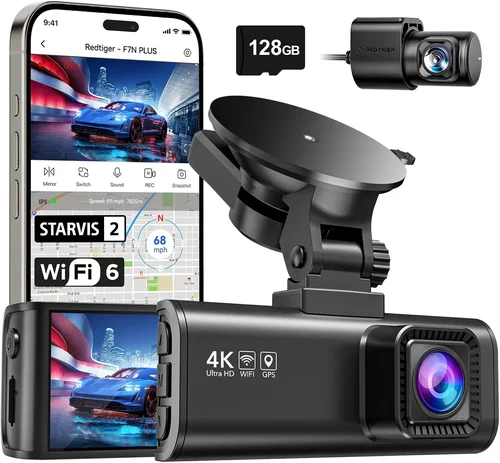
❌ Mistake: Prioritizing Price Over Quality
Why it’s bad: Choosing the cheapest dash cam available often leads to disappointment in performance and reliability. Budget models frequently compromise on critical security features like low-light sensitivity, storage capacity, and build quality, resulting in poor footage quality and frequent malfunctions.
What to do instead: Allocate sufficient budget for a reputable mid-range model that meets your minimum security requirements. Consider the total cost of ownership including accessories, storage media, and potential replacement costs rather than focusing solely on upfront price.
❌ Mistake: Ignoring Local Legal Requirements
Why it’s bad: Many jurisdictions have strict laws governing video and audio recording, especially in residential areas. Installing a dash cam without understanding these regulations could result in legal penalties, evidence being dismissed in court, or invasion-of-privacy lawsuits.
What to do instead: Research your local surveillance laws thoroughly before purchasing. Some areas require signage indicating monitored areas, prohibit recording certain locations (like neighboring properties), or mandate specific audio recording permissions.
❌ Mistake: Underestimating Storage Needs
Why it’s bad: Assuming standard microSD cards will suffice often leads to running out of space unexpectedly. Without adequate storage planning, your dash cam may overwrite important evidence or stop recording altogether during critical moments.
What to do instead: Calculate your storage requirements based on recording duration, quality settings, and retention policies. Factor in cloud backup options for redundancy, and always purchase high-capacity, high-speed cards from reputable brands.
❌ Mistake: Overlooking Weather Protection
Why it’s bad: Deploying unprotected dash cams outdoors exposes them to moisture, temperature extremes, and UV radiation that can degrade performance and shorten lifespan. Water intrusion, cracked housings, and sensor fogging are common issues with inadequate weather sealing.
What to do instead: Verify IP ratings for outdoor installations and choose models specifically designed for exterior use. Consider additional protective measures like weatherproof enclosures or strategic positioning away from direct spray.
❌ Mistake: Neglecting Power Reliability
Why it’s bad: Relying solely on battery power without backup plans creates vulnerability during outages. Unexpected power loss can erase recent footage and leave your property unmonitored during vulnerable periods.
What to do instead: Implement redundant power solutions whenever possible. For critical applications, consider hardwiring with surge protection or combining battery operation with solar charging for maximum reliability.
❌ Mistake: Focusing Only on Camera Specifications
Why it’s bad: While resolution and sensors matter, overlooking software features, app integration, and user experience can undermine overall effectiveness. A technically impressive camera with terrible software becomes difficult to manage and less likely to be used consistently.
What to do instead: Evaluate the complete ecosystem including mobile apps, cloud services, and customer support. Choose systems with intuitive interfaces and responsive manufacturers who provide timely updates and assistance.
❌ Mistake: Assuming One Size Fits All
Why it’s bad: Applying automotive dash cam logic to home security ignores the fundamentally different use cases. Car dash cams prioritize forward-facing driving scenarios, while home security requires comprehensive environmental monitoring tailored to specific threat landscapes.
What to do instead: Assess your unique security requirements first—consider property size, typical risks, and desired coverage areas before selecting equipment. Match camera capabilities to actual usage patterns rather than choosing based on general specifications.
Budget Guidelines: How Much Should You Spend?
Entry-Level ($80 – $150): Basic Security Essentials
For homeowners seeking fundamental security coverage without significant investment, entry-level dash cams offer functional monitoring at affordable prices. These models typically include:
– Core Features: 1080p recording, basic motion detection, microSD card storage (32-64GB), and simple mobile app control
– Performance Expectations: Adequate day-time recording with acceptable night vision using infrared LEDs
– Best Use Cases: Small properties, basic driveway monitoring, temporary installations, or supplemental coverage alongside other security systems
– Recommended Brands: Reolink Go Plus, ZOSI Wireless Security Cameras, or similar budget-focused manufacturers
While limited in advanced features, entry-level options provide reliable baseline protection when used strategically. Look for models with proven track records and positive reviews regarding reliability and ease of use.
Mid-Range ($150 – $300): Balanced Performance & Features
This sweet spot offers the best value proposition for most homeowners, delivering professional-grade capabilities without excessive cost. Mid-range dash cams typically feature:
– Enhanced Specifications: Higher resolution (2K or 4K), improved low-light sensors, expanded storage options (128GB+), and better build quality
– Advanced Functionality: Cloud backup integration, two-way audio, customizable motion zones, and more sophisticated alert systems
– Professional Reliability: Better weather resistance, longer warranty periods, and manufacturer support for troubleshooting
– Ideal Applications: Medium-sized properties, comprehensive perimeter monitoring, families wanting peace of mind, or businesses requiring basic security coverage
Models in this category represent the optimal blend of performance, features, and affordability. They eliminate major compromises while avoiding unnecessary premium extras that drive up costs without proportional benefits.
Premium ($300 – $600): Professional-Grade Security Solutions
For serious security concerns or larger properties requiring comprehensive coverage, premium dash cams deliver exceptional performance and reliability. These systems typically include:
– Top-Tier Hardware: Sony Starvis sensors, superior optics, military-grade durability, and advanced image stabilization
– Comprehensive Monitoring: Dual-lens configurations, PTZ capabilities, AI-powered analytics, and extensive integration options
– Enterprise Features: Multi-camera management, centralized control panels, advanced encryption, and priority customer support
– Target Users: Large estates, commercial properties, high-value assets, or security professionals requiring forensic-quality evidence
While significantly more expensive, premium models justify their cost through unmatched reliability, detailed forensic capabilities, and reduced risk of system failures during critical incidents.
Luxury ($600+): Ultimate Surveillance Excellence
At the highest end of the spectrum, luxury dash cams represent state-of-the-art security technology with minimal compromises. These systems feature:
– Ultimate Specifications: 4K+ recording, professional cinema-grade sensors, advanced AI recognition, and specialized forensic software
– Customization: Tailored deployment strategies, dedicated support teams, and integration with enterprise security ecosystems
– Specialized Applications: Government facilities, high-security compounds, research institutions, or extreme-threat environments
– Investment Justification: Maximum protection value for properties facing extraordinary security challenges or containing irreplaceable assets
For most residential applications, luxury systems represent overkill unless specific threats or asset values warrant such investment. Consider whether the marginal benefits justify the substantial additional cost.
Expert Tips for Getting the Best Deal
1. Time Your Purchase Strategically
Major shopping seasons offer significant savings opportunities that can substantially reduce dash cam costs. Plan purchases around these key dates:
– Black Friday/Cyber Monday: Historically the best time for electronics deals, often featuring 30-50% discounts on security cameras and dash cams
– Prime Day (Amazon): Exclusive deals for Prime members with early access to security camera promotions
– Back-to-School Sales (July-August): Often include home security categories despite the name
– Holiday Season (November-January): Extended sales periods with clearance pricing on previous models
– End-of-Year Clearance: January-February sees retailers clearing inventory for new product launches
Create calendar reminders for these events and monitor deal-tracking websites to capitalize on limited-time offers.
2. Compare Retailer Pricing Strategies
Different retailers employ varying pricing approaches that affect availability and savings:
– Amazon: Competitive pricing with frequent Lightning Deals, but watch for third-party sellers with questionable return policies
– Best Buy: Excellent in-store pickup options and Geek Squad installation services for hardwired systems
– Costco: Membership-only deals with extended return windows and bundled accessories
– Direct Manufacturer Sites: Often offer exclusive bundles, extended warranties, or refurbished units at discount
– Specialty Security Stores: May provide professional installation packages not available elsewhere
Compare prices across multiple channels before committing, and factor in shipping costs, taxes, and return policies when calculating true value.
3. Leverage Refurbished and Open-Box Options
Certified refurbished units from reputable sources can deliver significant savings while maintaining quality guarantees:
– Manufacturer Refurbishment: Like Dell Outlet or Apple Refurbished, offering factory-certified products with full warranties
– Authorized Resellers: Amazon Warehouse, Best Buy Open Box, or manufacturer-certified partners
– Return Policies: Many retailers accept returns within 30-90 days, allowing testing before final commitment
– Warranty Coverage: Refurbished items often include comparable warranty periods to new units
Always verify refurbishment certification and warranty terms before purchasing secondhand equipment.
4. Maximize Bundle Opportunities
Retailers frequently bundle complementary items that increase overall value:
– Accessory Packages: Include extra batteries, solar panels, or mounting hardware
– Installation Services: Professional hardwiring or outdoor setup for complex deployments
– Extended Warranties: Additional coverage periods at discounted rates
– Subscription Bundles: Discounted cloud storage or monitoring services
Calculate the true value of each bundle component rather than accepting pre-packaged deals blindly.
5. Negotiate Volume Discounts
For multiple camera installations or business customers:
– Direct Manufacturer Contact: Inquire about bulk pricing for 5+ units or commercial accounts
– Local Business Partnerships: Collaborate with neighbors or HOA representatives for group purchasing
– Trade-In Programs: Some retailers accept old security equipment for credit toward new purchases
– Corporate Accounts: Educational institutions, rental properties, or small businesses may qualify for special rates
Even individual buyers can sometimes negotiate better terms by expressing interest in future repeat purchases.
6. Monitor Price History and Tracking Tools
Automated tools help identify genuine deals versus artificial markdowns:
– Price Tracking Websites: Honey, CamelCamelCamel, or Keepa analyze historical pricing patterns
– Browser Extensions: Automatically apply coupon codes and show price drop alerts
– Email Alerts: Set up notifications for specific products reaching target price points
– Stock Level Monitoring:: Track inventory changes that often precede clearance sales
These resources prevent impulse buying and ensure you pay fair market value rather than inflated retail prices.
7. Consider Total Cost of Ownership
Beyond initial purchase price, factor in ongoing expenses:
– Storage Costs: High-capacity microSD cards or cloud subscriptions add recurring expenses
– Replacement Parts: Batteries, cables, or mounting hardware may need periodic renewal
– Software Subscriptions: Premium features often require monthly/yearly payments
– Installation Labor: Professional setup costs for hardwired systems or complex mounts
Choose systems with modular, replaceable components rather than proprietary designs that force complete unit replacement.
8. Test Before Committing
Whenever possible, evaluate equipment before final purchase:
– In-Store Demos: Visit electronics stores with display models for hands-on testing
– Rental Programs: Some retailers offer short-term rentals for evaluation periods
– Friends’ Equipment: Borrow compatible devices for personal testing if available
– Return Windows: Always purchase during generous return periods allowing trial use
Physical testing reveals real-world performance differences that specifications alone cannot convey.

Frequently Asked Questions
Q: Can I use my existing car dash cam for home security?
A: While technically possible, repurposing automotive dash cams for home security presents several challenges. Car dash cams typically lack essential home monitoring features like extended battery life, weather resistance, and comprehensive coverage angles. They’re optimized for forward-facing driving scenarios rather than 360-degree property monitoring. Additionally, most car dash cams have limited storage capacity and don’t support the continuous or event-triggered recording patterns needed for effective home security. For reliable home protection, invest in purpose-built security dash cams designed specifically for stationary monitoring applications.
Q: How many dash cams do I need for complete home coverage?
A: The number of dash cams required depends entirely on your property size, layout, and specific monitoring priorities. For small single-story homes, one well-positioned dash cam with wide field of view may suffice. Medium-sized properties typically benefit from two cameras covering opposite sides or front/back entrances. Large estates or multi-building complexes may require three or more strategically placed units. Consider overlapping coverage areas slightly to eliminate blind spots while avoiding excessive duplication. Professional security assessments can help determine optimal camera count and placement for your unique situation.
Q: What’s the difference between battery-powered and hardwired dash cams for home use?
A: Battery-powered dash cams offer wireless flexibility with no wiring requirements, making them ideal for temporary installations, renters, or properties where drilling isn’t permitted. However, they require regular charging and have limited runtime. Hardwired dash cams connect directly to household power circuits, providing unlimited operation and professional appearance but demanding electrical installation skills or professional service. Hardwired systems also offer better surge protection and reliability during power fluctuations. Choose battery-powered for flexibility and hardwired for permanent, uninterrupted security coverage.
Q: Are dash cams legal for home security use?
A: Legality varies significantly by location and implementation specifics. Generally, monitoring your own property is permitted, but regulations concerning audio recording, neighbor surveillance, and public space monitoring differ widely. Many jurisdictions require visible signage indicating monitored areas, especially when recording audio. Some states prohibit recording conversations without all parties’ consent. Always research local ordinances before installation and consider consulting legal counsel if uncertain about compliance requirements. When in doubt, err on the side of caution and limit recording to your property boundaries.
Q: How long should I keep security footage?
A: Retention periods depend on several factors including local laws, insurance requirements, and your specific security needs. Insurance companies typically recommend keeping footage for 30-90 days following incidents. For general monitoring without specific incidents, 7-14 days usually suffices given storage constraints. Some jurisdictions mandate minimum retention periods for certain types of surveillance footage. Implement automated deletion policies to prevent storage exhaustion while ensuring important evidence isn’t accidentally overwritten. Cloud backup services can extend retention without consuming local storage space.
Q: Can dash cams work during power outages?
A: Yes, but capabilities vary significantly between models. Battery-powered dash cams continue operating during outages until their charge depletes, typically lasting 4-12 hours depending on usage patterns and battery capacity. Hardwired systems require additional considerations: some include backup battery connections that switch automatically during power loss, while others simply stop recording when disconnected from mains power. For critical security applications, consider models with supercapacitor backups (lasting 30-60 minutes) or those compatible with uninterruptible power supplies (UPS). Solar-charged systems offer another outage-resistant alternative for outdoor installations.
Q: Do I need professional installation for hardwired dash cams?
A: While basic AC adapter installations don’t require professional help, true hardwiring involves connecting to your home’s electrical system, which carries risks if done incorrectly. Simple plug-in transformers are straightforward for DIY installation, but permanent electrical connections should be performed by licensed electricians to ensure safety code compliance and proper surge protection. Professional installers also handle routing cables discreetly and mounting cameras securely outdoors. Even if you handle the wiring yourself, having an electrician verify connections adds valuable peace of mind and safety assurance.
Q: How do I prevent false alarms from dash cam motion detection?
A: Reducing false alarms requires configuring motion detection parameters appropriately for your environment. Adjust sensitivity levels downward to ignore minor movements like tree branches swaying in wind. Utilize motion zone masking to exclude areas like busy roads or frequently occupied spaces from triggering alerts. Enable dual-stage detection requiring persistent movement before activating recording. Choose dash cams with AI-powered object recognition that distinguishes between humans, vehicles, and irrelevant motion. Position cameras to minimize exposure to passing traffic or wildlife. Regular firmware updates often improve detection algorithms and reduce nuisance triggers.
Q: What maintenance does a home security dash cam require?
A: Maintenance needs are relatively minimal but crucial for reliable operation. Clean lenses monthly with microfiber cloths to prevent dust accumulation affecting image quality. Check battery health regularly if using wireless models and recharge before full depletion. Inspect mounting hardware quarterly for tightness and corrosion, especially in humid or coastal environments. Update firmware when prompted to access bug fixes and new features. Replace microSD cards every 2-3 years or when experiencing write errors. For outdoor units, inspect seals and weatherproofing annually before severe weather seasons. Most importantly, test functionality periodically to ensure continued operation.
Q: Can I integrate dash cams with my existing security system?
A: Integration possibilities depend on your current system’s capabilities and protocol compatibility. Many modern dash cams support ONVIF, RTSP, or proprietary APIs that enable connection to central monitoring stations or NVR (Network Video Recorder) systems. Smart home platforms like Apple HomeKit, Google Home, or Amazon Alexa often allow dash cam integration for unified control. Professional security companies may offer custom integration services for their monitored systems. When purchasing new dash cams, verify compatibility with your existing infrastructure or plan for system upgrades to achieve seamless integration.
Our Final Recommendations
Best for Budget-Conscious Buyers: Reolink Go Plus
For homeowners seeking effective home security without breaking the bank, the Reolink Go Plus represents exceptional value. This versatile dash cam combines cellular connectivity with impressive 2K video quality, making it perfect for monitoring properties in areas with limited Wi-Fi coverage. Its compact design and weather-resistant construction suit various outdoor placements, while advanced motion detection minimizes false alerts. The integrated solar panel option provides truly maintenance-free operation, eliminating battery replacement hassles. With competitive pricing around $150 and reliable performance, the Go Plus delivers professional-grade security features at an accessible entry point.
Best Overall Value: Eufy Security SoloCam S40
The Eufy Security SoloCam S40 strikes an ideal balance between affordability, functionality, and ease of use. This wireless dash cam offers 2K resolution with excellent low-light performance, robust weather resistance, and simple setup procedures. Its built-in siren and two-way audio provide active deterrent capabilities, while the free cloud storage plan includes 30 days of footage retention. The magnetic mounting system allows effortless repositioning, and the companion app offers intuitive controls and smart notifications. Priced competitively in the mid-range segment, the S40 delivers comprehensive security features without unnecessary complexity or premium markup.
Best Premium Option: Arlo Pro 4 Spotlight Camera
For serious security concerns or larger properties requiring top-tier performance, the Arlo Pro 4 Spotlight Camera represents the gold standard in wireless security monitoring. While technically classified as a spotlight camera rather than traditional dash cam, its capabilities align perfectly with advanced home security needs. Featuring 2K HDR video, color night vision, built-in floodlights, and intelligent person detection, the Pro 4 delivers forensic-quality evidence when incidents occur. Its weather-resistant design withstands harsh outdoor conditions, while the rechargeable battery lasts up to six months between charges. Integrated with the Arlo Smart platform, it offers advanced AI analytics and seamless smart home integration, justifying its premium positioning for discerning security-conscious homeowners.
Best for Beginners: Wyze Cam V3
New to home security? The Wyze Cam V3 makes an excellent starting point with its incredibly user-friendly interface and wallet-friendly price tag. This compact dash cam offers 1080p recording with decent night vision, simple mobile app controls, and free cloud storage for 14-day retention. Its pan-tilt-zoom capabilities allow remote camera adjustment without physical repositioning, while the two-way audio feature enables communication with visitors. Wyze’s responsive customer support and frequent firmware updates ensure smooth operation, making the V3 an approachable yet capable option for first-time security camera adopters seeking reliable protection without overwhelming complexity.
Best for Advanced Users: Amcrest UltraHD Dome Camera
Security professionals and tech-savvy homeowners will appreciate the Amcrest UltraHD Dome Camera’s professional-grade features and extensive customization options. This hardwired dash cam delivers 4K recording with superior image processing, advanced motion detection zones, and powerful digital zoom capabilities for detailed evidence examination. Its vandal-resistant dome housing and IP67 rating ensure reliable operation in extreme outdoor conditions, while the ONVIF compliance allows integration with existing surveillance systems. With support for PoE (Power over Ethernet) and comprehensive SDK access for custom integrations, the Amcrest UltraHD serves as a robust foundation for building sophisticated home security networks requiring maximum flexibility and control.
Conclusion: Making the Right Choice
Selecting the best dash cam for home security ultimately boils down to matching equipment capabilities with your specific protection needs and practical constraints. Rather than chasing the latest technological marvels or lowest possible prices, focus on finding a balanced solution that delivers reliable performance for your unique situation. Consider how each recommended option addresses your particular requirements regarding property size, threat landscape, budget limitations, and technical comfort level.
Remember that effective home security isn’t determined solely by equipment quality—it’s equally dependent on strategic placement, consistent monitoring habits, and understanding local regulations. No dash cam can compensate for poor installation practices or neglectful maintenance routines. Take time to assess your vulnerabilities, prioritize coverage areas, and implement complementary security measures like proper lighting and secure fencing alongside your chosen dash cam system.
The dash cam market continues evolving rapidly, with new features enhancing usability and performance monthly. Stay informed about emerging technologies while maintaining realistic expectations about what constitutes adequate protection for your circumstances. Whether you choose budget-friendly options for basic monitoring or invest in premium systems for comprehensive coverage, the goal remains the same: creating a safer environment through vigilant observation and documented evidence.
As you make your final selection, trust your instincts while remaining open to professional advice from security consultants or knowledgeable retailers. The most expensive dash cam won’t protect your home effectively if improperly positioned or poorly maintained, while a thoughtfully chosen mid-range model might provide decades of reliable service with proper care. Focus on building a sustainable security practice centered around consistent observation, evidence preservation, and responsive action when needed.
Ultimately, the best dash cam for home security is the one you’ll actually use consistently, positioned optimally for your needs, and maintained properly over time. With careful consideration of the factors outlined in this guide, you’ll be well-equipped to select a system that delivers meaningful protection and peace of mind for years to come.