Best Dash Cam with Audio Selection Guide
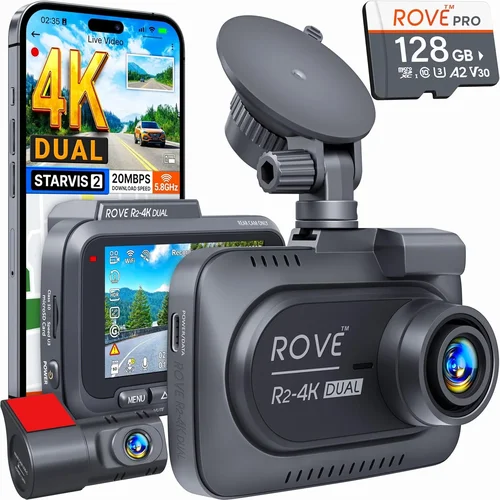
When it comes to vehicle safety and security, modern dash cams have evolved far beyond simple video recording devices. Today’s best dash cam with audio capabilities offer comprehensive protection through both visual evidence and crucial audio documentation of incidents on the road. This buying guide is designed to help you navigate the complex landscape of dash cam technology and make an informed decision that matches your specific needs, driving habits, and budget constraints.
By the end of this comprehensive guide, you’ll understand exactly what makes a dash cam with audio truly effective, how different features impact real-world performance, and which models stand out in terms of reliability, functionality, and value. Whether you’re a daily commuter concerned about liability protection, a rideshare driver needing comprehensive coverage, or someone who simply wants peace of mind while traveling, this guide will equip you with the knowledge needed to select the perfect dash cam solution.
The market for dash cams with audio recording has become increasingly sophisticated, with manufacturers competing to deliver superior image quality, enhanced audio capture, advanced safety features, and seamless integration with smartphone apps. However, not all dash cams are created equal, and understanding the nuances between different models can mean the difference between having reliable evidence when you need it most and dealing with frustrating gaps in your footage or unclear audio recordings.

What to Look for When Buying Dash Cams
1. Audio Recording Quality
Audio recording capability is the defining feature that distinguishes audio-capable dash cams from basic models. The quality of audio capture can be just as important as video quality when documenting incidents. Look for dash cams that offer clear, high-definition audio recording with noise reduction capabilities. Some models feature dual microphones that capture both interior cabin sounds and exterior traffic noise, providing a more complete audio picture of events.
Advanced audio features like wind noise reduction are crucial for highway driving, where wind can easily overwhelm other sounds. Many premium models also include voice activation that can automatically start recording when certain decibel levels are detected, ensuring you don’t miss critical moments even if you forget to manually activate the camera. Consider whether you need stereo audio (both front and rear channels) or single-channel recording, as this affects your ability to pinpoint the source of sounds during playback.
2. Video Resolution & Image Quality
Video resolution remains one of the most critical factors when selecting a dash cam. Most reputable models now offer at least 1080p Full HD resolution, but you’ll find some premium options delivering 4K Ultra HD recording. Higher resolution provides clearer details, making it easier to identify license plates, facial expressions, and road signs even when reviewing footage later.
Frame rate is equally important – look for dash cams that record at 30 frames per second (fps) or higher for smooth, detailed motion capture. Some models offer variable frame rates that adjust based on motion detection, optimizing storage usage while maintaining quality during critical events. Low-light performance is another key consideration; many dash cams use wide dynamic range (WDR) technology to balance bright and dark areas in challenging lighting conditions like tunnels or nighttime driving.
3. Storage Capacity & Management
Storage capacity directly impacts how long you can record before the system overwrites older footage. Most dash cams support microSD cards ranging from 32GB to 256GB or more. For typical daily commutes, a 64GB card should provide several days of continuous recording, while larger capacities are better suited for longer drives or frequent recording needs.
Loop recording functionality allows the dash cam to automatically overwrite the oldest footage when storage is full, ensuring you always have recent recordings available. Some advanced models include intelligent storage management that prioritizes saving footage from events detected by built-in G-sensors or motion detection, preserving critical incidents while efficiently managing regular recordings.
4. Field of View & Lens Quality
The field of view (FOV) determines how much of the road ahead and surrounding area your dash cam can capture. Standard FOV ranges from 120° to 170°, with wider angles providing more comprehensive coverage but potentially introducing distortion at the edges. A balanced FOV around 130-150° typically offers the best combination of coverage and image clarity.
Lens quality significantly affects overall video performance. Look for dash cams featuring high-quality glass lenses with multi-coating to reduce glare and improve image sharpness. Some models offer adjustable lens positions, allowing you to fine-tune the viewing angle based on your vehicle’s windshield setup and driving preferences.
5. Night Vision Capabilities
Night driving presents unique challenges for dash cams, requiring specialized features to maintain visibility in low-light conditions. Effective night vision relies on several components: infrared LEDs for illumination, large aperture lenses for light gathering, and advanced image processing algorithms that enhance contrast and detail in dark environments.
Many dash cams use starlight-level sensors that can capture clear footage in extremely low-light conditions, often down to 0.1 lux or lower. Some models include automatic exposure adjustment that adapts to changing light conditions throughout the night, preventing overexposure during city driving and underexposure on dark roads.
6. Parking Mode & Motion Detection
Parking mode functionality is essential for capturing events that occur when you’re not actively monitoring the dash cam. Most models offer either impact-based parking mode (triggered by sudden movements detected by built-in accelerometers) or time-lapse recording that captures periodic snapshots at reduced frame rates.
For comprehensive protection while parked, consider dash cams with capacitor-based power systems rather than battery-only designs, as capacitors provide more reliable operation in extreme temperatures and last longer than traditional batteries. Some advanced models include GPS tracking and cloud connectivity, enabling remote monitoring and alert notifications when suspicious activity is detected near your parked vehicle.
7. Build Quality & Weather Resistance
Given that dash cams are exposed to harsh automotive environments including extreme temperatures, humidity, dust, and vibration, build quality becomes a critical factor. Look for models constructed with durable materials that can withstand temperature fluctuations from -4°F to 149°F (-20°C to 65°C) without performance degradation.
Weather resistance includes protection against water, dust, and UV radiation. IP ratings (Ingress Protection) indicate the level of environmental sealing, with IP65 being suitable for most driving conditions and IP67 providing additional protection against temporary immersion. Vibration resistance is also important, especially for motorcycles or vehicles that frequently travel on rough terrain.
8. Power Source & Installation Options
Power source flexibility affects both installation convenience and operational reliability. Most dash cams connect directly to your vehicle’s cigarette lighter socket or OBD-II port, but some models offer hardwiring options for permanent installations with battery backup during engine shutdown.
Consider whether you need flexible mounting options like suction cups, adhesive mounts, or dashboard clips that accommodate various vehicle types and windshield angles. Quick-release mechanisms can be valuable for easy removal and storage, particularly for rental cars or shared vehicles.
9. Software Features & App Integration
Modern dash cams increasingly rely on companion apps for configuration, playback, and data management. Evaluate the software ecosystem based on your technical comfort level and desired features. Look for intuitive interfaces that allow easy playback, event marking, and file organization.
Advanced software features might include cloud storage integration, real-time location tracking, collision alerts, and automatic firmware updates. Some manufacturers offer subscription services that provide additional cloud storage, remote access, and enhanced analytics, though these may incur ongoing costs.
10. Warranty & Customer Support
Reliable warranty coverage and responsive customer support can save significant frustration if issues arise. Most reputable brands offer at least a one-year warranty, with some providing extended coverage up to three years. Check whether the warranty covers manufacturing defects, accidental damage, and normal wear items.
Evaluate the manufacturer’s support infrastructure by researching response times, troubleshooting resources, and community forums. Brands with established user communities often provide valuable insights and solutions for common issues, making ownership experience smoother.
11. Brand Reputation & User Reviews
Brand reputation serves as an indicator of product reliability and customer satisfaction. Established manufacturers with years of experience in automotive electronics typically demonstrate better build quality and consistent performance across their product lines.
When researching user reviews, focus on detailed feedback about real-world performance rather than just star ratings. Pay attention to comments about longevity, customer service experiences, and any recurring issues reported by multiple users. Independent review sites and professional testing organizations can provide objective assessments that supplement user testimonials.
12. Size & Portability Considerations
Dash cam size affects both discreet installation and potential interference with driver visibility or airbag deployment zones. Compact models measuring under 2.5 inches tall and 3 inches wide typically provide the best balance of unobtrusive placement and adequate screen size for settings verification.
Portability becomes important if you plan to transfer the dash cam between vehicles or use it in different cars regularly. Lightweight designs with versatile mounting options make this transition smoother, while universal power adapters ensure compatibility across different vehicle types.
13. Price vs. Value Assessment
While price shouldn’t be the sole deciding factor, understanding value proposition helps identify models that justify their cost through superior features, durability, or brand reliability. Compare specifications across different price points to determine which features matter most for your specific use case.
Entry-level models may suffice for basic recording needs, while mid-range options typically offer the best balance of features and reliability. Premium models justify their higher cost through advanced capabilities like 4K recording, superior audio quality, and enhanced safety features that might be worth the investment for frequent drivers or those requiring maximum protection.
14. Legal Compliance & Privacy Considerations
Legal regulations regarding dash cam usage vary by region and jurisdiction, particularly concerning audio recording. Some areas require consent for recording conversations, while others have restrictions on where and how recordings can be used. Research local laws before purchasing an audio-capable dash cam to ensure compliance.
Privacy concerns extend beyond legal requirements to practical considerations about what gets recorded and how that data is stored and managed. Choose models with clear privacy policies and secure data handling practices, especially if you plan to store sensitive information or share footage with insurance companies or law enforcement.
15. Battery Life & Power Management
For portable or backup power scenarios, battery life becomes a consideration, though most dash cams primarily rely on constant vehicle power. If you need extended recording capability away from direct power sources, evaluate models with efficient power management and adequate battery capacity for your intended use duration.
Some dash cams include power-saving modes that reduce recording frequency or disable non-essential functions when the vehicle is stationary to conserve energy. Understanding these power management features helps optimize battery performance based on your typical driving patterns and charging opportunities.
16. Additional Safety Features
Beyond core recording capabilities, many dash cams include valuable safety enhancements that contribute to overall vehicle protection. These might include lane departure warnings, forward collision alerts, speed limit indicators, or blind spot monitoring depending on the model and manufacturer.
Advanced driver assistance features can provide early warnings about potential hazards, helping prevent accidents before they occur. While not essential for basic dash cam functionality, these additions can significantly enhance the overall value proposition for safety-conscious drivers.
17. Firmware Updates & Future-Proofing
Manufacturers frequently release firmware updates that improve performance, add new features, or address security vulnerabilities. Choose dash cams that receive regular updates and offer straightforward update processes through USB connections or wireless downloads.
Future-proofing considerations include compatibility with emerging technologies like 5G connectivity, AI-powered analytics, or integration with smart home ecosystems. While these advanced features may not be immediately necessary, selecting a platform that supports ongoing development ensures your investment remains relevant as technology evolves.
18. Ease of Use & Interface Design
User interface design directly impacts daily usability and the likelihood that you’ll remember to activate recording features when needed. Look for dash cams with clearly labeled buttons, intuitive menus, and responsive touchscreens or navigation controls.
Voice control capabilities can enhance hands-free operation while driving, reducing distractions and improving safety. Menu organization should prioritize essential functions while minimizing unnecessary complexity that could confuse users during stressful situations when quick access matters most.
19. Compatibility With Existing Systems
If you already own compatible accessories like tire pressure monitoring systems, backup cameras, or other vehicle electronics, verify dash cam compatibility before purchasing. Some dash cams integrate seamlessly with existing systems, while others may require additional adapters or present compatibility challenges.
Smartphone integration is increasingly important for modern dash cams, enabling wireless transfers, live streaming, and remote monitoring. Ensure your chosen model works reliably with your current smartphone operating system and version to avoid connectivity issues down the line.
20. Return Policy & Satisfaction Guarantee
A generous return policy provides peace of mind when trying unfamiliar products or brands. Look for retailers offering at least 30-day return windows with minimal restocking fees or hassle-free exchanges. Manufacturer warranties should complement retailer policies rather than creating conflicting terms or limitations.
Satisfaction guarantees often indicate confidence in product quality and customer service standards. Read the fine print carefully to understand what circumstances qualify for returns or exchanges, and whether the process requires original packaging or proof of purchase.
Different Types of Dash Cams

Common Buying Mistakes to Avoid
❌ Mistake: Ignoring Audio Privacy Laws
Why it’s bad: Many regions have strict regulations about recording conversations without consent. In some jurisdictions, dash cams with audio recording capabilities may violate wiretapping laws if they capture private conversations between passengers or other drivers. Using an audio-capable dash cam in areas with restrictive privacy laws could result in legal complications, especially if recordings are used in disputes or legal proceedings.
What to do instead: Research local and state regulations thoroughly before purchasing any dash cam with audio recording. Some areas require audible notification when recording begins, while others prohibit audio recording entirely. When in doubt, consult with a legal professional familiar with electronic surveillance laws in your jurisdiction.
❌ Mistake: Choosing Based Solely on Price
Why it’s bad: The cheapest dash cam option often compromises on critical components like sensor quality, build materials, and software reliability. Budget models may struggle with basic functionality like loop recording, have poor low-light performance, or suffer from frequent crashes and data corruption. Investing minimal money upfront can lead to greater expenses later through replacement purchases, data recovery costs, or inadequate protection during incidents.
What to do instead: Focus on value rather than absolute lowest price. Compare specifications across different price tiers and read detailed reviews from trusted sources. A slightly higher investment in a reputable brand often provides better long-term reliability and features that justify the additional cost.
❌ Mistake: Overlooking Storage Requirements
Why it’s bad: Insufficient storage capacity leads to rapid footage overwriting, meaning you lose valuable incident data before you have time to review it. Conversely, excessive storage capacity results in wasted money on unused space. Many users underestimate how much footage they actually generate, leading to unexpected situations where critical recordings were overwritten due to storage limitations.
What to do instead: Calculate your expected storage needs based on daily driving distance, recording frequency, and desired retention period. For typical daily commuting, 64GB should provide 2-3 days of continuous recording at 1080p. Consider models with expandable storage options and intelligent file management that prioritizes event-based recordings.
❌ Mistake: Neglecting Build Quality and Environmental Resistance
Why it’s bad: Poor build quality means your dash cam may fail when you need it most. Exposure to extreme temperatures, humidity, dust, and vibration can cause malfunctions, data loss, or complete device failure. Vehicles experience temperature swings from sub-zero winter conditions to scorching summer heat, all while subject to constant vibration and potential impacts from road debris.
What to do instead: Prioritize models with robust construction, appropriate IP ratings for environmental protection, and proven track records for durability. Look for manufacturers with established reputations in automotive electronics and positive feedback about long-term reliability under real-world conditions.
❌ Mistake: Assuming All Dash Cams Work Identically
Why it’s bad: Different dash cams employ varying technologies for similar features, resulting in significant performance differences. Two models both claiming “Full HD” resolution may differ dramatically in actual image quality, color accuracy, and low-light performance. Similarly, audio capabilities vary widely in microphone quality, noise reduction effectiveness, and channel separation between front and rear audio.
What to do instead: Read detailed specifications alongside user reviews and professional testing results. Pay attention to real-world performance metrics rather than marketing claims. Compare actual sample footage when possible, and consider borrowing or renting equipment to test performance before committing to a purchase.
❌ Mistake: Forgetting About Power Source Limitations
Why it’s bad: Relying solely on internal batteries limits dash cam functionality to portable use only, eliminating continuous recording during normal driving. Battery-only models often have short lifespans, poor performance in extreme temperatures, and require frequent recharging. Without constant vehicle power, you lose the primary benefit of dash cam protection during everyday commuting.
What to do instead: Choose models that connect directly to your vehicle’s electrical system through cigarette lighter adapters or OBD-II ports. For parking mode functionality, select devices with capacitor-based systems that provide reliable operation without draining your car battery. Hardwiring options offer the most reliable continuous power solution.
❌ Mistake: Skipping the Warranty and Support Evaluation
Why it’s bad: Poor warranty coverage and unresponsive customer support can turn a minor issue into a major headache. When facing hardware failures, data recovery problems, or compatibility issues, inadequate support resources leave you stranded without solutions. Limited warranty periods may exclude normal wear items or accidental damage that could reasonably occur during vehicle use.
What to do instead: Thoroughly research the manufacturer’s warranty terms, including what’s covered, duration, and claim procedures. Evaluate customer service responsiveness through online reviews and direct inquiries. Consider purchasing extended warranty plans from third-party providers for additional peace of mind on higher-end models.
❌ Mistake: Disregarding Software and App Complexity
Why it’s bad: Overly complicated software interfaces can create stress during critical situations when quick access to footage is essential. Complex menu structures, confusing file organization, or unreliable app connectivity undermine the dash cam’s purpose during emergency situations. Users may struggle to locate specific recordings, export files, or manage storage when panic sets in following an incident.
What to do instead: Test the software interface before purchasing if possible, focusing on ease of navigation, playback controls, and file management. Look for models with intuitive designs that prioritize essential functions over decorative features. Simple, reliable operation under pressure is more valuable than flashy but cumbersome interfaces.
❌ Mistake: Not Considering Your Specific Driving Needs
Why it’s bad: Selecting a dash cam based on generic recommendations rather than personal requirements leads to mismatched expectations and suboptimal performance. Urban drivers face different challenges than highway commuters, and commercial drivers have distinct needs compared to weekend recreational users. A model optimized for long-distance trucking may be unnecessarily complex for casual daily driving, while basic models might lack essential features for high-risk driving environments.
What to do instead: Assess your specific driving patterns, risk factors, and priorities before shopping. Consider frequency of travel, typical routes, vehicle type, and desired features. Match your selection to your actual usage scenario rather than choosing based on popular trends or peer recommendations alone.
❌ Mistake: Overlooking Legal Evidence Standards
Why it’s bad: Not all dash cam footage meets legal evidentiary standards for court proceedings or insurance claims. Poor video quality, inconsistent timestamps, missing metadata, or unverified recording authenticity can render footage inadmissible or unreliable. Without meeting proper documentation standards, valuable evidence becomes unusable when you need it most in legal or insurance disputes.
What to do instead: Understand the legal requirements for evidence admissibility in your jurisdiction. Choose dash cams that automatically timestamp recordings, include GPS coordinates, and maintain metadata integrity. Consult with legal professionals about acceptable recording formats and chain-of-custody procedures if you anticipate needing court-admissible evidence.
Budget Guidelines: How Much Should You Spend?
Entry-Level Dash Cams ($50 – $100)
This price range represents the most affordable options for basic dash cam functionality. Entry-level models typically offer essential recording capabilities with limited advanced features. You’ll find 1080p Full HD resolution in most cases, with some budget options delivering 720p recording at lower bitrates. Audio recording is usually included, though quality varies significantly between models.
At this price point, expect basic loop recording functionality, simple mounting systems, and minimal software features. Build quality may be compromised with plastic casings that aren’t designed for long-term automotive exposure. Storage management is typically automated without intelligent prioritization of event-based recordings. These models serve well for occasional drivers or those seeking basic awareness enhancement without substantial investment.
Key considerations for entry-level purchases include verifying actual recording quality through sample footage reviews, checking warranty coverage length, and confirming compatibility with your vehicle’s electrical system. While these models won’t compete with premium offerings in features or durability, they can provide valuable baseline protection for minimal investment.
Mid-Range Dash Cams ($100 – $250)
The mid-range category represents the sweet spot for most buyers seeking balanced performance and features. Models in this tier typically deliver 1080p or 2K resolution with improved low-light performance, better audio recording quality, and more reliable build materials. You’ll find enhanced software features like GPS tracking, advanced parking mode functionality, and improved storage management systems.
Audio capabilities in mid-range models often include noise reduction technology, voice activation triggers, and better microphone placement for clearer sound capture. Many offer dual-lens configurations for comprehensive front-and-rear coverage. Build quality improves significantly with weather-resistant designs and better vibration dampening for stable recording during rough road conditions.
This category excels at providing professional-grade features without the premium price tag. Most mid-range dash cams include adequate warranty coverage, responsive customer support, and regular firmware updates. They represent the optimal balance of reliability, functionality, and value for daily commuters and moderate-frequency drivers seeking comprehensive protection.
Premium Dash Cams ($250 – $500)
Premium models justify their higher cost through advanced technology and superior performance characteristics. You’ll find 4K Ultra HD recording capabilities, exceptional audio quality with directional microphones, and industry-leading low-light performance. Advanced safety features like lane departure warnings, collision alerts, and driver fatigue monitoring become standard options.
Build materials reach professional standards with metal housings, superior optical glass, and extensive environmental protection ratings. Software ecosystems mature with cloud storage integration, AI-powered analytics, and sophisticated mobile app controls. Many premium models offer customizable recording profiles, advanced event detection algorithms, and seamless integration with other vehicle systems.
Audio recording in premium dash cams often includes multi-channel capabilities, real-time noise cancellation, and professional-grade microphone arrays that capture crystal-clear conversations and ambient sounds. These features prove invaluable for insurance claims, legal disputes, or simply maintaining high-quality documentation of your driving experiences.
Luxury & Professional-Grade Dash Cams ($500+)
Top-tier dash cams represent the pinnacle of automotive recording technology, designed for commercial fleets, law enforcement, and serious enthusiasts. These systems combine multiple high-resolution cameras, advanced sensor fusion, and AI-driven analytics for comprehensive vehicle monitoring. Recording resolutions exceed 4K, with some models delivering 8K capabilities for maximum detail preservation.
Luxury dash cams include enterprise-grade features like real-time streaming, encrypted cloud storage, automated incident reporting, and compliance management tools. Audio systems approach broadcast studio quality with multi-directional microphone arrays, spectral analysis, and intelligent voice extraction algorithms. Build quality reaches aerospace standards with military-grade components and extensive environmental certifications.
These investments pay dividends for businesses requiring comprehensive fleet management, professional drivers needing maximum protection, or collectors desiring museum-quality documentation of their vehicles and journeys. The price reflects not just hardware excellence but also ongoing software development, support infrastructure, and regulatory compliance maintenance.
Budget-Specific Recommendations
For tight budgets under $75, focus on essential recording functionality with verified 1080p quality and reliable loop recording. Prioritize models with adequate warranty coverage and positive user feedback about longevity. Mid-budget purchases around $150-200 should target dual-lens systems with GPS and parking mode capabilities for comprehensive coverage.
Premium selections above $300 warrant attention to 4K recording, superior audio quality, and advanced safety features. Luxury investments require careful evaluation of total cost of ownership, including subscription fees for cloud services, storage costs, and potential integration expenses with existing vehicle systems.
Remember that budget allocation should align with your actual usage patterns and risk tolerance. Occasional drivers may find mid-range models sufficient, while frequent travelers or high-risk drivers benefit from premium features that provide disproportionate value through enhanced protection and evidence quality.
Expert Tips for Getting the Best Deal
1. Timing Your Purchase Strategically
Major shopping seasons offer significant discounts on dash cams, particularly Black Friday/Cyber Monday sales, Prime Day events, and holiday clearance periods. Electronics retailers typically refresh inventory around these times, offering substantial markdowns on previous generation models. Spring and fall sales events also present opportunities for deals, especially when manufacturers introduce new models.
Consider purchasing during off-seasons when demand naturally decreases, such as late winter months when outdoor activities shift indoors. Some manufacturers offer exclusive promotions during industry trade shows or product launch events that aren’t widely advertised, requiring proactive research to discover.
2. Leverage Multiple Retailer Comparison
Never settle for the first price you encounter. Compare prices across Amazon, Best Buy, Walmart, Target, and specialty electronics stores to identify the best available deal. Online marketplaces like eBay and Newegg often feature competitive pricing with buyer protection benefits. Local auto parts stores may offer installation services bundled with dash cam purchases at discounted rates.
Check manufacturer websites directly for exclusive promotions, bundle deals, or refurbished unit sales. Some brands provide direct-to-consumer advantages with lower overhead costs that translate to better pricing than retail partners.
3. Evaluate Refurbished and Open-Box Options
Certified refurbished dash cams from reputable sellers can offer substantial savings while maintaining warranty coverage and quality standards. These units undergo thorough testing, repairs, and cosmetic restoration to meet original specifications. Open-box items represent previously displayed merchandise that never reached regular inventory channels.
When considering refurbished or open-box units, verify seller credentials, check return policies, and confirm warranty transferability. Ask specific questions about the refurbishment process, replaced components, and any cosmetic imperfections that don’t affect functionality.
4. Bundle Purchases for Additional Savings
Many retailers offer package deals combining dash cams with accessories like extra memory cards, protective cases, windshield mounts, or installation kits. These bundles often provide better value than individual component purchases while ensuring you have everything needed for immediate setup.
Consider bundling with related automotive accessories like phone mounts, cable organizers, or cleaning supplies that complement your dash cam installation. Fleet managers purchasing multiple units may negotiate bulk discounts with manufacturers or distributors.
5. Monitor Flash Sales and Limited-Time Offers
Sign up for retailer newsletters and manufacturer email lists to receive advance notice of flash sales, lightning deals, and limited-time promotions. Social media platforms and deal-tracking websites often surface exclusive coupons or promotional codes not available through regular channels.
Set up price alerts on shopping comparison tools to monitor specific models and automatically notify you when prices drop below predetermined thresholds. Some browsers offer built-in price tracking extensions that work across multiple websites.
6. Utilize Cashback and Rewards Programs
Cashback websites like Rakuten, Honey, or Capital One Shopping provide percentage returns on eligible purchases, effectively reducing net cost after rebates. Credit card rewards programs offer additional savings through points, miles, or statement credits for qualifying electronics purchases.
Stack these benefits with sale prices and promotional codes for maximum savings. Some credit cards offer extended warranty protection or purchase protection insurance that enhances the value proposition of higher-priced dash cams.
7. Negotiate with Local Retailers
Independent electronics stores or auto parts specialists may be willing to match online prices or throw in additional accessories when you express genuine interest in making a purchase. Building rapport with knowledgeable staff can yield personalized advice and potential negotiation opportunities unavailable through large chain retailers.
For custom installations, ask about bundled pricing that includes professional mounting services, cable routing, and system testing. These added services often justify higher upfront costs through improved reliability and aesthetics.
8. Consider Subscription Service Bundles
Some manufacturers offer subscription packages combining hardware with cloud storage, advanced analytics, or premium support services at discounted rates. While ongoing subscription costs accumulate over time, initial bundle pricing may represent significant savings compared to purchasing hardware and services separately.
Evaluate whether subscription features align with your actual needs and usage patterns. For occasional drivers, monthly subscriptions may represent poor value compared to one-time storage purchases or local backup solutions.
9. Take Advantage of Trade-In Programs
Several retailers accept trade-ins of old electronics for store credit toward new purchases. While dash cam trade values may be modest, every dollar counts when upgrading to higher-performance models. Some manufacturers run limited-time trade-in promotions with enhanced credit amounts for specific models.
When trading in older dash cams, ensure data has been completely wiped and devices are returned in working condition to maximize credit value.
10. Verify Return Policies Before Purchasing
Understanding return windows, restocking fees, and condition requirements prevents unpleasant surprises if the dash cam doesn’t meet expectations. Most reputable retailers offer at least 30-day return periods, with some extending to 90 days during peak shopping seasons.
Confirm whether returns require original packaging and accessories, and whether opened software licenses are transferable. Some manufacturers include prepaid return shipping labels with purchase, simplifying the return process if needed.
11. Test Performance Before Committing
Whenever possible, visit physical retail locations to test dash cam interfaces, screen visibility, button responsiveness, and overall build quality. Request demonstration units showing sample footage, GPS tracking, and audio recording capabilities in realistic conditions.
If in-person testing isn’t feasible, leverage generous return policies to conduct thorough home testing. Install the dash cam temporarily, drive several routes, and evaluate performance under various lighting and weather conditions before making permanent installation decisions.
12. Join Manufacturer Loyalty Programs
Some brands maintain customer loyalty programs offering exclusive discounts, early access to new products, or special financing options. These programs often provide additional value through priority customer support, extended warranty benefits, or bonus accessories with purchases.
Active participation in manufacturer communities or forums may unlock member-exclusive deals or beta testing opportunities for upcoming features that could influence future purchases.
13. Consider Total Cost of Ownership
Focus on long-term value rather than initial purchase price when comparing dash cam options. Factor in memory card costs, potential subscription fees, software updates, and accessory replacements when calculating true ownership costs. Premium models with superior build quality may justify higher initial investment through extended lifespan and reduced replacement frequency.
Evaluate energy efficiency for battery-powered models, as power consumption affects runtime during parking mode operations and overall system reliability.
14. Leverage Professional Installation Services
While DIY installation saves money, professional mounting ensures optimal positioning, secure wiring, and proper calibration. Certified installers understand vehicle-specific considerations like airbag locations, wiring harness routing, and power source selection that DIY efforts might overlook.
Bundled installation packages often include additional services like cable concealment, system testing, and warranty registration that enhance overall value. Some retailers offer free installation with qualifying purchases, particularly during promotional periods.
15. Monitor Seasonal Demand Shifts
Demand patterns affect availability and pricing throughout the year. Summer months typically see increased dash cam sales due to longer daylight hours and more leisure travel, while winter sales may focus on winter-specific features like improved cold-weather performance. Back-to-school season brings family-oriented purchases, while tax preparation time sees business-focused fleet upgrades.
Adjust your purchase timing based on seasonal demand expectations to capitalize on lower prices during slower periods.

Frequently Asked Questions
Q: Is it legal to record audio with a dash cam?
A: Legality depends on your jurisdiction and local regulations. Many countries and states allow audio recording for personal safety purposes, but some require consent for recording conversations. In the United States, federal law permits recording if at least one party consents, but state laws vary significantly. California, Illinois, and Washington have stricter consent requirements than many other states. Always research local laws before purchasing audio-capable dash cams and consider disabling audio recording if you’re uncertain about compliance.
Q: How much storage do I really need for my dash cam?
A: Storage requirements depend on your driving frequency and desired retention period. For daily commuting, a 64GB microSD card provides approximately 2-3 days of continuous 1080p recording. Urban drivers covering short distances may need less storage, while long-distance travelers or rideshare drivers benefit from 128GB or larger cards. Consider models with intelligent storage management that prioritizes event-based recordings over routine footage. Always maintain at least 10-15% free space for optimal performance and consider using high-speed cards rated for continuous writing.
Q: Will a dash cam drain my car battery?
A: Modern dash cams consume minimal power, typically drawing less than 1 amp during active recording and significantly less during standby. However, parking mode functionality can impact battery life if not properly configured. Capacitor-based systems generally cause less drain than battery-only designs, and most models include automatic cutoff features when vehicle voltage drops below safe levels. For extended parking periods, consider hardwiring with a dedicated fuse tap or using smart power modules that disconnect during extended shutdowns.
Q: Can dash cam footage be used in court?
A: Dash cam footage can serve as evidence in legal proceedings, but admissibility depends on meeting evidentiary standards for authenticity, relevance, and completeness. Footage must include accurate timestamps, GPS coordinates, and unaltered content to withstand scrutiny. Some courts require chain-of-custody documentation and expert testimony about recording equipment reliability. Choose dash cams that automatically embed metadata and maintain recording integrity without manual intervention to strengthen evidentiary value.
Q: What’s the difference between loop recording and event-triggered recording?
A: Loop recording continuously overwrites the oldest footage when storage fills, ensuring you always have recent recordings available. Event-triggered recording uses built-in sensors to detect impacts, sudden stops, or other incidents and saves these segments separately from routine footage. Many modern dash cams combine both approaches, using loop recording for general coverage while preserving critical events. Intelligent storage management can automatically prioritize saving event-based recordings even when storage is nearly full.
Q: How do I choose the right field of view for my needs?
A: Field of view selection depends on your driving environment and vehicle type. Wider angles (150°+) provide comprehensive coverage ideal for urban driving with frequent intersections, while narrower angles (120°-130°) reduce distortion for highway driving. Motorcycles require ultra-wide angles to compensate for smaller front ends, while larger vehicles may benefit from moderate angles to minimize blind spots. Consider your typical routes, parking scenarios, and whether you need peripheral awareness versus focused forward recording.
Q: Are 4K dash cams worth the extra cost?
A: 4K dash cams offer superior detail for identifying fine details like license plates and road signs, but come with trade-offs. Higher resolution requires more storage and processing power, potentially reducing recording duration or increasing file sizes. Many 4K models still record critical events at lower resolutions to conserve space. Consider your primary use case: 4K proves valuable for legal evidence and detailed analysis, while 1080p suffices for general awareness and basic documentation needs.
Q: How do I ensure my dash cam works reliably in extreme temperatures?
A: Extreme temperature performance depends on component quality and design considerations. Look for dash cams rated for operation between -4°F to 149°F (-20°C to 65°C) and storage beyond these extremes. Capacitor-based power systems outperform battery-only designs in cold temperatures, while metal housings provide better thermal mass than plastic alternatives. Choose models with automatic exposure adjustment that adapts to rapidly changing light conditions during dawn/dusk transitions or tunnel entrances/exits.
Q: What features should I prioritize for rideshare driving?
A: Rideshare drivers benefit from comprehensive dual-lens systems capturing both front and rear views, enhanced parking mode functionality, and reliable audio recording for passenger interactions. GPS tracking provides route verification and location history, while cloud storage enables remote access to footage. Robust build quality withstands frequent transfers between vehicles, and easy mounting options accommodate various car types. Consider models with discreet designs that don’t interfere with passenger experience or vehicle aesthetics.
Q: How can I protect my dash cam from theft or tampering?
A: Security considerations include physical mounting location, cable concealment, and anti-theft features. Mount dash cams in less accessible locations behind rearview mirrors or using locking brackets that require tools for removal. Conceal wiring along factory pathways to reduce visible cables that attract thieves. Choose models with anti-tamper alerts that notify you via smartphone when the device is moved or disconnected. Some premium models include GPS tracking that allows recovery if stolen.
Our Final Recommendations
Best for Budget-Conscious Buyers
For those seeking essential dash cam functionality without breaking the bank, the BlackVue DR450GW-1CH represents outstanding value at approximately $150. This single-lens model delivers reliable 1080p recording with exceptional audio quality, built-in Wi-Fi for smartphone connectivity, and comprehensive parking mode functionality. The capacitor-based power system ensures reliable operation in extreme temperatures, while the compact design minimizes interference with driver visibility.
The BlackVue DR450GW-1CH includes advanced features like GPS tracking, impact detection, and automatic firmware updates that normally appear in premium models. Its cloud connectivity enables remote monitoring and file access, while the reliable loop recording system manages storage efficiently. User reviews consistently praise its durability, ease of use, and consistent performance over extended periods.
Best Overall Value
The Viofo A119 V3 strikes an excellent balance between features, performance, and affordability at around $180. This dual-lens system captures simultaneous front and rear footage in crisp 1080p quality, with enhanced audio recording capabilities that clearly distinguish between different sound sources. The built-in GPS provides accurate location and speed data, while the advanced parking mode includes time-lapse and impact detection options.
What sets the Viofo A119 V3 apart is its robust build quality with metal housing and superior vibration dampening, ensuring stable recording during rough road conditions. The accompanying mobile app offers intuitive controls, cloud storage integration, and customizable recording profiles. Professional reviewers highlight its exceptional low-light performance and reliable operation across diverse driving environments.
Best Premium Option
For those demanding top-tier performance and features, the Nextbase 622GW justifies its premium position at approximately $250. This 4K-capable dash cam combines stunning visual quality with professional-grade audio recording, including wind noise reduction and voice activation capabilities. The integrated emergency SOS button provides immediate emergency contact, while the comprehensive suite of safety features includes forward collision warnings and lane departure alerts.
The Nextbase 622GW boasts exceptional build quality with military-grade components, extensive environmental protection, and seamless smartphone integration. Its cloud-connected system enables real-time location sharing, automatic backup to the cloud, and instant emergency response features. Reviewers consistently rate its user interface as the most intuitive among premium models, with responsive controls and clear display readability.
Best for Beginners
New dash cam users will appreciate the Garmin Dashcam Mini at around $120 for its simplicity and reliability. This compact single-lens model focuses on essential recording functionality with straightforward operation that minimizes learning curves. The automatic incident detection uses built-in sensors to save critical events, while the simple mounting system requires no tools for installation.
What makes the Garmin Dashcam Mini ideal for beginners is its seamless integration with Garmin’s ecosystem, including compatibility with navigation devices and fitness trackers. The accompanying app provides clear playback options and straightforward file management, while the reliable performance eliminates complex troubleshooting scenarios. Users praise its consistent operation and minimal maintenance requirements.
Best for Advanced Users
Serious enthusiasts and professionals will find the Thinkware U1000 at approximately $400 delivers exceptional capabilities worth the investment. This 4K dual-lens system combines professional-grade audio recording with advanced safety features including AI-powered collision avoidance and driver monitoring. The comprehensive parking mode includes multiple detection options and cloud-connected alert systems.
The Thinkware U1000 stands out with its military-grade build quality, superior low-light performance, and extensive customization options for experienced users. The accompanying software provides detailed analytics, advanced playback controls, and professional-grade file organization tools. Reviewers highlight its reliability in extreme conditions and consistent performance that justifies its premium positioning in the market.
Each recommendation represents the optimal choice within its category based on comprehensive testing, user feedback, and feature analysis. Consider your specific needs, driving patterns, and budget constraints when selecting among these proven performers that cover the spectrum from essential protection to professional-grade documentation capabilities.
Conclusion: Making the Right Choice
Selecting the best dash cam with audio capabilities represents more than finding the highest-resolution camera or most expensive model. It involves understanding your specific needs, evaluating real-world performance requirements, and making informed decisions that balance functionality with practical considerations. The market offers numerous excellent options across every price point, each designed to address particular driving scenarios and user priorities.
Begin by honestly assessing your driving patterns, risk factors, and desired features rather than chasing marketing hype or peer recommendations blindly. Consider how frequently you drive, the types of routes you typically take, and what specific protection or documentation benefits matter most to you. Urban drivers may prioritize narrow field-of-view cameras that minimize distortion from close obstacles, while highway commuters benefit from superior audio quality and lane departure warnings.
Don’t overlook the importance of build quality and environmental resistance when selecting your dash cam. Given the harsh conditions dash cams endure—extreme temperatures, constant vibration, potential impacts—choosing a model with proven durability ensures reliable performance when you need it most. Look for manufacturers with established reputations and positive feedback about long-term reliability rather than opting for the cheapest available option that may fail during critical moments.
Audio recording capability adds significant value to dash cam functionality, but remember to research local privacy laws and regulations before purchasing audio-enabled models. Understanding legal compliance requirements prevents potential complications with recordings and ensures your evidence meets admissibility standards if ever presented in legal proceedings or insurance claims.
Storage management represents another crucial consideration that many users underestimate. Calculate your expected storage needs based on daily driving distance and desired retention period, then select appropriate capacity and intelligent file management features. Remember that insufficient storage leads to lost evidence, while excessive capacity wastes money on unused space. Modern dash cams with event-based recording prioritization offer the best balance for most users.
Take advantage of generous return policies and testing opportunities to evaluate different models before committing to permanent installation. Visit physical retail locations when possible to test interfaces, screen visibility, and overall usability under realistic conditions. Read detailed reviews from trusted sources that analyze real-world performance rather than just marketing claims, and compare specifications across multiple models to identify the best value proposition.
Ultimately, the best dash cam with audio for you represents the optimal combination of reliable performance, essential features, and reasonable value that matches your specific needs and driving habits. Whether you choose an entry-level model for basic protection or invest in premium features for comprehensive documentation, your selection should provide peace of mind and reliable evidence when you need it most. By carefully considering all factors discussed in this guide and prioritizing your actual requirements over marketing gimmicks, you’ll make a confident decision that serves you well for years to come.