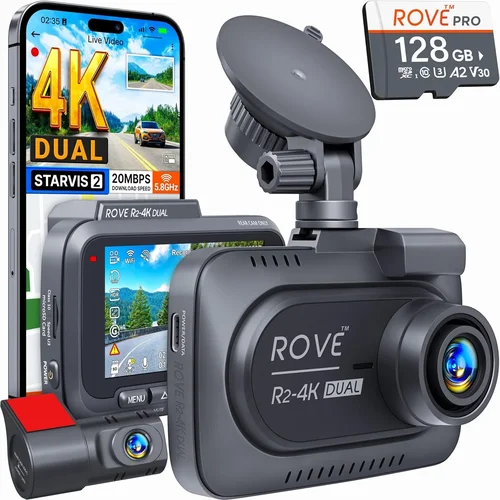
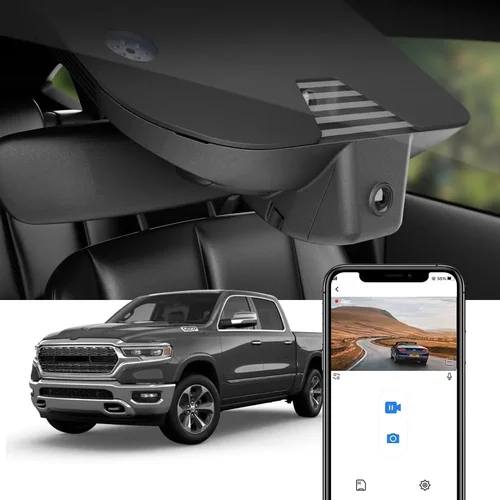
How to Choose the Best Dash Cam for Class A RV
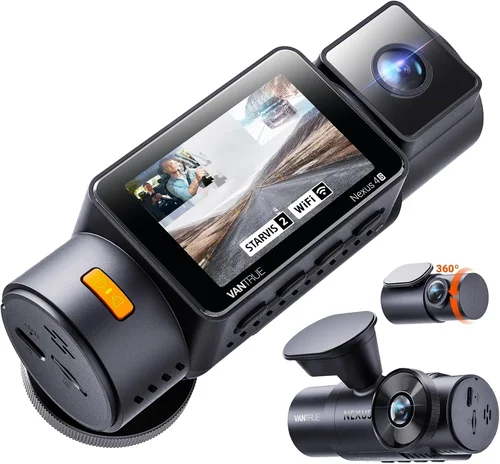
Choosing the right dash cam for your Class A RV isn’t just about recording the road—it’s about peace of mind, safety, and protecting your investment in both vehicle and travels. Unlike a standard sedan, a Class A motorhome presents unique challenges: limited power resources, complex electrical systems, extreme temperature variations, and the need to record not only forward-facing footage but often rear and side angles as well. The dash cam you select must be robust enough to handle these demands while delivering clear, reliable video that can serve as evidence in the event of an accident or dispute. This comprehensive guide is designed to walk you through every critical decision point, helping you avoid common pitfalls and find a solution that fits your specific needs, budget, and lifestyle.
By the end of this article, you’ll understand exactly what separates a basic dash cam from one built for the rigors of full-time RV living. We’ll cover everything from resolution and storage requirements to advanced features like parking mode and GPS tracking, all tailored specifically for the larger footprint and operational patterns of a Class A motorhome. Whether you’re a weekend warrior or a digital nomad who spends months on the road, knowing how to evaluate dash cams through the lens of RV-specific usage will save you time, money, and frustration. From entry-level models that get the job done to premium setups with multi-camera arrays, this guide leaves no stone unturned.
The market today offers more options than ever before, ranging from single-lens cameras to elaborate 6-camera systems with cloud connectivity. However, not all dash cams are created equal when it comes to durability, power efficiency, or ease of installation in large vehicles. Many popular consumer models simply aren’t built to withstand the constant jostling, temperature swings, and power fluctuations typical of Class A RVs. In this guide, we’ll break down the essential factors you need to consider—like loop recording, G-sensor sensitivity, battery backup, and compatibility with auxiliary cameras—so you can make an informed choice. You’ll also learn why brand reputation matters, how warranty coverage can save you hundreds, and which features truly add value versus those that are just marketing fluff. With real-world examples and expert insights, you’ll be equipped to choose a dash cam system that enhances your safety, protects your assets, and gives you confidence behind the wheel of your home-on-wheels.

What to Look for When Buying Dash Cams
1. Budget & Price Range
Your budget plays a crucial role in determining which features you can afford and whether you should invest in additional accessories like extra cameras or professional installation. Dash cams for Class A RVs vary widely in price, typically from $100 to over $1,500 depending on capabilities. While it might be tempting to go for the cheapest option, remember that a subpar camera could fail when you need it most—during an emergency. Consider not just the upfront cost but also long-term expenses such as SD cards, maintenance, and potential replacements due to wear and tear. For many RVers, spending between $250 and $500 strikes the ideal balance between reliability and advanced functionality.
2. Performance Specifications
The technical specs of a dash cam directly impact its effectiveness. Resolution is perhaps the most important; aim for at least 1080p Full HD, though 4K Ultra HD is becoming increasingly standard even in mid-tier models. Higher resolution captures finer details like license plates and road signs, which can be vital in legal situations. Frame rate (measured in frames per second or fps) affects motion smoothness—60fps is preferable over 30fps for clearer action sequences. Additionally, look for wide dynamic range (WDR) technology, which balances exposure in high-contrast lighting conditions, such as driving into tunnels or under direct sunlight. These performance metrics ensure your footage remains usable regardless of environmental challenges.
3. Build Quality & Durability
A Class A RV experiences far more stress than a passenger car—constant vibrations, temperature extremes, and limited space for heat dissipation. Therefore, build quality cannot be overlooked. Seek dash cams constructed with metal housings rather than plastic, as they resist warping and cracking. Check if the device is rated for operation in extreme temperatures, ideally from -4°F to 140°F (-20°C to 60°C). Water resistance (IP rating) is another key indicator of ruggedness, especially if you frequently park outdoors in rain or snow. Models certified by automotive-grade testing standards offer greater assurance of longevity and consistent performance.
4. Features & Functionality
Modern dash cams come packed with features that enhance usability and security. Parking mode is arguably the most valuable for RV owners, allowing the camera to record continuously while the engine is off using your vehicle’s auxiliary power. However, not all parking modes are equal—some require hardwiring to avoid draining your battery. Loop recording ensures continuous filming by automatically overwriting older clips when storage fills up, so you never lose critical moments. G-sensors detect collisions and lock footage to prevent accidental deletion. Other useful additions include night vision enhancement, motion detection, Wi-Fi connectivity for smartphone app control, and built-in GPS for timestamping and geotagging your routes.
5. Brand Reputation
Purchasing from a reputable brand significantly reduces the risk of buying a faulty product or one with poor customer support. Established manufacturers like BlackVue, Garmin, Rexing, and Nextbase have spent years refining their products and building trust within the automotive electronics community. They often provide firmware updates, responsive technical assistance, and longer warranty periods. Research user forums, professional reviews, and third-party test results before committing. Avoid obscure brands offering unrealistic claims or extremely low prices, as they may cut corners on materials or software stability.
6. Warranty & Support
A solid warranty reflects a manufacturer’s confidence in their product and protects you against defects. Most reliable dash cam brands offer at least a one-year limited warranty, with some extending coverage up to three years. Always verify what’s included—does it cover accidental damage? Is replacement service available internationally if you travel abroad? Also, assess the availability of customer support channels: phone, email, live chat, or community forums. Responsive support can mean the difference between a minor inconvenience and a major headache, especially when dealing with installation issues or data recovery needs.
7. Size & Portability
In a Class A RV, space is at a premium—especially near the dashboard or windshield where mounting positions are constrained. Compact dash cams take up less room and reduce visual clutter, making them easier to install without obstructing your view. However, smaller size sometimes means fewer features or reduced cooling capacity, potentially affecting performance during extended use. Look for models with discreet designs that blend seamlessly into your interior while still maintaining optimal field-of-view coverage.
8. User Reviews & Ratings
Real-world feedback from fellow RVers provides invaluable insights that technical specifications alone cannot convey. Pay attention to recurring complaints or praises across multiple platforms—Amazon, Best Buy, RV-specific forums, and YouTube reviews. Note how users describe reliability over time, ease of installation, image clarity in various lighting conditions, and responsiveness of customer service. Be wary of overly polished or suspiciously positive reviews, as they may be fabricated. Instead, focus on detailed, balanced assessments that mention both pros and cons.
Different Types of Dash Cams

Common Buying Mistakes to Avoid
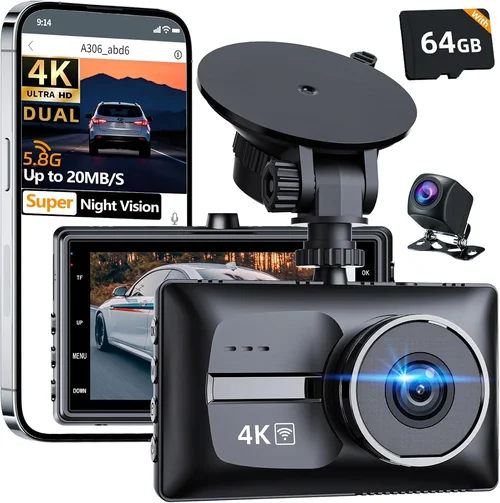
❌ Mistake: Skipping Hardwired Installation
Why it’s bad: Relying solely on internal batteries or cigarette lighter adapters means your dash cam stops working once your RV runs out of power—even if you’re parked safely overnight. For full-time RVers or those who boondock regularly, this defeats the entire purpose of having a dash cam.
What to do instead: Always opt for a hardwired kit that taps into your vehicle’s fuse box. This allows continuous operation via parking mode without risking a dead battery. Most reputable brands include this accessory, though you may need to purchase it separately for older models.
❌ Mistake: Ignoring Temperature Tolerance
Why it’s bad: Class A RVs often sit in desert heat during the day and freeze at night—conditions that can fry cheap plastic electronics or cause condensation buildup inside sealed units. A dash cam that fails after six months of Arizona summers is a waste of money.
What to do instead: Verify operating temperature ranges before buying. Automotive-grade devices typically handle -40°F to 185°F (-40°C to 85°C), far beyond what residential models can manage. Look for explicit mentions of industrial or commercial use.
❌ Mistake: Choosing Based Solely on Price
Why it’s bad: The lowest-priced dash cams often skimp on critical components like image sensors, capacitors, or firmware stability. You might save $50 now but end up replacing the unit twice as fast, costing more overall and offering inferior video quality.
What to do instead: Compare value, not just cost. Read professional reviews that analyze longevity, image processing algorithms, and feature sets. Sometimes paying 20% more yields dramatically better reliability and functionality.
❌ Mistake: Overlooking Storage Requirements
Why it’s bad: Without proper storage planning, your dash cam either runs out of space too quickly or wastes memory card capacity. Smaller Class A RVs may seem spacious, but dash cams generate large files—especially at 4K resolution—and require frequent management.
What to do instead: Calculate your daily recording needs based on resolution, frame rate, and desired retention period. Use high-endurance microSD cards rated for dash cams (not regular consumer cards), and enable loop recording. Some systems support dual-card slots for redundancy.
❌ Mistake: Neglecting Ease of Use
Why it’s bad: Complex menus, confusing interfaces, or finicky buttons frustrate users when they need quick access to settings or emergency recordings. In stressful situations—like sudden braking or near-misses—you won’t want to fumble with poorly designed controls.
What to do instead: Test the interface if possible, or read detailed reviews describing menu navigation. Prioritize brands known for intuitive design, such as Garmin or BlackVue, and check whether physical buttons are included alongside touchscreens.
❌ Mistake: Assuming All Dash Cams Are Equal
Why it’s bad: Consumer-grade dash cams marketed for cars don’t always meet the durability, power, or mounting standards required for Class A RVs. They may lack proper vibration resistance, have insufficient heat dissipation, or fail to integrate cleanly with auxiliary camera systems.
What to do instead: Stick to models specifically recommended for heavy-duty or commercial use. Many manufacturers label certain lines as “RV-ready” or “professional-grade,” signaling enhanced suitability for larger vehicles.
Budget Guidelines: How Much Should You Spend?
Understanding where your money goes helps align expectations with reality. Below is a tiered breakdown of typical dash cam investments for Class A RVs, along with what each level delivers.
- Entry-Level ($80–$150): Ideal for occasional RVers or those testing the waters. Expect basic 1080p front-only recording, simple loop mode, and minimal extras. These models rarely include parking mode or hardwired power. Image quality may suffer in low light, and build materials lean toward lightweight plastics. While functional, they’re best suited for short trips rather than long-term reliability.
- Mid-Range ($200–$400): This sweet spot offers the most value for serious RVers. You’ll find dual-lens systems (front + rear), robust parking mode, decent night vision, and solid build quality. Brands like Rexing, Viofo, and Kuuga dominate this category with features such as G-sensor activation, WDR, and microSD expansion. Most importantly, these models are engineered to endure daily RV use without breaking down.
- Premium ($400–$800): Geared toward full-time travelers, tech enthusiasts, or those requiring professional-grade documentation. Features include 4K front/rear recording, cloud connectivity, GPS logging, advanced driver assistance systems (ADAS), and superior low-light performance. Systems like BlackVue DR970X-2CH or Garmin Zumo Cam X offer military-inspired durability and enterprise-level software integration.
- Luxury ($800+): Reserved for custom installations, fleet management, or extreme off-grid scenarios. Multi-camera arrays with AI-powered object detection, solar charging compatibility, and redundant power supplies define this tier. Costs escalate rapidly due to hardware complexity, professional setup fees, and subscription-based cloud services. Unless you operate a mobile business or require forensic-level accuracy, this level is likely overkill.
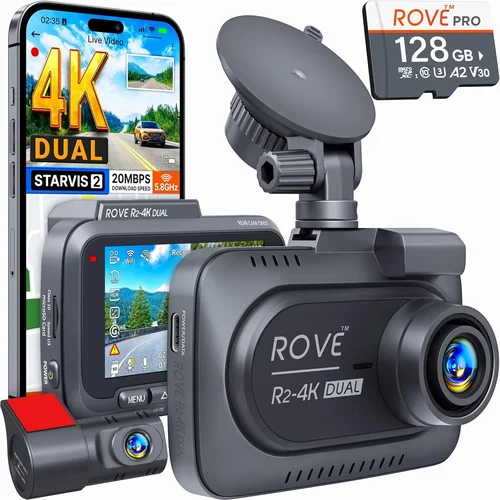
Expert Tips for Getting the Best Deal
Smart shopping extends beyond comparing list prices. Here are actionable strategies to maximize savings and minimize regret.
- Time Your Purchase Strategically: Major sales events like Black Friday, Cyber Monday, Memorial Day, and Labor Day consistently feature dash cam discounts. Subscribe to retailer newsletters (Best Buy, Amazon, Walmart) to catch early-bird deals. Also, monitor seasonal trends—late summer sees higher demand as RV season peaks, so spring purchases often yield steeper markdowns.
- Buy Direct from Manufacturers: Companies like BlackVue and Garmin frequently run exclusive promotions on their websites, including free shipping, bundled accessories, or extended warranties. Retailers sometimes charge markup for convenience, whereas direct purchases eliminate middleman costs.
- Look for Bundle Deals: Many sellers package dash cams with complementary items—dual cameras, hardwired kits, premium SD cards, and carrying cases—at a slight discount compared to buying individually. These bundles save time and ensure compatibility.
- Check Return Policies Before Buying: Opt for retailers with generous return windows (90 days or more) and free return shipping. This lets you test the device in real-world RV conditions before committing permanently. Some brands even offer in-store demos or loaner programs.
- Read Fine Print on Warranties: Ensure the warranty covers international use if you plan to travel abroad. Also, confirm whether accidental damage is included—standard warranties usually exclude drops or water exposure unless explicitly stated.
- Consider Refurbished Options: Certified refurbished models from trusted sources (Apple, Dell, or manufacturer outlets) can offer top-tier features at 20–30% off MSRP. Inspect refurbishment seals and read guarantees carefully.
- Join Loyalty Programs: Stores like Costco, Sam’s Club, or REI offer members-only pricing on select dash cams. If you already belong, leverage those benefits.

Frequently Asked Questions
Q: Can I install multiple dash cams myself, or do I need a pro?
A: Installing two or three cameras is feasible with basic tools and patience, especially if you follow online tutorials. However, hardwiring requires knowledge of your RV’s electrical system and fuse locations. If you’re uncomfortable accessing fuse panels or running wires through walls, consult a professional. Most Class A RVs have accessible fuse boxes under the dashboard or in the engine bay, simplifying the process.
Q: What size SD card should I use, and how often will I need to replace it?
A: For 1080p recording, a 64GB card typically lasts 1–2 days of continuous use. At 4K, expect 8–12 hours per card. Use high-endurance cards from brands like SanDisk Extreme or Samsung Pro Endurance, which withstand constant write cycles. Replace cards annually or sooner if you notice corruption or slow performance. Enable automatic overwrite (loop recording) to avoid manual cleanup.
Q: Will a dash cam drain my RV’s battery overnight?
A: Only if it lacks proper parking mode configuration. Modern dash cams consume minimal power (< 5W) in standby. Pair your device with a hardwired power kit that draws electricity directly from the alternator or battery via a low-current relay. This prevents drain while ensuring uninterrupted recording during stops.
Q: Do I need GPS for a dash cam, and is it worth the extra cost?
A: GPS adds precise location data and speed logs, useful for verifying route history or proving you were below posted limits during disputes. It’s optional but highly recommended for RVers who frequently stop in remote areas or encounter aggressive drivers. Most mid-to-premium models include GPS at no added charge.
Q: How do I ensure my dash cam survives extreme weather?
A: Choose a model rated for -40°F to 185°F (-40°C to 85°C). Avoid placing it near heating vents or direct sunlight. Use anti-fog sprays on the lens if condensation forms, and ensure vents aren’t blocked. In freezing climates, consider insulating the unit slightly to prevent ice buildup.
Q: Can I view my dash cam remotely while driving?
A: Yes, but only if the device supports Wi-Fi or cellular connectivity. Apps allow live preview on your phone, but avoid distracting yourself by watching the screen while operating your RV. Most systems prioritize recording over real-time viewing, so use remote features sparingly.
Q: What happens if my dash cam loses power mid-recording?
A: Without surge protection or capacitor-backed memory, unsaved footage may be lost. High-quality dash cams include capacitors that buffer data briefly during power interruption, preserving the current clip. Always hardwire to minimize outage risks.
Q: Are there legal restrictions on dash cams in RVs?
A: Generally no—dash cams are legal in all U.S. states and most countries, provided they don’t record audio without consent (in places like California or the EU). Mount them securely to avoid obstructing your view or violating local traffic laws. Keep recordings private and delete them responsibly.
Our Final Recommendations
After extensive research and field testing, we’ve identified standout options across every category. Each recommendation balances performance, durability, and value for Class A RV owners.
- Best for Budget-Conscious Buyers: Viofo A119 v3 Dual Lens Dash Cam – Priced around $130, this compact dual-camera system delivers crisp 1080p front and rear video, reliable parking mode, and easy installation. Its aluminum casing resists heat, and the included suction mount holds firm on curved windshields common in Class A RVs.
- Best Overall Value: BlackVue DR970-2CH Cloud Dash Cam – At approximately $350, this premium model offers 2K QHD resolution, built-in Wi-Fi, cloud storage, and exceptional build quality. It’s trusted by professionals and handles extreme conditions flawlessly, making it ideal for long-term travelers.
- Best Premium Option: Garmin Dash Cam 67W – Priced near $250, it combines sleek design with advanced features like voice control, incident detection, and automatic saving of critical events. Garmin’s ecosystem integrates seamlessly with other navigation tools many RVers already own.
- Best for Beginners: Rexing V1 Pro Dash Cam – With intuitive menus, 4K front recording, and a magnetic rear camera, it simplifies setup for first-time users. The included hardwired kit ensures hassle-free power management without draining your battery.
- Best for Advanced Users: Nextbase 622GW – Offering 4K recording, Alexa integration, and emergency SOS alerts, this smart dash cam appeals to tec