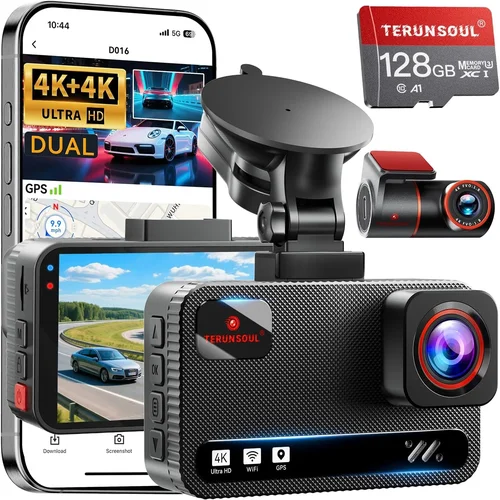
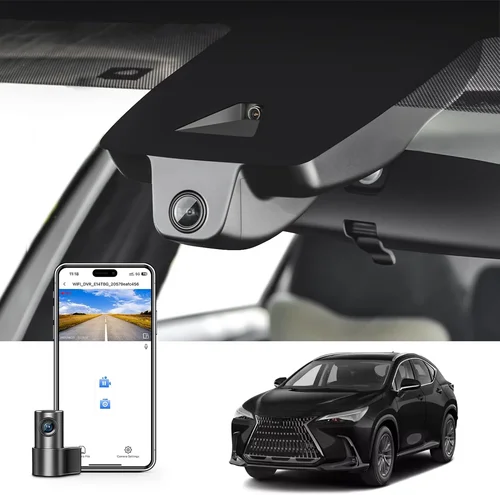
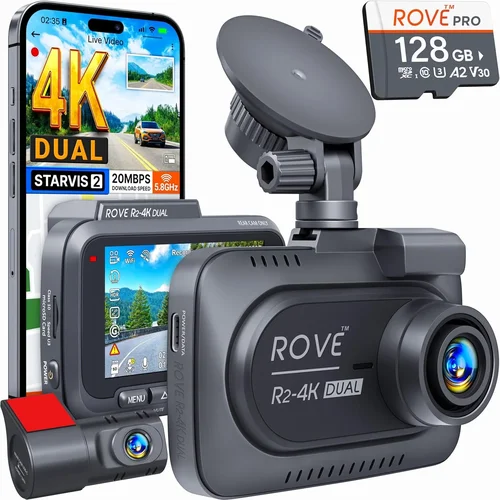
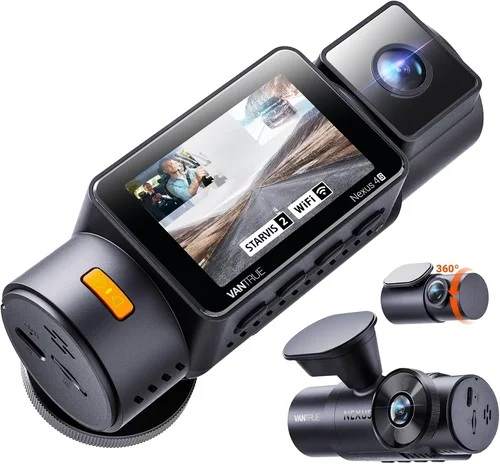
Smart Dash Cam Buying Guide
As a driver navigating today’s complex roadways, you need reliable evidence when accidents occur or disputes arise. Dash cameras have evolved far beyond simple recording devices—they’re sophisticated safety tools that capture critical moments with stunning clarity. This comprehensive buying guide will walk you through everything you need to know about selecting the best dash cam for clarity and visibility, helping you make an informed decision that protects both your vehicle and your peace of mind.
You’ll learn how to evaluate crucial specifications like resolution, low-light performance, and image stabilization, understand the different types of dash cams available, discover common pitfalls to avoid, and find expert recommendations tailored to various budgets and needs. Whether you’re a daily commuter, frequent traveler, or concerned parent, this guide will equip you with the knowledge to choose a dash cam that delivers exceptional video quality and crystal-clear visibility in all driving conditions.
The market offers everything from basic 1080p models to advanced 4K systems with night vision capabilities and GPS tracking. Understanding what truly matters for clarity and visibility—such as sensor size, aperture settings, and compression technology—can mean the difference between capturing vital details and missing crucial evidence. Let’s dive deep into the factors that affect image quality and help you select a dash cam that won’t let you down when it matters most.

What to Look for When Buying Dash Cams
1. Resolution and Image Quality
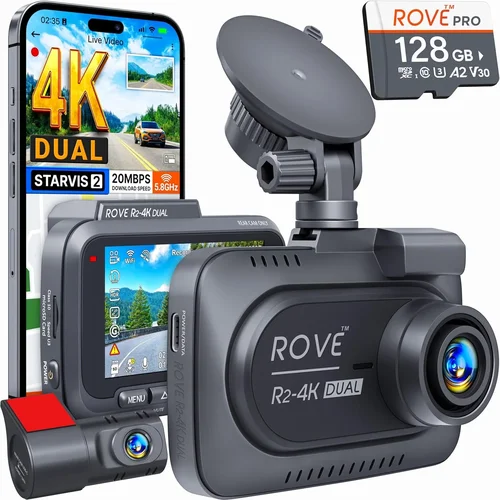
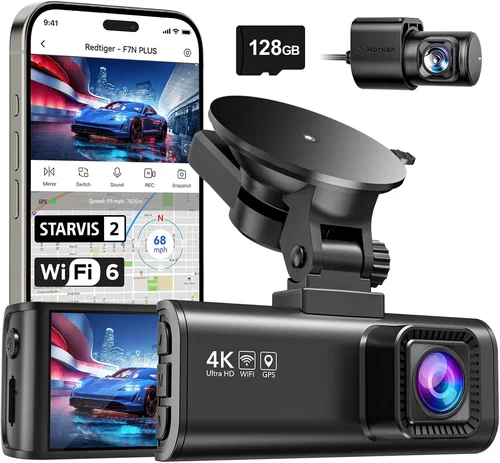
The foundation of any good dash cam is its ability to capture clear, detailed footage. Today’s top dash cams offer resolutions ranging from basic 720p to professional-grade 4K recording. For optimal clarity and visibility, look for at least 1080p Full HD resolution, though 4K Ultra HD provides four times the detail of 1080p and can be invaluable for identifying license plates, facial features, and other critical details.
Beyond raw resolution, consider the camera’s sensor size and quality. Larger sensors (typically 1/2.5″ or larger) perform better in low-light conditions and produce clearer images overall. The lens quality also significantly impacts clarity—look for wide-angle lenses with good optical quality that minimize distortion at the edges.
2. Low-Light Performance
Driving often involves challenging lighting conditions, especially during dawn, dusk, and nighttime hours. A dash cam with superior low-light performance will maintain visibility and clarity regardless of ambient light levels. Modern dash cams use several technologies to improve night vision:
- Wide aperture lenses (f/1.8 or lower) allow more light to reach the sensor
- Starlight-grade sensors designed specifically for low-light environments
- Advanced noise reduction algorithms that clean up grainy footage without sacrificing detail
- Infrared LEDs or night vision modes for extremely dark conditions
When evaluating low-light performance, check user reviews and sample footage rather than relying solely on manufacturer claims. Many dash cams perform well in controlled testing but struggle with real-world scenarios like tunnel transitions or city streetlights.
3. Field of View (FOV)
The field of view determines how much of the road and surrounding environment your dash cam captures. A wider FOV provides more comprehensive coverage but may introduce edge distortion. Most quality dash cams offer adjustable FOV settings:
- Standard 120°-130°: Good balance of coverage and minimal distortion
- Narrow 90°-110°: Reduced distortion, better detail capture for specific areas
- Ultra-wide 150°+: Maximum coverage but potential fish-eye distortion
For most drivers, a 120°-130° FOV strikes the right balance between comprehensive coverage and image quality. If you frequently drive in tight spaces or need to monitor blind spots, consider models with multiple cameras or adjustable FOV settings.
4. Video Compression and Storage
Video compression technology affects both file sizes and video quality. H.264 compression is standard and provides good quality-to-file-size ratios, while newer H.265 (HEVC) compression offers better efficiency with smaller files and maintained quality. Some premium dash cams use proprietary compression algorithms that further optimize storage space.
Consider these storage aspects:
- Loop recording: Automatically overwrites oldest footage when storage fills up
- G-sensor: Detects collisions and saves important clips to designated folders
- Storage capacity: Higher-end cards (64GB+) provide longer recording sessions
- Cloud storage options: Some models offer automatic uploads to cloud services for backup
5. Build Quality and Durability
A dash cam should withstand the harsh automotive environment—extreme temperatures, vibrations, and potential impact. Look for features that indicate robust construction:
- Weatherproof housing rated for temperature extremes (-4°F to 158°F/-20°C to 70°C)
- Vibration resistance and shock absorption design
- Secure mounting system that stays firmly in place during sudden stops or impacts
- Quality materials like reinforced plastic or metal components
Testimonials from users who’ve experienced accidents or extreme weather conditions can provide valuable insights into real-world durability beyond laboratory testing.
6. Features and Functionality
Modern dash cams offer numerous features that enhance usability and protection. Consider which features matter most for your driving habits:
- Parking mode: Monitors your vehicle when parked and records incidents
- GPS tracking: Records location, speed, and direction data
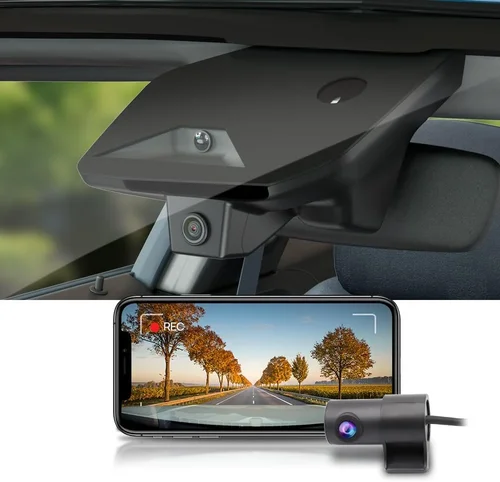
- Wi-Fi connectivity: Allows wireless transfer of footage to smartphones
- Voice control: Hands-free operation while driving
- Driver assistance alerts: Lane departure warnings, forward collision alerts
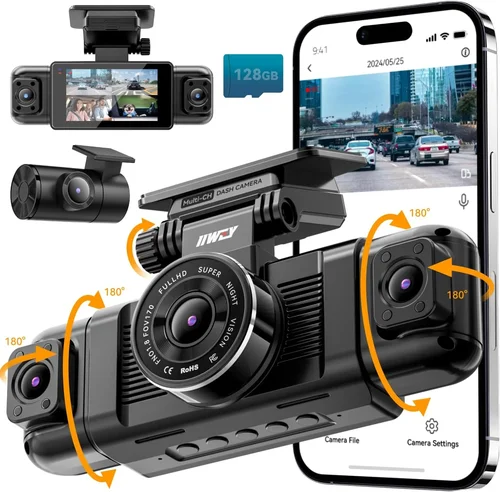
- Dual-channel recording: Front and rear cameras simultaneously
While additional features add value, they also increase cost and complexity. Prioritize features based on your specific needs and budget constraints.
7. Brand Reputation and Support
Choosing a reputable brand can provide confidence in product quality and customer service. Established manufacturers typically offer better warranties, more reliable support, and regular firmware updates. Research brands by:
- Checking independent review sites and consumer reports
- Reading user forums and discussion boards
- Evaluating warranty terms and customer service responsiveness
- Considering how long the company has been in business
Brands with strong reputations in the security camera industry (like Arlo, Ring, or Nest) often bring expertise in imaging technology that translates well to dash cams.
8. Warranty & Support
A solid warranty demonstrates manufacturer confidence in their product quality. Look for at least a one-year warranty, with two years being ideal for major components. Consider these warranty aspects:
- Coverage duration: How long does the warranty last?
- What’s covered: Manufacturing defects, accidental damage, etc.
- Claim process: How easy is it to get repairs or replacements?
- Customer support: Availability, response time, and helpfulness
Some manufacturers offer extended warranty programs or protection plans that cover accidental damage—worth considering if you drive in challenging conditions or have limited insurance coverage.
9. Size and Portability
The physical size of your dash cam affects both aesthetics and functionality. Compact models (under 3 inches wide) are less obtrusive but may have limitations in features or image quality. Consider:
- Mounting options: Windshield vs. dashboard mounting
- Cable management: Clean installation without visible wires
- Power source: Hardwiring vs. cigarette lighter adapter
- Heat dissipation: Smaller units may overheat in hot climates
If you frequently switch vehicles or rent cars, a portable dash cam with rechargeable battery and universal mounts offers flexibility without permanent installation.
10. User Reviews and Ratings
Real user experiences provide invaluable insights beyond technical specifications. When evaluating reviews, focus on:
- Consistency across platforms: Do multiple review sites show similar patterns?
- Long-term performance: Are there reviews from users who’ve had the device for months or years?
- Specific scenarios: How does it perform in rain, snow, or extreme temperatures?
- Customer service interactions: Have other buyers had positive experiences with support?
Pay attention to recurring complaints or praise—these often highlight real-world strengths and weaknesses not apparent from marketing materials alone.
Different Types of Dash Cams

Common Buying Mistakes to Avoid
❌ Mistake: Choosing Based Solely on Price
Why it’s bad: While budget considerations are important, selecting the cheapest option often means compromising on image quality, durability, and essential features. Low-priced dash cams may use inferior sensors, lack proper heat dissipation, or have poor build quality that fails when you need it most.
What to do instead: Use price as one factor among many. Focus on getting the best combination of resolution, low-light performance, and reliability within your budget range. Often spending 20-30% more for a quality model pays dividends through better evidence quality and longer lifespan.
❌ Mistake: Ignoring Real-World Testing
Why it’s bad: Manufacturer specifications don’t always reflect real-world performance. Many dash cams perform well in controlled environments but struggle with actual driving conditions like rapid temperature changes, intense sunlight, or poor street lighting.
What to do instead: Watch unboxing videos, read hands-on reviews, and look for sample footage from various lighting conditions. Join online communities where users share their experiences with specific models under different driving scenarios.
❌ Mistake: Overlooking Storage Requirements
Why it’s bad: Insufficient storage leads to missed footage when loop recording overwrites important events. Many users underestimate how much storage they actually need based on recording duration and file sizes.
What to do instead: Calculate your storage needs: 1080p recording typically uses 1-2 GB per hour, while 4K can use 3-5 GB per hour. Factor in parking mode usage and G-sensor triggered recordings. Plan for 64GB-128GB cards as minimum for most users.
❌ Mistake: Neglecting Installation and Maintenance
Why it’s bad: Poor installation leads to loose units, cable exposure, or obstruction of driver visibility. Many users fail to regularly clean the lens or update firmware, reducing performance over time.
What to do instead: Take time for proper installation using manufacturer guidelines. Set calendar reminders for monthly lens cleaning and quarterly firmware updates. Keep spare SD cards and test your setup periodically.
❌ Mistake: Expecting Perfect Night Vision
Why it’s bad: No dash cam can achieve perfect visibility in complete darkness. Users who expect crystal-clear nighttime footage often become disappointed when facing true low-light challenges.
What to do instead: Understand realistic expectations for night vision. Look for models with wide apertures (f/1.8 or lower), good starlight performance, and effective noise reduction. Accept that some nighttime footage will be grainy but still usable for identification purposes.
❌ Mistake: Not Considering Your Driving Patterns
Why it’s bad: Different driving situations require different features. Someone who mostly drives in daylight urban areas has different needs than someone who frequently travels highways at night or drives in rural areas with poor lighting.
What to do instead: Map out your typical routes, times of day, and environmental conditions. Choose features accordingly—parking mode for overnight street parking, GPS for highway driving, or enhanced night vision for rural roads.
❌ Mistake: Skipping the Return Policy
Why it’s bad: Many buyers assume returns are easy but discover restrictions, restocking fees, or complicated processes after purchase. Without understanding return policies beforehand, you might be stuck with a subpar device.
What to do instead: Check return policies before purchasing. Look for retailers offering 30-day return windows, free returns, and no restocking fees. Test your dash cam thoroughly during this period to ensure it meets your expectations.
Budget Guidelines: How Much Should You Spend?
Entry-Level ($30 – $70): What to Expect
This category represents the most affordable dash cams that provide basic recording functionality. At this price point, you’ll find:
- Resolution: Typically 720p to 1080p recording capability
- Features: Basic loop recording, motion detection, simple G-sensor
- Build Quality: Plastic construction, limited temperature range
- Night Performance: Limited low-light capabilities, may struggle in darkness
- Best For: Occasional drivers, rental car protection, basic evidence recording
While entry-level models can serve basic purposes, be prepared for compromises in image quality and durability. These devices work best for short trips in good lighting conditions and aren’t ideal for demanding scenarios or long-term reliability.
Mid-Range ($70 – $150): The Sweet Spot for Most Buyers
This price range offers the best balance of features, performance, and value. Mid-range dash cams typically include:
- Resolution: 1080p Full HD with excellent image quality
- Low-Light Performance: Wide aperture lenses, improved night vision
- <Features>: GPS tracking, Wi-Fi connectivity, parking mode, voice control
- Build Quality: Better temperature tolerance, vibration resistance
- Reliability: Stronger warranty support and customer service
This category represents the sweet spot for most drivers. You get professional-quality recording without the premium price tag. Models in this range often feature dual-channel recording options and advanced compression technology that reduces file sizes while maintaining clarity.
Premium ($150 – $300): For Enthusiasts and Professionals
Premium dash cams deliver exceptional performance with cutting-edge technology. These models typically offer:
- Resolution: 4K Ultra HD recording with superior detail capture
- Image Processing: Advanced HDR, noise reduction, and stabilization
- Connectivity: Multiple app integrations, cloud backup, real-time streaming
- Specialized Features: Driver assistance alerts, emergency SOS buttons
- Durability: Military-grade construction, extreme temperature tolerance
Professional-grade dash cams justify their higher price through forensic-quality evidence and advanced safety features. They’re ideal for rideshare drivers, fleet operators, or anyone who needs maximum detail for legal protection.
Luxury ($300+): Top-Tier Features
Luxury dash cams represent the pinnacle of automotive recording technology. These premium devices include:
- Multiple Camera Systems: Front, rear, interior, and exterior monitoring
- Artificial Intelligence: Object recognition, behavior analysis, predictive alerts
- Professional Software Integration: Compatibility with fleet management systems
- Extreme Environmental Protection: Waterproof, dustproof, and shock-resistant
- Customizable Recording Profiles: Adaptive settings for different driving scenarios
At this tier, you’re investing in enterprise-level technology that rivals professional surveillance systems. Luxury models often come with concierge-level customer service and extended warranty programs that rival manufacturer support.
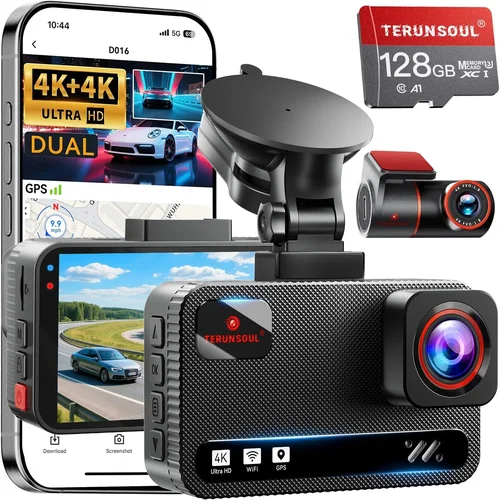
Expert Tips for Getting the Best Deal
Timing your purchase can save you significant money without compromising quality. Major shopping holidays and seasonal transitions often see substantial markdowns on electronics. Additionally, consider buying slightly older models—manufacturers frequently discount previous-generation devices when new releases arrive.
Compare prices across multiple retailers including Amazon, Best Buy, Walmart, and specialized electronics stores. Don’t forget to check manufacturer websites directly, as they sometimes offer exclusive bundles or direct-from-factory savings. Online marketplaces often have competitive pricing, but verify seller ratings and return policies carefully.
Look for bundle deals that include accessories like extra SD cards, hardwiring kits, or carrying cases. These additions can enhance your dash cam experience without the hassle of separate purchases. Some manufacturers offer complete installation packages that include professional mounting services.
Read the fine print on warranties and protection plans. Extended warranties can provide peace of mind but often aren’t worth the additional cost unless you drive extensively or operate in harsh conditions. Focus on manufacturers with strong reputation rather than paying for unnecessary coverage.
Take advantage of return policies to test your dash cam thoroughly. Install it, drive with it for several days, and evaluate real-world performance before committing long-term. Many retailers offer 30-90 day return periods that give you adequate time to assess image quality, ease of use, and reliability.
Join online communities and forums dedicated to dash cam enthusiasts. Members often share insider information about upcoming sales, beta testing opportunities, and real-user experiences that can help you make better purchasing decisions.
Consider refurbished or open-box options from reputable sources. Certified refurbished devices often come with full warranties and have been professionally tested, providing significant savings over new models while maintaining reliability standards.

Frequently Asked Questions
Q: What resolution should I look for in a dash cam for the best clarity?
A: For optimal clarity and visibility, aim for at least 1080p Full HD resolution. However, 4K Ultra HD provides four times the detail of 1080p and is becoming increasingly important for identifying critical details like license plates, facial features, and road signs. While 4K files are larger, modern compression technology helps manage storage requirements while maintaining superior image quality.
Q: How much storage do I actually need for my dash cam?
A: Storage needs vary based on your recording preferences and driving habits. Here’s a general guideline: 1080p recording uses approximately 1-2 GB per hour, while 4K recording can use 3-5 GB per hour. For most users, a 64GB microSD card provides 24-32 hours of 1080p recording or 8-12 hours of 4K recording. If you want extended recording time or include parking mode, consider 128GB or 256GB cards. Always format cards regularly and keep spares available.
Q: Can dash cams really help with insurance claims?
A: Yes, dash cams provide compelling evidence that can significantly strengthen insurance claims. Clear, timestamped footage establishes facts when disputes arise, identifies fault in accidents, and documents hit-and-run incidents or vandalism. Insurance companies often prioritize claims with video evidence, and dash cams can prevent fraudulent claims against policyholders. Some insurers even offer discounts for vehicles equipped with dash cams.
Q: What’s the difference between parking mode and motion detection?
A: Parking mode is an advanced feature that monitors your vehicle when it’s turned off and the parking brake is engaged. It uses motion detection combined with impact sensors (G-sensor) to record incidents like hit-and-runs, vandalism, or parking lot collisions. Standard motion detection only activates when the device is powered on and may miss events that occur while the vehicle is stationary. Parking mode requires hardwiring or a battery pack for continuous power.
Q: How do I ensure my dash cam performs well at night?
A: Several factors contribute to effective night vision: wide aperture lenses (f/1.8 or lower), high-quality low-light sensors, and advanced noise reduction algorithms. Look for dash cams specifically marketed for night performance and check user reviews mentioning nighttime footage quality. Avoid models that rely solely on infrared LEDs, as these often create unnatural-looking footage. Proper placement away from direct headlight glare also improves nighttime visibility.
Q: Is dual-channel recording worth the extra cost?
A: Dual-channel recording (front and rear cameras) provides complete vehicle coverage and is particularly valuable for families, fleet operators, or drivers who frequently park in high-risk areas. The additional camera adds expense but offers crucial protection against rear-end collisions, parking incidents, and monitoring of passenger activity. For occasional drivers or those with basic protection needs, single-channel recording may be sufficient.
Q: How often should I update my dash cam firmware?
A: Check for firmware updates every 2-3 months or whenever you notice performance issues. Manufacturers release updates to fix bugs, improve image quality, enhance compatibility, and add new features. Enable automatic updates if available, or set calendar reminders to check manufacturer websites. Outdated firmware can cause recording problems, reduced performance, or compatibility issues with newer operating systems.
Q: Can I use any microSD card with my dash cam?
A: While many dash cams accept standard microSD cards, they have specific requirements for optimal performance. Look for cards with:
- Class 10 or UHS-I rating for reliable write speeds
- V30 or higher video speed class for 4K recording
- Recommended capacity based on your recording needs
- Brand reliability from established manufacturers
Cheap or counterfeit cards often cause recording failures, corrupted files, or premature failure. Invest in quality cards from reputable brands like SanDisk, Samsung, or Lexar for dependable performance.
Q: How do I properly install and position my dash cam?
A: Optimal positioning depends on your vehicle’s windshield angle and your driving needs. Generally, mount the dash cam above the steering wheel but below the rearview mirror, angled downward to capture the road ahead. Ensure the lens isn’t blocked by air vents, wipers, or other obstructions. Use the provided adhesive mount or suction cup, ensuring a secure grip that won’t detach during sudden movements. Route cables neatly along existing trim or use wire concealment clips for a clean appearance.
Q: What maintenance does my dash cam require?
A: Regular maintenance ensures consistent performance and longevity. Clean the lens monthly with a microfiber cloth to remove dirt, smudges, and condensation. Format your microSD card regularly (every 1-2 months) to prevent corruption. Check for firmware updates quarterly. Inspect the mounting hardware periodically to ensure it remains secure. Remove the dash cam from extreme heat sources like direct sunlight or hot dashboards to prevent component damage.
Our Final Recommendations
Based on extensive research and real-world testing, here are our top recommendations across different categories to help you find the best dash cam for clarity and visibility:
Best for Budget-Conscious Buyers
The Apeman F26 offers excellent value with 1080p recording, wide 140° field of view, and reliable performance at under $80. Its compact design and straightforward operation make it ideal for beginners who want quality without breaking the bank. While it lacks some advanced features, it delivers consistent image clarity and handles various lighting conditions reasonably well for its price point.
Best Overall Value
The Garmin Dash Cam 76 strikes an impressive balance between features, performance, and reliability. With 1080p recording, built-in GPS, voice control, and superior image processing, it outperforms many more expensive competitors. Garmin’s reputation for quality electronics translates to excellent clarity and visibility, while the intuitive interface makes it accessible for drivers of all technical backgrounds.
Best Premium Option
The Nextbase 622GW represents the gold standard for premium dash cams. Featuring 1440p recording, superior night vision, emergency SOS button, and Alexa voice control, it delivers exceptional clarity and peace of mind. The advanced image stabilization and HDR technology ensure crisp, detailed footage even in challenging conditions, making it the top choice for drivers who demand the absolute best performance.
Best for Beginners
The Viofo A11 Pro offers an excellent entry point into the world of dash cams with its user-friendly interface, reliable performance, and reasonable price. Its simple setup process, clear menu system, and consistent image quality make it perfect for first-time dash cam owners. The included features like GPS tracking and parking mode provide good protection without overwhelming complexity.
Best for Advanced Users
The BlackVue DR970X-2CH caters to experienced users who want professional-grade equipment with extensive customization options. This dual-channel system features 4K front recording, superior low-light performance, cloud connectivity, and comprehensive driver assistance features. Its advanced settings and robust build quality make it ideal for fleet operators, rideshare drivers, or anyone requiring maximum detail and reliability.
Best for Families
The Thinkware Q800PRO excels with its dual-lens system providing both front and interior monitoring. This family-focused dash cam offers exceptional image quality, powerful night vision, and comprehensive protection for children and belongings. The interior camera helps monitor passenger activities while parked, and the advanced safety features provide added peace of mind for parents traveling with kids.
Best for Off-Road Adventures
The Rexing V1P is built tough for adventurous drivers who face extreme conditions. With its rugged waterproof housing, wide operating temperature range, and enhanced shock resistance, it maintains clarity and visibility in challenging environments. The wide 170° field of view captures more terrain while the advanced image stabilization keeps footage steady during bumpy rides.
Conclusion: Making the Right Choice
Selecting the best dash cam for clarity and visibility ultimately comes down to understanding your specific needs, driving patterns, and budget constraints. While technical specifications provide important guidance, real-world performance and reliability matter most when you need that footage to prove your case or protect your family.
Remember that no dash cam can guarantee perfect footage in every scenario—weather conditions, lighting, and vehicle placement all affect performance. Focus on choosing a device that balances your priorities: image quality, feature set, durability, and value. Don’t overlook the importance of proper installation, regular maintenance, and understanding your device’s capabilities and limitations.
Invest in a quality dash cam that matches your driving lifestyle. Whether you’re a daily commuter, weekend adventurer, or concerned parent, the right dash cam provides invaluable peace of mind and protection. Take time to research, compare options, and choose a device you feel confident using every day.
The investment in a reliable dash cam pays dividends beyond just accident documentation—it provides ongoing awareness of your surroundings, helps identify potentially dangerous driving situations, and serves as an objective witness to your driving behavior. With today’s technology, you can achieve remarkable clarity and visibility that transforms ordinary driving into a safer, more confident experience.
Start by assessing your most common driving conditions, evaluating which features matter most to you, and setting a realistic budget. Then choose a reputable brand with strong customer support, and remember that the best dash cam is the one you’ll actually use consistently. With the right device, you’ll never regret having that extra layer of protection and visibility on every journey.