Best Dash Cam Shopping Guide for Fleets
When managing a fleet of vehicles, safety, efficiency, and accountability aren’t just priorities—they’re non-negotiable. Every driver, every route, and every incident carries potential liability, financial risk, or operational disruption. In today’s increasingly litigious and regulated business environment, having a reliable dash cam system in place isn’t just smart—it’s essential. A quality dash cam doesn’t just capture what happens on the road; it provides critical evidence during disputes, supports driver training, enhances route optimization, and contributes to overall fleet safety culture.
This comprehensive buying guide is designed specifically for fleet managers, transportation executives, logistics coordinators, and operations leaders who are evaluating dash cam solutions for their organizations. Whether you’re outfitting a small delivery service with five vans or managing a nationwide trucking operation with hundreds of semi-trucks, understanding how to select the right dash cam system can significantly impact your bottom line. You’ll learn how to balance cost with capability, evaluate technical specifications that matter most for fleet use, compare different types of systems, avoid common pitfalls, and make informed decisions based on real-world performance data.
The market for dash cams has exploded over the past decade, but not all products are created equal—especially when scaling up from individual vehicle use to full fleet deployment. Many consumer-grade models lack the durability, connectivity, and management features required for professional use. This guide cuts through the noise by focusing exclusively on fleet-grade dash cams: devices engineered for 24/7 operation, easy integration into existing fleet management software, remote monitoring capabilities, robust storage solutions, and seamless scalability across multiple vehicles. By the end of this article, you’ll have a clear roadmap for selecting dash cams that protect your drivers, reduce insurance premiums, improve compliance, and ultimately strengthen your entire operation.

What to Look for When Buying Dash Cams
Selecting the right dash cam for your fleet requires more than just picking the latest model with the highest megapixel count. Fleet operators must consider a combination of technical specifications, operational demands, and long-term support needs. The goal is to find a solution that delivers consistent performance under real-world driving conditions while integrating smoothly into your existing workflows. Below are the key factors every fleet manager should evaluate before making a purchase decision.
1. Budget & Price Range
Budget considerations play a crucial role in fleet dash cam selection, but they shouldn’t be the sole deciding factor. While it’s tempting to minimize upfront costs, investing in higher-quality equipment often pays off through reduced maintenance expenses, fewer false claims, and better data retention. Entry-level dash cams typically range from $50 to $100 per unit and may lack advanced features like GPS tracking, cloud storage, or driver behavior monitoring. Mid-range options ($100–$250) offer better build quality, improved video resolution, and enhanced reliability—making them ideal for most small to medium-sized fleets. Premium models ($250–$500+) provide enterprise-grade features such as AI-powered driver coaching, real-time telematics integration, and centralized management platforms. For large fleets, consider total cost of ownership (TCO), including installation, subscription fees for cloud storage, and potential savings from reduced accidents and insurance claims.
2. Performance Specifications
Technical performance directly affects the usefulness of your dash cam footage. Key specifications include video resolution (720p, 1080p, 2K, or 4K), frame rate (30fps vs. 60fps), low-light sensitivity, and field of view (FOV). Higher resolutions capture finer details, which is vital for identifying license plates or reading signs clearly. However, ultra-high resolutions increase file sizes and strain storage capacity. A 1080p camera at 30fps strikes a good balance between clarity and efficiency. Frame rate matters especially in high-speed scenarios—60fps ensures smoother motion capture during sudden stops or collisions. Low-light performance is critical for nighttime operations; look for cameras with wide dynamic range (WDR) or HDR technology that maintains detail in both bright headlights and shadowed areas. Field of view should cover at least 120 degrees horizontally to capture lane changes and intersections without blind spots.
3. Build Quality & Durability
Fleet vehicles operate in harsh environments—extreme temperatures, vibrations, dust, moisture, and constant movement. Consumer-grade dash cams often fail under these conditions due to inadequate sealing, flimsy connectors, or insufficient heat dissipation. Fleet-grade units must meet military-grade shock resistance standards (MIL-STD-810G), operate reliably between -4°F and 140°F (-20°C to 60°C), and withstand continuous vibration from engine noise and road imperfections. Additionally, consider whether the device is waterproof or at least splash-resistant, as exposure to rain or snow can damage electronics. Mounting hardware should be secure and tamper-proof to prevent theft or accidental dislodging. Durable construction also means longer product lifespan, reducing replacement frequency and minimizing downtime.
4. Features & Functionality
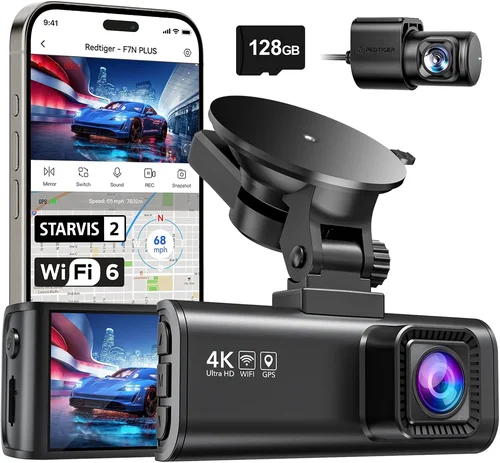
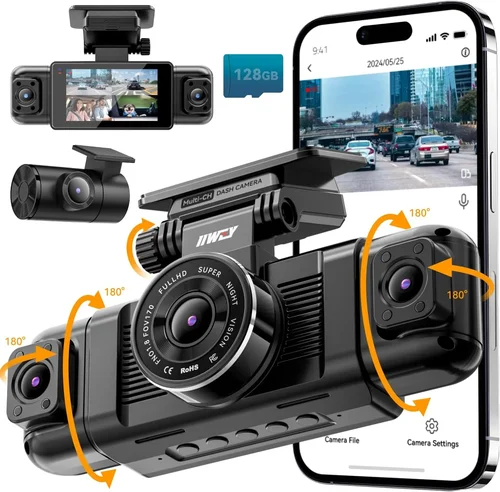
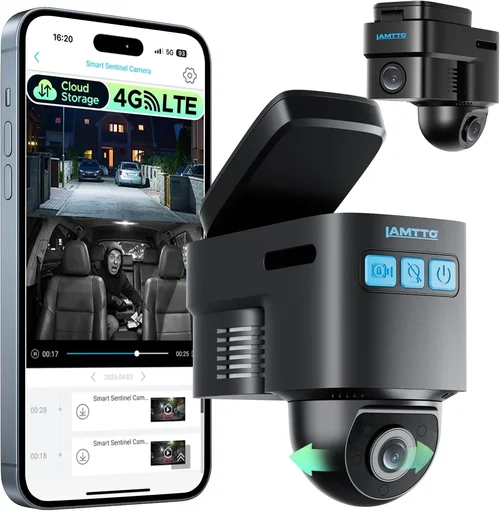
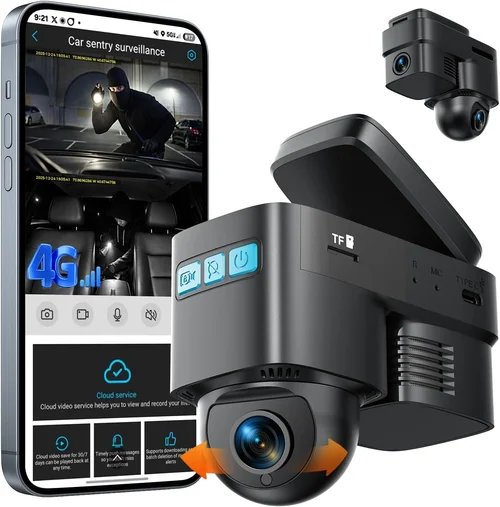
Beyond basic recording, modern dash cams offer numerous features that enhance utility for fleet operations. Built-in GPS tracks speed, location, and route history, enabling route analysis and compliance reporting. G-sensor (impact detection) automatically locks and saves footage during sudden braking, swerving, or crashes. Parking mode monitors the vehicle even when parked, using motion or impact triggers to record incidents like hit-and-runs. Wi-Fi connectivity allows for quick file downloads and firmware updates without removing the device. Some advanced models include dual-lens setups—one facing forward, another inward to monitor the cabin—providing both external and internal perspectives. Driver behavior analytics (such as hard braking, rapid acceleration, or distracted driving) help identify training opportunities and improve safety scores. Cloud-based platforms enable remote viewing, centralized management, and automated backup, streamlining administrative tasks across large fleets.
5. Brand Reputation
Not all brands deliver equal value in the fleet space. Established manufacturers with proven track records in automotive technology tend to offer more reliable support, regular firmware updates, and compatibility with third-party fleet management systems. Research customer reviews, industry certifications, and case studies involving fleet deployments. Brands like Garmin, BlackVue, Thinkware, Sennheiser, and Lytx are widely recognized for their durability and feature sets. Avoid obscure or budget-only brands that may cut corners on materials or omit essential safety features. Also verify whether the manufacturer offers scalable licensing for cloud services, as some charge per user or per GB of storage, which can become costly over time.
6. Warranty & Support
A solid warranty demonstrates confidence in product quality and protects against manufacturing defects. Look for at least a two-year warranty covering both hardware and software issues. Extended warranties or service plans can add peace of mind for high-utilization fleets. Equally important is responsive customer support—preferably available via phone, email, or live chat during business hours. Check if technical assistance includes troubleshooting guidance, firmware update tools, and compatibility checks with your existing telematics stack. Some vendors offer dedicated account managers for enterprise customers, which can streamline procurement and maintenance coordination.
7. Size & Portability
While size isn’t always a major concern for fixed installations, compact designs allow for discreet mounting and easier concealment from curious passengers or thieves. Smaller units take up less space inside the cabin and are less likely to obstruct driver visibility or airbag deployment zones. However, smaller sensors sometimes compromise image quality or field of view. Striking a balance between unobtrusive design and optical performance is key. Modular systems that separate the camera head from the main unit via cable can also simplify installation and maintenance.
8. User Reviews & Ratings
Real-world feedback from other fleet operators provides invaluable insights beyond marketing claims. Platforms like Trustpilot, ResellerRatings, and industry forums host discussions about long-term reliability, ease of use, and hidden drawbacks. Pay attention to recurring complaints—such as short battery life in parking mode, poor mobile app functionality, or inconsistent GPS accuracy—and weigh them against positive experiences. Independent lab tests and comparative reviews from trusted sources like PCMag, Wirecutter, or FleetOwner magazine can also validate manufacturer specifications and highlight best-in-class performers.
Different Types of Dash Cams

Common Buying Mistakes to Avoid
❌ Mistake: Prioritizing Price Over Reliability
Why it’s bad: Choosing the cheapest dash cam available might save money upfront, but unreliable units frequently fail in demanding fleet environments. Cheap components degrade quickly under constant vibration, temperature swings, and exposure to dirt or moisture. When your dash cam malfunctions mid-shift, you lose critical evidence and risk increased liability during accidents.
What to do instead: Invest in proven fleet-grade models with ruggedized designs and positive long-term user feedback. Consider total cost of ownership rather than just initial price—replacement costs, downtime, and lost productivity add up quickly.
❌ Mistake: Ignoring Storage Capacity and Management
Why it’s bad: Many buyers assume microSD cards will suffice indefinitely, but these cards wear out after repeated write cycles and can corrupt data during sudden power loss. Without adequate storage planning, older footage gets overwritten too quickly, making it impossible to review incidents that occurred days earlier.
What to do instead: Opt for dash cams with loop recording and automatic overwrite protection. For larger fleets, integrate cloud storage subscriptions or network-attached storage (NAS) solutions. Choose devices that support expandable memory or offer built-in Wi-Fi for easy file retrieval.
❌ Mistake: Overlooking Integration with Existing Systems
Why it’s bad: Installing standalone dash cams creates data silos that hinder workflow efficiency. If your dash cam doesn’t sync with your GPS tracking software, ELD (Electronic Logging Device), or HR platform, you miss opportunities to correlate driving behavior with route performance or employee evaluations.
What to do instead: Verify compatibility with your current telematics ecosystem before purchasing. Look for APIs, SDKs, or certified integrations with platforms like Samsara, Geotab, Verizon Connect, or Fleet Complete.
❌ Mistake: Skipping Pilot Testing Before Full Deployment
Why it’s bad: Rolling out dash cams across an entire fleet without trial runs often leads to unexpected issues—poor mounting stability, confusing interfaces, or incompatible firmware updates. Drivers may resist new technology if it feels intrusive or difficult to use.
What to do instead: Start with a small group of test vehicles to assess usability, reliability, and driver acceptance. Collect feedback on ease of access, audio/video quality, and any technical glitches. Adjust installation procedures or switch models if needed before scaling up.
❌ Mistake: Neglecting Driver Training and Communication
Why it’s bad: Even the best dash cam fails if drivers don’t understand its purpose or misuse it. Without proper onboarding, drivers might disable recording, tamper with devices, or feel surveilled, leading to morale issues and reduced cooperation.
What to do instead: Conduct transparent training sessions explaining how dash cams protect everyone—drivers, customers, and the company. Emphasize that footage is used for safety improvement, not punishment, and establish clear policies around usage and data handling.
❌ Mistake: Focusing Solely on Video Quality
Why it’s bad: While high-resolution video is important, excessive megapixels consume more storage and processing power without proportional benefits. In many legal contexts, 1080p footage is sufficient for identifying vehicles and license plates. Overemphasizing resolution can distract from more valuable features like GPS accuracy, event-triggered locking, or driver analytics.
What to do instead: Balance image quality with practical needs. Ensure your chosen model captures clear still images for license plate recognition, but prioritize features that enhance operational insights and safety outcomes.
Budget Guidelines: How Much Should You Spend?
Determining your budget depends on fleet size, vehicle type, regulatory requirements, and desired level of oversight. Below is a tiered breakdown to help you allocate funds wisely.
Entry-Level ($50 – $150)
These models suit startups, small businesses, or supplemental use cases where cost is the primary constraint. Expect basic 1080p recording, limited storage, minimal extras like GPS or Wi-Fi, and plastic casings prone to cracking. Ideal for occasional monitoring or vehicles operating in mild climates. Avoid if you need 24/7 reliability or integration with management software.
Mid-Range ($150 – $350)
The sweet spot for most growing fleets. Units in this range offer durable metal housings, strong low-light performance, loop recording, G-sensor activation, and optional GPS logging. Some include mobile apps for quick file access. Brands like BlackVue, Thinkware, and Garmin dominate this segment with reputable support networks. Perfect for delivery services, local taxis, and regional haulers needing dependable evidence collection without enterprise complexity.
Premium ($350 – $700)
Designed for medium to large fleets requiring advanced functionality. Features include dual-lens recording, parking surveillance, Wi-Fi connectivity, cloud uploads, and compatibility with third-party telematics platforms. AI-enhanced models analyze driver behavior and send real-time alerts. Installation kits, extended warranties, and bulk pricing discounts are often available here. Suitable for school buses, waste management, and commercial trucking operations.
Luxury ($700+)
Top-tier systems for enterprises prioritizing innovation, scalability, and comprehensive analytics. These integrate deeply with fleet management suites, offer multi-camera setups, provide encrypted data transmission, and include predictive maintenance alerts. Examples include Lytx DriveCam, Locus Track, and SmartDrive Systems. While expensive, they deliver ROI through reduced accidents, optimized routes, and enhanced compliance reporting.
Remember to factor in ongoing expenses: cloud storage subscriptions ($5–$20/month per vehicle), replacement parts, and potential software licensing fees. A $200 dash cam could end up costing $500/year with add-ons—always calculate TCO before committing.
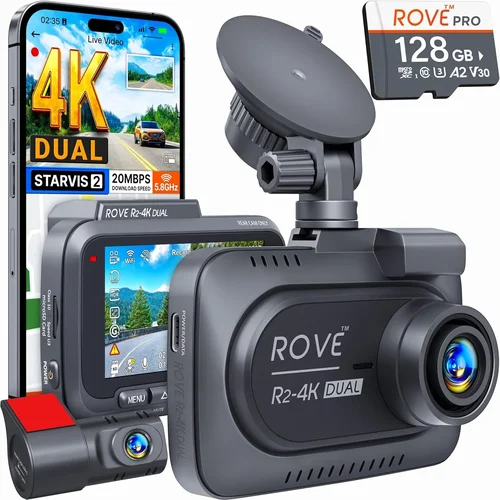
Expert Tips for Getting the Best Deal
Navigating the dash cam marketplace requires strategy. Here are actionable tips to maximize value and minimize risk.
Timing your purchase can yield significant savings. Major retail holidays like Black Friday, Cyber Monday, or back-to-school season often feature steep fleet package deals. Subscribe to newsletters from leading vendors—BlackVue, Garmin, and Nextbase frequently announce seasonal promotions for fleet buyers. Also, consider buying slightly older models at discounted rates; newer generations rarely differ dramatically in core performance.
Stick to authorized dealers and official websites to ensure genuine parts and valid warranties. Third-party resellers may sell refurbished or counterfeit units disguised as new. Cross-check serial numbers and packaging seals upon delivery.
Test drive the product if feasible. Request loaner units from vendors or rent demonstration models to evaluate fit, ease of use, and compatibility with your vehicles. Pay attention to how intuitive the interface is—drivers should be able to arm/disarm recording without confusion.
Read the fine print on return policies. Fleet purchases involve higher stakes than personal buys; ensure you can return defective units within a reasonable window without restocking fees. Some vendors require proof of defect (e.g., video evidence of failure) before accepting returns.
Prioritize warranties that cover accidental damage or environmental stress. Standard warranties usually exclude drops, spills, or extreme temperatures—common in fleet use. Extended service agreements can bridge this gap.
Finally, leverage pilot programs. Several companies offer free trials for 30–60 days to showcase ROI through reduced incidents or improved fuel economy. Use this period to gather metrics and present data-backed justification to stakeholders.

Frequently Asked Questions
Q: How many dash cams do I need for my fleet?
A: One per vehicle is standard, but complex operations benefit from additional cameras. Trucks may require side or interior lenses to eliminate blind spots. School buses often install rear-facing cams to monitor boarding/alighting. Evaluate your specific risks and coverage gaps before finalizing quantities.
Q: Can dash cams work without internet?
A: Yes, most dash cams record locally using microSD cards or internal memory. However, internet connectivity enables cloud backups, remote playback, and real-time alerts. Decide based on your infrastructure—some rural fleets rely solely on onboard storage, while urban operations prefer always-connected setups.
Q: Will dash cams drain my car battery?
A: Modern dash cams consume minimal power (<1 amp/hour). Most support hardwiring to fuse boxes for permanent operation. Parking mode uses motion or impact triggers to conserve energy, but continuous recording overnight may drain batteries over several days. Hardwired installations prevent this issue entirely.
Q: Are dash cam recordings admissible in court?
A: Generally yes, provided they meet chain-of-custody standards and aren’t illegally obtained. Footage should be timestamped, geotagged, and unaltered. Always comply with local privacy laws—notify drivers that recording occurs and obtain consent where required.
Q: How long do dash cam batteries last?
A: Rechargeable batteries vary by model, but most last 1–3 hours in parking mode. Hardwired systems bypass battery concerns altogether. Replace aging batteries annually to maintain reliability during extended park times.
Q: Do I need a separate GPS tracker if my dash cam has built-in GPS?
A: Built-in GPS suffices for basic location logging and speed verification. However, dedicated GPS trackers offer superior accuracy, longer update intervals, and deeper integration with telematics platforms. Assess your compliance needs—FMCSA-mandated ELDs require certified hardware regardless of dash cam capabilities.
Q: Can I access dash cam footage remotely?
A: Yes, if the device supports Wi-Fi or cellular connectivity. Mobile apps allow playback, download, and sharing of clips. Cloud platforms aggregate footage from multiple vehicles into a single dashboard for fleet managers. Ensure strong signal coverage in your operating regions.
Q: What happens if my dash cam fills up?
A: Loop recording automatically overwrites oldest files once storage reaches capacity. Critical events (detected by G-sensors) are locked and preserved until manually deleted. Configure retention periods according to your incident review cycle—most fleets keep 7–30 days of footage.
Q: Are there privacy concerns with dash cams?
A: Absolutely. Always inform employees that recording occurs and obtain written consent where legally required. Restrict access to footage, anonymize sensitive data, and delete recordings promptly after their purpose is fulfilled. Establish clear usage policies to prevent misuse.
Q: Should I buy dash cams before or after installing other telematics devices?
A: Integrate early. Coordinate with your telematics provider to ensure physical space, power allocation, and data synchronization. Placing dash cams near ELDs or OBD-II ports can interfere with signals. Professional installers often bundle multiple devices to optimize placement and wiring.
Our Final Recommendations
After extensive research and analysis of real-world performance, here are our top picks tailored to different fleet profiles and budgets.
Best for Budget-Conscious Buyers
The BlackVue DR970X-2CH offers exceptional value with its dual-lens setup, 1080p front/rear recording, built-in GPS, and cloud connectivity—all at a competitive mid-range price. Its robust metal casing withstands harsh conditions, and BlackVue’s U.S.-based support team responds quickly to technical inquiries. Ideal for local delivery fleets seeking reliable evidence capture without overspending.
Best Overall Value
The Garmin Dashcam Pro 2 stands out for its seamless integration with Garmin’s ecosystem, including voice control, incident detection, and automatic uploads to Garmin Drive app. With 4K resolution, wide-angle lens, and adaptive brightness, it captures crisp footage day or night. The included suction cup mount and parking mode make it hassle-free to deploy across diverse vehicle types.
Best Premium Option
For enterprises needing AI-driven insights, the Lytx DriveCam delivers unmatched driver behavior analytics. Using computer vision, it scores trips based on smoothness, distraction, and adherence to rules. Real-time alerts coach drivers instantly, and historical data informs training programs. While pricier, the reduction in collision rates justifies the investment for high-mileage fleets.
Best for Beginners
New to dash cams? Start with the Nextbase 522GW. It’s user-friendly, features emergency SOS button, 4K recording, and Alexa compatibility. Nextbase provides excellent customer service and frequent firmware upgrades. Easy setup and intuitive controls lower the learning curve for managers and drivers alike.
Best for Advanced Users
Power users managing large-scale operations should consider the SmartDrive Systems HD Pro. This enterprise platform combines multi-camera feeds, encrypted storage, and customizable reporting dashboards. It scales effortlessly from dozens to thousands of vehicles and integrates natively with major telematics providers.
Each recommendation balances performance, durability, support, and scalability. Match your choice to your fleet’s unique demands—whether you prioritize cost savings, regulatory compliance, or cutting-edge analytics.
Conclusion: Making the Right Choice
Selecting the best dash cam for your fleet isn’t about chasing the shiniest gadget—it’s about aligning technology with your operational goals. A well-chosen system enhances safety, reduces risk, improves accountability, and supports data-driven decision-making. Take time to assess your specific needs: How many vehicles require coverage? What are your biggest pain points (accidents, theft, compliance)? Do you need real-time monitoring or archival evidence?
Avoid rushing into purchases based on flashy ads or isolated features. Instead, conduct thorough research, test solutions, consult peers in similar industries, and negotiate favorable terms for bulk orders. Remember that dash cams are only as effective as their implementation—proper training, clear policies, and consistent maintenance determine success more than hardware specs alone.
By following this guide, you’ll avoid common traps, allocate resources wisely, and choose dash cams that truly serve your organization. Whether you’re protecting your drivers, defending against false claims, or optimizing routes, the right dash cam investment pays dividends for years to come. Start small if necessary, measure results, and scale confidently as your fleet evolves.