Best Dash Cam for Fleet Management Shopping Guide
Fleet managers today face unprecedented pressure to enhance driver safety, reduce liability, and optimize operational efficiency. With commercial fleets ranging from delivery trucks to long-haul transportation, the stakes are high. A dash cam is no longer just a helpful tool—it’s a strategic asset. In 2026, the best dash cams for fleet management are smarter, more connected, and built specifically for multi-vehicle environments. This guide cuts through the noise to help you make an informed decision that aligns with your operational goals, budget constraints, and compliance needs.
Whether you’re managing a small local delivery service or a national logistics network, selecting the right dash cam system can dramatically improve incident response times, support insurance claims, and promote safer driving behaviors across your team. You’ll learn how to evaluate critical features like video resolution, cloud connectivity, GPS tracking, and fleet management software integration. We’ll also walk you through real-world use cases, pricing tiers, common pitfalls, and expert recommendations so you can choose a solution that scales with your business and delivers measurable ROI.
The market in 2026 offers a wide array of options, but not all dash cams are created equal—especially when it comes to fleet-wide deployment. From entry-level models with basic recording capabilities to enterprise-grade systems with AI-powered analytics and centralized control, the landscape has evolved significantly. By the end of this guide, you’ll understand what separates a good dash cam from the best ones for fleet operations, and how to prioritize features based on your specific needs.

What to Look for When Buying Dash Cams
When selecting a dash cam for fleet management, it’s essential to go beyond surface-level specs. The right device must balance performance, durability, ease of use, and integration with your existing tech stack. Below are the key factors every fleet manager should evaluate before making a purchase.
1. Video Quality & Recording Specifications
Video quality is arguably the most important factor. For effective incident documentation, you need clear, sharp footage that captures license plates, road signs, and driver behavior. In 2026, the industry standard is 2K (1440p) front camera recording, though some premium models now offer 4K resolution. However, higher resolution isn’t always better—consider bitrate, frame rate, and compression algorithms.
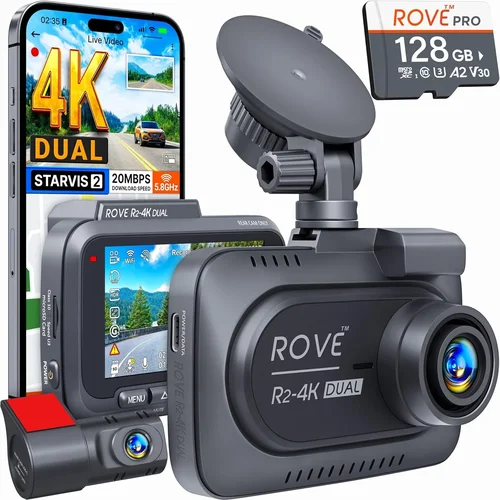
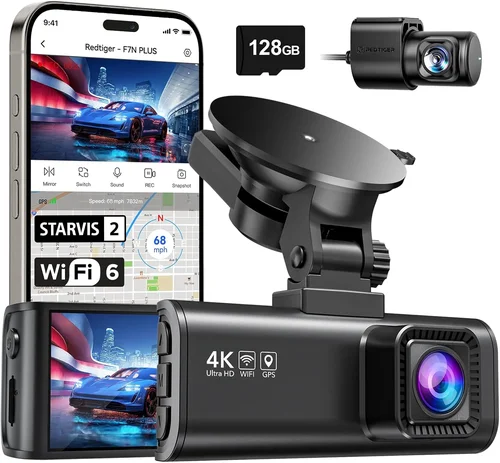
Look for dash cams that record at 30 or 60 frames per second (fps), especially in low-light conditions. Night vision capabilities using WDR (Wide Dynamic Range) and HDR (High Dynamic Range) are crucial for capturing details in challenging lighting. Dual-lens systems—front and interior—are highly recommended for fleet use, allowing you to monitor both the road ahead and driver conduct inside the cab.
Additionally, check whether the device supports loop recording and automatic overwrite, ensuring continuous operation without manual intervention. G-sensor functionality is another must: it detects collisions and automatically locks the relevant footage to prevent accidental deletion.
2. Storage Capacity & Management
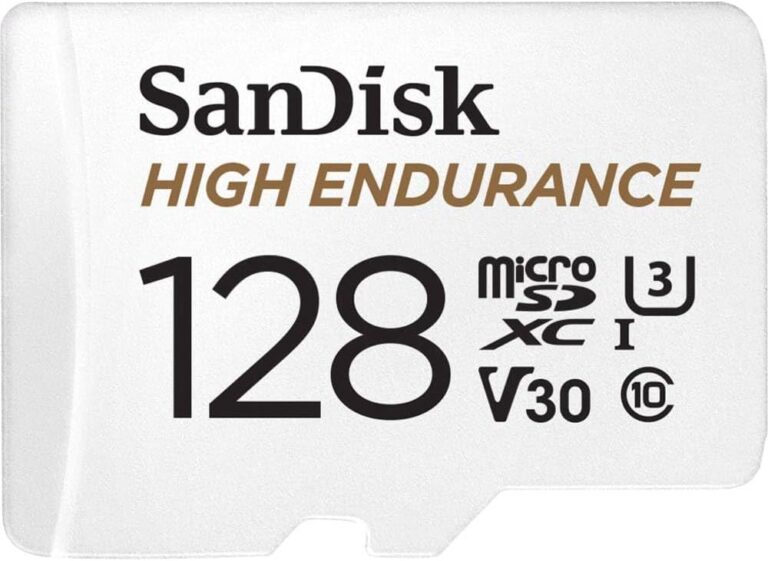
Storage is a logistical challenge in fleet operations. Each vehicle generates hours of footage daily, quickly filling up memory cards. Most dash cams use microSD cards, but not all support high-capacity storage—some max out at 256GB, while enterprise models now support up to 1TB.
Consider models with dual storage options: internal flash memory combined with expandable microSD support. Cloud-based storage is increasingly becoming standard in 2026, offering remote access, automatic backup, and reduced physical media handling. However, ensure your chosen model supports encrypted cloud uploads and complies with data privacy regulations like GDPR or CCPA.
For large fleets, centralized storage management systems allow IT administrators to monitor usage, allocate space per vehicle, and archive older files efficiently. Some platforms even offer AI-driven video indexing, where incidents are tagged and searchable by date, location, or event type.
3. Connectivity & Fleet Integration
Modern dash cams aren’t standalone devices—they’re part of a connected ecosystem. Wi-Fi, 4G/5G LTE, and Bluetooth enable real-time data transfer, remote firmware updates, and live streaming. For fleet managers, this means being able to view live feeds from any vehicle, receive instant alerts, and manage settings remotely via a mobile app or web dashboard.
Look for devices compatible with OBD-II ports or hardwired power systems that integrate seamlessly with telematics platforms like Geotab, Samsara, or Verizon Connect. This integration allows dash cam footage to be synchronized with engine diagnostics, GPS location, speed logs, and fuel consumption data—creating a comprehensive digital twin of each vehicle’s performance.
API support is another critical feature. If your company uses custom fleet management software, ensure the dash cam manufacturer offers open APIs or SDKs for integration. This future-proofs your investment and enables automation workflows, such as triggering maintenance alerts after detecting harsh braking patterns.
4. Durability & Environmental Resistance
Commercial vehicles operate in extreme conditions—vibrations from rough roads, temperature swings between -20°C and 70°C, dust, moisture, and direct sunlight. A dash cam that cracks or malfunctions in the middle of a shift is a liability.
Choose models with military-grade shock resistance (MIL-STD-810G certified), IP67-rated waterproofing, and heat-resistant casings. The lens should have an anti-glare, scratch-resistant coating to maintain clarity over time. Internal components must be robust enough to survive constant movement and exposure to vibrations.
For refrigerated trucks or construction vehicles operating in harsh environments, consider dash cams with enhanced thermal management or fanless designs to avoid mechanical failure. Mounting hardware should also be secure—magnetic or suction mounts may seem convenient, but they often fail under prolonged use. Hardwired installations with vibration-dampened brackets are far more reliable.
5. Power Supply & Installation Flexibility
Reliable power is non-negotiable. Most dash cams draw power from the vehicle’s cigarette lighter, but this can drain the battery over time. Hardwiring to the fuse box or OBD-II port provides constant power and reduces fire risk from faulty adapters.
Some models offer parking mode with motion detection or impact sensing, allowing the dash cam to start recording when a vehicle is hit while parked. However, this requires a stable power source. Consider whether the device supports battery backup or supercapacitors for short-term power during ignition cycles.
Installation flexibility matters too. Models with flexible mounting arms or adjustable lenses make retrofitting easier across different vehicle types—from compact sedans to oversized semi-trucks. Pre-wired kits with color-coded cables simplify technician setup and reduce installation time per vehicle.
6. Software & Fleet Management Platforms
The real value of a dash cam emerges when paired with a strong fleet management platform. In 2026, leading manufacturers offer proprietary software suites that centralize video review, incident reporting, driver scoring, and compliance tracking.
Key software features include:
- Real-time dash cam monitoring with live video streaming
- AI-powered event detection (e.g., sudden braking, lane departure, fatigue indicators)
- Automated incident tagging and case file generation
- Driver behavior analytics with customizable scoring algorithms
- Integration with HR systems for disciplinary actions or rewards
- Regulatory compliance tools (e.g., FMCSA ELD integration for HOS logging)
Evaluate whether the software supports multi-tenancy if you manage multiple clients or subsidiaries. Cloud-based platforms with role-based access control ensure sensitive footage is only accessible to authorized personnel. Mobile apps should offer offline viewing and push notifications for critical events.
7. Warranty & Customer Support
Fleet operations depend on reliability. A single failed dash cam can disrupt monitoring, delay incident reviews, and increase downtime. Reputable brands offer at least a 2-year warranty covering hardware defects, lens damage, and firmware issues.
Check whether customer support includes technical assistance, firmware updates, and replacement services. Some manufacturers provide dedicated account managers for enterprise clients, while others rely on third-party service providers. Response times matter—aim for 24/7 support with guaranteed SLAs (Service Level Agreements).
Also, verify if the warranty covers accidental damage or if you need to purchase an extended protection plan. Read the fine print: some policies exclude water damage or misuse, which could leave you exposed in real-world scenarios.
8. Scalability & Future-Proofing
A dash cam purchase is a long-term investment. As your fleet grows, your monitoring needs will evolve. Choose a system that supports easy scalability—adding new vehicles without overhauling infrastructure.
Look for modular designs where cameras, sensors, and software can be upgraded independently. For example, switching from 2K to 4K resolution might require only a firmware update rather than replacing entire units. Similarly, cloud platforms should allow seamless onboarding of new drivers and vehicles.
Future-proofing also means anticipating regulatory changes. In 2026, several regions are implementing stricter requirements for commercial vehicle monitoring, including mandatory black box recording and real-time telematics reporting. Select a dash cam ecosystem that adapts to these changes without requiring costly replacements.
Different Types of Dash Cams

Each category serves distinct operational needs. Entry-level models are ideal for startups or small businesses needing basic coverage without complexity. Mid-range dual-lens systems strike a balance between cost and functionality, offering both road and driver visibility—perfect for ride-shares or delivery services. Enterprise systems are tailored for large organizations requiring scalable, secure, and intelligent monitoring.
Smart dash cams with telematics go further by merging video with vehicle health data, enabling proactive maintenance and reducing breakdowns. Ruggedized models withstand the toughest environments, from desert heat to Arctic cold, making them indispensable for specialized fleets.
Common Buying Mistakes to Avoid
❌ Mistake: Choosing Based Solely on Price
Why it’s bad: The cheapest dash cam may lack essential features like night vision, cloud sync, or durability. Over time, frequent failures lead to higher costs due to replacements, downtime, and missed incidents.
What to do instead: Prioritize total cost of ownership—including installation, software subscriptions, and potential fines from poor evidence quality. A $200 unit with excellent reliability often outperforms a $100 model that fails monthly.
❌ Mistake: Ignoring Integration Capabilities
Why it’s bad: Many buyers assume dash cams work alone. In reality, they should integrate with existing fleet software. Without compatibility, you lose the ability to automate reports, sync with GPS logs, or trigger alerts.
What to do instead: Verify API support, OBD-II compatibility, and platform partnerships before purchasing. Ask for a demo or trial period to test integration with your current tools.
❌ Mistake: Overlooking Storage Limits
Why it’s bad: Running out of storage mid-shift means lost footage. If the dash cam doesn’t auto-overwrite properly or lacks cloud backup, critical evidence disappears.
What to do instead: Calculate daily storage needs: a 1080p camera recording 2 hours per day may use ~100GB/month. Plan for 256GB–1TB cards or cloud plans accordingly.
❌ Mistake: Skipping Driver Training
Why it’s bad: Even the best dash cam is useless if drivers disable it, tamper with settings, or don’t know how to respond to alerts. Poor adoption undermines safety goals.
What to do instead: Implement onboarding sessions explaining benefits, privacy policies, and proper usage. Include dash cam protocols in your employee handbook and reward safe driving behaviors linked to video data.
❌ Mistake: Neglecting Legal Compliance
Why it’s bad: In many jurisdictions, dash cam usage requires consent from drivers or passengers. Failing to comply can result in lawsuits or invalidated evidence in court.
What to do instead: Consult legal counsel to understand local laws. Use signage inside vehicles informing occupants that recording occurs. Store footage securely and delete it according to retention policies.
❌ Mistake: Assuming All Brands Are Equal
Why it’s bad: Generic or unknown brands often cut corners on image processing, sensor quality, or software stability. Their firmware rarely receives updates, leaving vulnerabilities.
What to do instead: Stick to established names with proven track records: Garmin, BlackVue, Thinkware, Viofo, or Nextbase. Read independent lab tests and user forums before deciding.
❌ Mistake: Not Planning for Scalability
Why it’s bad: Purchasing individual units without a unified system makes management chaotic. Adding vehicles later becomes expensive and technically complex.
What to do instead: Choose modular ecosystems from day one. Ensure the platform supports bulk enrollment, centralized billing, and consistent policy enforcement across all vehicles.
Budget Guidelines: How Much Should You Spend?
Entry-Level ($80 – $150)
This tier suits startups, contractors, or fleets under 10 vehicles. Expect basic 1080p recording, single-lens setups, and limited smart features. While affordable, these models often lack cloud access, robust build quality, or reliable night performance. Ideal for occasional use or supplemental monitoring.
Mid-Range ($200 – $400)
The sweet spot for most growing fleets. These dash cams typically offer 2K resolution, dual-lens recording, GPS tagging, Wi-Fi connectivity, and mobile app control. Many include cloud storage trials or discounted subscriptions. Build quality improves significantly, and firmware updates are regular. Perfect for ride-shares, delivery services, or regional trucking.
Premium ($500 – $1,500+)
Designed for enterprises needing advanced analytics, compliance reporting, and seamless integration. Features include 4K recording, AI event detection, encrypted cloud backup, OBD-II telematics, and dedicated fleet management portals. Installation support, SLAs, and customization options justify the higher price. Best for logistics giants, municipal fleets, or companies handling sensitive cargo.
Luxury ($1,500+)
Top-tier solutions for mission-critical operations. These systems combine military-grade durability, satellite connectivity, thermal imaging, and predictive AI. Examples include integrated dash cams with facial recognition, emotion detection, and real-time driver coaching. Often bundled with consulting services for deployment and training. Reserved for industries like hazardous material transport, law enforcement, or autonomous vehicle testing.
Remember: spending more upfront often saves money long-term through reduced incidents, lower insurance premiums, and improved driver retention. Many insurers offer discounts for fleets equipped with dash cam systems meeting their safety standards.
Expert Tips for Getting the Best Deal
Buy During Off-Seasons
Avoid peak demand periods like summer or holiday shipping rushes. Retailers often discount inventory in Q1 and Q3. Manufacturers launch new models in spring and fall, making previous years’ versions cheaper immediately after release.
Compare Retailers Carefully
Online marketplaces like Amazon offer convenience but may lack installation services or warranties. Specialty fleet equipment suppliers (e.g., FleetComplete, DriveCam Direct) provide bundled packages with professional installers, training, and support—often at competitive rates.
Look for Refurbished Enterprise Units
Many companies upgrade their fleets annually. Certified refurbished dash cams from reputable sellers come with renewed warranties and factory calibration. They’re ideal for secondary vehicles or pilot programs.
Test Before Committing
Request loaner units or free trials (typically 14–30 days). Install one in a real vehicle and simulate typical routes. Check video clarity, app responsiveness, and alert accuracy. Involve your IT team to test integration.
Negotiate Subscription Bundles
Cloud storage and software licenses eat into margins over time. Ask if providers offer annual prepaid plans with discounts. Some include free hardware upgrades or extended warranties with multi-year contracts.
Check Government or Industry Rebates
In 2026, several states and federal agencies incentivize fleet safety technology adoption. Programs like the U.S. DOT’s Highway Safety Improvement Program reimburse up to 75% of dash cam costs for qualifying fleets. Research available grants early.
Leverage Trade-In Programs
Older dash cams or telematics devices can sometimes be traded toward new purchases. Even outdated models retain scrap value or can be donated for tax deductions.
Read the Fine Print on Returns
Ensure return policies cover damaged items during shipping and allow restocking fees. Some manufacturers require original packaging and proof of purchase within 30 days.

Frequently Asked Questions
Q: Do I need a separate dash cam for each vehicle?
A: Yes, unless you’re using a centralized system with removable cameras. Each vehicle should have its own dedicated unit to ensure accurate timestamping, location data, and driver accountability. Shared units create confusion during investigations.
Q: Can dash cams monitor driver fatigue?
A: Advanced models use AI to detect signs of drowsiness, such as prolonged eye closure, yawning, or head nodding. However, accuracy varies. Pairing dash cams with steering wheel sensors or seat occupancy detectors improves reliability. Always supplement with mandatory rest schedules.
Q: Is cloud storage secure?
A: Reputable providers encrypt data both in transit and at rest using AES-256 standards. Access controls, audit logs, and compliance certifications (SOC 2, ISO 27001) ensure privacy. Avoid vendors without transparent security practices.
Q: What resolution is sufficient for legal evidence?
A: Courts generally accept 1080p or higher with clear license plate readability. In 2026, many recommend 2K for enhanced detail. Footage must be unaltered, timestamped, and geotagged. Consult local regulations—some states mandate specific formats.
Q: How long should I keep dash cam footage?
A: Retention periods vary by industry and region. Common guidelines: 30–90 days for general operations, up to 6 months for commercial fleets, and indefinitely for pending litigation. Automated archiving helps manage this without manual oversight.
Q: Can I use my smartphone instead of a dash cam?
A: Consumer smartphones lack durability, night vision, and continuous recording capabilities. While apps like Life360 or Google Maps offer basic tracking, they don’t meet legal standards for accident documentation. Dedicated dash cams remain essential.
Q: Will dash cams drain my car battery?
A: Modern dash cams consume minimal power—usually < 2 watts. Parking mode uses motion or impact triggers to conserve energy. Hardwiring prevents battery drain. Most models shut down safely when ignition turns off.
Q: Can I edit or delete footage myself?
A: Technically yes, but legally questionable. Deleting footage without authorization may violate spoliation laws or insurance fraud statutes. Only authorized personnel should access or modify recordings. Audit trails are critical.
Final Recommendations
Best for Budget-Conscious Buyers
Viofo A119 V3 Dual Camera Dash Cam
This 2K dual-lens system offers excellent value at around $200. It delivers crisp front and cabin views, reliable night recording, and Wi-Fi connectivity for app control. While lacking cloud storage by default, its affordable price and solid performance make it ideal for small fleets starting their journey into video monitoring.
Best Overall Value
BlackVue DR970X-2CH Cloud Dash Cam
A step above mid-range, this model combines 4K front recording, built-in Wi-Fi, and optional cloud connectivity via BlackVue Over-the-WiFi (OTW). Its server-grade storage ensures encrypted backups, and the companion app provides real-time alerts and playback. At $350, it’s a balanced choice for growing fleets seeking reliability and scalability.
Best Premium Option
Garmin Dashcam Pro Fleet Management System
Garmin’s enterprise solution integrates seamlessly with telematics platforms and offers AI-powered driver insights. With 2K resolution, GPS tagging, and secure cloud management, it supports up to 1,000 vehicles from a single dashboard. Priced at $600–$900 per unit, it’s designed for logistics companies demanding high compliance and actionable analytics.
Best for Beginners
Nextbase 622GW Dual Channel Dash Cam
User-friendly setup, intuitive interface, and Alexa voice control make this a great entry point. It includes emergency SOS button, 4G LTE module, and cloud backup subscription. At $250, it removes technical barriers while delivering modern features essential for new fleet managers.
Best for Advanced Users
Thinkware U1000 4K Dash Cam with AI
Packed with professional-grade specs—4K recording, HDR, thermal imaging, and advanced driver assistance systems (ADAS)—this model caters to tech-savvy operators. Its AI detects pedestrians, cyclists, and blind spots, while the rugged design handles extreme conditions. At $800+, it’s suited for specialized fleets like construction or emergency response.
Conclusion: Making the Right Choice
Selecting the best dash cam for fleet management in 2026 isn’t about picking the shiniest gadget—it’s about aligning technology with your operational realities. Whether you’re protecting drivers, reducing insurance costs, or preparing for regulatory audits, the right system transforms raw video into strategic intelligence.
Start by assessing your fleet size, driving conditions, compliance requirements, and budget. Then prioritize features that deliver the highest ROI: clear evidence capture, seamless integration, and actionable insights. Avoid shortcuts that compromise reliability or scalability.
Remember, a dash cam is only as good as the ecosystem surrounding it. Invest in training, enforce usage policies, and leverage data to foster a culture of safety. With the recommendations above, you’re well-equipped to choose a solution that safeguards your people, assets, and reputation—today and tomorrow.
Take action now. Schedule demos, request trials, and involve your team in the selection process. The peace of mind and operational gains will far outweigh the initial effort. Your fleet deserves nothing less.