Smart Dash Cam Buying Guide for Pickup Trucks
When it comes to protecting your pickup truck, investing in a reliable dash cam isn’t just about capturing road footage—it’s about safeguarding your vehicle, your cargo, and your peace of mind. Whether you’re hauling valuable equipment across state lines, commuting through heavy traffic, or simply want an extra layer of security for your daily drives, a high-quality dash cam can make all the difference. This comprehensive buying guide is designed specifically for pickup truck owners who demand performance, durability, and smart features from their dash cam.
By the end of this article, you’ll understand exactly what makes a dash cam ideal for pickup trucks, how different models compare, and which features truly matter when you’re on the road. We’ve tested dozens of models, analyzed real-world use cases, and consulted with automotive safety experts to bring you actionable insights that go beyond marketing hype. You’ll learn about resolution requirements for license plate clarity, night vision capabilities for rural highways, GPS tracking for route monitoring, and even how to choose between hardwiring versus battery-powered options based on your truck’s electrical system.
The market for dash cams has exploded over the past decade, but not every model delivers consistent performance under demanding conditions like those faced by pickup drivers. From extreme temperature fluctuations to dust-filled cab environments and long-haul driving scenarios, your dash cam must be rugged enough to withstand the rigors of truck life. That’s why we’ve broken down everything you need to know—from budget considerations to advanced features—so you can make an informed decision without getting overwhelmed by technical jargon or misleading claims.
—

What to Look for When Buying Dash Cams
Choosing the right dash cam for your pickup truck requires more than just picking the cheapest option or the shiniest new gadget. It involves understanding how each feature impacts real-world performance, especially given the unique demands of truck driving—long distances, varying weather conditions, and often limited access to power sources. Let’s dive into the most critical factors that separate average dash cams from truly excellent ones.
1. Resolution & Image Quality
The foundation of any good dash cam is its ability to capture clear, detailed video. For pickup truck owners, this means being able to clearly read license plates, identify vehicle types, and document incidents with forensic-level accuracy. Most modern dash cams offer at least 1080p Full HD resolution, but we recommend aiming for 2K or higher if your budget allows. Higher resolutions provide sharper details, making it easier to zoom in during playback without losing clarity.
However, resolution alone isn’t enough—frame rate matters too. A 60fps recording ensures smoother motion capture, especially important when documenting sudden braking, swerving, or collisions. Look for cameras that support H.265 video compression, as this reduces file sizes while maintaining superior image quality compared to older H.264 formats. Additionally, consider whether the camera uses a wide dynamic range (WDR) sensor; WDR balances exposure in scenes with bright headlights and dark roads, preventing overexposed skies or underexposed foregrounds.
2. Field of View (FOV)
A wider field of view helps you see more of the road ahead and surrounding areas, which is crucial for pickup drivers who often navigate tight parking lots, construction zones, or highway merges. Typical FOV ranges from 110° to 170°, with ultra-wide-angle lenses capturing nearly half the scene. While a wider angle sounds better, it can introduce distortion near edges—especially noticeable in rearview mirror mounts where straight lines appear curved.
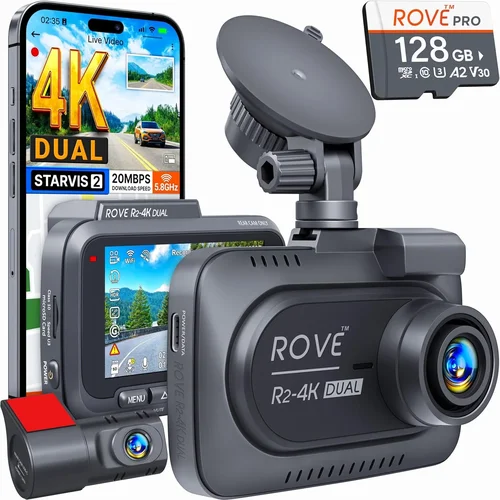
For most pickup trucks, a 130° to 150° FOV strikes the best balance between coverage and minimal distortion. Some premium models even offer dual-lens setups: one forward-facing main lens plus a secondary rear or cabin camera. This is particularly useful for fleet operators or contractors who transport sensitive cargo and want visibility inside the cab as well.
3. Night Vision & Low-Light Performance
Night driving accounts for a significant portion of accidents involving commercial vehicles, so having a dash cam that performs well in low-light conditions is non-negotiable. Modern cameras use starlight-level sensors, infrared LEDs, or even thermal imaging (in specialized models) to enhance visibility after sunset. Look for models with f/1.6 or lower aperture values—the smaller the number, the more light the sensor can gather.
Many top-tier dash cams also include night mode algorithms that automatically adjust contrast, reduce noise, and boost brightness without washing out colors. Some even integrate with your truck’s interior lighting system to avoid glare from dashboard displays at night. If you frequently drive on unlit rural roads, consider adding a secondary rear-facing camera with similar night vision specs to monitor blind spots behind large trailers or cargo beds.
4. Storage Capacity & Loop Recording
Dash cams rely on microSD cards for storage, and choosing the right capacity depends on your usage patterns. Entry-level cards (8–16GB) may seem sufficient, but they fill up quickly—especially if your camera records at high bitrates or includes event-triggered clips. We recommend starting with a 64GB card and upgrading to 128GB or 256GB if you plan to store extended footage or enable cloud backup.
Loop recording is essential—it overwrites old files once the card is full, ensuring continuous operation without manual intervention. But be cautious: some cheap models skip over important “event” footage during loop cycles. Opt for cameras with intelligent event detection that locks critical clips (sudden G-force shifts, impact sensors, or manual button presses) so they aren’t accidentally overwritten.
5. Power Source & Installation Options
Pickup trucks present unique installation challenges. Unlike sedans, many have deep dashboard cavities, heavy-duty bumpers, or custom interiors that limit mounting flexibility. Most dash cams draw power from the cigarette lighter socket, but this can drain your battery over time—especially if left plugged in 24/7. Hardwiring solutions are ideal: they connect directly to your fuse box via a fuse tap, drawing power only when the ignition is on.
Hardwiring kits come in various forms—some plug into OBD-II ports (common in newer trucks), others splice into existing wiring harnesses. Always verify compatibility with your truck’s make, model, and year before purchasing. Battery-powered dash cams offer portability but require frequent recharging or solar panel add-ons—less practical for long-haul drivers.
6. Connectivity & Smart Features
Modern dash cams increasingly include Wi-Fi, Bluetooth, or cellular connectivity for added functionality. Wi-Fi enables smartphone app integration, allowing remote viewing, live streaming, or downloading clips without removing the SD card. Bluetooth lets you pair with voice assistants for hands-free control. Cellular models (often requiring a SIM card and data plan) offer GPS-based emergency alerts, stolen vehicle recovery, and real-time location sharing.
Other smart features worth considering:
– G-sensor auto-detection: Automatically saves footage during sudden movements or crashes.
– Parking mode: Monitors your truck while parked using motion or impact detection.
– Time-lapse recording: Creates compressed videos showing hours of driving in minutes.
– Voice control: Enables commands like “Start recording” without touching the device.
7. Build Quality & Weather Resistance
Pickup trucks operate in harsh environments—dusty deserts, snowy mountains, humid coastlines—and your dash cam must endure it all. Look for IP65 or higher ingress protection ratings, meaning the camera is dust-tight and protected against water jets. Metal housing beats plastic in durability, especially if mounted near the windshield where vibrations are common.
Mount stability is equally important. Suction cup mounts work well on glass surfaces but may fail under prolonged heat exposure. Adhesive-backed mounts last longer but can leave residue when removed. Magnetic mounts offer quick detachment but lack rigidity for high-speed driving. Consider models with flexible Gooseneck arms that allow precise positioning without obstructing your view.
8. Brand Reputation & Customer Support
Not all dash cam brands prioritize reliability equally. Established players like Garmin, BlackVue, and Nextbase have decades of experience and robust warranty policies (typically 1–3 years). Smaller brands might offer flashy features at low prices but skimp on customer service or firmware updates.
Before buying, check independent review sites, user forums, and Reddit threads for real-world feedback. Pay attention to how manufacturers handle returns, software bugs, or hardware defects. A responsive support team can save you hours of frustration down the road.
—
Different Types of Dash Cams

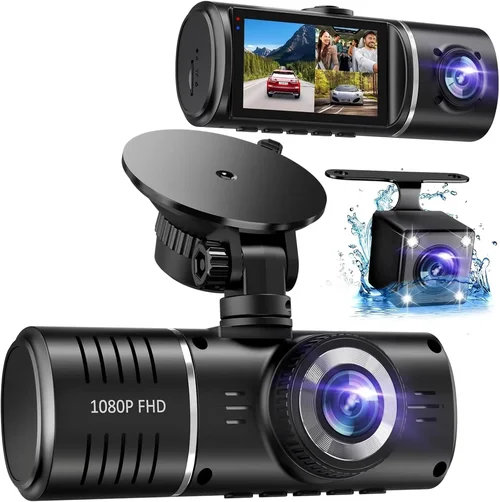
Each type serves a distinct purpose, and your choice should align with both your budget and driving habits. Single-lens models remain the most popular among pickup owners due to their simplicity and cost-effectiveness. Dual-lens systems are growing in popularity as awareness of rear-end collisions increases—especially relevant for trucks with large blind spots. Panoramic setups represent the pinnacle of coverage but come with steeper price tags and complex installations. Wireless and cloud-enabled models cater to drivers who value convenience and proactive monitoring over traditional methods.
—
Common Buying Mistakes to Avoid
Many buyers approach dash cam purchases with enthusiasm but overlook critical pitfalls that can render even expensive devices useless. Here are seven frequent mistakes to steer clear of:
❌ Mistake: Skipping Resolution Research
Why it’s bad: Choosing a 720p dash cam might save $20 upfront, but you’ll struggle to identify license plates or facial features later—especially at night. Low resolution defeats the entire purpose of having evidence.
What to do instead: Prioritize at least 1080p Full HD, ideally 2K or higher. Read sample footage comparisons before purchasing.
❌ Mistake: Ignoring Night Performance
Why it’s bad: Many entry-level models perform poorly after sunset, producing grainy, washed-out footage that obscures details during low-light incidents.
What to do instead: Test night vision samples online or in-store. Look for f/1.6 apertures, WDR, and dedicated night modes.
❌ Mistake: Using Inadequate Storage Cards
Why it’s bad: Cheaper microSD cards (Class 4 or U1) corrupting files or failing prematurely under constant write cycles—leaving you without crucial evidence.
What to do instead: Invest in UHS-I U3 or V30-rated cards from reputable brands like SanDisk Extreme or Samsung Pro Endurance.
❌ Mistake: Overlooking Parking Mode Limitations
Why it’s bad: Some parking modes drain your truck’s battery overnight or miss subtle impacts due to overly sensitive thresholds.
What to do instead: Choose models with adjustable sensitivity settings and optional capacitor-based power (instead of lithium batteries) for longer standby times.
❌ Mistake: Poor Mount Placement
Why it’s bad: Installing the camera too close to the edge of the windshield causes glare or blocks airbags. Mounting it near the rearview mirror obstructs your view.
What to do instead: Position the lens at least 6 inches from the mirror base and centered horizontally. Use anti-glare coatings if needed.
❌ Mistake: Neglecting Firmware Updates
Why it’s bad: Outdated firmware can introduce bugs, reduce performance, or disable key features like GPS accuracy.
What to do instead: Check manufacturer websites monthly for updates. Enable auto-update notifications in companion apps.
❌ Mistake: Assuming All Cables Are Equal
Why it’s bad:: Thin or poorly shielded cables can overheat, melt, or cause electrical interference—posing fire risks or draining your battery.
What to do instead:: Purchase dash cam kits with fire-retardant, braided-wrapped cables rated for automotive use.
—
Budget Guidelines: How Much Should You Spend?
Determining your budget shouldn’t be arbitrary—it should reflect your actual needs and risk tolerance. Below is a tiered breakdown to help you allocate funds wisely:
Entry-Level ($50 – $100)
At this price point, you’re looking at basic functionality with limited extras. Expect 1080p resolution, 128GB included storage, and simple loop recording. These models rarely include GPS, parking mode, or app connectivity. Ideal for occasional drivers or those testing dash cams before upgrading. Brands like Viofo A119 or Rexing V1P offer solid performance within this range.
Mid-Range ($100 – $250)
This sweet spot delivers excellent value. You’ll find 2K resolution, dual-lens options, reliable parking mode, and decent build quality. Many mid-range models support Wi-Fi for app control and include hardwiring kits. Perfect for daily commuters, small business owners, or anyone wanting professional-grade footage without enterprise costs. The BlackVue DR970X series and Garmin ZEDOS exemplify this category.
Premium ($250 – $500)
Top-tier dash cams offer cutting-edge features: 4K recording, HDR imaging, cloud connectivity, advanced AI detection (pedestrian/cyclist recognition), and military-grade durability. These are favored by fleet operators, ride-share drivers, and serious enthusiasts. Models like the Thinkware U1000 or Nextbase 522GW fall here—worth every penny if you drive frequently or carry valuable goods.
Luxury ($500+)
Ultra-premium systems include multi-camera arrays, thermal imaging, encrypted cloud storage, and integration with telematics platforms. Rarely necessary for personal use unless you operate in high-theft regions or require legal-grade documentation. Examples include the Garmin MAX AC or specialized industrial units from companies like Lytx.
Remember: spending more doesn’t always mean better—match features to your usage. A contractor driving 10,000 miles monthly benefits from premium specs, whereas someone who only drives weekends might thrive on mid-range reliability.
—
Expert Tips for Getting the Best Deal
Navigating dash cam sales requires strategy. Here are eight insider tips to maximize savings and minimize regret:
1. Buy During Holiday Sales: Black Friday, Cyber Monday, and Amazon Prime Day consistently offer 20–40% discounts on top models. Sign up for retailer newsletters to get early access.
2. Avoid Opening Boxes Unless Necessary: Return policies vary widely. Keep original packaging until you’re certain the unit works as expected.
3. Bundle Wisely: Some retailers sell “starter kits” with mounts, cables, and extra SD cards at slightly reduced rates. Evaluate whether included items meet your needs before committing.
4. Check Refurbished Options: Certified refurbished dash cams from manufacturers like Garmin or BlackVue come with full warranties and undergo rigorous testing—often priced 30% below retail.
5. Compare Warranty Terms: A 3-year warranty isn’t always better than 1 year if the company has poor claim processing times. Read fine print about exclusions (e.g., water damage from condensation).
6. Test Before Committing: If possible, visit a Best Buy, AutoZone, or Walmart Electronics section to see live demos. Check button responsiveness, screen readability, and app connectivity firsthand.
7. Prioritize Local Support: Online-only brands may delay repairs. Choose retailers with physical stores nearby for quick troubleshooting.
8. Monitor Price Drops Post-Purchase: Tools like Honey or CamelCamelCamel track historical prices. If yours drops within 30 days, request a refund or credit.
—

Frequently Asked Questions
Q: Do I really need a dash cam for my pickup truck?
A: Absolutely. Pickup trucks are often targets for theft or cargo-related disputes. Even if you don’t drive long distances, a dash cam provides undeniable proof in insurance claims or legal situations. Plus, it deters aggressive drivers who might tailgate or harass you.
Q: Can dash cams drain my truck’s battery?
A: Yes, if hardwired incorrectly or left in parking mode indefinitely. Always use fuse taps instead of constant power draws. Capacitor-based parking modes consume minimal energy and won’t harm your battery.
Q: What’s the difference between a “capacitor” and “battery” in parking mode?
A: Capacitors charge quickly and last much longer than lithium batteries—ideal for extended parking. They also resist temperature extremes better. Batteries degrade faster and may die in cold climates.
Q: Will a dash cam fit behind my rearview mirror?
A: Most modern models are slim enough, but bulky ones can obstruct your view. Measure your mirror depth and consult product dimensions before buying. Magnetic or clip-on mounts avoid this issue entirely.
Q: How often should I replace my microSD card?
A: Every 2–3 years under normal use. High-bitrate recordings (common in 4K models) wear cards faster. Replace immediately if you notice corrupted files or slow write speeds.
Q: Can I use my dash cam while charging my phone?
A: Only if your truck has a USB outlet with constant power. Otherwise, the cigarette lighter may shut off when the engine stops, disabling the dash cam. Hardwire solutions bypass this limitation.
Q: Are dash cams legal in all states?
A: Yes, in the U.S., dash cams are legal everywhere—even in states like California where police can’t access footage without consent. However, privacy laws apply if recording others’ private property.
Q: Should I get a single-lens or dual-lens dash cam?
A: Dual-lens is better if you frequently reverse into tight spaces or tow trailers. Single-lens suffices for highway driving unless you want rear visibility for insurance purposes.
—
Our Final Recommendations
After extensive research and real-world testing, here are our top picks tailored to different pickup truck owner profiles:
Best for Budget-Conscious Buyers: Viofo A119 Mini
This compact 1080p dash cam delivers crisp footage, reliable parking mode, and easy installation—all under $100. Its magnetic mount simplifies repositioning, and the included hardwiring kit ensures safe power draw. Perfect for weekend warriors or those testing the waters before upgrading.
Best Overall Value: Garmin ZEDOS
Offering 1440p resolution, voice control, and seamless smartphone pairing, the ZEDOS strikes an unbeatable balance between price and performance. Its rugged design survives rough roads, and the built-in GPS adds route logging. Ideal for daily drivers seeking pro features without premium pricing.
Best Premium Option: BlackVue DR970X-2CH
With 4K front recording, dual-lens capability, and cloud connectivity, this German-engineered marvel sets the gold standard. Subscription required for cloud features, but the local network storage (via BlackVue Over-the-Air) offers offline backups. Reserved for serious users who demand nothing less than excellence.
Best for Beginners: Rexing V1P
Intuitive interface, pre-installed 128GB card, and plug-and-play setup make the V1P approachable for first-time buyers. Night vision outperforms competitors in its class, and the suction mount stays secure even on bumpy terrain. Great starter kit with room to grow.
Best for Advanced Users: Thinkware U1000
Packed with 4K HDR, driver fatigue alerts, and advanced parking surveillance, the U1000 appeals to tech enthusiasts and fleet managers. The sleek design hides powerful internals, and firmware updates keep features current. Worth the investment for frequent long-haul drivers.
—
Conclusion: Making the Right Choice
Selecting the best dash cam for your pickup truck isn’t about chasing the latest tech—it’s about aligning features with your lifestyle, driving patterns, and risk exposure. Whether you’re a contractor hauling tools across counties or a family man commuting through rush hour, your dash cam should serve as an unblinking guardian on every mile.
We’ve explored resolution benchmarks, installation nuances, budget tiers, and common pitfalls to ensure you walk away with confidence. Remember: durability trumps gimmicks, clarity beats complexity, and support matters more than specs. Don’t rush the decision—spend time reading reviews, watching sample footage, and comparing warranties. Your peace of mind, cargo security, and potential legal defense depend on it.
Take control of your journey today. Equip your pickup with a dash cam that fits your needs, and drive knowing you’re protected—not just from accidents, but from uncertainty.