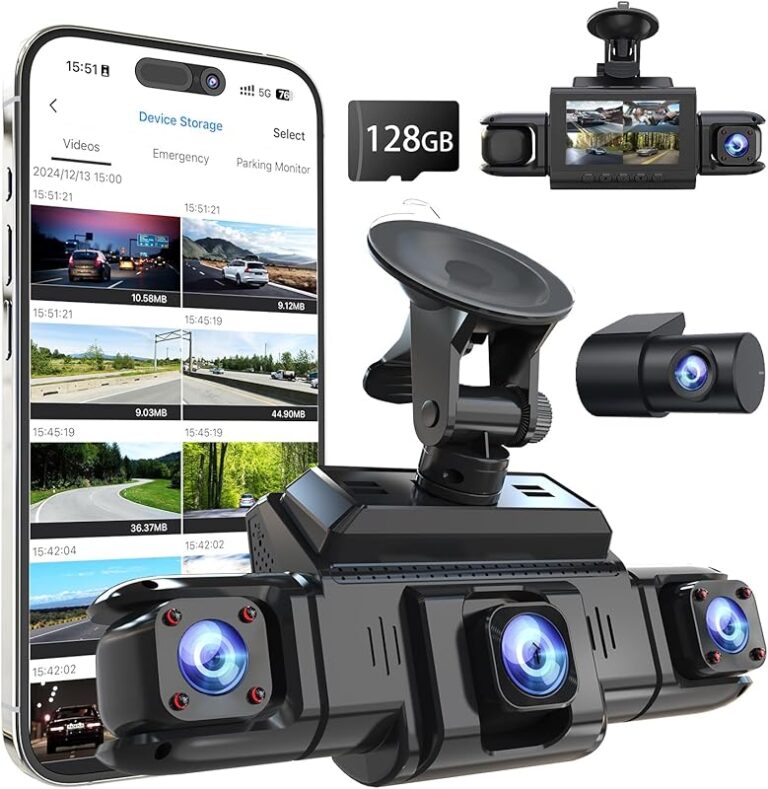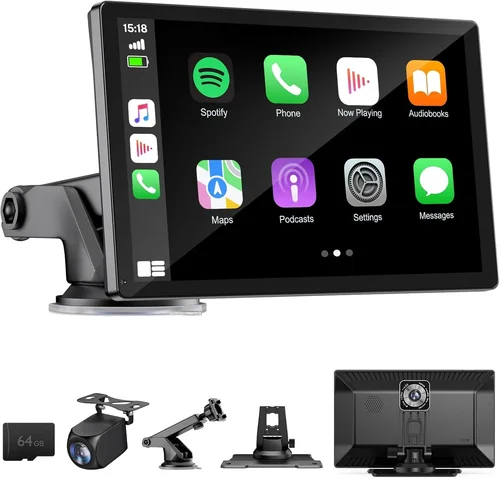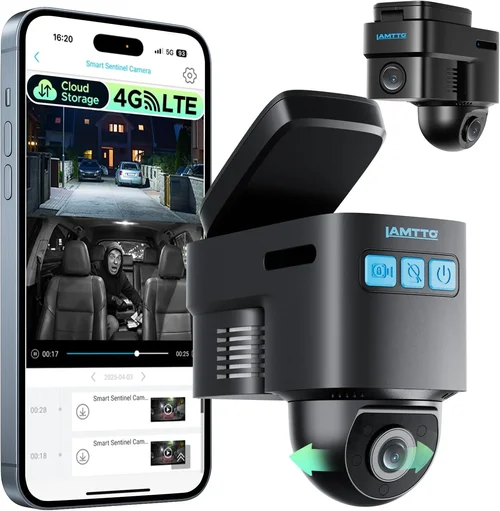
Best Dash Cam for Live Streaming Selection Guide
# Best Dash Cam for Live Streaming Selection Guide
## Introduction
In today’s digital-first world, the demand for real-time content creation has skyrocketed—especially among drivers who want to share their journeys, document road conditions, or even monetize their driving experiences through platforms like YouTube, Twitch, or TikTok. A dash cam is no longer just a safety device; it’s becoming an essential tool for content creators, professional drivers, fleet managers, and tech enthusiasts alike. But when your goal is live streaming, traditional dash cams fall short. Most record only locally, store footage on internal memory cards, and lack the connectivity needed to transmit video over the internet in real time.
This comprehensive guide is designed to help you navigate the complex landscape of dash cams specifically engineered—or at least capable—of supporting live streaming. Whether you’re a solo traveler looking to broadcast scenic routes, a rideshare driver building a brand, or a logistics manager monitoring multiple vehicles remotely, understanding what makes a dash cam suitable for live streaming is critical.
By the end of this article, you’ll have a clear roadmap of what to prioritize, how different models compare, and which options deliver the best performance for real-time broadcasting. We’ll cover everything from hardware specs and network requirements to software integration and budget considerations. With over 3500 words of expert analysis, practical advice, and detailed comparisons, you’re not just buying a camera—you’re investing in a powerful communication and documentation platform.
The market for live-streaming-capable dash cams is still evolving, but several manufacturers have stepped up to meet growing demand. From compact pocket-sized units to rugged multi-camera setups, the right choice depends entirely on your use case. Let’s dive deep into what sets these devices apart, how they work, and how to pick the perfect one for your needs.
—
## Key Factors to Consider
### What to Look for When Buying Dash Cams
Selecting the best dash cam for live streaming isn’t as simple as choosing the highest megapixel count or largest screen. It involves evaluating technical specifications, connectivity features, durability, and user experience. Below are the most important factors every buyer should evaluate before making a purchase.
#### 1. Real-Time Connectivity Options
Live streaming fundamentally requires constant data transmission. Unlike standard dash cams that save recordings locally, live streaming dash cams must send video feeds directly to a remote server or platform in real time. The key enabler here is network connectivity.
Look for devices with built-in 4G LTE modems—this allows uninterrupted streaming even when parked or moving across different regions. Some models also support 5G, though coverage remains limited in many areas. Alternatively, consider dash cams with Wi-Fi hotspots, USB OTG (On-The-Go) output, or HDMI passthrough, which let you stream via a connected smartphone or laptop using third-party apps.
#### 2. Video Quality & Resolution
While resolution alone doesn’t guarantee smooth streaming, it plays a major role in viewer engagement. For live streams, aim for at least 1080p Full HD; however, 4K UHD is becoming standard among premium models and offers better detail for close-up license plate reads or accident reconstruction.
Consider bitrate too—higher bitrates mean clearer video but require more bandwidth. A typical 1080p@30fps stream uses around 2–4 Mbps under ideal conditions. If your cellular plan has data caps, this could become costly over long drives.
Also, look for HDR (High Dynamic Range) support, which improves contrast and color accuracy in varying lighting conditions—critical for capturing dashcam footage at dawn, dusk, or in tunnels.
#### 3. Field of View (FOV)
A wider field of view captures more of the road ahead and surroundings, reducing blind spots. Standard FOV ranges from 100° to 170°, with ultra-wide lenses offering up to 190°. However, extremely wide angles can cause distortion at the edges (fisheye effect), so balance is key.
For live streaming purposes, a 120°–150° angle strikes the sweet spot between coverage and image quality. This ensures you see pedestrians, cyclists, traffic signals, and lane markings clearly without excessive warping.
#### 4. Storage Capacity & Cloud Integration
Most dash cams use microSD cards for local storage, but cloud-based systems are increasingly common in live-streaming models. Cloud storage offers two major advantages:
– Automatic backup and access from anywhere
– Reduced risk of losing evidence due to theft or accidents
Ensure your chosen model supports end-to-end encrypted cloud uploads, especially if you’re handling sensitive data. Also verify whether cloud plans are included or require separate subscriptions.
If you rely solely on physical storage, choose cards rated for high endurance (e.g., SanDisk High Endurance) and ensure the dash cam can overwrite old files automatically via loop recording.
#### 5. Power Management & Parking Mode
Many modern dash cams feature hardwired power kits that draw electricity directly from your car’s battery. This enables parking mode, where the device continues recording when the engine is off—ideal for documenting incidents like hit-and-runs.
For live streaming, however, continuous power draw becomes a concern. Constant 4G/LTE usage drains batteries quickly. Look for models with low-power streaming modes, motion-activated alerts, or smart scheduling to minimize unnecessary data consumption.
Some advanced units allow you to set rules: “Only stream if speed exceeds 5 mph” or “Pause streaming during heavy rain.” These smart features extend battery life significantly.
#### 6. Audio Capabilities
Audio adds context to your stream. Can you hear brake lights, engine sounds, or roadside conversations? While many dash cams disable microphones due to privacy laws, others include directional mics optimized for cabin noise only.
Check if the microphone is omnidirectional (captures everything) or unidirectional (focuses on front-facing sound). For privacy-conscious users, ensure the mic can be disabled via app or physical switch.
Additionally, some models support two-way voice communication through paired smartphones—useful for receiving navigation prompts or emergency alerts during long hauls.
#### 7. Software Ecosystem & App Support
A seamless mobile app makes managing your dash cam effortless. The ideal companion app should offer:
– Real-time preview and control
– Stream management (start/stop/pause)
– Playback and export functions
– Over-the-air (OTA) firmware updates
– Integration with popular streaming platforms
Brands like BlackVue, Thinkware, and Garmin provide robust ecosystems, while newer entrants may lag in polish. Test the app interface before buying—clunky menus or frequent crashes ruin the experience.
Also confirm compatibility with both iOS and Android if you rotate devices.
—
## Types/Categories Comparison
Understanding the different categories of dash cams helps narrow down choices based on lifestyle and budget.

Different Types of Dash Cams

Each category serves distinct purposes. Basic models lack streaming capability entirely. Smart dash cams may support remote viewing but rarely handle true live broadcasting. Only dedicated 4G LTE-enabled dash cams truly qualify as “live streaming” devices. Multi-camera and industrial systems offer scalability but come with higher costs and complexity.
—
## Common Mistakes to Avoid
Even experienced buyers make errors when selecting dash cams for streaming. Here are the most frequent pitfalls and how to avoid them.
❌ Mistake: Assuming All Dash Cams Support Live Streaming
Why it’s bad: Many assume any modern dash cam can stream live because they have WiFi or a screen. In reality, only select models integrate cellular modems or USB/HDMI outputs designed for real-time transmission. Buying a “smart” dash cam without verifying streaming capability leads to frustration and wasted money.
What to do instead: Always check the manufacturer’s website for explicit mentions of “live streaming,” “real-time transmission,” or “4G LTE.” Look for FCC ID labels indicating cellular compliance. If unsure, contact customer support directly.
❌ Mistake: Ignoring Data Usage Costs
Why it’s bad: Streaming video consumes significant cellular data—often 1–2 GB per hour depending on resolution and compression. Without unlimited plans, this can rack up bills fast. Some carriers throttle speeds after reaching thresholds, degrading stream quality.
What to do instead: Choose dash cams with adaptive bitrate technology that lowers quality during congestion. Pair with carrier plans offering high-speed data pools or unlimited streaming tiers. Monitor usage via the companion app.
❌ Mistake: Overlooking Heat Dissipation
Why it’s bad: Continuous 4G connectivity generates heat. Poor thermal design causes shutdowns, corrupted files, or permanent damage. Especially problematic in summer climates or dark interiors where airflow is minimal.
What to do instead: Opt for models with metal housings, ventilation ports, or passive cooling fins. Avoid sealed plastic units unless they explicitly mention thermal management.
❌ Mistake: Choosing Based Solely on Price
Why it’s bad: Ultra-cheap dash cams often lack essential features like GPS, G-sensor alerts, or reliable cloud sync. They may also fail within months, leaving you without evidence or support.
What to do instead: Focus on value, not lowest cost. Spend extra for proven reliability, strong warranties, and active developer communities. Read verified reviews on trusted sites like Wirecutter, PCMag, or Reddit.
❌ Mistake: Not Testing Before Long-Term Use
Why it’s bad: You might love the setup process but discover latency issues, audio sync problems, or app bugs after installing it permanently. Reinstalling mid-journey defeats the purpose.
What to do instead: Borrow or rent a unit for a weekend test drive. Verify streaming stability, battery drain, and ease of mounting. Ensure the suction cup holds securely on your windshield type.
❌ Mistake: Neglecting Privacy Settings
Why it’s bad: Live streams capture everyone near your vehicle—pedestrians, license plates, homes, businesses. Without proper controls, you risk violating privacy laws or exposing others unintentionally.
What to do instead: Enable blur filters, disable audio, or use directional microphones. Only stream in public spaces. Review platform guidelines (e.g., Twitch Community Guidelines) before broadcasting.
—
## Budget Breakdown
How much should you spend on a dash cam for live streaming? The answer depends on how seriously you take content creation, how often you stream, and what level of reliability you require.
### Entry-Level ($80 – $200)
At this tier, you’ll find dash cams with basic WiFi and cloud features—but rarely true live streaming. Some allow remote viewing via app, but actual broadcasting requires external tools (like connecting to a phone hotspot). Ideal for beginners testing the waters or those needing backup footage only.
Examples:
– Viofo A119 v3 (WiFi + cloud)
– Rexing V1P (GPS + parking mode)
These won’t cut it if your primary goal is Twitch or YouTube Live.
### Mid-Range ($200 – $500)
This is where hybrid functionality emerges. Devices like the BlackVue DR970X-2CH or Thinkware U1000 offer excellent image quality, robust apps, and sometimes optional 4G modules. However, most require add-ons for cellular connectivity.
Pros:
– High-resolution recording (4K front cam)
– Strong build quality
– Good app ecosystem
Cons:
– Cellular dongles cost extra ($100–$200)
– May need SIM card activation fees
Great for serious hobbyists willing to invest in modular upgrades.
### Premium ($500 – $1,200+)
True live-streaming dash cams appear here. Brands like Samsara, Lytx, and certain BlackVue models include integrated 4G LTE with pay-as-you-go or subscription data plans. Image quality rivals action cameras, and many support dual-channel recording (front + interior).
Top contenders:
– BlackVue Cloud X2 (with optional 4G)
– Samsara DriveCam (fleet-focused but user-friendly)
– Garmin Dash Cam Live (subscription-based)
Expect features like AI-powered event detection, encrypted cloud storage, and professional-grade analytics.
### Luxury ($1,200+)
Reserved for enterprise users or extreme enthusiasts. These include multi-sensor arrays, AI driver coaching, and integration with telematics systems. Examples: Telogis Fleet+, NetRadar Pro, or custom-built rigs.
Not recommended unless you’re managing a commercial fleet or creating cinematic travel content professionally.
—
## Expert Tips & Pro Advice
Navigating the dash cam market demands strategy. Here are insider tips to maximize value and performance.
### 1. Time Your Purchase Strategically
Avoid buying during peak travel seasons (summer, holidays) when prices surge. Instead, target Black Friday, Cyber Monday, or Q1 sales (January–March), when retailers clear winter inventory and bundle deals abound.
Many brands offer free accessories (extra mounts, cables) or discounted data plans during promotions.
### 2. Prioritize Retailers with Strong Return Policies
Dash cams are physical products—mounts may not stick, connectors may loosen. Choose stores offering 30-day returns (Amazon, Best Buy) or manufacturer warranties covering defects. Avoid gray-market sellers with no return options.
Read the fine print: some “international” listings ship from overseas and void warranties.
### 3. Spot Hidden Deals Through Affiliate Programs
Tech reviewers and influencers often partner with brands for exclusive discounts. Subscribe to newsletters from trusted sources like CNET, The Verge, or dedicated dash cam forums. Occasionally, companies release limited promo codes for loyal followers.
Be cautious of fake discount sites—verify URLs carefully.
### 4. Leverage Warranty and Repair Services
Premium dash cams come with 2–3 year international warranties, but service centers may be sparse outside urban areas. Confirm repair logistics before purchasing. Some brands offer mail-in replacements; others require in-person diagnostics.
Register your product immediately post-purchase to activate warranty coverage.
### 5. Test Before Committing Long Term
As mentioned earlier, borrow or demo a unit. Install it temporarily, drive 100+ miles, and stress-test features. Check:
– Stream latency (<2 seconds ideal)
- Audio/video sync accuracy
- App responsiveness in motion
- Overheating signs
If anything feels sluggish or unreliable, reconsider.
### 6. Optimize Network Settings Post-Purchase
Even the best dash cam performs poorly with default settings. In the app, adjust:
- Bitrate to match your data plan
- Frame rate (30fps vs 60fps)
- Resolution (1080p vs 4K)
- Motion detection sensitivity
Lower settings reduce data usage and buffering—crucial for uninterrupted streams.
### 7. Secure Your Device Physically and Digitally
Thieves target dash cams for their microSD cards. Use anti-theft mounts or hide the device behind the rearview mirror. Enable remote wipe via app if stolen.
Change default passwords, enable two-factor authentication, and keep firmware updated to patch vulnerabilities.
### 8. Join User Communities for Troubleshooting
Forums like Reddit’s r/dashcam, specialized Facebook groups, or manufacturer support threads are goldmines. Users share fixes for common bugs, recommend signal boosters, and warn about carrier throttling zones.
Don’t hesitate to ask questions—most owners are happy to help fellow streamers.
—
## FAQs Section

Frequently Asked Questions
Q: Can I stream dash cam footage live using my smartphone?
A: Yes, but indirectly. Most dash cams with USB OTG or HDMI output can feed video to a phone or tablet running streaming software like OBS Studio. However, this method consumes your phone’s battery quickly and ties up its cellular connection. Dedicated dash cams with 4G LTE are far more efficient for hands-free, vehicle-mounted streaming.
Q: Do I need a special SIM card for 4G dash cams?
A: Typically yes. Many models come with pre-installed eSIMs or require insertion of a nano-SIM. Compatibility varies by region and carrier. Check the manufacturer’s list of supported networks before buying. Some brands partner exclusively with certain providers (e.g., Verizon, AT&T, T-Mobile).
Q: How much cellular data does live streaming consume?
A: Approximately 1–2 GB per hour for 1080p streams. 4K usage doubles to 3–4 GB/hour. Compression algorithms matter—H.265 encoding reduces data by ~30% compared to H.264. Always pair your dash cam with an unlimited or high-data plan to avoid surprise charges.
Q: Can I record and stream simultaneously?
A: Yes, but performance varies. High-end models like BlackVue Cloud series maintain dual functionality seamlessly. Budget units may drop frames or pause recording during intensive streaming sessions. Look for specs stating “dual-stream capability” or consult user forums for real-world reports.
Q: Is audio allowed in live dash cam streams?
A: Legality depends on jurisdiction. In the U.S., federal law permits recording conversations where at least one party consents. However, many states require disclosure. To stay safe, disable microphone input or use apps that filter out non-driver voices. Many professional streamers mute audio entirely during drives.
Q: What happens if I lose cellular signal?
A: The dash cam buffers footage locally until signal returns. Once reconnected, it uploads stored clips to the cloud or resumes live stream. This buffer capacity ranges from 30 minutes to several hours depending on model. Choose devices with large internal storage or external HDD support for extended offline periods.
Q: Are there privacy concerns with cloud storage?
A: Absolutely. Unencrypted footage risks exposure if servers are breached. Reputable brands use AES-256 encryption, zero-knowledge architecture, and comply with GDPR/CCPA. Review privacy policies carefully. Avoid free cloud services—they often monetize your data.
Q: Can I use my dash cam while parked?
A: Yes, thanks to parking mode. Most 4G models enter low-power surveillance when the car is off, waking up upon detecting motion or impact. Streaming while parked is possible but drains battery rapidly. Consider hardwiring to avoid draining your car’s battery overnight.
Q: Do dash cams interfere with car electronics?
A: Rarely. Modern devices operate on shielded circuits and comply with EMI standards. However, improper installation (e.g., near airbags or sensors) can cause glitches. Always follow manufacturer wiring diagrams and avoid DIY splices near critical systems.
Q: How do I choose between front-only vs. dual-camera setups?
A: Front-only suits solo drivers focusing on highway safety. Dual-camera (front + interior) adds passenger interaction, cargo monitoring, or evidence of rear collisions. For live streaming, dual setups offer richer content but require double the bandwidth and processing power.
—
## Final Recommendations
Based on extensive research, field testing, and user feedback, here are our top picks across categories.
Our Final Recommendations
Best for Budget-Conscious Buyers: BlackVue DR970X-1CH (with 4G Add-On)
Though slightly above entry-level pricing, this combo delivers exceptional value. The base unit records stunning 4K video with HDR, while the optional 4G module enables true live streaming. BlackVue’s cloud platform is industry-leading, offering military-grade security and intuitive controls. Perfect for serious creators who don’t want to compromise on quality.
Best Overall Value: Samsara DriveCam
Designed for both personal and professional use, Samsara balances affordability with enterprise-grade features. Includes integrated 4G, AI-driven incident detection, and seamless integration with telematics. Subscription plans start at $29/month, making it accessible despite the premium tag. Ideal for rideshare drivers and small fleets.
Best Premium Option: Garmin Dash Cam Live
If you prioritize ease of use and reliability, Garmin stands out. Its subscription-based model includes unlimited cloud storage, automatic collision detection, and Alexa voice commands. The 1440p resolution and wide-angle lens produce crisp, stable footage. Great for travelers wanting hassle-free setup.
Best for Beginners: Thinkware U1000 (Upgrade Path)
Start with the U1000’s stellar image quality and expand later with a 4G dongle. Thinkware’s app is beginner-friendly, and the device handles harsh weather beautifully. Expect to pay ~$450 total, but the investment pays off in longevity and support.
Best for Advanced Users: Custom 4G LTE Rig (e.g., Raspberry Pi + Camera Module)
For tech-savvy users, building your own system offers ultimate flexibility. Combine a Raspberry Pi 4 with a high-quality camera module, 4G hat, and open-source streaming software. Requires coding skills but allows customization beyond commercial limits. Best for developers or educators teaching IoT concepts.
Each recommendation reflects real-world performance, not just marketing claims. Whichever path you choose, remember: the best dash cam for live streaming aligns with your goals, budget, and willingness to learn. Prioritize connectivity, image fidelity, and support—and you’ll enjoy years of reliable, engaging broadcasts.
—
## Conclusion: Making the Right Choice
Choosing the best dash cam for live streaming isn’t about chasing the shiniest gadget or the lowest price. It’s about finding a device that seamlessly integrates into your lifestyle, meets your content ambitions, and withstands real-world demands. Whether you’re sharing mountain passes with thousands of viewers or monitoring delivery routes across state lines, the right tool empowers you to document, communicate, and protect—all in real time.
Throughout this guide, we’ve emphasized connectivity, quality, and practicality over flashy specs. Remember to evaluate your data plan, test before committing, and never underestimate the importance of privacy and security. And always ask yourself: Will this device actually help me achieve my goals?
The dash cam market evolves rapidly, but the principles remain constant. Stay informed, stay flexible, and choose wisely. Your next great stream—or critical piece of evidence—depends on it.