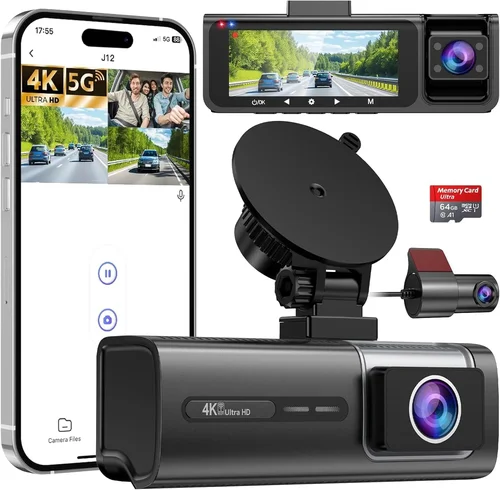
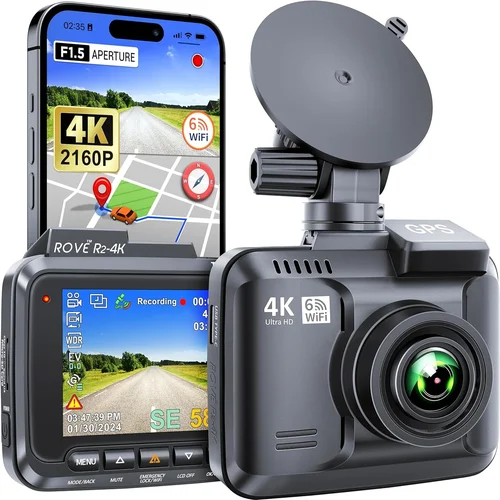
Best Dash Cam for Car Front & Rear Buying Guide
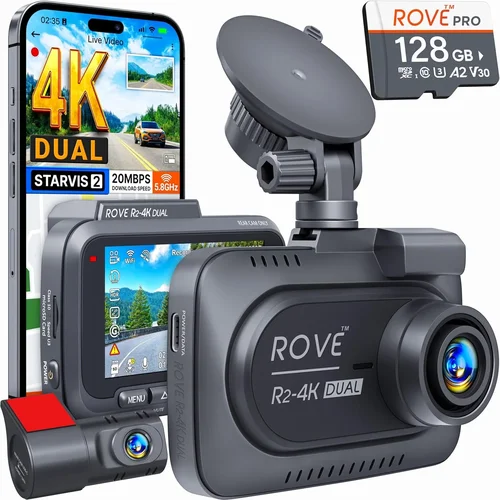
Why choosing the right dash cam for your car can be a game-changer in protecting yourself on the road. With thousands of models flooding the market, it’s easy to feel overwhelmed by technical specifications and marketing claims. This comprehensive buying guide cuts through the noise to help you find the perfect dual-channel dash cam that meets your specific needs, budget, and driving style.
Whether you’re a daily commuter, a weekend adventurer, or someone who simply wants peace of mind behind the wheel, understanding what makes a great front and rear dash cam is essential. From recording quality and night vision capabilities to storage solutions and ease of installation, every detail matters when selecting equipment that could one day prove invaluable in an insurance dispute or legal situation.
In this detailed guide, we’ll walk you through everything you need to know about dual dash cams, from fundamental features to advanced functionalities. You’ll learn how to evaluate different models based on real-world performance rather than just price tags or brand names. By the end of this article, you’ll have the knowledge to make an informed decision that protects both your vehicle and your wallet.

What to Look for When Buying Dash Cams
1. Budget & Price Range
Your budget should be your starting point, but remember that with dash cams—especially dual-channel models—you generally get what you pay for. Entry-level options typically range from $50-$150 and offer basic 720p recording with limited features. Mid-range models ($150-$300) deliver significantly better image quality (often 1080p or higher), improved night vision, and more reliable loop recording. Premium options ($300+) include advanced features like GPS tracking, emergency parking mode, and superior build quality.
Consider not just the initial purchase price but also ongoing costs like SD card replacement and potential warranty repairs. Some manufacturers charge for software updates or cloud storage, which can add up over time. Always factor in these long-term expenses when making your decision.
2. Performance Specifications
The heart of any dash cam lies in its video quality and technical capabilities. Look for cameras with at least 1080p resolution—this ensures clear evidence if needed. The frame rate (measured in fps) affects motion smoothness; 30fps is standard, but 60fps provides crisper action sequences. Field of view (FOV) determines how much of the road you capture; wider angles (140-150 degrees) are generally preferred as they reduce blind spots while maintaining reasonable detail.
For front cameras specifically, consider lens quality and sensor size—larger sensors perform better in low light conditions. Rear cameras don’t need quite as high resolution since they’re primarily documenting what happens behind you, but they still benefit from decent clarity for license plate identification.
3. Build Quality & Durability
A dash cam must withstand extreme temperatures, vibrations, and potential impacts. High-quality models feature sturdy metal housings, shock-resistant designs, and wide operating temperature ranges (-20°C to +70°C). Water resistance ratings (IP ratings) matter too—look for at least IPX4 protection against splashing water.
Installation quality also contributes to durability. Professional-grade mounting systems with secure adhesive backing prevent cameras from falling off during sudden stops or accidents. Heat dissipation design prevents overheating during prolonged use, especially important in hot climates where dashboard temperatures can exceed 100°F.
4. Features & Functionality
Modern dash cams offer numerous features beyond basic recording. Emergency event detection uses G-sensor technology to automatically save footage when impact occurs. Loop recording continuously overwrites oldest files when storage fills up, ensuring uninterrupted coverage. Parking mode activates when your car is parked, using motion detection to record incidents like hit-and-runs.
GPS integration adds location data to your videos, helpful for accident reconstruction or verifying speed claims. Wi-Fi connectivity enables wireless file transfer to smartphones via companion apps. Some models even offer voice control, built-in microphones for audio recording, and cloud backup capabilities.
5. Brand Reputation
Established brands like Blackvue, Thinkware, Garmin, and Viofo have built strong reputations through consistent product quality and responsive customer support. These companies often release regular firmware updates, provide detailed documentation, and maintain active user communities. Newer entrants may offer tempting prices but sometimes struggle with reliability or post-purchase service.
Research independent reviews and user feedback before committing to any brand. Look for patterns in complaints—frequent issues with battery life, connectivity problems, or poor customer service indicate potential red flags. Established brands tend to address common issues quickly and transparently.
6. Warranty & Support
A solid warranty demonstrates manufacturer confidence in their product. Most reputable brands offer at least a year of coverage, with premium models providing two years or more. Check what’s included—some warranties cover only manufacturing defects, while others extend to accidental damage under certain conditions.
Customer support responsiveness varies widely between brands. Read reviews about support experiences before buying. Brands with dedicated phone lines, live chat options, and comprehensive FAQ sections typically provide better assistance than those relying solely on email support or community forums.
7. Size & Portability
Compact dash cams take up less space on your windshield and cause fewer distractions. However, smaller cameras may sacrifice some features or image quality due to physical constraints. Consider whether you want a single unit containing both front and rear cameras (more streamlined) or separate units (easier replacement if one fails).
If you plan to transfer footage frequently, lightweight, portable models with USB-C connections offer convenience. Some drivers prefer discreet designs that blend into the interior, while others prioritize maximum visibility for deterrence purposes.
8. User Reviews & Ratings
Real-world user experiences provide valuable insights beyond spec sheets. Pay attention to recurring themes in positive reviews—common praises usually indicate reliable performance. Similarly, frequent complaints about specific issues (like short battery life or confusing menus) warrant caution.
Beware of overly glowing reviews that lack detail or suspiciously negative comments that seem artificially harsh. Focus on balanced, detailed feedback from verified purchasers who’ve used the product extensively. Manufacturer responses to reviews also reveal commitment to customer satisfaction.
Different Types of Dash Cams

Common Buying Mistakes to Avoid
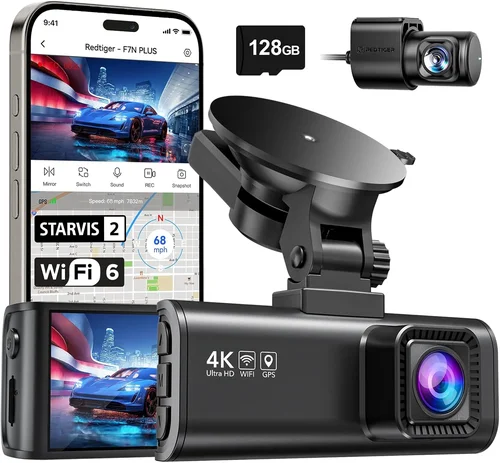
❌ Mistake: Prioritizing Price Over Quality
Why it’s bad: Cheapest dash cams often compromise on critical components like sensor quality, storage reliability, and build materials. You might save $50 upfront but end up with a camera that overheats, records blurry footage, or fails completely after a few months—leaving you without protection when you need it most.
What to do instead: Set a realistic budget based on your needs rather than chasing absolute lowest prices. Invest in proven brands with good track records. Remember that a dash cam is essentially your insurance policy—spending more initially can save significant headaches (and money) later.
❌ Mistake: Ignoring Storage Requirements
Why it’s bad: Many buyers overlook how much storage dash cams consume. A typical 1080p dual-channel recording can fill a 64GB card in just 2-3 hours. Without proper management, you’ll constantly run out of space or miss important events due to automatic deletion of recent footage.
What to do instead: Choose a model with efficient compression algorithms and ensure compatibility with high-quality UHS-I or U3 rated SD cards. Consider purchasing multiple cards if you drive frequently. Some advanced models support cloud storage or direct USB transfer for easier management.
❌ Mistake: Overlooking Installation Challenges
Why it’s bad: Poor installation leads to obstructed views, false triggers, or worst-case scenario—cameras falling off during accidents. DIY installations often result in misaligned lenses, blocked airbags, or wires interfering with vehicle controls.
What to do instead: Follow manufacturer guidelines meticulously. Use proper mounting kits designed for your vehicle model. If uncomfortable with electrical work, consider professional installation services—they’re often affordable and guarantee proper setup.
❌ Mistake: Expecting Perfect Night Vision
Why it’s bad: Even premium dash cams struggle with true darkness. Low-light performance depends heavily on ambient lighting, lens quality, and sensor sensitivity. Expecting crystal-clear nighttime recordings leads to disappointment and distrust in the device’s overall reliability.
What to do instead: Understand that night vision has limits. Look for models with infrared LEDs (for rear cameras) or enhanced low-light processing rather than expecting perfect results. Position cameras to maximize available light whenever possible.
❌ Mistake: Neglecting Software & App Compatibility
Why it’s bad: Many dash cams come with clunky proprietary software or require specific smartphone operating systems. Incompatible apps can make file retrieval difficult, editing impossible, or updates frustrating—essentially rendering useful features useless.
What to do instead: Verify compatibility with your devices before purchasing. Check if the manufacturer offers cross-platform support (iOS/Android). Read reviews about software usability and update frequency. Simple, intuitive interfaces beat complex professional tools every time for everyday users.
❌ Mistake: Forgetting About Legal Considerations
Why it’s bad: Recording audio without consent violates wiretapping laws in many regions. Some countries restrict where dash cams can be placed or how footage can be used. Using dash cam footage improperly could lead to legal consequences or evidence being dismissed in court.
What to do instead: Research local regulations before installing any recording device. Disable audio recording if required by law. Understand that dash cam footage serves best as supplementary evidence rather than sole proof in disputes.
Budget Guidelines: How Much Should You Spend?
Understanding where your money goes helps you avoid overspending on unnecessary features while ensuring adequate protection for your investment. Below is a detailed breakdown of what to expect at each price tier.
Entry-Level ($50 – $150)
This range includes basic dual-channel dash cams with 720p recording, simple loop functionality, and minimal extras. You’ll find models from lesser-known brands offering starter features like G-sensor alerts and basic parking mode. While sufficient for occasional use or secondary vehicles, these cameras often suffer from poor low-light performance, limited storage capacity, and unreliable build quality.
Expect average image quality, shorter warranties (6-12 months), and basic customer support. These models work well for infrequent drivers or those testing dash cam benefits before committing to higher-end equipment. Popular choices include models from Ewent, J5Create, and certain AmazonBasics offerings.
Mid-Range ($150 – $300)
The sweet spot for most drivers, this category delivers reliable 1080p recording from both front and rear cameras. Brands like Viofo, Z-Edge, and certain Blackvue models dominate this space with improved sensors, better night vision, and more robust features. You’ll typically find GPS tracking, Wi-Fi connectivity, and enhanced parking mode capabilities.
Build quality improves significantly here—metal housings, secure mounts, and wider operating temperature ranges become standard. Warranties extend to 1-2 years, and customer support becomes more responsive. This tier offers excellent value considering the comprehensive protection provided.
Premium ($300 – $500)
High-end dash cams in this range offer professional-grade features previously reserved for commercial fleets. Expect 2K or 4K front cameras paired with 1080p rear units, HDR imaging, and advanced driver assistance systems (ADAS). Brands like Thinkware, Blackvue, and Garmin lead this segment with enterprise-level reliability.
Features expand to include cloud connectivity, AI-powered incident detection, superior audio recording, and multi-car compatibility. Installation becomes more complex but often includes professional mounting kits. These models justify their cost through exceptional durability, frequent firmware updates, and proven courtroom effectiveness.
Luxury ($500+)
Ultra-premium dash cams target enthusiasts and professionals requiring ultimate performance. Examples include Blackvue DR970X-2CH with 4K front recording or Thinkware F800 Pro with advanced parking monitoring. These systems often integrate with other vehicle safety technologies and offer redundant storage solutions.
While overkill for most personal vehicles, luxury models excel in extreme conditions, provide unparalleled evidence quality, and include concierge-level customer service. They represent the pinnacle of consumer dash cam technology but rarely justify their cost for average drivers unless operating commercial vehicles or living in high-risk areas.
Expert Tips for Getting the Best Deal
Seasonal timing significantly impacts availability and pricing. Early spring and fall tend to see new model releases, causing previous generation prices to drop. Avoid holiday rushes when demand peaks and shipping delays occur. Sign up for retailer newsletters to receive early access to deals and exclusive discount codes.
Check manufacturer websites directly—some brands offer direct-to-consumer discounts or trade-in programs for older models. Online marketplaces like eBay occasionally feature refurbished units at substantial savings, though verify seller ratings and return policies carefully. Don’t forget to compare international shipping costs if ordering from overseas retailers.
Consider buying during back-to-school seasons when electronics demand shifts toward student needs. End-of-model-life cycles create perfect opportunities to snag discontinued versions at clearance prices while still receiving full warranty coverage. Always verify remaining warranty period before purchasing refurbished or open-box items.
Register your product immediately upon receipt to activate warranty coverage and receive update notifications. Keep original packaging for potential returns or resale value. Join manufacturer communities to access beta firmware updates and insider information about upcoming deals or product developments.

Frequently Asked Questions
Q: Do I really need a rear-facing dash cam?
A: While not strictly mandatory, rear cameras provide crucial context during accidents or disputes. They capture tailgaters, lane changes, and situations where you’re not at fault but witnesses can’t see what happened behind you. For city driving or areas with high theft rates, rear protection is particularly valuable since many incidents occur when your attention is focused forward.
Q: What’s the difference between 1080p and 4K dash cams?
A: Resolution directly impacts detail capture—4K front cameras show license plates and facial features more clearly than 1080p models. However, higher resolution requires more storage space and processing power. Most experts recommend 1080p for both front and rear unless you specifically need forensic-level detail for legal purposes. Consider your primary use case before upgrading to 4K.
Q: How long will dash cam recordings last?
A: Standard loop recording continues until the SD card fills up, then automatically overwrites oldest files. Most users replace cards every 1-3 months depending on driving frequency and video quality settings. Some premium models offer cloud backup or USB export capabilities for longer archival needs. Always maintain at least one month of recent footage accessible.
Q: Can dash cams record while parked?
A: Yes, through parking mode functionality. When connected to constant power, motion-activated recording captures events after dark or during unattended periods. Impact-triggered recording saves footage during collisions. Note that extended parking mode drains vehicle batteries, so hardwiring is recommended for frequent use.
Q: Are dash cam recordings admissible in court?
A: Generally yes, as long as they meet evidence standards—clear timestamps, unaltered content, and proper chain of custody. However, audio recordings may violate wiretapping laws in some jurisdictions. Consult local regulations before capturing conversations. Courts typically accept dash cam footage as supporting evidence rather than definitive proof alone.
Q: How do I choose the right SD card for my dash cam?
A: Select UHS-I Class 3 (U3) cards with minimum 64GB capacity for dual-channel 1080p recording. Brands like SanDisk Extreme, Samsung EVO Plus, and Lexar Professional consistently perform well in dash cam environments. Avoid counterfeit cards and always format in-camera before first use to ensure compatibility and optimal performance.
Q: Will a dash cam interfere with my car’s electronics?
A: Modern dash cams operate on isolated circuits and don’t affect vehicle functions when properly installed. Professional installation ensures clean power routing without tapping into critical systems. Occasional interference reports usually stem from poor wiring techniques or incompatible voltage regulators rather than the cameras themselves.
Q: Can I install a dash cam myself?
A: Basic installations are achievable with moderate technical skills—most require connecting to cigarette lighter power or hardwiring to fuse boxes. Complex wiring (through fuse boxes) demands automotive electrical knowledge. If uncomfortable with DIY projects, professional installation services typically cost $30-75 and provide guarantees against improper setup.
Q: Do all dash cams have GPS?
A: No—many entry-level models omit GPS functionality to reduce costs and complexity. Mid-range and premium cameras increasingly include GPS tracking as standard. Verify GPS availability if location data matters for your use case. Some models require separate GPS modules for enhanced accuracy.
Q: How should I store and manage dash cam footage?
A: Regularly transfer files to computers or cloud storage to prevent loss from card corruption or accidental deletion. Create organized folders by date/month for easy retrieval. Backup critical footage separately—accident videos should never rely solely on SD cards. Consider automated transfer apps that sync wirelessly when parked.
Final Recommendations
Best for Budget-Conscious Buyers
Viofo A119 v3 stands out as the optimal choice for cost-sensitive drivers seeking reliable dual-channel protection without breaking the bank. Priced around $120, it delivers crisp 1080p front recording and decent 720p rear capture with impressive low-light performance. The compact design minimizes visual obstruction while including essential features like G-sensor alerts, loop recording, and parking mode. Its durable construction and straightforward operation make it ideal for first-time dash cam owners wanting dependable performance within tight budgets.
Best Overall Value
Thinkware Q800 Pro represents the perfect balance of features, reliability, and price point for discerning drivers. At approximately $250, it offers 2K front recording paired with sharp 1080p rear imaging—outperforming many premium competitors in image clarity. Advanced capabilities like HDR, GPS logging, and Wi-Fi connectivity enhance usability without overwhelming complexity. The robust aluminum casing withstands harsh conditions while providing professional-grade protection worthy of daily commutes or family road trips.
Best Premium Option
Blackvue DR970X-2CH sets the benchmark for excellence among enthusiast-grade dash cams. Featuring stunning 4K front recording alongside crisp 1080p rear capture, this powerhouse includes dual-channel synchronization, cloud connectivity, and AI-powered incident detection. Designed for demanding environments, it excels in extreme temperatures and offers enterprise-level security through encrypted storage. Though priced above $500, its courtroom-proven reliability and future-proof features justify the investment for serious motorists or commercial operators.
Best for Beginners
Z-Edge Z-2000 Pro simplifies dual-channel recording with plug-and-play functionality and intuitive mobile app control. Starting at $180, it provides hassle-free installation and automatic firmware updates—eliminating technical barriers for novice users. Clear LED indicators show operational status while generous storage capacity accommodates extensive recording sessions. Despite its beginner-friendly approach, it maintains respectable image quality and includes all essential safety features without sacrificing affordability.
Best for Advanced Users
Garmin Dash Cam 67W combines sleek aesthetics with sophisticated capabilities tailored to experienced drivers. Its distinctive curved housing reduces glare while delivering reliable 1080p recording from both channels. Unique features like incident detection, voice commands, and seamless smartphone integration appeal to tech-savvy users seeking convenience alongside protection. The premium materials and refined software experience make it particularly suitable for drivers valuing both form and function in their automotive technology.
Conclusion: Making the Right Choice
Selecting the ideal dash cam ultimately boils down to aligning your priorities with practical realities rather than chasing technological extremes. Consider how frequently you drive, where you typically travel, and what level of protection feels worthwhile for your circumstances. A mid-range option often proves more sensible than either minimalist entry-level models or excessively expensive luxury systems.
Remember that dash cams serve primarily as protective devices rather than entertainment gadgets—prioritize core functionalities like image clarity, reliable recording, and robust build quality over flashy extras. Proper installation and routine maintenance ensure optimal performance throughout your ownership period.
Take advantage of current sales opportunities, leverage expert advice from trusted sources, and don’t hesitate to seek professional installation if uncertain about electrical work. With careful consideration of your specific needs and honest assessment of available options, you’ll find a dual-channel dash cam that provides genuine peace of mind without unnecessary financial burden.
Whichever model you choose, the most important factor remains consistent usage—regular driving with properly functioning equipment creates the strongest evidence base when needed most. Protect yourself wisely, drive safely, and let technology work in your favor rather than against you.