How to Choose Best 360° Dash Cam
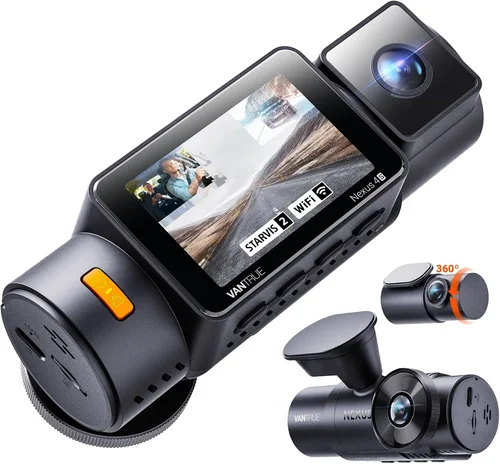
When it comes to protecting yourself on the road, few automotive accessories offer as much peace of mind as a high-quality dash cam. But for drivers who need comprehensive coverage—especially those navigating tight parking lots, busy city streets, or simply want complete situational awareness—a traditional single-lens dash cam falls short. Enter the 360° dash cam: a revolutionary solution that captures every angle of your vehicle in real time. This guide is designed to cut through the noise and help you make an informed decision when selecting the best 360° dash cam for your car.
You’ll learn how to evaluate critical features like resolution, field of view, night vision, GPS tracking, and smart connectivity. We’ll also break down the different types of 360° systems available today—from multi-lens setups to advanced AI-powered models—and explain what sets them apart. Whether you’re a daily commuter, a rideshare driver, or someone who frequently parks in urban environments, understanding your options ensures you get maximum protection without overspending.
The market for 360° dash cams has evolved rapidly over the past five years, with brands now offering everything from affordable plug-and-play kits to professional-grade systems used by fleet operators. With so many choices, it’s easy to feel overwhelmed. That’s why we’ve compiled this comprehensive buyer’s guide, drawing on expert insights, technical specifications, and real-world testing to deliver actionable advice. By the end, you’ll know exactly which features matter most, how to avoid common pitfalls, and where to find the best deals—so you can drive confidently, knowing you’re fully protected from all angles.

What to Look for When Buying Dash Cams
1. Resolution & Image Quality
The foundation of any effective dash cam is its ability to capture clear, detailed footage. For 360° systems, this becomes even more crucial since multiple lenses must work together seamlessly. Most modern dash cams offer at least 1080p (Full HD), but true 360° models often use higher resolutions such as 2K or even 4K per lens. However, be cautious: some manufacturers list total resolution across all lenses rather than individual lens quality. A 4K system with four 1080p lenses sounds impressive, but if each lens only records at 720p, the overall clarity suffers.
Look for cameras with HDR (High Dynamic Range) support, which balances bright headlights with darker street scenes—critical for nighttime driving. Also consider low-light performance; CMOS sensors outperform older CCD sensors in dim conditions. If possible, watch sample videos from your top contenders, especially those shot at night or in challenging lighting.
2. Field of View (FOV)
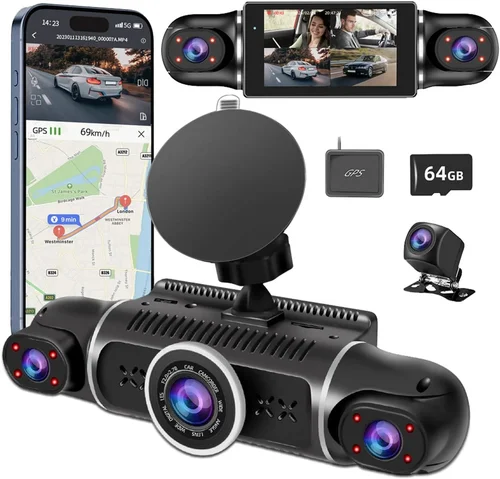
A wider field of view means less blind spot. Traditional dash cams typically offer 120–150 degrees horizontally, but 360° systems aim to cover up to 360 degrees around the vehicle. Most quad-lens setups provide between 190–220 degrees per lens, overlapping slightly at the corners to create a continuous panoramic image. Be wary of exaggerated claims—some ads claim “360°” coverage but actually stitch images poorly, leading to distortion or gaps in coverage.
Check whether the manufacturer specifies individual FOV per camera and whether they use fisheye lenses (common in wide-angle shots). While fisheye provides maximum coverage, it can cause barrel distortion near edges. Some premium models apply software correction to minimize this effect.
3. Storage Capacity & Loop Recording
Dash cams rely on loop recording—continuously overwrite old footage once storage fills up—but the duration depends heavily on file size, which varies with resolution and frame rate. Most 360° systems record at 30 frames per second, creating large video files quickly. A single hour of 2K footage can consume 30–50 GB.
Most units include built-in microSD cards (usually 32GB–128GB), but consider future-proofing. Opt for models compatible with larger cards (up to 512GB recommended) and check if cloud storage integration is available. Some brands offer automatic upload to secure servers, though this may incur monthly fees.
4. Night Vision & Low-Light Performance
Nighttime driving presents unique challenges for dash cams. Without proper illumination, dark areas become black voids while bright lights wash out details. Advanced 360° systems incorporate infrared LEDs, starlight sensors, or enhanced image processing algorithms to improve visibility after sunset.
Look for cameras with WDR (Wide Dynamic Range), which adjusts exposure dynamically within a single frame. For example, it can keep license plates visible while preventing overexposure from streetlights. Night mode settings should be easily adjustable via app or interface.
5. GPS Tracking & Speed Logging
While not essential for all users, GPS adds valuable context to your recordings. It logs your speed, location, and route history—useful for insurance claims, legal disputes, or simply monitoring reckless drivers ahead of you. Many 360° systems include internal GPS modules that overlay this data onto your video timeline.
Ensure the GPS syncs accurately with timestamps across all four lenses. Some models allow you to export GPX files for mapping apps like Google Maps or Waze. Also verify whether the system supports GLONASS or Galileo alongside standard GPS for improved accuracy.
6. Parking Mode & Motion Detection
This feature turns your dash cam into a vigilant security guard while parked. When enabled, it records motion or impact using the G-sensor (accelerometer). The camera enters a low-power standby state but wakes instantly upon detecting vibrations or movement.
However, parking mode drains your car battery if left running indefinitely. To prevent this, look for models with intelligent power management—either through a hardwired connection (drawing constant power from your fuse box) or a dedicated capacitor instead of a battery. Capacitors last longer and handle heat better than lithium batteries.
7. Smart Features & Connectivity
Modern 360° dash cams increasingly integrate smartphone apps for remote viewing, playback, and configuration. Wi-Fi and Bluetooth connectivity enable seamless pairing with iOS and Android devices. Some even support voice control, cloud backup, and live streaming.
Advanced AI capabilities include facial recognition (to alert if passengers are distracted), lane departure warnings, collision alerts, and emergency SOS triggers. While these add convenience, they may require subscription services or premium tiers. Evaluate whether such features align with your actual needs.
8. Build Quality & Installation Complexity
A rugged housing protects against heat, moisture, and accidental bumps. Look for IP ratings indicating dust/water resistance—IP65 or higher is ideal for harsh climates. Mounting brackets should be sturdy, and cables ideally routed behind trim panels to avoid dangling wires.
Installation difficulty varies widely. Basic models plug into your cigarette lighter; advanced ones require splicing into your OBD-II port or hardwiring to your fuse box. DIY-friendly kits come with detailed instructions and adhesive mounts, but professional installation ensures optimal placement and cable management. Consider your comfort level with car electronics before committing.
9. Brand Reputation & Customer Support
Opting for a reputable brand reduces the risk of poor build quality or unreliable firmware updates. Established names like Garmin, BlackVue, VIOFO, Thinkware, and Nextbase have built trust through consistent innovation and responsive customer service.
Check warranty terms: most offer 1–3 years covering defects, but extended warranties may be available. Read recent user reviews on forums like Reddit or Amazon to gauge long-term reliability. Brands with active online communities often release frequent firmware improvements and troubleshooting guides.
10. Price vs. Value Proposition
360° dash cams range from $150 to over $1,000. Entry-level options prioritize core functionality—recording, storage, basic parking mode—while premium models add luxury touches like 4G LTE connectivity, dual-band Wi-Fi, and professional-grade image stabilization.
Ask yourself: Do I really need AI alerts and cloud sync, or will a solid 2K quad-cam suffice? Avoid paying for bells and whistles you’ll never use. Conversely, don’t skimp on essentials like night vision or GPS if you drive frequently after dark or commute long distances.
Different Types of Dash Cams

Common Buying Mistakes to Avoid
❌ Mistake: Prioritizing Price Over Quality
Why it’s bad: Cheaper 360° dash cams often use low-resolution sensors, poor stitching algorithms, and flimsy housings. You might save $100 upfront but end up with grainy footage that fails in court or during insurance claims.
What to do instead: Set a realistic budget based on your usage—rideshare drivers need robust hardware, while occasional commuters can opt for mid-range models. Read independent reviews focusing on real-world performance.
❌ Mistake: Ignoring Storage Requirements
Why it’s bad: Assuming a 32GB card will last weeks leads to missed events when storage fills up too quickly. High-res 360° footage consumes space rapidly, especially if parking mode is active.
What to do instead: Calculate your daily storage needs: 1GB per hour of 2K recording. Add 20% buffer for safety. Invest in a 128GB–256GB card and consider cloud backup if available.
❌ Mistake: Overlooking Installation Challenges
Why it’s bad: Attempting complex wiring without guidance results in messy installations, exposed wires, or improper fuse tapping that could damage your electrical system.
What to do instead: Choose models with clear diagrams and optional professional installation services. Use heat-shrink tubing and cable clips for clean routing.
❌ Mistake: Disabling Parking Mode Incorrectly
Why it’s bad: Leaving parking mode on with a weak car battery causes deep discharge, potentially leaving you stranded. Using cheap batteries instead of capacitors accelerates wear.
What to do instead: Always hardwire to a fused circuit or use a capacitor-based parking mode. Enable voltage cutoff settings (e.g., 11.8V) to protect your battery.
❌ Mistake: Relying Solely on Marketing Claims
Why it’s bad: Terms like “ultra-wide” or “military-grade” mean little without concrete specs. Some brands exaggerate FOV or resolution to appear superior.
What to do instead: Cross-reference claims with third-party tests. Watch unboxing or hands-on videos from trusted tech reviewers.
❌ Mistake: Neglecting Firmware Updates
Why it’s bad: Outdated firmware causes bugs, compatibility issues, or reduced performance. Manufacturers rarely notify users about updates.
What to do instead: Check the brand’s website monthly for updates. Enable auto-update if supported. Keep your app and OS current.
❌ Mistake: Choosing Based on Aesthetics Alone
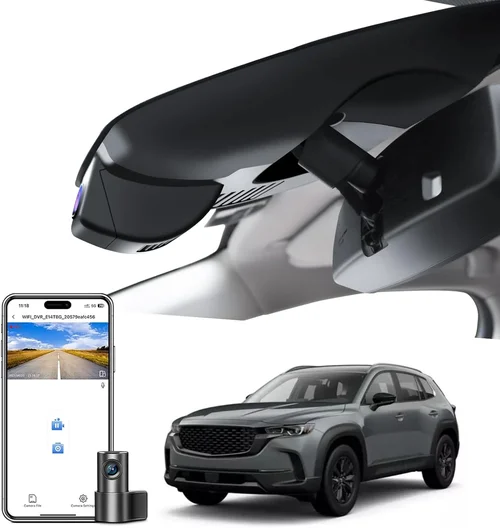
Why it’s bad: Sleek designs with hidden cameras often sacrifice functionality—poor lens alignment, fragile mounts, or limited field of view.
What to do instead: Prioritize utility over looks. Test mounting options physically if possible. Remember: your dash cam should blend in, not stand out.
Budget Guidelines: How Much Should You Spend?
Entry-Level ($150 – $300):
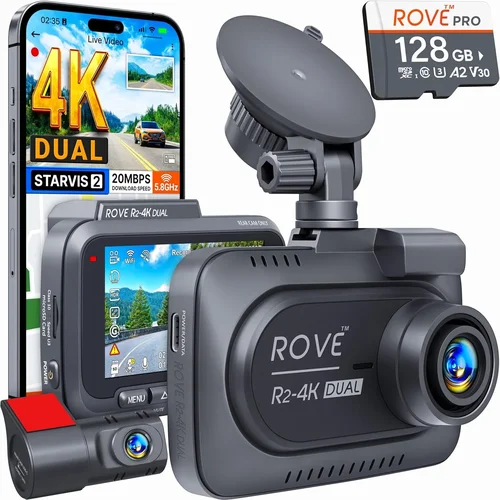
At this tier, you’ll find functional quad-lens systems with 1080p resolution per camera, basic GPS, and simple parking mode. Brands like EKEN, Viofo A119 V3, and Rexing V1 offer reliable performance without frills. Ideal for casual drivers who park in well-lit areas and don’t need advanced analytics. Expect minor stitching artifacts and average night vision. These models rarely include cloud features or AI alerts.
Mid-Range ($300 – $600):
This sweet spot delivers significant upgrades: 2K resolution, superior low-light capture, improved build quality, and smarter connectivity. Thinkware U1000, Garmin Dash Cam Mini, and BlackVue DR970-2CH represent strong choices. Many offer dual-band Wi-Fi, enhanced parking mode with capacitors, and mobile apps for remote access. Perfect for rideshare drivers, delivery personnel, or anyone wanting peace of mind without breaking the bank.
Premium ($600 – $1,000):
Top-tier models boast 4K recording, stellar image stabilization, professional-grade sensors, and extensive customization. Brands like Nextbase, BlackVue Cloud, and Garmin Speak dominate here. Features include 4G LTE, voice control, driver coaching, and seamless cloud synchronization. Installation may require professional help due to complexity. Best suited for fleet operators or tech-savvy users who demand the absolute best.
Luxury ($1,000+):
Ultra-premium systems go beyond dash cams into smart cockpit ecosystems. Examples include integrated head units with 360° cameras, augmented reality HUDs, and AI-powered safety assistants. These aren’t just recording devices—they’re comprehensive driving companions. Only consider if you’re replacing your infotainment system or managing multiple vehicles professionally.
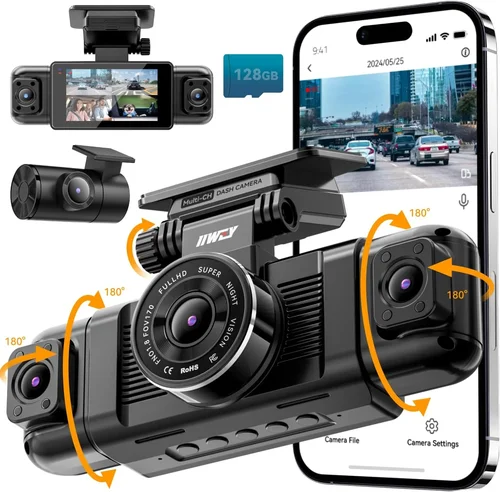
Expert Tips for Getting the Best Deal
1. Time Your Purchase Strategically: Major holidays like Memorial Day, Labor Day, and Christmas often trigger discounts. New model releases also prompt price cuts on previous generations.
2. Compare Retailers Beyond Amazon: Check Best Buy (for in-store testing), Costco (extended warranties), and manufacturer websites directly. Sometimes buying directly saves on shipping and unlocks exclusive bundles.
3. Look for Bundle Deals: Many brands sell kits including extra lenses, suction cups, or dash cams. These can offer 10–15% savings versus purchasing separately.
4. Verify Return Policies: Ensure you have at least 30 days to test the unit. Some retailers require original packaging; others allow open-box returns. Know your local consumer protection laws.
5. Test Before Committing: Visit an electronics store if possible. Handle the device, examine build quality, and ask staff about return eligibility.
6. Extend Warranty Wisely: Basic warranties cover 1 year. Extended plans cost $30–$80 but can double coverage. Only buy if the product has a proven track record.
7. Join Loyalty Programs: Amazon Prime, Best Buy Totaltech, or manufacturer newsletters often include early access to sales and member-only coupons.
8. Consider Refurbished Units: Certified refurbished models from reputable sellers (like Apple or Dell) come with warranties and can shave 25–30% off MSRP.

Frequently Asked Questions
Q: Can I install a 360° dash cam myself?
A: Yes, but complexity varies. Simple plug-in models take minutes. Hardwired or multi-lens kits require following wiring diagrams carefully. If unsure, hire a pro—it’s cheaper than damaging your car’s electrical system.
Q: Do I need a special SD card?
A: Yes. Use Class 10 or UHS-I/U3 cards rated for dash cams. Avoid counterfeit or low-quality brands. Samsung PRO Endurance and SanDisk High Endurance are top picks.
Q: Will a 360° dash cam drain my car battery?
A: Only if parking mode runs indefinitely. Properly configured systems with voltage cutoffs or capacitors won’t harm your battery. Never leave it on without safeguards.
Q: Are 360° dash cams legal everywhere?
A: Generally yes, but regulations vary. In the EU, recording public roads requires consent from other drivers. Check local laws—some countries prohibit audio recording or require data deletion after 30 days.
Q: How do I view footage from all four cameras simultaneously?
A: Most 360° systems display one primary view (usually front) with smaller windows showing side/rear feeds. Full-screen panoramic views require specialized software or professional monitoring setups.
Q: Can I use my phone instead of a dedicated dash cam?
A: Phone dash cams exist but lack durability, parking mode, and reliability. Dedicated hardware offers superior performance, longer lifespan, and better integration.
Q: What happens if my car gets hit while parked?
A: Impact-triggered recording captures the event. Review footage promptly—loop recording overwrites old clips. Store critical evidence externally or in cloud storage.
Q: Do I need internet access for a 360° dash cam?
A: No—core recording functions work offline. Internet enables cloud backup, live viewing, and firmware updates. Premium models may require subscriptions for full features.
Q: How long does it take to charge a dash cam?
A: Plug-in models draw power continuously. Capacitor-based parking modes use minimal energy. Rechargeable battery versions last 2–4 hours depending on capacity.
Q: Can I remove the dash cam when not needed?
A: Some compact models are removable, but hardwired units stay permanently installed. Removable designs risk theft or disconnection.
Our Final Recommendations
Best for Budget-Conscious Buyers:
The EKEN D800 offers a compelling balance of price and performance. Its quad-lens setup captures 2K footage with decent night vision, includes GPS, and supports up to 256GB storage. Though stitching isn’t perfect, it’s reliable for everyday use and retails around $250.
Best Overall Value:
The Thinkware U1000 stands out with unmatched image quality, robust build, and intuitive app integration. At ~$450, it delivers 2K resolution, superior low-light handling, and flexible parking mode options. A favorite among professionals and enthusiasts alike.
Best Premium Option:
For those seeking cutting-edge technology, the BlackVue DR970-2CH Cloud combines 2K front/rear recording with optional 4G LTE, cloud access, and AI-powered alerts. Priced at $700+, it’s ideal for fleet managers or tech-forward drivers who demand everything.
Best for Beginners:
The VIOFO A119 V3 Quad simplifies 360° protection with plug-and-play ease, clear visuals, and straightforward controls. Starting at $200, it’s perfect for new users wanting reliable coverage without complexity.
Best for Advanced Users:
The Garmin Dash Cam 67W integrates with Garmin navigation systems, offers voice control, and provides excellent dynamic range. While not strictly 360°, its bird’s-eye view and smart features make it a versatile choice for power users.
Conclusion: Making the Right Choice
Selecting the best 360° dash cam hinges on aligning features with your lifestyle and driving habits. Forget flashy gimmicks—focus on core capabilities: clear resolution, reliable parking mode, and durable construction. Whether you’re a rideshare driver needing constant surveillance or a parent wanting reassurance about teen driving, there’s a system tailored to your needs.
Remember to prioritize practicality over prestige. A modestly priced model that performs consistently beats an expensive one with half-hearted execution. Always test footage quality, review installation requirements, and weigh long-term costs like storage and warranties.
By investing wisely and choosing thoughtfully, your dash cam becomes more than an accessory—it transforms into a guardian angel on wheels. Drive safely, stay protected, and make every journey count.