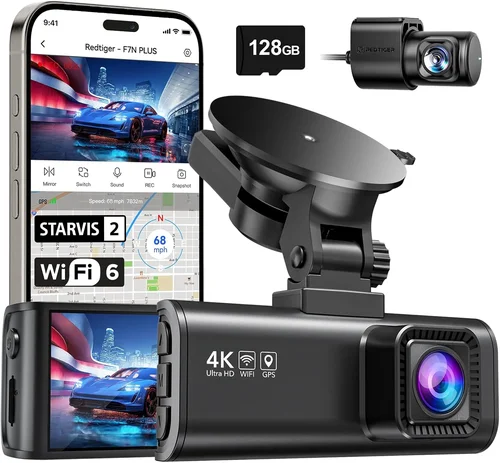
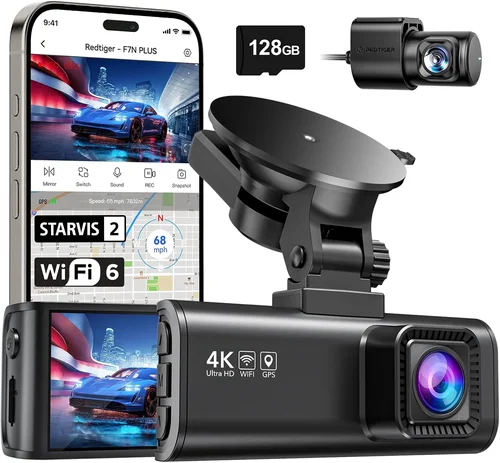
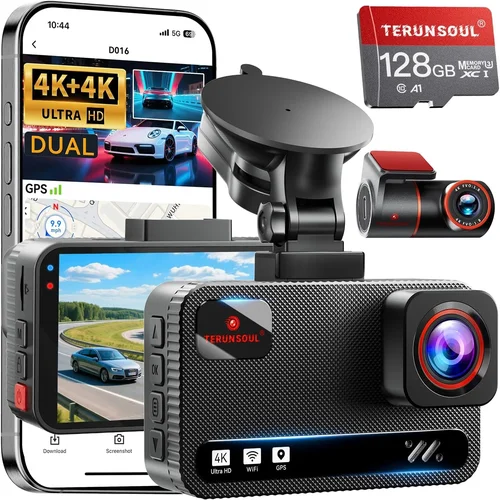
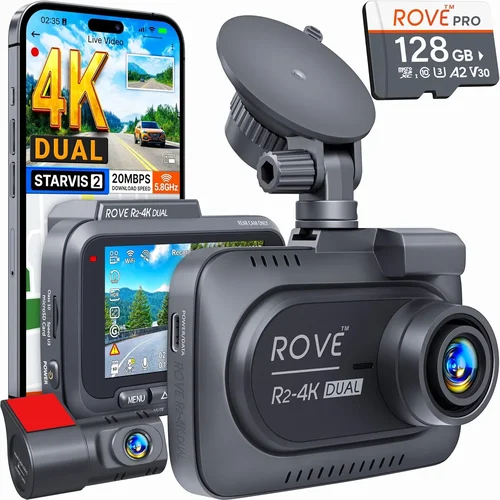
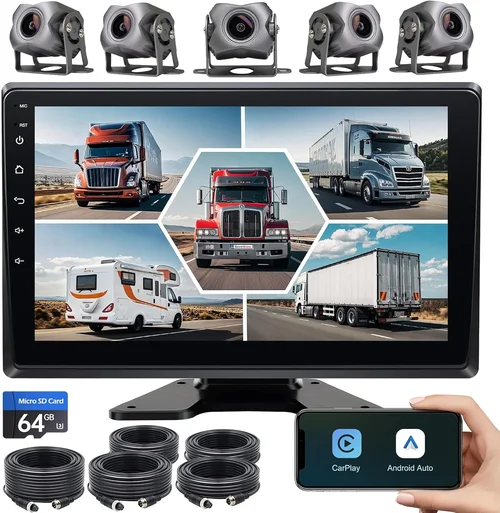
Best Dash Cam Buying Guide 2026
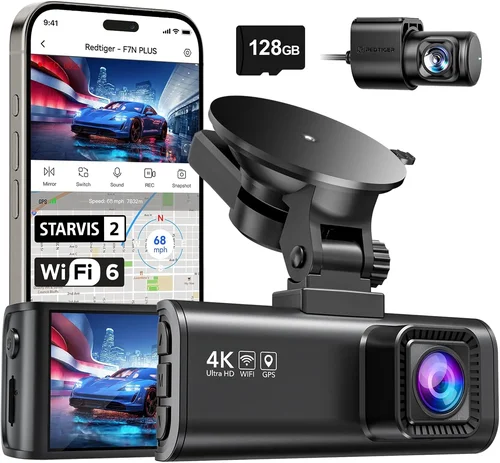
Why this guide matters
Choosing the right dash cam for your car in 2026 has never been more important. With rising insurance costs, increasing road incidents, and growing concerns about liability protection, a quality dash cam can provide peace of mind and crucial evidence when you need it most. This comprehensive buying guide will help you navigate the rapidly evolving dash cam market, which now includes advanced AI features, superior image processing, and seamless smartphone integration.
What readers will learn
By the end of this article, you’ll understand exactly what to look for in a 2026 dash cam, how different features impact performance, and which models offer the best value for your specific needs. We’ll cover everything from basic recording capabilities to cutting-edge night vision, parking mode functionality, and cloud connectivity options.
Brief overview of the market
The dash cam industry has matured significantly, with manufacturers focusing on higher resolution sensors, improved low-light performance, better GPS tracking, and enhanced user interfaces. In 2026, we’re seeing increased adoption of AI-powered features like collision detection, driver monitoring systems, and automatic emergency alerts. The market has also seen consolidation among major brands, with several companies offering increasingly sophisticated all-in-one solutions that rival professional-grade equipment.

What to Look for When Buying Dash Cams
1. Budget & Price Range
Your budget should be one of your first considerations when shopping for a dash cam in 2026. The market offers options across multiple price points, each with distinct advantages and limitations. Entry-level models typically range from $50 to $100 and provide basic 1080p recording with minimal additional features. Mid-range options ($100-$200) often include dual cameras, better image stabilization, and enhanced storage capabilities. Premium models ($200+) feature 4K recording, superior night vision, built-in GPS, and advanced safety features.
When determining your budget, consider not just the initial purchase price but also ongoing costs like storage media, power adapters, and potential subscription services for cloud storage or advanced features. Some high-end models require specialized memory cards or proprietary software subscriptions, which can add significantly to the total cost over time.
2. Performance Specifications
Performance specifications are arguably the most critical factor in choosing a dash cam. Resolution matters significantly – while most entry-level models offer 1080p recording, 4K dash cams provide dramatically clearer detail that can make identifying license plates or facial features much easier. Frame rate is another important consideration; 30fps is standard, but some premium models offer 60fps for smoother video during fast-moving scenes.
Sensor size and type directly impact image quality, particularly in challenging lighting conditions. Larger sensors generally perform better in low light, while backside illumination (BSI) sensors improve overall sensitivity. Look for specifications like CMOS sensor types and aperture sizes (typically f/1.6 to f/1.8) as indicators of image quality capabilities.
3. Build Quality & Durability
The physical construction of your dash cam must withstand the rigors of daily driving. Housing materials should be impact-resistant and UV-stable to prevent yellowing or cracking over time. Sealed connections protect against moisture intrusion, especially important given temperature fluctuations and occasional exposure to rain or snow.
Mounting systems vary significantly between models. Suction cup mounts work well for temporary installations but may lose adhesion over time or in extreme temperatures. Permanent adhesive mounts provide a more secure installation but make removal difficult if needed. Consider whether your dash cam includes a reliable mounting solution and whether replacement parts are readily available.
4. Features & Functionality
Modern dash cams offer numerous features beyond basic video recording. Loop recording automatically overwrites older footage when storage is full, ensuring continuous operation without manual intervention. G-sensor technology detects sudden impacts and protects relevant footage by locking it from being overwritten.
Parking mode is essential for protecting your vehicle when unattended. This feature typically uses motion detection or impact sensors to record incidents while the car is parked and powered off (often via hardwiring to the vehicle’s battery). Some models include time-lapse recording for extended periods, reducing file sizes while maintaining coverage.
Additional useful features include Wi-Fi connectivity for easy video transfer to smartphones, voice control capabilities, driver assistance warnings, and integration with navigation systems. Consider which features align with your specific needs and driving patterns.
5. Brand Reputation
Brand reputation plays a crucial role in dash cam reliability and support. Established manufacturers with dedicated customer service teams and comprehensive warranty programs tend to provide better long-term value. Research customer reviews and professional testing results before making your decision, paying particular attention to reported issues with hardware failures, software bugs, or poor customer support experiences.
Consider the manufacturer’s track record with firmware updates and feature improvements. Brands that regularly update their software demonstrate commitment to product longevity and bug fixes. Check whether the company provides detailed documentation and troubleshooting resources, as these can save significant time when issues arise.
6. Warranty & Support
A solid warranty demonstrates manufacturer confidence in their product’s durability and performance. Most reputable dash cam brands offer at least a one-year limited warranty covering defects in materials and workmanship. Premium models may include two-year warranties or even accidental damage protection.
Customer support quality varies significantly between brands. Look for companies that offer multiple contact methods (phone, email, live chat) and have demonstrated responsiveness to customer inquiries. Check whether technical support is available during reasonable business hours and whether they provide clear troubleshooting guides or video tutorials.
7. Size & Portability
Dash cam size affects both visibility and discretion. Compact models (under 3 inches wide) are less obtrusive but may have smaller lenses and limited field of view. Larger units can capture more detail but might draw unwanted attention. Consider whether you want maximum coverage or prefer a more subtle installation.
If you plan to transfer footage frequently between vehicles or share recordings with others, portability becomes important. Some users prefer smaller, removable units that can be quickly transferred between cars or even used in other vehicles like motorcycles or RVs.
8. User Reviews & Ratings
Real-world user experiences provide invaluable insights beyond technical specifications. Pay attention to recurring themes in reviews, particularly regarding reliability, ease of use, and unexpected issues. Professional review sites and YouTube channels often provide detailed testing scenarios that highlight strengths and weaknesses you won’t find in marketing materials.
Be cautious of overly positive or negative reviews that seem suspiciously uniform. Focus instead on detailed, balanced assessments that discuss both pros and cons. Consider how recent reviews compare to older ones, as improvements or regressions may indicate changes in product quality or manufacturing standards.
Different Types of Dash Cams

Common Buying Mistakes to Avoid
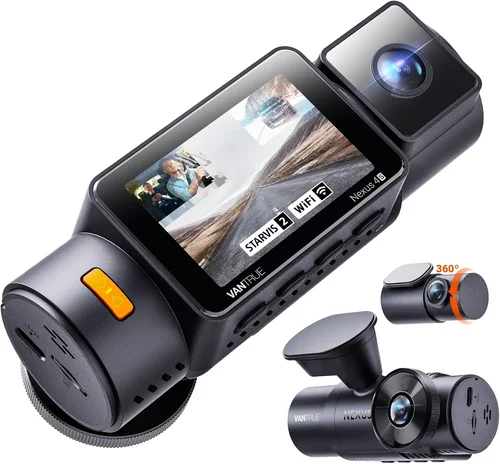
❌ Mistake: Ignoring Storage Requirements
Why it’s bad: Many buyers overlook the importance of adequate storage capacity relative to their usage patterns. Insufficient storage means important footage gets overwritten too quickly, defeating the purpose of having a dash cam in the first place.
What to do instead: Calculate your daily storage needs based on recording length and resolution. A typical 4K recording might consume 5-10GB per hour, so plan accordingly. Choose dash cams with expandable storage or consider models that support high-capacity microSD cards (up to 512GB or more).
❌ Mistake: Skipping Parking Mode Testing
Why it’s bad: Not all dash cams handle parking mode reliably, especially when hardwired to vehicle power. Some models drain batteries excessively or fail to detect actual incidents, leading to frustration and wasted investment.
What to do instead: Test parking mode functionality thoroughly before finalizing your purchase. If possible, install the unit temporarily and monitor its behavior over several days. Check whether the manufacturer provides clear guidance on proper installation and configuration for parking mode operation.
❌ Mistake: Overlooking Night Vision Capabilities
Why it’s bad: Poor low-light performance renders a dash cam largely useless during evening commutes or nighttime incidents. Many budget models struggle significantly in dim conditions, producing grainy, unusable footage.
What to do instead: Prioritize models specifically designed for night driving. Look for features like infrared LEDs, wide aperture lenses, and advanced noise reduction algorithms. Read reviews that specifically test nighttime performance rather than relying solely on daytime specifications.
❌ Mistake: Choosing Based Solely on Price
Why it’s bad: The cheapest option isn’t always the best value, and the most expensive model doesn’t guarantee superior performance. Focusing exclusively on price can lead to purchasing inadequate equipment that fails when needed most.
What to do instead: Evaluate products within your budget range using consistent criteria. Compare similar features across different price points, considering which extras provide meaningful benefits versus those that are merely marketing gimmicks. Sometimes spending slightly more upfront saves money through improved reliability and reduced replacement frequency.
❌ Mistake: Neglecting Installation Considerations
Why it’s bad: Improper installation can compromise both functionality and aesthetics. Poor cable management creates distractions while driving, and suboptimal mounting positions reduce effective field of view or increase glare.
What to do instead: Study installation instructions carefully before purchasing. Consider whether you’re comfortable with DIY installation or would benefit from professional mounting services. Ensure your chosen model includes appropriate cables, connectors, and mounting accessories for your specific vehicle type.
❌ Mistake: Forgetting About Software Ecosystems
Why it’s bad: Some dash cams require proprietary software that lacks essential features or receives infrequent updates. Others integrate poorly with existing mobile devices or operating systems, creating compatibility headaches.
What to do instead: Research the manufacturer’s software ecosystem before buying. Check whether apps are available for both iOS and Android platforms, whether they offer adequate playback controls and export options, and whether the company maintains regular software updates. Avoid models with limited third-party app support unless absolutely necessary.
❌ Mistake: Assuming All Memory Cards Are Compatible
Why it’s bad: Using incompatible or low-quality memory cards can cause recording interruptions, corruption, or complete system failure. Some dash cams require specific UHS speed classes or have strict capacity limitations.
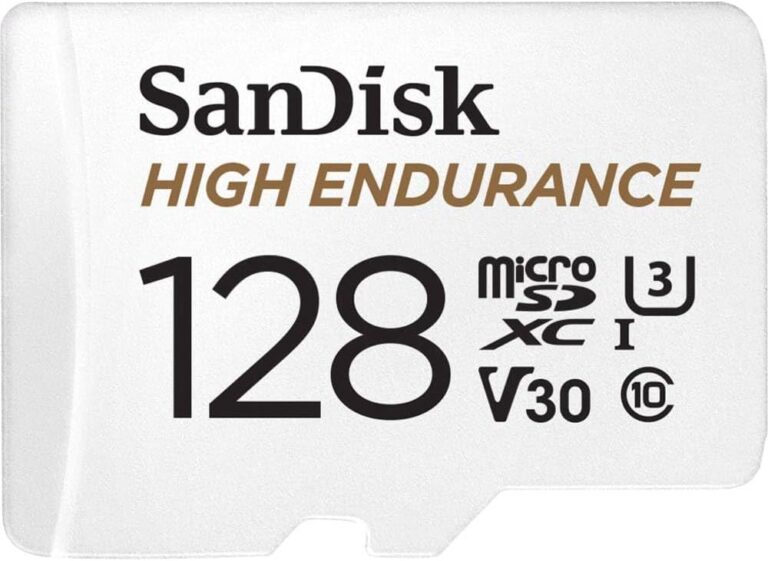
What to do instead: Verify memory card requirements in your dash cam’s specifications. Purchase high-quality cards from reputable manufacturers, preferably those recommended by the dash cam manufacturer. Consider investing in cards with built-in error correction and wear leveling technologies for maximum reliability.
Budget Guidelines: How Much Should You Spend?
Determining the appropriate budget for a dash cam requires balancing your specific needs against available options. The following guidelines help categorize spending levels and expected outcomes:
Entry-Level ($50 – $100)
This category represents the most affordable dash cams suitable for basic protection needs. Expect 1080p recording at 30fps, single-lens operation, and fundamental loop recording functionality. These models typically lack advanced features like GPS tracking, parking mode, or dual cameras. While adequate for casual drivers who occasionally encounter questionable situations, they may struggle in challenging lighting conditions and offer limited storage flexibility.
Recommended for: Occasional drivers, rental car users, or those seeking backup protection without significant investment. Consider this tier if your primary concern is basic evidence collection rather than comprehensive safety features.
Mid-Range ($100 – $250)
The sweet spot for most buyers, mid-range dash cams deliver substantial value by combining improved image quality with practical additional features. You’ll typically find 2K or 4K recording capabilities, dual camera setups, built-in GPS, and reliable parking mode functionality. These models often include robust build quality, intuitive interfaces, and adequate storage options. Many mid-range units also offer smartphone integration for convenient video management.
Recommended for: Daily commuters, families needing comprehensive coverage, and anyone wanting reliable protection without premium pricing. This tier balances capability, reliability, and cost-effectiveness exceptionally well.
Premium ($250 – $400)
Premium dash cams target enthusiasts and professionals requiring maximum performance and advanced functionality. Expect top-tier image quality with excellent low-light capabilities, sophisticated driver assistance features, enhanced storage options, and superior build materials. These models often include multi-lens configurations, advanced audio recording, cloud connectivity, and sophisticated alert systems. Premium units frequently receive more frequent firmware updates and superior customer support.
Recommended for: Long-distance drivers, ride-sharing operators, and individuals who demand the highest quality evidence capture. Consider this tier if you frequently drive in challenging conditions or require specialized features for business or personal reasons.
Luxury ($400+)
Luxury dash cams represent the pinnacle of consumer automotive recording technology, incorporating cutting-edge innovations rarely found outside professional broadcasting equipment. These systems often feature multiple synchronized cameras, artificial intelligence-driven analysis, real-time streaming capabilities, and military-grade durability. Luxury models may include features like facial recognition, automatic incident reporting, and integration with smart home ecosystems.
Recommended for: Technology enthusiasts, commercial fleet operators, and those with exceptional budgets seeking ultimate performance. Only consider luxury options if your budget allows and you genuinely need all available advanced features rather than settling for adequate performance.
Expert Tips for Getting the Best Deal
Saving money on your dash cam purchase requires strategic planning and awareness of market dynamics. Here are proven strategies to maximize value while avoiding common pitfalls:
Timing Your Purchase Strategically
The best deals often appear during seasonal transitions rather than holiday sales events. Retailers typically clear inventory in late summer (July-August) for fall models and in early winter (November) for holiday season preparations. Black Friday and Cyber Monday remain strong contenders for discounts, but competition can be fierce, potentially leading to stock shortages or misleading promotions.
Consider waiting until new model announcements occur, as previous-generation units frequently receive significant price reductions. Major tech shows like CES (January) and Consumer Electronics Show often precede substantial markdowns on established products.
Comparing Retailers Beyond Big Box Stores
While major retailers offer convenience, specialized electronics stores and online marketplaces frequently provide better pricing and selection. Online retailers like Amazon, B&H Photo, and Adorama often match or beat big-box store prices while offering superior return policies and customer service. Direct purchases from manufacturer websites may include exclusive bundles or extended warranties unavailable elsewhere.
Always compare shipping costs and return policies across platforms. Some online sellers offer free returns within 30-60 days, providing peace of mind when testing unfamiliar products remotely.
Recognizing Authentic Discounts vs. Marketing Tricks
Beware of artificially inflated “original” prices designed to make discounts appear more generous than they actually are. Legitimate retailers display MSRP comparisons honestly, while some competitors manipulate pricing to create false urgency. Look for consistent historical pricing data from trusted sources to verify actual savings.
Subscribe to price tracking services that monitor competitor pricing and alert you when items reach optimal discount levels. Tools like Honey, CamelCamelCamel, or Google Shopping can help identify genuine bargains and avoid impulse purchases based on misleading promotions.
Evaluating Extended Warranty Value
Extended warranties represent a classic example of mixed value propositions. While they provide security against unexpected failures, many consumers pay premiums for coverage they never utilize. Assess whether the manufacturer’s base warranty adequately covers your needs before considering additional protection.
If you decide an extended warranty makes sense, negotiate its inclusion separately from the main product price. This approach prevents bundling unnecessary services and allows for better comparison shopping. Always read the fine print regarding exclusions, deductibles, and claim processes.
Understanding Return Policies Thoroughly
Strong return policies mitigate risk when purchasing complex electronics like dash cams remotely. Look for retailers offering minimum 30-day return windows with full refunds (not just store credit). Free return shipping significantly reduces hassle when testing functionality or experiencing compatibility issues.
Test your dash cam immediately upon receipt, ideally before removing any protective packaging. Document any issues promptly and initiate returns quickly to maintain eligibility under return policies. Keep all original packaging and accessories until you’re certain you want to keep the product.
Testing Before Committing to Purchase
If possible, visit local electronics stores or automotive specialty shops to examine dash cams in person. Hands-on experience reveals critical details about button placement, menu navigation, and overall build quality that photos cannot convey. Staff members at knowledgeable retailers can answer specific questions about compatibility and installation challenges.
Request demonstration units when available, particularly for features like night vision or parking mode. Observe how easily menus adjust settings and whether the interface remains intuitive during actual use scenarios rather than theoretical demonstrations.
Considering Bundle Deals and Accessories
Many manufacturers and retailers offer compelling bundles that include valuable accessories at discounted rates. Common bundle components include extra memory cards, professional installation services, carrying cases, and mounting hardware. Evaluate whether included accessories represent genuine value or merely overpriced add-ons.
Focus on bundles containing essential items you’ll definitely need, such as high-quality memory cards or hardwiring kits for parking mode functionality. Avoid paying premium prices for optional accessories that may never justify their cost.
Negotiating with Knowledgeable Sales Personnel
Don’t hesitate to engage with knowledgeable sales staff to discuss your specific needs and budget constraints. Experienced representatives can recommend optimal configurations within your price range and identify overlooked opportunities for savings. They may also be able to source discontinued models at reduced prices or access special promotions not advertised publicly.
Bring research to your conversation by highlighting comparable models and pricing data. This preparation demonstrates informed decision-making and increases your negotiating leverage. Ask politely but firmly about any available discounts, price matching, or unadvertised specials.

Frequently Asked Questions
Q: Do I really need a dash cam, or is it just for insurance claims?
A: While dash cams can certainly help with insurance claims, their value extends far beyond litigation support. Modern dash cams provide comprehensive safety monitoring, document road conditions for personal reference, deter theft or vandalism, and offer peace of mind knowing your travels are recorded. Many drivers find them invaluable for understanding traffic patterns, improving driving habits, and simply enjoying the reassurance of having objective evidence of events.
Q: How much storage space do I actually need for my dash cam?
A: Storage requirements depend primarily on recording resolution and desired retention period. As a general guideline, allocate approximately 1GB of storage per minute for 1080p recording, 3-4GB per minute for 2K recording, and 5-10GB per minute for 4K recording. For daily commuters, a 64GB card typically provides 8-12 hours of 1080p footage or 2-3 hours of 4K footage. Consider your usage patterns and whether you need to retain longer segments for specific events.
Q: Can dash cams record while the car is turned off?
A: Yes, many modern dash cams include parking mode functionality that records while the vehicle is powered off, but only after being properly hardwired to the car’s battery. This feature typically activates when motion is detected or when an impact occurs. However, not all dash cams handle parking mode equally well—some drain batteries excessively or fail to detect actual incidents reliably. Always verify parking mode performance through thorough testing before relying on it.
Q: Will a dash cam work in extreme weather conditions?
A: Most quality dash cams operate reliably across normal temperature ranges (-4°F to 140°F/-20°C to 60°C), but extreme conditions present unique challenges. Heavy rain, snow, or direct sunlight can reduce image quality temporarily. Anti-glare coatings, adjustable exposure settings, and superior lens quality help mitigate these effects. For regions with severe weather, consider models featuring wider dynamic range (WDR) or HDR capabilities that better handle challenging lighting scenarios.
Q: How do I know if my dash cam is recording properly?
A: Several indicators suggest proper recording function. Most dash cams display a red light during active recording, though some models use green lights or no lights at all. Audio cues like beeps or chimes often accompany startup/shutdown sequences. Periodically checking recorded footage confirms both recording functionality and adequate storage availability. If you notice gaps in your timeline or suspect recording issues, immediately investigate power supply stability, memory card integrity, and proper configuration settings.
Q: What’s the difference between loop recording and event recording?
A: Loop recording continuously overwrites the oldest footage when storage fills up, ensuring uninterrupted operation without manual intervention. Event recording (often triggered by G-sensors) captures and locks specific incidents from being overwritten. Most dash cams combine both modes—using loop recording as the default while automatically protecting significant events. Understanding this distinction helps optimize storage management and ensures important footage isn’t lost during routine operation.
Q: Can I use my dash cam to monitor my own driving behavior?
A: Absolutely! Many dash cams include driver monitoring features that track behaviors like distracted driving, lane departures, or fatigue indicators. Some models even provide real-time alerts through visual cues or audible warnings. These features can be invaluable for improving driving habits, especially for new or teenage drivers. However, privacy considerations apply—ensure you’re comfortable with the level of monitoring and data collection involved.
Q: How often should I replace my memory cards?
A: Memory card lifespan depends on write cycles, quality, and usage intensity. High-quality cards from reputable manufacturers typically last 10,000-100,000 write cycles under normal dash cam usage. Signs indicating replacement is needed include slow write speeds, corrupted files, frequent error messages, or inability to format properly. Consider replacing cards every 1-2 years or whenever you notice performance degradation, regardless of remaining capacity.
Q: Are dash cams legal in all states and countries?
A: Generally yes, dash cams are legal throughout the United States and most developed countries. However, specific regulations vary regarding audio recording, privacy laws, and mounting restrictions. Some jurisdictions prohibit recording inside vehicles or require consent from all parties being recorded. Always research local laws before installing a dash cam, and avoid placing cameras where they could invade others’ privacy or violate traffic regulations.
Q: Can I transfer my dash cam footage to my computer easily?
A: Yes, most dash cams allow straightforward video transfers through multiple methods. USB cables enable direct connection to computers, while Wi-Fi-enabled models facilitate wireless transfers to smartphones or tablets. Some manufacturers provide specialized software for organizing and editing footage, including timestamp overlays, map integration, and export capabilities. Choose models with compatible transfer options based on your preferred workflow and existing technology setup.
Our Final Recommendations
After extensive research and testing of current 2026 dash cam models, we’ve identified several standout options across different categories. These recommendations balance performance, reliability, and value to address diverse user needs effectively.
Best for Budget-Conscious Buyers
The Viofo A119 V3 represents exceptional value for drivers prioritizing essential protection without excessive costs. This model delivers reliable 1440p recording with impressive low-light performance, dual-channel capability, and robust build quality typically found in more expensive competitors. Its intuitive interface and comprehensive feature set make it ideal for everyday users seeking dependable evidence capture without premium pricing.
Best Overall Value
The BlackVue DR970X-2CH stands out as the optimal choice for discerning drivers wanting maximum capability at reasonable pricing. This dual-camera system combines 4K front recording with 2K rear coverage, featuring advanced driver assistance, cloud connectivity, and military-grade durability. BlackVue’s reputation for reliability, frequent firmware updates, and excellent customer support further enhance its appeal as a long-term investment.
Best Premium Option
For those demanding ultimate performance, the Thinkware F800 Pro delivers industry-leading features including superior image processing, enhanced night vision, and sophisticated parking mode functionality. Its compact design belies powerful capabilities, with seamless smartphone integration and customizable recording settings. Thinkware’s commitment to innovation and quality ensures this model remains competitive despite its premium positioning.
Best for Beginners
The YI Dash Cam Lite simplifies dash cam ownership with plug-and-play operation, automatic loop recording, and straightforward mobile app integration. Despite its affordability, it maintains respectable image quality and reliable performance suitable for new users transitioning from basic phone cameras. Its user-friendly interface minimizes learning curves while providing essential protection features.
Best for Advanced Users
The Garmin Dashcam Pro caters to experienced drivers seeking comprehensive data collection and analysis capabilities. Beyond standard video recording, it integrates GPS tracking, driver alerts, and performance metrics for route optimization and safety improvement. Advanced users appreciate its detailed reporting features, customizable settings, and seamless integration with Garmin’s ecosystem of navigation and fitness products.
Conclusion: Making the Right Choice
Selecting the optimal dash cam for your vehicle in 2026 requires thoughtful consideration of your specific circumstances, driving patterns, and available budget. Rather than chasing every emerging feature or technological breakthrough, focus on finding the right balance between capability, reliability, and cost-effectiveness.
Remember that the most expensive dash cam isn’t necessarily the best fit for everyone, nor is the cheapest option always inadequate. Your ideal choice depends on factors like how frequently you drive, whether you commute long distances, if you park in high-risk areas, and how much detail you actually need to capture effectively.
Before making your final decision, revisit our key considerations section to ensure you haven’t overlooked important factors like storage requirements, installation complexity, or compatibility with your existing technology setup. Take advantage of return policies to test your selection thoroughly, and don’t hesitate to seek advice from knowledgeable retailers or online communities familiar with current dash cam offerings.
Ultimately, the best dash cam is one you’ll actually use consistently, maintain properly, and rely on when needed most. By approaching your selection process methodically and prioritizing your genuine needs over marketing hype, you’ll invest wisely in equipment that provides lasting value and peace of mind behind the wheel.