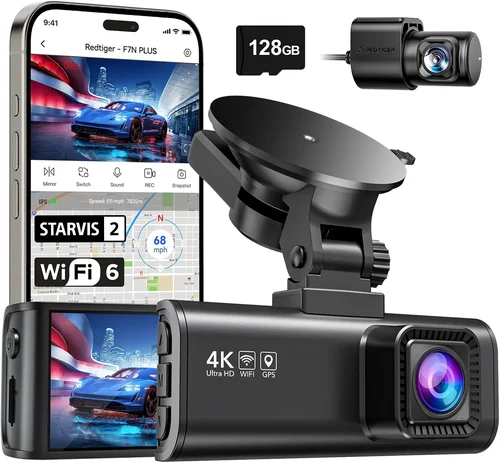
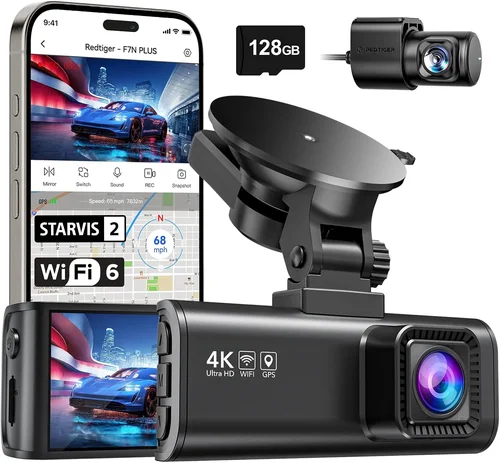
Best Car WiFi Dash Cam Buying Guide
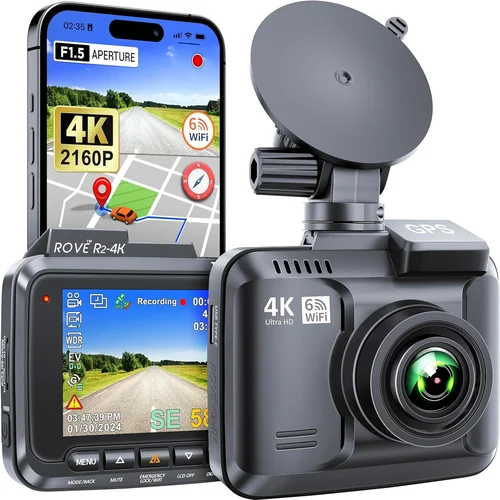
Why investing in a quality dash cam with WiFi connectivity has become essential for modern drivers. In today’s connected world, having real-time access to your vehicle’s camera feed and the ability to instantly share footage can make all the difference during accidents, traffic violations, or simply monitoring your driving habits. This comprehensive guide will walk you through everything you need to know about selecting the best car WiFi dash cam, helping you make an informed decision that matches your specific needs and budget.
Whether you’re a daily commuter looking to protect yourself from false claims, a rideshare driver needing to document interactions, or someone who simply wants peace of mind while driving, understanding the key features and capabilities of WiFi-enabled dash cams is crucial. We’ll explore performance specifications, build quality considerations, feature comparisons, and practical advice to ensure you choose a device that delivers reliable service when it matters most.
The market offers numerous options ranging from basic models with simple connectivity to advanced systems featuring cloud storage, GPS tracking, and mobile app integration. By the end of this guide, you’ll have a clear understanding of what to prioritize based on your driving patterns, technical comfort level, and financial constraints. Let’s dive into the essential factors that separate good dash cams from exceptional ones.

What to Look for When Buying Dash Cams
1. Budget & Price Range
Your budget should be the starting point when evaluating dash cam options, but remember that higher price doesn’t always guarantee better performance. Entry-level WiFi dash cams typically start around $60-80 and offer basic recording capabilities with limited features. These models often include 1080p recording, motion detection, and smartphone connectivity through basic apps. Mid-range options ($100-200) provide significant improvements including better video quality (often 2K or higher), enhanced night vision, loop recording optimization, and more sophisticated WiFi management systems.
Premium models ($200+) deliver professional-grade features such as superior image stabilization, multiple camera support, cloud storage integration, emergency event detection, and advanced driver assistance systems. Consider how much protection and convenience you truly need versus what fits comfortably within your budget. Many mid-range models actually provide the best value for average drivers, offering excellent features without the premium price tag.
2. Performance Specifications
The heart of any dash cam lies in its performance capabilities, particularly resolution and frame rate. Most quality WiFi dash cams offer at least 1080p Full HD recording, but many now feature 2K or even 4K Ultra HD capabilities. Higher resolutions provide clearer details, which is crucial for identifying license plates, reading signs, or capturing fine details in accident scenarios.
Frame rate matters significantly too – 30fps is standard, but 60fps provides smoother motion capture, especially important for highway driving where vehicles move quickly. Look for cameras with high dynamic range (HDR) technology, which balances exposure between bright skies and dark interiors, ensuring clear footage regardless of lighting conditions. Additionally, consider the camera’s field of view (FOV) – wider angles capture more of your surroundings but may introduce distortion near edges.
3. Build Quality & Durability
A dash cam must withstand the harsh automotive environment including temperature extremes, vibrations, and moisture exposure. High-quality materials like aluminum alloy housings provide better heat dissipation and protection against impacts. The lens should be made of durable glass rather than plastic to prevent scratches and maintain optical clarity over time.
Consider the operating temperature range specified by manufacturers – most reliable models work from -4°F to 140°F (-20°C to 60°C). Water resistance ratings (typically IP65 or higher) indicate protection against dust and water jets, crucial for long-term reliability. Vibration resistance ensures the camera remains stable even on rough roads, preventing blurry footage caused by constant movement.
4. Features & Functionality
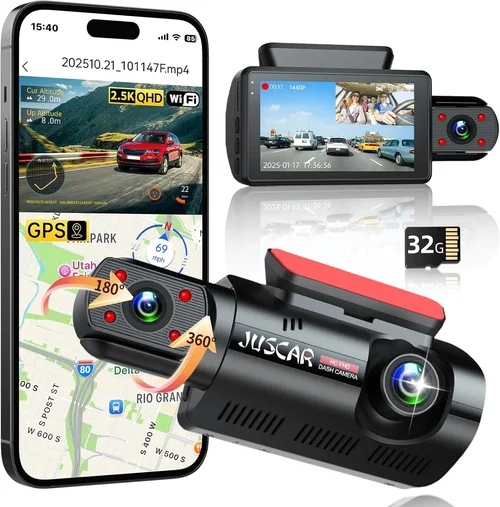
WiFi connectivity transforms dash cams from passive recording devices to active monitoring tools. Beyond basic file transfer, advanced WiFi features include live streaming, remote viewing, cloud backup, and automatic event uploads. Some models offer two-way communication through mobile apps, allowing you to arm/disarm the camera remotely or receive instant notifications when events occur.
Additional valuable features include GPS logging (for speed and location tracking), built-in G-sensor for automatic incident detection, parking mode with impact alerts, voice control capabilities, and compatibility with smart home systems. Advanced models may integrate with vehicle systems for automatic activation or include multiple microphones for directional audio recording.
5. Brand Reputation
Established brands typically offer better customer support, more reliable firmware updates, and longer product lifecycles. Well-known manufacturers invest heavily in research and development, resulting in more polished products with fewer bugs. They also tend to have better supply chains for parts and accessories, making repairs and upgrades easier down the line.
Research brand reputation through independent reviews, consumer reports, and user forums to understand long-term reliability and customer satisfaction levels. Be wary of very new companies with limited track records, as they may lack the resources for ongoing support or face business instability. However, some innovative startups can offer compelling value if they demonstrate strong technical expertise and responsive customer service.
6. Warranty & Support
A comprehensive warranty indicates manufacturer confidence in their product’s durability. Most reputable brands offer 1-3 year warranties covering defects in materials and workmanship. Look for extended warranty options or accidental damage coverage, which can provide significant peace of mind given the dash cam’s exposure to harsh conditions.
Customer support quality varies widely between manufacturers. Check response times, availability of technical documentation, and the ease of obtaining repairs or replacements. Online support communities and knowledge bases can supplement official support channels, providing peer assistance for common issues. Consider whether the manufacturer offers lifetime software updates, which ensure continued functionality and compatibility with evolving smartphone operating systems.
7. Size & Portability
Dash cam size affects both installation flexibility and visibility. Compact models (under 3 inches tall) are less obtrusive and easier to conceal, making them popular among privacy-conscious users. However, smaller cameras may have reduced battery life or limited feature sets due to space constraints.
Portable WiFi dash cams offer the advantage of being easily transferred between vehicles or used outside the car entirely. These models typically include rechargeable batteries and magnetic mounts for quick repositioning. For fixed installations, slightly larger units often house better processors, larger sensors, and more robust cooling systems that enhance overall performance and longevity.
8. User Reviews & Ratings
Real-world user experiences provide invaluable insights beyond manufacturer specifications. Pay attention to consistent themes across multiple reviews rather than individual outlier opinions. Look for detailed feedback about WiFi reliability, app stability, battery performance, and long-term durability. Negative reviews mentioning recurring issues with connectivity or hardware failures should raise red flags regardless of the overall rating.
Consider the recency of reviews as well – newer models receive frequent updates that improve functionality over time. Also examine review sources for credibility; independent tech websites and established retailers typically provide more balanced assessments than promotional content or paid testimonials. User photos and videos can reveal practical aspects like installation difficulty or visual quality that written reviews might overlook.
Different Types of Dash Cams

Common Buying Mistakes to Avoid
❌ Mistake: Ignoring Night Vision Capabilities
Why it’s bad: Many buyers focus solely on daytime recording quality while overlooking critical nighttime performance. Poor low-light sensitivity results in grainy, unusable footage when most incidents actually occur during evening hours. Without adequate night vision, you lose valuable evidence when it matters most.
What to do instead: Prioritize models with large aperture lenses (f/1.8 or lower), infrared LEDs, and advanced noise reduction algorithms. Look for HDR technology specifically designed for night driving, and check real user reviews mentioning nighttime performance before purchasing.
❌ Mistake: Choosing Based Solely on Price
Why it’s bad: While budget considerations are important, selecting the cheapest option often leads to disappointment. Low-cost dash cams frequently suffer from poor build quality, unreliable WiFi connectivity, short battery life, and subpar customer support. The initial savings rarely justify the frustration and potential security risks.
What to do instead: Use price as a reference point rather than the sole deciding factor. Compare features, read professional reviews, and consider total cost of ownership including potential replacement costs and time spent troubleshooting issues.
❌ Mistake: Overlooking Storage Requirements
Why it’s bad: Insufficient storage capacity forces constant file deletion and risks losing important footage during loop recording cycles. Smaller SD cards also wear out faster and may fail unexpectedly, potentially corrupting your evidence library. Many users underestimate how much storage their driving patterns actually require.
What to do instead: Calculate your storage needs based on recording duration, resolution, and typical driving frequency. Choose at least a 64GB card (Class 10 or U3 rated) and consider models with expandable storage options or cloud backup capabilities for critical footage preservation.
❌ Mistake: Neglecting Installation Complexity
Why it’s bad: Complex wiring requirements can deter proper installation or lead to messy cable management that obstructs visibility. Some users attempt DIY installations only to discover their car lacks necessary power outlets or requires complicated routing through tight spaces. Improper installation compromises both safety and camera effectiveness.
What to do instead: Research installation requirements early and assess whether you’re comfortable with automotive electrical work. Consider professional installation services or choose models with simpler plug-and-play setups. Watch detailed installation tutorials specific to your vehicle model before committing to a purchase.
❌ Mistake: Assuming All WiFi Features Work Reliably
Why it’s bad: WiFi connectivity promises convenience but can be frustratingly inconsistent in practice. Signal strength varies greatly depending on your phone carrier, building proximity, and interference from other wireless devices. Many apps experience crashes, sync failures, or delayed uploads that defeat the purpose of real-time access.
What to do instead: Test WiFi reliability thoroughly before relying on it for critical functions. Read extensive user feedback about connectivity issues and consider keeping the dash cam primarily for local recording while using WiFi only for occasional manual transfers when signal conditions are favorable.
❌ Mistake: Forgetting About Parking Mode Limitations
Why it’s bad: Parking surveillance drains your car battery rapidly if not properly configured, potentially causing flat batteries and expensive jump-starts. Many dash cams lack sufficient low-power modes or intelligent battery management, turning your investment into a liability rather than an asset during periods away from your vehicle.
What to do instead: Understand your car’s electrical system and install appropriate hardwiring kits for continuous operation. Configure motion detection sensitivity carefully to avoid false triggers, and consider models with supercapacitors instead of lithium batteries for better long-term reliability.
Budget Guidelines: How Much Should You Spend?
Determining the right budget for a WiFi dash cam requires balancing your actual needs against available funds. The entry-level segment ($60-100) offers surprisingly capable options for occasional drivers or those testing dash cam benefits. These models typically provide 1080p recording, basic motion detection, and functional smartphone connectivity through companion apps. While feature sets may seem limited compared to premium units, they deliver essential protection at an affordable price point.
The sweet spot for most drivers lies in the mid-range category ($100-200). Here you’ll find significant improvements including superior image quality (often 2K resolution), enhanced night vision capabilities, more reliable WiFi management, and additional safety features like GPS logging and impact detection. These models strike an excellent balance between capability and value, offering professional-grade performance without excessive complexity or cost.
Premium options ($200-350) target serious users who demand maximum reliability and advanced functionality. These dash cams often feature dual-lens systems, superior processing chips, cloud storage integration, and sophisticated driver assistance features. They’re ideal for commercial drivers, rideshare operators, or anyone requiring comprehensive protection and detailed analytics about their driving behavior.
For the ultimate experience, luxury models ($350+) incorporate cutting-edge technologies like AI-powered object recognition, multiple camera arrays, and seamless ecosystem integration with smart home systems. These represent the current pinnacle of dash cam technology but come with substantial price tags that may exceed practical needs for average consumers.
Expert Tips for Getting the Best Deal
Timing your purchase strategically can yield significant savings on WiFi dash cams. Black Friday and Cyber Monday typically offer the deepest discounts, but early summer and back-to-school seasons also see competitive pricing. Subscribe to retailer newsletters and follow manufacturer social media accounts to catch flash sales and exclusive promotions that aren’t advertised publicly.
Consider buying refurbished or open-box units from authorized dealers when available. These items undergo thorough inspection and often come with full warranties, providing factory-new quality at reduced prices. Always verify refurbishment status and remaining warranty coverage before completing any purchase.
Bundle deals present another opportunity for savings. Some retailers sell dash cam packages including mounting hardware, extra SD cards, and installation accessories. While individual components may be available separately, bundled purchases often reduce overall cost and ensure compatibility between all included items.
Don’t overlook seasonal transitions as manufacturers refresh product lines. Older model dash cams frequently receive steep markdowns when new versions launch, sometimes dropping 30-50% from original MSRP. Evaluate whether previous-generation models still meet your needs rather than immediately chasing the latest release.
When comparing prices across different retailers, factor in shipping costs, return policies, and warranty transferability. Local electronics stores may match online prices while offering immediate pickup and personal assistance. Online marketplaces like Amazon often include Prime shipping benefits but may carry higher risk of counterfeit products or misleading seller ratings.

Frequently Asked Questions
Q: Do I really need WiFi on my dash cam?
A: WiFi transforms your dash cam from a passive recorder to an active monitoring tool. It enables instant footage sharing, remote viewing, cloud backups, and automatic event uploads. However, if you primarily record locally and occasionally transfer files manually via USB, WiFi becomes optional rather than essential. Consider your usage patterns and technical comfort level when deciding if WiFi integration justifies the additional cost.
Q: What’s the difference between WiFi and Bluetooth connectivity?
A: WiFi provides high-speed data transfer suitable for uploading large video files and enabling remote viewing capabilities. Bluetooth serves mainly for initial pairing and simple status notifications. Most modern dash cams use WiFi for primary data transfer while reserving Bluetooth for device discovery and connection establishment. Some advanced models incorporate both technologies for optimal functionality.
Q: How secure is my footage when using WiFi dash cams?
A: Security depends on several factors including encryption protocols, app authentication methods, and cloud provider practices. Reputable manufacturers implement AES encryption for data transmission and require account verification for access. However, no system is completely immune to hacking attempts. For sensitive situations, consider keeping critical footage stored locally until you’ve verified its integrity and can transfer it securely through alternative means.
Q: Can I use any microSD card with my WiFi dash cam?
A: While most dash cams accept standard microSD cards, optimal performance requires specific characteristics. Choose cards with Class 10 or U3 ratings for reliable write speeds, and avoid counterfeit products that may cause corruption or failure. Capacity requirements vary based on recording settings and usage patterns – 64GB minimum is recommended for most users, though larger capacities provide more recording time between transfers.
Q: Will a dash cam drain my car battery?
A: Continuous operation can drain your battery if not properly managed. Modern dash cams include low-power modes and motion-activated recording to minimize consumption. For extended parking surveillance, hardwire installation through your car’s fuse box provides power directly from the battery while incorporating voltage-sensitive cutoffs to prevent deep discharge. Always configure parking mode settings carefully based on your driving schedule and electrical system capacity.
Q: How long does recorded footage last before being overwritten?
A: Loop recording automatically overwrites oldest files when storage fills up, ensuring continuous coverage without manual intervention. Duration depends on resolution, frame rate, compression settings, and available storage capacity. At 1080p with moderate compression, a 64GB card typically stores 4-6 hours of footage. Higher resolutions and advanced compression algorithms like H.265 can extend this significantly while maintaining acceptable quality levels.
Q: Can I install multiple dash cams in one vehicle?
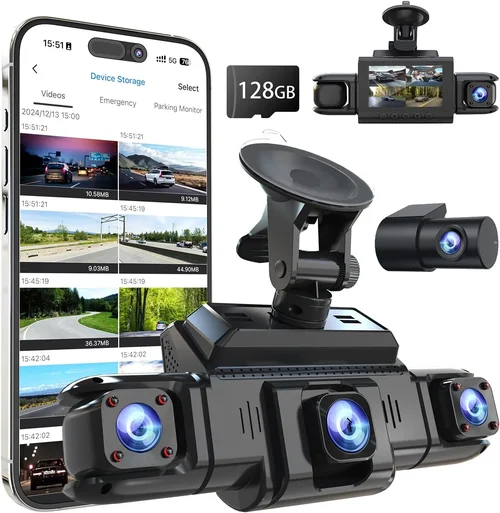
A: Yes, many drivers install dual-lens systems with front and rear cameras or add interior monitoring units for comprehensive coverage. Each camera requires independent power and storage management unless using specialized multi-camera systems with centralized recording. Ensure your chosen dash cam supports multiple units and verify that your car’s electrical system can handle the additional load without compromising other functions.
Q: Are dash cam recordings admissible in court?
A: In most jurisdictions, dash cam footage serves as valuable supplementary evidence rather than definitive proof. Admissibility depends on chain-of-custody procedures, equipment reliability, and compliance with local laws regarding recording conversations. Always preserve original footage files without modification and maintain detailed logs of when recordings were made and accessed. Consult legal professionals familiar with your area’s regulations before relying solely on dash cam evidence for disputes.
Our Final Recommendations
For budget-conscious buyers seeking reliable basic functionality, the Garmin Dash Cam Mini 3 stands out as an excellent choice. Priced under $100, it delivers solid 1080p recording quality with surprisingly robust WiFi connectivity and intuitive mobile app integration. Its compact size minimizes visual obstruction while providing dependable performance for everyday commuting needs. The inclusion of automatic update features ensures continued compatibility without manual intervention.
If you’re seeking the best overall value proposition, the Nextbase 522GW represents a remarkable balance of features and affordability. Priced around $150, it offers 1440p recording, superior night vision, Alexa voice control, and remarkably reliable WiFi management. Its emergency SOS button adds an extra layer of security for solo travelers, while the impressive field of view captures comprehensive road detail without excessive distortion at edges.
For those willing to invest in premium performance, the BlackVue DR970X-2CH Cloud features professional-grade capabilities including 4K front recording, dual-channel monitoring, cloud-based storage with military-grade encryption, and intelligent parking mode with impact detection. While priced at $350, its enterprise-focused design ensures maximum reliability and forensic-quality evidence preservation suitable for demanding applications.
Beginners should consider the Rexing V1P Pro for its straightforward operation and generous feature set at an accessible price point around $120. The inclusion of GPS logging, WDR technology for challenging lighting conditions, and responsive customer support makes it ideal for first-time dash cam users transitioning from traditional recording methods to connected solutions.
Advanced users will appreciate the Thinkware F800 Pro’s combination of 4K recording, superior low-light performance, and sophisticated parking surveillance features. Priced at $250, it offers the technical capabilities needed for serious evidence collection while maintaining user-friendly operation and reliable WiFi connectivity for seamless workflow integration.
Conclusion: Making the Right Choice
Selecting the best car WiFi dash cam ultimately depends on aligning your specific needs with available features and budget constraints. No single model satisfies every possible requirement, so prioritize capabilities based on your driving patterns, technical comfort level, and desired level of protection. Remember that WiFi connectivity transforms your dash cam from a passive recorder into an active safety and monitoring tool, but proper implementation requires understanding both the technology and practical limitations.
Focus on core performance indicators like resolution quality, night vision capabilities, and reliable connectivity rather than chasing incremental feature additions that may never get used. Consider your installation environment, storage preferences, and how you plan to utilize the footage when evaluating different options. Most importantly, choose a reputable brand with demonstrated reliability and responsive customer support to ensure your investment continues delivering value over years of service.
The right dash cam provides more than just accident documentation—it offers peace of mind knowing you have objective evidence when disputes arise and comprehensive awareness of your driving environment. Take time to research thoroughly, test connectivity options if possible, and don’t hesitate to seek professional installation guidance. Your choice today will serve as an essential layer of protection for countless future journeys, making the careful consideration well worth the effort.