Complete Dash Cam Buying Guide
Why choosing the right dash cam for capturing videos can make all the difference in protecting yourself on the road. Whether you’re a daily commuter, a long-haul trucker, or someone who simply wants to document their journeys, having a reliable recording device in your vehicle is essential. This comprehensive buying guide will walk you through everything you need to know about selecting the best dash cam for capturing high-quality videos that can serve as evidence in case of accidents, help prevent insurance fraud, or simply provide peace of mind while driving.
Throughout this guide, you’ll learn about the critical factors that determine video quality, from resolution and frame rate to sensor size and low-light performance. We’ll explore different types of dash cams available in the market, compare their features and capabilities, and help you understand which specifications matter most for capturing clear, detailed footage. You’ll also discover common mistakes people make when purchasing dash cams, budget considerations across different price ranges, and expert tips for getting the best value for your money.
The dash cam market has evolved significantly over the past decade, with modern devices offering capabilities far beyond basic recording. Today’s models include advanced features like GPS tracking, emergency event detection, parking monitoring, and even AI-powered object recognition. However, with so many options available from various brands and at different price points, making an informed decision can be overwhelming. That’s why we’ve created this detailed guide to help you navigate through the technical jargon and marketing claims to find the perfect dash cam that meets your specific needs and budget.
## What to Look for When Buying Dash Cams
### Resolution and Video Quality
The foundation of any good dash cam lies in its ability to capture clear, detailed footage. When shopping for a dash cam for capturing videos, resolution should be your primary consideration. Most dash cams today offer at least 1080p Full HD resolution, but many premium models now feature 2K, 4K, or even higher resolutions that deliver exceptional detail.
Higher resolution doesn’t just mean bigger files – it means more detail captured per frame, which is crucial for identifying license plates, vehicle details, and other important information in accident scenarios. For most drivers, 1080p provides excellent clarity, but if you frequently drive in challenging conditions or want maximum detail for insurance purposes, consider investing in a 2K or 4K model.
Frame rate is another critical factor that directly impacts video smoothness and clarity. Standard dash cams typically record at 30 frames per second (fps), while some advanced models support 60 fps or even higher. Higher frame rates result in smoother motion capture, especially during fast-moving scenarios like highway driving or emergency braking situations. However, higher frame rates also generate larger file sizes, so you’ll need to balance this with your storage capacity.
### Sensor Size and Low-Light Performance
The camera sensor is what actually captures the light and converts it into digital images. Larger sensors generally perform better in low-light conditions and produce clearer, less noisy footage. Most dash cams use either 1/2.7″ or 1/2.5″ sensors, with larger sensors providing superior image quality, particularly during dawn, dusk, or nighttime driving.
Low-light performance is absolutely essential for dash cams since you never know when you might need to record footage in challenging lighting conditions. Look for models specifically designed with night vision capabilities, including wide dynamic range (WDR) technology that helps balance exposure between bright headlights and darker road surfaces. Some premium dash cams also feature infrared LEDs or enhanced CMOS sensors specifically optimized for nighttime recording.
### Storage Capacity and File Management
Storage requirements vary dramatically based on your recording settings and usage patterns. Basic dash cams typically come with microSD cards ranging from 16GB to 64GB, while advanced models may support much larger capacities up to 512GB or even 1TB.
Consider how often you’ll be using your dash cam and whether you need continuous recording or event-based triggers. Continuous loop recording requires more frequent file rotation, meaning you’ll go through storage faster. Many dash cams automatically overwrite older footage when storage fills up, but this means you could lose recent recordings if you don’t manage your files properly.
File management systems also vary between models. Some dash cams automatically split files into manageable segments (typically 1-5 minutes each), while others create single large files. Smaller file sizes make it easier to review footage quickly and reduce the risk of losing recent events due to storage limitations.
### Field of View and Lens Quality
The field of view (FOV) determines how much of the road ahead and surrounding areas your dash cam can capture. Most dash cams offer FOVs ranging from 100° to 170°, with wider angles capturing more of the scene but potentially introducing fish-eye distortion at the edges.
For city driving where you need to capture intersections, cross traffic, and pedestrians, a wider FOV around 140°-160° is ideal. For highway driving focused primarily on the road ahead, a narrower FOV of 100°-120° provides better detail without excessive distortion. Some advanced models offer adjustable FOV settings or dual-lens configurations that provide both wide-angle front coverage and narrow-angle rear views.
Lens quality also plays a significant role in overall image clarity. Look for dash cams with multi-coated lenses that reduce glare, minimize chromatic aberration, and provide consistent focus across different distances. Premium models often feature aspherical lens elements that further improve optical performance.
### G-Sensor and Emergency Recording
G-sensors are accelerometers that detect sudden movements, impacts, or changes in velocity. When activated, they automatically lock the current video file to prevent it from being overwritten during the automatic loop recording process. This feature is invaluable for capturing critical incidents like collisions, near-misses, or other emergency situations.
Most dash cams allow you to adjust sensitivity levels for the G-sensor – too sensitive and you might get false positives from normal driving maneuvers, while too insensitive might miss actual impact events. Finding the right balance depends on your driving style and typical routes. Some advanced models also feature multiple sensitivity zones or intelligent algorithms that differentiate between routine driving and actual emergency events.
Emergency recording works in conjunction with the G-sensor to ensure that important moments aren’t lost due to storage limitations. These locked files are typically stored separately from regular recordings and require manual deletion or management by the user.
### Parking Mode and Battery Backup
Parking mode allows your dash cam to continue monitoring while your vehicle is turned off, providing protection against hit-and-runs, vandalism, or other incidents that occur when you’re not driving. However, this feature requires additional power management to avoid draining your car battery.
Many dash cams offer two types of parking mode: motion detection and time-lapse recording. Motion detection activates recording only when movement is detected nearby, conserving storage space and battery life. Time-lapse mode continuously records at reduced frame rates, providing longer coverage but consuming more storage over time.
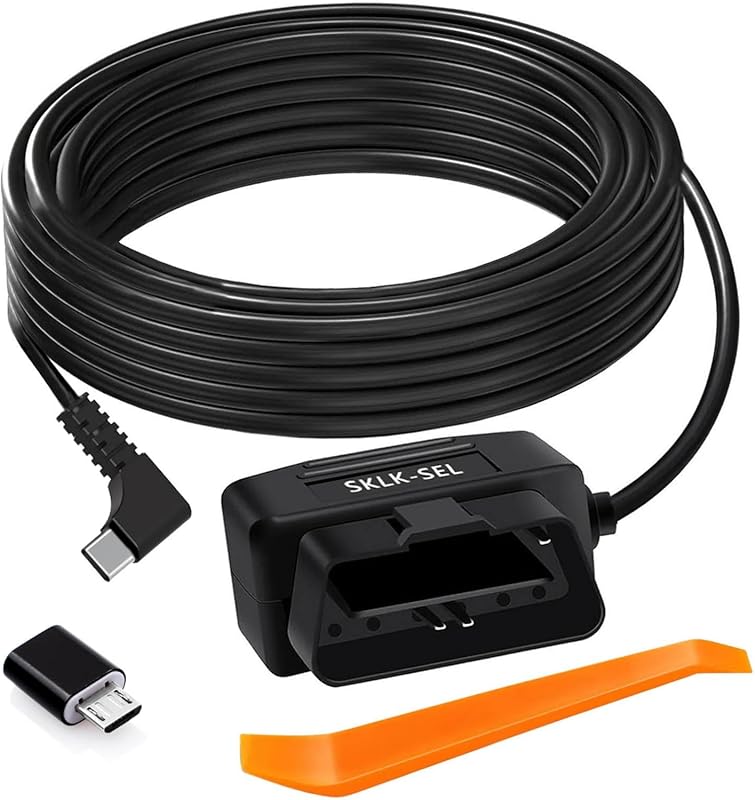
For parking mode to work effectively, you’ll need either a hardwired connection to your car’s electrical system or a separate battery pack. Hardwiring provides continuous power but requires professional installation, while battery packs offer portability but need regular recharging. Some premium models include built-in capacitors that provide short bursts of power for emergency recording even when the car battery is disconnected.
### Connectivity and App Integration
Modern dash cams increasingly feature smartphone connectivity options that enhance usability and functionality. Wi-Fi and Bluetooth capabilities allow you to transfer footage wirelessly to your mobile device, check live camera feeds, or configure settings remotely through companion apps.
Cloud storage integration is another valuable feature that automatically uploads critical footage to secure online servers, protecting against physical damage or theft of your device. Some dash cams also offer real-time location sharing, speed monitoring, and driving behavior analysis through dedicated mobile applications.
When evaluating connectivity features, consider how you plan to access and manage your recordings. Some apps provide intuitive interfaces for organizing footage, creating clips, or sharing evidence with authorities or insurance companies. Others offer advanced analytics like driving scorecards or route mapping that can help improve your driving habits.
## Different Types of Dash Cams
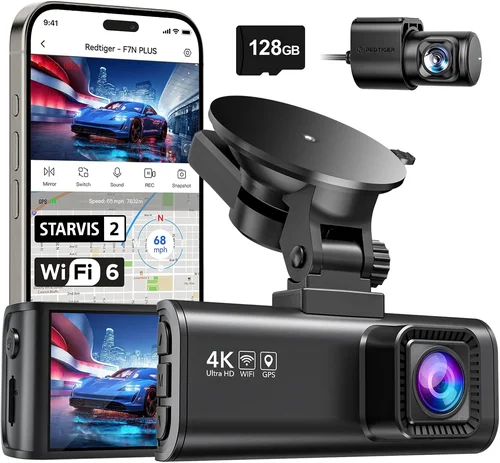
Single-lens dash cams represent the most popular choice for general consumers, offering straightforward functionality at an affordable price point. These devices typically feature 1080p or 2K resolution with adequate field of view for daily commuting and highway driving. They’re ideal for drivers who want basic protection without complex setup requirements or advanced features. Most single-lens models include essential capabilities like G-sensor protection, loop recording, and parking mode, making them suitable for the average driver seeking reliable video documentation.
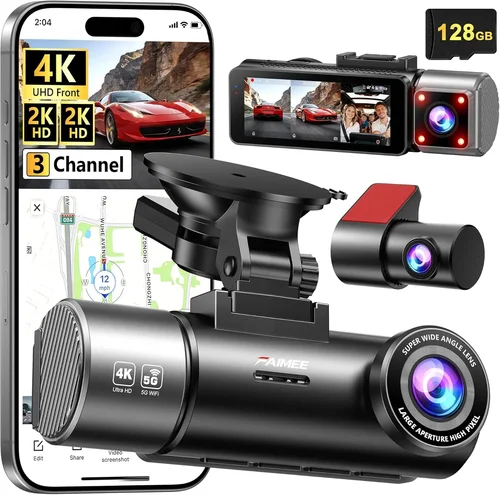
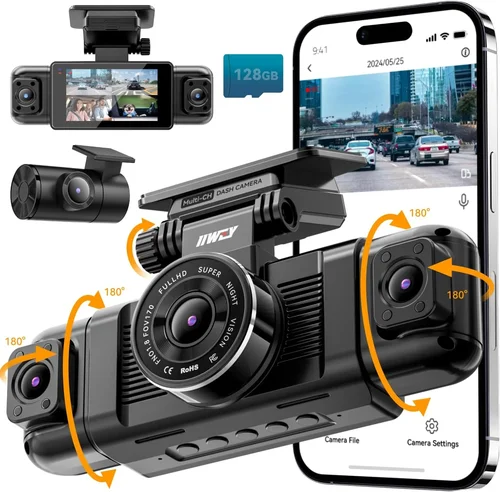
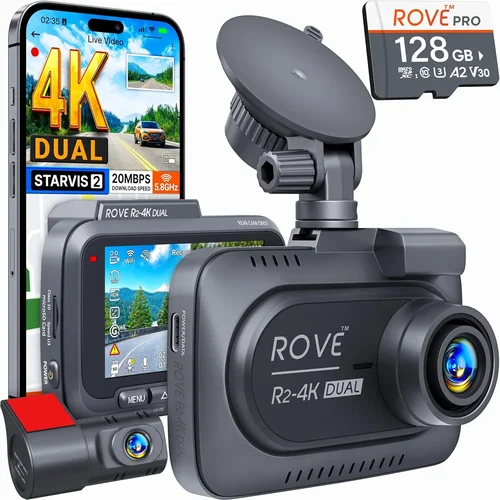
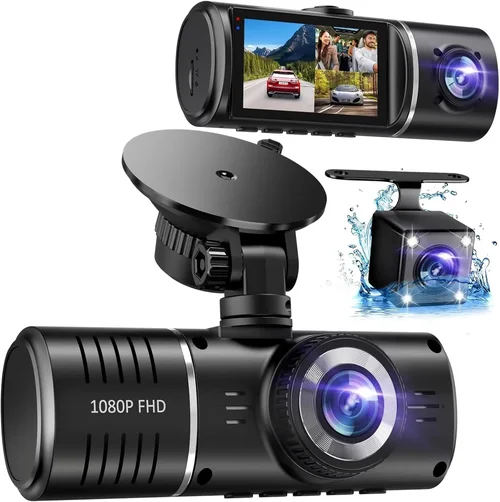
Dual-lens dash cams have gained significant popularity among frequent commuters and those who want comprehensive coverage of both their forward and backward paths. Front-facing cameras typically capture 1080p or higher resolution, while rear cameras may offer slightly lower resolution but still provide useful context for reversing maneuvers, parking incidents, or rear-end collisions. These models are particularly valuable for urban drivers who frequently navigate tight parking spaces or encounter aggressive drivers behind them. Dual-lens systems often include specialized features like blind spot monitoring, cross-traffic alerts, or integrated backup cameras for safer reversing.
Professional-grade dash cams target commercial fleets, delivery services, and individuals requiring maximum reliability and advanced functionality. These devices typically feature military-grade durability, extended temperature tolerance, and enterprise-level security features. Professional models often include redundant storage systems, remote fleet management capabilities, and compliance reporting tools required by insurance companies or regulatory bodies. While significantly more expensive than consumer models, professional-grade dash cams provide the highest level of protection and data integrity for business-critical operations.
Action camera-style dash cams combine the compact form factor of sports cameras with automotive-grade recording capabilities. These devices excel in their portability and versatility, allowing users to easily move them between vehicles or use them for non-driving activities like cycling tours or outdoor adventures. Action-style dash cams often feature ruggedized construction, wide-angle lenses optimized for dynamic scenes, and specialized mounts that accommodate various mounting positions. While they may lack some of the advanced automotive-specific features found in dedicated dash cams, their flexibility makes them attractive to adventure enthusiasts and multi-vehicle owners.
Smart dash cams incorporate artificial intelligence and connectivity features that go beyond traditional recording functions. These devices analyze driving patterns, detect potential hazards, and automatically share critical information with connected services. Advanced AI capabilities include lane departure warnings, collision prediction alerts, driver fatigue detection, and even voice-activated controls. Cloud integration allows automatic backup of important footage, while smartphone apps provide real-time monitoring and detailed trip analytics. Smart dash cams represent the future of automotive safety technology, offering proactive protection rather than just reactive documentation.
## Common Buying Mistakes to Avoid
❌ Mistake: Prioritizing Price Over Quality
Why it’s bad: Choosing the cheapest available option often results in poor video quality, unreliable performance, and frequent failures. Cheap dash cams typically use inferior sensors, lack proper heat dissipation, and may fail within months of purchase. The initial savings rarely justify the cost of replacing a malfunctioning unit or dealing with inadequate footage during critical situations.
What to do instead: Focus on finding the best balance between features and price within your budget. Consider spending 20-30% more on a mid-range model that offers significantly better build quality, reliable performance, and adequate video resolution. Read professional reviews and user feedback before making your decision, and look for models with proven track records rather than simply the lowest price tag.
❌ Mistake: Ignoring Storage Requirements
Why it’s bad: Underestimating storage needs leads to rapid depletion of available space, causing loss of recent footage due to automatic overwrite cycles. Many users discover after installation that their dash cam fills up within days, forcing them to constantly manage files or risk missing important events. This problem is exacerbated by higher resolution settings and extended parking mode usage.
❌ Mistake: Overlooking Installation Complexity
Why it’s bad: Assuming all dash cams install easily can lead to improper mounting, wiring issues, or suboptimal positioning. Complex installations may require professional help, adding significant costs, while DIY attempts might damage vehicle interiors or create electrical hazards. Poor placement affects field of view and image quality, reducing the device’s effectiveness.
What to do instead: Research installation requirements thoroughly before purchasing. Simple stick-on models are easiest for beginners, while hardwired systems require more technical knowledge. Consider your comfort level with vehicle modifications and whether you need professional installation services. Check if the manufacturer offers installation guides, video tutorials, or authorized service providers in your area.
❌ Mistake: Neglecting Night Performance
Why it’s bad: Assuming daytime performance translates to nighttime capability overlooks critical differences in lighting conditions. Many inexpensive dash cams perform adequately during daylight hours but struggle significantly at night due to poor low-light sensitivity, excessive noise, or inadequate dynamic range. Nighttime footage often appears grainy, washed out, or fails to capture important details needed for incident investigation.
What to do instead: Specifically evaluate each dash cam’s night performance before purchasing. Look for models with wide dynamic range (WDR) technology, enhanced low-light sensors, or dedicated night vision modes. Read user reviews mentioning nighttime usage experiences and check sample footage demonstrating performance under various lighting conditions. Consider dash cams with infrared capabilities or specialized night recording algorithms.
❌ Mistake: Disregarding Warranty and Support
Why it’s bad: Focusing solely on features while ignoring warranty terms and customer support availability can leave you vulnerable when problems arise. Dash cams occasionally experience hardware failures, software glitches, or compatibility issues that require manufacturer assistance. Without adequate warranty coverage or responsive support channels, resolving these issues becomes frustrating and costly.
What to do instead: Research the manufacturer’s reputation for customer service and product reliability before purchasing. Look for warranties covering at least one year, preferably two years or more. Check online forums for reported issues and resolution times. Consider brands with established local presence or authorized service centers in your region. Read return policies and warranty claim procedures carefully.
❌ Mistake: Overlooking Compatibility Issues
Why it’s bad: Assuming universal compatibility with all vehicles can lead to installation difficulties, electrical interference, or system conflicts. Older vehicles may lack necessary power connections, while newer models might have incompatible wiring harnesses or restricted dashboard access. Incompatibility issues can prevent proper installation, cause electrical problems, or trigger warning lights on your dashboard.
What to do instead: Verify compatibility with your specific vehicle make, model, and year before purchasing. Check manufacturer specifications, user manuals, or compatibility databases for confirmed vehicle support. Consider universal mounting solutions or wiring harness adapters if needed. Test fit the device physically before committing to permanent installation to ensure proper positioning and accessibility.
## Budget Guidelines: How Much Should You Spend?
Entry-Level ($50 – $100): Essential Protection for Beginners
This price range offers basic dash cam functionality suitable for occasional drivers or those testing the waters with dash cam technology. Entry-level models typically feature 1080p resolution, adequate field of view around 120°, and fundamental features like loop recording and G-sensor protection. While these devices won’t win awards for video quality, they provide reliable documentation for standard driving scenarios and can serve as effective deterrents against minor incidents.
Recommended entry-level features include automatic file management, decent night performance, and easy installation methods. Most models in this range use adhesive mounts rather than hardwiring, making them ideal for temporary installations or multi-vehicle owners. Expect storage capacities of 16-32GB with microSD cards included, though you may need to upgrade for extended recording needs.
Best suited for: Occasional drivers, rental car users, or those wanting basic protection without significant investment. These dash cams work well for city commuting, short trips, or situations where maximum video quality isn’t critical.
Mid-Range ($100 – $250): Sweet Spot for Most Buyers
The mid-range category represents the optimal balance between features, performance, and value. These dash cams typically offer 2K or 4K resolution, improved low-light capabilities, and more sophisticated functionality like GPS tracking, WiFi connectivity, and enhanced parking modes. Build quality improves significantly in this range, with better heat dissipation and more durable construction materials.
Mid-range models often include dual-lens configurations, advanced G-sensor algorithms, and user-friendly interfaces with mobile app integration. Many feature wider dynamic range technology that handles challenging lighting conditions better than entry-level devices. Storage options expand to 64GB-128GB, accommodating longer recording sessions and parking mode usage without constant file management.
Best suited for: Daily commuters, moderate-to-heavy drivers, and anyone wanting reliable protection with useful additional features. This category covers most real-world driving scenarios effectively and provides adequate evidence quality for insurance claims or legal proceedings.
Premium ($250 – $500): Enhanced Features for Demanding Users
Premium dash cams deliver professional-grade performance with advanced capabilities that exceed typical consumer needs. These devices typically feature 4K resolution, superior low-light sensors, and sophisticated AI-powered features like collision detection, lane departure warnings, and driver monitoring systems. Build quality reaches industrial standards with military-grade components and extended temperature tolerance.
Advanced functionality includes cloud storage integration, real-time location sharing, emergency alert systems, and comprehensive driving analytics. Many premium models offer customizable settings, multiple recording modes, and specialized firmware updates that enhance performance over time. Connectivity options expand to include 5GHz WiFi, Bluetooth 5.0, and smartphone integration with detailed trip reporting.
Best suited for: Frequent travelers, ride-sharing drivers, fleet operators, or anyone requiring maximum protection and detailed documentation. These dash cams provide excellent evidence quality for serious incidents and offer proactive safety features that can prevent accidents.
Luxury ($500+): Top-Tier Technology and Maximum Protection
Luxury dash cams represent the pinnacle of automotive recording technology, combining cutting-edge features with uncompromising build quality. These devices often feature multiple camera systems, specialized lenses, and proprietary image processing algorithms that deliver exceptional video quality even in extreme conditions. Advanced models may include thermal imaging, radar integration, or specialized firmware designed for specific use cases.
Maximum protection features include redundant storage systems, encrypted data transmission, and professional-grade installation services. Luxury models typically offer extensive customization options, priority customer support, and comprehensive warranties that cover accidental damage or environmental stressors. Some include subscription-based services for cloud storage, advanced analytics, or integration with third-party safety systems.
Best suited for: Professional drivers, commercial fleet managers, or enthusiasts who demand the absolute best performance regardless of cost. These dash cams provide unmatched evidence quality and protection for high-stakes driving scenarios.
## Expert Tips for Getting the Best Deal
Timing Your Purchase Strategically
Avoid buying dash cams during peak seasons when retailers mark up prices to capitalize on increased demand. Instead, shop during off-peak periods like late winter or early spring when new models haven’t yet been released and existing inventory is being cleared. Major holidays like Black Friday, Cyber Monday, and Prime Day often feature significant discounts on dash cam technology, while back-to-school seasons may offer educational pricing for students or young drivers.
Consider timing your purchase around new model releases rather than immediately following launch dates. Manufacturers typically reduce prices on previous-generation models once new versions arrive, providing substantial savings on feature-rich devices. Monitor product announcement schedules and set price alerts to catch deals when they become available.
Choosing the Right Retailer
Online retailers generally offer better pricing and wider selection compared to brick-and-mortar stores, but each format presents distinct advantages. Amazon provides competitive pricing, fast shipping, and extensive customer reviews, making it ideal for comparing multiple models and reading detailed user feedback. Specialty electronics retailers like Best Buy offer hands-on demonstrations and knowledgeable staff assistance, while automotive parts stores may provide better compatibility information for vehicle-specific installations.
Consider purchasing from multiple sources to compare prices and take advantage of retailer-specific promotions. Some manufacturers offer direct sales through their websites with exclusive bundles or extended warranties, while subscription services may provide ongoing value through cloud storage or premium features. Always verify seller credibility and return policies before completing your purchase.
Identifying Hidden Deals and Discounts
Beyond obvious sale events, several strategies can uncover unexpected savings on dash cam purchases. Bundle deals that include accessories like extra batteries, protective cases, or mounting kits often provide better value than buying items separately. Educational discounts may be available for students, teachers, or military personnel through manufacturer programs or authorized resellers.
Refurbished or open-box items from reputable sellers can offer significant savings while maintaining warranty coverage. These devices undergo thorough testing and certification to ensure they meet original specifications. Trade-in programs allow you to exchange old dash cams, smartphones, or other electronics for credit toward new purchases, while cashback offers through credit card rewards programs provide additional value.
Evaluating Warranty and Support Options
Comprehensive warranty coverage can save hundreds of dollars in repair or replacement costs. Look for manufacturers offering at least two-year warranties, preferably three years or more, with clear terms regarding covered defects and exclusions. Extended warranty programs available at purchase can provide additional protection beyond standard coverage periods.
Responsive customer support ensures timely resolution of technical issues or compatibility questions. Research manufacturer reputation for customer service by checking online forums, review sites, and social media platforms. Local authorized service centers provide convenient repair options, while international customers should verify warranty coverage outside their home country.
Understanding Return Policies and Testing Periods
Thorough return policies give you confidence to purchase without immediate commitment. Reputable sellers typically offer 30-day return windows with full refunds minus restocking fees, while some manufacturers provide 60-90 day testing periods. These guarantees allow you to install, test, and evaluate dash cam performance under real-world conditions before finalizing your decision.
During testing periods, thoroughly evaluate video quality, ease of use, installation requirements, and compatibility with your vehicle. Create sample scenarios including night driving, highway speeds, and parking situations to assess performance across different conditions. Contact customer support with questions during this period to gauge response quality and helpfulness.
Leveraging Loyalty Programs and Rewards
Membership programs offered by major retailers or credit card companies can provide substantial savings on dash cam purchases. Points earned from purchases can be redeemed for future discounts, while exclusive member pricing may offer additional percentage-off deals. Some programs include free shipping, extended return periods, or bonus rewards for specific categories like automotive products.
Consider opening a rewards credit card specifically for large purchases like dash cams, as the sign-up bonuses and ongoing earning rates can offset purchase costs. Cashback websites and browser extensions automatically apply available discounts at checkout, while price-matching policies guarantee the lowest advertised prices from competing retailers.
## Frequently Asked Questions
Q: How long does dash cam battery last?
A: Battery life varies significantly based on dash cam type and usage patterns. Built-in rechargeable batteries typically last 1-3 hours for portable models, while hardwired systems draw continuous power from your vehicle’s electrical system. For portable dash cams, battery life depends on recording resolution, features enabled, and ambient temperature. Lower resolutions and disabling unnecessary features extend battery duration, while extreme temperatures reduce overall performance.
Q: Can dash cams record audio?
A: Many modern dash cams include audio recording capabilities, but regulations regarding audio recording vary by jurisdiction. Some regions require consent for recording conversations, while others permit it under certain circumstances. Audio features typically include built-in microphones for cabin conversations, engine sounds, or traffic noise. Be aware of local laws before enabling audio recording, and consider privacy implications when sharing footage with others.
Q: Do dash cams work in cold weather?
A: Most dash cams operate effectively in cold weather down to freezing temperatures, but performance varies by model and design. Extreme cold can affect battery life in portable units and potentially damage internal components if condensation forms during temperature changes. Look for dash cams with specified operating temperature ranges and consider interior placement away from direct sunlight or heating vents to maintain stable operating conditions.
Q: How do I choose the right storage capacity?
A: Storage requirements depend on recording resolution, frame rate, and usage patterns. For 1080p recording at 30fps, expect 1-2GB per hour of footage, while 4K recording consumes 3-5GB hourly. Calculate your monthly storage needs by multiplying average daily usage by 30 days, then add buffer capacity for unexpected events. Choose storage sizes that accommodate at least two weeks of regular recording plus additional space for parking mode and locked files.
Q: Are dash cams legal everywhere?
A: Dash cam legality varies by country, state, and local ordinances. Most jurisdictions permit dash cams for personal and commercial use, but restrictions exist regarding audio recording, data retention, and public filming. Some areas prohibit recording in certain locations like government buildings or private property without permission. Always research local regulations before installing a dash cam, and consider consulting legal resources if you’re unsure about specific requirements.
Q: How do I protect my dash cam from theft?
A: Theft prevention strategies include visible deterrents like mounting cameras in conspicuous locations, using anti-theft cables or brackets, and parking in well-lit areas when possible. Some dash cams include GPS tracking or remote disable features that allow you to locate or deactivate stolen devices. Consider removing portable units when leaving vehicles unattended for extended periods, and document your device with serial numbers and photographs for insurance purposes.
Q: Can dash cams detect speeding automatically?
A: Many modern dash cams include speed detection features that overlay speed readings on video recordings or provide audible alerts when exceeding speed limits. These features rely on GPS data or connected traffic enforcement databases, with accuracy depending on signal strength and database coverage. Speed detection capabilities vary by model and may require internet connectivity for real-time updates or map downloads.
Q: How often should I clean my dash cam lens?
A: Regular cleaning prevents smudges, dirt buildup, and moisture interference that can degrade video quality. Clean your dash cam lens every 1-2 weeks during normal use, more frequently if you drive in dusty, muddy, or heavily used urban environments. Use microfiber cloths and appropriate cleaning solutions designed for camera lenses, avoiding harsh chemicals or abrasive materials that could scratch the surface.
Q: What happens if my dash cam runs out of storage?
A: Most dash cams automatically overwrite oldest footage when storage fills up, continuing continuous recording without interruption. This loop recording feature ensures you always have recent footage available, but means you could lose important events if you don’t manage storage proactively. Some models pause recording when storage is full, requiring manual intervention to resume functionality.
Q: Can multiple dash cams work together?
A: While technically possible, coordinating multiple dash cams creates significant complexity in synchronization, storage management, and data organization. Some professional-grade systems support multiple camera arrays with centralized control, but consumer models typically function independently. If using multiple units, ensure they’re compatible with your vehicle configuration and that you have sufficient storage capacity for combined recording requirements.
## Our Final Recommendations
For budget-conscious buyers seeking reliable basic protection without breaking the bank, the Viofo A119 V3 stands out as an exceptional choice. This mid-range dash cam delivers outstanding 2K video quality at an accessible price point, featuring Sony Starvis sensor technology that excels in low-light conditions. Its compact design fits discreetly on most windshields, while the built-in G-sensor provides automatic emergency file locking. The A119 V3 includes essential features like loop recording, parking mode, and a generous 16GB microSD card, making it ready for immediate use right out of the box. Users consistently praise its reliable performance, easy installation, and crystal-clear footage that holds up well in court proceedings when needed.
Those seeking the best overall value proposition should consider the Thinkware F800 Pro, a premium dash cam that combines professional-grade features with user-friendly operation. This 4K-capable device offers superior image stabilization, enhanced low-light performance, and robust build quality that withstands daily driving challenges. Thinkware’s intelligent parking mode intelligently manages power consumption while providing comprehensive coverage during vehicle downtime. The F800 Pro includes advanced features like GPS tracking, WiFi connectivity, and cloud backup capabilities, all wrapped in an intuitive interface that simplifies setup and management. Its reliable performance and comprehensive feature set make it ideal for drivers who want maximum protection without excessive complexity.
For enthusiasts and professionals requiring the absolute best performance and reliability, the Blackvue DR900X-2CH represents the gold standard in dash cam technology. This dual-lens system captures stunning 4K front footage alongside sharp 2K rear recordings, utilizing Sony STARVIS CMOS sensors that deliver exceptional detail in challenging lighting conditions. Blackvue’s advanced cloud integration provides real-time location tracking, emergency alerts, and seamless file management across devices. The DR900X-2CH includes sophisticated AI features like collision detection, driver monitoring, and automatic firmware updates that keep the system performing optimally over time. Its military-grade durability and comprehensive warranty make it the ultimate choice for demanding driving scenarios and professional applications.
Beginners looking for simple, hassle-free operation should start with the Garmin Dashcam Mini, a compact device designed specifically for ease of use and reliability. This streamlined dash cam eliminates unnecessary complexity while delivering solid 1080p video quality and essential protection features. Garmin’s intuitive interface makes navigation effortless, while the included suction cup mount provides secure attachment without damaging your windshield. The Dashcam Mini includes automatic incident detection, loop recording, and parking mode functionality, all managed through a straightforward mobile app. Its compact size and reliable performance make it perfect for first-time dash cam users who want dependable protection without overwhelming features.
Advanced users seeking cutting-edge technology and maximum customization options will appreciate the Nextbase 622GW, a smart dash cam that combines artificial intelligence with professional-grade performance. This 4K device features advanced driver assistance systems including lane departure warnings, collision alerts, and automatic emergency calling capabilities. Nextbase’s AI algorithms analyze driving patterns, provide detailed trip reports, and offer personalized coaching suggestions to improve safety. The 622GW includes comprehensive connectivity options, cloud storage integration, and advanced parking surveillance that monitors your vehicle 24/7. Its sophisticated feature set and reliable performance make it ideal for tech-savvy drivers who want the latest safety technology integrated seamlessly into their daily driving experience.
Each of these recommendations represents the pinnacle of their respective categories, offering exceptional value and performance for drivers with specific needs and priorities. When selecting your dash cam, prioritize features that align with your actual driving requirements rather than chasing every available specification. Consider your typical routes, driving conditions, and usage patterns to determine which combination of features provides the best protection for your situation. Remember that the most expensive option isn’t always the best choice, and a well-selected mid-range model often outperforms cheaper alternatives while offering more value than premium models with unnecessary features.
## Conclusion: Making the Right Choice
Selecting the perfect dash cam for capturing videos involves balancing numerous factors including resolution, field of view, build quality, and budget constraints. Throughout this comprehensive guide, we’ve explored the critical elements that determine video quality and overall performance, from sensor technology and low-light capabilities to storage management and connectivity features. Understanding these technical aspects empowers you to make informed decisions that match your specific driving needs and expectations.
The dash cam market offers something for every budget and requirement, with entry-level models providing essential protection at affordable prices and premium systems delivering professional-grade performance for demanding applications. Rather than focusing exclusively on price or features, successful dash cam buyers prioritize their actual usage patterns and select devices that offer the best combination of reliability, video quality, and functionality for their situation.
Remember that dash cams serve as valuable witnesses to your driving experiences, providing objective documentation that can protect you in disputes, support insurance claims, or simply offer peace of mind during daily commutes. By taking the time to research thoroughly, read professional reviews, and consider your specific needs, you’ll find a dash cam that serves you well for years to come. Don’t rush the decision-making process—invest the time needed to compare options, read user experiences, and evaluate features that genuinely matter for your driving scenarios.