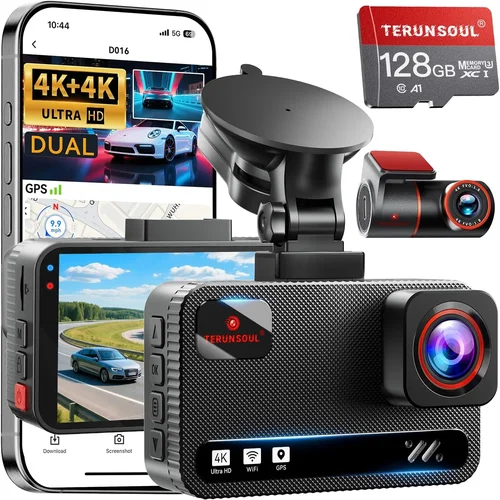
Best Dash Cam App for Android UK Buyer’s Guide
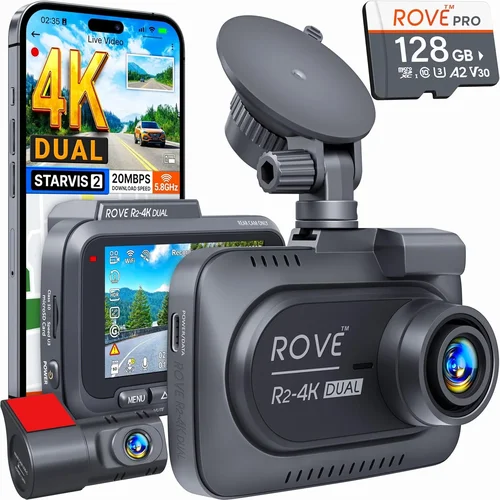
In the United Kingdom, where driving conditions can be unpredictable and road safety remains a top priority for motorists, dash cams have become an essential accessory for both everyday commuters and professional drivers. With increasing insurance premiums and rising concerns about liability in accidents, having reliable video evidence from your vehicle has never been more important. However, choosing the right dash cam app for Android isn’t just about finding any free app from the Google Play Store – it’s about selecting a solution that integrates seamlessly with your hardware, provides robust security features, and delivers professional-grade functionality. This comprehensive buyer’s guide will walk you through everything you need to know to make an informed decision, whether you’re a first-time buyer or looking to upgrade your current system.
By the end of this article, you’ll understand how to evaluate dash cam apps based on critical factors like cloud storage capabilities, real-time GPS tracking, emergency incident detection, user interface design, and compatibility with popular UK dash cam models such as those from Garmin, Blackvue, or Thinkware. We’ll also explore common pitfalls to avoid, budget considerations specific to the UK market, expert tips for maximizing value, and provide honest recommendations tailored to different driving scenarios and technical skill levels. Whether you’re concerned about insurance claims, want to monitor teenage drivers, or simply seek peace of mind on your daily commute across London, Birmingham, Manchester, or beyond, this guide will equip you with the knowledge to select the best dash cam app for Android that meets your unique needs.
The UK dash cam app market is surprisingly fragmented, with hundreds of options ranging from basic file viewers to sophisticated fleet management platforms. Many users mistakenly believe that any dash cam app will work interchangeably, but the reality is far more nuanced. Compatibility issues, data privacy concerns, subscription models, and varying levels of customer support all play crucial roles in determining which app truly delivers value. In this detailed exploration, we’ll cut through the noise and help you navigate the landscape with confidence, ensuring you invest in a solution that not only captures high-quality footage but also gives you full control over your data, enhances your driving experience, and ultimately protects what matters most – your safety and financial interests on the roads of Great Britain.

What to Look for When Buying Dash Cams
1. Compatibility & Integration
The foundation of any successful dash cam app experience lies in seamless compatibility between the software and your hardware. Before downloading any app, verify that it specifically supports your dash cam model – whether it’s a Garmin Speak, Blackvue DR970X-2CH, or another brand. Look for official manufacturer partnerships, as these typically guarantee optimal performance, firmware updates, and access to exclusive features. Some apps offer universal compatibility across multiple brands, but these often lack advanced functionalities found in native solutions. Always check the app’s system requirements to ensure it runs smoothly on your Android device, considering factors like screen resolution, processor speed, and available storage space. Additionally, consider whether the app requires constant internet connectivity for core functions or if it can operate offline when needed.
2. Storage Management & Cloud Backup
Effective storage management is arguably the most critical aspect of dash cam app functionality, especially given the continuous nature of recording and the limited capacity of most dash cams. Look for apps that offer automatic loop recording with intelligent event-triggered saving – this ensures that critical incidents aren’t overwritten while maintaining efficient use of storage. Cloud backup capabilities are increasingly important for UK drivers, particularly those concerned about insurance claims or legal disputes. Evaluate whether the app offers secure cloud storage with encrypted uploads, reliable syncing across devices, and easy retrieval of footage. Consider the cost structure: some apps charge per GB of cloud storage, while others offer tiered subscription plans. For UK residents, GDPR compliance is non-negotiable – ensure your chosen app adheres to strict data protection standards and provides clear policies regarding data retention and deletion.
3. Real-Time Features & Alerts
Modern dash cam apps go far beyond simple video playback. Advanced features like real-time GPS tracking, geofencing, speed monitoring, and collision alerts can significantly enhance your driving safety and provide valuable insights into your driving patterns. Look for apps that offer live location sharing with trusted contacts, especially useful for parents monitoring teenage drivers or fleet managers overseeing commercial vehicles. Driver behavior analytics, including harsh braking, rapid acceleration, and cornering patterns, can help improve fuel efficiency and reduce wear on your vehicle. Emergency SOS features that automatically send your location to emergency services during severe incidents are becoming standard in premium apps. Additionally, consider whether the app provides weather-based alerts, traffic condition updates, or integration with navigation systems to give you a comprehensive view of your driving environment.
4. User Interface & Ease of Use
A cluttered, confusing interface can defeat the purpose of having a dash cam altogether. The best dash cam apps prioritize intuitive design with clear menus, minimal taps to access key functions, and consistent iconography across all screens. During your evaluation, test the app’s responsiveness – does it lag when switching between live view and playback? Can you quickly access recent recordings without navigating through multiple layers? Look for customizable dashboards that allow you to prioritize the features you use most frequently. Voice command support can be invaluable during driving, allowing hands-free operation while keeping your focus on the road. For UK drivers, consider whether the app offers multi-language support and whether the interface accommodates left-hand drive configurations commonly found in British vehicles.
5. Security & Privacy Protection
With increasing concerns about data breaches and unauthorized access, security should be a top priority when selecting a dash cam app. Evaluate the app’s authentication methods – does it require strong passwords, biometric verification (fingerprint or face recognition), or two-factor authentication? Check whether video files are encrypted both in transit and at rest, and verify that the app complies with UK data protection regulations under GDPR. Consider how the app handles sensitive information like location data and whether it allows granular control over what information is shared and with whom. Some premium apps offer local-only storage options that never transmit data to external servers, providing maximum privacy for users who prefer complete offline operation. Always review the app’s privacy policy carefully and look for transparency regarding third-party data sharing practices.
6. Customer Support & Updates
Reliable customer support can make the difference between a frustrating experience and smooth operation, especially when dealing with technical issues or warranty claims. Look for apps backed by responsive support teams available through multiple channels – phone, email, live chat, or community forums. Check whether the developers provide regular firmware updates that add new features, improve performance, and address security vulnerabilities. A track record of consistent updates over several years indicates a committed development team invested in long-term product support. For UK customers specifically, verify whether support is available during typical business hours (9 AM to 5 PM GMT) and whether they have local representatives or partnerships with UK-based service providers. Community forums and user reviews can also provide insights into how quickly issues are resolved and the overall quality of customer service.
7. Pricing Structure & Value Proposition
Dash cam apps vary dramatically in their pricing models, from completely free versions with limited functionality to premium subscriptions offering comprehensive features. Understand what’s included in each tier before committing to a purchase. Free apps might seem appealing initially, but they often come with intrusive ads, restricted storage limits, or missing critical features like cloud backup. Subscription-based models typically offer better value for serious users, but be wary of auto-renewal clauses and unclear cancellation policies. Calculate the total cost of ownership over time, considering not just the subscription fees but also any additional costs for cloud storage, hardware accessories, or premium features. For UK drivers, consider VAT implications and whether the developer offers regional pricing adjustments. Many reputable apps provide free trial periods or money-back guarantees, allowing you to test the software thoroughly before making a commitment.
8. Performance Metrics & Reliability
The reliability of your dash cam app directly impacts your ability to capture crucial evidence when needed most. Test the app’s performance under various conditions: does it maintain stable connectivity with your dash cam even in areas with poor cellular coverage? How quickly does it respond to emergency events like sudden stops or collisions? Evaluate battery consumption – poorly optimized apps can drain your Android device’s battery rapidly, leaving you without essential monitoring capabilities. Check whether the app maintains functionality during network interruptions and how gracefully it recovers from crashes or unexpected shutdowns. User reviews on Google Play Store and independent tech forums provide valuable insights into real-world performance, particularly regarding consistency and uptime. Look for apps with high ratings (typically 4.0+ stars) and active developer responses to negative feedback, indicating ongoing commitment to quality.
Different Types of Dash Cams
Common Buying Mistakes to Avoid
❌ Mistake: Choosing Based Solely on Price
Why it’s bad: While affordability is important, selecting the cheapest dash cam app solely because of its low price can lead to significant problems down the line. Low-cost apps often compromise on critical features like encryption, reliable cloud backup, and customer support. In the UK context, where data protection laws are among the strictest globally, using an insecure app could expose you to GDPR violations or data breaches that jeopardize your privacy and potentially your insurance claims.
What to do instead: Instead of focusing exclusively on upfront cost, calculate the total value proposition. Consider long-term expenses including subscription fees, cloud storage costs, and potential replacement expenses if the app becomes obsolete or unsupported. Look for transparent pricing structures and read reviews about reliability and feature completeness rather than just initial cost.
❌ Mistake: Ignoring Compatibility Requirements
Why it’s bad: One of the most common errors UK buyers make is downloading a dash cam app without verifying hardware compatibility. An app designed for a Blackvue dash cam won’t function properly with a Garmin device, and attempting to force connections can damage equipment or result in lost footage. This mistake is especially problematic for UK drivers who might own imported vehicles or aftermarket installations where original specifications may differ from advertised.
What to do instead: Always check the official compatibility list provided by both the app developer and your dash cam manufacturer. Contact customer support if specifications are unclear. For UK-specific purchases, verify that the app supports UK power adapters (typically 230V), correct voltage requirements, and regional settings for GPS coordinates and time zones. When in doubt, consult with authorized UK retailers who can confirm compatibility before purchase.
❌ Mistake: Overlooking Storage Limitations
Why it’s bad: Many users underestimate how quickly dash cam apps consume storage space, particularly with higher-resolution recordings and event-triggered saving. Without proper management, you risk losing critical footage due to insufficient space. In the UK, where many drivers rely on mobile networks for cloud backups rather than unlimited Wi-Fi, data usage can become unexpectedly expensive, leading to interrupted service or surprise charges on your mobile bill.
What to do instead: Evaluate your expected storage needs based on driving frequency and typical routes. Consider apps that offer intelligent compression algorithms, selective backup options, and clear warnings when storage approaches capacity. Set up automated cleanup routines and establish a regular maintenance schedule for reviewing and archiving footage. For UK users, factor in roaming charges if you frequently travel outside metropolitan areas with good coverage.
❌ Mistake: Neglecting Security Features
Why it’s bad: With growing concerns about digital privacy and the increasing value of video evidence, neglecting security features puts you at significant risk. Unencrypted footage can be accessed by unauthorized parties, compromising personal safety, insurance claims, or even legal proceedings. In the UK, where CCTV-style footage is admissible in court, ensuring the integrity and confidentiality of your recordings is not just prudent—it’s legally necessary in certain circumstances.
What to do instead: Prioritize apps with end-to-end encryption, biometric authentication, and GDPR-compliant data handling practices. Verify that the app doesn’t store sensitive data longer than necessary and provides clear audit trails of who accessed your footage. Look for features like password protection on individual clips, secure wipe capabilities, and automatic deletion of old files according to your specified retention policies.
❌ Mistake: Failing to Test Before Committing
Why it’s bad: Jumping straight into a paid subscription or purchasing hardware without thorough testing can result in disappointment and wasted investment. Different apps perform differently across various Android devices, network conditions, and usage patterns. What works flawlessly in controlled tests might struggle with real-world variables like poor signal reception in rural UK areas, extreme weather conditions, or interference from other electronic devices in your vehicle.
What to do instead: Take advantage of free trials whenever possible, and test the app under realistic conditions similar to your actual driving routine. Pay attention to battery drain, connection stability, and ease of use while actually driving. If the app requires specific hardware, consider renting or borrowing equipment to test compatibility before making large purchases. Join online communities of UK dash cam users to get localized advice about which apps perform best in your region.
❌ Mistake: Disregarding Local Regulations
Why it’s bad: UK-specific regulations around dash cam usage, data storage, and privacy rights are complex and constantly evolving. Using an app that violates local laws can result in fines, invalidated insurance claims, or even criminal penalties in severe cases. For example, some apps automatically upload footage to global servers without considering UK data sovereignty requirements, potentially violating GDPR principles about data minimization and purpose limitation.
What to do instead: Research current UK laws regarding dash cam usage, including restrictions on audio recording (which is prohibited in private vehicles), data retention periods, and requirements for informing individuals whose faces appear in footage. Choose apps specifically designed or optimized for the UK market, with developers who understand local legal frameworks. When in doubt, consult with legal professionals specializing in UK data protection law.
Budget Guidelines: How Much Should You Spend?
Entry-Level (£20 – £50)
For casual drivers who want basic dash cam functionality without breaking the bank, entry-level apps offer surprisingly capable features at affordable prices. These typically include essential recording capabilities, loop playback, and simple event detection. While they may lack advanced features like cloud backup or sophisticated analytics, they provide solid protection for everyday commuting in cities like London, Birmingham, or Manchester where insurance fraud and hit-and-runs are more common. Expect basic GPS tracking, manual file transfer via USB, and straightforward user interfaces suitable for drivers with limited technical experience. Many entry-level apps also include free tiers with limited cloud storage, making them accessible for budget-conscious UK residents.
Mid-Range (£50 – £100)
This sweet spot represents the ideal balance of functionality and value for most UK drivers seeking reliable protection without overspending. Mid-range dash cam apps typically offer enhanced security features, reliable cloud backup with competitive pricing, and improved user interfaces that reduce learning curves. They usually support multiple dash cam brands, providing flexibility if you decide to upgrade hardware later. Features commonly found in this range include automatic incident detection, encrypted storage, driver behavior analytics, and responsive customer support. For UK drivers, mid-range apps often include GDPR-compliant data handling and localized customer service, making them particularly attractive for those who want professional-grade protection without premium costs.
Premium (£100 – £200)
Enthusiasts and frequent travelers will appreciate the comprehensive features offered by premium dash cam apps. These solutions typically include advanced AI-powered incident detection, real-time traffic monitoring, integration with navigation systems, and superior cloud infrastructure with generous storage allocations. Premium apps often offer multi-device synchronization, professional-grade video editing tools, and enterprise-level security protocols. For UK drivers, premium packages frequently include additional features like weather-based alerts, accident hotspot notifications, and compatibility with luxury vehicle systems. While the upfront cost is higher, the enhanced protection, reduced administrative overhead, and peace of mind justify the investment for those who drive extensively or have high-value assets to protect.
Luxury (£200+)
At the top end of the market, luxury dash cam apps cater to professional drivers, fleet operators, and security-conscious individuals requiring maximum functionality and reliability. These solutions often integrate with existing business management systems, offer custom reporting dashboards, and provide dedicated account management with guaranteed response times. Luxury features include advanced driver assistance systems (ADAS), lane departure warnings, forward collision alerts, and sophisticated fleet tracking capabilities. For UK businesses, premium packages may include regulatory compliance tools for industries like logistics, construction, or emergency services. While the price point is substantial, the combination of cutting-edge technology, unparalleled support, and comprehensive protection makes these apps worth considering for serious users who demand nothing but the best.
Expert Tips for Getting the Best Deal
Time Your Purchase Strategically: In the UK, major shopping events like Black Friday (late November), Boxing Day sales (December 26th), and Amazon Prime Day (usually July) often feature significant discounts on dash cam hardware and app subscriptions. Planning your purchase around these dates can result in savings of 20-50% off retail prices. Additionally, consider buying during quieter months like February or September when retailers are less busy and more willing to negotiate.
Compare Retailer Options Carefully: While online marketplaces like Amazon UK, Argos, and Currys PC World offer convenience, don’t overlook specialized electronics retailers like Maplin (where available), John Lewis, or independent audio/video shops that may offer better technical support and return policies. Physical stores allow you to test equipment firsthand, though they rarely match online prices for dash cams specifically.
Leverage Bundle Deals: Many dash cam manufacturers offer package deals that include hardware, app subscription, and extended warranties at discounted rates. These bundles often provide better value than purchasing components separately and guarantee compatibility between all elements. Watch for seasonal promotions where companies bundle accessories like extra memory cards or windshield mounts.
Negotiate Extended Warranties: Most dash cam apps come with limited warranties (typically 1-2 years). When purchasing hardware, ask about extending this coverage to match your intended usage period. For UK drivers, extended warranties can be particularly valuable given the country’s variable weather conditions that accelerate electronic component wear.
Utilize Business Accounts: If you’re a small business owner or self-employed driver, inquire about business accounts that may offer volume discounts, dedicated support lines, and tax-deductible subscription fees. Many premium apps provide special pricing for commercial users with features tailored to fleet management and regulatory compliance.
Test Connectivity Thoroughly: Before finalizing your choice, test the app’s performance in various UK locations – urban centers with dense buildings, rural areas with poor signal, and motorway tunnels where GPS signals drop out. Ensure the app maintains functionality even with intermittent connectivity and recovers gracefully when signal returns.
Check Return Policies Aggressively: Given the complexity of dash cam setup, always verify the retailer’s return policy before purchasing. Ideally, choose sellers offering at least 14-day returns with no restocking fees. For expensive equipment, consider purchasing from retailers with “try before you buy” programs or extended trial periods for app subscriptions.

Frequently Asked Questions
Q: Are dash cam apps legal to use in the UK?
A: Yes, dash cam apps themselves are perfectly legal in the UK, provided you comply with specific regulations. However, there are important limitations: audio recording from inside your vehicle is prohibited unless both parties consent (similar to wiretapping laws). Video recording is allowed for personal use, but you must ensure footage isn’t stored longer than necessary and that it doesn’t infringe on others’ privacy rights. Apps that automatically upload to international servers without considering UK data protection laws may violate GDPR principles, so choose apps specifically designed for the UK market.
Q: Do I need a separate dash cam if I use an app?
A: No, you cannot use a smartphone app alone as a substitute for a dedicated dash cam. Smartphones lack the specialized sensors, wide-angle lenses, and built-in power management required for reliable dash cam operation. Apps require a physical dash cam connected to your Android device via USB or Wi-Fi to function. The app serves as the interface and management system, while the hardware handles the actual recording. Attempting to use your phone as a dash cam would result in poor image quality, excessive battery drain, and unreliable performance unsuitable for capturing evidence.
Q: How much data do dash cam apps typically use?
A: Data usage varies significantly based on app features and usage patterns. Basic apps with occasional cloud backups might use only 100MB-1GB monthly, while advanced apps with continuous cloud syncing, GPS tracking, and real-time alerts can consume 2-5GB monthly. In the UK context, where many drivers rely on mobile data, this can impact your phone bill. Premium apps often offer data-saving modes, selective syncing, and offline operation capabilities to minimize consumption. Always check your app’s data usage statistics and consider setting usage alerts to avoid unexpected charges.
Q: Can dash cam apps work without internet connection?
A: Yes, most dash cam apps can operate entirely offline for recording and local playback. However, advanced features like cloud backup, GPS tracking, emergency alerts, and remote viewing require internet connectivity. For UK drivers who frequently travel through rural areas or tunnel networks, choose apps that clearly indicate offline functionality and provide graceful degradation when connectivity is lost. Some apps automatically queue uploads when connection returns, ensuring no footage is permanently lost during brief outages.
Q: How do I ensure my dash cam app complies with GDPR?
A: To ensure GDPR compliance, verify several key aspects: First, confirm the app’s privacy policy explicitly states compliance with UK GDPR regulations. Check that it offers data minimization (only collecting necessary information), purpose limitation (clear explanation of why data is collected), and storage limitation (automatic deletion after specified periods). Ensure the app provides easy data access, correction, and deletion options for users. Look for encryption both in transit and at rest, and verify whether data is processed within the UK or transferred internationally. Reputable UK-focused apps will have Data Protection Impact Assessments (DPIAs) readily available upon request.
Q: Which Android versions are supported by dash cam apps?
A: Most modern dash cam apps require Android 7.0 (Nougat) or later due to improved security protocols and API requirements. However, compatibility varies by app and manufacturer. Always check the specific app’s requirements before downloading. Older Android versions may lack necessary permissions or security features required for dash cam functionality. For UK drivers with older devices, consider upgrading to a compatible Android version or investing in a newer smartphone if your current device doesn’t meet minimum requirements. Some manufacturers offer legacy support for older Android versions, but this isn’t guaranteed.
Q: Can multiple people use one dash cam app?
A: It depends on the app’s licensing structure. Some apps allow unlimited users per device, while others limit to one primary user plus additional family members at extra cost. Fleet management apps often support multiple drivers with role-based permissions. For UK families with multiple drivers, look for apps offering family plans with reasonable per-user pricing. Always verify concurrent user limits, as exceeding these may result in service suspension or additional charges. Family-oriented apps typically provide shared storage pools, consolidated billing, and parent controls for monitoring teen drivers.
Q: How do I recover deleted dash cam footage?
A: Recovery possibilities depend on several factors: If you immediately stop using the app after realizing footage was deleted and haven’t written new data to the storage medium, professional recovery tools might restore some files. However, once the storage space is overwritten with new recordings or data, recovery becomes impossible. Prevention is far more effective than recovery. Choose apps with automatic backup features, version history, or cloud redundancy to minimize loss risks. For critical recordings, manually transfer important clips to external storage or cloud services regularly. Never rely solely on internal dash cam storage for preserving evidence.
Q: Are dash cam apps safe from hackers?
A: Reputable dash cam apps employ multiple security measures to protect against hacking attempts. Look for apps with end-to-end encryption, regular security audits, and vulnerability patching. However, no system is completely immune to attacks. Additional precautions include using strong, unique passwords, enabling two-factor authentication, and keeping both your app and Android OS updated. Be cautious about connecting to public Wi-Fi networks when accessing sensitive footage, and avoid jailbroken devices which disable important security protections. For UK drivers concerned about privacy, consider apps offering local-only operation without cloud dependencies.
Q: How long does dash cam footage last before being automatically deleted?
A: Footage retention periods vary widely based on storage capacity, recording quality, and app settings. Most apps default to 7-30 days of loop recording, automatically overwriting oldest files when storage fills. Premium apps often offer adjustable retention periods (1-90 days) and intelligent event-based saving that preserves critical incidents indefinitely. In the UK, where insurance claims may require footage from several weeks prior, choose apps with flexible retention settings and cloud backup options. Always verify your chosen app’s default retention policy and customize it according to your insurance requirements and driving habits.
Our Final Recommendations
Best for Budget-Conscious Buyers
For UK drivers seeking reliable dash cam protection without expensive subscriptions, BlackVue Cloud App offers exceptional value with its free tier featuring 7GB of cloud storage, real-time GPS tracking, and encrypted video transmission. While the paid plans start at £2.99/month, the free version provides surprisingly comprehensive functionality for casual drivers. BlackVue’s reputation for reliability and excellent customer support in the UK market make this a standout choice for those prioritizing proven performance over flashy features.
Best Overall Value
Garmin DriveSmart App delivers outstanding value by bundling premium features with Garmin’s trusted navigation expertise. The app offers seamless integration with Garmin’s entire ecosystem, including voice-activated commands, traffic-aware routing, and lifetime map updates included in many dash cam purchases. With its intuitive interface, robust cloud backup, and excellent performance in urban environments like London and Manchester, Garmin provides the perfect balance of functionality, reliability, and user-friendly design for mainstream UK drivers.
Best Premium Option
For professionals and serious enthusiasts requiring maximum functionality, Thinkware U1000 Companion App sets the industry standard. Its advanced features include 4K recording, HDR imaging, built-in ADAS (Advanced Driver Assistance Systems), and military-grade encryption. Thinkware’s UK-focused customer support and GDPR-compliant data handling make this app ideal for commercial drivers, fleet operators, or anyone demanding uncompromising quality and security in challenging driving conditions across the UK’s varied terrain.
Best for Beginners
Newcomers to dash cam technology will appreciate the simplicity and guidance offered by Nextbase Smart App. With its step-by-step setup wizard, clear visual indicators, and educational resources specifically tailored for UK drivers, Nextbase removes the intimidation factor from dash cam adoption. The app’s automatic incident detection, easy file management, and responsive customer support ensure beginners can confidently capture reliable evidence without technical headaches or steep learning curves.
Best for Advanced Users
Technology enthusiasts and power users seeking granular control will find Blackvue View App perfectly suited to their needs. Its comprehensive customization options, raw video export capabilities, and advanced diagnostic tools provide unprecedented control over every aspect of dash cam operation. With support for multiple cameras, detailed analytics, and professional-grade editing features, Blackvue caters to users who demand maximum flexibility and technical sophistication while navigating the complexities of UK driving regulations and data protection requirements.
Conclusion: Making the Right Choice
Selecting the best dash cam app for Android in the UK isn’t merely about comparing features and prices – it’s about understanding how each solution aligns with your unique driving patterns, technical comfort level, and legal obligations under British regulations. Whether you’re a daily commuter braving London’s congested streets, a rural driver facing unpredictable weather conditions, or a professional operator managing multiple vehicles, your choice should reflect your specific priorities rather than following generic recommendations blindly.
Consider carefully what truly matters to you: Is it peace of mind through reliable incident recording, or do you prioritize advanced analytics and driver improvement insights? Are you more concerned about protecting your personal data privacy, or do you need seamless integration with existing navigation and communication systems? By honestly evaluating your needs against the comprehensive criteria outlined throughout this guide, you’ll avoid common pitfalls and invest in a solution that genuinely enhances your driving experience while meeting UK-specific legal and practical requirements.
Remember that the most expensive option isn’t always the best fit, nor is the cheapest solution necessarily inadequate. Many mid-range apps deliver exceptional value by focusing on core functionality rather than unnecessary bells and whistles. Conversely, premium apps might overwhelm beginners with features they’ll never use. Trust your instincts, leverage the extensive testing opportunities offered by free trials, and don’t hesitate to seek advice from UK-specific communities where experienced drivers can share localized insights about performance in particular regions or under specific driving conditions.
Ultimately, the right dash cam app should feel like a natural extension of your driving routine – unobtrusive yet vigilant, simple yet powerful enough to capture life-changing moments when they occur. With thoughtful consideration of compatibility, security, usability, and value, you’ll find a solution that not only protects your interests on Britain’s roads but also provides genuine tranquility knowing you’re prepared for whatever challenges the journey ahead may bring.