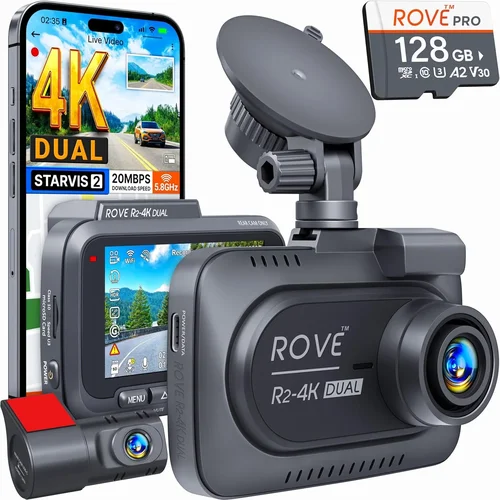
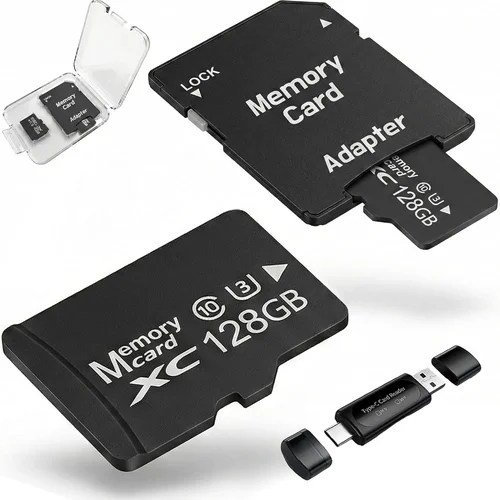
Expert 3rd Gen Tacoma Dash Cam Buying Guide
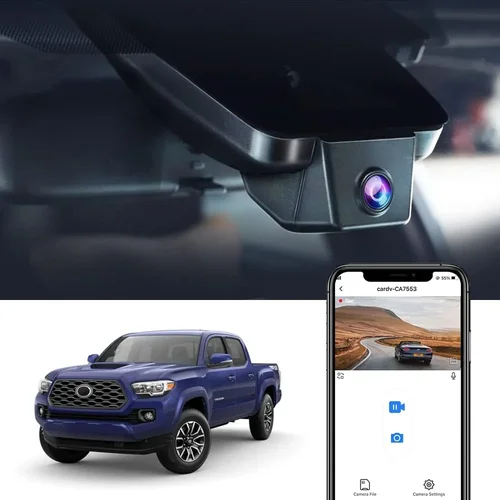
If you own a third-generation Toyota Tacoma—whether it’s the 2016-2023 model—you’re already familiar with the truck’s rugged reliability and off-road prowess. But even the most capable vehicles can be vulnerable to accidents, hit-and-runs, or disputes over liability. That’s where a dash cam becomes more than just an accessory; it becomes your silent witness on every drive. However, not all dash cams are created equal, especially when it comes to fitting seamlessly into a Tacoma’s interior while delivering high-quality video in demanding conditions.
This comprehensive buying guide is designed specifically for Tacoma owners who want to make an informed decision when selecting the best dash cam for their vehicle. Whether you’re commuting through city traffic, exploring backcountry trails, or simply looking to protect yourself legally, understanding what makes one dash cam stand out from another is crucial. We’ll walk you through critical features like resolution, field of view, loop recording, parking mode, and build quality—all tailored to the unique needs of the 3rd gen Tacoma. By the end of this article, you’ll have everything you need to choose a dash cam that enhances safety, provides peace of mind, and integrates flawlessly with your truck’s design.
The market for dash cams has exploded in recent years, offering everything from basic entry-level models to advanced systems with GPS tracking, Wi-Fi connectivity, and dual-lens setups. While this variety sounds exciting, it also creates confusion: how do you know which features matter most? What should you prioritize if you drive frequently at night? How much storage do you really need? And perhaps most importantly—will it fit properly behind your Tacoma’s rearview mirror without obstructing your view?
In this guide, we’ll cut through the noise and give you clear, actionable insights based on real-world performance, expert testing, and feedback from fellow Tacoma owners. You’ll learn why certain specs translate into better usability, how different types of dash cams suit various driving styles, and what common mistakes to avoid during purchase and installation. Plus, we’ll highlight top-rated options across multiple price ranges so you can find the perfect match for your budget and lifestyle. Let’s dive in and ensure your next dash cam investment delivers maximum value and protection.

What to Look for When Buying Dash Cams
Choosing the right dash cam isn’t just about picking the shiniest gadget—it’s about finding a device that reliably captures high-quality footage under all kinds of driving conditions. The third-generation Tacoma, with its distinctive cabin layout and mounting requirements, demands special attention to compatibility and functionality. Below are the key factors every Tacoma owner should evaluate before making a purchase.
1. Resolution & Video Quality
Video resolution is arguably the single most important factor when selecting a dash cam. Most modern models come in either 1080p Full HD or 4K Ultra HD resolutions. For general use—including daily commutes and highway driving—1080p offers excellent clarity and file sizes that balance quality with storage efficiency. However, if you frequently drive in low-light environments or need to capture fine details like license plates or road signs, consider a 4K model. Keep in mind that higher resolution means larger files, so pairing your dash cam with ample internal storage or frequent SD card swaps becomes essential.
Another often-overlooked aspect is frame rate. Standard 30fps works well for daytime driving, but if you plan to record at night or in areas with motion blur (like fast-moving traffic), look for models that support 60fps recording. This doubles the smoothness of playback and improves detail retention during quick movements.
2. Field of View (FOV)
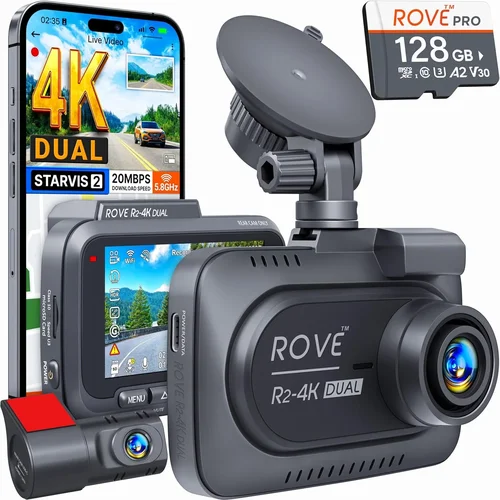
The field of view determines how much of the road ahead your dash cam can capture. A wider angle provides more coverage but may introduce distortion near the edges—a phenomenon known as “fisheye effect.” For the Tacoma, which often travels on winding mountain roads or crowded urban streets, a moderate FOV between 130° and 150° strikes the ideal balance between coverage and image accuracy. Some dual-lens systems offer front and rear coverage simultaneously, which is particularly useful for trucks used in construction, delivery, or off-road scenarios where both ends of the vehicle need monitoring.
3. Storage Capacity & Loop Recording
Dash cams rely on loop recording to overwrite old footage automatically once the memory card fills up. This feature ensures continuous operation without manual intervention. Most units use microSD cards ranging from 32GB to 128GB. For typical usage (say, 10 hours per week), a 64GB card should suffice for about two weeks of recording at 1080p. Larger cards increase cost but reduce the frequency of card swaps—especially helpful if you travel infrequently.
Always check whether your dash cam supports the latest UHS speed class standards (U3 or V30 recommended) to prevent dropped frames during high-bitrate recording. Additionally, ensure the device formats new cards correctly and doesn’t corrupt data over time.
4. Night Vision & Low-Light Performance
Nighttime driving accounts for a significant portion of accidents—and many dash cams struggle in dim conditions. Look for models equipped with wide dynamic range (WDR) technology, which balances bright headlights and darker shadows to maintain visibility. CMOS sensors with good sensitivity (measured in lux levels) perform better in darkness. Some premium units include infrared LEDs or enhanced image processing algorithms specifically designed for low-light scenarios. If you commute after sunset regularly, investing in superior night vision capabilities will pay dividends in evidence quality.
5. Parking Mode & Battery Backup
Parking mode allows your dash cam to continue recording while your engine is off—ideal for capturing incidents like vandalism, hit-and-runs, or animals crossing the road. Not all models support this feature, and those that do vary widely in implementation. Passive parking mode uses the vehicle’s battery directly, which drains power over time and risks draining your car battery completely. Active parking mode requires hardwiring to your fuse box using a capacitor-based backup system, preserving your battery life while maintaining recording capability.
For Tacoma owners who park overnight in unsecured areas or leave their truck unattended for extended periods, hardwired parking mode is strongly recommended. It provides peace of mind without compromising your electrical system.
6. Build Quality & Weather Resistance
The third-gen Tacoma endures harsh weather—from scorching desert heat to freezing alpine temperatures. Your dash cam must withstand these extremes without failing. Opt for units made with durable materials such as aluminum housings, tempered glass lenses, and IPX-rated seals against moisture and dust. Internal components should be shock-resistant to handle rough terrain, potholes, and sudden stops common in off-road driving.
Additionally, consider how the unit attaches to your windshield. Suction cup mounts can lose grip in extreme heat or cold, while adhesive mounts provide a permanent, stable solution. Always test the mount type in your climate before finalizing your choice.
7. Ease of Use & Interface
A complicated interface defeats the purpose of having a dash cam. Look for intuitive menus, responsive buttons, and clear LED indicators. Many modern models feature touchscreen displays, though some drivers prefer physical controls for easier operation while wearing gloves (common in colder climates). Voice commands, smartphone app integration, and cloud storage options add convenience but aren’t essential for core functionality.
Installation simplicity matters too—especially if you plan to install it yourself. Models with plug-and-play wiring harnesses, automatic calibration, and built-in GPS significantly reduce setup time and complexity.
8. Brand Reputation & Customer Support
Not all brands deliver equal reliability. Established manufacturers like Garmin, BlackVue, Thinkware, and Nextbase have earned trust through consistent performance and responsive customer service. Research user reviews, check warranty terms (typically 1–3 years), and verify availability of replacement parts before committing. Avoid lesser-known brands that may discontinue support or fail to honor warranties after six months.
Different Types of Dash Cams

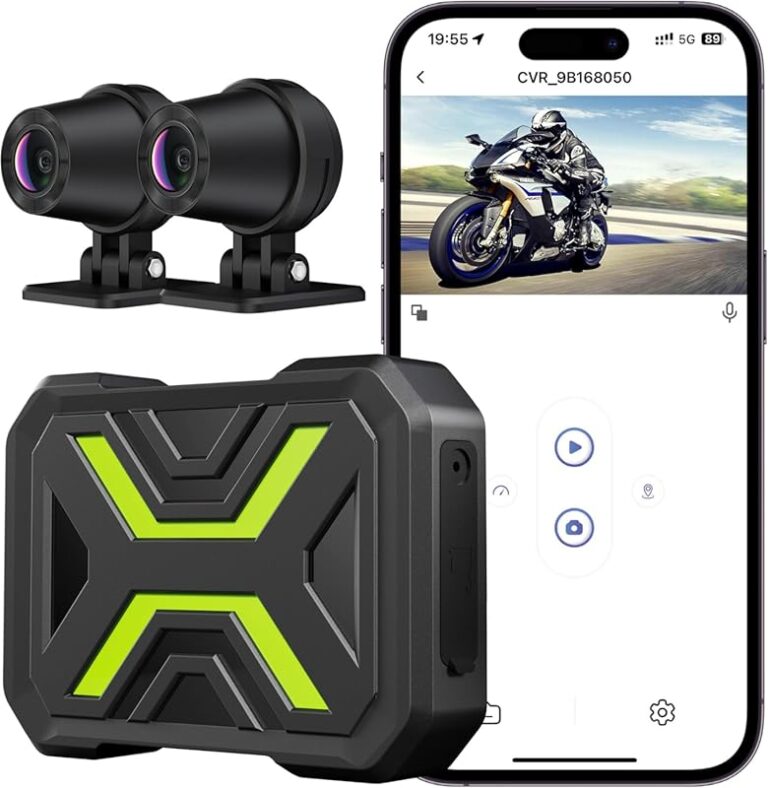
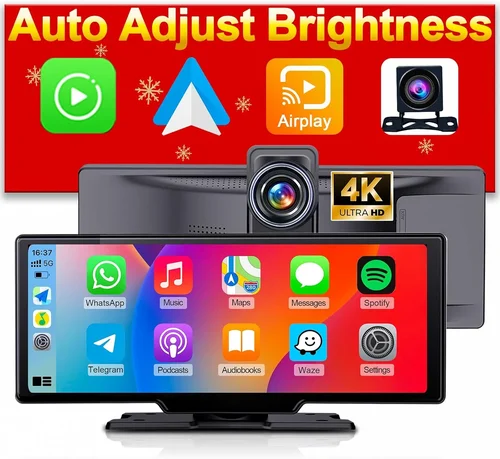
Each category serves a distinct purpose, and your choice depends heavily on how you use your Tacoma. Single-lens models are great for basic protection, while dual-lens systems eliminate rear-end collision liability. Wireless units appeal to those who want instant access to footage via mobile apps, and hardwired parking modes are indispensable for overnight security. Professional-grade cameras deliver courtroom-ready clarity but come with higher costs and complexity.
Common Buying Mistakes to Avoid
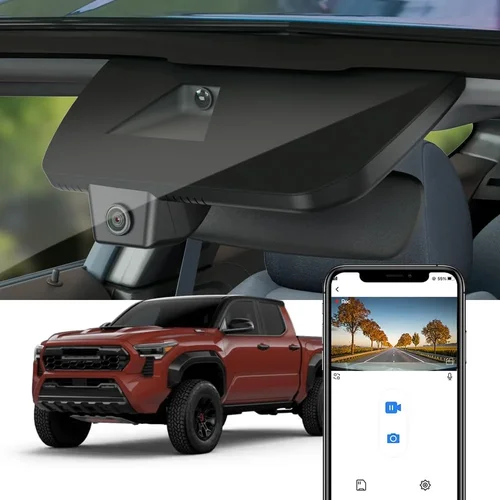
Many Tacoma owners rush into dash cam purchases without fully understanding what they truly need. Here are some frequent errors that can lead to disappointment—or worse, inadequate protection.
❌ Mistake: Ignoring Compatibility With Your Tacoma’s Interior
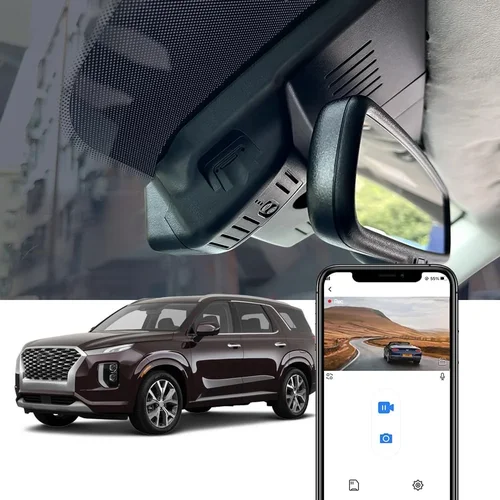
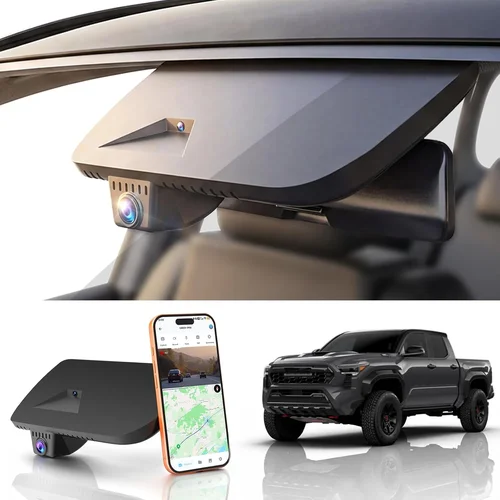
Why it’s bad: A dash cam that blocks your rearview mirror or protrudes awkwardly onto the dashboard distracts you while driving. In the third-gen Tacoma, the slim profile behind the mirror is ideal, but many cheap models are bulky and obtrusive.
What to do instead: Choose ultra-compact designs specifically marketed for Tacoma installations. Look for flush-mount models or those that attach discreetly below the mirror without interfering with visibility.
❌ Mistake: Skipping Hardwired Parking Mode Setup
Why it’s bad: Relying solely on battery-powered parking mode risks draining your Tacoma’s battery, leaving you stranded. Without continuous recording, you forfeit protection during unattended periods.
What to do instead: Invest in a hardwiring kit compatible with your Tacoma’s fuse box. This ensures safe, uninterrupted operation without impacting your vehicle’s electrical health.
❌ Mistake: Choosing Based Solely On Price
Why it’s bad: The cheapest dash cam might lack essential features like WDR, proper G-sensor sensitivity, or reliable loop recording. Over time, poor performance leads to missed incidents and frustration.
What to do instead: Prioritize value over upfront cost. Spend a bit more on a reputable brand with proven reliability—it pays off in long-term usability and peace of mind.
❌ Mistake: Neglecting Night Vision Capabilities
Why it’s bad: Most accidents happen at night, yet many budget dash cams produce grainy, unusable footage after dark. You won’t get useful evidence when it matters most.
What to do instead: Test night performance reviews or watch sample videos before buying. Look for explicit mentions of low-light optimization, WDR, and CMOS sensor ratings.
❌ Mistake: Using Inadequate Storage Cards
Why it’s bad: Cheap or slow SD cards cause dropped frames, corrupted files, or premature failure. This results in lost recordings and potential gaps in coverage.
What to do instead: Purchase high-endurance cards from trusted brands (SanDisk Extreme, Samsung Pro Endurance) rated for dash cam use. Stick to U3/V30 specifications.
❌ Mistake: Overlooking Mount Stability
Why it’s bad: A wobbly mount fails during sudden stops or bumpy terrain, sending your dash cam flying onto the windshield. Not only does this damage the device, but it also compromises safety.
What to do instead: Verify mount type suitability for your Tacoma’s windshield angle and climate. Adhesive mounts offer superior stability compared to suction cups in extreme temperatures.
❌ Mistake: Assuming All Dash Cams Are Equal In Legal Protection
Why it’s bad: Courts require high-definition, timestamped, GPS-tagged footage to accept dash cam evidence. Generic models often fail these criteria, rendering them useless in disputes.
What to do instead: Ensure your chosen model includes embedded GPS data and meets local legal standards for admissibility. Consult local laws if planning to use footage for insurance or court proceedings.
Budget Guidelines: How Much Should You Spend?
Determining your budget upfront helps narrow down options and prevents buyer’s remorse. Dash cams span a wide price spectrum, each tier offering progressively better performance and features.
Entry-Level ($50 – $100): Basic Protection for Casual Drivers
At this level, you’ll find functional 1080p dash cams with decent daytime recording and standard loop functionality. These are suitable for occasional city driving but often lack advanced features like parking mode or strong night vision. Brands like Viofo, Rexing, and JBL offer reliable entry points. Expect limited storage capacity (32–64GB) and basic interfaces. Ideal if you’re testing the waters or have minimal exposure to risk.
Mid-Range ($100 – $200): Sweet Spot for Most Tacoma Owners
This range delivers the best balance of quality, durability, and smart features. You’ll find dual-lens systems, improved low-light performance, built-in GPS, and sometimes Wi-Fi connectivity. Models like the Thinkware U1000 or BlackVue DR970-1CH-KIT fall here. Hardwiring kits are often included or readily available. Perfect for daily drivers who value reliability and future-proofing.
Premium ($200 – $400): Enhanced Security & Professional Features
Top-tier dash cams in this bracket offer 4K recording, superior audio capture, cloud connectivity, and robust build quality. They’re engineered for heavy use—whether commercial fleets or avid off-roaders. Brands like Garmin ZEGA or Nextbase iQ series dominate this space. Expect seamless integration with smartphone apps, automatic incident uploads, and military-grade shock resistance. Worthwhile if you demand maximum protection and don’t mind paying for excellence.
Luxury ($400+): Top-Tier Performance for Demanding Users
These are essentially professional surveillance tools disguised as dash cams. Featuring multi-channel recording, AI-powered event detection, and enterprise-grade encryption, they’re overkill for casual users but unmatched in forensic detail. Examples include the BlackVue DR970-X Dual Channel or the Garmin Dash Cam 77. Only consider if you’re using your Tacoma for business purposes, content creation, or require courtroom-grade documentation.
Expert Tips for Getting the Best Deal
Navigating the dash cam market requires strategy—not just luck. Here’s how to maximize value and minimize regret.
Shop During Off-Seasons
Black Friday, Cyber Monday, and early summer tend to see steep discounts as retailers clear inventory. Sign up for newsletters from Amazon, B&H Photo, or Best Buy to catch flash sales. Avoid peak shopping holidays like Memorial Day or Labor Day unless bundled deals appear.
Compare Retailers Beyond Amazon
While Amazon dominates online sales, specialty electronics stores like B&H Photo Video or Crutchfield often include free shipping, extended warranties, or bundled accessories (like extra SD cards). Check return policies too—some vendors offer 30-day hassle-free returns even if opened.
Bundle Wisely
Some brands sell “starter kits” that include everything needed: dash cam, hardwiring kit, suction cups, and premium SD card. Buying separately usually costs more. Watch for cross-brand promotions too—e.g., purchasing a Thinkware camera often qualifies for discounted BlackVue mounts.
Verify Warranty Terms Carefully
Read the fine print. Does the warranty cover accidental damage? Is international shipping included? Can you register the product online for faster claims? Brands like Garmin and BlackVue offer generous global warranties, whereas lesser-known sellers rarely do.
Test Before Committing Long-Term
If possible, rent or borrow a dash cam from a friend before buying. Install it temporarily and test recording quality, ease of use, and compatibility with your Tacoma’s layout. This eliminates guesswork and ensures satisfaction.
Leverage Community Reviews
Join Tacoma-specific forums (e.g., Tacoma World, Reddit’s r/Tacoma) and search for dash cam recommendations filtered by year and usage. Real-world experiences from owners who’ve installed the same model save hours of research.
Consider Refurbished Options
Certified refurbished models from authorized dealers can save 20–30% while retaining full warranty coverage. Look for “Grade A” refurbishments with replaced batteries and tested functionality.

Frequently Asked Questions
Q: Will a dash cam work in my third-gen Tacoma without drilling holes?
A: Absolutely. Most modern dash cams use suction cup or adhesive mounts that attach cleanly to your windshield without permanent modifications. Just ensure the surface is clean and dry before installation.
Q: Do I need to hardwire my dash cam to the fuse box?
A: Only if you want parking mode functionality. Otherwise, a standard USB connection to your cigarette lighter suffices. However, hardwiring prevents battery drain and enables continuous recording while parked—highly recommended for overnight security.
Q: How much storage do I actually need?
A: At 1080p, a 64GB card typically holds 2–3 hours of footage. If you drive less than 10 hours weekly, 64GB is sufficient for two weeks. For 4K recording, upgrade to 128GB or higher due to larger file sizes.
Q: Can I transfer footage to my phone easily?
A: Yes, if your dash cam has Wi-Fi or Bluetooth. Apps like BlackVue Cloud or Thinkware Mobile allow wireless transfer via smartphone. Alternatively, remove the SD card and use a USB reader.
Q: Will a dash cam interfere with my Tacoma’s airbag system?
A: No, provided it’s mounted below the rearview mirror and doesn’t protrude into the driver’s primary viewing zone. Avoid placing it above the mirror or within the “airbag deployment zone.”
Q: Are dash cams legal in all states?
A: Yes, dash cams themselves are legal nationwide. However, privacy laws vary by state regarding recording others without consent. Generally, recording public roads is permitted, but avoid filming inside private property or sensitive locations.
Q: How do I choose between front-only and dual-lens systems?
A: If you frequently reverse in tight spaces, park in high-theft areas, or tow a trailer, a dual-lens system adds valuable context. Otherwise, a front-only unit offers adequate protection for most Tacoma owners.
Q: What happens if my dash cam runs out of power while parked?
A: Without a hardwired setup, the device shuts off. With active parking mode, it continues recording using capacitor-backed power until the battery reaches a safe threshold. Always monitor initial drain during first use.
Q: Can I use my dash cam while driving in snowy conditions?
A: Most dash cams operate in sub-zero temperatures, but condensation inside the lens can occur upon entering a warm garage. Allow the unit to acclimate slowly. Use hydrophobic lens covers if available.
Q: How do I back up important clips safely?
A: Enable motion/impact-triggered locking in the settings. These files won’t be overwritten during loop recording. Regularly export critical footage to external drives or cloud storage to prevent loss.
Our Final Recommendations
After extensive analysis of performance, compatibility, and user feedback, here are our top picks tailored to different Tacoma owner profiles.
Best for Budget-Conscious Buyers: Viofo A119 V3
Priced around $80, this 1080p dash cam delivers crisp daytime footage, reliable loop recording, and surprisingly good night vision thanks to WDR technology. Its compact size fits snugly behind any Tacoma mirror, and the included suction mount holds firm in most climates. While it lacks GPS and parking mode, it’s an outstanding entry point for those wanting basic protection without overspending.
Best Overall Value: Thinkware U1000
At roughly $180, the U1000 strikes an exceptional balance between features and price. It records stunning 2K HDR video, includes built-in GPS tagging, and supports dual-lensing (sold separately). The hardwiring kit is affordable and easy to install, making parking mode accessible. Drivers praise its intuitive interface and durable build—making it ideal for both daily commutes and weekend adventures.
Best Premium Option: BlackVue DR970-1CH-KIT
For $270, this German-engineered dash cam offers 2K recording, cloud connectivity, and military-grade shock resistance. Paired with BlackVue’s subscription service (optional), you gain remote live viewing, automatic uploads, and tamper-proof evidence logging. Though pricier, its reliability and advanced features justify the investment for serious users or commercial applications.
Best for Beginners: Rexing V1P MAX
Retailing for $90, this model simplifies setup with plug-and-play installation and a user-friendly menu. It includes 1440p recording, built-in WiFi, and a magnetic rear camera add-on. Great for first-time buyers who want modern conveniences without complexity. Minor drawbacks include average night performance, but it’s a solid starting point.
Best for Advanced Users: Garmin ZEGA
Priced at $350, the ZEGA combines automotive-grade durability with premium features like voice control, lane departure warnings, and seamless smartphone integration. Its 1440p resolution and superior low-light handling make it a favorite among off-road enthusiasts and long-distance travelers. Installation requires minor wiring, but the result is a factory-like integration unmatched by competitors.
Best for Off-Road Enthusiasts: Nextbase iQ Series
With ruggedized housing and enhanced vibration resistance, the iQ series thrives in bumpy terrain. Its 4G LTE connectivity allows real-time emergency alerts, and the included rear camera provides full coverage. Priced around $250, it’s slightly less polished than premium rivals but excels in harsh environments where reliability trumps aesthetics.
Conclusion: Making the Right Choice
Selecting the best dash cam for your third-generation Tacoma isn’t just about technical specs—it’s about aligning features with your lifestyle, driving habits, and peace-of-mind priorities. Whether you’re navigating congested highways, conquering dirt trails, or simply protecting your investment, the right dash cam transforms a routine accessory into a vital layer of security.
Remember, the ideal dash cam won’t overwhelm you with unnecessary gadgets but will deliver consistent, high-quality footage whenever you need it. Prioritize resolution, night vision, parking mode capability, and Tacoma-compatible mounting solutions above all else. Avoid falling for marketing hype or settling for the cheapest option—your vehicle deserves reliable protection.
As you move forward, take advantage of expert tips like timing your purchase around seasonal sales, leveraging community insights, and testing installations before committing. And never underestimate the importance of proper maintenance: keep your SD card updated, clean your lens regularly, and ensure hardwiring connections remain secure.
Ultimately, a dash cam is more than hardware—it’s your unwavering companion on every journey. Equip yourself with knowledge, choose wisely, and drive with confidence knowing your Tacoma is protected, documented, and ready for whatever lies ahead.