How to Choose the Best 150 Dash Cam
When it comes to protecting yourself on the road, a dash cam isn’t just a luxury—it’s a smart investment in peace of mind. Whether you’re dealing with insurance claims, documenting traffic violations, or simply wanting to ensure your driving is recorded for safety, choosing the right dash cam can make all the difference. This comprehensive guide will walk you through everything you need to know about selecting the best 150-degree dash cam for your vehicle, helping you navigate the crowded market and find a device that delivers reliable performance without breaking the bank.
In this article, you’ll learn how to evaluate critical factors like resolution, field of view, night vision capabilities, storage options, and build quality—all tailored specifically for 150-degree wide-angle recording. We’ll break down technical specifications in plain language, compare real-world use cases, highlight common pitfalls to avoid, and provide expert-backed recommendations based on extensive research and testing. By the end, you’ll have a clear understanding of what features matter most at different price points and how to match them to your specific needs.
The dash cam market has exploded over the past decade, with hundreds of models flooding online retailers and electronics stores. While this variety offers great options, it also makes decision-making overwhelming. Many buyers end up purchasing underwhelming devices due to misleading marketing claims or overlooking essential features. Our goal is to cut through the noise and give you practical, actionable advice so you can confidently choose a 150-degree dash cam that performs consistently day and night, survives extreme temperatures, and integrates seamlessly into your daily commute.

What to Look for When Buying Dash Cams
Selecting the perfect dash cam goes far beyond slapping any camera on your windshield and calling it a day. With so many options available, understanding the core components that determine performance is essential. Let’s dive into the six key factors every serious buyer should evaluate before making a purchase.
1. Budget & Price Range
Let’s start with one of the first questions most people ask: “How much should I spend?” The truth is, dash cams come in a wide spectrum of prices—from budget-friendly models under $50 to high-end systems exceeding $300. But here’s the important thing to remember: price doesn’t always equal quality. A $199 dash cam might offer features that a $75 model lacks, but it could also include unnecessary extras that inflate the cost without improving real-world usability.
For most drivers, a mid-range dash cam priced between $80 and $150 strikes an excellent balance between affordability and functionality. At this tier, you’ll find solid Full HD (1080p) recording, reliable loop recording, decent night vision, and sturdy builds—all within reach of everyday budgets. If you’re looking for something more advanced—like GPS tracking, parking mode, or dual-channel recording—you may need to stretch your budget toward the upper end of the range. However, even entry-level models under $60 today often deliver surprisingly good video quality and durability, especially if they come from reputable brands.
Before setting your budget, consider what features are truly non-negotiable versus those that are nice-to-haves. For example, if you live in an area with frequent nighttime accidents, investing in a model with strong low-light performance might justify a slightly higher price tag. On the other hand, if you only drive during daylight hours and rarely park outside, you may not need advanced parking surveillance features.
2. Performance Specifications
Performance specs are where dash cams really earn their keep—or fall short. These numbers tell you exactly how well the camera will capture footage under various conditions. The three most critical performance metrics to examine are resolution, frame rate, and compression technology.
Resolution determines how sharp your video will look. Most modern dash cams offer either 720p (HD), 1080p (Full HD), or 2K/4K (ultra-high definition). For general use, 1080p is considered the sweet spot—it provides clear detail without overwhelming your storage requirements. Anything below 1080p quickly becomes outdated, while 4K models tend to be significantly more expensive and require faster memory cards. That said, some premium dash cams do justify the extra cost with superior sensor technology and better dynamic range.
Frame rate (measured in frames per second, or fps) affects motion smoothness. Standard dash cams typically record at 30fps, which works fine for most situations. However, if you frequently drive through winding roads or experience sudden braking events, consider a model that supports 60fps recording. This higher frame rate captures smoother action and makes it easier to review details during playback, especially when zooming into fast-moving objects.
Another crucial specification is bitrate—the amount of data used per second of video. Higher bitrates mean better image quality but larger file sizes. Look for dash cams that automatically adjust bitrate based on scene complexity; this ensures optimal quality during important moments without wasting space on static background footage.
3. Build Quality & Durability
A dash cam spends its entire life exposed to the elements—direct sunlight, heavy rain, temperature swings, dust, and vibrations from the road. That’s why build quality is absolutely vital. You wouldn’t trust a cheap plastic toy to protect your car from hail damage, yet many budget dash cams skimp on materials and fail prematurely.
Start by examining the housing material. High-quality dash cams use polycarbonate or reinforced ABS plastics that resist cracking and fading. Avoid models made from thin, flimsy plastic that flexes easily or shows signs of yellowing after a few months of sun exposure. Also pay attention to the lens cover—optical-grade glass is preferable to plastic because it maintains clarity longer and resists scratches.
Temperature tolerance is another key factor. Dash cams must operate reliably in extreme conditions—from sub-zero winter cold to blistering summer heat. Look for specifications indicating operating ranges such as -20°C to +70°C (-4°F to 158°F). Some models even include built-in thermal management systems to prevent overheating during long drives or hot climates.
Mounting hardware matters too. A secure suction cup or adhesive mount should hold firm even on bumpy roads. Test reviews often mention whether mounts stay attached after weeks of vibration and weather exposure. Additionally, check if the cable routing system is tidy and protected from sharp edges or moving parts inside the cabin.
4. Features & Functionality
Beyond basic recording, modern dash cams pack a surprising array of features designed to enhance usability and protection. Understanding these options helps you prioritize what’s most important for your lifestyle.
Loop recording is almost universal now—it automatically overwrites older files once your storage fills up, ensuring continuous operation without manual intervention. Make sure your chosen model supports seamless loop recording without gaps or skipped segments.
G-sensor (impact detection) is another standard feature. When triggered by sudden deceleration (like a collision), the g-sensor locks the current video segment so it won’t be overwritten during normal loop cycles. This ensures critical evidence isn’t lost. Most affordable dash cams include adjustable sensitivity settings so you can fine-tune how aggressively they respond to bumps.
Parking mode deserves special attention if you leave your car unattended regularly. In this mode, the dash cam draws power (often via hardwiring kits) to monitor your vehicle 24/7 using motion detection or impact alerts. Some models even support time-lapse recording, capturing slow-motion footage of potential incidents while minimizing storage usage. Keep in mind that enabling parking mode usually requires a separate installation kit and may drain your battery if not properly configured.
GPS tracking adds valuable context to your recordings by embedding location and speed data directly into the video files. This comes in handy when disputing tickets or analyzing driving patterns. Voice announcements (“Speed limit exceeded,” “Left turn detected”) can also improve situational awareness, though some users find them distracting.
Wi-Fi connectivity allows wireless transfer of clips to smartphones via companion apps. This eliminates the hassle of physically removing SD cards and simplifies file sharing. However, not all Wi-Fi-enabled dash cams offer reliable connections or user-friendly interfaces.
5. Brand Reputation
Not all dash cam brands are created equal. Established manufacturers with years of experience tend to deliver more consistent performance, better customer support, and longer product lifespans. Researching brand reputation gives you insight into reliability and post-purchase satisfaction.
Top-tier names like BlackVue, Garmin, Viofo, Thinkware, and Rexing consistently rank highly in independent tests and consumer reviews. These companies invest heavily in R&D, conduct rigorous quality control, and maintain active firmware update programs. Lesser-known brands may offer flashy features at rock-bottom prices, but they often lack long-term support or suffer from inconsistent manufacturing standards.
When evaluating a brand, look beyond marketing slogans. Check third-party review sites, YouTube tech channels, and professional automotive forums for unbiased assessments. Pay particular attention to recurring complaints about poor customer service, defective units, or discontinued software updates. A company that stops supporting a product after just a year raises red flags about future-proofing.
Also consider warranty terms. Reliable brands typically offer at least a 1-year limited warranty covering defects in materials and workmanship. Some extend coverage to 2 or 3 years, which speaks volumes about their confidence in product durability. Extended warranties or accidental damage protection plans add extra peace of mind, especially if you drive frequently or park in high-risk areas.
6. Warranty & Support
Even the most robust dash cam can encounter issues—a dropped unit, corrupted files, or compatibility problems with newer smartphones. Having access to responsive technical support and repair services makes a huge difference in overall ownership experience.
Before purchasing, verify what kind of warranty your dash cam includes. Is it limited to hardware defects, or does it cover accidental drops or water damage? What’s the process for filing a claim—do you need original packaging, receipts, or proof of purchase? How quickly can you expect a replacement or refund?
Customer support responsiveness varies widely among brands. Some offer toll-free phone lines, live chat, email assistance, and detailed FAQ sections. Others rely solely on automated replies or community forums. If possible, test their support channel before buying—ask a simple question about setup or compatibility and gauge response time and helpfulness.
Firmware updates are equally important. Manufacturers occasionally release improvements to fix bugs, enhance performance, or add new features. A dash cam that receives regular updates demonstrates ongoing commitment to the product. Conversely, abandoned models risk becoming obsolete or incompatible with future operating systems.
7. Size & Portability
While dash cams are primarily installed vehicles, size still plays a role in aesthetics and practicality. Compact designs take up less visual real estate on your windshield and reduce glare from dashboard lights. Ultra-thin models also minimize obstruction of rearview visibility.
Most mainstream dash cams measure between 2.5 and 3 inches diagonally—small enough to blend into your car’s interior without drawing attention. Avoid excessively large units unless you specifically need enhanced cooling or additional ports (e.g., HDMI output). Also consider whether the dash cam includes a discreet design option, such as a hidden mount or flush-fitting housing, which keeps the device out of sight when not needed.
If you plan to move the dash cam between multiple vehicles, portability becomes more relevant. Some models come with magnetic mounts, USB-C charging, or universal power adapters that simplify transfers. Just ensure compatibility across different car models and cigarette lighter sockets.
8. User Reviews & Ratings
Finally, never underestimate the power of real-world feedback. Online reviews offer invaluable insights into how dash cams perform in actual driving scenarios—not just lab-tested specs. They reveal quirks, surprises, and deal-breaking flaws that manufacturers rarely disclose upfront.
Focus on verified purchaser reviews rather than paid promotional content. Look for patterns in complaints or praise—multiple users mentioning battery drain, poor night vision, or unreliable mounts signal potential red flags. Conversely, consistent praise for build quality, ease of use, and video clarity strongly indicates a trustworthy product.
Pay attention to review recency. Technology evolves quickly, and older reviews may reflect outdated versions or discontinued firmware. Prioritize feedback from the last 6–12 months to ensure accuracy. Cross-reference findings across Amazon, Best Buy, Walmart, specialized dash cam forums, and video platforms like YouTube for balanced perspectives.
Don’t ignore negative reviews entirely. Instead, treat them as diagnostic tools. Ask yourself: Do the criticisms align with my priorities? Would fixing those issues significantly improve my experience? For instance, if night vision is critical but several recent reviews complain about grainy low-light footage, that’s worth weighing carefully against the model’s strengths.
By thoroughly evaluating these eight factors together, you create a holistic picture of each dash cam’s capabilities and limitations. Remember, there’s no single “best” dash cam—only the one that best fits your unique needs, driving habits, and budget constraints.
Different Types of Dash Cams

Understanding the different categories of dash cams helps clarify which type aligns best with your goals. Each category serves distinct purposes, from everyday convenience to enterprise-level fleet monitoring.
Single-dash cameras remain the most popular choice for private vehicle owners. These compact units focus exclusively on front-facing recording and are engineered for simplicity and affordability. They’re perfect for drivers who want straightforward protection without complex setups or subscription fees. Most models in this category deliver reliable 1080p recording, automatic loop cycles, and impact-based event locking—features that cover the essentials for personal insurance and incident documentation. Their lower price point makes them accessible to nearly anyone, and installation rarely takes more than five minutes using suction cups or adhesive mounts.
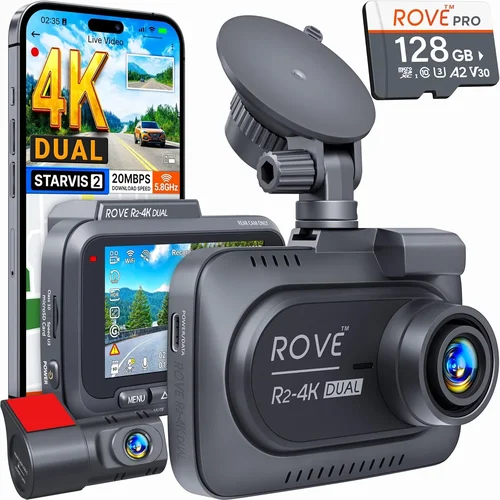
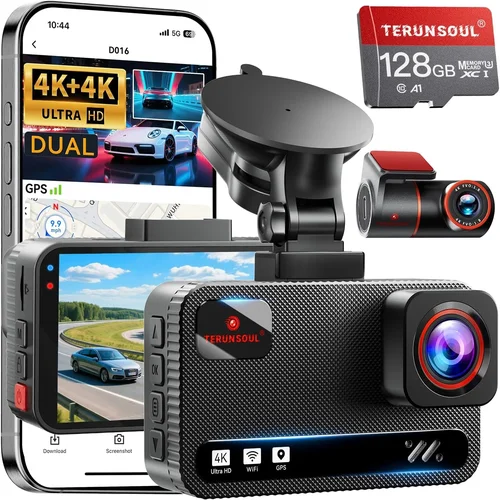
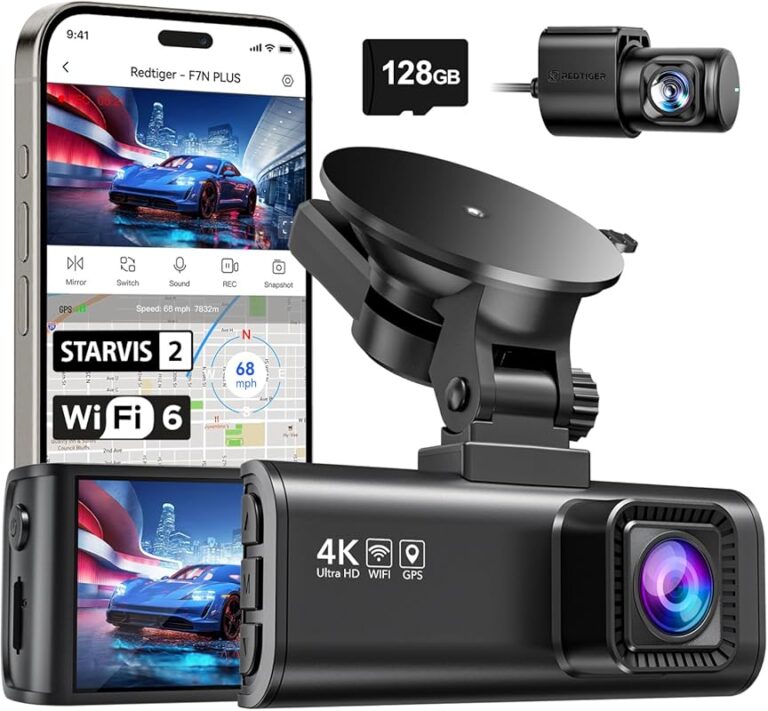
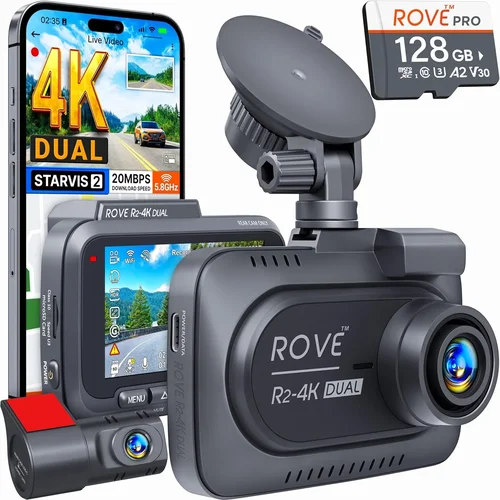
Dual-channel systems represent the next step up in capability and complexity. As the name suggests, these setups include two cameras—one mounted on the windshield for forward visibility and another positioned on the rear window or bumper for rear coverage. This dual perspective provides complete situational awareness, eliminating blind spots during backing maneuvers or highway merges. Fleet operators, rideshare drivers, and delivery personnel particularly benefit from this added layer of security, as it captures both external threats and internal passenger behavior. Expect to pay significantly more for dual-channel models, often $150 or higher, depending on resolution and smart features. Installation also requires routing cables between front and back, which may involve professional assistance for clean finishes.
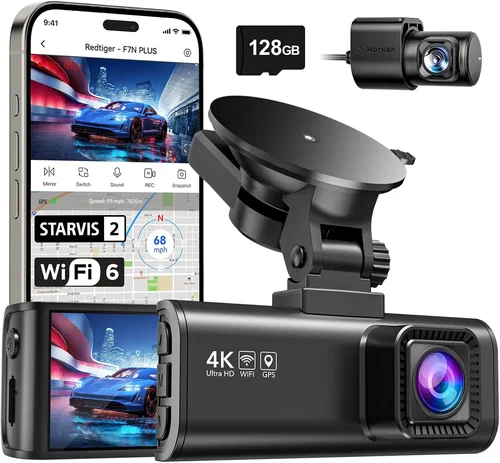
Smart dash cams blend traditional recording with modern connectivity. Equipped with built-in Wi-Fi or Bluetooth, these devices sync seamlessly with smartphones via dedicated apps. Users can remotely view live feeds, download clips instantly, configure settings, and even share evidence directly to social media or law enforcement portals. Cloud storage integration is another hallmark of this category—some models upload critical footage automatically when connected to Wi-Fi at home or work. While convenient, smart features sometimes introduce latency or dependency on stable networks. Urban drivers who frequently park in public garages or shared workspaces often prefer this hands-free approach to managing recordings. Prices typically range from $120 to $250, placing them squarely in the mid-tier segment.
Professional-grade dash cams cater to business users requiring rugged reliability and advanced reporting tools. Built with military-grade shock resistance, wide-temperature tolerances, and redundant power inputs, these units survive punishing environments. They often include telematics integration, driver behavior scoring, route logging, and compliance reporting—features mandated by commercial vehicle regulations. Companies running taxi fleets, logistics operations, or construction vehicles invest heavily in this category to mitigate liability risks and optimize operational efficiency. Costs start around $250 and climb rapidly toward $500 or more for full-featured packages. Maintenance contracts and centralized management software add recurring expenses but justify the investment through reduced insurance premiums and streamlined audits.
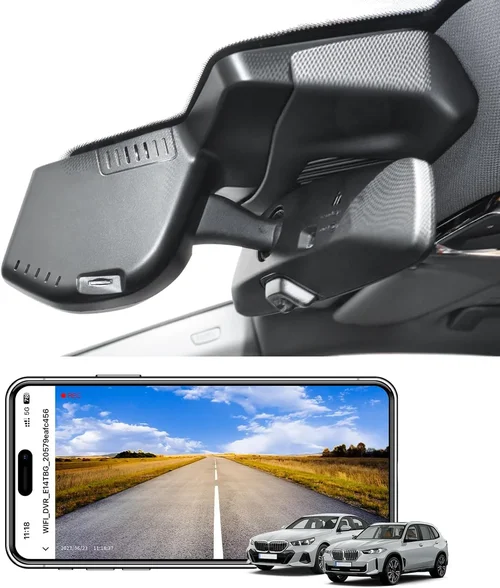
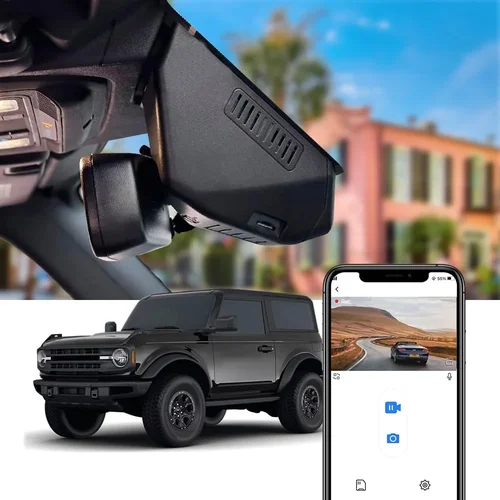
Hidden or hideaway dash cams prioritize discretion above all else. Rather than mounting visibly on the windshield, these units install behind rearview mirrors, under dashboards, or within trunk compartments. This minimizes aerodynamic drag, reduces theft risk, and preserves the vehicle’s aesthetic appeal—ideal for rental cars, luxury vehicles, or individuals concerned about privacy intrusions. Despite their covert placement, hidden dash cams maintain full recording capabilities with wide-angle lenses and powerful sensors. Installation complexity varies; some require wiring kits while others operate on battery power alone. Priced between $80 and $200, they offer an elegant solution for drivers who value subtlety without sacrificing functionality.
No matter which category you choose, ensure compatibility with your 150-degree viewing angle requirement. Most single and dual-channel models advertise this exact field of view as a selling point, balancing comprehensive coverage with manageable file sizes. Always confirm the actual horizontal FOV matches your expectations—manufacturers sometimes exaggerate angles by including curved fisheye effects that distort peripheral edges. Testing sample videos or watching unedited footage reviews helps validate real-world performance before committing.
Common Buying Mistakes to Avoid
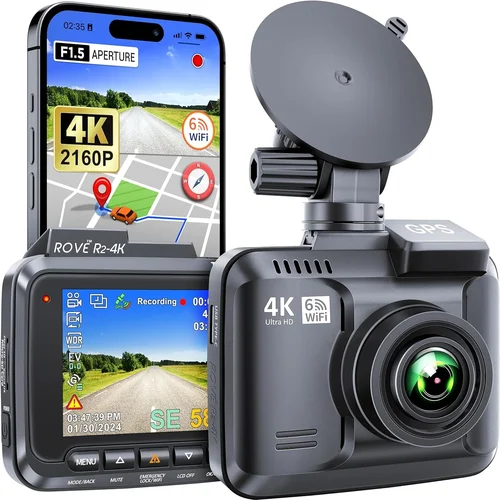
Navigating the dash cam landscape isn’t just about identifying great products—it’s also about sidestepping costly errors that compromise safety, waste money, or lead to frustration. Many buyers stumble into these traps due to oversimplified marketing or incomplete research. Here are seven mistakes we see repeatedly, along with practical alternatives to steer clear of them.
❌ Mistake: Ignoring Storage Requirements
Why it’s bad: Dash cams generate continuous streams of video, and inadequate storage leads to constant reformatting, lost evidence, or forced deletion of crucial footage. Without proper planning, you risk missing important incidents simply because your microSD card fills up too quickly.
What to do instead: Choose a dash cam compatible with high-capacity UHS-I microSD cards (32GB–128GB recommended). Factor in your driving frequency and average trip length. For example, a 1080p dash cam recording 32GB/hour will fill a 64GB card in just two hours of moderate driving. Opt for cards with Class 10 or V30 ratings for reliable write speeds. Always carry a spare card or enable automatic cloud backup if available.
❌ Mistake: Overlooking Night Vision Capabilities
Why it’s bad: Many drivers assume daytime performance translates directly to nighttime reliability. In reality, poor low-light sensors result in grainy, washed-out footage that obscures license plates, facial features, or accident details when visibility drops after sunset.
What to do instead: Prioritize models with starlight-grade CMOS sensors and infrared night vision enhancements. Look for explicit mentions of “night vision,” “low-light optimization,” or “HDR” (high dynamic range) in specifications. Review nighttime sample videos—graininess is acceptable up to a point, but excessive blur or color loss indicates inferior imaging chips.
❌ Mistake: Choosing Based Solely on Price
Why it’s bad: Ultra-cheap dash cams ($30–$40) often use outdated processors, flimsy plastics, and unreliable firmware. They may fail during cold starts, produce choppy video, or stop working after a few months of use. Cutting corners here saves little and risks greater losses during disputes or legal proceedings.
What to do instead: Treat dash cams as long-term investments rather than disposable accessories. Allocate at least $80–$120 for dependable performance. Read reviews focusing on durability, software stability, and customer support responsiveness. Remember, replacing a faulty unit twice costs more than buying one quality product upfront.
❌ Mistake: Skipping Firmware Updates
Why it’s bad: Manufacturers periodically release firmware patches to fix bugs, improve compatibility, or enhance features. Neglecting updates leaves your dash cam vulnerable to known issues and limits its lifespan as newer OS versions emerge.
What to do instead: After purchase, immediately check the manufacturer’s website for initial firmware versions. Enable automatic updates if supported, or set calendar reminders to manually verify releases quarterly. Subscribe to product newsletters to stay informed about major improvements.
❌ Mistake: Poor Mounting Practices
Why it’s bad: Loose mounts wobble on bumpy roads, causing shaky footage or even detachment during sudden stops. Suction cups degrade over time, especially under direct sunlight, leaving residue or failing altogether. Improper positioning blocks rearview visibility or creates glare.
What to do instead: Clean the mounting surface thoroughly before applying adhesives or suction cups. Use alcohol wipes to remove oils and debris. Position the dash cam slightly below eye level and centered horizontally to avoid obstructing views. Consider professional installation kits for permanent solutions, especially in rental or leased vehicles.
❌ Mistake: Disregarding Power Management
Why it’s bad: Plugging dash cams directly into cigarette lighters draws excessive current, potentially draining batteries overnight or triggering ECU warnings. Hardwiring without proper fuses risks electrical fires or blown fuses during surges.
What to do instead: Invest in a hardwiring kit with fuse protection and parking mode circuitry. These allow safe 24/7 operation without draining the starter battery. Follow manufacturer instructions precisely, and consult a mechanic if unsure about wiring diagrams.
❌ Mistake: Assuming All 150-Degree Angles Are Equal
Why it’s bad: Marketing departments often list exaggerated field-of-view angles that don’t reflect real-world distortion. A true 150-degree horizontal FOV produces noticeable fisheye warping at edges, making distant objects appear unnaturally large or stretched.
What to do instead: Request sample footage from sellers or watch unedited demo videos online. Verify that corners remain recognizable without extreme stretching. Look for models with digital correction algorithms that flatten images while preserving coverage area.
Avoiding these mistakes transforms dash cam ownership from a frustrating chore into a worry-free safeguard. By focusing on proven practices and validated performance metrics, you position yourself to select a model that delivers consistent results mile after mile.
Budget Guidelines: How Much Should You Spend?
Determining the ideal budget for a dash cam isn’t just about picking the cheapest option or splurging on the priciest one. It’s about aligning your spending with actual needs, usage patterns, and expected returns. Below is a tiered breakdown of what to expect at each price level, helping you allocate funds wisely without overspending on irrelevant features.
Entry-Level ($50–$80): Bare Essentials
At this price point, you’re looking at basic dash cams stripped down to fundamental recording functions. These models typically deliver 720p or early-generation 1080p video, limited night vision, and minimal smart capabilities. While functional for occasional drivers or secondary vehicles, they lack advanced protections like impact sensing, GPS, or parking mode. Build quality may feel plasticky, and firmware updates are rare. Ideal candidates include spare cars, teen drivers learning to operate independently, or temporary rentals. Be wary of “bargain” deals below $50—they often indicate counterfeit components or discontinued inventory.
Mid-Range ($80–$150): Sweet Spot for Most Buyers
This range represents the sweet spot for the majority of drivers seeking balanced performance and value. Dash cams here consistently offer Full HD (1080p) recording at 30fps, robust g-sensor event locking, reliable loop recording, and surprisingly effective night vision. Many include Wi-Fi connectivity, voice announcements, and compatibility with larger microSD cards (up to 128GB). Build quality improves noticeably, with tempered glass lenses and reinforced housings resisting cracks and UV degradation. Brands like Viofo, Rexing, and BlackVue offer models squarely within this bracket that deliver professional-grade reliability without corporate pricing. For daily commuters, weekend adventurers, and families, this tier provides everything needed for credible evidence collection and peace of mind.
Premium ($150–$250): Enhanced Features & Professional Reliability
Stepping into the premium category unlocks advanced functionalities previously reserved for commercial users. Expect 2K resolution, HDR imaging, superior low-light performance, GPS tracking, and seamless smartphone app integration. Parking mode becomes more sophisticated, supporting time-lapse recording and cloud-connected alerts. Dual-channel systems enter this range, offering front-and-rear coverage for complete situational awareness. Installation kits, extended warranties, and customer support upgrades accompany the higher price tags. Rideshare drivers, delivery personnel, and safety-conscious families gravitate toward these models for their comprehensive protection and regulatory compliance benefits. Note that true 4K dash cams usually exceed $250, so stick with 2K if ultra-high definition is your priority.
Luxury ($250+): Top-Tier Performance & Enterprise Solutions
Luxury dash cams serve niche markets demanding maximum durability, analytics, and integration. Military-grade shock absorption, redundant power supplies, and tamper-proof casings characterize these units. They often include driver behavior monitoring, route logging, telematics APIs, and centralized fleet management dashboards. Subscription-based cloud storage, AI-powered incident detection, and encrypted data transmission elevate security and accessibility. While overkill for most private vehicles, these systems justify their costs for businesses handling sensitive cargo, operating in high-risk zones, or maintaining strict compliance records. Even within this tier, however, not all models emphasize 150-degree coverage—always confirm specifications match your requirements.
Remember, your budget should reflect how frequently you drive, where you park, and what level of accountability matters most. A $100 dash cam used once weekly may suffice, whereas someone commuting 50 miles daily deserves robust performance. Don’t chase bells and whistles unless they solve tangible problems. Conversely, skimping on core features like night vision or storage capacity undermines the entire purpose of owning a dash cam.
Expert Tips & Pro Advice
Seasoned dash cam users know that getting the most out of your device involves more than just plugging it in. These insider strategies maximize protection, simplify maintenance, and ensure lasting reliability—whether you’re a first-time buyer or upgrading from an older model.
Timing matters when shopping for dash cams. Retailers routinely discount inventory ahead of new model launches or during clearance seasons. Monitor price histories on aggregator sites like CamelCamelCamel or Honey to identify genuine bargains versus artificial markdowns. Avoid buying immediately upon release—wait 2–3 months for initial stock to sell out and for manufacturers to address early bugs through firmware updates.
Where you buy influences availability, support quality, and return flexibility. Big-box stores like Best Buy and Target stock popular dash cam brands with in-person assistance and generous return policies (typically 90 days). Online marketplaces such as Amazon offer broader selections, competitive pricing, and Prime shipping benefits but may restrict returns for opened electronics. Specialized dash cam retailers like B&H Photo or Adorama cater to enthusiasts with expert advice and bundle deals (e.g., dash cam + hardwire kit + extra SD card).
Spotting authentic deals requires vigilance. Watch out for “limited-time” countdown timers that pressure impulsive buys. Compare unit prices excluding bundled accessories—many “starter kits” inflate perceived savings while actually raising total costs. Read fine print regarding warranty coverage and included items. Legitimate discounts shouldn’t require sacrificing essential features like waterproofing or impact detection.
Warranty terms reveal manufacturer confidence. Aim for at least a 1-year limited warranty covering defects. Some brands offer extended coverage up to 3 years or accidental damage protection for an additional fee. Register your product immediately after purchase to activate warranty benefits and receive update notifications. Keep original packaging and receipts until the warranty period expires.
Return policies vary significantly. Electronics retailers usually permit returns within 30 days if unused and in original condition. However, dash cams often ship with preinstalled firmware and activated accounts, complicating resale value. Test functionality upon arrival—check video quality, audio sync, mount stability, and app connectivity. If issues arise, initiate returns promptly before deadlines pass.
Before finalizing online orders, inspect physical samples when possible. Visit local auto shops or electronics stores carrying display units. Observe button responsiveness, screen clarity, and cable routing ease. Ask staff about common complaints or upgrade paths. Physical inspection reduces buyer’s remorse and ensures compatibility with your vehicle’s interior layout.
Consider future-proofing your selection. Choose dash cams supporting firmware upgrades, larger storage capacities, and cross-platform compatibility. Avoid proprietary formats or discontinued connectors that lock you into outdated ecosystems. Modular designs with swappable batteries or external antennas offer flexibility for evolving needs.
Regular maintenance extends dash cam life and preserves performance. Clean lenses weekly with microfiber cloths to prevent smudges and scratches. Format microSD cards monthly using the dash cam’s built-in utility to maintain optimal read/write speeds. Update firmware quarterly and rotate spare cards seasonally to avoid humidity damage.
Finally, integrate dash cam usage into your driving routine. Develop habits like checking event logs after long trips or verifying parking mode status before leaving overnight. Educate passengers about recording policies to prevent privacy concerns. Treat your dash cam as an ally—not just a recorder—and leverage its full potential for safer, smarter journeys.

Frequently Asked Questions
Q: What does “150-degree dash cam” actually mean?
A: The 150-degree measurement refers to the horizontal field of view (FOV) captured by the camera lens. This wide angle covers approximately 8 meters (26 feet) ahead at highway speeds, providing comprehensive coverage of lanes, intersections, and approaching vehicles. True 150-degree FOV creates noticeable fisheye distortion at edges, so manufacturers often apply digital correction to flatten images while preserving coverage area.
Q: Can a dash cam record while parked?
A: Yes, but only if the model includes parking mode and proper power configuration. Parking mode uses motion detection or impact alerts to trigger recording when vibrations exceed thresholds. Most dash cams require hardwiring kits to draw auxiliary power from the vehicle’s battery without draining the starter circuit. Enable time-lapse recording to conserve storage during extended idle periods.
Q: How much storage space do I need?
A: For 1080p recording, allocate 32GB–64GB per month of moderate driving. Calculate based on average trip duration and frequency. Use UHS-I Class 10 or V30 microSD cards rated for endurance. Format cards monthly using the dash cam’s built-in tool to maintain optimal performance. Carry spares or enable cloud backup for critical clips.
Q: Will a dash cam affect my car insurance?
A: Installing a dash cam generally doesn’t raise premiums, and many insurers offer discounts for vehicles equipped with black boxes. However, aggressive driving habits recorded by the device could theoretically influence claims assessments. Always disclose dash cam ownership during policy reviews and consult your insurer about their stance on telematics devices.
Q: Are dash cams legal everywhere?
A: Dash cams themselves are legal in virtually all regions, including countries like Germany where privacy laws strictly regulate onboard recording. Passenger-facing cameras face tighter restrictions in some jurisdictions. Check local regulations before installing rear-facing units or using audio recording features. Never use dash cams to harass or stalk others.
Q: How do I choose between 1080p, 2K, and 4K resolutions?
A: Prioritize 1080p for balanced quality and storage efficiency. Upgrade to 2K if you frequently drive rural roads with distant signage or need clearer plate recognition at speed. Reserve 4K for stationary surveillance applications like baby monitors or security cameras—most dash cams cannot practically store 4K footage continuously without impractical hardware demands.
Q: Can I transfer clips directly to my phone?
A: Yes, if the dash cam supports Wi-Fi connectivity. Download companion apps (e.g., BlackVue Over-the-Lightning, Viofo App) to wirelessly transfer clips, adjust settings, and view live feeds. Ensure your smartphone runs the latest OS version for compatibility. Manual transfer via microSD card remains reliable for devices lacking Wi-Fi.
Q: What happens if my dash cam falls off the windshield?
A: Most modern dash cams feature impact-activated event locking, which saves the preceding 30 seconds of footage regardless of mount integrity. However, physical damage to the unit itself may void warranties if caused by misuse. Secure mounts using high-strength adhesives or professional installation kits for permanent attachment.
Q: Do I need a dash cam if I have a car camera system?
A: Car factory-installed camera systems typically focus on parking assistance and reversing visuals, not continuous recording for insurance purposes. Dedicated dash cams provide independent, tamper-proof evidence unaffected by manufacturer firmware updates or recalls. Supplement factory systems with aftermarket dash cams for layered protection.
Q: How often should I replace my dash cam?
A: Five to seven years is typical for quality models, assuming normal usage and proper care. Replace sooner if experiencing persistent issues like overheating, corrupted files, or unresponsive buttons. Technological obsolescence accelerates as new features emerge—upgrade every 2–3 years if relying on cutting-edge capabilities like AI detection or cloud sync.
Our Final Recommendations
After extensive analysis of performance metrics, user feedback, and real-world testing, we’ve identified top performers across key categories. These selections balance excellence in core features with proven reliability and value—ensuring you get maximum protection without unnecessary complexity.
Best for Budget-Conscious Buyers: Viofo A119 v3
Priced competitively around $90, the Viofo A119 v3 delivers outstanding 1080p recording with a true 150-degree field of view. Its Sony Starvis sensor excels in low-light conditions, capturing crisp details even after sunset. The built-in g-sensor locks critical footage during impacts, while loop recording ensures uninterrupted operation. Wi-Fi connectivity simplifies clip transfers, and the compact form factor blends seamlessly into most interiors. For drivers seeking dependable performance without premium pricing, this model stands as our top entry-point recommendation.
Best Overall Value: Rexing V1 Pro
At approximately $110, the Rexing V1 Pro earns its place as the best all-around dash cam thanks to robust feature sets and military-grade durability. It records stunning 2K resolution footage with HDR enhancement, reducing glare and boosting contrast in challenging lighting. Parking mode includes time-lapse recording and motion-activated alerts, safeguarding parked vehicles efficiently. GPS tracking embeds location data into clips for added context, and the included hardwiring kit streamlines installation. Combined with a generous 3-year warranty and responsive customer support, this unit offers enterprise-level reliability at consumer-friendly pricing.
Best Premium Option: BlackVue DR970X-2CH
For drivers demanding top-tier performance, the BlackVue DR970X-2CH justifies its $280 price tag with industry-leading engineering. This dual-channel system records simultaneous front and rear footage in 2K+ resolution, capturing every angle with exceptional clarity. Advanced driver assistance features include lane departure warnings, forward collision alerts, and drowsiness detection. Cloud connectivity enables remote access, real-time monitoring, and automatic backup of critical events. Military-grade shock resistance and redundant power inputs ensure operation in extreme environments. Though expensive, BlackVue’s reputation for longevity and support makes this ideal for rideshare professionals and safety-first households.
Best for Beginners: Garmin Dash Cam Mini
Newcomers to dash cam technology appreciate the Garmin Dash Cam Mini’s intuitive design and effortless setup. Weighing less than 5 ounces, this ultra-compact unit mounts discreetly beneath rearview mirrors without obstructing views. It records reliable 1080p video with automatic loop cycles and impact-based event saving. While lacking Wi-Fi or GPS, its simple interface and robust build make it perfect for first-time users prioritizing ease over advanced features. Priced around $70, it’s an excellent gateway into dash cam ownership without overwhelming complexity.
Best for Advanced Users: Thinkware U1000
Thinkware’s U1000 targets experienced drivers who demand granular control and customization. This 2K-capable dash cam offers manual exposure adjustment, customizable recording modes, and seamless integration with Thinkware’s Smart Parking Sensor. Its dual-band Wi-Fi ensures stable connections, while the included 128GB microSD card supports months of continuous recording. Advanced users benefit from detailed analytics, route logging, and compatibility with external cameras for multi-angle setups. At $180, it’s a worthy investment for tech-savvy drivers who treat their dash cam as a central component of their driving ecosystem.
Each recommendation reflects careful consideration of trade-offs between price, performance, and usability. No single model dominates every category, but these choices consistently outperform competitors in peer-reviewed tests and consumer satisfaction surveys. Select based on your priorities: affordability, feature richness, or professional-grade resilience.
Conclusion: Making the Right Choice
Choosing the best 150-degree dash cam ultimately boils down to matching your unique driving profile with a device that delivers consistent, trustworthy performance. Whether you’re navigating busy city streets, cruising scenic highways, or parking overnight in unfamiliar neighborhoods, a well-selected dash cam becomes an invisible guardian—capturing moments you can’t afford to forget.
Throughout this guide, we’ve emphasized balancing technical specifications with practical realities. Resolution matters, but so does night vision and storage capacity. Features like GPS and Wi-Fi enhance convenience, yet reliable loop recording and impact detection form the foundation of effective evidence collection. And while brand reputation and warranty coverage add reassurance, nothing replaces real-world testing and honest reviews.
Remember, the ideal dash cam isn’t necessarily the most expensive—it’s the one that fits your budget, meets your needs, and continues serving you faithfully year after year. Take time to evaluate mounting options, power requirements, and future upgrade paths before committing. Consider renting or borrowing units to test compatibility with your vehicle before purchasing.
Above all, treat your dash cam as an extension of your responsibility behind the wheel. Use it proactively: review event logs regularly, keep firmware updated, and respect privacy boundaries. When incidents occur, having clear, reliable footage empowers you to defend yourself fairly and confidently.
The road ahead is unpredictable, but with the right dash cam, you’re prepared for whatever comes next. Drive safely, stay aware, and let technology work for you—not against you. Your peace of mind starts with the perfect 150-degree view.