Best Car Dash Cam Buying Guide
Why This Guide Matters
In today’s world, where traffic accidents are more common than we’d like to admit and insurance claims can be complex affairs, having a reliable dash cam in your vehicle isn’t just a convenience—it’s becoming an essential safety tool. The right dash cam can provide crucial evidence in the event of an accident, help protect against insurance fraud, and even give you peace of mind knowing that every journey is being recorded. But with hundreds of models available from various brands, choosing the best dash cam for your car can feel overwhelming.
This comprehensive buying guide will walk you through everything you need to know about selecting the perfect dash cam for your needs. Whether you’re looking for basic front-camera protection or a sophisticated dual-system setup with parking monitoring, we’ll cover all the critical factors to consider, explain technical specifications in plain English, and help you understand which features matter most for different driving scenarios. By the end of this article, you’ll have all the knowledge necessary to make an informed decision and invest in a dash cam that provides maximum value and protection.
The market for automotive dash cameras has evolved dramatically over the past decade, transitioning from simple, low-resolution recording devices to sophisticated systems capable of 4K video capture, GPS tracking, emergency incident detection, and cloud connectivity. Today’s top dash cams offer advanced features like night vision enhancement, wide-angle lenses, built-in Wi-Fi for smartphone connectivity, and intelligent parking modes that automatically start recording when motion is detected. Understanding these technological advancements and how they apply to real-world driving situations is key to selecting the right device for your specific requirements and budget.
What to Look for When Buying Dash Cams
Budget & Price Range
When shopping for a dash cam, your budget will likely be one of the first considerations. However, it’s important to understand that dash cams aren’t necessarily “cheaper is better.” While entry-level models can be found for under $50, these often lack essential features like good night vision, reliable loop recording, or sturdy construction. On the other hand, premium models costing several hundred dollars may include features you’ll never use.
For most drivers, we recommend focusing on the mid-range price bracket ($80-$150), which typically offers the best balance of reliability, image quality, and useful features without breaking the bank. If you’re a frequent long-distance driver or want advanced parking monitoring capabilities, you might consider spending up to $200 for a premium model with superior sensors and additional functionalities.
Performance Specifications
Image quality is perhaps the most critical performance specification for any dash cam. Look for devices with at least 1080p resolution for front camera recording, though 2K and 4K models are becoming increasingly common and provide significantly clearer detail. The sensor type also matters—larger sensors (like 1/2.7″ or 1/2.3″) generally perform better in low light conditions.
Frame rate is another important consideration: 30fps is standard for most dash cams, but some models offer 60fps recording, which can help reduce motion blur during fast-moving situations. Equally important is the field of view (FOV)—a wider angle captures more of the road ahead but may introduce distortion at the edges. Most experts recommend a FOV between 110-140 degrees as an optimal compromise between coverage and image clarity.
Build Quality & Durability
A dash cam will be exposed to extreme temperatures, vibrations, and potentially impact forces during an accident, so build quality cannot be overlooked. Look for models with metal housings rather than plastic ones, as metal provides better heat dissipation and structural integrity. The lens should be made of high-quality glass rather than plastic, which tends to scratch more easily and doesn’t transmit light as efficiently.
Temperature resistance is particularly important since dash cams are mounted inside cars where temperatures can range from freezing cold in winter to scorching hot in summer. Check manufacturer specifications for operating temperature ranges, and ideally choose a model rated for -20°C to 70°C (-4°F to 158°F). Additionally, consider how securely the mounting system attaches to your windshield—some models use suction cups that can fail in extreme heat, while others feature adhesive mounts that are more permanent but less likely to detach.
Features & Functionality
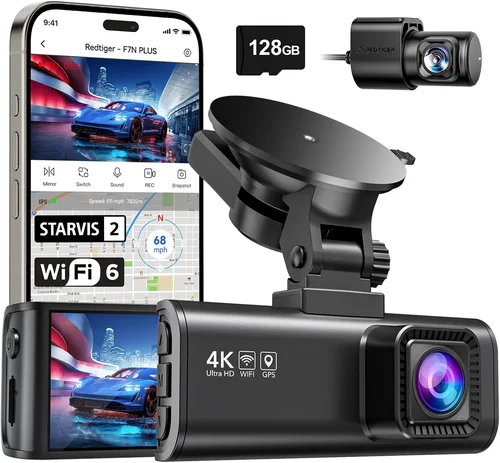
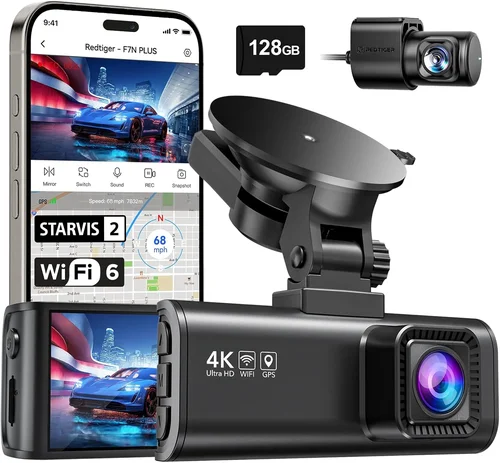
Modern dash cams offer a wide array of features beyond basic video recording. Emergency incident detection (often called G-sensor functionality) automatically saves footage when sudden deceleration or impacts are detected, preventing those crucial moments from being overwritten by loop recording. Many advanced models also include GPS logging, which records your speed and location data overlayed on your video—useful for verifying your movements during disputes or insurance claims.
Other valuable features to consider include:
• Built-in Wi-Fi and mobile app connectivity for easy file transfer
• Parking mode with motion detection and impact alerts
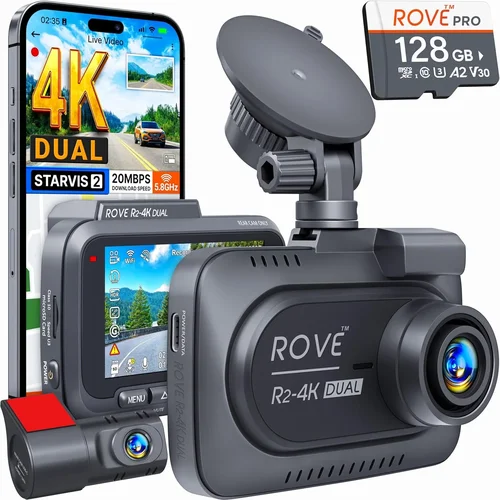
• Dual-channel recording (front and rear cameras)
• Voice control and hands-free operation
• Cloud storage integration for backup and remote viewing
• Time-lapse recording for extended parking surveillance
Brand Reputation
While new brands enter the market regularly, established manufacturers with a history of producing electronic devices generally offer better reliability and customer support. Companies like BlackVue, Thinkware, Garmin, Viofo, and Nextbase have built strong reputations in the dash cam industry over the past several years. These brands typically undergo rigorous testing, provide regular firmware updates, and offer responsive customer service.
When researching a brand, pay attention to independent review sites and user forums where owners share their experiences over time. A dash cam might look impressive on paper but develop hardware failures after a few months of use. Checking long-term reliability reports can save you from purchasing a model that becomes obsolete or fails when you need it most.
Warranty & Support
A solid warranty is your guarantee that the manufacturer stands behind their product. Most reputable dash cam brands offer at least a one-year warranty covering manufacturing defects, with some providing two to three years of coverage. Some premium models come with international warranties if you travel abroad frequently.
Customer support responsiveness is equally important—before making a purchase, try reaching out to the company with a technical question and see how quickly and effectively they respond. Good technical documentation, clear user manuals, and active community forums are also signs of a brand that values its customers’ experience.
Size & Portability
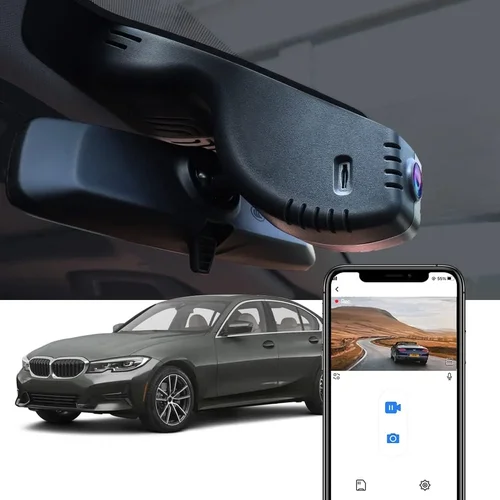
While most dash cams are designed to be discreetly mounted on the windshield, size still matters for practical reasons. Larger units may obstruct your view of the dashboard or make installation more complicated. Compact designs not only offer better visibility but also make it easier to remove the device when needed—particularly useful if you park in valet areas or rental vehicles.
However, smaller size shouldn’t come at the expense of functionality. Some compact models sacrifice battery life or processing power, so find the right balance between discretion and capability based on your specific needs. If you plan to use the dash cam primarily in your daily driver, a slightly larger but more feature-rich model might be worth the trade-off.
User Reviews & Ratings
Never underestimate the value of real user feedback when evaluating dash cams. Online reviews often reveal issues that aren’t apparent from marketing materials alone—such as poor customer service experiences, unexpected compatibility problems, or hidden limitations in advertised features. Pay particular attention to recent reviews (within the last six months) as technology evolves rapidly in this space.
Look for patterns in complaints rather than isolated negative comments—if multiple users report the same issue with a particular model, it’s likely a genuine problem. At the same time, don’t dismiss positive reviews solely because they’re enthusiastic—sometimes overly positive reviews can be suspicious or incentivized. The most valuable insights usually come from detailed reviews that discuss both strengths and weaknesses with balanced perspective.

Different Types of Dash Cams

Common Buying Mistakes to Avoid
❌ Mistake: Prioritizing price over quality
Why it’s bad: Choosing the cheapest available option often leads to disappointment. Low-cost dash cams frequently suffer from poor image quality, unreliable recording, short battery life, and fragile construction. In the event of an actual accident, these cheap units may fail to record properly or become damaged themselves, leaving you without crucial evidence.
What to do instead: Focus on finding the best value within your budget rather than simply going for the lowest price. Read professional reviews and check user feedback about reliability over time. Remember that a dash cam is essentially an insurance policy—you want something dependable that will work when you need it most.
❌ Mistake: Ignoring storage requirements
Why it’s bad: Many buyers overlook how much storage space their dash cam will require. Loop recording means old files get overwritten, but if your card fills up too quickly, you risk missing important events. Conversely, using excessively large storage cards can cause compatibility issues or reduce recording quality unnecessarily.
What to do instead: Calculate your storage needs based on recording quality and desired retention period. For 1080p recording, a 64GB card typically stores about 2-3 hours of footage, while 256GB cards can hold 8-12 hours. Consider whether your model supports newer UHS-I/UHS-II cards for better performance and reliability.
❌ Mistake: Overlooking parking mode functionality
Why it’s bad: If you plan to use your dash cam for parking surveillance (which many drivers find valuable), failing to research this feature thoroughly can result in wasted money. Some models claim to offer parking monitoring but require continuous power from your car’s electrical system, which can drain your battery if not properly configured.
What to do instead: Understand how your chosen model handles parking mode—does it require hardwiring, does it have a built-in supercapacitor instead of lithium battery (more reliable), and what triggers does it use? Also verify whether the parking mode maintains adequate video quality and whether it can send you alerts via smartphone notifications.
❌ Mistake: Not checking compatibility with your vehicle
Why it’s bad: Mounting systems vary significantly between dash cams, and some suction cups or adhesive pads work poorly on certain types of windshields (especially tinted ones or those with special coatings). Additionally, power connections differ between vehicles—some require direct wiring while others can use OBD-II ports or cigarette lighter adapters.
What to do instead: Before purchasing, research whether your specific car model presents any known compatibility challenges. Check if the manufacturer lists your vehicle make and model in their compatibility database. Consider investing in professional installation if your dash cam requires hardwiring to avoid damaging your car’s electrical system.
❌ Mistake: Assuming all features are equally useful
Why it’s bad: Modern dash cams come packed with features like GPS tracking, WiFi connectivity, voice control, and cloud storage—but not every driver needs or uses these capabilities. Purchasing a model with dozens of unnecessary features often results in paying for functionality you’ll never utilize while potentially sacrificing core recording performance.
What to do instead: Make a list of must-have features based on your driving habits and priorities. If you rarely drive at night, high-end night vision capabilities might not be worth the extra cost. Similarly, if you always plug your phone into your car charger, WiFi connectivity may add little value. Focus on features that genuinely improve your situation rather than chasing technological bells and whistles.
❌ Mistake: Neglecting maintenance and upkeep
Why it’s bad: Even the best dash cam requires occasional maintenance to function properly. Lens cleaning, memory card management, firmware updates, and battery replacement (for models with removable batteries) are all part of ongoing ownership. Neglecting these tasks can lead to degraded performance over time or complete failure when needed most.
What to do instead: Establish a routine for maintaining your dash cam—perhaps during your monthly vehicle inspection. Keep spare microSD cards on hand, clean the lens gently with a microfiber cloth when dirty, and check manufacturer websites periodically for firmware updates that improve performance or add security patches.
Budget Guidelines: How Much Should You Spend?
Entry-Level Dash Cams ($50 – $80)
If you’re completely new to dash cams or have limited budget constraints, entry-level models can provide basic protection without significant investment. These devices typically offer 1080p recording, decent daytime video quality, and fundamental features like loop recording and motion detection. While they may lack advanced capabilities like GPS logging or WiFi connectivity, they represent a reasonable starting point for drivers who want some level of security but don’t require professional-grade equipment.
We recommend spending at least $60 for an entry-level model to ensure reasonable build quality and reliability. Anything below this threshold often compromises on essential components like sensors or storage interfaces, resulting in poor performance despite the low price tag. Look for brands with established reputations even in the entry-level segment, as they’re more likely to provide warranty support and customer service.
Mid-Range Dash Cams ($80 – $150)
This sweet spot represents the majority of our recommendations and appeals to most drivers seeking balanced performance and value. Mid-range models typically deliver 2K or even 4K recording quality, robust build construction, and a thoughtful selection of useful features including reliable parking mode, decent night vision, and smartphone app integration. These devices strike an excellent compromise between capability and affordability without pushing into premium territory.
Within this price range, you can find dual-channel systems with both front and rear cameras, GPS-enabled devices with speed trap warnings, and models with advanced driver assistance features like lane departure alerts. The extra investment over entry-level options buys significantly better image quality, more reliable operation, and longer product lifespan—making it worthwhile for anyone planning to keep their dash cam for several years.
Premium Dash Cams ($150 – $250)
For drivers who demand the highest possible quality and most advanced features, premium dash cams offer professional-grade performance with extensive functionality. These models typically feature superior sensors, larger image processors, and premium materials that withstand extreme conditions better than consumer-grade alternatives. Advanced capabilities like cloud connectivity, AI-powered object recognition, and sophisticated parking monitoring systems become available in this tier.
Premium dash cams are particularly valuable for frequent long-distance drivers, ride-sharing operators, or anyone who wants maximum peace of mind regarding their vehicle’s security and their own protection on the road. The higher price reflects not just advanced hardware but also software sophistication, robust build quality, and comprehensive customer support that matches the investment level.
Luxury Dash Cams ($250+)
At the top end of the market, luxury dash cams represent the pinnacle of automotive recording technology with cutting-edge features and uncompromising quality. These devices often include multiple camera angles, ultra-high resolution recording (8K in some cases), artificial intelligence capabilities, and seamless integration with smart home ecosystems. Luxury models may also offer specialized features like thermal imaging, radar detection, or advanced analytics that go far beyond basic video recording.
While luxury dash cams are overkill for most everyday drivers, they serve specific niches well—professional photographers capturing automotive content, commercial fleet managers needing comprehensive monitoring solutions, or enthusiasts who want the absolute best technology available. The substantial price premium buys transformative capabilities that justify the cost for the right users.
Expert Tips for Getting the Best Deal
Timing Your Purchase Strategically
Dash cam prices fluctuate throughout the year due to seasonal demand patterns and new product launches. The best time to buy is typically during major sales events like Black Friday, Cyber Monday, or Amazon Prime Day when retailers offer significant discounts on electronics. Additionally, consider purchasing just before new models are announced—older versions often receive price drops to clear inventory.
Avoid buying immediately after a major holiday season when retailers raise prices to capitalize on gift purchases. Instead, wait a few weeks after Christmas when stock levels normalize and competition drives better deals. If you’re flexible with timing, you can often save 15-25% compared to regular retail pricing.
Choosing the Right Retailer
While online marketplaces like Amazon offer convenience and competitive pricing, physical electronics retailers like Best Buy or local specialty shops provide advantages including hands-on testing, immediate availability, and in-person support. For complex installations requiring professional wiring, local automotive electronics specialists may offer bundled packages that combine hardware and installation services.
When buying online, pay close attention to seller ratings and return policies. Some third-party sellers on large platforms may offer low prices but provide poor customer service or sell refurbished units without disclosure. Stick to official brand stores or authorized resellers whenever possible to ensure authenticity and warranty validity.
Spotting Hidden Deals and Discounts
Beyond obvious sale events, watch for less obvious savings opportunities like manufacturer rebates, bundle deals with accessories, or loyalty program discounts. Some dash cam brands offer free accessories (extra mounts, cables, or cases) when you purchase directly from their website. Signing up for email newsletters often reveals exclusive promo codes unavailable elsewhere.
Also consider trading in older electronics—many retailers accept used devices as partial payment toward new purchases. Even if your old dash cam isn’t compatible with the new model, the trade-in credit can offset costs significantly. Don’t forget to check student, military, or senior discounts if applicable to your situation.
Understanding Warranty Implications
Before finalizing any purchase, clarify what the warranty covers and how to make a claim. Is it limited to hardware defects or includes accidental damage? Does it require original packaging for returns? What’s the process for shipping a defective unit back to the manufacturer? These details become crucial when problems inevitably arise.
Some premium models offer international warranties or extended protection plans that cover accidental damage—worth considering if you frequently travel abroad or commute in challenging conditions. Read the fine print carefully and keep all documentation including proof of purchase, serial numbers, and registration receipts in case you need to file a claim later.
Leveraging Return Policies Effectively
Even with thorough research, there’s always a chance a dash cam won’t meet your expectations upon unboxing. Take advantage of generous return windows—most reputable retailers offer at least 30 days for returns, while some electronics specialists provide 90-day satisfaction guarantees. Test your new dash cam extensively during this period including various lighting conditions, parking mode functionality, and smartphone connectivity.
If you discover issues during testing, contact customer service immediately rather than waiting. Document any problems with photos or videos to strengthen your case for exchange or refund. Being proactive about returns prevents frustration and ensures you end up with equipment that truly meets your needs.
Testing Before Committing
Whenever possible, test dash cams in person before purchasing. Visit electronics stores that display working models or attend automotive expos where vendors showcase their products. Hands-on evaluation lets you assess build quality, interface usability, and overall impression that written descriptions and images cannot convey.
Pay particular attention to how the device feels in your hand—does it have reassuring weight and solid construction? Is the menu system intuitive or confusing? Does the screen display clearly in bright sunlight? These tactile evaluations are especially important since you’ll be relying on the dash cam during stressful situations like accidents or confrontations.

Frequently Asked Questions
Q: Do I really need a dash cam, or is it just a gimmick?
A: While not legally required anywhere, dash cams provide tangible benefits that many drivers find invaluable. They serve as objective witnesses in accident disputes, deter fraudulent insurance claims against you, and offer peace of mind knowing your journeys are documented. Studies show dash cam owners feel more confident behind the wheel and are less likely to be involved in hit-and-run incidents due to increased awareness of being recorded. For these reasons, we consider dash cams a wise investment rather than mere gimmickry.
Q: Can dash cams record audio, and should I enable it?
A: Most modern dash cams with WiFi connectivity include microphone capabilities that can record ambient sound along with video. However, audio recording raises privacy concerns—other drivers’ conversations, license plates, and personal information may be captured unintentionally. Many jurisdictions have laws restricting or prohibiting audio recording without consent. We recommend disabling audio recording unless specifically required for your situation and always checking local regulations before enabling this feature.
Q: How long will a dash cam battery last when parked?
A: Battery life during parking mode varies significantly by model and settings. Entry-level dash cams with small batteries typically last only 1-2 hours, while premium models with supercapacitors or efficient power management can operate for 24+ hours continuously. Factors affecting runtime include video quality, frame rate, whether night vision is enabled, and how frequently motion is detected. Always consult your specific model’s specifications and consider hardwiring for extended parking surveillance.
Q: Will my dash cam work in cold weather conditions?
A: Yes, but performance may degrade in extreme temperatures. Dash cams are designed to operate in typical automotive environments (-20°C to 70°C / -4°F to 158°F), but extremely cold weather can affect battery capacity and LCD screen responsiveness. In winter conditions, avoid leaving your vehicle parked overnight in sub-zero temperatures without proper insulation or battery protection. Some premium models include heated elements or cold-weather optimized components that perform better in harsh climates.
Q: Can I use any microSD card with my dash cam?
A: While microSD cards are universal, not all cards work optimally with dash cams. Look for cards specifically recommended by your manufacturer with Class 10 rating, UHS-I interface, and capacities between 64GB-256GB depending on your recording needs. High-end models may require faster UHS-II cards for 4K recording. Avoid counterfeit cards from unknown sources as they often fail prematurely or corrupt footage. Keep spare cards on hand and format them regularly using the dash cam’s formatting function rather than your computer.
Q: How do I install a hardwired dash cam for parking mode?
A: Professional installation is strongly recommended for hardwiring to avoid damaging your vehicle’s electrical system. The process involves routing wires from the fuse box to your dash cam, typically using existing access points under the dashboard. A qualified installer will identify appropriate fuses for tapping power, install a fuse tap safely, and configure the wiring to provide constant power with voltage cutoff protection. DIY attempts risk blowing fuses, draining batteries, or causing electrical fires if done incorrectly.
Q: Are dash cams legal everywhere I travel?
A: Generally yes, but regulations vary by country. Most European Union countries, North America, and Australia permit dash cams for evidentiary purposes, but restrictions exist regarding audio recording and data usage. Some Asian countries have stricter rules about electronic devices in vehicles. Always research destination-specific laws before traveling internationally, especially concerning privacy protections and how dash cam footage might be used in legal proceedings across jurisdictions.
Q: How often should I update my dash cam firmware?
A: Check for firmware updates at least twice yearly or whenever you notice performance issues. Manufacturers release updates to fix bugs, improve compatibility, enhance features, and address security vulnerabilities. Enable automatic update notifications if available, or manually check the manufacturer’s website periodically. Never interrupt a firmware update process as this can brick your device requiring professional repair or replacement.
Q: Can I use my dash cam while driving rental cars?
A: Absolutely! Rental car-compatible dash cams use temporary mounting systems that leave no residue when removed. Look for models with strong suction cups, magnetic mounts, or reusable adhesive pads designed specifically for temporary installations. These allow you to record your trip without damaging rental vehicles or violating lease agreements. Just remember to remove the device before returning the car and secure any loose cables to avoid interfering with rental car controls.
Q: What happens if my dash cam runs out of storage space?
A: Most dash cams automatically overwrite the oldest footage once storage reaches capacity thanks to loop recording functionality. However, this means you could lose recent events if your card fills up too quickly. To prevent this, monitor your storage usage regularly and upgrade to a larger capacity card if needed. Some advanced models pause recording when storage is full until space becomes available, giving you time to address the issue manually.
Final Recommendations
Best for Budget-Conscious Buyers
If you’re looking for reliable protection without spending much, the Viofo A119 V3 offers exceptional value at around $70. This single-front-camera dash cam delivers crisp 1080p recording with impressive night vision thanks to its Sony Starvis sensor. It includes essential features like loop recording, G-sensor for incident detection, and parking mode with motion detection. While lacking WiFi connectivity, the A119 V3’s straightforward operation and durable build make it ideal for drivers wanting trustworthy performance at an affordable price point.
Best Overall Value
The Thinkware U1000 strikes the perfect balance between capability and cost-effectiveness at approximately $130. This dual-channel system records both front and rear views in stunning 2K resolution while featuring advanced driver assistance systems including forward collision warning and lane departure alerts. Its robust metal housing withstands temperature extremes better than plastic competitors, and the included parking guard mode provides reliable surveillance without draining your car battery excessively. With GPS logging, WiFi connectivity, and cloud integration, the U1000 delivers premium functionality that exceeds expectations at its mid-range price.
Best Premium Option
For drivers demanding the absolute best technology available, the BlackVue DR970X-2CH LTE offers industry-leading performance at around $280. This dual-camera system records 4K Ultra HD from the front and Full HD from the rear while incorporating cellular connectivity for live streaming, cloud uploads, and real-time alerts. Its advanced parking mode includes impact detection with push notifications, and the built-in supercapacitor ensures reliable operation in extreme temperatures. With military-grade durability, AI-powered object recognition, and comprehensive app integration, this dash cam represents the pinnacle of automotive recording technology for serious drivers and professionals.
Best for Beginners
New to dash cams? The Nextbase 522GW provides an excellent introduction to advanced features without overwhelming complexity at approximately $120. This single-front-camera model records in sharp 1080p while offering voice control, emergency SOS button, and picture-in-picture capability showing both road ahead and driver face simultaneously. Its intuitive interface makes navigation effortless, and the included WiFi hotspot allows quick file transfers to your smartphone. With solid build quality and responsive customer support, the 522GW helps beginners transition smoothly from basic recording to smarter, more connected dash cam usage.
Best for Advanced Users
Experienced dash cam owners seeking maximum customization will appreciate the Garmin Dash Cam 67W at around $200. This GPS-enabled device records in crisp 1080p while featuring voice-activated controls, live streaming capability, and automatic incident detection with automatic cloud uploads. Its compact design minimizes visual obstruction, and the included mount provides stable positioning even on rough roads. With extensive compatibility with Garmin driver awareness features and reliable performance across diverse driving conditions, the 67W delivers sophisticated functionality tailored to tech-savvy drivers who demand flexibility and reliability.
Conclusion: Making the Right Choice
Selecting the best dash cam for your car ultimately depends on balancing your specific needs with available resources. Rather than chasing the newest features or lowest prices, focus on finding a model that delivers reliable performance when it matters most—during accidents, disputes, or parking incidents. Consider how frequently you drive, what kind of protection you prioritize, and which features genuinely improve your situation rather than adding complexity.
Remember that a dash cam serves as your objective witness on the road, providing evidence that can protect you from false accusations, support legitimate insurance claims, and give you confidence behind the wheel. Investing wisely now prevents regret later when you need that footage most. Take time to research thoroughly, read unbiased reviews, and choose a reputable brand with solid warranty support.
Whether you opt for basic single-camera protection or advanced dual-system recording with cloud connectivity, the right dash cam will serve you faithfully for years to come. Start by identifying your must-have features, establish a realistic budget that accounts for potential upgrades or accessories, and don’t hesitate to seek professional installation if your model requires hardwiring. With careful consideration and informed decision-making, you’ll find the perfect dash cam that enhances your driving experience while providing valuable peace of mind.