Expert Car Dash Cam Buying Guide
When you’re behind the wheel, every second counts. A single moment of distraction, a sudden brake check from another driver, or an unexpected hazard can lead to a collision. In such situations, having reliable evidence can make all the difference—whether it’s for insurance claims, legal disputes, or simply peace of mind. This is where a quality dash cam becomes an indispensable tool for modern drivers. But with so many models flooding the market, choosing the right one can feel overwhelming. That’s why we’ve created this comprehensive guide: to cut through the noise and help you make an informed decision based on expert analysis, real-world performance, and long-term value.
In this article, you’ll learn how to evaluate dash cams across critical categories like video resolution, field of view, night vision capabilities, storage solutions, and smart features. We’ll break down technical specs in plain language, explain what truly matters when recording on highways versus city streets, and highlight brands that consistently deliver reliability over time. Whether you’re a daily commuter, a rideshare driver, or someone who simply wants added protection while traveling, understanding your options empowers you to select a device that fits your lifestyle and budget.
The car dash cam market has evolved rapidly over the past decade. What started as simple loop-recording cameras with basic motion detection has now expanded into intelligent systems capable of parking monitoring, emergency incident capture, cloud connectivity, and even AI-powered object recognition. While entry-level models remain affordable and functional, premium units offer advanced stabilization, dual-lens setups, GPS tracking, and integration with smartphone apps. As technology advances, so do expectations—drivers today demand not just clarity but also convenience, durability, and smart functionality. This guide will walk you through each layer of these developments so you can confidently choose a dash cam that enhances safety without complicating your driving experience.

What to Look for When Buying Dash Cams
Selecting the ideal dash cam isn’t about finding the most expensive model or the one with the longest list of features. Instead, it’s about matching your specific needs with the right balance of performance, reliability, and value. Below are the key factors every buyer should prioritize before making a purchase.
1. Video Resolution & Recording Quality
The foundation of any good dash cam lies in its ability to capture clear, detailed footage. Resolution directly impacts how much information you can retrieve during an incident. Most reputable dash cams offer at least 1080p (Full HD), which provides sharp images suitable for identifying license plates and facial details. However, higher resolutions like 2K (2560×1440) or even 4K (3840×2160) are becoming more common, especially in mid-to-premium models.
But resolution isn’t everything. Frame rate also plays a crucial role. A camera recording at 30 frames per second (fps) offers smooth motion, while 60fps delivers even greater fluidity—ideal for capturing fast-moving vehicles or sudden braking maneuvers. For highway driving, where speed and distance matter, opting for a 2K or 4K dash cam at 30fps ensures you don’t miss critical details due to pixelation.
Additionally, consider whether the dash cam supports HDR (High Dynamic Range). HDR improves contrast and color accuracy in challenging lighting conditions, such as driving into tunnels or under bright sunlight. Without HDR, footage can appear washed out or overly dark in shadows, reducing visibility of important elements like road signs or vehicle interiors.
2. Field of View (FOV)
The field of view determines how wide an area your dash cam captures. A broader angle means more coverage but can introduce distortion near the edges—a phenomenon known as “fisheye.” Most dash cams range between 120° and 170°, with wider angles offering better peripheral awareness.
A 150° to 160° FOV strikes a balance between coverage and minimal distortion. If you frequently drive in busy urban environments or need to monitor blind spots, a wider angle helps catch lane changes or pedestrians entering the roadway. Conversely, if you primarily use your vehicle for long-distance highway trips, slightly narrower angles may provide crisper center-lane focus without excessive edge warping.
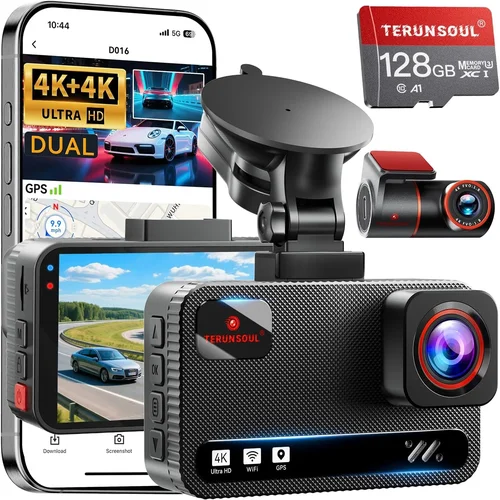
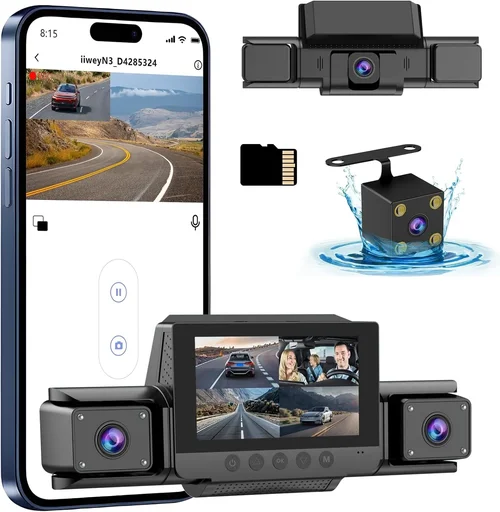
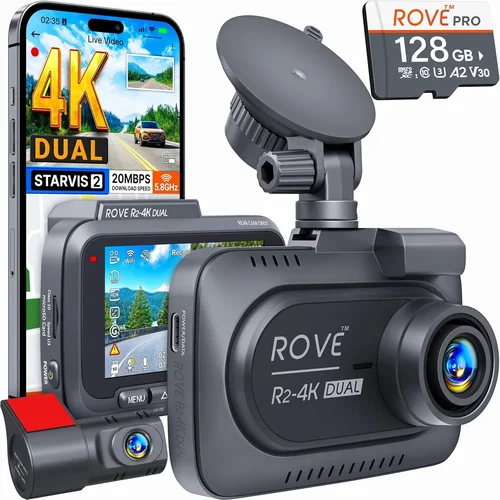
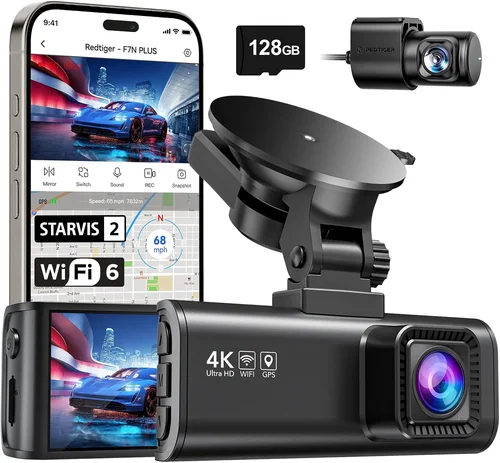
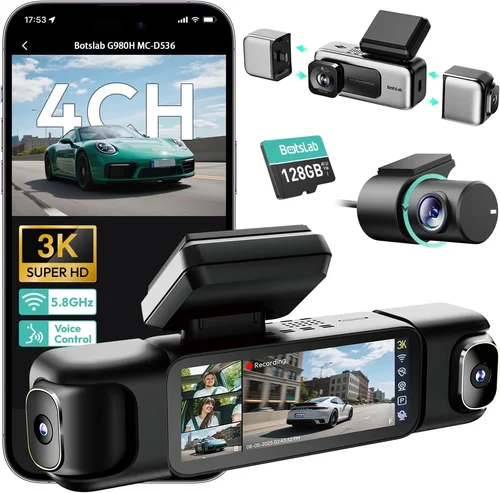
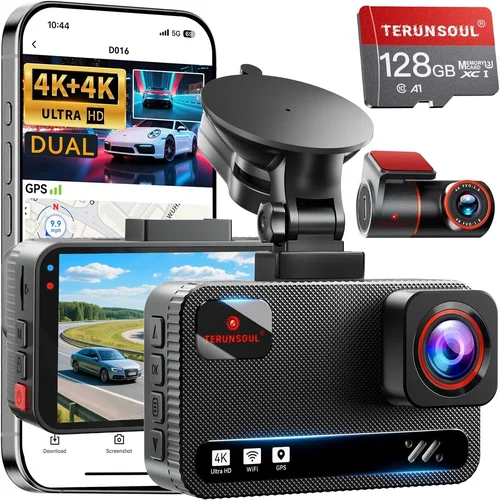
Some advanced models feature adjustable or multi-lens systems. Dual-lens dash cams, for instance, record both front and rear views simultaneously—perfect for fleet operators or parents dropping off kids at school who want full coverage of their vehicle’s movements.
3. Night Vision & Low-Light Performance
Driving at dusk, dawn, or through poorly lit areas demands exceptional low-light performance. Even with high-resolution sensors, many dash cams struggle to produce usable footage after dark unless they include specialized night vision enhancements.
Look for cameras equipped with large aperture lenses (typically f/1.8 or lower), which allow more light to reach the sensor. Additionally, WDR (Wide Dynamic Range) technology balances exposure between bright headlights and darker backgrounds, preventing overexposure or underexposure in mixed lighting scenarios.
Night vision also benefits from infrared (IR) LEDs, though these are less common in consumer-grade dash cams since they’re usually reserved for security cameras monitoring static objects. Instead, focus on models with strong WDR and fast shutter speeds to minimize motion blur in darkness.
4. Storage & Loop Recording
Dash cams rely on microSD cards for storage, typically ranging from 32GB to 256GB. The capacity you need depends on recording length, compression format, and whether you enable continuous or event-based recording.
Most dash cams use loop recording—overwriting old footage once the card fills up—but some offer manual locking of critical clips during incidents. Always pair your dash cam with a high-quality Class 10 or UHS-I/UHS-II microSD card from trusted brands like SanDisk Extreme, Samsung EVO Select, or Lexar Professional. Cheaper cards often fail prematurely under constant write cycles, leading to data loss.
Consider how often you’ll physically access the card. Some users prefer larger capacities (128GB+) for extended trips without frequent swaps, while others opt for smaller cards knowing they’ll transfer files to a computer weekly. Cloud-connected dash cams eliminate local storage entirely by uploading clips automatically—though this requires a stable cellular connection and subscription fees.
5. Parking Mode & Motion Detection
Parked car security is just as important as active driving protection. Many dash cams feature parking surveillance modes that activate when the car is turned off. These can be powered via hardwiring kits connected to the vehicle’s fuse box or battery, ensuring uninterrupted operation.
In parking mode, motion detection triggers recording when movement is sensed nearby—such as someone tampering with your tires or attempting to break into your trunk. G-sensor-equipped models also detect impacts (like hits from other cars) and auto-lock those files to prevent accidental deletion.
However, always verify power consumption. Constantly running parking mode drains your battery overnight unless properly hardwired. Some models enter ultra-low-power standby states after detecting no activity for several hours, conserving energy while still remaining alert.
6. Build Quality & Installation Ease
A dash cam should withstand temperature extremes, vibrations, and accidental bumps. Housing materials matter—polycarbonate shells resist cracks better than plastic composites. Sealed designs protect internal components from moisture and dust, crucial for longevity.
Installation difficulty varies. Adhesive mounts stick firmly to windshields but may leave residue upon removal. Suction cup mounts offer flexibility but can loosen over time due to heat expansion. Hardwired kits require basic electrical knowledge but provide the cleanest, most secure setup.
Consider cable management too. Tidy routing along headliner edges prevents interference with airbags and keeps the interior looking professional. Some kits include adhesive clips or zip ties to streamline this process.
7. Smart Features & Connectivity
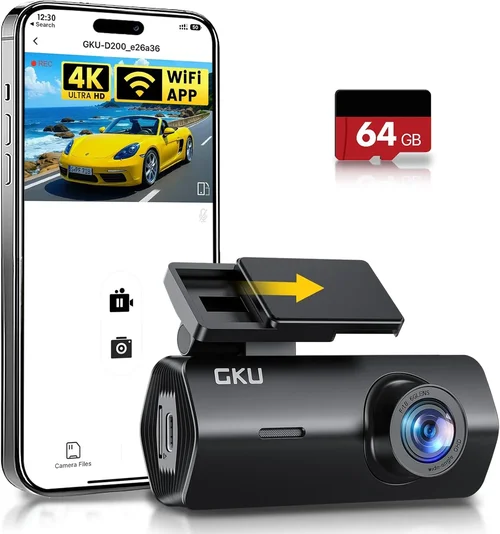
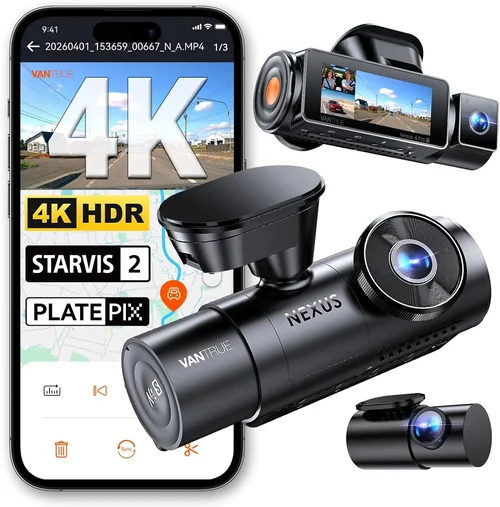
Modern dash cams increasingly integrate with smartphones via Wi-Fi or Bluetooth. App connectivity allows remote viewing, live streaming, and instant sharing of clips. Voice control adds hands-free operation, useful when navigating heavy traffic.
GPS tagging embeds location and speed data into recordings—helpful for accident reconstruction or verifying alibis. Some models sync with navigation apps to overlay turn-by-turn directions onto video feeds.
Cloud storage subscriptions offer automatic backup but come with monthly costs. Evaluate whether the added convenience justifies recurring expenses compared to local storage alternatives.
8. Audio Capabilities
Built-in microphones capture cabin conversations and external sounds like sirens or collisions. While useful for context, audio privacy laws vary by region. In some jurisdictions, recording conversations without consent may violate wiretapping regulations.
Many users disable audio entirely to avoid legal complications or unwanted eavesdropping. Check local laws before enabling microphone functions. Some dash cams allow muting audio remotely via app controls.
Different Types of Dash Cams

Common Buying Mistakes to Avoid
❌ Mistake: Ignoring Storage Requirements
Why it’s bad: Underestimating how much space your dash cam consumes leads to frequent card swaps or accidental overwrites of critical footage. A 1080p camera recording continuously might fill a 64GB card in just two days.
What to do instead: Calculate storage needs based on resolution, bitrate, and usage frequency. For example, a 2K dash cam at 30fps may require 128GB for a week of parking mode plus daily drives. Always buy extra cards and test overwrite behavior.
❌ Mistake: Prioritizing Price Over Reliability
Why it’s bad: Ultra-cheap models often use inferior sensors, lack proper thermal management, and fail within months—especially in hot climates. You end up replacing them frequently, negating any initial savings.
What to do instead: Research brand reputation and read verified customer reviews focusing on longevity. Brands like BlackVue, Thinkware, and Garmin have built trust through consistent performance despite higher price tags.
❌ Mistake: Overlooking Power Source Options
Why it’s bad: Relying solely on USB charging via cigarette lighter ports limits functionality. If your car loses power during an incident (e.g., hit-and-run), the dash cam shuts down immediately, losing vital evidence.
What to do instead: Invest in a hardwiring kit ($20–$40) that plugs into your fuse box. This enables seamless parking mode and eliminates battery drain concerns. Ensure the kit includes fuse taps and proper wiring diagrams for your vehicle model.
❌ Mistake: Assuming All Resolutions Are Equal
Why it’s bad: Marketing claims of “4K” don’t guarantee usability. Some cameras downscale 4K internally but only output 1080p to save bandwidth. Others use inefficient codecs that compress heavily, degrading image quality.
What to do instead: Verify actual recording specs: resolution, codec (H.264 vs H.265), and bitrate. H.265 reduces file sizes without sacrificing quality—ideal for longer retention. Test sample videos if possible before purchasing.
❌ Mistake: Neglecting Firmware Updates
Why it’s bad: Manufacturers release firmware updates to fix bugs, improve stability, or add features. Ignoring updates leaves your dash cam vulnerable to glitches or compatibility issues with newer SD cards.
What to do instead: Enable automatic updates in the app (if available) or manually check periodically. Subscribe to brand newsletters to stay informed about new releases.
❌ Mistake: Choosing Based Solely on Features
Why it’s bad: Extra bells and whistles like voice control or live streaming consume resources and increase complexity. Many features go unused, turning your dash cam into a costly paperweight.
What to do instead: Rank your must-have features first. If GPS tagging isn’t essential, skip it. Focus on core capabilities: clear daytime/nighttime recording, reliable loop recording, and robust parking mode.
Budget Guidelines: How Much Should You Spend?
Entry-Level ($50 – $120): The Basics Covered
This tier suits occasional drivers or those testing dash cam technology without significant investment. Expect Full HD recording, basic motion detection, and limited smart features. Brands like Viofo, Jmeec, and Z-Edge dominate this space. While adequate for short commutes, avoid models below $50—they often suffer from poor low-light performance or fragile builds.
Mid-Range ($120 – $250): Sweet Spot for Most Buyers
Here, you’ll find upgraded sensors, wider FOVs, improved night vision, and enhanced build quality. Dual-lens options become accessible, and many include GPS, Wi-Fi, and cloud-ready hardware. Thinkware U1000, BlackVue DR900S-1CH, and Garmin Dash Cam Mini 2 represent strong contenders. This range balances cost with reliability—ideal for daily drivers seeking comprehensive protection.
Premium ($250 – $450): For Enthusiasts and Professionals
Top-tier models offer 4K recording, superior stabilization, advanced parking modes, and robust app ecosystems. Features like driver fatigue alerts, collision warnings, and encrypted cloud storage justify the higher price. Consider BlackVue DR970X-2CH or Nextbase 522GW for maximum peace of mind.
Luxury ($450+): Top-Tier Everything
At this level, expect cutting-edge tech: AI-powered object detection, 360-degree panoramic views, military-grade durability, and seamless integration with telematics systems. These aren’t just dash cams—they’re mobile surveillance platforms. Target users include commercial fleets, luxury vehicle owners, and serious content creators.
Expert Tips for Getting the Best Deal
- Time Your Purchase: Black Friday, Cyber Monday, and Amazon Prime Day offer steep discounts on dash cams. Retailers like Best Buy, Walmart, and B&H Photo often match online deals.
- Buy Direct When Possible: Manufacturer websites sometimes sell exclusive bundles (e.g., hardwire kits included) unavailable elsewhere. Sign up for newsletters to receive early access to sales.
- Check Return Policies: Opt for retailers with 30-day return windows. Test your dash cam thoroughly—verify recording quality, app connectivity, and parking mode behavior.
- Verify Warranty Coverage: Most brands offer 1–2 years of coverage. Extended warranties rarely justify their cost unless you drive extensively.
- Read the Fine Print: Some “free” cloud storage trials expire quickly. Understand data limits and cancellation terms before committing.
- Compare Bundled Kits: Individual purchases (camera + hardwire + mount) often exceed bundled prices. Look for complete starter packages.
- Ask About Compatibility: Ensure the dash cam works with your vehicle’s electrical system and supports your preferred SD card size.

Frequently Asked Questions
Q: Do I really need a dash cam?
A: Absolutely. Even if you’re a careful driver, accidents happen due to factors beyond your control. Dash cams protect against false claims, document hit-and-runs, and provide objective evidence during insurance disputes. They’re especially valuable in areas with high accident rates or questionable liability scenarios.
Q: Can dash cams record while parked?
A: Yes, but only if hardwired or connected to a power source that remains active when the car is off. Motion-triggered parking mode activates recording when movement is detected. Without proper wiring, the dash cam powers down and cannot record.
Q: How long do dash cam batteries last?
A: Built-in batteries are rare—most rely on continuous power from the car. If unplugged, internal capacitors may retain enough charge for a few minutes to save settings or trigger an emergency file. Always hardwire for full functionality.
Q: Will a dash cam work in cold weather?
A: Most dash cams operate between -4°F and 140°F (-20°C to 60°C). Extreme cold can reduce battery efficiency and slow startup times. Park in garages when possible, and ensure vents aren’t blocked to prevent condensation buildup.
Q: Can I use any microSD card?
A: Not necessarily. While many cards work, dash cams stress storage with constant writes. Use high-endurance cards rated for 24/7 operation (e.g., SanDisk High Endurance) if using parking mode frequently. Avoid counterfeit cards sold cheaply online.
Q: Is audio recording legal?
A: Laws vary by state/country. In the U.S., two-party consent states (like California) prohibit recording private conversations without all parties agreeing. Disable audio if unsure. Many users mute it globally for simplicity.
Q: How do I install a hardwiring kit safely?
A: Consult your vehicle’s wiring diagram to locate fuse boxes under the dashboard. Use fused taps rated for your dash cam’s power draw (usually 5A–10A). Avoid tapping into critical circuits like airbags or ABS. If inexperienced, seek professional installation.
Q: What’s the difference between H.264 and H.265 encoding?
A: H.265 (HEVC) compresses video more efficiently than H.264, reducing file sizes by up to 50% without quality loss. This extends recording time and lowers cloud storage costs. However, older devices may lack H.265 support.
Q: Can multiple dash cams record simultaneously?
A: Yes—dual-lens models do this natively. For three or more cameras (e.g., front, rear, interior), consider a dedicated DVR system used in commercial vehicles. Consumer dash cams typically max out at two lenses.
Q: Should I buy a used dash cam?
A: Generally no. Used units may have worn components, outdated firmware, or unknown usage history. Plus, warranties usually transfer only once. Stick to new purchases unless buying from a trusted seller with guarantees.
Our Final Recommendations
Best for Budget-Conscious Buyers: Viofo A119 V3
Priced around $80, this Full HD dash cam delivers reliable performance with 140° FOV, Sony STARVIS sensor for night vision, and compact design. It lacks flashy extras but excels at core tasks—perfect for everyday drivers prioritizing value over frills.
Best Overall Value: Thinkware U1000
A $220 powerhouse offering 2K recording, superb low-light handling, GPS tagging, and seamless app integration. Its dual-channel version (U1000-2CH) adds rear cam support, making it versatile for both personal and commercial use.
Best Premium Option: BlackVue DR970X-2CH
At $400, this 4K dual-lens model sets industry standards with super steady footage, cloud connectivity, and rugged construction. Ideal for tech enthusiasts who demand flawless recording in all conditions.
Best for Beginners: Garmin Dash Cam Mini 2
Simple setup, intuitive interface, and automatic updates make this $130 model approachable for first-time buyers. While lacking advanced features, it reliably captures Full HD video and integrates smoothly with Garmin ecosystem apps.
Best for Advanced Users: Nextbase 622GW
Combining 4K recording, Alexa voice control, and emergency SOS features, this $350 dash cam bridges consumer and professional needs. Its crystal-clear audio and robust build suit demanding drivers needing maximum situational awareness.
Conclusion: Making the Right Choice
Choosing the best dash cam isn’t about chasing the highest spec sheet—it’s about aligning technology with your real-world needs. Whether you’re protecting your family on school runs, safeguarding your rideshare income, or simply adding layers of security to your commute, the ideal dash cam enhances confidence without complicating life behind the wheel.
Remember to prioritize proven reliability over fleeting trends, invest wisely in storage and power infrastructure, and never underestimate the importance of clear, usable footage. With the insights from this guide, you’re now equipped to navigate the market confidently and emerge with a dash cam that delivers lasting value.
Take your time researching, compare models objectively, and don’t hesitate to ask questions—your safety and peace of mind are worth the effort. After all, prevention starts with preparation, and a quality dash cam is one of the smartest investments you can make in your driving future.