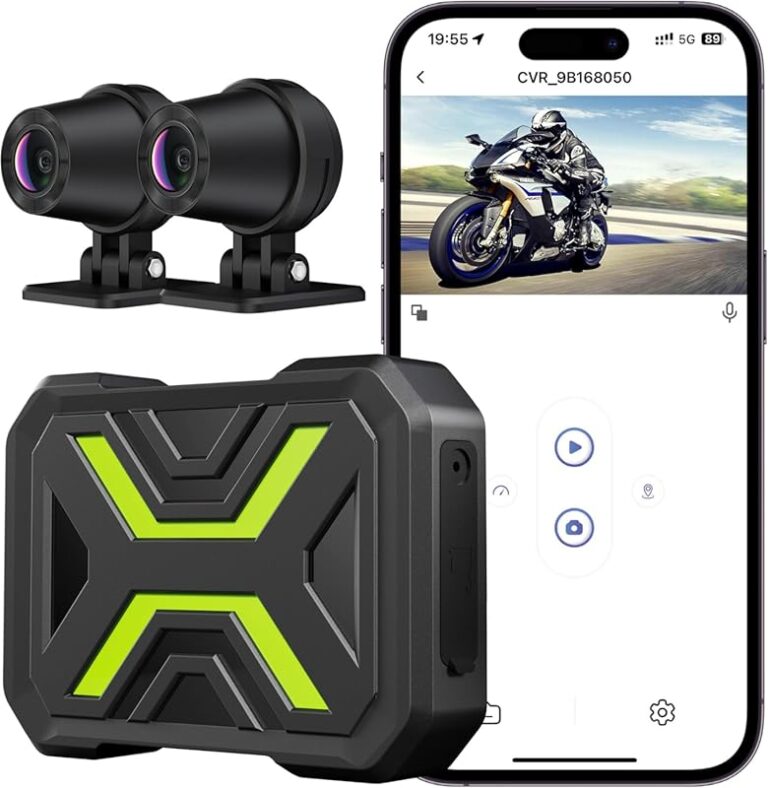
Best Dash Cam Buying Guide for Older Cars
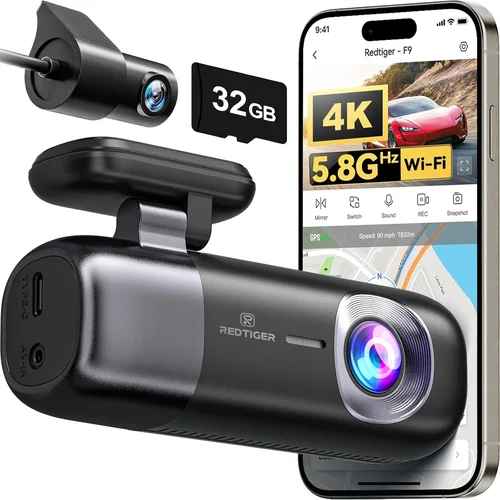
When you’re behind the wheel of an older car, the investment in safety and security takes on a whole new meaning. These vehicles, often beloved for their character and reliability, may lack the advanced driver assistance systems found in newer models. That’s where dash cams become essential tools — not just for peace of mind, but for practical protection against false claims, insurance disputes, and even traffic violations. However, finding the right dash cam for an older vehicle isn’t as simple as picking any model off the shelf. Older cars often present unique challenges: limited power outlets, cramped interiors, outdated electrical systems, and compatibility issues with modern electronics.
This comprehensive buying guide is designed specifically for drivers who own older vehicles and are looking to upgrade their driving experience with a reliable dash cam. You’ll learn how to navigate the vast market of available options, understand which features matter most for your specific situation, and avoid common pitfalls that could leave you underprotected or frustrated with your purchase. We’ll explore everything from power management solutions to mounting strategies, ensuring you find equipment that integrates seamlessly with your classic ride without requiring expensive modifications or complex installations.
The dash cam market has evolved dramatically over recent years, offering everything from basic single-camera setups to sophisticated multi-channel recording systems with GPS tracking and cloud connectivity. Yet many consumers still approach this purchase with uncertainty, wondering whether they need Wi-Fi capabilities, night vision performance, parking mode functionality, or advanced loop recording features. This article cuts through the confusion by focusing on real-world applications for older vehicles — where simplicity, durability, and reliable performance outweigh flashy extras that may never get used.
By the end of this guide, you’ll have a clear understanding of what specifications to prioritize based on your budget, how different types of dash cams compare in terms of value and functionality, and actionable advice for selecting the best option for your particular make and model. Whether you drive a 1998 Honda Civic, a 2005 Toyota Camry, or any other pre-2010 vehicle, these insights will help you make an informed decision that enhances both your driving experience and your legal protection on the road.

What to Look for When Buying Dash Cams
1. Budget & Price Range
The first consideration when shopping for any electronic device is always your budget, and dash cams are no exception. However, it’s important to recognize that price doesn’t always correlate directly with quality — especially when comparing entry-level models from lesser-known brands versus mid-range devices from established manufacturers. For older vehicles, where installation complexity might be higher due to limited power sources or awkward mounting locations, it makes sense to invest slightly more upfront in a reliable system rather than risking a flimsy unit that fails at critical moments.
Most reputable dash cam manufacturers offer products across multiple price tiers, allowing you to balance cost against desired features. Entry-level options typically range from $50-$100 and provide basic front-facing recording with decent resolution and loop recording capabilities. Mid-range units ($100-$200) often include enhanced video quality, wider viewing angles, improved low-light performance, and sometimes rear camera support. Premium models ($200+) deliver professional-grade footage, superior sensors, advanced parking monitoring, and robust build quality suitable for demanding use cases.
2. Performance Specifications
Video resolution remains one of the most crucial factors determining image clarity, especially when reviewing footage after incidents occur. While 720p HD was once considered sufficient, today’s standards demand at least 1080p Full HD recording for clear license plate identification and detailed scene reconstruction. Some high-end models now offer 2K or even 4K resolution, though these come with increased file sizes and storage requirements that may impact loop recording efficiency.
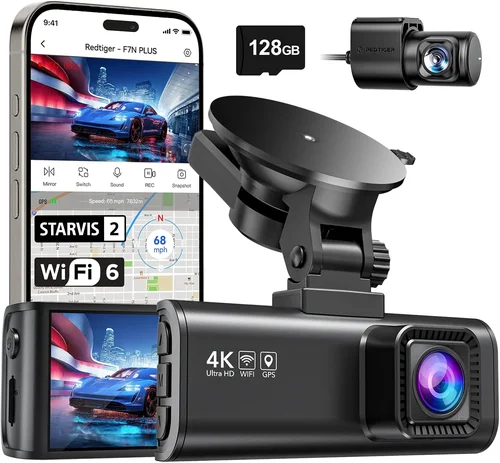
Frame rate also plays a vital role in motion capture quality; 30 frames per second (fps) is standard, while 60fps provides smoother playback for fast-moving scenes like highway merging or emergency braking events. Equally important is the camera’s sensor size and aperture — larger sensors gather more light, resulting in better nighttime visibility and reduced noise in dark conditions. Look for specifications mentioning “STARVIS” or similar advanced CMOS technology, which significantly improves low-light sensitivity compared to conventional sensors.
3. Build Quality & Durability
Older cars often require more careful handling during installation due to delicate interior trim, aging wiring, or fragile dashboard materials. A well-built dash cam should withstand temperature extremes encountered in automotive environments — from freezing winter mornings to scorching summer heat inside parked vehicles. Housing materials matter too: polycarbonate shells resist cracking better than plastic alternatives, while reinforced mounts prevent accidental dislodging during rough drives or sudden stops.
Water resistance ratings indicate how well the device handles moisture exposure, crucial since vehicles frequently encounter rain, snow, or humidity buildup inside cabins. IP65 certification means protection against dust ingress and low-pressure water jets from any direction, making it ideal for long-term outdoor exposure. Additionally, consider shock resistance — if your vehicle experiences frequent pothole impacts or aggressive driving conditions, choose models rated for military-grade drop testing (MIL-STD-810G).
4. Features & Functionality
Modern dash cams offer numerous features beyond basic video recording, each serving distinct purposes depending on your needs. Loop recording automatically overwrites old files when memory fills up, ensuring continuous operation without manual intervention. G-sensor technology detects collisions or hard braking and locks relevant clips to prevent accidental deletion during routine playback.
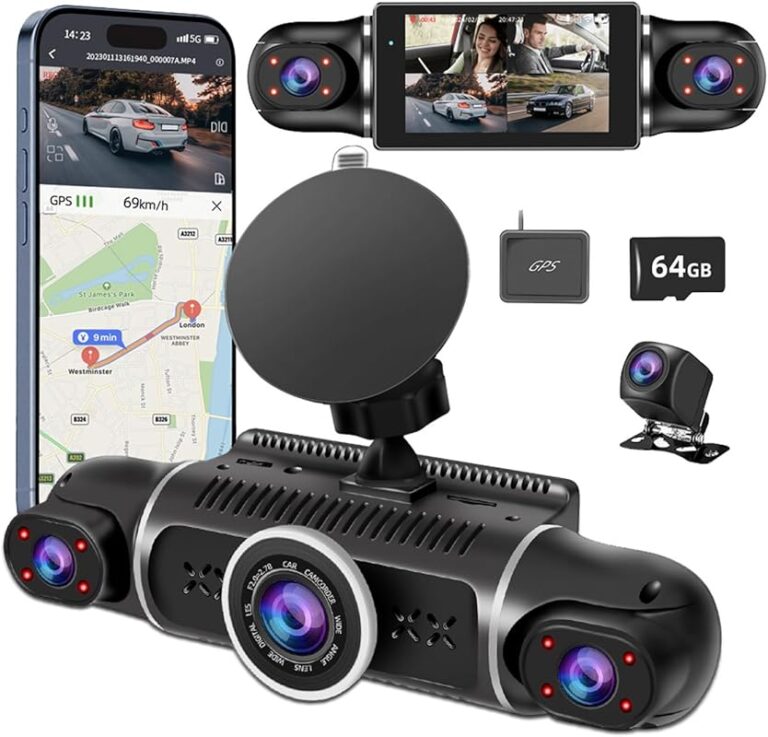
Parking mode enables surveillance even when the car is turned off, using motion detection or impact alerts to record suspicious activity around your parked vehicle. Time-lapse recording conserves storage space by compressing hours of footage into condensed segments useful for monitoring overnight security. Advanced models integrate GPS modules to overlay speed data and location markers onto videos, helpful for accident reconstruction or verifying traffic violation claims.
5. Brand Reputation
Choosing a trusted brand reduces the risk of purchasing defective hardware or encountering poor customer service when issues arise. Established names like Garmin, BlackVue, Viofo, and Nextbase have built strong reputations through consistent product quality and responsive technical support. Research independent lab tests and consumer reviews to gauge real-world performance, paying attention to recurring complaints about battery life, software bugs, or unreliable firmware updates.
New entrants to the market may offer tempting discounts but often cut corners on component sourcing or post-purchase support. Stick with companies that provide transparent warranty policies, readily accessible documentation, and active user communities for troubleshooting assistance. Avoid obscure brands selling exclusively through third-party retailers unless thoroughly vetted through trusted review platforms.
6. Warranty & Support
A solid warranty demonstrates manufacturer confidence in their product’s longevity and reliability. Most reputable dash cam makers offer 1-3 year coverage against defects in materials and workmanship, with some extending protection to accidental damage under premium plans. Check whether repairs require shipping the entire unit back to the factory or if local authorized service centers exist nearby for quicker turnaround times.
Customer support responsiveness varies widely between brands. Prioritize vendors offering live chat assistance, comprehensive FAQ sections, and detailed installation guides before committing to a purchase. Read recent customer feedback regarding claim processing speed and representative helpfulness — poor service can turn a minor malfunction into a frustrating ordeal.
7. Size & Portability
Compact designs fit snugly within older vehicles’ constrained dash spaces, minimizing visual obstruction while maximizing field-of-view coverage. Ultra-thin profiles reduce glare reflections onto the windshield, maintaining unobstructed forward visibility during daytime driving. Smaller footprints also simplify routing cables along existing conduits beneath the dashboard, avoiding messy zip ties that could damage aging wiring harnesses.
However, excessively tiny units may compromise optical quality due to smaller lens assemblies or sensor arrays. Strike a balance between discretion and performance by selecting dimensions proportional to your vehicle’s cabin layout — narrower dashboards benefit from horizontally oriented housings, whereas taller compartments accommodate vertical configurations without blocking instrument panel readouts.
8. User Reviews & Ratings
Aggregate ratings on major retail sites offer quick insights into overall satisfaction levels, though individual experiences vary based on usage patterns and expectations. Focus on detailed reviews from verified owners who describe real-world scenarios matching your own driving habits — urban commuters face different challenges than rural travelers exposed to extreme weather conditions. Pay special attention to comments about firmware stability, battery longevity, and ease of initial setup.
Cross-reference findings across multiple platforms including Amazon, Best Buy, B&H Photo Video, and specialized automotive accessory forums. Be wary of artificially inflated scores generated by incentivized reviewers or paid promotional content disguised as authentic feedback. Authentic user testimonials reveal hidden drawbacks like inconsistent GPS accuracy or erratic parking mode activation that specs alone cannot convey.
Different Types of Dash Cams

Common Buying Mistakes to Avoid
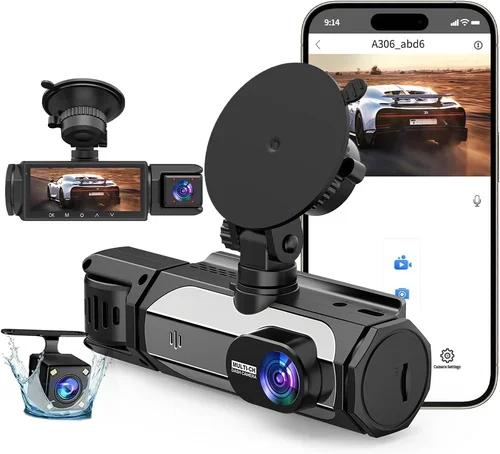
❌ Mistake: Ignoring Power Requirements for Older Vehicles
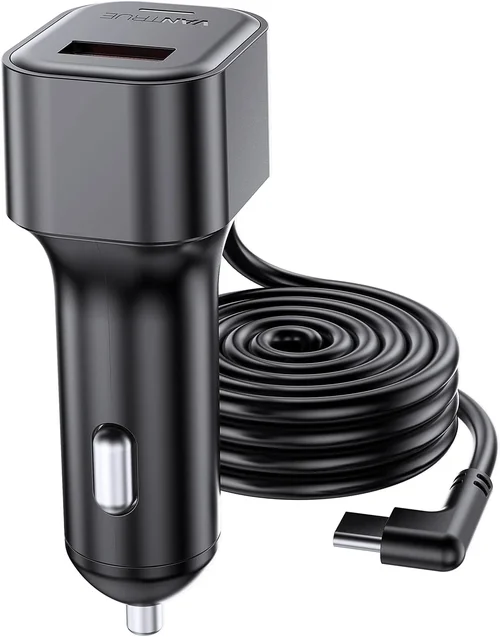
Why it’s bad: Many newer dash cams assume constant 12V power availability through cigarette lighter ports or direct fuse box connections — something older cars may lack without modification. Attempting to run high-draw devices like dual-camera systems or advanced parking modes on inadequate circuits can drain batteries overnight or trigger warning lights on analog dashboards.
What to do instead: Always verify your vehicle’s electrical capacity before purchasing. Consult the owner’s manual for fuse ratings near the battery, then calculate total power consumption using manufacturer specifications. Opt for ultra-low-power models (under 1A draw) or pair your dash cam with a dedicated capacitor-based backup system designed for vintage automobiles.
❌ Mistake: Overlooking Mounting Space Constraints
Why it’s bad: Older cars often feature compact dashboards with protruding radio antennas, airbag deployment zones, or irregular surfaces unsuitable for standard suction cups or adhesive pads. Installing bulky units in tight spaces risks obstructing critical instruments like fuel gauges or damaging delicate interior trim during removal.
What to do instead: Measure available clearance between your windshield and dashboard edges before ordering. Choose slim-profile designs with adjustable arms capable of angling away from obstructions. Test-fit prototypes in-store if possible, or purchase from retailers offering generous return windows for trial periods.
❌ Mistake: Skipping Firmware Updates Post-Purchase
Why it’s bad: Manufacturers regularly release firmware patches to fix bugs, improve compatibility, and enhance performance metrics like GPS accuracy or motion detection sensitivity. Neglecting updates leaves your dash cam vulnerable to known vulnerabilities or suboptimal operation despite meeting all advertised specs.
What to do instead: Create accounts with your chosen brand immediately after unboxing, enabling automatic notification of critical updates. Schedule monthly check-ins during routine maintenance visits to ensure your device remains current with the latest improvements and security fixes.
❌ Mistake: Choosing Storage Capacity Without Planning
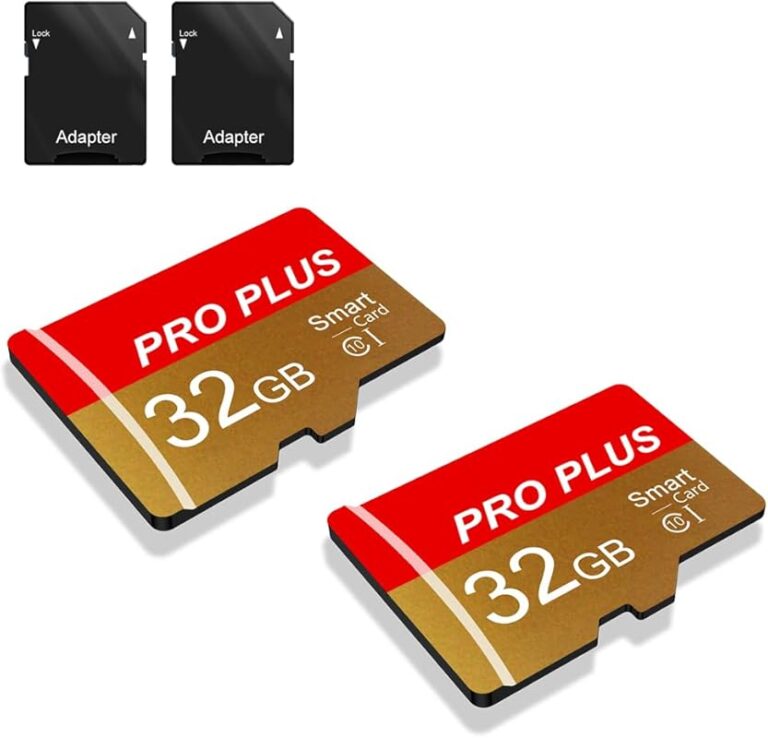
Why it’s bad: Insufficient microSD card size leads to rapid depletion of recording time, forcing premature deletion of evidence during investigations. Conversely, oversized cards increase startup latency and waste money on unused capacity. Most dash cams default to Class 10 cards, but optimal sizes depend heavily on resolution and frame rates.
What to do instead: Calculate required storage using online calculators provided by reputable brands. For 1080p@30fps recording, 32GB typically suffices for 2-3 hours of continuous footage; 64GB extends this to 4-6 hours. Always buy high-quality cards from trusted suppliers (SanDisk, Samsung) rather than generic OEM versions prone to corruption.
❌ Mistake: Assuming All Cars Support Parking Mode
Why it’s bad: Not every vehicle allows external triggers for dash cam activation when parked. Without proper grounding or voltage regulation, attempting to enable parking surveillance may result in erratic behavior, false positives, or complete failure to respond to motion events.
What to do instead: Confirm your car supports hardwired connections via OBD-II port or cigarette lighter before selecting a parking-mode-capable unit. If uncertain, opt for models featuring supercapacitors instead of lithium batteries for longer lifespans and safer cold-weather operation.
❌ Mistake: Neglecting Weatherproofing Needs
Why it’s bad: Vintage cars accumulate condensation inside cabins during temperature swings, creating humid microenvironments perfect for mold growth or short-circuiting sensitive electronics. Cheap plastic housings absorb moisture, accelerating internal corrosion and reducing operational lifespan.
What to do instead: Prioritize IP-rated enclosures (minimum IP65) and silicone gaskets around cable entry points. Apply dielectric grease sparingly to exposed connectors, and store replacement microSD cards in anti-humidity containers when not installed.
❌ Mistake: Relying Solely on Online Retailers
Why it’s bad: While e-commerce platforms offer convenience and competitive pricing, they limit opportunities for hands-on inspection and expert consultation. Technical questions about wire routing, fuse compatibility, or mounting strategies often go unanswered without in-person guidance.
What to do instead: Visit specialty automotive electronics stores for personalized advice tailored to your specific make/model year combination. Leverage manufacturer showrooms offering live demonstrations of installation techniques and troubleshooting workflows.
Budget Guidelines: How Much Should You Spend?
Entry-Level ($50 – $100): Essential Protection Without Frills
This tier delivers reliable core functionality for drivers seeking affordable baseline security. Expect 1080p recording, basic loop recording, and straightforward installation procedures suitable for most older vehicles. Brands like Apeman, Rexing, and Vantam offer competent performers within this range, though features remain intentionally minimal to keep costs down. Ideal candidates include daily commuters prioritizing legal defense over cinematic footage quality.
Mid-Range ($100 – $200): Sweet Spot for Balanced Performance
Here lies the sweet spot for most buyers balancing cost against capability gains. Mid-tier units introduce improved low-light sensitivity, wider lenses capturing broader scenes, and optional rear cameras expanding coverage beyond frontal hazards. Advanced models incorporate GPS logging, impact-triggered lock files, and enhanced build quality resistant to vibration-induced misalignment. Recommended choices include BlackVue DR901W-1CH and Garmin Dashcam Mini — proven performers favored by both casual users and fleet managers alike.
Premium ($200 – $400): Enthusiast-Grade Capabilities
Professional-grade dash cams target serious drivers needing forensic-quality recordings for insurance claims or legal proceedings. Expect superior sensors producing crisp details even in challenging lighting, ruggedized housings surviving harsh environments, and sophisticated software suites enabling granular control over recording parameters. Multi-camera rigs with synchronized audio and encrypted cloud backups justify higher price tags for commercial operators or collectors valuing historical preservation above all else.
Luxury ($400+): Top-Tier Innovation & Customization
Ultra-premium offerings push boundaries with AI-powered object recognition, 4K HDR video, thermal imaging overlays, and seamless integration with smart home ecosystems. These bleeding-edge systems cater to tech-savvy early adopters willing to pay premiums for cutting-edge features rarely justified outside niche applications. Consider whether such advancements align with your actual driving habits before allocating significant sums toward experimental capabilities.
Expert Tips for Getting the Best Deal
Timing your purchase strategically maximizes savings while minimizing risk of receiving outdated inventory. Major holidays like Black Friday and Cyber Monday yield substantial discounts across virtually every category, though stock shortages occasionally force substitutions with inferior alternatives. Spring and fall represent secondary opportunities due to seasonal demand fluctuations affecting retailer markdowns.
Compare prices across multiple channels before committing: online giants like Amazon often bundle accessories (extra cables, memory cards) at lower effective rates than standalone purchases elsewhere. Specialty automotive retailers may offer manufacturer rebates unavailable through general commerce platforms. Don’t forget regional warehouse clubs like Costco or Sam’s Club, which frequently stock exclusive dash cam variants with extended warranties included.
Read fine print carefully regarding return policies — many sellers impose restocking fees exceeding 15% for opened electronics. Prioritize vendors guaranteeing full refunds within 30 days regardless of packaging status. Verify compatibility with your specific vehicle model year before finalizing transactions; cross-referencing fitment charts prevents costly returns later.
Test drive potential units whenever feasible by visiting physical locations hosting product demos. Assess ease of menu navigation under daylight glare conditions simulating real-world usage. Evaluate microphone placement for clear voice capture during roadside conversations or emergency situations.
Register your device immediately upon receipt to activate manufacturer warranties and receive notifications about firmware upgrades. Create backup copies of factory-default settings before modifying configurations, preserving recovery options if custom adjustments cause unexpected malfunctions.
Join enthusiast forums dedicated to your exact vehicle platform for insider tips on compatible accessories and troubleshooting techniques. Veteran owners frequently share invaluable knowledge about hidden power sources, alternative mounting spots, and proven workarounds for persistent issues plaguing newer generations of dash cams.
Frequently Asked Questions
Q: Can I install a dash cam in my 1995 Ford Mustang without drilling holes?
A: Absolutely — suction cup mounts and adhesive pads offer non-permanent solutions ideal for classic cars where preserving original aesthetics matters. Just ensure mounting surfaces are clean, dry, and free of wax or oil residues interfering with adhesion. Test stability during gentle turns before relying solely on visual confirmation during straight-line driving.
Q: Will adding a dash cam void my car’s warranty?
A: Federal regulations prohibit manufacturers from denying warranty claims solely because aftermarket electronics were installed, provided the defect wasn’t caused by improper installation. However, poorly routed wires or incompatible power draws could theoretically trigger unrelated failures. Document all installations meticulously and retain receipts showing professional service performed by certified technicians.
Q: Do I need Wi-Fi connectivity for my dash cam?
A: Not necessarily — Wi-Fi adds convenience for downloading clips wirelessly but increases vulnerability to hacking attempts and drains battery faster. Basic models without wireless features prove perfectly adequate for everyday protection needs, especially when paired with removable microSD cards for manual transfers.
Q: How much power does a typical dash cam consume?
A: Standard front-facing units draw approximately 0.5-1.2 amps during active recording, translating to roughly 6-14 watts at 12 volts DC. Dual-camera systems double this consumption, demanding robust power supplies capable of sustaining peak loads during simultaneous operation. Always consult manufacturer datasheets for precise measurements matching your selected model.
Q: What happens if my dash cam runs out of storage mid-recording?
A: Loop recording automatically overwrites oldest files once memory fills completely, ensuring uninterrupted coverage without manual intervention. Critical events triggered by G-sensors remain locked until manually deleted, preventing accidental loss during routine cleanup cycles.
Q: Are parking mode recordings stored locally or remotely?
A: Local storage via microSD cards remains the most common approach due to reliability concerns associated with cellular connectivity in rural areas or during outages. Cloud-based alternatives require stable internet connections and subscription fees averaging $10/month, making them impractical for occasional users.
Q: Can I view live feed from my dash cam on my phone?
A: Only select models supporting Wi-Fi Direct or mobile app integration permit real-time preview capabilities, typically limited to short durations due to bandwidth constraints. Most manufacturers recommend downloading full-resolution clips afterward for detailed analysis rather than relying solely on compressed live streams.
Q: How long do dash cam batteries last during parking surveillance?
A: Lithium polymer batteries commonly used in portable devices provide 2-4 hours of standby time before requiring recharging, insufficient for overnight monitoring. Supercapacitor-based solutions offer extended lifespans exceeding 24 hours but sacrifice energy density needed for high-resolution recording bursts during impact detection.
Q: Is it legal to record audio with my dash cam?
A: Regulations governing audio recording vary significantly by jurisdiction, with some states mandating consent from all parties recorded. Familiarize yourself with local laws before activating microphone functions, particularly in regions prohibiting non-consensual eavesdropping regardless of intended purpose.
Q: Should I purchase additional insurance coverage for my dash cam?
A: Standard auto policies generally exclude coverage for personal electronics, leaving dash cams vulnerable to theft or damage. Consider supplemental riders specifically listing mounted devices as covered items, especially valuable units containing irreplaceable footage documenting accidents or vandalism incidents.
Our Final Recommendations
Best for Budget-Conscious Buyers: Vantam V650
This compact 1080p dash cam delivers exceptional value with reliable performance and intuitive controls. Its magnetic mount simplifies repositioning, while loop recording ensures continuous operation without manual oversight. Ideal for older vehicles where simplicity trumps feature bloat, the V650 proves trustworthy enough to protect against unwarranted citations or insurance fraud attempts.
Best Overall Value: Garmin Dashcam Mini
Renowned for rock-solid reliability and seamless smartphone pairing, the Dashcam Mini strikes an unbeatable balance between affordability and capability. Automatic firmware updates keep functionality current, while compact dimensions minimize visual intrusion in confined dashboards. Drivers seeking hassle-free operation without sacrificing essential protections will appreciate its no-nonsense approach.
Best Premium Option: BlackVue DR901W-1CH
For those demanding professional-grade footage and enterprise-level security features, BlackVue leads the pack with encrypted cloud storage and GPS-tagged timestamps. Robust construction withstands punishing conditions, while dual-band Wi-Fi enables rapid clip downloads. Worth every penny for collectors or professionals requiring court-admissible evidence quality.
Best for Beginners: Apeman C450
Newcomers benefit from the Apeman C450’s straightforward interface and generous 128GB included microSD card eliminating immediate storage concerns. Motion-activated parking mode activates automatically when parked, while built-in G-sensor safeguards critical clips during collisions. Perfect starter kit for drivers transitioning from paper logs to digital documentation.
Best for Advanced Users: Nextbase 622GW
Tech enthusiasts gravitate toward Nextbase’s Alexa integration and Alexa Voice Control functionality, enabling hands-free operation during complex maneuvers. Superior night vision outperforms competitors in darkness, while emergency SOS button sends distress signals to designated contacts during emergencies. Justifies premium pricing through unmatched smart-home synergy.
Conclusion: Making the Right Choice
Selecting the best dash cam for your older vehicle requires thoughtful consideration of your unique circumstances — from electrical limitations to aesthetic preferences. By prioritizing proven brands with transparent warranties and cross-referencing fitment guides tailored to your make and model, you’ll avoid common pitfalls associated with rushed purchases or mismatched expectations. Remember that true protection stems not from the fanciest specs but from consistent, reliable performance when you need it most.
Whether you opt for budget-friendly basics or invest in cutting-edge innovations, always validate compatibility through hands-on testing or expert consultations before finalizing decisions. Your cherished classic deserves nothing less than flawless integration between modern safety technology and timeless design principles. With this comprehensive guide as your roadmap, confidently navigate the marketplace armed with knowledge empowering smarter, safer journeys ahead.