Smart Dash Cam Buying Guide
When you’re shopping for a dash cam, it’s easy to feel overwhelmed by the sheer number of options on the market. With so many brands, features, and price points available, finding the right device can be a daunting task—especially when you’re trying to balance quality with value. That’s where this comprehensive buying guide comes in. Whether you’re a first-time buyer or upgrading from an older model, understanding what makes a dash cam worth your money is essential to protecting yourself on the road.
This guide will walk you through every critical factor to consider when selecting a dash cam, from video resolution and recording capabilities to build quality and smart features like GPS and parking mode. You’ll learn how to distinguish between marketing buzzwords and real performance differences, how to avoid common pitfalls, and how to identify which type of dash cam best fits your driving habits and budget. By the end, you’ll have all the knowledge needed to make a confident, informed purchase that delivers peace of mind without overspending.
The dash cam market has evolved dramatically over the past decade. Once considered a niche safety accessory, today’s models are sophisticated devices packed with advanced technology designed to capture high-definition footage, alert drivers to potential hazards, and even offer cloud connectivity. From entry-level cameras under $50 to premium systems exceeding $300, there’s something for every driver. But not all dash cams are created equal—some prioritize image quality, others focus on durability, while a growing number integrate with smartphones or offer AI-powered alerts. Understanding these distinctions helps you cut through the noise and find a model that truly meets your needs.

What to Look for When Buying Dash Cams
1. Video Resolution & Image Quality
The single most important factor in any dash cam is how well it captures video. After all, if the footage isn’t clear enough to show license plates or facial details during an incident, then the camera serves little purpose. Most modern dash cams offer at least 1080p resolution, but higher resolutions like 2K, 4K, and even 5K are becoming more common—particularly in premium models. However, resolution alone doesn’t guarantee good image quality. Factors like sensor size, low-light performance, dynamic range, and compression algorithms play equally crucial roles.
Look for dash cams with large sensors (typically 1/2.7″ or larger) and wide dynamic range (HDR), which helps retain detail in both bright headlights and dark shadows. Nighttime performance is especially vital; a camera that struggles in low light may miss critical evidence after sunset. Additionally, consider whether the device uses H.265 video encoding, which reduces file sizes without sacrificing quality—important for longer recording times on limited storage.
2. Field of View (FOV)
A broader field of view means the camera captures more of what’s happening around your vehicle, reducing blind spots and increasing the chances of catching important events. A typical FOV ranges from 100° to 170°, with ultra-wide-angle lenses offering up to 190°. While wider angles seem ideal, they can introduce distortion—especially near the edges—and reduce pixel density in the center of the frame. Most experts recommend a sweet spot between 120° and 150°, balancing coverage with clarity.
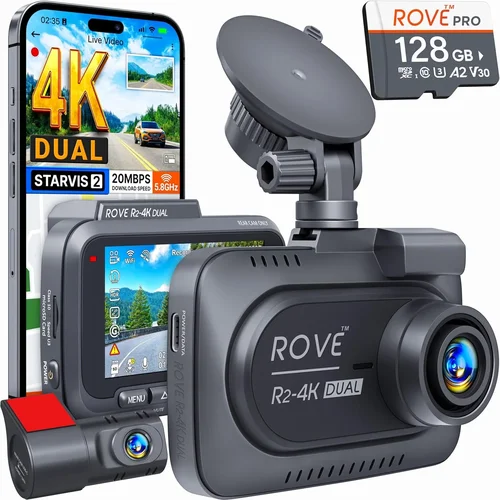
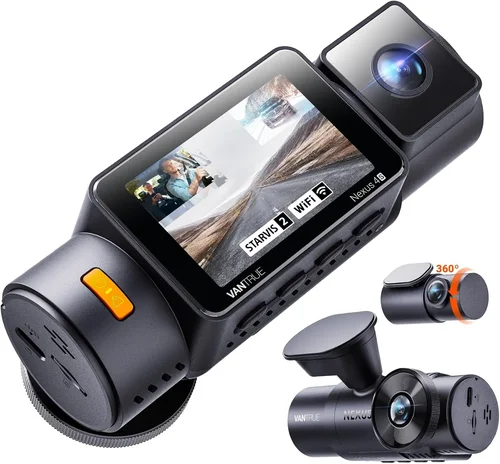
For city driving, a narrower FOV (around 120°) might suffice, but highway commuters benefit from wider views to monitor multiple lanes and intersections ahead. Some advanced models feature dual-lens setups: one forward-facing main camera and a rear lens for full coverage. If you frequently park in tight spaces or drive in busy urban areas, a 360° or dual-camera system could be worth the investment.
3. Storage Capacity & Loop Recording
Dash cams rely on microSD cards for storage, and choosing the right capacity is key. Most entry-level models support up to 128GB, while mid-range and premium units often handle 256GB or even 512GB cards. Larger cards mean longer recording sessions before files overwrite, but also come at a higher cost. Keep in mind that higher-resolution videos consume storage faster—a 4K dash cam may fill a 256GB card in just a few hours.
Loop recording automatically overwrites the oldest footage when the memory is full, ensuring continuous operation without manual intervention. This feature is standard across nearly all dash cams, but some models allow you to lock specific clips (via motion detection or G-sensor triggers) to prevent them from being overwritten. Always check whether the device supports exFAT formatting, as FAT32 limits individual files to 4GB—problematic for long high-bitrate recordings.
4. Night Vision & Low-Light Performance
Driving at night presents unique challenges for dash cams. Headlights, streetlights, and tunnel transitions create extreme contrasts that can wash out details or leave dark areas completely blacked out. High-quality night vision relies on several components: infrared LEDs (for true darkness), improved image signal processors (ISPs), and better low-light sensors.
Many dash cams include built-in infrared LEDs that activate when ambient light drops below a threshold, illuminating the scene for clearer nighttime recording. However, IR lighting often appears red-tinted and doesn’t work well in moderately lit environments. For best results, choose a model with strong dynamic range and noise reduction algorithms that minimize grain without blurring motion. Reviews and sample footage are invaluable here—don’t rely solely on spec sheets.
5. Parking Mode & Motion Detection
Parking mode is a game-changer for protecting parked vehicles. When your car is off, the dash cam can still monitor surroundings using motion or impact detection. Upon detecting movement or vibration (such as someone bumping into your car), it records short clips to a dedicated folder, preserving battery life by only activating when necessary.
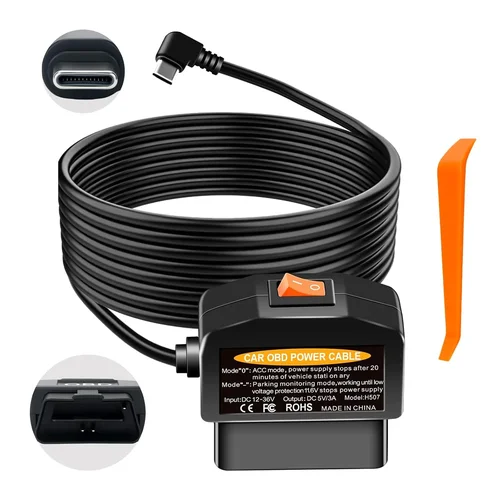
Not all parking modes are created equal. Some require a hardwired connection to your car’s fuse box to draw consistent power, while others drain the battery rapidly if left connected via USB. Hardwiring is recommended for long-term use, but not every vehicle allows easy access to fuse boxes. If hardwiring isn’t feasible, look for energy-efficient designs that enter ultra-low-power standby modes. Also verify whether the device can record during extended periods without interruption—some shut down after 30 minutes unless manually reactivated.
6. Build Quality & Durability
Your dash cam will endure heat, cold, dust, vibrations, and accidental bumps—sometimes simultaneously. A poorly constructed unit may crack in summer heat, fail in winter frost, or develop lens fogging issues. Look for robust housing materials like polycarbonate or aluminum, shock-resistant mounting brackets, and weatherproof seals.
Temperature tolerance is another hidden metric: most reliable dash cams operate between -4°F (-20°C) and 140°F (60°C). Cameras lacking thermal protection may suffer permanent damage in extreme climates. Additionally, consider how securely the mount attaches to your windshield. Suction cups degrade over time and lose grip, especially in humid conditions. Magnetic mounts offer flexibility but may detach unexpectedly during sudden stops or pothole impacts.
7. Smart Features & Connectivity
Modern dash cams increasingly integrate with smartphones and offer cloud-based services. Wi-Fi connectivity lets you transfer clips directly to your phone for quick sharing or backup. Some models include Bluetooth pairing for voice commands or automatic updates. Advanced features like GPS logging track speed, location, and route history—useful for insurance claims or legal disputes.
Cloud storage subscriptions (often monthly fees) provide remote access to footage and automatic uploads, but raise privacy concerns and add ongoing costs. Free apps from manufacturers usually suffice for basic viewing and management. Voice control, lane departure warnings, and collision alerts are emerging but still experimental; prioritize core functionality over gimmicks unless you specifically need these extras.
8. Audio Recording Capabilities
Built-in microphones allow dash cams to capture cabin conversations or external sounds like sirens, crashes, or aggressive drivers. While useful for context, audio raises significant legal and privacy considerations. In many states, recording conversations without consent violates wiretapping laws. Before enabling audio, research local regulations carefully. Even if permitted, consider disabling mic input in sensitive situations (e.g., family trips with children present).
Some high-end models offer dual mics—one internal for cabin audio and one external for environmental sounds—with options to toggle each independently. Others use beamforming technology to focus on specific directions while suppressing background noise. Again, weigh utility against legal risk.