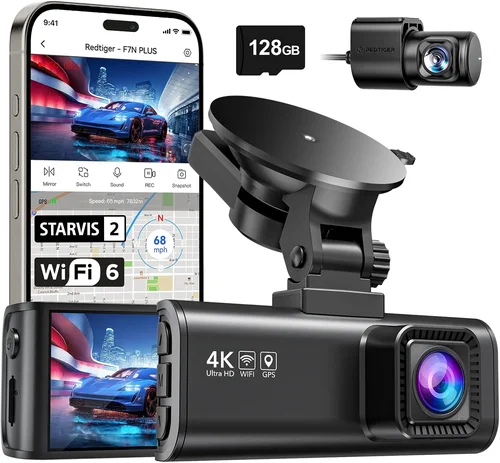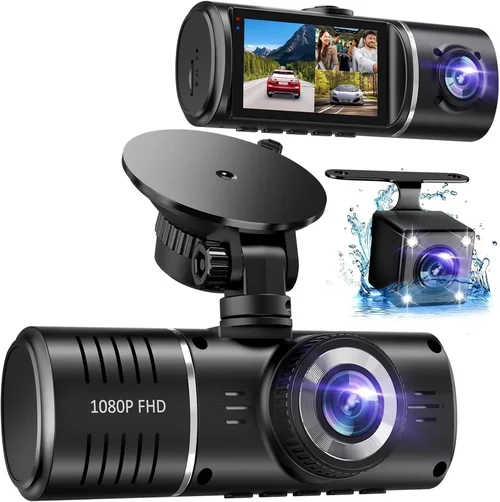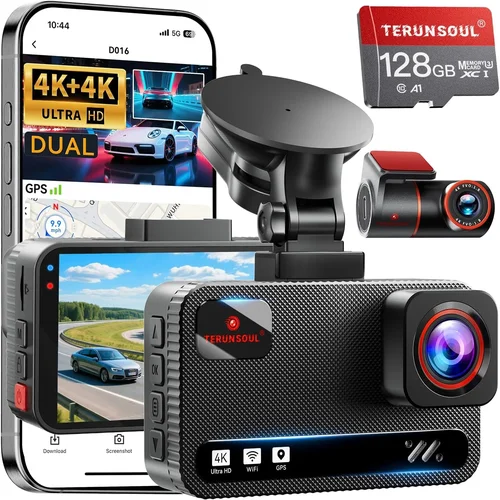
Best Dual Dash Cam Selection Guide
# Introduction
In today’s automotive landscape, where accidents can happen in the blink of an eye and insurance disputes are more common than ever, having reliable evidence is crucial. A dual dash cam—equipped with cameras monitoring both the road ahead and what’s happening inside or behind your vehicle—has become an essential safety tool for drivers. Whether you’re a daily commuter, a long-haul trucker, or simply someone who values peace of mind on the road, investing in a quality dual dash cam can make all the difference.
This comprehensive guide will walk you through everything you need to know about selecting the best dual dash cam for front and rear protection. You’ll learn how to evaluate performance specs, understand advanced features like parking mode and emergency recording, compare top brands, and avoid common pitfalls that could cost you time and money. By the end of this article, you’ll be equipped with the knowledge to make an informed decision tailored specifically to your driving habits, budget, and vehicle type.
The market today offers everything from basic entry-level models under $100 to high-end systems exceeding $300 with professional-grade capabilities. With so many options available, it’s easy to feel overwhelmed. That’s why we’ve structured this guide into actionable sections: from understanding key technical specifications to identifying which features truly matter, and even offering expert advice on where and when to buy. Our goal isn’t just to recommend products—it’s to empower you with clarity so you can confidently choose a dual dash cam that enhances your safety, protects your investment, and provides reliable documentation when you need it most.
# What to Look for When Buying Dash Cams
1. Budget & Price Range
Your budget should reflect not only your financial comfort but also the level of protection you require. Entry-level dual dash cams typically range from $70 to $120 and offer basic 1080p resolution and loop recording. Mid-range models ($120–$200) often include improved sensors, better low-light performance, and added features like GPS tracking or motion detection. Premium units ($200+) deliver 2K or 4K front cameras, superior image stabilization, Wi-Fi connectivity, and enhanced emergency recording protocols.
Why it matters: Spending too little may compromise critical functions like night vision or storage reliability, while overspending on unnecessary features can be wasteful. Consider how frequently you drive at night, whether you park in high-risk areas, and if you need cloud backup or legal-grade footage.
2. Resolution & Video Quality
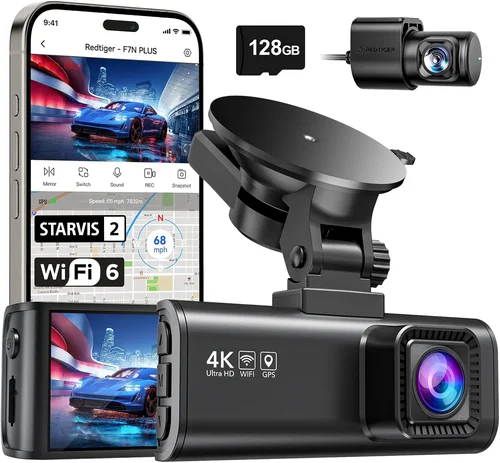
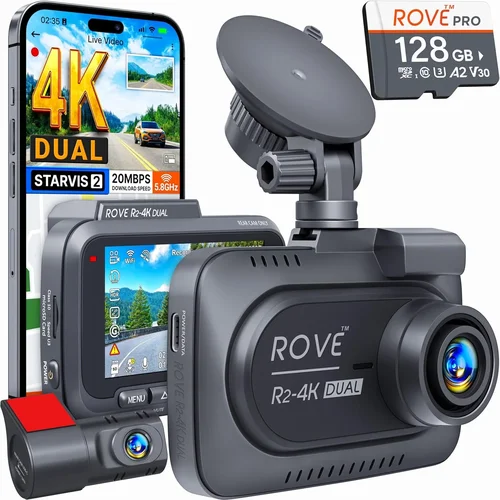
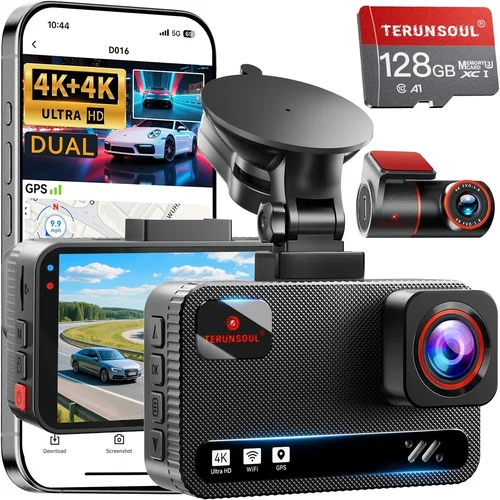
Resolution directly impacts the clarity of recorded video. Most reputable dual dash cams use Full HD (1920×1080), but newer models now offer 2K (2560×1440) or even 4K (3840×2160) for the front camera. While higher resolution captures finer details—such as license plates or facial expressions—it also increases file sizes and requires faster memory cards.
What to look for: Aim for at least 1080p on both front and rear cameras. If nighttime driving is common, prioritize models with strong low-light sensitivity and infrared or starlight sensors. Avoid cameras that rely solely on digital zoom—optical zoom is far superior for capturing distant events clearly.
3. Field of View (FOV)
The field of view determines how much of the road or interior your camera captures. A wider angle (typically 120°–170°) covers more area but can introduce fish-eye distortion. Narrower angles (around 100°) provide crisper, less distorted images but miss peripheral details.
Recommendation: For urban driving, a 140°–150° FOV strikes a good balance between coverage and clarity. Rear cameras usually have narrower fields since they focus on immediate surroundings behind the vehicle.
4. Storage & Loop Recording
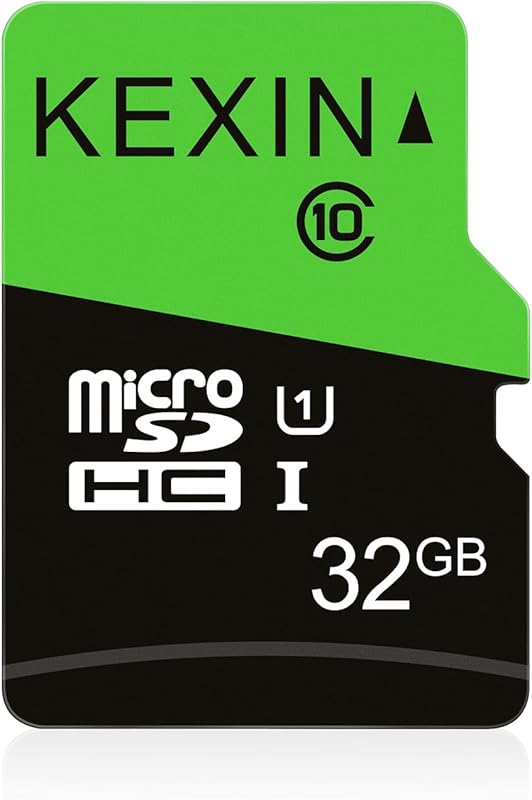
Dash cams use microSD cards (usually Class 10 or UHS-I/U3) for storage. Most models support up to 128GB, though some high-end versions accommodate 256GB+. Loop recording automatically overwrites the oldest files when storage fills up, ensuring continuous operation without manual intervention.
Critical consideration: Longer recording times = larger files. At 1080p/30fps, expect ~3–5 minutes per minute of footage depending on compression. Use a high-quality card from brands like SanDisk Extreme or Samsung EVO+ to prevent corruption and ensure smooth playback.
5. Parking Mode & Motion Detection
Parking mode activates when your car is off, using motion or impact sensors to record incidents while parked—perfect for hit-and-runs or vandalism. However, this feature drains your battery unless connected via hardwiring kits (included with premium models).
Tip: Not all parking modes are equal. Some only detect sudden impacts; others respond to gradual movement. Look for G-sensor-triggered recording with pre-event buffering (captures 10–30 seconds before activation) to secure full context.
6. Build Quality & Durability
Dash cams endure extreme temperatures, humidity, vibrations, and direct sunlight. Housing should be shock-resistant and sealed against dust/moisture (IP65 rating or higher). Glass lenses resist scratches better than plastic ones.
Red flags: Avoid flimsy mounts that wobble during highway speeds or cheap cables prone to fraying. Check customer reviews for mentions of overheating issues or lens fogging in cold climates.
7. Connectivity Features
Modern dash cams offer Wi-Fi, Bluetooth, GPS, and smartphone app integration. These allow easy file transfer, real-time viewing, route mapping, and firmware updates. Some even support cloud storage subscriptions for automatic backups.
Best practice: Choose models compatible with both iOS and Android apps. Verify that companion apps are regularly updated—abandoned software support renders smart features useless after a year.
8. Brand Reputation & Customer Support
Stick with established brands like Garmin, BlackVue, Viofo, Thinkware, or Rexing. They invest in R&D, offer responsive customer service, and provide firmware updates long after purchase. Lesser-known brands may cut corners on warranty terms or component quality.
Warning: Be wary of ultra-cheap imports from unknown sellers on auction sites. Even if reviews seem positive initially, poor post-purchase support becomes evident quickly when hardware fails.
# Different Types of Dash Cams
# Common Buying Mistakes to Avoid
❌ Mistake: Ignoring Low-Light Performance
Why it’s bad: Many buyers assume higher megapixels equal better nighttime footage. In reality, sensor size, aperture (measured in f-stops), and noise reduction algorithms matter more. A 1080p camera with a wide f/1.6 aperture will outperform a 4K model with an f/2.4 lens in dim conditions.
What to do instead: Read independent lab tests comparing low-light performance. Look for terms like “Starvis sensor,” “night vision enhancement,” or “HDR” in product descriptions. Test sample videos at night if possible.
❌ Mistake: Skipping Warranty & Return Policies
Why it’s bad: Cheap dash cams often come with 90-day warranties or no returns. When they fail within weeks, replacing them becomes costly and frustrating.
What to do instead: Buy from retailers offering at least 1-year warranties (preferably 2+ years) and 30-day return windows. Check if manufacturer support includes prepaid shipping labels for repairs.
❌ Mistake: Choosing Based Solely on Price
Why it’s bad: The cheapest option might lack essential features like G-sensor data locking or require proprietary cables. Over time, hidden costs add up—buying extra accessories, replacing faulty parts, or upgrading storage frequently.
What to do instead: Create a checklist of must-have features first. Then compare prices among models meeting those criteria. Sometimes spending 20% more yields significantly better longevity and usability.
❌ Mistake: Neglecting Mounting Compatibility
Why it’s bad: Universal suction cups may detach on bumpy roads or lose grip in heat. Windshield angles affect visibility; curved dashboards require adhesive mounts instead of suction.
What to do instead: Measure your windshield curvature and check mount types included. Adhesive mounts last longer but damage paint if removed carelessly. Consider universal kits with multiple mounting options.
❌ Mistake: Overlooking Firmware Updates
Why it’s bad: Outdated firmware can cause crashes, failed recordings, or compatibility issues with new OS versions. Manufacturers often fix bugs in updates—but only if users take action.
What to do instead: Download the official app early and register your device. Set monthly reminders to check for updates. Enable auto-update notifications if available.
❌ Mistake: Assuming All Memory Cards Are Equal
Why it’s bad: Generic or counterfeit SD cards corrupt files, slow write speeds, and fail prematurely under constant recording loads. This leads to lost evidence and corrupted logs.
What to do instead: Purchase certified cards (SanDisk Ultra, Samsung Evo Select) rated for dash cams. Format them in-camera monthly and replace every 12–18 months regardless of capacity remaining.
❌ Mistake: Disabling Pre-Event Buffering
Why it’s bad: Without pre-buffering, critical seconds before a collision—like braking hard or swerving—are never saved. This defeats the purpose of emergency locking.
What to do instead: Ensure your chosen model supports circular buffer recording (most do by default). Never disable this feature—it uses minimal extra storage compared to its lifesaving potential.
# Budget Guidelines: How Much Should You Spend?
Entry-Level ($70–$120): The Foundation Tier
This category suits occasional drivers, students, or those testing dash cam technology without heavy investment. Expect basic 1080p front/rear recording, loop functionality, and simple mobile apps. Brands like Apeman, JBL, or Z-Edge dominate here. While adequate for city driving, these models often struggle in darkness and lack advanced safety features.
Best use case: Short commutes under 30 minutes, low-speed suburban roads, and minimal overnight parking risks.
Mid-Range ($120–$200): The Sweet Spot
Nearly all serious buyers land in this range. Here, you’ll find reliable performance with extras like GPS logging, Wi-Fi sharing, parking mode, and decent low-light handling. Models from Viofo A119 Pro, Blackvue DR970X-2CH, or Thinkware U1000 offer professional-grade components at accessible prices. This tier represents the optimal balance between capability and affordability.
Ideal for: Daily commuters, families, ride-share drivers, and anyone wanting dependable evidence without breaking the bank.
Premium ($200–$350): For Power Users
Stepping into premium territory unlocks 4K front cameras, superior HDR, enhanced night vision, and robust build quality. Hardwiring kits, cloud connectivity, and driver-assistance alerts appear standard. Garmin Dashcam Mini, Nextbase 522GW, and Blackvue DR750S-2CH exemplify excellence here. These aren’t just cameras—they’re mobile security hubs.
Recommended for: Long-distance travelers, delivery professionals, fleet operators, and tech-savvy individuals prioritizing maximum reliability.
Luxury ($350+): The Ultimate Protection
Top-tier systems integrate AI-powered object detection, encrypted cloud storage, thermal imaging, and multi-vehicle management. While rarely needed for personal vehicles, they serve commercial fleets and high-profile individuals. Features like real-time traffic incident warnings and automated claim reporting justify the cost in specialized scenarios.
Consider only if: You operate in high-theft zones, frequently encounter aggressive drivers, or require court-admissible documentation with zero room for error.
# Expert Tips & Pro Advice
1. Time Your Purchase Strategically
Avoid buying during holiday rushes (Black Friday, Cyber Monday) unless you’re prepared for crowds and limited stock. Instead, target Q1 (January–March) when retailers clear old inventory and offer spring promotions. Amazon Prime Day (July) also features solid deals on mid-range models.
2. Prioritize Retailers with Strong Return Policies
Amazon (30-day returns), Best Buy (15 days + Geek Squad support), and Walmart (30 days) lead the pack. Avoid third-party sellers on marketplace platforms unless verified. Physical stores let you inspect packaging and accessories hands-on before leaving.
3. Spot Hidden Deals Through Price Tracking
Use tools like CamelCamelCamel (Amazon), Honey browser extension, or Keepa to monitor price history. Sign up for brand newsletters—many send exclusive discounts to subscribers. Bundle deals (dash cam + hardwire kit + extra SD card) often save 15–20% versus individual purchases.
4. Validate Warranty Terms Carefully
Read fine print: Is international warranty honored? Does accidental damage count? Some brands exclude water exposure or physical drops. Register your product immediately upon unboxing to activate coverage.
5. Test Before Committing Long-Term
If possible, rent or borrow a unit for a week. Install it, drive familiar routes, and assess ease of use. Pay attention to menu navigation, button responsiveness, and app stability. Return if unsatisfactory—even if it means paying restocking fees.
6. Invest in Accessories Early
A quality microSD card ($15–$30), suction cup cleaner ($5), and microfiber cloth ($3) extend your system’s lifespan. Don’t skimp on cables—opt for shielded USB-C or micro-USB with reinforced connectors.
7. Maintain Regular Maintenance
Clean lenses weekly with anti-static spray. Format memory cards monthly via camera settings (not computer). Update firmware quarterly. Back up critical clips to external drives or cloud storage annually.
# Frequently Asked Questions
Q: Can I install a dual dash cam myself?
A: Absolutely. Most modern units use plug-and-play wiring harnesses or magnetic mounts. Watch YouTube tutorials specific to your model. Complex installations (hardwiring, fuse tapping) require basic electrical knowledge but are doable with a multimeter and wiring kit. Professional installation adds $20–$50 but ensures safety and warranty compliance.
Q: Do dash cams drain my car battery?
A: Yes, especially parking mode. Continuous recording consumes power even when parked. Solutions include hardwiring through the fuse box (draws power only when ignition is on) or using capacitor-based parking modes that consume less energy. Avoid leaving dash cams plugged into cigarette lighters for extended periods.
Q: How long do dash cam batteries last?
A: Built-in rechargeable batteries are rare in dual cams—most rely on constant power from your car. If included, backup batteries typically last 3–5 hours during parking mode. For true autonomy, hardwire to avoid draining your main battery.
Q: Are dash cam videos admissible in court?
A: Generally yes, provided they’re authentic and unaltered. Courts accept video evidence if chain-of-custody is maintained. Store original files securely; editing or splicing footage invalidates credibility. Pair dash cam logs with police reports for strongest legal weight.
Q: Should I buy front-only or dual dash cams?
A: Dual cams are strongly recommended. Rear collisions account for nearly 20% of accidents. A rear camera deters tailgaters, captures hit-and-runs, and documents loading/unloading activities. Front-only models leave blind spots vulnerable to exploitation.
Q: What’s the difference between loop recording and event locking?
A: Loop recording continuously overwrites old footage when storage fills. Event locking (via G-sensor) marks critical clips as “protected” so they won’t be overwritten—even during full storage. Always enable both for maximum coverage.
Q: Can I use any microSD card?
A: No. Use Class 10 or higher with U3 speed ratings. Cards below these specs cause lag, corruption, or failed recordings. Stick to trusted brands—avoid generic store-brand cards labeled “high endurance” without certification.
Q: Will a dash cam work in extreme weather?
A: Most operate between -4°F to 140°F (-20°C to 60°C). However, condensation buildup inside lenses occurs in humid climates. Anti-fog coatings help, but periodic cleaning prevents blurry footage. Cold starts may temporarily freeze screens—wait 1–2 minutes before driving.
Q: Do dash cams record audio?
A: Legally, audio recording varies by region. In the U.S., consent laws apply—you can record inside your own vehicle freely, but recording others without permission may violate wiretapping statutes in some states. Europe has stricter privacy rules. Disable audio if uncertain about local laws.
Q: How often should I replace my memory card?
A: Every 12–18 months. Even unused cards degrade over time. Signs of failure include slow formatting, corrupted files, or “card not supported” errors. Keep spare cards on hand for quick swaps.
# Final Recommendations
Best for Budget-Conscious Buyers: Apeman C450 Pro
This 1080p dual cam delivers crisp front/rear footage for under $100. Its compact design fits discreetly, and loop recording works flawlessly. While lacking GPS or Wi-Fi, it excels at core functions reliably. Ideal for students or infrequent drivers seeking affordable peace of mind.
Best Overall Value: Viofo A119 Pro V3
Priced around $180, this model combines 2K front resolution, excellent night vision, and seamless app integration. Parking mode includes impact and motion detection, while built-in GPS logs speed and location. Durability and consistent performance make it our top pick for everyday use.
Best Premium Option: Garmin Dashcam Mini
At $300+, this sleek 4K front camera offers voice control, live streaming, and automatic incident detection. Hardwiring is included, and cloud backup ensures no footage loss. Though rear camera sold separately, its intelligent alerts and rugged design justify the premium for tech-forward drivers.
Best for Beginners: Thinkware U1000
Known for military-grade reliability, this 2K dual cam balances simplicity with advanced features. One-touch recording, parking guard mode, and intuitive menus reduce learning curves. At $220, it’s slightly pricier than entry-level but worth the investment for first-time buyers.
Best for Advanced Users: Blackvue DR970X-2CH
Professional-grade with 4K front, 1080p rear, and supercapacitor power supply (no battery degradation). Supports dual-band Wi-Fi, cloud sync, and remote live view. Fleet management software available. Overkill for casual drivers but unmatched in robustness and forensic detail.
# Conclusion: Making the Right Choice
Selecting the best dual dash cam isn’t about chasing the shiniest gadget—it’s about aligning technology with your unique driving environment and risk profile. Whether you’re navigating busy city streets, cruising rural highways, or parking in high-crime neighborhoods, your choice should prioritize consistent, high-fidelity recording over marginal gains in resolution or flashy extras.
Remember that durability, customer support, and real-world reliability outweigh theoretical specs every time. A $200 model from a reputable brand will serve you better long-term than a $50 novelty item that fails within months. Take advantage of return policies, read verified user reviews, and don’t hesitate to consult experts or forums before deciding.
Ultimately, a dual dash cam is more than an electronic accessory—it’s a silent guardian protecting your rights, your vehicle, and your peace of mind. By investing thoughtfully now, you’re not just buying hardware; you’re fortifying your journey against life’s unpredictable moments. Drive safely, stay vigilant, and trust your gear to capture truth when it matters most.