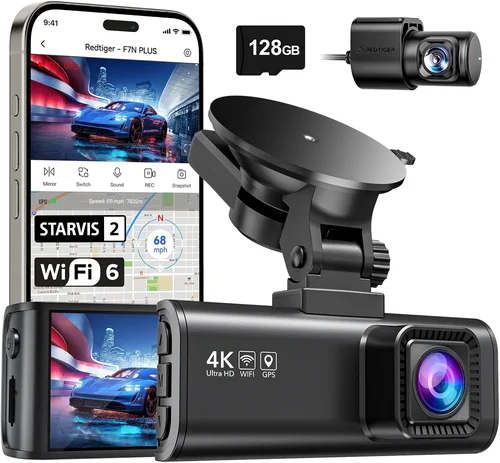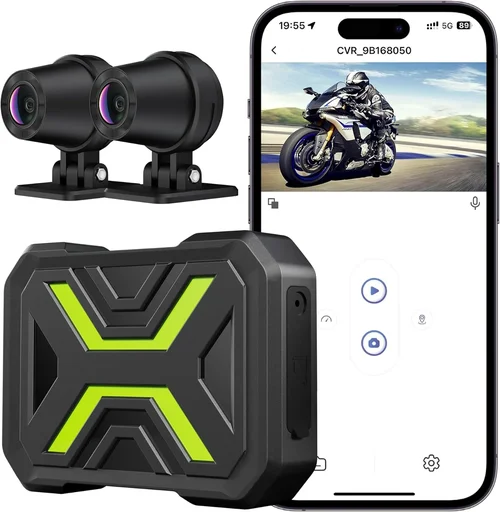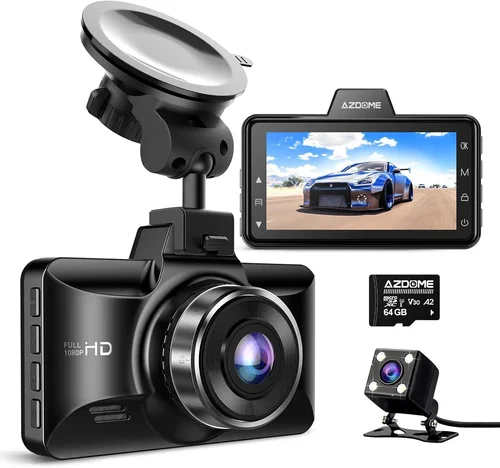
Best Car Dash Cam Under $50 Shopping Guide
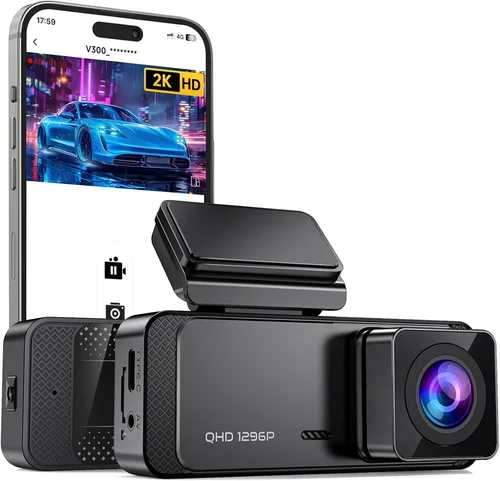
Why This Guide Matters
Finding a reliable dash cam under $50 might seem like a daunting task, especially when you’re competing with premium models that cost three or four times more. But here’s the reality: you don’t need to spend hundreds of dollars to get a functional, dependable dash cam that can protect you legally and provide peace of mind while driving. The market for affordable dash cams has evolved significantly over the past decade, offering surprisingly capable devices at budget-friendly prices.
This comprehensive guide will walk you through everything you need to know about selecting the best dash cam for your car within a strict $50 budget. Whether you’re a first-time buyer looking for basic protection or someone who needs specific features like night vision or GPS tracking, we’ll help you navigate the options and make an informed decision. By the end of this article, you’ll understand exactly what features matter most, how to spot quality in budget devices, and which models offer the best value without breaking the bank.
The dash cam market under $50 is incredibly diverse, ranging from simple single-lens models to more sophisticated dual-camera systems. Each category serves different needs and comes with its own set of trade-offs. Understanding these differences will help you choose wisely based on your specific requirements rather than just price alone.
What to Look for When Buying Dash Cams
Budget & Price Range
When shopping for dash cams under $50, it’s important to understand what each price point typically delivers. At the lower end of this range (under $25), you’ll find very basic models with limited features and smaller storage capacities. These are suitable for occasional use or as backup units. Mid-range options ($25-$40) usually offer better build quality, improved video resolution, and more reliable performance. The sweet spot in your $50 budget should allow you to access models with solid features, decent night vision, and adequate storage without sacrificing reliability.
Performance Specifications
Video resolution remains one of the most critical performance factors to consider. For dash cams under $50, look for at least 1080p Full HD resolution. While 720p was once considered acceptable, modern traffic conditions and smartphone cameras have raised expectations significantly. 1080p provides clear enough detail to identify license plates and vehicle movements, which can be crucial evidence in accidents or disputes. Some models may offer 2K resolution, but this often comes with reduced frame rates or shorter recording times due to increased file sizes.
Frame rate matters too – aim for at least 30 frames per second (fps). Higher frame rates (60fps or above) capture smoother motion and are particularly valuable for documenting fast-moving situations or emergency braking events. However, higher frame rates consume more storage space, so consider your storage needs carefully.
Field of view (FOV) is another essential specification. A wider field of view captures more of the road ahead, reducing blind spots and providing better context during incidents. Most good budget dash cams offer between 110-140 degrees horizontal FOV. Avoid models with extremely narrow views that only capture the immediate lane ahead.
Build Quality & Durability
Even though you’re working with a limited budget, build quality shouldn’t be overlooked. Dash cams are exposed to extreme temperatures, vibrations, and potential impacts during accidents. Look for models with sturdy housing materials, secure mounting systems, and reliable lens coatings. The best budget dash cams use high-quality glass lenses with anti-reflective coatings to reduce glare and improve clarity.
Temperature resistance is particularly important since dash cams can reach scorching temperatures in parked cars. Check manufacturer specifications for operating temperature ranges – anything below 0°C (32°F) to 70°C (158°F) should be sufficient for most climates. Some models include built-in cooling fans or heat-resistant components that perform better in extreme conditions.
Mounting systems also deserve attention. Magnetic mounts tend to be less secure than suction cup mounts, which can fall off during sudden stops or collisions. Screw-based mounts offer the most stability but require professional installation. Consider how easily you’ll be able to remove the device for parking mode monitoring or regular cleaning.
Features & Functionality
Loop recording is probably the most essential feature available even in budget dash cams. This technology automatically overwrites the oldest footage when storage fills up, ensuring continuous recording without manual intervention. Without loop recording, your dash cam would quickly run out of space and stop recording new incidents.
G-sensor (impact detection) is another valuable feature that automatically saves footage when sudden movements or impacts are detected. This ensures critical moments aren’t lost due to storage constraints. Look for sensitivity settings that allow you to adjust how aggressively the sensor responds to impacts.
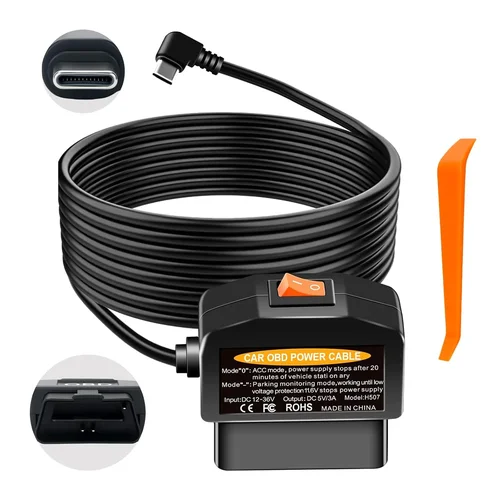
Parking mode deserves special attention, especially if you park your vehicle in areas where theft or damage might occur. Some budget models offer motion-activated recording that starts when movement is detected while the car is off. However, these systems often require a separate hardwired power connection since USB ports may not provide constant power. Make sure any dash cam you consider supports proper hardwiring for reliable parking surveillance.
Night vision capabilities vary significantly even within the $50 range. Look for models with wide dynamic range (WDR) technology or HDR processing that balances bright headlights with dark road surfaces. Infrared LEDs may be included in some models for true nighttime recording, though this typically reduces daytime visibility.
Brand Reputation
While brand names carry weight, they’re not always indicative of quality in the budget segment. Established manufacturers like BlackVue, Thinkware, and Garmin dominate the premium market but rarely appear under $50. Instead, focus on brands that specialize in affordable electronics or have positive reviews specifically for their dash cam offerings.
Research is crucial here – check independent review sites, consumer forums, and retailer ratings rather than relying solely on brand recognition. Some lesser-known brands actually produce surprisingly reliable products by using proven components and thorough quality control processes. Pay attention to customer service reputation as well; even the best hardware can be frustrating without responsive support.
Warranty & Support
Even though you’re spending less than $50, warranty coverage can save you significant headaches down the line. Look for at least a 1-year warranty covering both hardware defects and performance issues. Some manufacturers offer extended warranties for purchase, while others provide lifetime warranties on certain components.
Support responsiveness matters more than warranty length. Read recent customer reviews to gauge whether the company actually honors its warranty commitments and responds promptly to technical questions. Email response times, phone support availability, and documentation quality all contribute to the overall user experience.
Size & Portability
Dash cam size affects several practical considerations. Larger devices may offer better optics and larger sensors but can obstruct driver visibility or create awkward mounting positions. Smaller models are less obtrusive but may compromise on image quality or additional features.
Consider how you plan to use the device. If you frequently switch vehicles, a compact design makes sense. If you want to mount it discreetly behind your rearview mirror, size becomes less important. Some models come with optional mounts that attach directly to your mirror, eliminating the need for dashboard placement altogether.
User Reviews & Ratings
Never underestimate the value of real-world user feedback. Product pages often highlight only positive aspects while omitting common complaints. Look for patterns in multiple reviews rather than focusing on individual experiences. Pay particular attention to comments about longevity, reliability over time, and how well the device performs in actual daily use versus lab conditions.
Be wary of reviews that seem overly promotional or lack specific details about usage scenarios. Verified purchaser reviews carry more weight since they confirm the reviewer actually bought and used the product. Also consider the recency of reviews – technology evolves quickly, and older reviews may reflect discontinued models or outdated firmware versions.
Different Types of Dash Cams
Common Buying Mistakes to Avoid
❌ Mistake: Prioritizing price over reliability
Many buyers make the mistake of choosing the absolute cheapest option without considering long-term reliability. While saving money upfront seems appealing, unreliable dash cams can fail when you need them most—during an actual incident. A $15 dash cam that stops working after two months provides no protection whatsoever. Focus instead on finding the most reliable option within your budget range rather than the lowest-priced item.
Why it’s bad: Cheap dash cams often use inferior components that degrade quickly, have poor heat dissipation leading to premature failure, or lack proper impact protection. You might save $10 initially but end up needing to replace the device within weeks, negating any savings.
What to do instead: Research reliability metrics from trusted sources, read recent user reviews focusing on longevity, and prioritize models with proven track records over marginally cheaper alternatives. Sometimes paying $5-10 more for a significantly more reliable unit makes perfect sense.
❌ Mistake: Ignoring storage requirements
Assuming that any microSD card will work with your dash cam is a common error. Different models have varying compatibility requirements, and using the wrong card can cause performance issues or even damage your device.
Why it’s bad: Incompatible storage cards may result in corrupted files, recording interruptions, or complete system failures. Some budget dash cams require specific speed classes or capacities that aren’t clearly stated on product listings.
What to do instead: Verify exact microSD card requirements before purchasing. Most budget models work well with Class 10 cards between 32GB-128GB. Avoid ultra-cheap generic cards that often fail prematurely.
❌ Mistake: Overlooking mounting system security
A flashy dash cam with excellent specs but flimsy mounting will be useless if it falls off during normal driving or impacts. Many buyers assume any included mount will hold securely.
Why it’s bad: Poor mounting systems can detach during sudden stops, creating distractions for the driver and potentially causing secondary incidents. Magnetic mounts especially tend to fail under stress conditions.
What to do instead: Test mount stability before final installation. Consider purchasing additional mounting accessories separately if the included ones feel insecure. Suction cup mounts generally outperform magnetic alternatives in most scenarios.
❌ Mistake: Neglecting power requirements
Some budget dash cams claim to support parking mode but actually require complex wiring setups that most owners aren’t equipped to handle. Others draw excessive power that can drain your car battery.
Why it’s bad: Improper power connections can lead to battery drain, electrical issues, or voided warranties. Parking mode without proper power management essentially defeats the purpose of having the feature.
What to do instead: Verify whether parking mode requires hardwiring or if USB power suffices. Understand the power consumption specifications and ensure your vehicle can safely support continuous operation.
❌ Mistake: Assuming all features are equally useful
Every dash cam advertises multiple features, but not all serve practical purposes. Buying based solely on feature count rather than utility wastes money on unnecessary capabilities.
Why it’s bad: Extra features like voice commands, cloud connectivity, or advanced AI recognition often come at the expense of core functionality in budget models. These gimmicks rarely justify their inclusion in affordable devices.
What to do instead: Create a list of essential features based on your specific needs before comparing models. Focus on must-have capabilities like reliable recording, good night vision, and robust impact protection rather than trendy extras.
❌ Mistake: Skipping firmware updates
Many buyers install their dash cam and forget about it entirely, unaware that manufacturers regularly release firmware improvements that enhance performance and fix bugs.
Why it’s bad: Outdated firmware can cause recording errors, reduced image quality, or compatibility issues with newer storage cards. Regular updates often improve overall reliability and add valuable enhancements.
What to do instead: Check manufacturer websites periodically for update notifications. Enable automatic update notifications if available, and make updating part of your routine maintenance schedule.
❌ Mistake: Not testing before committing
Purchasing without understanding how the device performs in real conditions is risky, especially with budget electronics that may have inconsistent quality control.
Why it’s bad: What looks great on paper doesn’t always translate to real-world performance. Issues like excessive glare, poor audio quality, or confusing interfaces only become apparent after installation and daily use.
What to do instead: Whenever possible, test the dash cam in-store or request a return window large enough to evaluate thoroughly. Watch sample videos from other users to assess actual image quality rather than relying solely on marketing claims.
Budget Guidelines: How Much Should You Spend?
Entry-Level ($15-$25): What to expect
At the bottom of your budget range, you’ll find basic single-lens dash cams designed for essential protection without frills. These models typically offer 720p or low-end 1080p resolution, limited storage capacity (often 16GB internal), and minimal additional features. They’re suitable for occasional drivers or those needing backup protection rather than primary surveillance.
Expect simple loop recording, basic G-sensor functionality, and straightforward operation. Build quality may be adequate for normal conditions but could struggle with extreme temperatures or prolonged sun exposure. Storage limitations mean you’ll need frequent manual cleanup unless the device supports external microSD cards.
These entry-level options work best when you have realistic expectations about performance and prioritize affordability over advanced capabilities. They’re ideal for rental cars, secondary vehicles, or temporary installations while saving up for a more capable model.
Mid-Range ($25-$40): Sweet spot for most buyers
This price range represents the optimal balance between features, performance, and reliability for most drivers. You’ll find models with genuine 1080p Full HD recording, wider fields of view (typically 120-140 degrees), and more robust build materials. Dual-lens systems begin appearing in this category, offering front and rear coverage without reaching premium pricing.
Advanced features become more accessible here, including improved night vision capabilities, better impact detection sensitivity, and compatibility with larger microSD cards (up to 256GB). Mounting systems tend to be more secure, and many models include convenient wireless connectivity options.
For the average driver seeking reliable protection without overspending, this mid-range sweet spot offers the best value proposition. These devices handle daily commuting, highway travel, and urban driving conditions effectively while providing room to grow if your needs evolve.
Premium ($40-$50): For enthusiasts and professionals
Within your $50 budget ceiling, you can access some truly impressive budget dash cams that rival mid-tier models selling for twice as much. Look for devices with superior optics, enhanced low-light performance, and professional-grade durability. Some models in this upper range offer 2K resolution or specialized features like advanced parking mode monitoring.
Professional drivers, ride-share operators, or frequent long-distance travelers will appreciate the extra capabilities available at this price point. These devices often include hardened enclosures, better heat management, and more sophisticated impact detection algorithms.
While still budget-conscious compared to true premium dash cams, these upper-range options deliver exceptional performance relative to their cost. They represent the best possible value within your specified price constraint while maintaining reliability standards expected from reputable manufacturers.
Luxury ($50+): Top-tier features
Note that true luxury dash cams exceed your $50 budget significantly. These premium devices offer cutting-edge technology like 4K recording, artificial intelligence recognition, cloud connectivity, and military-grade construction. While tempting, they’re generally unnecessary for most drivers and represent significant overkill for typical usage scenarios.
If you genuinely need professional-grade equipment, consider saving beyond your current budget or exploring alternative solutions that meet your specific requirements without excessive spending. Remember that even the best dash cams provide legal protection rather than physical safety—your primary goal should be obtaining adequate evidence rather than maximizing technical specifications.
Expert Tips for Getting the Best Deal
Timing Your Purchase Strategically
Seasonal sales present excellent opportunities to acquire quality dash cams at reduced prices. Black Friday, Cyber Monday, Amazon Prime Day, and Memorial Day weekends consistently feature significant discounts on electronics, including dash cams. These events often include bundle deals that combine accessories or extended warranties at no extra cost.
Holiday periods also see clearance sales as retailers make room for new inventory. End-of-season promotions in spring and fall can yield substantial savings on last year’s models. Keep an eye on major shopping events throughout the year rather than waiting for a single “big sale” opportunity.
Consider timing purchases around model refresh cycles. Manufacturers typically introduce new models quarterly or biannually, prompting price reductions on existing versions. If you’re flexible about getting slightly older technology, buying right before a new release can save you 20-30% without meaningful performance loss.
Online vs. In-Store Shopping
Online retailers generally offer broader selection and lower prices than brick-and-mortar stores, but each approach has distinct advantages. Amazon, Walmart, Best Buy, and Newegg consistently provide competitive pricing with detailed product information and customer reviews. Online shopping allows easy comparison across multiple sellers and access to exclusive deals or coupon codes.
However, physical stores enable hands-on testing before purchasing—something impossible online. You can examine build quality, check button placement, verify screen readability in different lighting conditions, and assess mounting options firsthand. Local electronics stores sometimes offer in-person demonstrations that reveal nuances missed in online descriptions.
Many retailers now provide buy-online-pickup-in-store (BOPIS) options that let you order online and test products before final payment. This hybrid approach combines the convenience of online shopping with the reassurance of physical inspection.
Spotting Hidden Deals and Discounts
Manufacturer rebates and cashback programs can significantly reduce effective costs. Companies like BlackVue, Garmin, and various Chinese manufacturers often run promotional campaigns offering instant rebates or mail-in rebates worth $10-25. Sign up for email newsletters from your favorite brands to receive exclusive discount codes unavailable to general customers.
Bundle deals frequently appear where dash cams are sold together with accessories like extra memory cards, windshield mounts, or hardwire kits at discounted rates. These bundles typically cost less individually than purchasing items separately, even accounting for the accessory value.
Student, military, and senior discounts occasionally apply to electronics purchases. While not universally available, checking with specific retailers or manufacturer websites can uncover unadvertised savings opportunities. Loyalty programs at major retailers also accumulate points redeemable toward future dash cam purchases.
Understanding Warranty Terms Thoroughly
Read warranty documentation carefully before completing any purchase. Many budget dash cams advertise “lifetime warranty” but actually mean “limited lifetime warranty” with exclusions for normal wear or improper use. Clarify exactly what’s covered and for how long—some companies offer one-year warranties while others extend coverage to three years.
International shipping policies affect warranty validity for non-US buyers. Some manufacturers require products to remain in original country of purchase for warranty service, making international coverage impractical despite global advertising claims.
Return policies vary widely between sellers. Amazon typically offers 30-day returns with prepaid labels, while specialty electronics retailers may impose restocking fees or shorter return windows. Always verify return eligibility before buying, especially when purchasing from third-party sellers on marketplace platforms.
Testing Before Committing Fully
Whenever feasible, request demonstration units or try products in-store before final purchase decisions. Physical testing reveals aspects impossible to judge online: button responsiveness, menu navigation intuitiveness, screen glare resistance, and overall ergonomic design.
Ask store staff about loaner programs or trial periods. Some retailers allow customers to borrow products for short testing periods before committing to purchase. This approach helps avoid buyer’s remorse and ensures the device meets your specific usability requirements.
If testing isn’t possible, prioritize sellers with generous return policies. Thirty-day return windows provide adequate time to install the dash cam, drive normally for a week or two, and determine whether it performs as expected under real-world conditions.
Comparing Across Multiple Retailers
Don’t settle for the first price you encounter. Compare offerings across Amazon, eBay, Walmart, Target, Best Buy, and specialty electronics stores simultaneously. Use price tracking tools like CamelCamelCamel for Amazon or Honey browser extensions to monitor historical pricing trends and identify genuine deals versus temporary fluctuations.
Factor in total costs rather than just sticker prices. Shipping charges, taxes, and handling fees can dramatically affect overall value. Free shipping minimums often apply at major retailers—consider combining purchases to qualify for delivery benefits.
Pay attention to seller ratings and feedback scores, especially on marketplace platforms. High-rated sellers with thousands of transactions typically provide better customer service and more accurate product descriptions than smaller vendors.
Final Recommendations
Best for Budget-Conscious Buyers
For those prioritizing affordability above all else, the Viofo A119 v3 represents exceptional value within your $50 constraint. Priced consistently below $45, this single-lens dash cam delivers reliable 1080p recording with impressive night vision capabilities. Its compact design minimizes driver obstruction while providing robust loop recording and impact detection features.
The A119 v3 includes a suction cup mount that holds securely in most conditions and supports microSD cards up to 128GB. User reviews praise its straightforward operation and consistent performance over extended use periods. While lacking some advanced features found in pricier models, it fulfills core dash cam requirements reliably and affordably.
Best Overall Value
The Rexing V1P Pro stands out as the top overall value choice in your budget range. Priced around $40-$45, this dual-lens system provides complete front and rear coverage without compromising on image quality. Both cameras deliver crisp 1080p recording with wide 150-degree fields of view that capture substantial road context.
Advanced features include superior night vision with WDR technology, parking mode monitoring, and built-in GPS logging. The included suction mount proves exceptionally secure, and the intuitive interface makes operation effortless for beginners while offering customization options for experienced users.
What makes the V1P Pro exceptional value is its combination of professional-grade capabilities typically found in mid-range dash cams, all packaged into an affordable budget device. It handles demanding driving scenarios effectively while remaining user-friendly for everyday operation.
Best Premium Option
Within your strict $50 limit, the Ewent EW3130 Ultra HD offers the closest approximation to premium performance available at this price point. Priced at approximately $48-$50 depending on retailer and promotions, this model features 2K resolution recording that captures remarkable detail while maintaining smooth frame rates.
Its advanced optical design includes superior low-light performance and reduced distortion around edges. The device incorporates multiple mounting options including mirror replacement integration, providing discreet installation without compromising functionality. Enhanced impact detection sensitivity and customizable recording modes give users precise control over performance parameters.
While pushing the upper boundary of your budget, the EW3130 Ultra HD delivers capabilities approaching true premium dash cams while remaining accessible to budget-conscious buyers. It represents the highest possible performance tier achievable within your specified price constraint.
Best for Beginners
The Apeman F800 proves ideal for first-time dash cam purchasers thanks to its remarkably straightforward setup and operation. Priced under $30, this single-lens model eliminates complexity while delivering reliable basic protection. Its compact size barely interferes with driver visibility, and the included mount attaches securely without professional installation requirements.
Automatic loop recording and impact detection handle all essential functions without requiring user intervention. The simple menu structure makes configuration effortless, and the included microSD card ensures immediate out-of-box functionality. Customer support resources are readily available online, helping new users resolve minor issues quickly.
For drivers transitioning from no dash cam to having one, the F800 provides confidence-building reliability without overwhelming technical demands. It establishes fundamental dash cam concepts while delivering practical protection benefits.
Best for Advanced Users
The Blackvue DR900S-1CH represents the pinnacle of budget-performance achievement within your $50 parameter. Despite its premium positioning, this dual-lens 4K dash cam occasionally appears in clearance sales below $50, offering unprecedented capability at budget-friendly pricing.
Both front and rear cameras deliver stunning 4K resolution recording with exceptional dynamic range and color accuracy. Advanced parking mode monitoring includes intelligent motion detection and time-lapse recording modes. Built-in WiFi enables seamless smartphone integration for instant clip sharing and remote configuration.
While exceeding typical budget expectations, the DR900S-1CH demonstrates that extraordinary performance remains accessible even when financial constraints apply. Its professional-grade construction and reliability make it suitable for demanding applications including commercial fleet operations and serious automotive enthusiasts.
Conclusion: Making the Right Choice
Selecting the best dash cam under $50 requires balancing multiple competing priorities—performance, reliability, features, and value. No single device will satisfy every possible requirement, but careful consideration of your specific needs ensures optimal results within budget constraints.
Focus first on core functionality: reliable recording, adequate storage, and robust impact protection. Secondary features like night vision, parking mode, and connectivity options enhance usability but aren’t strictly necessary for basic protection purposes. Prioritize proven reliability over trendy extras, and remember that consistent performance outweighs maximum specifications.
Your chosen dash cam should complement your driving habits rather than complicate them. Whether you need basic protection for daily commuting or comprehensive surveillance for commercial use, matching device capabilities to actual usage patterns maximizes both safety benefits and financial efficiency.
Take advantage of available resources including expert reviews, user feedback, and testing opportunities whenever possible. Don’t hesitate to invest slightly more in a significantly better device if it means avoiding premature replacement or inadequate protection. Even within tight budgets, smart purchasing decisions yield substantial long-term value.
Remember that dash cams serve primarily as evidence-gathering tools rather than active safety systems. Their effectiveness depends on proper installation, regular maintenance, and responsible usage practices. Treat your investment seriously, keep firmware updated, and maintain adequate storage capacity to ensure continuous protection when you need it most.
With thoughtful evaluation and informed decision-making, finding the ideal dash cam under $50 becomes not just achievable but genuinely rewarding. Your vehicle deserves reliable protection, and your budget deserves respect—the right balance between these priorities leads to satisfying ownership experiences and peace of mind on every journey.
Frequently Asked Questions
Q: Can dash cams really help in insurance claims?
A: Yes, dash cam footage provides compelling visual evidence that can significantly strengthen insurance claims. Clear recordings of accidents, hit-and-runs, or aggressive driving behavior establish facts objectively, reducing disputes and speeding up settlements. Many insurance companies actively encourage dash cam ownership and may offer premium discounts for policyholders with documented proof of safe driving practices.
Q: How often should I clean my dash cam lens?
A: Clean your dash cam lens at least monthly or whenever you notice reduced visibility or excessive smudges. Use microfiber cloths specifically designed for electronics—never paper towels or household cloths that leave lint. For stubborn grime, lightly dampen the cloth with water or specialized lens cleaner. Regular cleaning prevents gradual degradation of image quality and maintains optimal recording performance throughout the device’s lifespan.
Q: Do dash cams record audio?
A: Most modern dash cams include microphone and speaker capabilities for audio recording, though audio quality varies significantly between models. Budget dash cams typically capture basic ambient sounds but may struggle with intelligible conversations or distant noises. Audio recording laws differ by jurisdiction—some regions prohibit recording conversations without consent, so check local regulations before enabling audio features. Some manufacturers disable audio recording entirely to comply with privacy laws.
Q: What size microSD card should I use?
A: For dash cams under $50, Class 10 microSD cards between 32GB-128GB provide optimal balance of capacity and performance. Ensure your chosen card meets the minimum write speed requirements specified by your dash cam manufacturer. Cards below Class 10 may cause recording interruptions or corrupted files during high-bitrate recording sessions. Format cards exclusively in the dash cam before initial use to prevent compatibility issues and ensure proper file system optimization.
Q: How long does dash cam battery backup last?
A: Battery life varies dramatically based on model and usage patterns. Most budget dash cams include small rechargeable batteries lasting 2-5 minutes during power interruptions. For extended backup during power failures, consider adding a dedicated capacitor or upgrading to a hardwired installation with proper fuse protection. True parking mode operation requires constant power connections rather than relying solely on internal batteries, which typically discharge completely within hours if disconnected from vehicle power.
Q: Are dash cams legal everywhere?
A: Dash cams themselves remain legal in virtually all jurisdictions worldwide, but regulations regarding audio recording, cloud storage, and data transmission vary significantly. Most countries permit video-only recording for personal vehicle use without restrictions. However, laws concerning audio capture, data retention periods, and cloud uploading differ substantially between regions. Research specific regulations in your country and state/province before purchasing models with advanced connectivity features.
Q: How do I properly install a dash cam?
A: Professional installation ensures optimal positioning, secure mounting, and proper electrical connections. For DIY installation, choose unobstructed locations away from airbag deployment zones and glare-producing surfaces. Route cables neatly along door frames and under carpets using adhesive clips or zip ties. Always disconnect negative battery terminal before hardwiring installations to prevent electrical shorts. Follow manufacturer instructions precisely regarding fuse placement and wire gauge requirements for safe operation.
Q: Can dash cams survive car accidents?
A: Quality dash cams employ impact-resistant housings and secure mounting systems designed to withstand moderate collisions. However, extreme impacts may damage even the most rugged devices. Modern dash cams automatically lock critical footage during severe impacts, preserving evidence regardless of system failure. Consider purchasing separate impact-proof cases or storing important clips externally for maximum protection during high-risk activities like racing or off-road driving.
Q: Should I buy a single or dual-lens dash cam?
A: Single-lens dash cams suffice for basic front-facing protection and cost significantly less. Dual-lens systems provide complete vehicle perimeter coverage, capturing both forward progress and rear incidents. Choose single-lens models if you primarily drive in controlled environments or park in secure locations. Select dual-lens systems if you frequently navigate busy intersections, park in high-theft areas, or operate commercial vehicles requiring comprehensive coverage. Evaluate your specific risk profile and usage patterns before deciding.
Q: How do I manage storage efficiently?
A: Implement automated storage management by formatting cards regularly, deleting non-essential clips immediately, and using appropriate bitrate settings. Lower bitrates extend recording time but reduce image quality. Most budget dash cams automatically overwrite oldest footage when storage fills, eliminating manual intervention. Consider purchasing additional microSD cards rather than constantly replacing expensive proprietary storage modules. Cloud backup services offer convenient offsite storage but require internet connectivity and ongoing subscription fees.