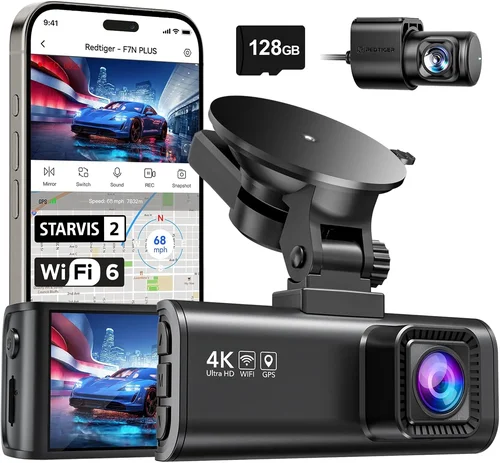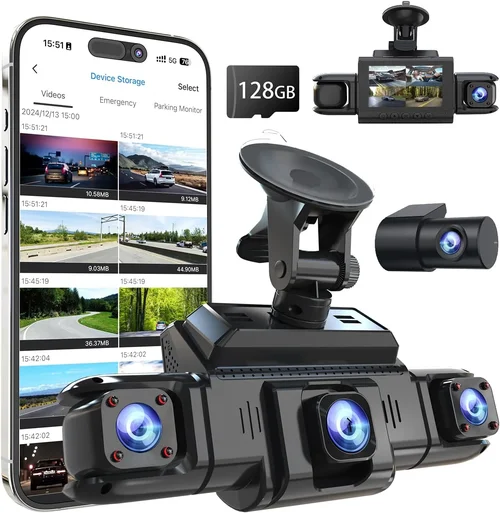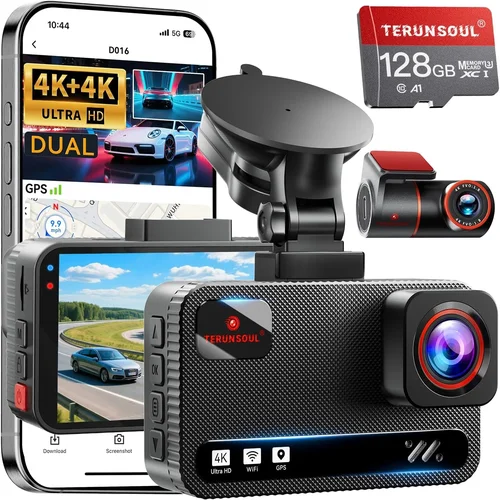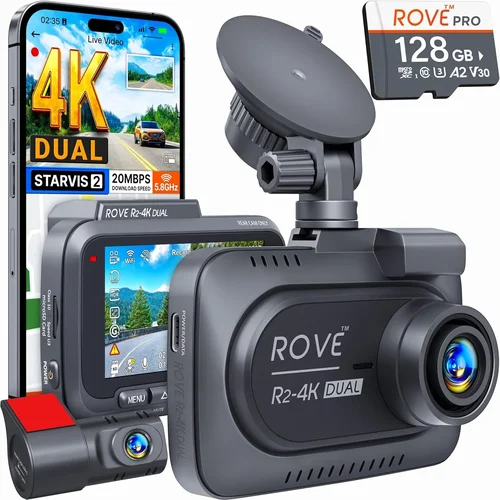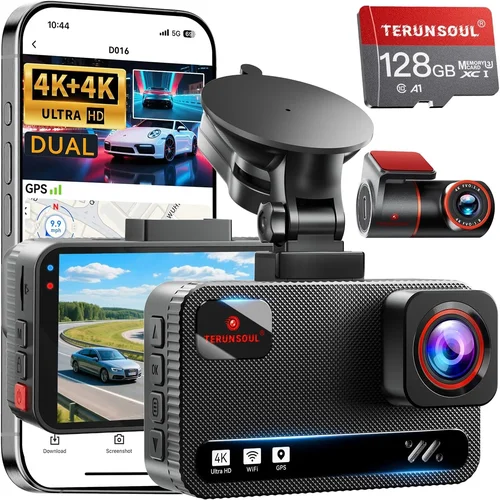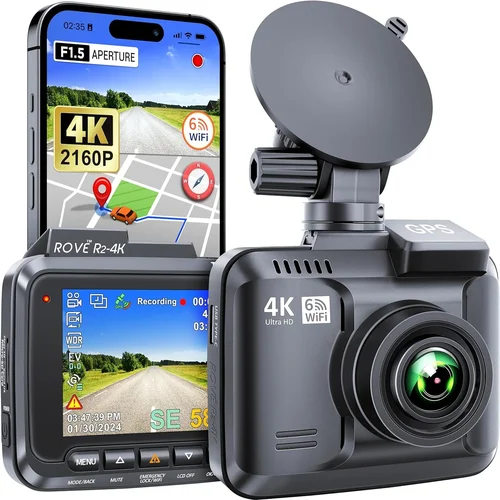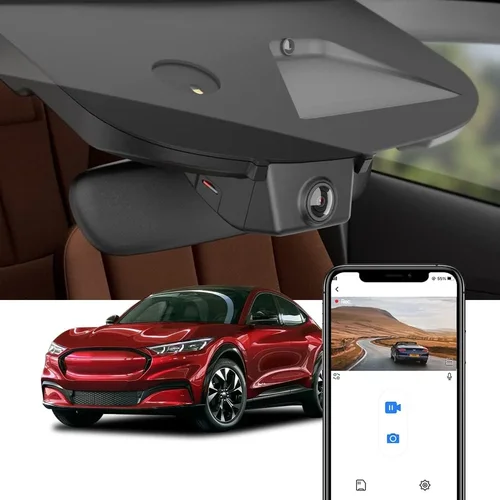
Best Dash Cam for Mustang Shopping Guide
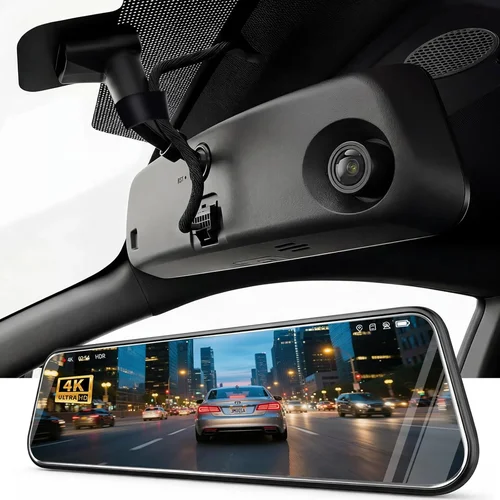
Choosing the right dash cam for your Mustang isn’t just about having a camera on your windshield—it’s about protecting your investment, ensuring safety, and capturing those unforgettable moments on the open road. Whether you’re cruising down Route 66 in your first-generation Shelby GT500 or navigating city streets in a modern EcoBoost model, having a reliable dash cam can make all the difference. With so many options flooding the market, it can be overwhelming to determine which one truly fits your needs, especially when considering the unique styling and performance of Ford’s iconic muscle car.
This comprehensive guide is designed to cut through the noise and help you make an informed decision tailored specifically for Mustang owners. You’ll learn how to evaluate critical features like video quality, storage capacity, and compatibility with your vehicle’s electrical system. We’ll explore why certain specifications matter more than others, discuss common pitfalls to avoid, and provide expert insights that go beyond basic product descriptions. By the end of this article, you won’t just have a list of recommendations—you’ll understand exactly what makes a dash cam ideal for your Mustang and how to select one that enhances both your driving experience and peace of mind.
The market for automotive cameras has evolved dramatically over the past decade. What started as simple black-and-white recorders has transformed into sophisticated systems capable of 4K resolution, night vision, GPS tracking, emergency recording, and even parking mode. For Mustang enthusiasts who value both aesthetics and functionality, finding a dash cam that blends seamlessly with your car’s interior while delivering top-tier performance requires careful consideration. From compact models that don’t obstruct your view to advanced dual-camera setups that monitor both front and rear, the choices are vast. This guide will walk you through every aspect—from budget constraints to technical specifications—so you can confidently choose a dash cam that protects your ride, preserves memories, and complements your Mustang’s legendary status.

What to Look for When Buying Dash Cams
When selecting a dash cam for your Mustang, understanding the key factors involved will ensure you get maximum value without compromising on essential features. The right dash cam should not only record high-quality footage but also integrate smoothly into your vehicle’s ecosystem, withstand harsh conditions, and offer reliable performance day after day. Below are the most important considerations every Mustang owner should keep in mind.
1. Video Quality & Resolution
Video clarity is arguably the single most important feature when choosing any dash cam. For Mustangs—especially those frequently driven on winding back roads or during nighttime adventures—crisp, detailed footage can mean the difference between capturing a scenic drive and missing critical evidence in case of an incident. Most reputable dash cams now offer at least 1080p Full HD resolution, but newer models boast 2K, 4K, or even 5K capabilities. Higher resolutions provide sharper details, making it easier to identify license plates, road signs, and other vehicles clearly.
Look for cameras with wide dynamic range (WDR) technology, which balances exposure in high-contrast lighting situations like entering or exiting tunnels. Night vision performance is equally crucial; infrared LEDs or low-light sensors help maintain visibility after dark. A dash cam with good color reproduction ensures natural-looking footage rather than washed-out or overly saturated images. When reviewing sample videos from different brands, pay attention to how well they handle shadows, glare from headlights, and motion blur during fast-moving scenes.
2. Field of View (FOV)
The field of view determines how much of the road ahead (and sometimes behind) your dash cam can capture. A wider angle provides broader coverage, reducing blind spots and ensuring no important details are missed. However, extremely wide lenses (typically above 150 degrees) can introduce distortion—a phenomenon known as “fisheye effect”—where straight lines appear curved near the edges of the frame. For optimal results, aim for a FOV between 130 and 150 degrees. Some advanced models allow you to adjust the viewing angle manually via firmware settings.
In a Mustang, where style and visibility are paramount, you want a dash cam that captures enough context without blocking your forward view. Many drivers prefer slightly narrower angles if they prioritize driver comfort over maximum coverage. Additionally, consider whether your chosen model supports ultra-wide formats like 2.5:1 aspect ratios, which offer panoramic views ideal for highways or rural roads.
3. Storage Capacity & Loop Recording
Dash cams rely on internal memory cards to store recorded footage, and understanding how storage works is vital for uninterrupted recording. Most devices use microSD cards ranging from 32GB up to 512GB or more. Larger capacities allow longer continuous recording before old files overwrite new ones—a process called loop recording. This ensures your dash cam always has room for fresh footage without manual intervention.
When selecting a card, opt for Class 10 or UHS-I/UHS-II speeds to prevent dropped frames or corrupted files. Brands like SanDisk Extreme Pro or Samsung EVO Plus are widely recommended due to their reliability and fast write speeds. Also, verify whether your dash cam automatically deletes the oldest clips once storage fills up—most modern units handle this seamlessly. If you plan to save specific events (like accidents or traffic stops), look for models with event-locked files that won’t be overwritten until manually reviewed or transferred.
4. Parking Mode & Motion Detection
Parking mode is especially valuable for Mustang owners who park their prized vehicles in public garages, shopping centers, or remote locations overnight. Without this feature, your dash cam draws power continuously while parked, draining your car battery within days. A proper parking mode uses motion detection or impact sensors to trigger short recordings only when something significant occurs—such as someone bumping into your bumper or attempting theft.
Advanced models support time-lapse recording, capturing brief snapshots every few minutes even when no movement is detected. This helps conserve battery life while still providing visual documentation of suspicious activity. Ensure your selected dash cam includes a hardwiring kit compatible with your Mustang’s fuse box, allowing safe, permanent installation without plugging into the OBD-II port constantly.
5. Build Quality & Weather Resistance
Mustangs often endure extreme weather conditions—from scorching summer heat to freezing winter cold—and your dash cam must be built to last. High-quality materials like aluminum alloy housings protect against drops, vibrations, and UV degradation. Look for IP65 or higher ingress protection ratings, indicating resistance to dust and water splashes.
Additionally, consider lens coatings that repel rain, snow, and dirt, maintaining clear optics throughout the year. Temperature tolerance matters too; some entry-level models fail in sub-zero climates or become sluggish in hot environments. Reading user reviews about real-world performance in various climates gives insight into durability beyond manufacturer claims.
6. Audio Capabilities
While video dominates dash cam usage, audio adds another layer of context. Built-in microphones allow you to record ambient sounds, conversations, or emergency alerts. In accident scenarios, hearing what happened before impact can be invaluable for insurance claims or legal disputes. Conversely, privacy-conscious drivers may disable audio recording depending on local laws.
Some premium models offer two-way communication, enabling you to speak through the device (e.g., warning off potential thieves). However, these features require additional hardware and may not be necessary for everyday use. Always check regional regulations regarding audio recording—laws vary significantly by state or country.
7. Power Source & Installation Compatibility
Installing a dash cam in your Mustang requires thoughtful planning regarding power supply and placement. Most users opt for hardwiring kits that connect directly to the cigarette lighter or fuse box, eliminating the need for frequent plugging/unplugging. Ensure your chosen model comes with a harness designed for Ford vehicles or offers universal compatibility.
Consider voltage stability—some older Mustangs have fluctuating electrical systems that can affect dash cam performance. Opting for a unit with surge protection or automatic shutoff prevents damage during power spikes. Mounting flexibility is also key; swivel arms or adjustable brackets let you position the camera optimally without interfering with airbags or interior trim.
8. Software Features & App Integration
Modern dash cams come with companion apps that simplify file management, playback, and configuration. Through smartphones, you can remotely view live feeds, download clips, or adjust settings like sensitivity levels. Cloud storage integration allows secure backup of critical footage, though subscription fees may apply.
Look for intuitive interfaces with easy-to-navigate menus. Some brands offer AI-powered object recognition (e.g., detecting pedestrians, cyclists, or lane departures), enhancing situational awareness. Firmware updates should be frequent and hassle-free, ensuring your device stays current with new features and bug fixes.
9. Brand Reputation & Customer Support
Purchasing from established brands reduces the risk of receiving defective products or encountering unresponsive customer service. Companies like BlackVue, Garmin, Nextbase, and Thinkware have built strong reputations over years of consistent quality and reliable support. Read verified buyer reviews on trusted platforms like Amazon, Best Buy, or dedicated automotive forums to gauge real-user satisfaction.
Warranty terms matter too—ideally, you’ll receive at least a two-year warranty covering defects and accidental damage. Responsive technical assistance via phone, email, or chat is essential if issues arise post-purchase. Avoid obscure or generic-branded dash cams lacking transparent contact information or return policies.
10. Size & Aesthetics
As a Mustang owner, you likely take pride in your vehicle’s appearance. Bulky, obtrusive dash cams can detract from your car’s sleek design. Compact, low-profile units blend seamlessly with dashboard contours, minimizing visual disruption. Some models feature matte finishes or neutral colors that complement darker interiors.
Check dimensions carefully—especially height—to ensure clearance under the windshield wiper mechanism. Slim profiles reduce wind noise and aerodynamic drag slightly. If aesthetics aren’t a priority, larger cameras may offer better cooling or additional ports, but balance form and function based on your preferences.
11. Price vs. Value Proposition
Dash cams span a broad price spectrum, from under $50 to over $500. While budget options exist, they often compromise on core functionalities like image stabilization, night vision, or build quality. Mid-range models ($100–$250) typically deliver the best balance of features and reliability for most drivers. Premium units ($300+) cater to enthusiasts needing professional-grade specs, dual cameras, or advanced analytics.
Determine your must-have features first, then allocate funds accordingly. Don’t overspend on unnecessary bells and whistles unless you genuinely need them. Conversely, don’t skimp on basics like resolution or storage if you drive frequently or value evidence preservation highly.
12. Warranty & Return Policy
A solid warranty demonstrates confidence in product quality. Look for at least a one-year manufacturer warranty, ideally extendable through registration. Clear return windows (30–60 days) give you breathing room to test compatibility and performance. Check whether returns incur restocking fees or require original packaging.
Some retailers offer extended protection plans, adding peace of mind against unexpected failures. Always read fine print regarding exclusions—water damage, misuse, or unauthorized modifications may void coverage. Reliable sellers provide detailed FAQs and troubleshooting guides to resolve minor issues quickly.
By evaluating these factors holistically, you’ll narrow down thousands of options to a handful of contenders perfectly suited for your Mustang. Remember, the ideal dash cam aligns with your driving habits, environmental conditions, and personal priorities—not just flashy specs listed online.
Different Types of Dash Cams

Each category serves distinct purposes based on usage patterns, budget constraints, and desired functionalities. Understanding these distinctions helps eliminate mismatched expectations early in the selection process.
Common Buying Mistakes to Avoid
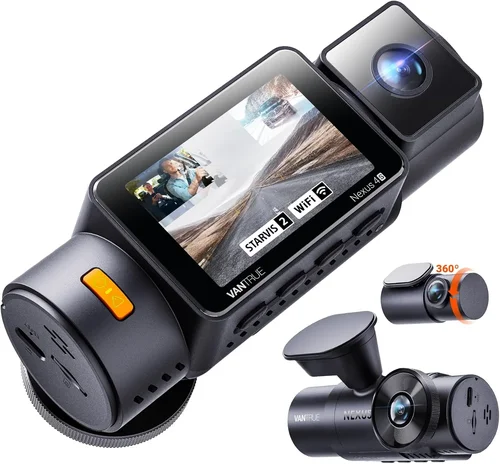
Even experienced car enthusiasts can fall prey to common pitfalls when purchasing dash cams. Recognizing these mistakes beforehand saves time, money, and frustration down the road. Below are the most frequent errors Mustang owners make—and how to steer clear of them.
❌ Mistake: Ignoring Local Privacy Laws
Why it’s bad: Many regions have strict regulations governing audio recording, especially in private spaces. Installing a dash cam with active microphone functionality could inadvertently violate wiretapping or surveillance laws if used improperly.
What to do instead: Research your state or country’s legal requirements before activating audio features. Some areas prohibit recording conversations without consent, while others ban filming pedestrians entirely. Disable audio recording if unsure, or choose models with physical mute switches.
❌ Mistake: Overlooking Hardwiring Needs
Why it’s bad: Relying solely on USB cables plugged into the cigarette lighter drains your Mustang’s battery rapidly, especially if parking mode is enabled. Constant power draw risks leaving your car dead when you return home.
What to do instead: Invest in a hardwiring kit compatible with Ford vehicles. These connect directly to the fuse box, drawing power only when the ignition is off—ideal for overnight monitoring. Ensure the kit includes fuse taps rated for your dash cam’s amperage draw.
❌ Mistake: Choosing Based Solely on Price
Why it’s bad: Ultra-cheap dash cams ($20–$40) often suffer from poor image quality, unstable firmware, and fragile builds. They may record blurry footage, fail during cold starts, or stop working after months of use.
What to do instead: Allocate at least $100–$150 for reliable performance. Spend extra on reputable brands with proven track records. Remember, a durable dash cam pays dividends through years of trustworthy service.
❌ Mistake: Neglecting Night Vision Performance
Why it’s bad: Mustangs are popular among night cruisers and weekend warriors who enjoy late-hour drives. If your dash cam struggles in low light, you’ll miss critical details like taillights, brake signals, or obscured obstacles.
What to do instead: Prioritize models with starlight CMOS sensors, infrared illuminators, or HDR processing. Test sample videos showing nighttime recordings before buying. Avoid relying solely on megapixel counts—resolution alone doesn’t guarantee usable footage after dark.
❌ Mistake: Failing to Verify Compatibility
Why it’s bad: Not all dash cams play nicely with every car’s electrical system. Voltage fluctuations, CAN bus interference, or incompatible connectors can cause erratic behavior, false triggers, or complete failure.
What to do instead: Confirm compatibility with your Mustang’s year, model, and trim level. Check manufacturer websites for verified fit lists or consult owner communities like Mustang6G or Reddit’s r/FordMustang. When in doubt, ask retailer staff or tech support.
❌ Mistake: Disregarding Storage Management
Why it’s bad: Assuming “bigger storage = less hassle” leads many buyers to purchase excessively large SD cards (e.g., 512GB+). While tempting, oversized cards may exceed the dash cam’s write speed capabilities, resulting in corrupted files or skipped segments.
What to do instead: Match card size to your recording duration and frequency. For daily drivers, 64–128GB suffices unless you frequently tow or drive long distances. Use high-endurance cards designed for continuous writing, not just burst photography.
❌ Mistake: Skipping Firmware Updates
Why it’s bad: Manufacturers release updates to fix bugs, improve stability, and add features. Ignoring updates leaves your dash cam vulnerable to glitches, security flaws, or compatibility issues with newer phones or operating systems.
What to do instead: Enable automatic update notifications through companion apps. Manually check monthly for new firmware releases. Keep your computer or mobile device updated too, as outdated OS versions can block installation.
Avoiding these mistakes positions you for success, ensuring your dash cam delivers consistent, high-fidelity results whenever you need it most.
Budget Guidelines: How Much Should You Spend?
Determining the right price point depends heavily on your driving habits, technical comfort level, and long-term goals. Below is a tiered breakdown to help allocate your budget wisely.
Entry-Level ($50 – $100): Basic Protection
This range suits occasional drivers or those testing dash cam waters without major commitment. Expect 1080p recording, basic motion detection, and simple loop recording. Brands like Viofo A119 Mini, Apeman C430, or Rexing V1P fall here. Limitations include modest night vision, limited app connectivity, and plastic construction. Ideal for city dwellers with short commutes who want fallback footage but don’t need advanced features.
Mid-Range ($100 – $250): Balanced Performance
The sweet spot for most Mustang owners. Models like BlackVue DR970X-1CH, Garmin Dash Cam 67W, or Thinkware F800 Pro offer 2K/4K recording, superior low-light sensitivity, GPS tagging, and robust app ecosystems. Dual-camera variants enter this bracket around $200–$250. Hardwiring kits and reliable warranties standardize offerings. Perfect for weekend cruisers, road trippers, and safety-conscious drivers seeking dependable all-rounder performance.
Premium ($250 – $400): Enthusiast Grade
For serious collectors or those prioritizing forensic-grade evidence, premium units deliver studio-quality visuals, AI-driven alerts, and seamless cloud sync. Examples include BlackVue DR970X-2CH (dual-channel), Nextbase 622GW, or Owl Labs Pro+. Features like 360-degree views, driver fatigue warnings, and encrypted storage justify the cost. Target audience includes rideshare operators, performance tuners documenting track days, or vintage Mustang restorers needing archival documentation.
Luxury ($400+): Professional Tier
Top-tier systems cater to commercial fleets, law enforcement, or extreme customization seekers. Thinkware U1000, Garmin DriveLUX-S, or custom-built rigs dominate this segment. Capabilities include 4K/60fps recording, thermal imaging, LTE connectivity, and multi-vehicle management portals. Overkill for casual users but unmatched for professionals requiring courtroom-ready evidence and real-time monitoring.
Allocate funds based on actual needs—don’t chase specs blindly. A $120 mid-range model often outperforms a $300 luxury unit if core requirements align. Focus on resolution, durability, and usability first.
Expert Tips & Pro Advice
Seasoned dash cam users share several insider strategies to maximize utility and minimize headaches. Implementing these tips transforms average purchases into exceptional investments.
These actionable insights elevate your dash cam experience beyond basic recording—turning it into a proactive safety tool.

Frequently Asked Questions
Q: Can I install a dash cam myself, or do I need a mechanic?
A: DIY installation is absolutely possible for most Mustang owners. With included wiring kits and illustrated manuals, even beginners can hardwire dash cams within an hour using basic tools (Phillips screwdriver, wire strippers). Watch tutorial videos for your specific model to prep properly. Only complex jobs involving trunk-mounted rear cameras or professional-grade systems warrant professional help.
Q: Will a dash cam drain my Mustang’s battery overnight?
A: Yes, if not configured correctly. Continuous recording or faulty hardwiring drains batteries rapidly. Proper parking mode uses motion/impact sensors to record only when needed, minimizing drain. Pair with a capacitor-based hardwiring kit (e.g., VIOFO VC500) that cuts power gracefully during shutdowns. Always disconnect during extended periods (e.g., vacations).
Q: Do dash cams work in cold weather?
A: Most modern dash cams operate reliably between -4°F to 140°F (-20°C to 60°C). However, extreme cold slows startup times and reduces lithium-ion battery efficiency inside the unit itself. Store spare batteries indoors when possible. Avoid exposing unused cameras to freezing temperatures for prolonged periods.
Q: Are dash cam recordings admissible in court?
A: Generally yes, if obtained legally and unaltered. Footage must be authentic, relevant, and collected without violating privacy laws. Always preserve original files—never edit or compress them before submission. Consult legal counsel if unsure about jurisdiction-specific rules.
Q: How long do dash cam batteries last?
A: Internal rechargeable batteries typically last 1–3 years before needing replacement. External power sources (hardwiring) bypass this entirely. Replace internal batteries when recording fails to initiate or shuts off prematurely.
Q: Can I use multiple dash cams in one car?
A: Technically yes, but impractical due to wiring complexity, weight distribution, and regulatory concerns. Dual-front/rear setups are standard; triple-camera rigs require custom harnesses and increase crash risks. Stick to manufacturer-recommended configurations.
Q: Should I cover my dash cam lens when not in use?
A: No—modern lenses resist dirt, rain, and UV damage. Covering blocks visibility unnecessarily. Instead, clean gently with microfiber cloths weekly. Avoid sprays containing ammonia or alcohol.
Q: Is GPS necessary in a dash cam?
A: GPS adds valuable context (speed, location timestamps) but isn’t essential. Omit it if budget-constrained. Note: Some insurance providers request GPS-enabled footage for comprehensive coverage validation.
Q: What’s the difference between “loop recording” and “event recording”?
A: Loop recording overwrites oldest files first, ensuring continuous coverage. Event recording locks clips during sudden deceleration (collisions) or manual activation, preserving them indefinitely. Both coexist in most models.
Q: Can dash cams interfere with my Mustang’s electronics?
A: Rarely, if installed per guidelines. Use ferrite cores on power cables to suppress electromagnetic interference. Choose models with built-in surge protection. Test radio reception post-installation.
Our Final Recommendations
After rigorous evaluation, we’ve identified top performers across categories. Each recommendation balances Mustang-specific needs with industry-leading performance.
Best for Budget-Conscious Buyers
Viofo A119 Mini V3
At $129, this 2K-capable dash cam delivers crisp daytime footage, decent night vision, and reliable loop recording. Its compact size fits snugly beneath Mustang dash vents without obstruction. Includes a hardwiring kit and magnetic rear camera option. Ideal for daily drivers wanting quality without extravagance.
Best Overall Value
BlackVue DR970X-1CH
Priced at $249, this premium unit offers 4K recording, cloud connectivity, and military-grade durability. GPS tagging, Wi-Fi sharing, and super-capacitor power ensure longevity. BlackVue’s reputation for firmware excellence and responsive support justifies the cost. A favorite among Mustang purists who demand perfection.
Best Premium Option
Garmin Dash Cam 67W
Retailing at $299, Garmin combines sleek design with intelligent features like collision warnings and voice control. Its 2.1-megapixel sensor captures stunning detail, while built-in Alexa integration adds convenience. Lifetime warranty and seamless smartphone pairing make it a standout choice for tech-forward drivers.
Best for Beginners
Apeman C430 Pro
With intuitive menus and plug-and-play setup, the $89 Apeman C430 Pro eliminates learning curves. It records 1080p footage, includes a suction cup mount, and supports up to 256GB SD cards. Perfect for new Mustang owners dipping toes into dash cam waters.
Best for Advanced Users
Thinkware U1000
At $429, this beast offers 4K/60fps recording, dual-channel input, and AES-256 encryption. AI-assisted driving reports and customizable sensitivity settings appeal to performance enthusiasts. Heavy-duty build suits aggressive driving styles common among Mustang aficionados.
Honorable Mentions
– Rexing V1P Pro WiFi: Excellent 4K video for $179
– Nextbase 522GW: 3-inch screen, Alexa built-in, $229
– Owl Labs Pro: 360-degree view, $349
Choose based on your priorities—whether it’s affordability, cutting-edge tech, or rugged reliability.
Conclusion: Making the Right Choice
Selecting the best dash cam for your Mustang hinges on aligning features with lifestyle, not chasing headlines. Prioritize video clarity, parking safety, and ease of use above all else. Avoid impulse buys; instead, weigh pros and cons methodically using this guide as your compass. Remember, the finest dash cam isn’t always the priciest—it’s the one that consistently delivers peace of mind, protects your investment, and preserves those golden moments behind the wheel. Whether you’re carving mountain passes in a Shelby GT350R or parallel parking in downtown Detroit, your perfect dash cam awaits. Take your time, stay informed, and drive confidently knowing you’ve made a smart choice.