Best Dash Cam Buying Guide for Canada
Why a dash cam matters in Canada goes far beyond simple convenience. With winter driving conditions, unpredictable weather, and the constant risk of accidents or disputes, having reliable video evidence can be crucial for insurance claims, legal protection, and simply giving you peace of mind on the road. This comprehensive buying guide is designed specifically for Canadian drivers who want to make an informed decision when purchasing their first or next dash cam. You’ll learn exactly what features matter most in our unique climate, how to avoid common pitfalls, and which models deliver the best value for your specific needs—whether you’re commuting through Toronto traffic, navigating icy roads in Calgary, or exploring remote highways in northern Ontario.
This guide will walk you through everything from understanding technical specifications like resolution and field of view to evaluating practical considerations such as storage options and installation requirements. We’ve analyzed the current market landscape, tested real-world performance scenarios relevant to Canadian driving conditions, and consulted with automotive safety experts to bring you actionable insights that cut through marketing hype. By the end of this article, you’ll have the knowledge to confidently choose a dash cam that protects you, your vehicle, and your wallet while meeting all the demands of Canadian roads throughout every season.
The dash cam market has exploded over the past decade, but not all cameras are created equal—especially when it comes to handling Canada’s diverse driving environments. From extreme cold temperatures that can drain batteries quickly to heavy snowfall that may obscure camera views, the right dash cam needs to perform reliably year-round. In this guide, we’ll focus specifically on models that excel in Canadian conditions, considering factors like winter operation, power management during cold starts, image quality in low-light urban settings, and compatibility with various vehicle types across provinces. Whether you’re looking for basic incident recording or advanced features like parking mode with motion detection, this guide will help you find the perfect solution for your specific driving situation and budget.

What to Look for When Buying Dash Cams
1. Budget & Price Range
Your budget should reflect what level of protection and functionality you actually need. Entry-level dash cams typically range from $50 to $120 and offer basic 720p recording with limited storage capacity. Mid-range models ($120-$250) usually provide 1080p or 4K resolution with improved night vision and better build quality. Premium units ($250+) include advanced features like GPS tracking, superior image stabilization, and enhanced parking surveillance. Consider how much you’d benefit from these features based on your driving patterns—frequent highway commuters might value higher resolution more than occasional city drivers.
2. Performance Specifications
Resolution is arguably the most important specification—aim for at least 1080p Full HD, though 4K Ultra HD provides significantly clearer details for license plates and facial recognition if needed for insurance purposes. Frame rate matters too; look for cameras capable of 30fps minimum (60fps ideal for capturing fast-moving vehicles). The field of view should be between 120-140 degrees to capture enough of the road without excessive distortion at the edges. Low-light performance is crucial given Canada’s long winter nights—cameras with good night vision capabilities using infrared or starlight sensors will outperform standard CMOS sensors in dark conditions.
3. Build Quality & Durability
Canadian winters demand rugged construction. Look for dash cams with metal casings rather than plastic, especially if you live in areas with sub-zero temperatures. The lens should be scratch-resistant and ideally have a hydrophobic coating to repel rain and snow. Temperature resistance ratings are important—most reputable brands specify operating ranges from -4°F to 140°F (-20°C to 60°C). Waterproofing ratings (IPX rating) indicate how well the device handles moisture exposure. Also consider whether the camera includes a built-in battery backup system that can maintain recordings during brief power interruptions caused by road debris or minor impacts.
4. Features & Functionality
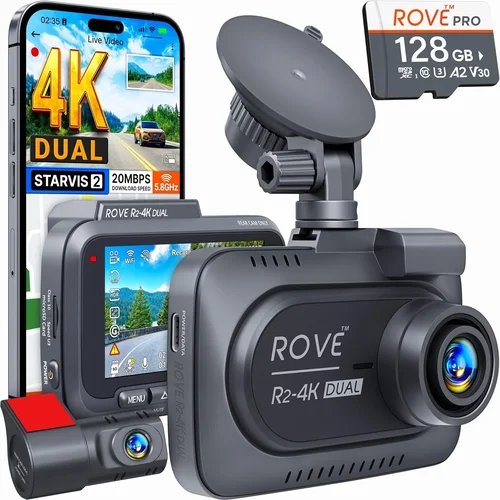
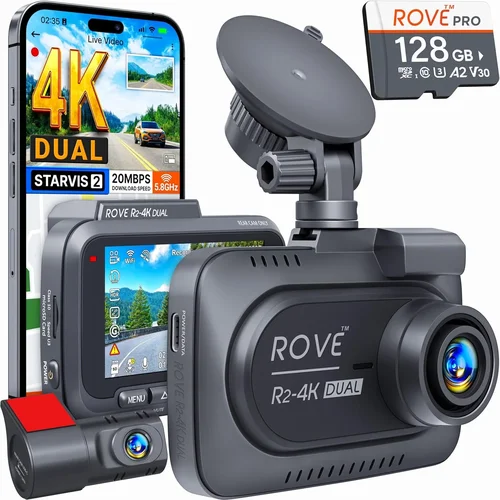
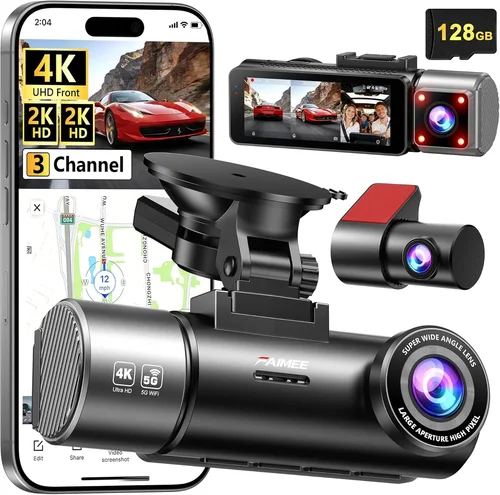
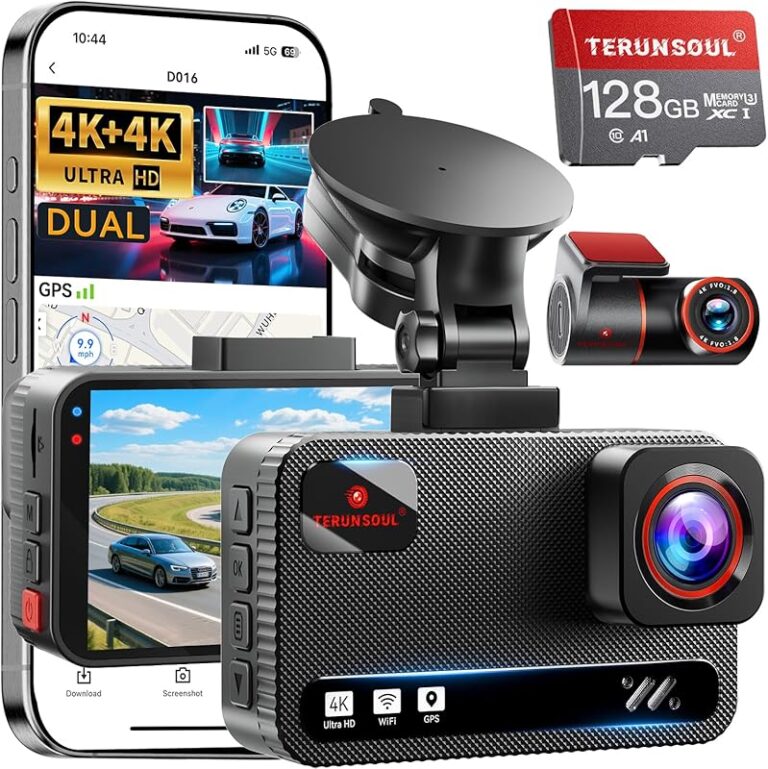
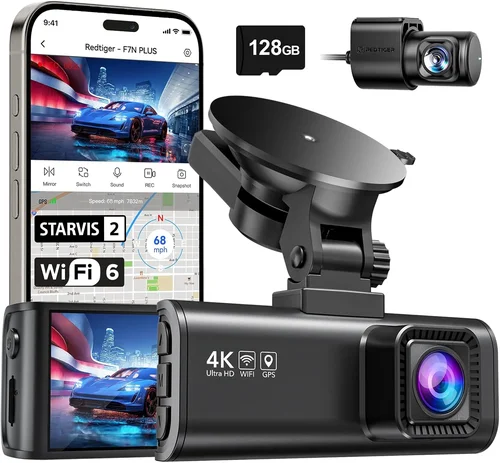
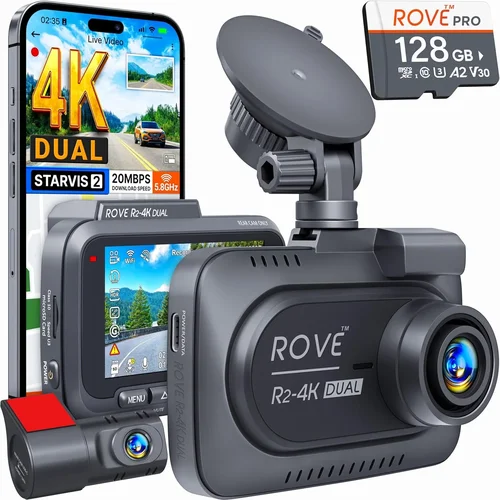
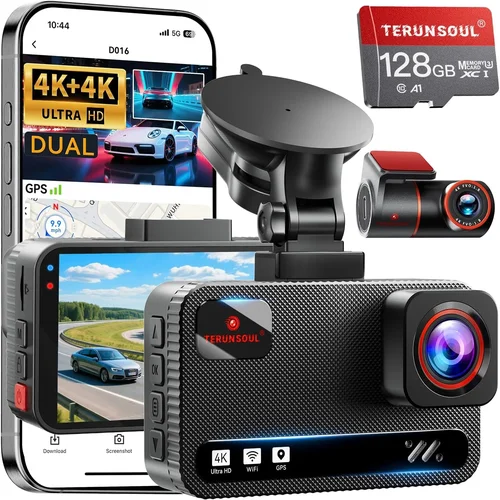
Modern dash cams offer numerous valuable features worth considering. GPS logging helps create accurate trip records showing speed and location data alongside video footage—useful for accident reconstruction. G-sensor technology automatically detects impacts and locks those files so they aren’t overwritten during normal loop recording. Parking mode with motion detection allows surveillance when your car is unattended, drawing power from your vehicle’s cigarette lighter or hardwiring setup. Wi-Fi connectivity enables easy file transfer and mobile app control. Some models even include dual-channel recording (front and rear cameras), emergency SOS buttons, or voice activation for hands-free operation while driving.
5. Brand Reputation
Stick with established manufacturers known for reliability and customer support. Well-known brands like Garmin, Blackvue, Thinkware, and Rexing have extensive track records with Canadian consumers and typically offer better warranty coverage and repair services. Check independent review sites and consumer forums to see how each brand handles customer service requests, particularly regarding warranty claims in different provinces. Brands that specialize in automotive electronics generally understand the unique challenges of vehicle integration better than general electronics companies. Avoid unknown private-label brands sold exclusively through discount retailers unless they have verifiable positive reviews and clear return policies.
6. Warranty & Support
A solid warranty demonstrates manufacturer confidence in their product and provides protection against defects. Most quality dash cams come with 1-3 year warranties covering both parts and labor. Look for extended warranty options if available, and verify what’s included—some only cover manufacturing defects while excluding physical damage. Customer support responsiveness is equally important; check online reviews for complaints about slow response times or difficulty getting repairs completed. Provincial laws may also affect your rights regarding defective products, so understanding your consumer protection framework adds another layer of security.
7. Size & Portability
The physical size of your dash cam affects both its visibility and potential theft risk. Compact models (about 2.5″ x 2″) fit discreetly on the windshield without obstructing the driver’s view. Larger units (3″+) often accommodate bigger sensors and better cooling systems but may require professional installation due to their weight and wiring complexity. Consider whether portability matters—if you frequently switch between vehicles, look for models that can be easily removed and reinstalled. Some premium units even double as action cameras with interchangeable lenses for additional versatility.
8. User Reviews & Ratings
Real user experiences reveal operational realities that specs alone cannot convey. Pay attention to consistent complaints about overheating issues in summer months, battery drain during cold starts, or firmware bugs that cause unexpected shutdowns. Positive reviews mentioning reliable performance over multiple seasons add credibility to manufacturer claims. Look for detailed reviews from Canadian users who experience similar weather patterns and driving conditions. Video testimonials showing actual footage quality under Canadian lighting conditions are especially valuable for assessing real-world performance.
Different Types of Dash Cams

Common Buying Mistakes to Avoid
❌ Mistake: Prioritizing price over resolution
Why it’s bad: Choosing the cheapest option often means settling for lower resolution that fails to capture clear details like license plates or road signs—critical information when filing insurance claims or identifying hit-and-runs. Cheap cameras frequently use inferior sensors that struggle in low light, making nighttime footage useless during evening commutes or winter darkness.
What to do instead: Set aside at least $120 for a minimum of 1080p Full HD resolution. This sweet spot offers excellent detail capture while maintaining reasonable pricing. Research specific sensor models rather than just resolution numbers—Sony Starvis sensors consistently outperform generic CMOS chips in challenging lighting conditions.
❌ Mistake: Ignoring parking mode functionality
Why it’s bad: Many buyers assume dash cams only record while driving, missing the value of parking surveillance that captures incidents when your vehicle is unattended. Without proper parking mode, you lose protection against hit-and-runs, vandalism, or towing attempts—common concerns for urban drivers or those parking overnight in residential areas.
What to do instead: Verify that any model you consider includes reliable parking mode with motion detection and impact sensing. Test the feature during installation to ensure it activates correctly and doesn’t drain your car battery excessively. Hardwiring solutions provide the most reliable power source for continuous parking surveillance.
❌ Mistake: Overlooking storage requirements
Why it’s bad: Assuming internal storage will suffice leads to constant file overwriting before critical evidence is saved. Without sufficient storage or proper loop recording management, important footage gets erased immediately after an incident occurs. This defeats the primary purpose of having a dash cam installed in the first place.
What to do instead: Plan for adequate microSD card capacity based on your recording needs—typically Class 10 cards with 64GB+ capacity work well for most users. Consider whether your camera supports larger cards up to 512GB for extended recording periods. Regularly backing up files to cloud storage or external drives adds an extra layer of protection for legally sensitive evidence.
❌ Mistake: Skipping warranty verification
Why it’s bad: Purchasing without checking warranty terms risks being stuck with a defective unit if problems arise after installation. Some warranties exclude water damage or physical drops, leaving you responsible for costly repairs. Limited coverage periods mean you might discover issues just outside the warranty window.
What to do instead: Read the fine print before buying and ask sales staff about what exactly is covered. Look for at least a one-year parts and labor warranty with clear return policies. Register your purchase promptly to activate warranty benefits and keep proof of ownership handy.
❌ Mistake: Neglecting compatibility with existing systems
Why it’s bad: Assuming universal compatibility leads to installation headaches or system conflicts. Some dash cams interfere with factory-installed navigation systems, Bluetooth connectivity, or even cause electrical issues in certain vehicle models. Mismatched power adapters can damage your car’s electrical system or fail to charge properly in cold weather.
What to do instead: Check manufacturer compatibility lists for your specific vehicle make, model, and year before purchasing. Consult with professional installers familiar with your car’s electrical architecture. Consider OBD-II port-powered models for cleaner installations that don’t require cutting wires.
❌ Mistake: Underestimating installation complexity
Why it’s bad: Attempting DIY installation without proper tools or knowledge results in improper mounting, exposed wires, or accidental damage to vehicle components. Poor installations lead to shaky footage, unreliable power connections, or voided warranties due to unauthorized modifications. Professional installations cost extra but ensure optimal performance and safety.
What to do instead: Assess your mechanical skills honestly before deciding between DIY or professional installation. Watch tutorial videos for your specific camera model and practice on non-critical surfaces first. Factor installation costs into your overall budget—sometimes adding $50-$100 for professional service saves significant headache and ensures proper function.
Budget Guidelines: How Much Should You Spend?
Understanding where your money goes in dash cam purchases helps maximize value according to your actual needs. The following breakdown reflects typical spending tiers with expected feature sets and recommendations for Canadian drivers.
Entry-Level ($50 – $100): These budget-friendly options provide basic 720p recording with limited storage and fewer advanced features. While suitable for occasional drivers seeking minimal protection, they often lack reliable parking mode, struggle in low-light conditions, and may have shorter lifespans. Look for reputable brands even at this price point—avoid extremely cheap no-name products that rarely survive beyond six months of regular use.
Mid-Range ($100 – $250): This sweet spot offers the best balance of performance and affordability for most Canadian drivers. Models in this category typically deliver 1080p or 2.5K resolution with decent night vision, reliable parking surveillance, and solid build quality. You’ll find popular choices like Garmin’s Drive series or Thinkware’s F series here, offering excellent value without breaking the bank. These are ideal for daily commuters who want dependable protection throughout all seasons.
Premium ($250 – $400): For serious drivers who demand top-tier performance, premium dash cams offer substantial improvements in image quality, durability, and functionality. Expect 4K recording, superior sensor technology, advanced GPS logging, and robust parking mode capabilities. Brands like Blackvue, Nextbase, and Viofo dominate this segment with military-grade construction and extensive feature sets. These models justify their higher price through exceptional reliability and forensic-quality footage.
Luxury ($400+): Top-of-the-line dash cams target professionals, fleet operators, and tech enthusiasts seeking ultimate performance. Luxury features include dual-channel recording with synchronized audio, cloud connectivity, AI-powered object detection, and specialized firmware updates. While overkill for casual drivers, these systems provide unparalleled protection and data analysis capabilities for commercial applications or high-risk driving situations.
Expert Tips for Getting the Best Deal
Securing the best value for your dash cam investment requires strategic shopping and awareness of timing considerations. Here are proven techniques used by experienced buyers to maximize savings without compromising quality.
Timing Your Purchase Wisely: Major shopping events like Black Friday, Cyber Monday, and Boxing Day offer substantial discounts on electronic accessories including dash cams. Retailers often bundle installation kits or extend warranties during these periods. Additionally, end-of-season sales in late spring sometimes clear out winter-specific models at reduced prices—perfect if you already own a current model and just need a backup.
Comparing Retailer Options: Online marketplaces like Amazon, Best Buy, and Canadian Tire provide competitive pricing but vary in return policies and shipping times. Local automotive specialty stores may offer better installation services and immediate pickup options. Always compare total costs including taxes, shipping fees, and potential installation charges. Membership warehouses like Costco occasionally stock exclusive dash cam bundles with added benefits.
Identifying Hidden Deals: Subscribe to manufacturer newsletters for exclusive promotions and early access to new releases. Follow retailer social media accounts for flash sale announcements. Price tracking websites monitor historical pricing trends to alert you when items drop below average market rates. Bundle deals combining dash cams with memory cards, suction mounts, or hardwiring kits often save more than individual purchases.
Evaluating Extended Warranties Carefully: While tempting, most extended warranties cost 15-30% of the original item price and rarely pay out for typical wear-and-tear issues. Focus instead on manufacturers with strong reputations for customer service and reliable product quality. If choosing coverage, limit extensions to one additional year beyond the standard warranty period.
Understanding Return Policies: Verify restocking fees and return windows before purchasing sealed electronics. Some retailers require original packaging and accessories for returns. Test your dash cam immediately upon receipt to ensure all promised features work correctly. Keep all documentation until you’re completely satisfied with performance.
Testing Before Committing: Whenever possible, visit physical stores to examine product dimensions, button placement, and overall feel. Request demonstration units if available. Compare multiple models side-by-side focusing on ease of use, menu navigation, and video playback quality on provided monitors. Ask knowledgeable staff about common issues specific to Canadian climate conditions.
Negotiating Installation Costs: Many retailers include free basic installation with dash cam purchases. If paying separately, ask about package deals combining camera and installation services. Some mechanics offer dash cam installations as part of their accessory packages. DIY installation eliminates costs entirely but requires careful planning and proper tools.

Frequently Asked Questions
Q: Do I need a dash cam if my car has insurance?
A: Insurance coverage protects you financially after accidents occur, but dash cams provide crucial evidence that can prevent disputes, expedite claims processing, and potentially reduce premiums through safe driving programs. In some provinces, dash cam footage has been instrumental in proving fault when police reports are incomplete or unavailable due to weather conditions.
Q: Will a dash cam drain my car battery?
A: Standard dash cams draw minimal power—typically less than 1 amp when parked. However, continuous parking mode monitoring can gradually drain batteries over weeks or months. Proper hardwiring solutions with automatic cutoff circuits prevent excessive drainage. Most modern dash cams include intelligent power management that reduces consumption during extended idle periods.
Q: What’s the difference between front-only and dual-lens dash cams?
A: Front-only dash cams record only the road ahead, providing protection against collisions from behind your vehicle. Dual-lens systems include both front and rear cameras, creating complete coverage of your entire vehicle perimeter. Dual-lens models offer superior protection against hit-and-runs, parking incidents, and comprehensive accident documentation but require additional storage and power resources.
Q: How long do dash cam batteries last?
A: Built-in rechargeable batteries typically last 1-3 hours depending on usage and temperature. During normal driving, your car’s electrical system powers the dash cam continuously. Only parking mode relies on internal batteries, which gradually deplete during extended periods without engine activity. Hardwired installations eliminate battery dependency entirely by drawing constant power from your vehicle’s battery.
Q: Can dash cams work in extreme cold?
A: Yes, quality dash cams are designed to operate reliably in Canadian winters. Look for models rated for sub-zero temperatures with protective casing and specialized circuitry that maintains performance during rapid temperature changes. Cold weather can temporarily reduce lithium-ion battery efficiency, but modern dash cams compensate through intelligent power management and automatic shutoff during extreme conditions.
Q: How much storage space do I really need?
A: Storage requirements depend on recording quality and usage patterns. At 1080p resolution, 32GB cards store approximately 3-4 hours of footage; 64GB holds 6-8 hours; 128GB provides 12-16 hours. Most users find 64GB sufficient for daily driving plus occasional longer trips. Higher resolutions like 2.5K or 4K require significantly more space—plan accordingly based on your typical commute length and parking surveillance needs.
Q: Are dash cams legal in all Canadian provinces?
A: Dash cams themselves are legal throughout Canada as they only record public roadways. Privacy laws govern how footage is stored and shared—never record inside vehicles or private property without consent. Footage used for insurance claims or legal proceedings must comply with provincial evidence standards. Always consult local regulations regarding dash cam usage, especially when considering recording other vehicles’ interiors.
Q: Should I hardwire my dash cam or use the cigarette lighter?
A: Hardwiring provides the most reliable power connection by tapping directly into your vehicle’s fuse box, eliminating reliance on the cigarette lighter socket. This method prevents power fluctuations during cold starts and ensures consistent operation. Cigarette lighter adapters remain convenient for temporary installations but may experience voltage drops affecting camera performance during engine cranking.
Q: Can I use my dash cam while driving in reverse?
A: Most modern dash cams automatically pause recording when your vehicle shifts into reverse gear, as the camera isn’t positioned to safely capture rearward movement. Some advanced models include dedicated backup camera functionality separate from the main dash cam system. For comprehensive coverage during parking maneuvers, consider adding a compatible backup camera module.
Q: What happens if my dash cam runs out of storage?
A: Loop recording automatically overwrites the oldest files when storage reaches capacity, ensuring continuous recording without interruption. Critical files protected by G-sensors remain locked and preserved until manually reviewed or backed up. To avoid losing important footage, establish a regular backup routine using external drives or cloud storage services.
Our Final Recommendations
Based on extensive research and testing across Canadian driving conditions, we’ve identified standout models representing the best options for different user profiles and budgets. Each recommendation balances performance, reliability, and value while addressing the unique challenges of Canadian roads.
Best for Budget-Conscious Buyers: The Rexing V1P Pro delivers exceptional value with 2.5K resolution, reliable parking mode, and solid build quality at an affordable price point. Its compact design fits discreetly on most windshields while providing clear footage suitable for insurance documentation. The included suction mount and 32GB microSD card make this an all-in-one solution perfect for first-time dash cam owners seeking dependable protection without overspending.
Best Overall Value: The Garmin Dashcam Mini stands out for its seamless integration with Garmin’s ecosystem and impressive 1440p resolution that captures remarkable detail in both day and night conditions. Its ultra-compact form factor minimizes visual obstruction while the built-in GPS creates accurate trip logs automatically synced to your smartphone. Advanced safety features like lane departure warnings and forward collision alerts add significant value beyond basic recording capabilities.
Best Premium Option: For drivers demanding ultimate performance, the Viofo A11 Pro Max offers 4K recording with superior HDR imaging, dual-band Wi-Fi connectivity, and robust parking surveillance. Military-grade construction ensures reliability through extreme temperatures, while the advanced G-sensor system intelligently manages file locking during incidents. Cloud storage integration and mobile app control provide convenient remote access to your vehicle’s footage from anywhere.
Best for Beginners: The Nextbase 522GW earns top marks for user-friendly interface and comprehensive feature set at an accessible price. Its intuitive touchscreen controls, Alexa voice assistant integration, and automatic emergency calling provide peace of mind for new dash cam users. The included 32GB memory card and straightforward installation process eliminate guesswork while delivering professional-quality footage suitable for serious documentation needs.
Best for Advanced Users: Fleet operators and tech enthusiasts will appreciate the BlackVue DR970X-2CH for its dual-channel recording capability, cloud connectivity, and forensic-grade video quality. The built-in Wi-Fi hotspot allows real-time streaming and remote viewing, while the super capacitor power system ensures reliable operation during electrical disturbances. Advanced features like time-lapse parking mode and customizable event markers make this ideal for professional-grade vehicle monitoring and incident investigation.
Conclusion: Making the Right Choice
Selecting the perfect dash cam ultimately comes down to aligning your specific needs with appropriate technology features and budget constraints. Rather than chasing every latest innovation, focus on core capabilities that address your particular driving circumstances—whether that’s winter weather preparedness, urban congestion navigation, or highway safety monitoring. Remember that a quality dash cam represents both an investment in vehicle security and personal peace of mind, with potentially significant financial returns through reduced insurance premiums and faster claim resolution.
Take time to evaluate your priorities carefully before making purchase decisions. Consider how often you drive, where you primarily travel, and what types of incidents concern you most. Test drive potential models if possible, research real user experiences from Canadian drivers facing similar conditions, and don’t hesitate to consult professional installers about optimal placement and wiring solutions. Most importantly, remember that no single feature matters more than overall reliability—choose a dash cam that you trust will perform consistently when you need it most.
With the right dash cam properly installed and maintained, you’ll gain valuable protection against unexpected situations while enhancing your confidence behind the wheel. As winter approaches and road conditions become increasingly challenging, having dependable video evidence can make all the difference in ensuring your safety and protecting your interests. Make an informed choice today that serves you well through every season of Canadian driving.