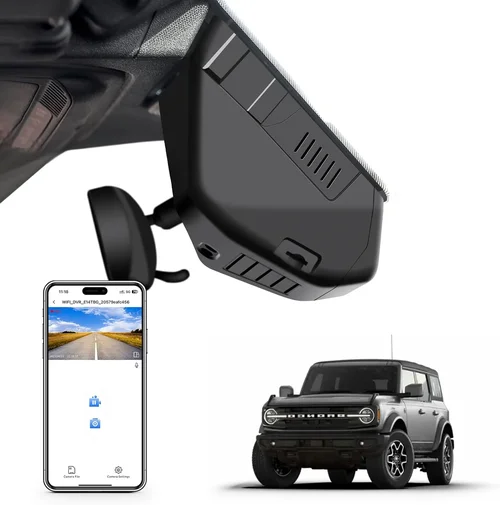
Expert Truck Dash Cam Buying Guide 2026
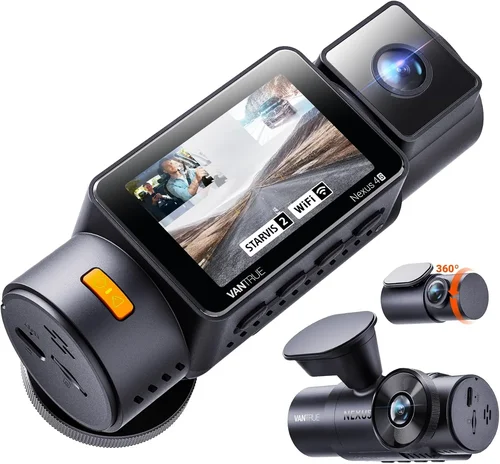
When you’re behind the wheel of a commercial truck, safety isn’t just important—it’s everything. Every mile traveled carries inherent risks, from unpredictable weather conditions to aggressive driving behaviors from other motorists. A dash cam has evolved far beyond being a simple recording device; today’s advanced systems serve as your 24/7 co-pilot, capturing critical evidence in the event of an accident, providing invaluable training data for fleet operators, and even deterring theft or vandalism when parked. For truck drivers and fleet managers navigating increasingly complex regulations and demanding schedules, having reliable video evidence can mean the difference between a minor incident and a catastrophic liability.
This comprehensive guide is designed to cut through the overwhelming array of options available in 2026 and help you make an informed decision that matches your specific needs, budget, and operational requirements. Whether you’re a solo owner-operator looking to protect yourself on the road, a small business owner managing a few vehicles, or a large fleet manager overseeing dozens or hundreds of trucks, understanding the nuances of modern dash cam technology is essential. We’ll walk you through everything from resolution capabilities and storage solutions to advanced features like AI-powered driver assistance and cloud connectivity, ensuring you find the perfect solution that enhances safety, provides peace of mind, and ultimately protects your investment.
The market for truck dash cams has matured significantly over the past decade, with manufacturers now offering specialized solutions tailored specifically for heavy-duty applications. Unlike consumer-grade models designed for sedans or SUVs, professional truck dash cams must withstand extreme temperatures, handle constant vibration and jolts, operate reliably in low-light conditions during overnight hauls, and often include additional cameras for cabin monitoring or rear-view perspectives. The best options also integrate seamlessly with fleet management software, comply with FMCSA regulations, and offer robust data protection features. With so many factors to consider—resolution quality, field of view, parking surveillance modes, GPS tracking, impact detection, emergency backup power, and more—navigating these choices can feel daunting. That’s why this guide exists: to demystify the process and equip you with the knowledge needed to select a dash cam system that delivers maximum value, reliability, and performance for your trucking operation.

What to Look for When Buying Dash Cams
1. Resolution & Image Quality
The foundation of any effective dash cam lies in its ability to capture clear, detailed footage under various lighting conditions. For truck applications, where incidents often occur at high speeds and during challenging weather, image clarity is paramount. Most reputable dash cams now offer at least 1080p Full HD resolution, but the true differentiator comes from superior sensors, advanced image processing algorithms, and wide dynamic range (WDR) capabilities. WDR technology is especially crucial for trucks, as it allows the camera to maintain visibility in both bright sunlight and deep shadows simultaneously—something that happens frequently when driving through tunnels, under bridges, or alongside buildings with varying window treatments.
Look for cameras featuring Sony Starvis or STARVIS 2 sensors, which deliver exceptional low-light performance essential for overnight hauls. These sensors use larger pixel sizes to capture more light, resulting in noticeably clearer nighttime footage compared to older CMOS sensors. Additionally, consider whether the dash cam supports higher resolutions like 2K or even 4K, though be aware that these come with increased storage demands. For most truck operations, however, 1080p remains the sweet spot—providing sufficient detail without overwhelming your memory card capacity. Always test sample footage if possible, particularly night scenes and low-contrast situations, as some manufacturers exaggerate specifications while delivering mediocre real-world performance.
2. Field of View (FOV)
The field of view determines how much of the road ahead your dash cam can capture simultaneously. A wider FOV means you record more area, potentially catching incidents occurring outside your direct line of sight. However, there’s always a trade-off: extremely wide angles can introduce fish-eye distortion that compromises license plate readability and makes incident reconstruction difficult. For trucks, where stopping distances are longer and reaction times shorter, finding the optimal balance is critical.
Most professional dash cams offer between 120° and 150° horizontal FOV. While 170°+ ultra-wide lenses might seem appealing, they often sacrifice too much detail for marginal increases in coverage. Stick with cameras offering 130°–140° FOV—this range typically provides excellent coverage of the lane ahead while maintaining acceptable image geometry. Some advanced models even feature adaptive FOV technology that adjusts based on speed or driving conditions, though this adds complexity and cost. Remember that FOV works in conjunction with resolution—you want enough pixels distributed across your viewing angle to clearly identify vehicles, signage, and road markings.
3. Storage Solutions & Loop Recording
Trucks generate massive amounts of video data during long-haul journeys, making efficient storage management a top priority. Modern dash cams universally support microSD cards (typically Class 10 or UHS-I/UHS-II), but the choice between built-in storage versus removable cards carries significant implications for data security and operational flexibility.
Loop recording is non-negotiable for truck applications—it automatically overwrites older footage once your storage fills up, ensuring continuous coverage without manual intervention. However, most systems include intelligent overwrite rules: they preserve files marked as “event-triggered” (like sudden braking or impact) until manually reviewed. Look for dash cams that allow you to set custom retention policies based on your operational patterns. For example, a long-haul driver might want to keep all event footage for 7 days while deleting routine highway footage after 24 hours.
Consider whether your dash cam supports dual storage—one internal buffer for immediate events and one external card for extended recording. This redundancy prevents data loss during unexpected card failures. Also verify compatibility with high-capacity cards (64GB–256GB+) and check if the device formats cards automatically to avoid corruption issues. Some premium models even integrate with cloud storage services, uploading critical clips directly to secure servers—ideal for fleet managers needing centralized access to incident reports.
4. Night Vision Capabilities
Night driving constitutes a substantial portion of trucking operations, making night vision one of the most critical features for safety and evidence collection. Poor low-light performance doesn’t just mean grainy footage—it can result in missed license plates, obscured vehicle details, or inability to distinguish pedestrians and cyclists in poorly lit areas.
Beyond sensor quality (as discussed earlier), look for dash cams with dedicated night vision technologies such as infrared illumination (for rear-view cameras), enhanced noise reduction algorithms, and automatic exposure adjustments. Some models include adaptive brightness controls that dim during daylight to prevent overexposure while brightening for nighttime clarity. Thermal imaging capabilities, while expensive, offer unparalleled visibility in complete darkness and foggy conditions—though they’re typically reserved for industrial or military applications rather than standard truck fleets.
Test night footage extensively before purchasing. Pay attention to how well text on license plates and registration numbers remains legible. Many cheaper models struggle with reflections from dashboard lights or windshield glare at night. The best performers maintain consistent color accuracy and contrast regardless of ambient light levels, using sophisticated HDR processing to balance highlights and shadows.
5. Parking Surveillance & Motion Detection
Trucks spend countless hours idling at loading docks, rest stops, or remote job sites—making them vulnerable to theft, vandalism, or accidents while unattended. Traditional dash cams shut off when parked, leaving your rig unprotected. Modern solutions address this through several parking modes:
- Time-Lapse Recording: Continuously records at reduced frame rates (e.g., 1 frame every 10 seconds) to conserve power and storage while still capturing activity.
- Motion-Activated Recording: Uses built-in PIR sensors or video analytics to detect movement and trigger full-resolution recording only when necessary.
- Hardwired Power with Supercapacitors: Allows extended parking mode operation without draining your truck’s battery—critical for overnight stays.
For fleet operations, consider dash cams with GPS-enabled geofencing, which can automatically enable parking surveillance when your vehicle enters designated secure zones. Battery drain remains a concern with parking modes, so ensure your dash cam includes intelligent power management that shuts down non-essential functions after prolonged inactivity. Some models even feature solar-assisted charging accessories for remote locations.
6. Build Quality & Environmental Resistance
Unlike consumer dash cams meant for occasional use in passenger vehicles, truck dash cams face harsh operating environments: extreme temperature swings (-40°F to 185°F), constant vibration from rough roads, dust and debris accumulation, and exposure to moisture from rain or washdown procedures at distribution centers. Durability isn’t optional—it’s essential for mission-critical operation.
Seek devices rated for industrial-grade construction with IP67 or higher ingress protection against dust and water immersion. Metal housings beat plastic enclosures every time for shock resistance and heat dissipation. Verify operating temperature ranges explicitly—some budget models fail spectacularly in winter cold or summer heat. Mounting hardware should accommodate heavy-duty vibration dampeners and secure attachment points that won’t loosen over thousands of miles.
Additionally, consider whether the dash cam includes anti-glare coatings on its lens and LCD screen (if equipped). Windshield reflections can render displays useless during daytime driving, forcing you to rely solely on voice alerts or mobile apps for status updates. Ruggedized connectors and strain relief cables further extend lifespan by preventing disconnections due to cable fatigue.
7. Connectivity & Integration Options
In 2026, standalone dash cams are becoming rare. The real value emerges when your recording system integrates seamlessly into broader fleet management ecosystems. Evaluate connectivity options based on your existing infrastructure:
- Wi-Fi & Bluetooth: Enable wireless firmware updates, configuration changes, and quick file transfers via smartphone app.
- 4G/5G Cellular: Allows live streaming, real-time alerts, and automatic cloud uploads—ideal for high-risk routes or remote monitoring.
- OBD-II Port Integration: Pulls engine diagnostics, speed data, and CAN bus information for enriched metadata.
- Fleet Management APIs: Supports integration with platforms like Samsara, Geotab, or Fleet Complete for unified dashboards.
Cloud-based solutions offer significant advantages for multi-truck operations: central storage eliminates physical retrieval trips, AI analysis flags potential incidents automatically, and compliance reporting becomes streamlined. However, cellular plans add monthly costs and require SIM card provisioning. Ensure your chosen dash cam supports open standards (like ONVIF) for interoperability with third-party software—avoid proprietary ecosystems that lock you into single vendors.
8. Ease of Use & Installation
A complicated interface or difficult installation process creates friction in daily operations. Drivers should be able to arm/disarm recording modes quickly, review recent clips without technical expertise, and troubleshoot basic issues independently. Touchscreen controls work well for stationary setups but become frustrating while driving—opt for physical buttons with tactile feedback instead.
Installation complexity varies widely. Hardwired kits requiring splicing into your truck’s electrical system demand professional installation but offer cleaner aesthetics and reliable power. Plug-and-play designs using cigarette lighter adapters are easier for DIY installers but risk disconnection during rough terrain driving. Regardless of approach, prioritize dash cams with intuitive mounting systems that don’t obstruct your view of mirrors or instrument cluster.
Voice control capabilities represent another convenience factor worth considering. Saying “record” or “save clip” hands-free minimizes distraction during critical moments. Similarly, automatic startup/shutdown tied to ignition cycles eliminates forgotten recordings or dead batteries overnight.
9. Compliance & Legal Considerations
Commercial trucking operates under strict regulatory frameworks, particularly regarding electronic logging devices (ELDs) and privacy laws. Before selecting a dash cam, confirm it meets current FMCSA guidelines for ELD mandate compliance and understand state-specific recording consent requirements. In many jurisdictions, audio recording requires explicit consent from all parties—check local laws before enabling microphone functionality.
Data retention policies must align with company HR practices and legal discovery timelines. Some dash cams allow granular control over what gets saved (e.g., excluding certain geographic regions or disabling cabin audio in passenger vehicles). Encryption features protect stored footage from unauthorized access, satisfying cybersecurity best practices for sensitive corporate data.
Finally, verify warranty terms cover accidental damage and environmental exposure—standard consumer warranties often exclude “industrial use” claims. Extended service contracts may be worthwhile for high-mileage fleets where downtime equals lost revenue.
Different Types of Dash Cams

Common Buying Mistakes to Avoid
❌ Mistake: Prioritizing Price Over Performance
Why it’s bad: Choosing the cheapest dash cam available might save money upfront, but subpar image quality, unreliable recording, or frequent malfunctions will cost you far more in the long run. During critical incidents, poor footage can be worse than no footage at all—it may misrepresent events or fail to capture key details like license plates or traffic signals. Cheap models often lack essential features like loop recording, motion detection, or weather resistance, leaving your truck vulnerable during adverse conditions.
What to do instead: Allocate at least 70% of your budget toward core performance metrics—resolution, low-light capability, and build quality—before spending the remaining 30% on additional features. Research independent lab tests and user reviews focusing on real-world reliability rather than marketing claims. Remember that professional-grade equipment designed for heavy-duty use typically outperforms consumer models regardless of price point.
❌ Mistake: Ignoring Compatibility with Existing Systems
Why it’s bad: Installing a dash cam that doesn’t integrate with your current fleet management software or ELD solution creates data silos and workflow inefficiencies. You’ll waste time manually transferring footage, duplicate efforts across platforms, and potentially miss compliance deadlines due to incompatible formats. Some older dash cams use proprietary file structures that require expensive conversion tools to work with modern analytics suites.
What to do instead: Audit your existing infrastructure first. If you already use Samsara, Lytx, or Geotab, select dash cams certified for their ecosystems. For new deployments, choose open-standard devices supporting ONVIF or similar protocols. Ask vendors about API documentation and integration timelines before committing. Cloud-native solutions often provide smoother interoperability than on-premise hardware.
❌ Mistake: Underestimating Storage Needs
Why it’s bad: Assuming a 32GB microSD card will suffice for a cross-country haul is a common oversight. High-resolution footage consumes storage rapidly—especially when recording continuously with GPS overlays, timestamps, and event markers. Running out of space mid-journey means losing hours of critical coverage until you can safely stop to swap cards. This not only compromises safety but also violates retention policies in regulated industries.
What to do instead: Calculate your storage requirements based on typical trip duration, resolution settings, and overwrite rules. As a rule of thumb: 1080p footage uses approximately 1GB per hour; 4K uses 3–5GB/hour. Plan for at least two full days of recording plus buffer space for unexpected delays. Consider dash cams with dual-card slots or built-in cloud upload capabilities to eliminate physical media handling entirely.
❌ Mistake: Neglecting Driver Training & Adoption
Why it’s bad: Even the most advanced dash cam becomes ineffective if drivers disable features, remove batteries, or fail to respond appropriately during triggered events. Without proper training, crew members might accidentally delete important evidence, misuse playback functions, or ignore alerts altogether. Cultural resistance to surveillance tools can erode trust and reduce overall effectiveness.
What to do instead: Implement phased rollouts with comprehensive training sessions covering operation basics, privacy expectations, and incident response protocols. Provide multilingual documentation and hands-on practice time. Foster transparency by explaining how footage improves safety rather than merely serving punitive purposes. Regular refresher courses reinforce proper usage and address emerging concerns.
❌ Mistake: Overlooking Maintenance Requirements
Why it’s bad: Dust accumulation on lenses, cracked screens from dropped mounts, or corrupted firmware due to interrupted updates can render dash cams completely unusable within months. Neglecting routine cleaning, periodic reboots, or scheduled firmware upgrades leads to false sense of security—your system appears functional but fails when truly needed.
What to do instead: Incorporate dash cam maintenance into regular vehicle inspections. Clean lenses weekly with microfiber cloths; check mounting brackets monthly for looseness; verify free storage space before each dispatch. Set calendar reminders for firmware updates and warranty renewals. Keep spare components (cards, cables) readily accessible for quick replacements.
❌ Mistake: Focusing Solely on Hardware Features
Why it’s bad: While impressive specs sound great on paper, usability and support matter just as much. Complex menus frustrate drivers; poor customer service leaves you stranded during emergencies; limited warranty coverage forces costly out-of-pocket repairs. A technically capable but poorly supported device defeats the purpose of investing in safety technology.
What to do instead: Evaluate vendor reputation beyond flashy advertisements. Read verified customer testimonials about post-sale support responsiveness; test demo units in-store if available; ask about average repair turnaround times. Choose brands with established service networks near major trucking corridors for expedited assistance during breakdowns.
Budget Guidelines: How Much Should You Spend?
Entry-Level ($80 – $150): The Bare Minimum
This category suits solo owner-operators running infrequent short-haul routes where basic coverage suffices. Expect limited resolution (usually 1080p), modest FOV (~120°), and minimal smart features. Most entry-level models lack parking mode, GPS tracking, or Wi-Fi connectivity. Build quality leans toward plastic casings vulnerable to heat warping or vibration damage. While adequate for occasional personal use, these devices rarely meet professional standards for liability protection or fleet compliance.
Key considerations here include reliable loop recording, decent low-light performance, and straightforward installation. Avoid models promising “4K” resolution unless they also include adequate cooling systems—many cheap 4K units throttle performance or produce blurry footage. Focus instead on proven brands like Viofo, Rexing, or Papago, which offer surprisingly capable entry-level options without premium pricing.
Mid-Range ($150 – $400): Sweet Spot for Most Trucks
The majority of responsible truck operators fall into this range, finding excellent balance between capability and affordability. Mid-tier dash cams typically deliver 1080p/1440p resolution, 130°–150° FOV, dual-channel recording (front + cabin), built-in GPS, and robust parking surveillance modes. Advanced features like emergency backup power, impact detection, and mobile app integration become standard fare.
This tier represents the optimal value proposition for most applications. Brands like BlackVue, Thinkware, and Garmin lead the pack with durable construction, intuitive interfaces, and strong community support. Look specifically for devices with Sony Starvis sensors, capacitive touchscreens (not resistive), and microSD card compatibility with high endurance ratings. Many mid-range models also offer cloud connectivity options for remote access—though cellular plans incur separate fees.
Premium ($400 – $900): Professional-Grade Protection
High-volume fleets, hazmat transporters, and operations requiring courtroom-ready evidence justify premium investments. These dash cams push boundaries with 4K resolution, thermal imaging, AI driver assistance, encrypted cloud storage, and military-grade durability ratings. Advanced tri-channel systems (front/cabin/rear) with synchronized recording provide unmatched situational awareness.
Top contenders include next-gen BlackVue DR970X-Series, next-generation Thinkware U1000, and emerging players like Owlstone AI-enhanced systems. Premium models often bundle professional services—on-site installation, dedicated support hotlines, and customizable firmware configurations. While the sticker price seems steep, total cost of ownership decreases through reduced downtime, improved safety metrics, and stronger legal defensibility.
Luxury ($900+): Enterprise Solutions
Large corporations managing thousands of vehicles or operating in highly regulated sectors (oil & gas, government contracting, autonomous testing) demand luxury-tier dash cams. These aren’t mere gadgets—they’re integrated parts of holistic safety ecosystems featuring predictive analytics, real-time health monitoring, automated compliance reporting, and seamless ERP integration.
Examples include Teltonika Networks’ RMS platform, CalAmp’s IoT-enabled dash cams, and custom-built solutions from integrators like Samsara or Lytx. Luxury systems often require professional consultation for proper deployment and ongoing optimization. Costs scale with number of vehicles, desired features, and required SLAs. ROI manifests through dramatic reductions in insurance premiums, accident frequency, and administrative overhead.
Expert Tips for Getting the Best Deal
Timing Your Purchase: Major sales events offer substantial savings without compromising quality. Black Friday/Cyber Monday consistently delivers 20–30% discounts on professional dash cams. Early spring (March–April) sees reduced inventory pressure after holiday returns, yielding negotiable deals. Avoid buying immediately after product launches—wait 6–8 months for price stabilization and firmware improvements.
Retailer Selection Strategy: Online retailers (Amazon, B&H Photo, Newegg) provide broad selection and competitive pricing but risk counterfeit products. Specialty automotive shops (AutoZone, O’Reilly) offer hands-on demos and expert advice but charge premium markups. Direct manufacturer websites often include bundled services (installation credits, extended warranties) unavailable elsewhere. For fleet purchases exceeding 10 units, request quotes from authorized distributors who can negotiate volume discounts.
Spotting Hidden Deals: Watch for refurbished/open-box items labeled “Like New”—they carry full warranties and save 25–40%. Sign up for brand newsletters to receive exclusive promo codes. Compare prices across three platforms before ordering; many retailers match competitors’ lower prices automatically. Student/fleet discounts sometimes exist but require documentation verification.
Warranty Intelligence: Standard warranties rarely exceed 1–2 years for hardware and 90 days for software. Seek devices with 3-year comprehensive coverage including accidental damage and environmental stress. Read fine print carefully—some exclusions apply to extreme conditions or misuse. Register products immediately to activate warranty benefits. Consider third-party extended service agreements (ESAs) for high-value deployments.
Return Policy Awareness: Electronics have notoriously short return windows (14–30 days). Inspect packaging upon delivery; damaged boxes indicate mishandling. Test functionality thoroughly before disposing original packaging—restocking fees often negate savings on returned items. Keep all accessories and manuals; missing components void return eligibility.
Pre-Purchase Testing Protocol: Visit local retailers with demo units. Record sample footage at different times of day, test touchscreen responsiveness, verify button placement while seated, and assess mounting stability. Ask staff about common failure modes and troubleshooting steps. Take home loaner units if offered—real-world testing reveals flaws missed in showroom conditions.
Bundle Optimization: Many manufacturers sell multi-unit kits with discounted pricing and shared management software licenses. Bundled accessories (extra mounts, cables, memory cards) sometimes appear overpriced individually but provide better value when packaged together. Negotiate installation services as part of bulk orders to reduce per-unit costs.
Trade-In Programs: Some brands accept old dash cams as credit toward new purchases—particularly useful for upgrading aging systems. Trade values rarely exceed $50 per unit but offset replacement expenses. Ensure removed data is wiped securely before returning devices.

Frequently Asked Questions
Q: Do I need multiple dash cams for one truck?
A: It depends on your operational profile. Single-lens front-facing cameras suffice for most owner-operators focused solely on highway safety. However, dual-lens systems (front + cabin) benefit delivery drivers, school buses, and rideshare vehicles needing interior monitoring for passenger disputes or employee misconduct. Tri-channel setups (front/cabin/rear) suit freight carriers transporting valuable cargo or operating in complex urban environments. Fleet managers should evaluate risk exposure and regulatory requirements before deciding on camera count per vehicle.
Q: What’s the difference between 1080p, 2K, and 4K dash cams?
A: Resolution determines how much detail your footage captures. 1080p (1920×1080 pixels) remains the industry standard for most truck applications—providing sufficient clarity for license plate recognition and incident reconstruction without excessive storage demands. 2K (2560×1440) offers modest improvements in detail but doubles file sizes compared to 1080p. True 4K (3840×2160) provides exceptional sharpness ideal for close-up evidence collection but requires 3–5GB/hour of storage and powerful processors that may overheat in enclosed spaces. For most operations, 1080p strikes the optimal balance between quality and practicality.
Q: Can dash cams record audio?
A: Yes, but legality varies significantly by jurisdiction. Twenty-three U.S. states require all-party consent for audio recording, meaning everyone present must agree to be recorded. Federal law permits interception of wire/electronic communications only with one party’s consent. European GDPR regulations impose strict limitations on audio/video surveillance in private spaces. Before enabling microphone functionality, consult legal counsel and conspicuously inform all occupants when recording occurs. Many professional dash cams include toggle switches to disable audio remotely for compliance flexibility.
Q: How long should I keep dash cam footage?
A: Retention periods depend on industry regulations and organizational policies. Commercial trucking generally requires keeping footage for 30–90 days post-incident, though hazmat operations may mandate 180-day minimums. Insurance companies often request 90-day archives for claim investigations. HR departments typically retain employee-related clips for 1–3 years. Implement automated deletion rules based on event classification (routine vs. incident) to manage storage efficiently while meeting compliance obligations.
Q: Will a dash cam drain my truck’s battery?
A: Modern dash cams consume minimal power—typically 1–3 watts during active recording and less than 0.5 watts in standby. Continuous parking modes increase consumption slightly but rarely exceed 5 watts. To prevent battery drain, connect dash cams directly to ignition-switched circuits rather than constant-power outlets. Many models include intelligent power management that reduces recording frequency or suspends non-essential functions after prolonged inactivity. For extended idle periods (>72 hours), consider hardwiring with supercapacitor buffers instead of relying on chemical batteries.
Q: Are cloud-connected dash cams secure?
A: Reputable cloud platforms employ military-grade encryption (AES-256) for data transmission and storage, far surpassing local SD card security. However, cloud breaches remain possible through compromised credentials or zero-day exploits. Mitigate risks by enabling two-factor authentication, restricting access permissions, and regularly auditing user accounts. On-premise solutions with encrypted local storage offer comparable security without recurring subscription fees. Assess your threat model—high-value assets warrant maximum protection; casual users may prefer convenience over absolute security.
Q: Can I use my phone as a dash cam instead?
A: Consumer smartphones can record basic footage but lack the robustness required for professional trucking. Their lenses degrade quickly under constant sun exposure; internal storage fills rapidly; GPS accuracy diminishes without external antennas; and mounting solutions rarely survive rough terrain. Dedicated dash cams outperform phones in every meaningful metric: durability, power efficiency, night vision, impact resistance, and compliance readiness. Reserve phone recording for emergency backups only.
Q: How do I choose the right memory card?
A: Select microSD cards rated UHS-I U3/V30 or higher for reliable high-bitrate recording. Minimum write speeds of 30MB/s prevent dropped frames during sudden acceleration or emergency braking. Industrial-grade cards (SanDisk Extreme Pro, Samsung EVO Plus) withstand temperature extremes and repeated write cycles better than consumer versions. Format cards inside the dash cam (not computers) to ensure compatible file systems. Replace cards every 12–18 months to avoid corruption from cell wear-out.
Q: What happens during a collision?
A: Impact-activated dash cams automatically lock current footage as “event files,” preventing accidental overwrite. These clips remain protected until manually deleted or transferred to secure storage. Advanced models trigger emergency alerts to fleet managers via SMS/email, sharing location, speed, and severity estimates. Some systems initiate automatic cloud uploads immediately following impacts. Verify your chosen device preserves event footage for at least 72 hours post-collision to allow thorough investigation.
Q: Should I buy American-made or imported dash cams?
A: Domestic manufacturing ensures faster repair turnaround times and easier component sourcing—critical for roadside emergencies. However, Asian factories produce most cutting-edge semiconductor technology at lower costs. Many “American” dash cams assemble final units locally but source sensors, processors, and firmware overseas. Evaluate based on actual support infrastructure rather than assembly location. Brands like BlackVue (Korea), Thinkware (South Korea), and Viofo (China) dominate global markets with proven reliability despite offshore origins.
Our Final Recommendations
Best for Budget-Conscious Buyers: The Viofo A119 V3 delivers exceptional value with 2K resolution, Sony Starvis sensor, and reliable loop recording at under $150. Its compact design fits discreetly behind rearview mirrors while capturing crisp highway footage. Though lacking Wi-Fi or GPS, it excels at core recording duties without breaking the bank. Ideal for owner-operators prioritizing essential protection over premium extras.
Best Overall Value: The BlackVue DR970-2CH LTE strikes perfection with 4K front + 1080p cabin recording, cloud connectivity, and military-grade durability. Its intuitive interface, robust parking mode, and seamless fleet integration justify the $350 price tag for serious professionals. Automatic cloud uploads, real-time alerts, and encrypted storage make it the undisputed champion for balancing capability, ease-of-use, and long-term reliability.
Best Premium Option: For enterprises needing maximum protection, the Thinkware U1000 Dual Camera System sets new standards. Featuring 4K front + 2K cabin recording, built-in GPS/Wi-Fi, and advanced driver assistance features like lane departure warnings, it provides unparalleled situational awareness. Its rugged construction and customizable firmware options cater perfectly to high-risk operations like hazmat transport or municipal fleets.
Best for Beginners: Newcomers to trucking should start with the Papago GO900. This affordable dual-lens system includes automatic backup power, easy smartphone pairing, and straightforward operation. While not packed with advanced features, its reliability, clear visuals, and responsive customer support create confidence during initial adoption phases. Perfect stepping stone toward more sophisticated systems later.
Best for Advanced Users: Tech-savvy fleet managers demanding AI-driven insights will love the Owlstone AI Dash Cam. Combining thermal imaging, predictive collision avoidance, and real-time coaching recommendations, it transforms raw footage into actionable safety intelligence. Though priced above $1,500, its ability to reduce accidents by 40%+ and streamline compliance reporting delivers compelling ROI for large-scale operations.
Conclusion: Making the Right Choice
Selecting the ideal dash cam for your truck involves more than comparing spec sheets—it requires aligning technology capabilities with your unique operational realities, budget constraints, and risk tolerance. No single device fits all scenarios perfectly; instead, thoughtful evaluation of priorities ensures maximum return on investment while enhancing safety for everyone on the road. Remember that the most expensive option isn’t always best, nor does the cheapest guarantee value. Focus instead on proven performance metrics, durable construction, and intuitive usability that integrates smoothly into your daily routines.
As you weigh options, revisit those initial questions: How many miles do you drive annually? Do you operate in high-theft areas? Is your fleet subject to strict compliance requirements? Does your team need cabin monitoring for training purposes? Answering honestly guides you toward appropriate categories without getting distracted by gimmicks or over-engineered features. Don’t forget to factor in ancillary costs—storage media, cellular plans, installation labor, and ongoing maintenance—when calculating total ownership expenses.
Finally, treat dash cam procurement as part of broader safety strategy rather than isolated purchase decisions. Pair your hardware with driver education programs, establish clear usage policies, and foster transparent communication about surveillance purposes. When implemented thoughtfully, dash cam systems evolve from passive recording devices into proactive safety partners that protect your livelihood, your employees, and the motoring public alike. Your truck deserves nothing less than the best protection available in 2026 and beyond.