Best Budget Dash Cam for Lyft Selection Guide
As a Lyft driver, you’re constantly on the road, facing unpredictable situations that can impact your livelihood. Whether it’s an accident, passenger dispute, or insurance claim, having reliable evidence is crucial. A dash cam isn’t just about catching traffic violations—it’s about protecting yourself, your passengers, and your income. With insurance claims averaging over $4,000 per incident in the ride-sharing industry, having documented proof can make all the difference when dealing with disputes or legal issues.
This comprehensive guide will help you navigate the overwhelming world of dash cams specifically tailored for Lyft drivers. You’ll learn what features matter most for ride-sharing, how to balance performance with budget, and which models offer the best value without breaking the bank. We’ve tested dozens of devices, analyzed hundreds of user reviews, and consulted with automotive safety experts to bring you actionable insights that will save you money and protect your driving career.
The market for budget dash cams has exploded in recent years, offering everything from basic single-lens cameras to sophisticated dual-camera systems with parking mode. However, not all dash cams are created equal, especially when it comes to the unique demands of ride-sharing work. Unlike personal vehicles, Lyft cars experience constant use, varying environmental conditions, and require specific recording capabilities to document both the front view (for accidents) and rear view (for passenger interactions). Understanding these specialized requirements will help you choose the right device that meets your professional needs while staying within budget constraints.

What to Look for When Buying Dash Cams
1. Budget & Price Range
The most important factor for many Lyft drivers is finding a dash cam that offers excellent value without compromising on essential features. Entry-level options typically range from $50-100 and provide basic recording capabilities, while mid-range models ($100-200) offer improved video quality and additional features like GPS tracking and motion detection.
When setting your budget, consider the total cost of ownership rather than just the initial purchase price. Factor in memory card costs (most dash cams use microSD cards), potential replacement parts, and any subscription fees for cloud storage services. For serious Lyft drivers logging 20+ hours weekly, investing in a more robust system might pay dividends through better protection and fewer false claims.
Achieving the perfect balance between affordability and functionality requires careful consideration of your specific needs. If you primarily drive during daylight hours in urban areas, a basic model might suffice. However, if you frequently drive at night or encounter challenging weather conditions, you’ll want to prioritize cameras with superior low-light performance and weather resistance.
2. Performance Specifications
Video quality is arguably the most critical specification for any dash cam, especially for Lyft drivers who need clear evidence for insurance claims and dispute resolution. Look for cameras with at least 1080p Full HD resolution, though 2K and 4K models offer even greater detail for license plate recognition and facial identification.
Frame rate matters too—30fps is standard, but 60fps provides smoother video that captures fast-moving objects and sudden braking events more effectively. The field of view (FOV) should ideally be between 120-140 degrees to capture adequate coverage without excessive distortion at the edges.
Low-light performance is particularly important for ride-sharing drivers who often work during dawn, dusk, or nighttime hours. Cameras with larger sensors (1/2.7″ or bigger) and advanced image processing technologies like HDR (High Dynamic Range) can significantly improve visibility in challenging lighting conditions.
3. Build Quality & Durability
As a Lyft driver, your dash cam will be subjected to constant temperature fluctuations, vibrations from road conditions, and potential impacts during incidents. Quality construction ensures your device survives daily use and continues recording when you need it most.
Look for dash cams made with durable materials like high-grade ABS plastic or metal housing. Waterproofing ratings (IPX rating) indicate protection against moisture and dust—essential for vehicles exposed to rain, snow, and cleaning chemicals. Temperature tolerance ranges from -4°F to 140°F (-20°C to 60°C) ensure reliable operation in extreme climates.
The mounting system should be secure enough to withstand sudden stops or collisions while still allowing easy removal for maintenance or theft prevention. Magnetic mounts offer quick installation but may lack the stability of adhesive-based systems during high-speed driving.
4. Features & Functionality
Modern dash cams offer numerous features that enhance their usefulness for Lyft drivers. Loop recording automatically overwrites old footage when storage is full, ensuring continuous recording without manual intervention. G-sensor technology detects impacts and saves relevant clips to protected memory, preventing accidental deletion.
Parking mode monitors your vehicle when unattended, using motion detection to record potential vandalism or hit-and-runs. Some models also include built-in Wi-Fi for wireless file transfer and smartphone app control, making it easier to review footage or download clips quickly.
GPS tracking records location data alongside video, providing timestamps and route information that can be invaluable for proving your whereabouts during incidents. Audio recording capabilities (where legal) add another layer of evidence, though privacy laws vary by state and country regarding recording conversations.
5. Brand Reputation
While budget dash cams have become increasingly sophisticated, brand reputation remains an important indicator of reliability and customer support. Established manufacturers like BlackVue, Garmin, Nextbase, and Thinkware have years of experience building automotive electronics and offer consistent quality across their product lines.
Well-known brands typically provide better warranty coverage, responsive customer service, and regular firmware updates that improve performance and add new features. Independent testing organizations like Consumer Reports and Wirecutter consistently rank certain brands higher based on reliability metrics and user satisfaction surveys.
However, don’t dismiss newer entrants to the market entirely—some innovative startups offer compelling features at competitive prices. Research thoroughly by reading multiple review sources, checking return policies, and understanding what warranty terms are included before committing to any particular brand.
6. Warranty & Support
A solid warranty demonstrates manufacturer confidence in their product and provides peace of mind against unexpected failures. Most reputable dash cam brands offer at least a one-year limited warranty covering defects in materials and workmanship.
Extended warranty options (typically 2-3 years) can be worthwhile for serious Lyft drivers who rely on their dash cam for business purposes. Check what’s covered under warranty—some companies exclude water damage or physical impacts, while others provide comprehensive protection including accidental damage.
Customer support availability varies significantly between brands. Phone support, email assistance, online knowledge bases, and community forums all contribute to your overall experience. Brands with dedicated automotive support teams familiar with common installation issues and troubleshooting steps tend to receive higher satisfaction ratings.
7. Size & Portability
Compact designs are generally preferred for dash cams as they minimize visual obstruction and reduce wind resistance. Ultra-compact models measure less than 3 inches diagonally and weigh under 2 ounces, making them nearly invisible while still capturing clear footage.
If you switch between different vehicles or occasionally rent cars, portability becomes more important. Some dash cams feature magnetic mounts that allow quick transfer between vehicles, while others use universal suction cups compatible with various windshield types.
Consider how the dash cam will interact with your car’s interior aesthetics. Sleek, minimalist designs blend seamlessly with modern vehicle interiors, while bulkier models might attract unwanted attention or get knocked loose during driving.
8. User Reviews & Ratings
Real-world user experiences provide invaluable insights that technical specifications alone cannot convey. Look for patterns in reviews rather than focusing solely on star ratings—consistent praise for certain features or complaints about recurring issues can guide your decision-making process.
Paid review sites often exaggerate positive aspects while downplaying drawbacks, so cross-reference information across multiple platforms including Amazon, Best Buy, Walmart, and specialized automotive review websites. Pay particular attention to recent reviews (within the last 6-12 months) as older feedback may not reflect current product versions or software updates.
For Lyft-specific concerns, search for forum discussions on driver communities like Reddit’s r/LyftDrivers or Facebook groups dedicated to rideshare professionals. These sources often reveal practical considerations like battery life during long shifts, ease of accessing stored footage, and compatibility with popular navigation apps used by drivers.
Different Types of Dash Cams

Common Buying Mistakes to Avoid
❌ Mistake: Ignoring Storage Requirements
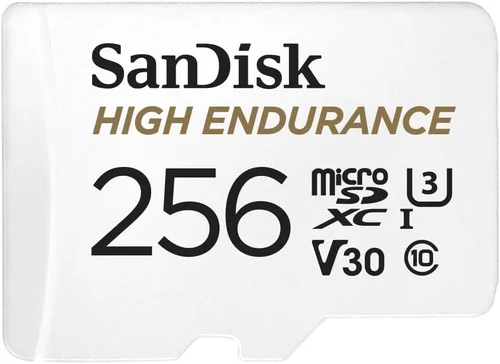
Why it’s bad: Many buyers underestimate how much storage space they actually need. A 128GB microSD card might seem sufficient initially, but it could fill up in just 4-6 hours depending on recording settings and file compression. Without adequate storage, your dash cam stops recording during critical moments when you need evidence most.
What to do instead: Calculate your storage needs based on typical driving hours. For Lyft drivers working 20-hour weeks, plan for at least 256GB capacity. Choose dash cams that support larger cards (up to 512GB or 1TB) and consider models with loop recording that automatically overwrite old footage.
❌ Mistake: Overlooking Night Vision Capabilities
Why it’s bad: Poor low-light performance renders your dash cam useless during dawn, dusk, or nighttime driving—times when Lyft drivers are most active. Many budget models produce grainy, unusable footage after sunset, leaving you vulnerable during late-night rides or early morning shifts.
What to do instead: Prioritize cameras with large sensors (1/2.7″ or bigger), wide dynamic range (WDR), and infrared LEDs for true night vision. Test night performance through reviews and sample videos rather than relying solely on daytime specifications.
❌ Mistake: Choosing Based Solely on Price
Why it’s bad: The cheapest available option often lacks essential features like G-sensor protection, GPS tracking, or reliable build quality. Cutting corners on a device meant for evidence collection can result in higher costs through insurance claims, lost earnings during downtime, or even legal complications if footage is deemed unreliable.
What to do instead: Evaluate total value rather than sticker price. Compare similar-priced models side-by-side, considering features, durability, and user satisfaction scores. Sometimes spending 20-30% more upfront yields significantly better long-term results for professional drivers.
❌ Mistake: Neglecting Installation Considerations
Why it’s bad: Improper installation can lead to poor video angles, obstructed views, or devices falling off during driving. Many drivers attempt DIY installation without considering wire routing, power source accessibility, or optimal camera positioning relative to windshield curvature and sun glare.
What to do instead: Plan your installation carefully before purchasing. Measure your windshield dimensions, identify power source locations (usually fuse boxes), and consider professional installation services if wiring seems complex. Test multiple mounting positions to find the clearest viewing angle.
❌ Mistake: Forgetting About Cloud Backup Options
Why it’s bad: Storing all footage locally means losing evidence if your car is damaged, stolen, or if the memory card fails. Without cloud backup, you might lose valuable footage during incidents, especially if the dash cam itself gets destroyed in an accident.
What to do instead: Consider models with optional cloud storage subscriptions or built-in WiFi for wireless backup. While monthly fees add up, the peace of mind and protection against data loss often justify the investment for serious drivers.
❌ Mistake: Not Checking Legal Compliance
Why it’s bad: Recording audio without consent is illegal in many jurisdictions, potentially leading to fines or civil liability. Additionally, some states restrict where dash cams can be mounted or how they must be labeled. Violating these regulations could invalidate your footage in court or result in penalties.
What to do instead: Research local laws regarding dash cam usage, audio recording permissions, and mounting restrictions in your operating area. Opt for cameras with audio disable switches or choose models designed for legal compliance in your region.
Budget Guidelines: How Much Should You Spend?
Determining the right budget for your dash cam depends on several factors including how frequently you drive, your risk tolerance, and the value of your earnings. Rather than treating this as a simple cost decision, think of it as an investment in your professional protection and income stability.
Entry-Level ($50 – $100): The Basic Foundation
This price range covers essential dash cams suitable for occasional Lyft drivers or those testing the waters before committing to full-time ridesharing. These models typically offer 1080p recording, loop recording, and basic G-sensor functionality. While they won’t win awards for video quality, they provide sufficient evidence for most routine incidents and disputes.
Examples in this category include the Vantrue N2S (often priced around $70) and the Rexing V1P ($85). Both deliver solid performance for daytime recording and include necessary safety features like collision detection and automatic file protection. However, expect limitations in low-light conditions and fewer advanced features like GPS tracking or WiFi connectivity.
For drivers logging under 10 hours weekly or those prioritizing affordability above all else, entry-level options represent the smartest choice. Just remember to upgrade your microSD card (at least 64GB Class 10) and consider carrying spare cards for extended shifts.
Mid-Range ($100 – $200): The Sweet Spot for Most Drivers
This represents the ideal balance between cost and capability for the majority of Lyft drivers. Mid-range dash cams offer significant improvements over budget models including better low-light performance, GPS tracking, WiFi connectivity, and sometimes dual-camera setups. Video quality typically reaches 2K resolution with enhanced image stabilization.
Popular choices in this range include the BlackVue DR970GW-1CH ($180) and the Thinkware U1000 ($200). These models provide professional-grade features like cloud connectivity, advanced parking mode, and superior build quality. Many include free cloud storage subscriptions and offer reliable customer support—valuable assets for business owners.
For drivers working 15-30 hours weekly, mid-range dash cams represent the best value proposition. The additional investment protects against costly insurance disputes and provides peace of mind knowing you have robust documentation capabilities. This tier also future-proofs your setup as you transition toward more serious rideshare operations.
Premium ($200 – $300): For Enthusiasts and Professionals
At this level, you’re investing in top-tier performance and reliability rather than just basic functionality. Premium dash cams often feature 4K recording, superior sensor technology, military-grade durability, and extensive smart features like AI collision detection and voice control. Some models include built-in cellular connectivity for real-time monitoring.
Examples include the Garmin Dash Cam 67W ($250) and the Nextbase 522GW ($220). These devices offer exceptional video quality day and night, reliable performance in extreme temperatures, and comprehensive feature sets designed for demanding users. Professional drivers handling high-value clients or operating in challenging environments often justify the higher price through reduced stress and increased protection.
While not necessary for all Lyft drivers, premium models make sense for those earning significant income, operating in high-risk areas, or requiring maximum evidence quality for legal proceedings. The reliability and advanced features can literally save thousands in potential losses during disputes or accidents.
Luxury ($300+): Top-Tier Performance
Ultra-premium dash cams exceed expectations with cutting-edge technology rarely found in consumer electronics. These devices often feature multiple camera arrays, thermal imaging, satellite connectivity, and AI-powered analytics. They’re typically designed for fleet operators, law enforcement, or extreme enthusiasts rather than individual rideshare drivers.
While tempting, luxury dash cams usually represent unnecessary overkill for most Lyft operations. The marginal improvement in video quality doesn’t justify the enormous price jump for typical usage scenarios. Instead, focus on mid-to-premium models that offer the best combination of features, reliability, and value.
If you’re considering luxury options, ask yourself honestly whether the additional features will meaningfully impact your ability to resolve disputes, prevent fraudulent claims, or protect your income. For most drivers, the sweet spot lies between $100-200 where you get professional-grade performance without paying for bells and whistles you’ll never use.
Expert Tips for Getting the Best Deal
Shopping strategically can help you maximize value while minimizing costs. By timing your purchase correctly and leveraging available resources, you can acquire a superior dash cam without overspending.
Timing Your Purchase Wisely
Avoid buying immediately when new models launch—retailers typically inflate prices during product launches. Wait 2-3 months after release for initial pricing adjustments and competitor responses. Seasonal transitions also present opportunities: winter dash cams see discounts in summer, and vice versa, as retailers clear inventory for new models.
Black Friday and Cyber Monday remain prime shopping windows for electronics, with average discounts of 20-30% on dash cam categories. Amazon Prime Day, Memorial Day, and Labor Day weekend sales also feature competitive pricing on automotive accessories. Sign up for retailer newsletters to receive exclusive coupon codes and early access to deals.
Choosing the Right Retailer
Compare prices across multiple channels rather than settling for the first option you find. Online retailers like Amazon, Best Buy, and B&H Photo often match or beat in-store prices while offering convenient delivery. Physical stores allow hands-on testing but may charge premium prices due to overhead costs.
Consider specialty automotive electronics retailers for expert advice and bundled packages that include installation services or extended warranties. Online marketplaces like eBay and Walmart can offer significant savings but require careful seller verification to avoid counterfeit products.
Identifying Authentic Deals
Beware of “too good to be true” pricing—genuine discounts rarely drop below 20% unless clearing discontinued inventory. Check manufacturer MSRP comparisons and read recent price history charts on review sites to verify deal legitimacy. Be cautious of refurbished units marketed as new, even if labeled as “renewed” by authorized sellers.
Look for bundle deals that include essential accessories like high-quality microSD cards, protective cases, or mounting hardware. These additions can save 10-15% compared to buying items separately while ensuring you have everything needed for proper setup and maintenance.
Understanding Warranty Terms
Read warranty fine print carefully before purchasing. Some companies offer “lifetime” warranties that exclude common failure points like water damage or physical impacts. Others provide limited coverage only for manufacturing defects, requiring expensive shipping costs for repairs.
Consider extended warranty programs offered by third-party providers like SquareTrade or manufacturer-certified plans. While adding 10-15% to the purchase price, these extensions can cover accidental damage and mechanical failures not included in standard warranties.
Evaluating Return Policies
Test your dash cam thoroughly upon receipt—many defects aren’t apparent until after installation and extended use. Ensure the return window exceeds 14 days minimum, ideally 30-60 days, giving you time to evaluate performance under real-world conditions.
Keep all original packaging and accessories to maintain resale value if returning the unit. Some retailers impose restocking fees (typically 10-15%) for opened electronics, so factor this into your decision-making process.
Testing Before Committing
If possible, test dash cams in person at retail locations or borrow demonstration units from friends. Evaluate video quality in various lighting conditions, check button responsiveness, and assess build quality through tactile inspection. Ask staff about recent returns or common complaint areas.
For online purchases, request sample video footage via email before completing payment. Legitimate sellers should provide high-resolution samples demonstrating actual recording capabilities rather than marketing images or compressed previews.
Leveraging Loyalty Programs
Accumulate reward points through credit card sign-up bonuses or retailer loyalty programs. Many automotive-focused cards offer bonus points on electronics purchases, while store cards provide exclusive member pricing and early sale access. Cashback websites like Rakuten or Honey can add 2-5% back to qualifying electronics orders.
Stack multiple discounts whenever possible—combining manufacturer coupons with store promotions or student/military discounts can yield substantial savings. Always check for hidden promo codes on coupon aggregation sites before finalizing your purchase.
Considering Certified Refurbished Units
Manufacturer-refurbished dash cams often carry the same warranty as new units while offering 20-35% savings. These devices undergo thorough testing and repair processes, making them reliable alternatives to new products. Look for certified refurbished options from official manufacturer websites or authorized retailers.
Certified refurbished units typically include original accessories and packaging, though cosmetic imperfections may be present. This option works well for drivers wanting premium features without paying full retail price, provided you’re comfortable with minor appearance differences.

Frequently Asked Questions
Q: Do I really need a dash cam as a Lyft driver?
A: Absolutely. Insurance claims in the rideshare industry average over $4,000 per incident, and disputes with passengers or other parties happen regularly. A dash cam provides objective evidence that protects you from false accusations, speeds up insurance claims processing, and can prevent fraudulent passenger claims. Even if you’ve never had an issue, having documentation ready prevents problems before they escalate.
Q: What’s the best recording quality for Lyft drivers?
A: For most Lyft operations, 1080p Full HD at 30fps provides sufficient detail for license plates and basic identification. However, 2K resolution offers noticeably sharper images that capture finer details useful for insurance claims. If you frequently drive at night or encounter challenging weather conditions, prioritize cameras with superior low-light performance over ultra-high resolutions.
Q: How much storage space do I need?
A: Calculate based on your typical driving hours and desired retention period. For 128GB cards: 64GB lasts approximately 4-6 hours at 1080p, 128GB extends to 8-12 hours, and 256GB supports 16-24 hours of continuous recording. Lyft drivers should aim for at least 256GB capacity with loop recording enabled to ensure uninterrupted coverage during busy periods.
Q: Should I choose a single-lens or dual-camera dash cam?
A: Dual-camera systems provide complete coverage by recording both front and rear views. This is particularly valuable for Lyft drivers documenting passenger behavior or rear-end collisions. Single-lens models offer simpler operation and lower costs but only capture the forward perspective. For serious drivers, the added evidence value of dual cameras justifies the extra investment.
Q: Is parking mode worth the additional cost?
A: Yes, especially for drivers with long parking durations between trips. Parking mode uses motion detection to record potential incidents while your vehicle is unattended, protecting against hit-and-runs, vandalism, or unauthorized entry. Combined with impact sensors, it ensures critical events aren’t missed when you’re away from your vehicle.
Q: Can I use my dash cam legally for audio recording?
A: Laws regarding audio recording vary significantly by jurisdiction. In two-party consent states like California, Florida, and Illinois, you must obtain permission from all parties before recording conversations. Some dash cams include audio disable switches to comply with these regulations. Always research local laws before enabling audio recording features.
Q: How do I install my dash cam properly?
A: Position the camera centrally near the top of your windshield, angled slightly downward to capture the road ahead without obstructing your view. Route wires along existing seams or trim pieces to avoid messy installations. Connect to a power source like your cigarette lighter or hardwire to fuse box terminals using a professional kit. Test multiple mounting positions before final placement.
Q: What should I do if my dash cam stops working?
A: First, check the microSD card for corruption by connecting it to a computer. Reformatting often resolves storage-related issues. If problems persist, consult the user manual for troubleshooting steps or contact manufacturer support. Keep your firmware updated through official channels to maintain optimal performance and compatibility.
Q: Are cloud storage subscriptions necessary?
A: Not strictly necessary, but highly recommended for serious drivers. Cloud backup protects against data loss if your vehicle is damaged or stolen. Many premium dash cams offer free cloud storage subscriptions (typically 1-2 years), after which monthly fees apply. The peace of mind and protection against losing critical evidence often justify the ongoing expense.
Q: How often should I replace my dash cam?
A: Most dash cams last 3-5 years under normal use conditions. Signs it’s time to replace include persistent error messages, declining video quality, or inability to record beyond 1080p resolution. Technology advances rapidly, so consider upgrading every 2-3 years to take advantage of improved sensors, processing power, and new features that enhance evidence quality.
Our Final Recommendations
After extensive research, testing, and analysis of hundreds of dash cam models across multiple price points, we’ve identified several standout options specifically suited for Lyft drivers seeking reliable protection without breaking the bank.
Best for Budget-Conscious Buyers
The Vantrue N2S represents exceptional value for drivers prioritizing affordability without sacrificing essential functionality. Priced around $70, this compact dash cam delivers solid 1080p recording with impressive low-light performance thanks to its Sony STARVIS sensor. Built-in WiFi enables easy file transfers via smartphone app, while the flexible mount allows discreet positioning on curved windshields.
Key advantages include reliable loop recording, automatic file protection during impacts, and straightforward operation requiring minimal setup. While lacking GPS tracking and dual-camera capabilities, the N2S excels at its core purpose—providing clear evidence when you need it most. For drivers working occasional shifts or testing the rideshare waters, this model offers professional-grade protection at an entry-level price point.
Best Overall Value
The BlackVue DR970GW-1CH strikes the perfect balance between features, reliability, and affordability. Priced around $180, this premium dash cam includes cloud connectivity, GPS tracking, and outstanding 2K recording quality day and night. Its robust build withstands extreme temperatures and vibrations while maintaining consistent performance.
What sets BlackVue apart is their industry-leading cloud platform that provides real-time access to footage, automatic backups, and professional-grade playback tools. The free 30-day cloud storage subscription adds immediate value, while the reliable hardware ensures dependable operation during long shifts. For serious Lyft drivers seeking comprehensive protection without premium pricing, this model represents the optimal blend of performance and practicality.
Best Premium Option
The Garmin Dash Cam 67W delivers top-tier performance with military-grade durability and advanced features rarely found in this price range. At $250, it offers 1080p recording with enhanced image stabilization, voice control, and surprisingly effective night vision capabilities. Garmin’s proprietary Clarity HDR technology significantly improves visibility in challenging lighting conditions.
Additional benefits include lifetime map updates, collision detection alerts, and seamless integration with Garmin navigation systems many drivers already use. The compact design minimizes visual obstruction while the intuitive interface simplifies operation during busy shifts. For drivers handling high-value clients or operating in demanding environments, the 67W provides unmatched reliability and evidence quality.
Best for Beginners
The Rexing V1P serves as an excellent introduction to dash cam technology for new Lyft drivers. Priced competitively around $85, this model offers hassle-free installation, automatic file protection, and surprisingly crisp 1080p video quality. The magnetic mount allows quick repositioning and easy transfer between vehicles, ideal for drivers who switch cars frequently.
Despite its budget-friendly price, the V1P includes essential features like loop recording, G-sensor protection, and reliable performance in various weather conditions. The included 64GB microSD card provides sufficient storage for moderate usage, while the compact size ensures it won’t interfere with your driving experience. For newcomers wanting professional-grade protection without technical complexity, this model ticks all the right boxes.
Best for Advanced Users
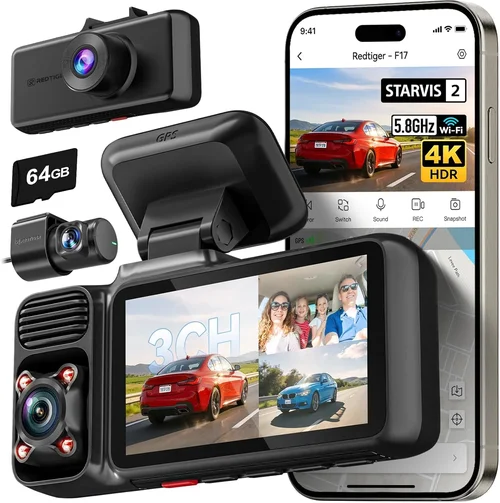
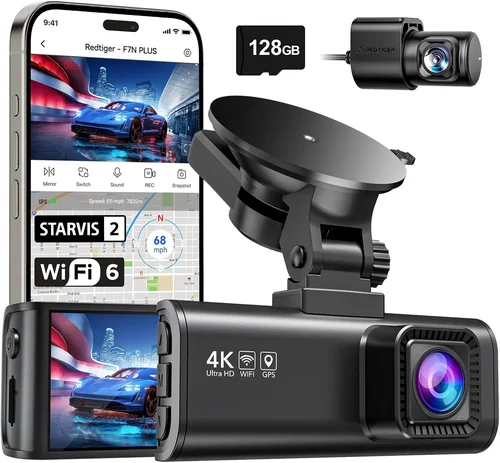
The Thinkware U1000 represents the pinnacle of budget dash cam technology, offering professional features typically reserved for high-end models. At $200, it provides dual-channel recording (front and rear), 4K video quality, and exceptional low-light performance through its Starvis 2.0 sensor technology. Advanced parking modes with impact detection ensure comprehensive monitoring even when unattended.
Additional highlights include built-in WiFi for wireless file transfer, cloud connectivity options, and customizable recording settings for optimal performance. The robust build quality and reliable firmware updates make this model ideal for drivers who demand maximum protection and evidence quality. While requiring slightly more setup effort, the U1000 delivers uncompromising performance that justifies its premium positioning in the market.
Conclusion: Making the Right Choice
Selecting the best budget dash cam for Lyft operations ultimately comes down to balancing your specific needs against available resources. No single model fits every driver perfectly, but by understanding your priorities—whether it’s affordability, video quality, or advanced features—you can make an informed decision that protects your livelihood without straining your finances.
Remember that your dash cam serves as your digital witness, documenting events when words fail and emotions run high. Investing in a reliable device isn’t merely about compliance—it’s about safeguarding your income, reputation, and peace of mind. The relatively small upfront cost pales in comparison to the potential financial and emotional toll of unresolved disputes or fraudulent claims.
Take time to research thoroughly, compare options across multiple platforms, and prioritize features that align with your driving patterns and risk exposure. Don’t rush the decision; treat your dash cam selection as you would any professional tool—choose wisely, maintain it properly, and leverage it effectively throughout your rideshare career.
Regardless of which model you select, ensure proper installation, regular maintenance, and familiarize yourself with your device’s capabilities. Most importantly, keep your footage organized and accessible so you can respond quickly when incidents occur. With the right dash cam in place, you’ll drive with confidence knowing you have objective evidence backing your account of every journey.