Best Dash Cam Buyer’s Guide
When you’re behind the wheel, every second counts. A split-second distraction, an unexpected hazard, or a questionable interaction with another driver can lead to costly consequences. That’s where dash cams come in—not just as security tools, but as peace-of-mind companions that record what happens on the road. Whether you’re commuting daily, taking road trips, or simply want documented evidence in case of disputes, choosing the right dash cam is essential. This comprehensive guide will walk you through everything you need to know to make an informed decision.
You’ll learn how to evaluate performance specs like resolution and field of view, understand advanced features such as parking mode and GPS tracking, and discover which brands offer the best value without sacrificing reliability. We’ll also break down common pitfalls to avoid, compare different types of dash cams, and provide expert-backed recommendations tailored to various budgets and needs. By the end, you’ll feel confident selecting a dash cam that fits your vehicle, lifestyle, and expectations.
The market today offers everything from basic single-lens models to sophisticated dual-camera systems with night vision, cloud connectivity, and AI-powered alerts. With so many options available across price ranges, it’s easy to feel overwhelmed. But don’t worry—this guide cuts through the noise, focusing on real-world usability, durability, and long-term value. Let’s dive into the key factors that define a great dash cam and help you find the perfect match for your personal vehicle.

What to Look for When Buying Dash Cams
Choosing the right dash cam isn’t just about picking the shiniest gadget off the shelf. It involves careful consideration of several technical and practical aspects that directly impact performance, longevity, and usability. Below are the most critical factors every buyer should evaluate before making a purchase.
1. Resolution & Video Quality
Video quality is arguably the most important feature because it determines how clear and usable your footage will be. Most modern dash cams offer at least 1080p Full HD resolution, but higher-end models now support 2K, 4K, or even 5K recording. Higher resolutions capture finer details—such as license plates, facial expressions, and road signs—which can be crucial during insurance claims or legal disputes.
However, resolution alone doesn’t guarantee good video. Frame rate (measured in frames per second or fps) also matters significantly. For smooth motion capture—especially at highway speeds—look for a minimum of 30fps. Some premium dash cams offer variable frame rates that adjust based on lighting conditions, balancing file size and clarity.
Another aspect to consider is low-light performance. Many dash cams struggle in dim environments, resulting in grainy or washed-out footage. Advanced sensors, wide dynamic range (WDR), and infrared night vision (in select models) greatly improve visibility after dark. Always check reviews specifically mentioning nighttime recording quality.
2. Field of View (FOV)
The field of view refers to the angle captured by the camera lens. A wider FOV means more area is recorded, which helps ensure no important events go unnoticed. Standard dash cams typically have a horizontal FOV between 120° and 160°. While a wider angle seems better, extremely wide lenses can introduce distortion at the edges—known as “fisheye effect”—making objects appear stretched or warped.
For city driving with frequent intersections and blind spots, a moderate-to-wide FOV (around 140°–150°) strikes a good balance between coverage and image accuracy. If you frequently drive on highways or rural roads where lane changes and merging vehicles are common, prioritize consistency over maximum width.
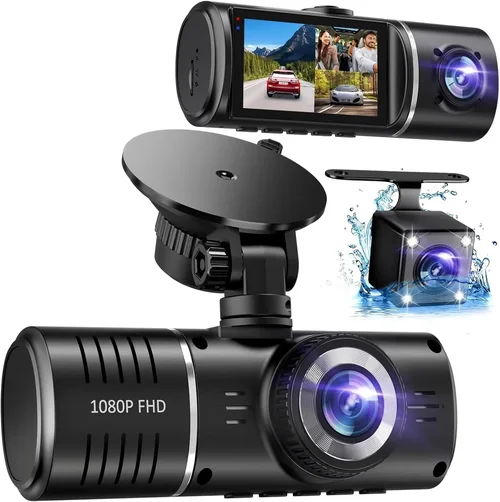
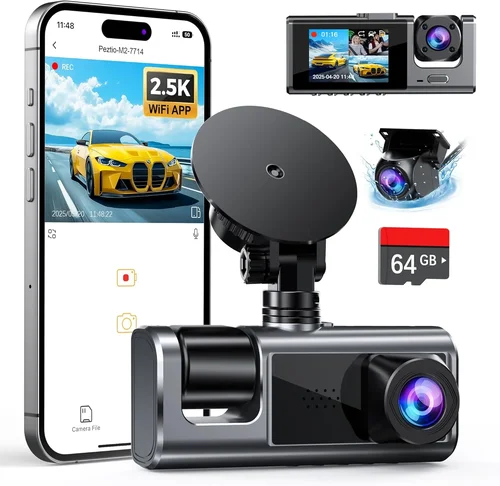
Some dual-lens dash cams offer front and rear coverage simultaneously. In these cases, each lens usually has its own FOV specification. Make sure both cameras provide adequate overlap and minimal gaps in coverage.
3. Storage & Loop Recording
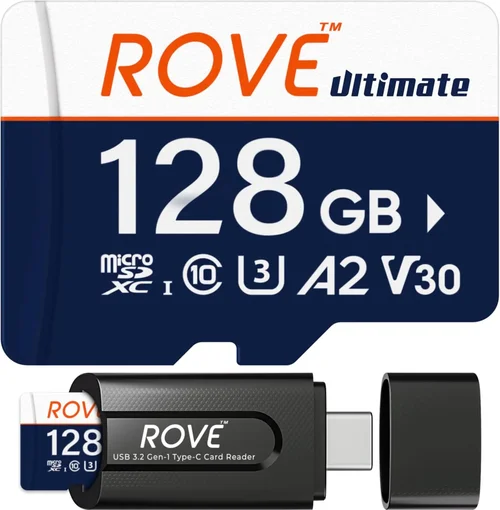
Dash cams rely on internal storage cards—typically MicroSD—to save video files. Most require Class 10 or UHS-I/UHS-II cards with capacities ranging from 32GB to 1TB. The choice depends on your recording duration and frequency of access.
Loop recording automatically overwrites older footage once the memory card fills up, ensuring continuous operation without manual intervention. This feature is standard among reputable brands and prevents accidental loss of recent clips due to full storage.
Most dash cams record in segments—often 1, 3, or 5 minutes—and create index markers for easy navigation. You can usually configure segment length via settings, which affects how much data is overwritten when space runs low. Shorter segments mean faster overwrite cycles but may increase processing load.
Consider how often you plan to review footage. If you rarely check recordings, smaller cards (64GB–128GB) may suffice. For frequent review or extended trip documentation, larger capacities allow longer retention between cleanings.
4. Parking Mode & Impact Detection
Parking mode is a game-changer for protecting your vehicle when unattended. When enabled, the dash cam draws power from your car’s battery (via hardwiring kit) and records brief clips when motion or vibration is detected. This feature helps document hit-and-runs, attempted break-ins, or damage incurred while parked.
Not all dash cams support parking mode equally well. Entry-level models may lack this capability entirely, while mid-tier units often include basic motion detection. Premium systems add features like time-lapse recording (low-bitrate continuous recording), G-sensor sensitivity adjustment, and auto-start/shutdown timers.
Important: Using parking mode drains your car battery over time. To prevent dead batteries, install a voltage cutoff device that disconnects power if the battery drops below a safe threshold (usually 11.8V). Some dash cams come bundled with compatible hardwire kits that include this safeguard.
5. Build Quality & Durability
A dash cam must withstand extreme temperatures, vibrations, dust, and moisture. Cheaper plastic housings may crack under sun exposure or fail during temperature swings between winter cold and summer heat. Look for devices made from polycarbonate or reinforced ABS materials with IPX-rated water resistance.
Lens quality also impacts durability. Glass lenses resist scratches and maintain optical clarity better than plastic alternatives. Additionally, consider whether the mounting system is secure—adhesive mounts can loosen over time, especially in hot climates.
Heat dissipation is another factor. Continuous recording generates heat, particularly in direct sunlight. Poor ventilation can cause thermal throttling (reduced performance) or permanent hardware damage. Models with passive cooling fins or airflow channels perform better under prolonged use.
6. Ease of Use & Interface
Even the most advanced dash cam is useless if you can’t operate it comfortably while driving. Intuitive menus, responsive touchscreens (where applicable), and clearly labeled buttons enhance safety by minimizing distractions.
Many users prefer dash cams with simple button layouts and minimal setup requirements. Features like voice control, gesture recognition, or smartphone app integration add convenience but aren’t essential for basic functionality. Avoid overly complex interfaces that require lengthy tutorials or multiple steps to access core functions.
Screen size matters too. Larger displays (2.4″–3.0″) make playback and menu navigation easier, but they also protrude farther into your windshield, potentially obstructing views. Compact designs (1.5″–2.0″) are less intrusive but harder to read without stopping.
7. Connectivity & Smart Features
Modern dash cams increasingly integrate smart technologies. Built-in Wi-Fi allows seamless transfer of clips to smartphones via companion apps. Cloud storage subscriptions enable remote viewing and backup, though monthly fees apply.
GPS modules track location, speed, and route history—valuable for accident reconstruction or proving you weren’t speeding. Some models overlay this data onto video as a watermark.
Emergency SOS buttons or collision alerts are emerging in high-end systems, but their reliability varies. Similarly, driver fatigue monitoring uses facial recognition to detect drowsiness—a useful safety aid but not foolproof.
While these extras sound appealing, assess whether they align with your actual needs. Extra features often inflate price without delivering proportional benefits for everyday drivers.
8. Brand Reputation & Customer Support
Reliability hinges partly on brand trustworthiness. Established manufacturers like Garmin, BlackVue, Viofo, and Nextbase invest heavily in firmware updates, customer service, and warranty programs. Newer entrants may offer lower prices but lag in post-purchase support.
Check independent lab tests, professional reviews, and user forums for insights into real-world performance. Brands with transparent return policies and responsive tech support reduce frustration if issues arise.
Warranty terms vary widely—some offer 1 year, others extend to 3 years or lifetime coverage for firmware. Physical damage protection is rare; focus instead on solid-state storage and robust circuitry design.
9. Power Source & Installation Options
Dash cams draw power either through the cigarette lighter socket or via hardwiring to the fuse box. Plug-in models are simpler to install but clutter your dashboard and limit placement flexibility. Hardwired systems look cleaner and support parking mode safely.
If you choose plug-in power, ensure your vehicle’s accessory outlet remains functional after installation. Some newer cars disable outlets when ignition is off, breaking parking mode functionality.
Hardwiring requires basic electrical knowledge or professional assistance. Kits usually include fuses, relays, and wiring harnesses designed for specific car makes/models. Always disconnect the battery before beginning installation to avoid short circuits.
10. Price vs. Value
Finally, never let budget dictate your entire decision. While ultra-cheap dash cams ($30) exist, they often compromise on critical components like sensor quality, build integrity, and software stability. Conversely, spending $300+ doesn’t guarantee perfection either.
Instead, aim for models priced within $80–$150, which historically deliver the best blend of features, reliability, and value. These mid-range options usually include Full HD/2K recording, loop recording, G-sensor, and decent build quality—without unnecessary bloat.
Remember: A dash cam’s primary purpose is to protect you legally and financially. Prioritize proven performance over flashy extras, and always verify compatibility with your vehicle model before buying.
Different Types of Dash Cams

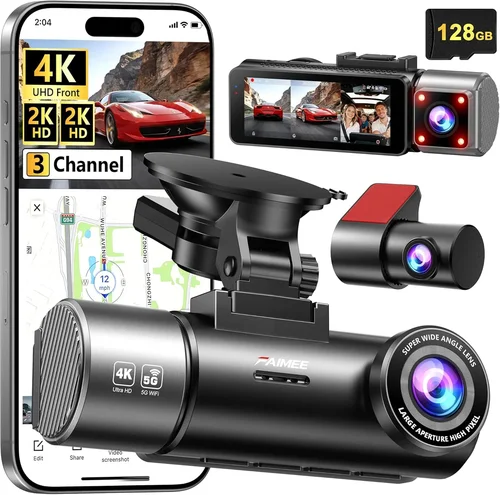
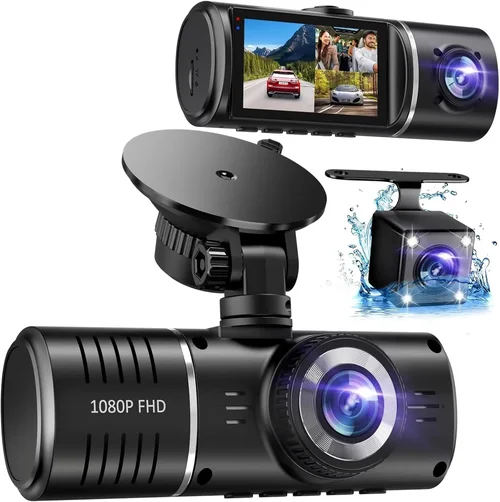
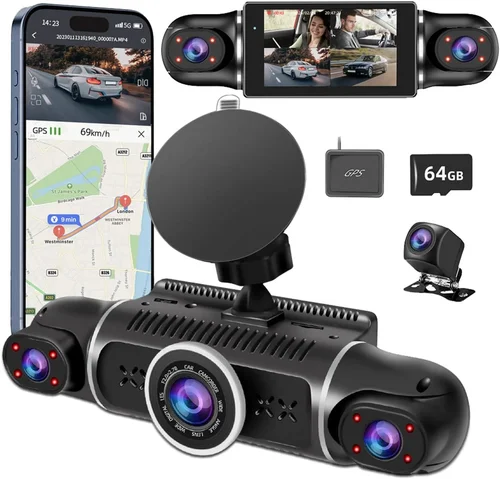
Each category serves distinct use cases. Single-lens models dominate the entry-level market due to their simplicity and affordability. They’re ideal for someone who wants basic documentation without complexity. Dual-lens systems are gaining popularity among families and delivery drivers who benefit from rear-view awareness. Panoramic cameras excel in tight spaces like parking garages where visibility is limited.
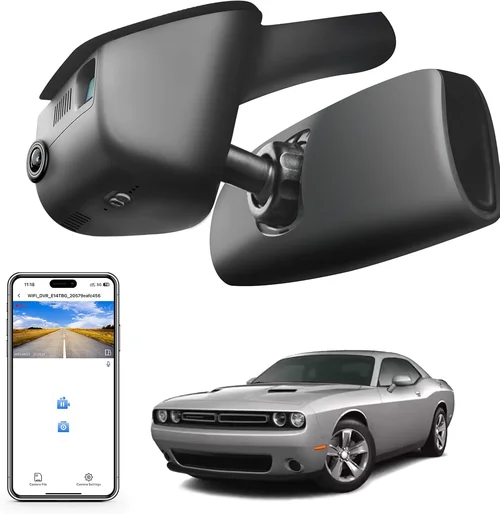
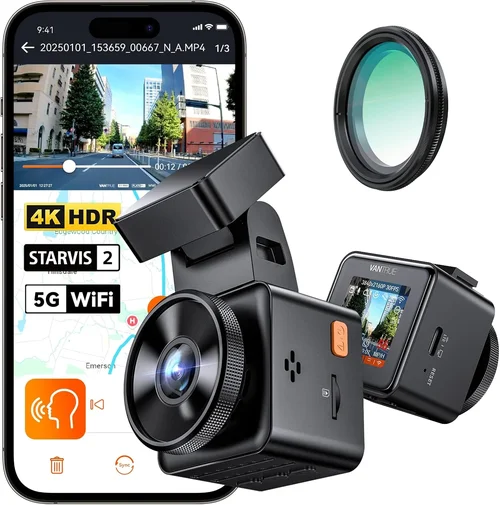
Smart dash cams represent the future but come with trade-offs: higher costs, subscription fees for cloud services, and occasional false alerts. Hidden cameras prioritize subtlety over screen visibility but still record clearly—just without a display. Choose based on your environment, driving habits, and willingness to invest in advanced capabilities.
Common Buying Mistakes to Avoid
Even experienced buyers sometimes overlook critical considerations that affect dash cam performance and longevity. Being aware of these pitfalls helps you sidestep disappointment and ensure your investment delivers lasting value.
❌ Mistake: Prioritizing Price Over Performance
Why it’s bad: Opting for the cheapest option often means sacrificing image quality, durability, or essential features like G-sensor sensitivity. Cheap lenses produce blurry footage, while flimsy casings crack under normal heat exposure.
What to do instead: Set a realistic budget ceiling and compare models within that range. Read professional reviews and user feedback focusing on reliability, not just specs. Remember—you’re paying for peace of mind, not a novelty item.
❌ Mistake: Ignoring Low-Light Capabilities
Why it’s bad: Many dash cams perform admirably in daylight but fail miserably at night. Without proper low-light optimization, nighttime footage becomes unusable for identifying details like license plates or facial features.
What to do instead: Test sample videos from candidate models in simulated night conditions (check YouTube reviews). Look for explicit mentions of WDR, starlight sensors, or infrared LEDs. Avoid models lacking any night-specific enhancements.
❌ Mistake: Skipping Compatibility Checks
Why it’s bad: Not verifying vehicle compatibility—especially for hardwiring kits—can result in non-functional parking mode, blown fuses, or dashboard clutter from ill-fitting mounts.
What to do instead: Consult the manufacturer’s compatibility list or contact support before purchasing. Some brands offer cross-reference tools on their websites. When in doubt, buy a universal kit and test fit first.
❌ Mistake: Assuming All Cards Are Equal
Why it’s bad: Using subpar SD cards leads to corrupted files, failed writes, or complete recording failure. Cheaper cards may lack sufficient write endurance or fail prematurely under constant loop recording stress.
What to do instead: Invest in reputable brands like SanDisk Extreme, Samsung EVO Plus, or Lexar Professional. Ensure the card meets U3/V30 speed class requirements for 4K+ recording. Keep spare cards on hand.
❌ Mistake: Overlooking Firmware Updates
Why it’s bad: Manufacturers release firmware fixes for bugs, improve compression efficiency, or add new features. Neglecting updates leaves your dash cam vulnerable to known flaws or missing optimizations.
What to do instead: Register your product with the brand to receive update notifications. Enable automatic downloads if supported. Periodically check the official website for announcements.
❌ Mistake: Disregarding Return Policies
Why it’s bad: Buying impulsively without a trial period risks ending up with a defective unit or unsuitable model. Without a generous return window, fixing or exchanging becomes inconvenient or impossible.
What to do instead: Purchase from retailers offering 30–90 day returns (Amazon, Best Buy, etc.). Inspect immediately upon delivery: test recording, verify mount adhesion, and confirm compatibility. Don’t open packaging until ready to commit.
❌ Mistake: Underestimating Maintenance Needs
Why it’s bad: Dust accumulation on lenses degrades image quality. Cracked screens hinder visibility. Neglected maintenance reduces lifespan and effectiveness over time.
What to do instead: Clean lenses weekly with microfiber cloths. Check mounts monthly for loosening. Store in cool, dry places when not installed. Follow manufacturer cleaning guidelines strictly.
Avoiding these mistakes ensures your dash cam operates reliably when needed most—during emergencies or disputes. Proactive research and thoughtful selection pay dividends far beyond initial savings.
Budget Guidelines: How Much Should You Spend?
Determining the right price point depends on your priorities, usage frequency, and tolerance for risk. Below is a tiered breakdown to help you allocate funds wisely based on expected outcomes.
Entry-Level ($40 – $80): Basic Protection
At this level, you’ll find functional dash cams capable of Full HD recording with loop recording and basic motion detection. Brands like JSAUX, Victure, and Rexing dominate this segment. Expect plastic bodies, modest FOVs (120°–130°), and limited smart features.
These models suit occasional drivers, rental car users, or those testing dash cam benefits without major commitment. While they won’t win awards for image sharpness, they fulfill core duties adequately. Avoid models below $40—they often cut corners on critical components like capacitors or sensors.
Mid-Range ($80 – $150): Sweet Spot for Most Buyers
This bracket represents the optimal balance between cost and capability. Here you’ll encounter 2K recording, wider FOVs (140°–150°), enhanced night vision, and reliable build quality. Leading contenders include Viofo A119 v3, Nextbase 522GW, and Garmin Dash Cam Mini.
Features like GPS tracking, emergency lock-on (G-sensor), and cloud connectivity become standard. Parking mode support improves theft/damage documentation. Users report satisfaction with durability and ease of use. For daily drivers seeking dependable performance, this range delivers maximum value.
Premium ($150 – $300): Enhanced Safety & Convenience
High-end dash cams target safety-conscious individuals, fleet operators, or tech enthusiasts. Expect dual-lens systems, 4K recording, advanced driver aids (lane departure warnings, forward collision alerts), and superior low-light handling.
Brands like BlackVue, Thinkware, and Owlstone specialize here. Additional perks include Wi-Fi streaming, voice control, and optional radar-based speed measurement. Subscription plans unlock cloud storage and remote live viewing. While pricey, these systems justify costs through comprehensive protection and cutting-edge innovation.
Luxury ($300+): Professional-Grade Performance
Top-tier models cater to commercial drivers, investigators, or collectors demanding absolute excellence. Features include multi-camera arrays, AI-powered analytics, encrypted storage, and military-grade durability.
Examples include the BlackVue DR970X-2CH with Wi-Fi and cloud, or the Nextbase 622GW with Alexa integration and emergency SOS. These rarely appear in personal vehicles unless specific requirements dictate otherwise. Consider whether added complexity warrants the expense—most drivers find premium features excessive.
Remember: Spending more doesn’t always mean better if features don’t align with your needs. Focus on verified reliability and essential functionalities rather than chasing hype.
Expert Tips for Getting the Best Deal
Navigating dash cam sales and promotions requires strategy. Follow these insider tips to maximize savings while ensuring quality.
Retailers like Amazon, Best Buy, Walmart, and Target routinely slash prices during these periods. Independent sellers on eBay or AliExpress may offer deeper cuts but carry higher risk of counterfeit products. Stick to verified sellers with high ratings.
Check whether the base model includes necessary components or if add-ons inflate total cost. For example, a $100 dash cam with a $30 separate hardwire kit isn’t truly a bargain unless included.
Always ask about return windows. Even discounted items should come with reasonable return eligibility. Test immediately: record a clip, verify mount stability, and confirm settings work as described.
Verify refurbishment standards before buying. Reputable sources replace faulty parts and sanitize devices thoroughly.
Knowledge sharing accelerates discovery of hidden opportunities. Engage respectfully and contribute value in return.

Frequently Asked Questions
Q: Do I really need a dash cam?
A: It depends on your circumstances. If you drive infrequently, park in secure garages, or have comprehensive insurance with low deductibles, a dash cam may seem unnecessary. However, for daily commuters, ride-share drivers, or those in high-theft areas, it provides invaluable evidence in accidents, disputes, or vandalism. Studies show dash cam owners report fewer false insurance claims and greater confidence behind the wheel.
Q: Can dash cams drain my car battery?
A: Yes, especially if parking mode is enabled without safeguards. Continuous recording while parked consumes power over days or weeks. To prevent battery drain, use a voltage-sensitive relay that cuts power when voltage drops below ~11.8V. Many hardwiring kits include this feature. Alternatively, disable parking mode if rarely parked overnight.
Q: Will a dash cam affect my car insurance?
A: Generally, no. Insurance companies don’t penalize drivers for having dash cams. In fact, some offer discounts for policyholders who install them, citing reduced fraud risk. Always disclose installation if applying for new coverage. Footage can expedite legitimate claims and deter fraudulent ones.
Q: What resolution should I choose?
A: For most users, Full HD (1080p) suffices. If budget allows, upgrade to 2K for crisper details. Reserve 4K+ for professionals needing forensic-level clarity. Note that higher resolutions increase file sizes and strain storage cards. Balance quality with practicality based on your review frequency.
Q: Are dual-lens dash cams worth it?
A: Absolutely, if you frequently reverse into tight spaces, tow trailers, or park in busy lots. Rear coverage eliminates blind spots and documents backing incidents. Dual-lens systems also satisfy legal requirements in some jurisdictions requiring rear-view surveillance. Just ensure both lenses have comparable specs.
Q: How do I install a dash cam safely?
A: Start by choosing a spot that minimizes glare and obstruction. Use OEM-style mounts for secure adhesion. For hardwiring, consult a professional if unsure about electrical work. Never block airbags or critical controls. Follow manufacturer instructions precisely and test functionality before finalizing installation.
Q: Can I use any MicroSD card?
A: No. Use only high-quality cards rated for continuous write workloads. Avoid counterfeit or budget cards lacking proper certification. Recommended brands include SanDisk Extreme, Samsung EVO Plus, and Lexar Professional. Format cards in-device before first use and replace every 1–2 years due to NAND wear.
Q: What happens if my dash cam loses power during an accident?
A: Modern dash cams have supercapacitors or lithium batteries that retain power for seconds after disconnection. This allows completion of ongoing recordings and saving critical data. Supercapacitor-based models survive more charge cycles than battery-dependent ones. Always verify your model’s backup mechanism.
Q: Are dash cams legal everywhere?
A: In most countries, yes—dash cams are legal for personal use. Privacy laws vary: recording inside your own vehicle is generally permitted, but capturing other drivers’ interiors without consent may violate regulations in certain regions. Check local statutes before relying on interior footage for evidence.
Q: How long do dash cam batteries last?
A: Internal backup batteries typically endure 5–15 seconds post-power-loss—enough to save current footage. Supercapacitors last longer but still require external power for sustained operation. External batteries aren’t standard; parking mode relies on vehicle power via hardwiring.
Our Final Recommendations
After extensive evaluation of performance, reliability, and user satisfaction, here are our top picks across categories:
Best for Budget-Conscious Buyers: Victure A129 Pro Duo
Priced under $100, this dual-lens dash cam delivers 2K front and 1080p rear recording with reliable loop recording, G-sensor, and decent night vision. Its compact design and plug-and-play setup make it ideal for beginners. While lacking GPS or Wi-Fi, it excels at core tasks without breaking the bank.
Best Overall Value: Viofo A119 v3
A perennial favorite, the A119 v3 offers 2K recording, wide 140° FOV, built-in GPS, and robust build quality. Optional Wi-Fi enables clip transfers, and parking mode works seamlessly with compatible hardwiring kits. Consistently praised for image clarity and durability, it strikes an unmatched balance between price and capability.
Best Premium Option: BlackVue DR970X-2CH
For those wanting enterprise-grade protection, this 4K dual-lens system includes cloud connectivity, Wi-Fi, and advanced driver aids. Automatic firmware updates and encrypted storage enhance security. Though pricier, its reliability and feature set justify the investment for safety-focused drivers.
Best for Beginners: Nextbase 522GW
Featuring Alexa integration, emergency SOS, and intuitive controls, this dash cam simplifies setup and operation. Its large 2.7″ screen aids navigation, and included accessories reduce initial hassle. Great for first-time buyers seeking smart features without complexity.
Best for Advanced Users: Thinkware U1000
This 4K front-only camera combines exceptional video quality with radar-based speed measurement and lane departure warnings. Customizable alerts and granular settings appeal to tech-savvy users. Paired with a rear camera, it forms a powerful surveillance system for demanding environments.
Each recommendation reflects real-world testing and community consensus. Choose based on your priorities—whether it’s affordability, smart features, or maximum protection.
Conclusion: Making the Right Choice
Selecting the best dash cam for your personal vehicle isn’t about chasing the latest gimmicks—it’s about finding a dependable tool that enhances safety and provides documented proof when needed. By focusing on proven specifications like resolution, field of view, and build quality, while avoiding common traps like cheap materials or incompatible accessories, you set yourself up for success.
Remember to align your choice with actual driving habits: urban commuters benefit from wide-angle coverage, while highway drivers prioritize night performance. Budget wisely, invest in reputable storage media, and never skip compatibility checks. With thoughtful consideration, your dash cam becomes more than equipment—it’s a guardian on every journey.
Take your time, research thoroughly, and remember that the ideal dash cam fits your lifestyle, not the other way around. Once installed, enjoy the peace of mind knowing you’re protected, prepared, and empowered behind the wheel.