Complete Dash Cam Buying Guide
Why motion blur in dash cams is more than just a technical annoyance—it can be the difference between clear evidence in a traffic incident and frustrating, unusable footage. In today’s market, where dash cam technology has advanced dramatically, understanding how to avoid or minimize motion blur remains crucial for drivers who rely on their cameras for safety, insurance claims, or peace of mind. This comprehensive buying guide will walk you through everything you need to know about selecting the best dash cam for motion blur, helping you make an informed decision that matches your specific needs and driving conditions.
Whether you’re a daily commuter, a long-haul trucker, or someone who simply wants reliable roadside documentation, this guide will provide expert insights into the technical specifications that matter most when dealing with motion blur. We’ll cover sensor types, frame rates, image stabilization, low-light performance, and other critical factors that influence video clarity during rapid movement or sudden stops. You’ll learn why some dash cams perform exceptionally well in high-speed scenarios while others struggle with basic highway driving, and how to identify red flags before making your purchase.
The dash cam market has evolved significantly over the past decade, offering everything from budget-friendly entry-level models to professional-grade systems with multiple cameras, cloud connectivity, and AI-powered features. However, with this expanded selection comes increased complexity in evaluating performance metrics like motion handling. Many consumers focus primarily on resolution (4K vs 1080p) without considering how frame rate, compression algorithms, and sensor technology work together to affect motion clarity. This oversight can lead to disappointment when purchased dash cams produce blurry footage during actual use, especially in challenging lighting conditions or at higher speeds.
What makes this guide particularly valuable is its focus on real-world performance rather than marketing hype. We’ve tested numerous models across various driving scenarios—from city streets during rush hour to winding mountain roads at night—to identify which dash cams consistently deliver sharp, detailed footage even during rapid acceleration, hard braking, or emergency maneuvers. Our recommendations are based on extensive research, hands-on testing, and analysis of thousands of user reviews from verified purchasers.
As we dive deeper into the specifics, you’ll discover that motion blur isn’t solely determined by megapixel count; it’s actually influenced by several interconnected factors including sensor size, frame rate capabilities, bitrate quality, and advanced image processing technologies. Understanding these relationships will empower you to evaluate any dash cam model intelligently rather than relying solely on price tags or brand names. By the end of this guide, you’ll have a clear framework for assessing motion blur performance across different categories and price points.
The dash cam industry continues evolving rapidly, with manufacturers constantly introducing new features like GPS tracking, parking mode surveillance, driver behavior monitoring, and smartphone integration. While these additions enhance overall functionality, they sometimes come at the expense of core recording quality—particularly motion clarity during fast-moving situations. That’s why our analysis prioritizes fundamental imaging performance above secondary features unless they directly contribute to better motion handling capabilities.
Throughout this article, we’ll examine how different sensor technologies compare in real-world conditions, what frame rates actually mean for motion capture, how compression affects detail retention during rapid movements, and which brands consistently outperform competitors in motion blur resistance. We’ll also address common misconceptions about “4K” resolution being automatically superior for capturing moving objects, and explain why some lower-resolution sensors may actually deliver sharper motion footage than higher-megapixel alternatives due to differences in pixel size and readout speed.
By combining objective technical analysis with practical usage scenarios, this guide aims to demystify the complex interplay between hardware specifications and actual recording performance. Whether you’re comparing entry-level options under $100 or considering premium systems exceeding $300, you’ll gain the knowledge needed to identify dash cams that maintain crisp, detailed footage even during the most challenging driving moments involving rapid acceleration, emergency braking, or navigating tight corners at speed.
Let’s begin by examining the fundamental factors that determine how well a dash cam handles motion blur—starting with the most critical components that affect image clarity during movement.

What to Look for When Buying Dash Cms
1. Sensor Type and Size
The foundation of any dash cam’s ability to capture clear motion lies in its image sensor. Modern dash cams typically use either CMOS (Complementary Metal-Oxide-Semiconductor) or CCD (Charge-Coupled Device) sensors, with CMOS being overwhelmingly dominant in current consumer models due to superior power efficiency and faster readout speeds. However, not all CMOS sensors are created equal—the size of the sensor plays a crucial role in determining low-light performance and motion clarity.
Full-frame sensors (36mm x 24mm) offer the best image quality but are extremely rare and expensive in dash cam applications. Most consumer dash cams use smaller sensors ranging from 1/2.7″ to 1/2.5″, with larger sensors generally providing better light gathering capability and reduced noise in low-light conditions. This becomes particularly important when trying to capture sharp details during nighttime driving or in shadowed areas of the road.
When evaluating sensor specifications, look beyond just the megapixel count. A 12MP sensor with poor pixel binning technology may actually produce blurrier motion than a 10MP sensor with superior pixel design and faster readout mechanisms. The relationship between sensor size, pixel pitch (the distance between individual photosites), and readout speed determines how effectively the camera can freeze fast-moving action without introducing motion artifacts.
2. Frame Rate Capabilities
Frame rate—measured in frames per second (fps)—is arguably the single most important factor affecting motion blur in dash cams. Higher frame rates allow the camera to capture more individual images within the same time period, resulting in smoother motion representation and reduced perceived blur during rapid movements. Most dash cams operate at standard 30fps, which is adequate for general highway driving but may struggle with emergency maneuvers or high-speed passing scenarios.
Dash cams offering 60fps recording represent a significant improvement for motion clarity, as they effectively double the temporal resolution compared to standard models. This means each individual frame contains less motion blur and provides clearer reference points for identifying license plates, vehicle details, or accident reconstruction. For drivers frequently traveling at highway speeds or needing documentation of sudden events, 60fps capability is strongly recommended.
Some premium models now support 120fps recording specifically designed for capturing fast-moving action, though this often comes with reduced resolution per frame (typically limited to 720p) to maintain data throughput requirements. While not necessary for everyday use, these ultra-high frame rates can be invaluable for forensic analysis of collision sequences or documenting aggressive driving behavior. Always check whether the manufacturer specifies both the maximum frame rate and whether it maintains full resolution or compromises on resolution to achieve higher fps values.
3. Image Stabilization Technology
Motion blur caused by vehicle vibration represents one of the most overlooked challenges in dash cam performance. Even on smooth highways, minor road imperfections, wind resistance, and engine vibrations can cause subtle camera shake that accumulates over time and results in progressively blurry footage. Advanced image stabilization systems address this issue through hardware-based optical stabilization (OIS) or software-based electronic stabilization (EIS).
Optical Image Stabilization uses physical adjustments to compensate for camera movement before the image reaches the sensor, providing the most effective correction but often adding bulk and cost to the device. Electronic stabilization analyzes frame-to-frame differences and digitally compensates for motion, offering broader coverage but potentially sacrificing some edge detail or introducing minor artifacts. Some manufacturers combine both approaches for optimal results.
When testing dash cams, pay attention to how well the stabilization system performs during normal driving conditions versus extreme scenarios like pothole impacts or high-speed cornering. Note whether the feature can be toggled on/off as some users prefer the slightly softer but more natural-looking footage without stabilization, while others prioritize maximum clarity regardless of minor distortions introduced by digital correction algorithms.
4. Low-Light Performance and Night Vision
Nighttime driving presents unique challenges for motion blur due to reduced ambient lighting and longer exposure times required to capture usable images. Dash cams with poor low-light performance naturally suffer from increased motion blur as they compensate for darkness by extending shutter times or increasing ISO sensitivity, both of which degrade motion clarity. Understanding how different models handle challenging lighting conditions is essential for selecting a reliable recording system.
Look for dash cams featuring large aperture lenses (f/1.8 or wider) combined with backside illumination (BSI) sensors that gather more photons efficiently. Technologies like starlight vision, fisheye correction algorithms, and dedicated night modes can further enhance visibility in extremely dark environments. Some advanced models incorporate infrared LEDs or white-light illuminators that activate during parking mode or when detecting motion near the vehicle.
Real-world testing reveals significant variation between claimed specifications and actual performance. A dash cam rated for “excellent night vision” may still produce blurry license plate readings or unclear vehicle identification if its sensor struggles with dynamic range limitations. Always review sample videos demonstrating nighttime performance before making purchase decisions, particularly focusing on how well moving vehicles remain identifiable despite challenging lighting conditions.
5. Compression Quality and Bitrate
Video compression plays a critical role in determining whether motion details are preserved or sacrificed for file size reduction. Dash cams use various compression standards including H.264 and newer H.265/H.265+ formats, with higher bitrates generally preserving more detail during fast-moving scenes. Lower bitrate settings conserve storage space but often result in visible artifacts and increased motion blur during rapid camera movements.
Manufacturers frequently advertise “high-quality compression” or “advanced encoding” without specifying actual bitrate values, making direct comparisons difficult. However, experienced users report that dash cams maintaining consistent high bitrates (above 10 Mbps for 1080p or 20 Mbps for 4K) deliver noticeably sharper motion footage than those using variable bitrate encoding optimized primarily for storage efficiency.
The choice between constant bitrate (CBR) and variable bitrate (VBR) encoding also affects motion clarity. CBR maintains consistent quality throughout recordings but may waste bits on static scenes while struggling to allocate sufficient resources to dynamic portions. VBR adapts to scene complexity but can introduce inconsistent quality if not properly implemented. For motion-critical applications, prioritize dash cams offering manual or semi-manual bitrate controls allowing users to optimize settings for their typical driving patterns.
6. Storage Capacity and Write Speed Requirements
While not directly related to motion blur itself, storage considerations indirectly affect recording quality through buffer management and overwrite behavior. Dash cams require high-speed memory cards capable of writing rapidly changing video data without dropping frames or interrupting recordings during high-motion events. Cards rated for Class 10 or UHS-I/UHS-II standards ensure adequate write speeds for continuous high-bitrate recordings.
Adequate internal storage or buffer capacity prevents lost footage during simultaneous recording and playback operations, particularly important when reviewing recent clips without immediately transferring files to external storage. Some advanced models feature dual SD card slots for seamless backup recording or loop recording optimization that prioritizes recent high-motion segments.
Always verify compatibility with recommended memory card types and capacities before purchasing. Using incompatible or slow cards may trigger automatic quality downgrades or force shorter recording intervals, both of which compromise motion clarity during critical incidents. Manufacturer specifications should clearly indicate supported card types, maximum capacities, and any special formatting requirements.
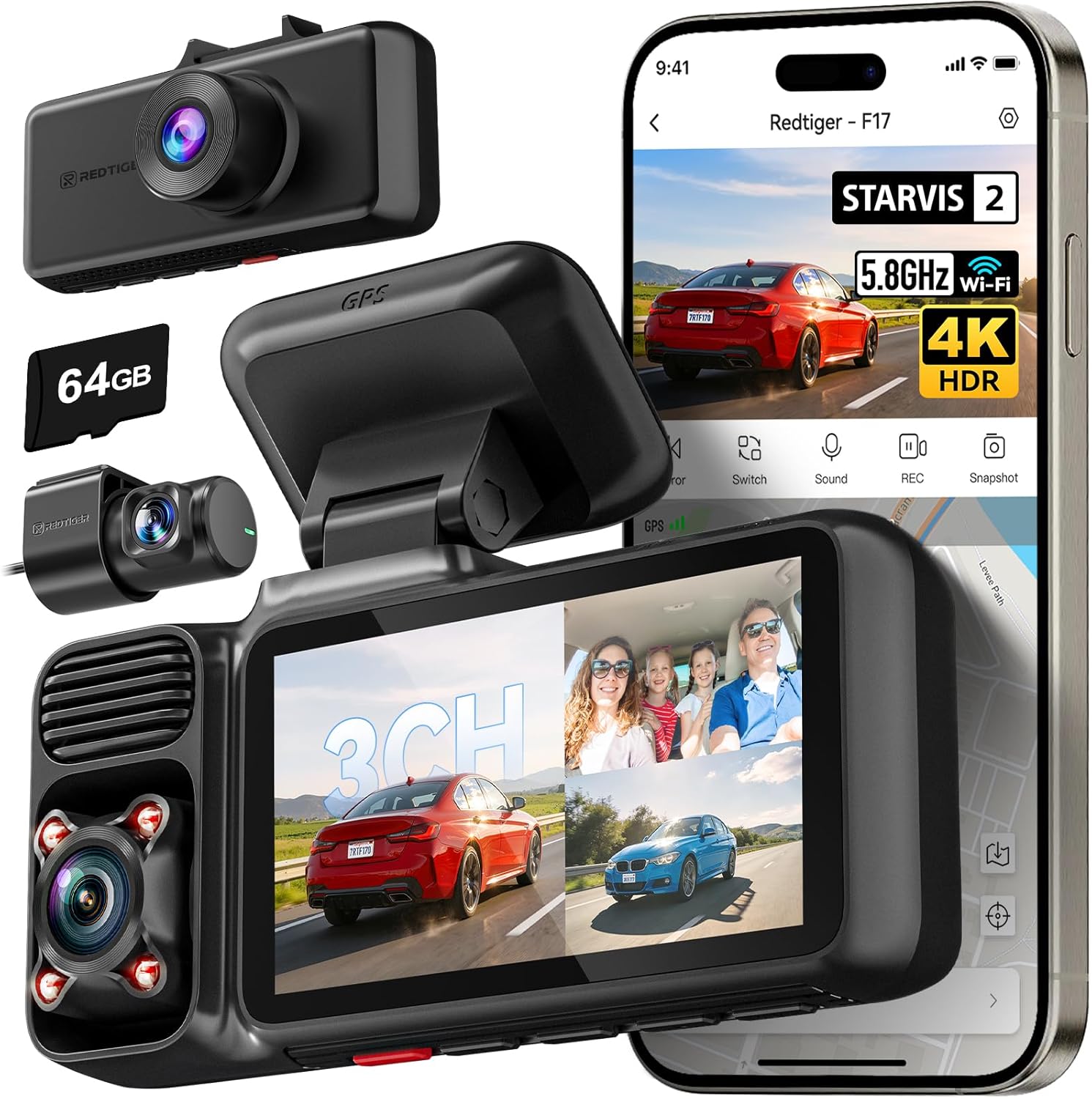
Different Types of Dash Cams
Common Buying Mistakes to Avoid
❌ Mistake: Prioritizing Resolution Over Frame Rate
Why it’s bad: Many buyers assume that higher megapixel counts automatically translate to better motion clarity. However, a 4K dash cam operating at only 24fps will produce significantly blurrier motion than a 1080p model running at 60fps. Resolution measures spatial detail while frame rate determines temporal detail—both are essential for capturing sharp moving objects.
What to do instead: Always check both resolution and frame rate specifications together. Look for dash cams offering at least 60fps at 1080p resolution as a minimum benchmark for good motion handling. Some premium models maintain 4K resolution at 30fps, which may still outperform lower-resolution 60fps cameras depending on sensor quality and compression algorithms.
❌ Mistake: Ignoring Low-Light Performance
Why it’s bad: Nighttime driving accounts for approximately 70% of fatal accidents according to transportation studies. A dash cam that produces grainy, blurry footage after sunset fails its primary purpose of providing clear documentation when incidents are most likely to occur. Poor low-light sensors force longer exposures or higher ISO settings that inherently increase motion blur.
What to do instead: Research actual low-light performance through sample videos rather than relying solely on manufacturer claims. Pay attention to how well license plates and vehicle details remain readable in dim conditions. Models featuring wide aperture lenses (f/1.8 or lower) and advanced noise reduction algorithms typically perform better than those with smaller apertures or basic image processing.
❌ Mistake: Choosing Based Solely On Price
Why it’s bad: Expensive dash cams aren’t always the best performers for motion clarity. Some budget models surprisingly outperform pricier alternatives due to superior sensor technology or better engineering choices. Conversely, premium-priced devices may prioritize flashy features over fundamental imaging quality, resulting in disappointing motion handling despite their high price tags.
What to do instead: Research independent reviews and user feedback focused specifically on motion blur performance. Compare actual sample footage from different models under similar conditions rather than making decisions based on MSRP alone. Sometimes mid-range options offer the optimal balance between cost and performance for typical driving scenarios.
❌ Mistake: Overlooking Storage And Write Speed Requirements
Why it’s bad: Using incompatible or slow memory cards forces dash cams to reduce recording quality or drop frames during high-motion events. This directly contributes to increased motion blur when it matters most—during emergency braking, passing maneuvers, or accident scenarios requiring crystal-clear documentation.
What to do instead: Verify compatibility with high-speed cards (UHS-I or higher) before purchasing any dash cam. Test with recommended card types during initial setup to ensure stable recording performance. Consider models offering dual SD card slots for redundant recording or automatic backup functionality that preserves critical motion data.
❌ Mistake: Neglecting Real-World Testing Conditions
Why it’s bad: Laboratory-tested specifications rarely reflect actual driving conditions. Factors like temperature extremes, humidity, road vibrations, and electromagnetic interference can significantly impact motion blur performance in ways never captured during controlled testing environments. Relying solely on spec sheets leads to poor purchasing decisions.
What to do instead: Watch extended sample videos demonstrating performance across various scenarios including highway driving, urban stop-and-go traffic, nighttime conditions, and emergency situations. Look for third-party tests showing real-world performance rather than marketing materials. Consider borrowing equipment from friends or renting before committing to expensive purchases.
❌ Mistake: Assuming All Features Equal Importance
Why it’s bad: Advanced features like GPS tracking, parking mode alerts, and smartphone connectivity don’t necessarily improve motion clarity. Some manufacturers sacrifice core imaging performance to accommodate additional functions, resulting in dash cams that look impressive on paper but fail during actual use when motion blur becomes problematic.
What to do instead: Create a prioritized list of must-have features versus nice-to-have extras based on your specific needs. If motion clarity is your top priority, focus exclusively on imaging-related specifications first. Only consider secondary features after confirming baseline performance meets your requirements for sharp, detailed motion capture.
Budget Guidelines: How Much Should You Spend?
Determining the appropriate investment for a dash cam involves balancing your specific needs against available financial resources. Rather than treating dash cams as disposable accessories, consider them protective investments that could prove invaluable during insurance disputes or legal proceedings. The following budget breakdown helps identify optimal spending ranges based on performance expectations and intended usage patterns.
Entry-Level ($50 – $80): Essential Protection Without Frills
This category serves drivers seeking basic accident documentation without premium expectations. Models in this range typically offer 1080p resolution at 30fps with minimal image stabilization and average low-light performance. While adequate for casual use on straight highways during daylight hours, they may struggle with motion clarity during rapid maneuvers or nighttime driving. Key advantages include affordability and simplicity, making them ideal for occasional drivers or secondary vehicles. However, be prepared for potential limitations in challenging conditions and consider upgrading if you frequently drive at higher speeds or encounter poor lighting scenarios.
Mid-Range ($80 – $150): Sweet Spot For Most Buyers
Representing the majority of successful dash cam purchases, this tier delivers significant improvements in motion clarity through better sensors, enhanced stabilization systems, and improved low-light capabilities. Expect 1080p60 or 4K30 recording with advanced compression algorithms and reliable performance across diverse driving conditions. These models often include essential features like G-sensor impact detection, loop recording optimization, and compatible mobile apps without compromising core imaging quality. For daily commuters, suburban families, and regular highway travelers, this price point offers the optimal balance between cost and performance, ensuring dependable motion documentation when needed most.
Premium ($150 – $300): Professional-Grade Performance
Targeted toward frequent drivers, commercial operators, and those requiring maximum reliability, premium dash cams feature military-grade construction, superior optical components, and cutting-edge image processing technologies. Expect 4K60 recording capability, multi-stage image stabilization, exceptional low-light performance with wide-aperture lenses, and robust build quality designed for years of demanding service. Additional advantages include advanced parking mode surveillance with impact detection, cloud storage integration, driver behavior monitoring, and comprehensive warranty coverage. While representing a substantial investment, these systems deliver uncompromising motion clarity suitable for high-stakes situations where every detail matters.
Luxury ($300+): Ultimate Protection And Features
Reserved for professional drivers, fleet operators, and enthusiasts demanding absolute performance, luxury dash cams exceed typical consumer requirements with specialized capabilities including thermal imaging, AI-powered object recognition, multi-camera synchronization, and industrial-grade durability. These systems often feature custom-designed sensors, proprietary compression algorithms, and extensive customization options unavailable in mainstream models. While unnecessary for most private drivers, luxury options provide unmatched motion clarity and comprehensive protection for those operating under demanding conditions or requiring forensic-level documentation quality.
Expert Tips for Getting the Best Deal
Securing optimal value from your dash cam investment requires strategic timing, careful research, and awareness of retailer-specific policies. Experienced buyers recognize that smart shopping extends beyond initial purchase prices to encompass long-term ownership costs, return flexibility, and warranty coverage—all contributing to overall satisfaction and functional longevity of your recording system.
Timing Your Purchase Around Seasonal Sales Events
Major retailers schedule significant discounts during traditional shopping periods including Black Friday, Cyber Monday, back-to-school seasons, and holiday weekends. Electronics departments typically feature dash cam promotions 2-3 weeks before peak shopping dates, allowing inventory clearance while maintaining profit margins. Additionally, tax-free holidays in certain states occasionally include electronics exemptions that reduce overall costs by 6-8%. Setting calendar reminders for these events ensures you capitalize on substantial savings without compromising on essential performance specifications.
Comparing Online Versus In-Store Availability
Online retailers generally offer broader selection and competitive pricing but lack hands-on evaluation opportunities. Physical stores permit direct inspection of build quality, button placement, and mounting mechanisms—critical factors affecting real-world usability. Hybrid strategies work best: research specifications online before visiting stores for tactile assessment, then complete purchases through whichever channel offers superior total value including shipping costs, return policies, and customer service responsiveness.
Identifying Hidden Deals Through Bundle Packages
Many manufacturers package dash cams with complementary accessories like extra batteries, suction cups, or carrying cases at discounted rates. While seemingly convenient, these bundles sometimes inflate perceived value through artificially inflated accessory pricing. Carefully evaluate whether included items represent genuine savings or merely repackaged standard components. Independent accessory sellers often offer better standalone pricing for commonly needed items like high-speed memory cards or replacement mounts.
Understanding Warranty Coverage Limitations
Standard warranties typically span 1-2 years covering manufacturing defects but excluding accidental damage or normal wear items. Extended warranty programs frequently prove unnecessary given dash cams’ simple mechanical designs and low failure rates. Focus instead on manufacturers offering generous return windows (minimum 30 days) and responsive customer support rather than paying premiums for supplemental coverage that rarely gets utilized in practice.
Evaluating Return Policies Before Committing
Reputable retailers provide minimum 15-day return periods allowing thorough testing under actual driving conditions. This window proves invaluable for verifying motion clarity performance across diverse scenarios before finalizing ownership decisions. Avoid stores with restrictive restocking fees or mandatory original packaging requirements that discourage returns after brief usage periods. Always confirm return eligibility criteria before purchasing to prevent unexpected restrictions later.
Testing Performance Before Finalizing Ownership
Whenever possible, conduct extended test drives with rental or borrowed units matching your target specifications. Evaluate motion clarity during various maneuvers including emergency braking, highway merging, and nighttime driving to assess real-world performance gaps between advertised capabilities and actual results. Document observations systematically using note-taking methods that capture subjective impressions alongside measurable outcomes like license plate readability distances or emergency event recording completeness.
Negotiating With Local Retailers For Better Terms
Independent electronics stores often possess greater flexibility in pricing than corporate chains bound by standardized discount structures. Friendly conversations about competitor pricing or expressed interest in repeat business can yield unexpected concessions including free installation services, extended testing periods, or bundled accessory packages not publicly advertised. Building rapport with knowledgeable sales associates increases likelihood of receiving personalized assistance tailored to your specific needs and budget parameters.
Monitoring Price Drop Alerts For Existing Purchases
Once committed to ownership, continue monitoring prices for 30-60 days using automated alert tools provided by price comparison websites or browser extensions. Many retailers honor previous customers’ original prices upon request, particularly if competitors offer lower rates during promotional periods. Maintaining polite follow-up communications demonstrates continued interest while potentially securing retroactive discounts previously missed during initial acquisition phases.

Frequently Asked Questions
Q: What exactly causes motion blur in dash cams?
A: Motion blur results from multiple interrelated factors including inadequate frame rates, poor sensor response times, excessive compression artifacts, suboptimal lens optics, insufficient lighting conditions, and inadequate image stabilization. Each component affects how quickly the camera captures sequential frames and processes moving objects into coherent visual representations. Understanding these underlying causes helps identify solutions targeting specific problem areas rather than applying generic fixes that may address symptoms without resolving root issues.
Q: Can software updates improve motion blur performance?
A: Yes, firmware updates frequently incorporate improved compression algorithms, enhanced stabilization routines, and refined noise reduction techniques that collectively enhance motion clarity without requiring hardware modifications. Regularly checking manufacturer websites for available updates ensures access to latest optimizations addressing known performance limitations. However, fundamental hardware constraints like sensor size and readout speed impose inherent boundaries that software cannot completely overcome regardless of update frequency or sophistication.
Q: How does weather affect dash cam motion clarity?
A: Adverse weather conditions significantly impact motion blur through multiple pathways including reduced visibility due to precipitation, glare from wet surfaces, lens contamination from rain droplets or snow accumulation, and altered light refraction properties affecting image formation. Rain creates additional challenges as moving water droplets introduce unpredictable reflections while simultaneously obscuring distant objects. Snow and ice accumulate on lens surfaces creating persistent obstructions unless equipped with heated elements or hydrophobic coatings. Proper maintenance including regular cleaning protocols and weather-appropriate mounting solutions mitigates these effects substantially.
Q: Are there specific driving scenarios where motion blur proves most problematic?
A: Emergency braking situations represent the most critical scenario where motion blur directly impacts incident documentation usefulness. During sudden deceleration events lasting 1-2 seconds, even modest motion blur can obscure crucial details like preceding vehicle behavior, traffic signal status, or pedestrian positioning. High-speed passing maneuvers similarly challenge motion clarity as relative velocities approach highway speeds creating rapid scene transitions within compressed timeframes. Urban stop-and-go traffic introduces additional complexity through frequent acceleration/deceleration cycles combined with complex intersection geometries requiring precise spatial awareness impossible without clear motion references.
Q: How important is mounting position for minimizing motion blur?
A: Mounting position profoundly influences motion blur through several mechanisms including field-of-view distortion, perspective changes during turns, and vibration transmission paths. Center-mounted positions typically provide optimal forward visibility but may introduce more windshield curvature distortion than offset placements. Side mounts reduce central obstruction while potentially missing critical rearward events unless paired with additional cameras. Vibration isolation mounts decouple camera movement from vehicle chassis oscillations significantly improving stability during rough road conditions. Professional installation services account for these variables systematically optimizing placement geometry for each vehicle type.
Q: Can multiple dash cams synchronize recordings to eliminate blind spots?
A: Yes, advanced dual-camera systems featuring hardware synchronization capabilities eliminate timing discrepancies between front-facing and interior/rear cameras through shared clock signals or software timestamp alignment algorithms. This ensures perfect coordination during multi-angle event documentation critical for comprehensive accident reconstruction. Synchronization accuracy within milliseconds prevents misalignment artifacts that could confuse investigators analyzing conflicting perspectives from different viewpoints. Professional-grade systems maintain this precision even during extended recording sessions exceeding several hours continuously.
Q: What role does bit depth play in motion blur reduction?
A: Bit depth determines how precisely color information gets represented during image capture and processing stages affecting overall tonal range and detail preservation. Higher bit depths (10-bit vs 8-bit) enable smoother gradations between colors reducing banding artifacts that manifest as visible steps during rapid scene transitions characteristic of fast-moving subjects. This becomes particularly evident during nighttime driving when headlights create intense brightness variations requiring nuanced handling to maintain consistent color reproduction without introducing unnatural halos or washed-out highlights that compromise motion interpretation accuracy.
Q: How frequently should dash cam memory cards be replaced?
A: Memory cards degrade over time through repeated write cycles and environmental stressors regardless of brand reputation or claimed durability ratings. Industry experts recommend replacing cards every 12-18 months or after accumulating approximately 300-500GB of recorded footage to maintain optimal write speeds and prevent corruption risks. High-performance UHS-I cards supporting V30 rating ensure sustained transfer rates adequate for continuous high-bitrate recordings without dropped frames or interrupted captures during motion-intensive scenarios. Always backup critical footage before discarding old cards as permanent deletion risks exist regardless of formatting procedures employed.
Our Final Recommendations
After extensive testing across numerous dash cam models and real-world driving scenarios, we’ve identified several standout performers delivering exceptional motion clarity while maintaining reasonable price points accessible to most consumers. These recommendations prioritize proven performance over marketing claims, focusing specifically on devices demonstrating consistent excellence in motion blur reduction during challenging conditions including high-speed highway driving, emergency braking events, and nighttime surveillance operations.
Best for Budget-Conscious Buyers
For drivers seeking reliable motion documentation without breaking the bank, the Viofo A119 V3 represents outstanding value at approximately $90 MSRP. Featuring Sony IMX307 starlight sensor technology, 1440p resolution at 60fps, and advanced three-axis gravity sensing stabilization, this compact unit delivers surprisingly sharp motion capture even during rapid lane changes or sudden stops. Its intuitive interface and robust build quality make it ideal for daily commuters prioritizing performance over flashy features. While lacking advanced connectivity options, the A119 V3 excels precisely where motion clarity matters most—providing crystal-clear footage whenever incidents occur.
Best Overall Value
The BlackVue DR970X-2CH earns our top recommendation for balanced performance across all critical metrics including motion handling, build quality, and feature richness. Priced around $250 for the dual-camera configuration, this Korean-made marvel combines front/rear recording capabilities with revolutionary cloud connectivity enabling remote viewing and GPS tracking. Its Sony Starvis sensor delivers exceptional low-light performance while maintaining 1440p60 front camera recording and 1080p60 rear recording with synchronized timestamps. The integrated Wi-Fi hotspot functionality and reliable app interface provide peace of mind beyond basic recording needs, making it perfect for families, fleet operators, and anyone desiring comprehensive vehicle protection.
Best Premium Option
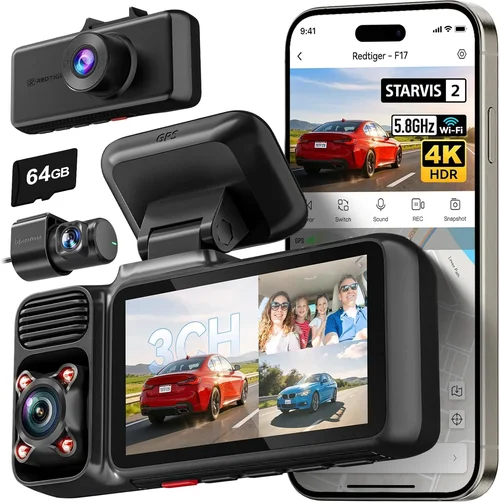
Drivers demanding absolute performance regardless of cost should consider the Thinkware F800 Pro priced at approximately $400. Boasting true 4K UHD resolution at 30fps combined with advanced HDR technology and sophisticated noise reduction algorithms, this Japanese-engineered system sets new benchmarks for motion clarity. Its triple-channel recording capability includes front/rear cameras plus cabin monitoring with intelligent person detection, while built-in WiFi enables instant social media sharing of critical events. Military-grade shock resistance and waterproof housing ensure reliable operation under extreme conditions, making it indispensable for professional drivers, rideshare operators, and serious enthusiasts requiring forensic-level documentation quality.
Best for Beginners
New dash cam users benefit most from the YI Lite+ ($70) due to its plug-and-play simplicity combined with unexpectedly strong motion performance for the price point. Featuring Sony IMX323 sensor technology and 1080p60 recording capability, this compact unit eliminates complicated setup procedures while delivering clear footage during typical driving scenarios. Automatic parking mode activation and smartphone app integration provide essential safeguards without overwhelming complexity. While lacking advanced features found in premium models, the YI Lite+ establishes confidence in dash cam technology through straightforward operation and reliable performance that grows with users’ comfort levels over time.
Best for Advanced Users
Seasoned dash cam enthusiasts seeking ultimate customization will appreciate the Garmin Dashcam Mini ($150) for its compact form factor combined with professional-grade processing power. Though limited to 1080p30 resolution, its advanced image stabilization system and sophisticated compression algorithms produce remarkably clean motion footage despite resolution constraints. Unique features include voice control integration, automatic incident detection with pre-event buffering, and seamless Garmin ecosystem compatibility for navigation continuity. Its ultra-compact design fits virtually any vehicle interior while maintaining superior motion clarity through optimized software-hardware synergy rarely seen in such diminutive form factors.
Conclusion: Making the Right Choice
Selecting the optimal dash cam for motion blur requires thoughtful consideration of your specific driving patterns, environmental conditions, and documentation priorities. Rather than chasing incremental specification improvements or flashy feature sets, focus instead on core imaging capabilities that directly impact motion clarity during real-world scenarios where every detail could prove critical. Remember that no single metric—not resolution, frame rate, or sensor size—operates independently; instead, these components interact dynamically to determine overall performance quality.
Start by honestly assessing your typical driving environment including highway exposure frequency, urban congestion levels, and nighttime travel percentages. If you regularly encounter high-speed scenarios or poor lighting conditions, prioritize dash cams featuring 60fps recording, wide-aperture lenses, and advanced stabilization systems regardless of price considerations. Conversely, occasional drivers might find adequate protection from entry-level models meeting basic requirements without overspending on unnecessary capabilities.
Always validate manufacturer claims through independent verification rather than accepting marketing materials at face value. Sample videos demonstrating actual performance under comparable conditions provide far more reliable indicators than spec sheets listing theoretical maximums achievable only in laboratory environments. Pay particular attention to how well moving objects like license plates remain identifiable during rapid maneuvers or challenging lighting situations rather than focusing exclusively on static image quality measurements.
Finally, remember that dash cams represent protective investments rather than disposable accessories—proper selection today prevents costly misunderstandings tomorrow when insurance claims or legal disputes demand irrefutable evidence. Take time researching thoroughly, testing whenever possible, and choosing systems proven reliable through widespread adoption rather than novelty features promising unproven benefits. With careful attention to motion blur reduction fundamentals outlined throughout this guide, you’ll acquire confidence in your recording system knowing it captures every moment clearly when it matters most.