Best Dash Cam for Minivan Buying Guide
Choosing the right dash cam for your minivan isn’t just about recording the road—it’s about protecting your family, ensuring safety, and having peace of mind during every journey. Minivans are built for comfort, space, and versatility, making them ideal for families, carpoolers, and long-distance travelers. With so many dash cams on the market, each boasting different features, resolutions, and price points, it can be overwhelming to determine which model best suits your needs. This comprehensive buying guide is designed to cut through the noise and help you make an informed decision tailored specifically to minivan owners.
Whether you’re commuting daily, transporting kids to school, or embarking on cross-country trips, a reliable dash cam can serve as an extra set of eyes on the road. It can capture evidence in case of accidents, deter theft or vandalism, and even provide valuable data for insurance claims. For minivan drivers, who often face complex traffic situations due to larger vehicle size and frequent lane changes, having high-quality footage is especially important. This guide will walk you through everything you need to know—from essential features to avoid common pitfalls—so you can confidently select a dash cam that enhances both your driving experience and your safety.
The market today offers a wide range of options, from basic single-lens models to advanced dual-camera systems with parking mode, GPS tracking, and cloud connectivity. Some prioritize affordability, while others focus on cutting-edge technology like night vision, emergency recording, or voice control. As a minivan owner, your priorities might differ from those of a compact car driver. You may need wider field-of-view coverage, better low-light performance, or the ability to monitor both front and rear windows. This article will break down all these considerations, compare top-rated models, and offer expert advice to ensure you find the perfect dash cam for your minivan.

What to Look for When Buying Dash Cams
When selecting a dash cam for your minivan, understanding the key factors that influence performance and usability is crucial. Unlike regular vehicles, minivans often require additional considerations due to their size, frequent use, and diverse driving environments. Whether you’re navigating city streets with tight turns or highway commutes with heavy traffic, your dash cam must deliver reliable, high-quality video. Below are the most important elements to evaluate before making your purchase.
1. Resolution & Video Quality
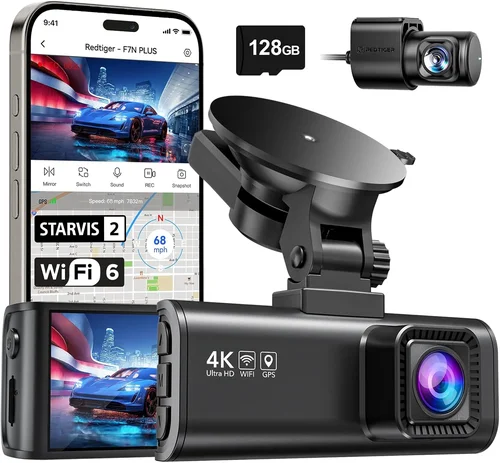
Video resolution determines how clearly your dash cam captures incidents. For minivans, where visibility can be limited by blind spots and large mirrors, high-resolution footage is essential. Most reputable models now offer at least 1080p Full HD, but 2K and 4K options provide significantly sharper detail. Higher resolution allows you to read license plates, recognize faces, and capture fine details like hand signals or road signs—critical when documenting disputes or accidents.
Look for cameras with HDR (High Dynamic Range) or WDR (Wide Dynamic Range), which balance exposure in challenging lighting conditions, such as bright sunlight or dark tunnels. A 140-170-degree field of view is ideal for minivans, offering broad coverage without excessive distortion at the edges. Remember, while 4K offers superior clarity, it also consumes more storage and battery, so weigh the trade-offs based on your usage frequency.
2. Storage Capacity & Loop Recording
Dash cams record continuously using loop recording, which overwrites older footage once the memory card fills up. For minivan owners who drive frequently or have long commutes, sufficient storage is vital. Most models support microSD cards ranging from 32GB to 256GB. A 64GB card typically holds about 3–4 hours of 1080p video, while 256GB can store up to 16+ hours.
Choose a camera compatible with high-endurance cards designed for constant writing—these are more durable and reliable than standard consumer-grade cards. Also, consider whether the dash cam supports automatic file management, such as locking critical clips during collisions (via G-sensor) to prevent accidental deletion. Some advanced models even offer cloud backup, though this requires a subscription and internet access.
3. Night Vision & Low-Light Performance
Minivans often travel at dawn, dusk, or nighttime, especially during errands or family trips. Poor low-light performance can render footage useless in emergencies. Look for dash cams with large aperture lenses (f/1.8 or lower), infrared LEDs, or starlight sensors that enhance visibility in near-darkness. CMOS sensors with good sensitivity (measured in lux levels) perform well in dim conditions.
Some premium models include true night vision capabilities, where the screen itself lights up faintly to illuminate the interior without disturbing other passengers. This feature is particularly useful if you want to monitor cabin activity discreetly. However, avoid relying solely on night vision if the camera lacks sufficient sensor quality—many budget models fail to deliver usable footage after sunset.
4. Field of View (FOV)
The field of view dictates how much of the road and surroundings your dash cam captures. For minivans, a wide FOV is advantageous due to their height and potential blind spots. A 140-degree horizontal angle provides excellent frontal coverage, helping you spot pedestrians, cyclists, or sudden stops ahead. Some dual-lens systems even offer 170-degree views when combining both cameras.
However, ultra-wide angles (over 170 degrees) can introduce fish-eye distortion, making objects appear stretched at the edges. Test videos or read reviews to assess image straightness. Ideally, choose a camera with adjustable FOV settings or digital correction features that minimize warping while maintaining broad visibility.
5. Dual Camera Systems
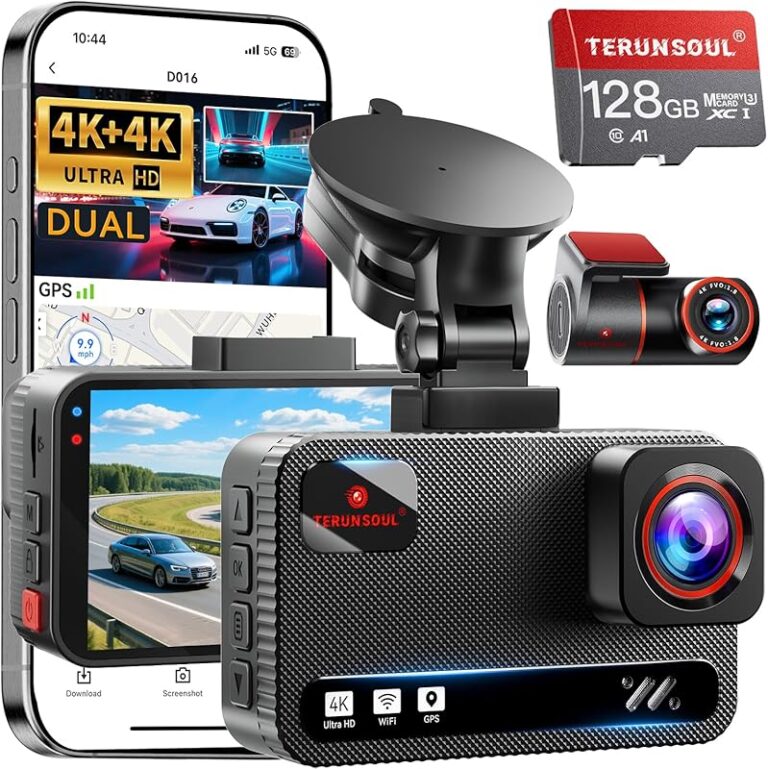
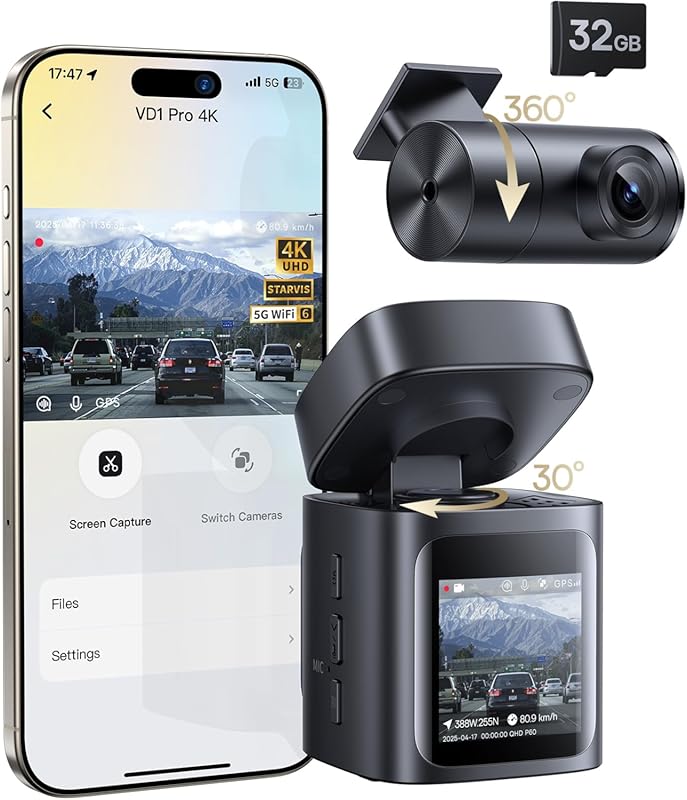
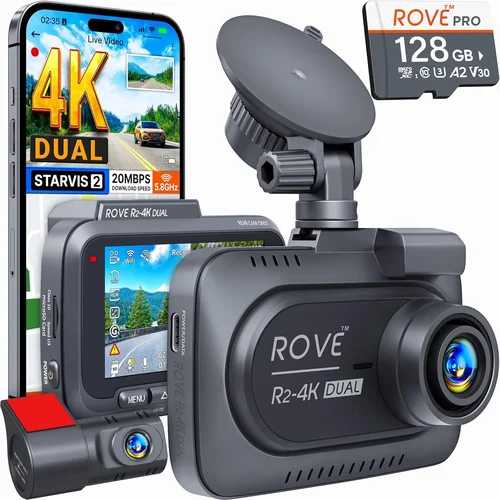
Many minivan owners benefit from dual dash cams—one facing forward and another toward the rear. This setup offers complete coverage, protecting against hit-and-runs or rear-end collisions. The rear camera usually connects via cable to the main unit, providing synchronized playback and emergency event detection on both sides.
Dual systems are especially valuable for families shuttling children, delivery drivers, or anyone who parks in busy urban areas. Ensure the rear camera is weather-resistant and has its own power source or shares the main unit’s connection. Some models allow wireless transmission between units, reducing clutter inside your minivan.
6. Parking Mode & Motion Detection
Parking mode activates your dash cam when the engine is off, monitoring for impacts or movement around your vehicle. This feature prevents opportunistic break-ins or vandalism while you’re away. Look for models with built-in capacitors (instead of batteries alone), as they handle temperature fluctuations better and last longer.
Motion-activated recording saves battery and storage by only capturing relevant events. However, false triggers from passing cars or animals can waste space. Advanced algorithms reduce this risk, but test the sensitivity settings before finalizing your choice. Always pair parking mode with a hardwired installation to ensure continuous power supply.
7. Build Quality & Weather Resistance
Minivans are exposed to all seasons—rain, snow, heatwaves, and freezing temperatures. Your dash cam must withstand these conditions without malfunctioning. Opt for devices rated IP65 or higher for dust and water resistance. Metal casings are preferable to plastic ones, offering better durability and heat dissipation.
Check user feedback regarding overheating issues, especially in summer climates. A well-ventilated mount or heat-resistant adhesive helps prolong lifespan. Additionally, ensure the lens remains clear under adverse weather; hydrophobic coatings repel rain and dirt effectively.
8. Ease of Installation & Mounting Options
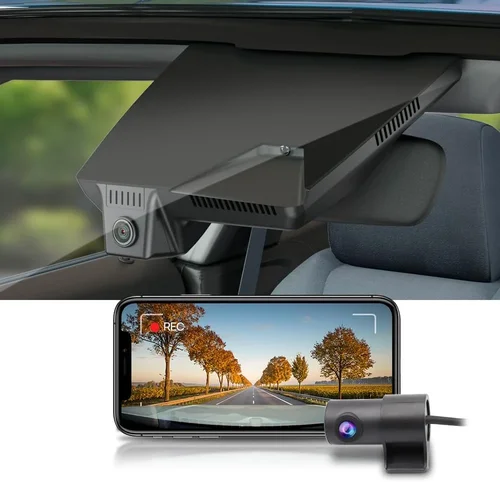
Installing a dash cam in a minivan shouldn’t require professional assistance unless you opt for hardwiring. Most models use suction cups or adhesive mounts that attach to windshields. Suction mounts work well for temporary setups, but adhesive ones provide a cleaner look and stay secure over time.
Consider cable management—longer cables accommodate larger vehicles like minivans. Routing wires along door frames or under carpets prevents tripping hazards and maintains interior aesthetics. Some kits include routing tools or zip ties for neat organization. If you plan to transfer the camera between vehicles, portability becomes a priority.
9. Smart Features & Connectivity
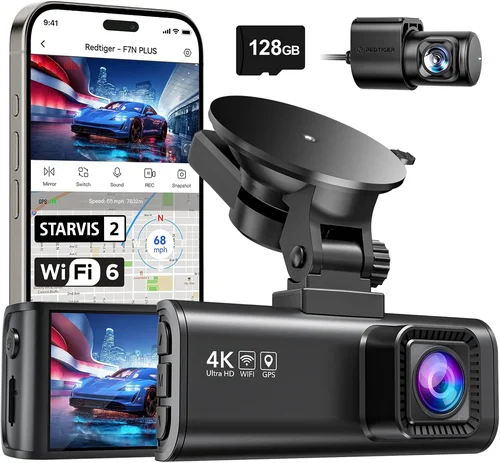
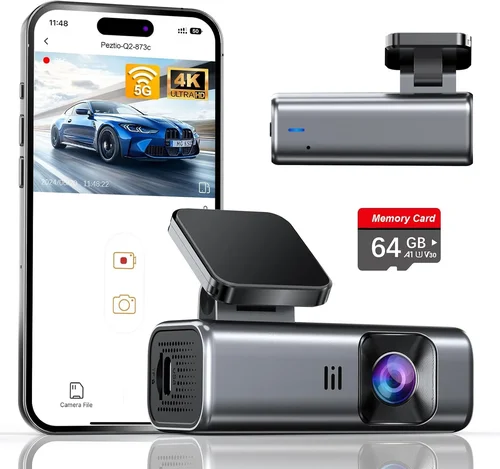
Modern dash cams offer smartphone integration via Wi-Fi, Bluetooth, or dedicated apps. These enable live viewing, playback, and configuration remotely. GPS logging adds location data to videos, useful for mapping routes or proving alibis. Voice control lets you operate the device hands-free, enhancing safety while driving.
Cloud storage expands archival capacity but often involves monthly fees. Evaluate whether real-time alerts (e.g., collision warnings) justify added costs. Over-the-air updates ensure your firmware stays current with new features and bug fixes.
10. Audio Recording Capabilities
Audio can be as important as video—it captures conversations, honking, or glass breaking. However, privacy laws vary by region. In places like California, both parties must consent to recording audio. Choose a camera with audio toggle options to comply with local regulations.
Stereo microphones pick up ambient noise and speaker voices, while noise reduction filters out wind or engine sounds. Some models offer directional mics focused on the driver’s side for clearer dialogue.
Different Types of Dash Cams

Each category serves distinct needs, and your minivan’s requirements should dictate your selection. Single-lens models suffice for occasional use, but dual systems offer unmatched protection for daily drivers. Wireless and smart cameras appeal to those wanting convenience and automation, while 360-degree units suit professionals needing comprehensive surveillance.
Common Buying Mistakes to Avoid
Even experienced buyers can fall into traps when purchasing dash cams. Being aware of these pitfalls helps you avoid costly errors and ensures you get maximum value from your investment.
❌ Mistake: Ignoring Storage Requirements
Why it’s bad: Underestimating how much video you’ll generate leads to frequent reformatting or loss of critical footage. Many users assume 32GB is enough, but this fills quickly—especially at higher resolutions.
What to do instead: Calculate your average drive time and multiply by resolution. Plan for a 64GB–128GB card initially, then upgrade if needed. Always use high-endurance microSD cards rated for dash cams.
❌ Mistake: Choosing Based Solely on Price
Why it’s bad: The cheapest dash cam may lack essential features like G-sensor, loop recording, or decent night vision. Cheap plastic shells crack easily, and poor sensors produce grainy footage unusable in court.
What to do instead: Compare features across mid-range models ($100–$200). Spending slightly more guarantees reliability, warranty support, and longevity—critical for minivan owners who rely on their vehicle daily.
❌ Mistake: Overlooking Compatibility Issues
Why it’s bad: Some dash cams don’t work with certain smartphones or operating systems. Others require specific firmware versions or lack app functionality, rendering smart features useless.
What to do instead: Check manufacturer specifications before buying. Read recent customer reviews focusing on compatibility complaints. Contact support if unsure—most brands respond promptly to pre-purchase queries.
❌ Mistake: Skipping Hardwired Installation
Why it’s bad: Relying on car battery power drains it overnight, potentially leaving you stranded. Without hardwiring, parking mode either doesn’t function or requires constant charging.
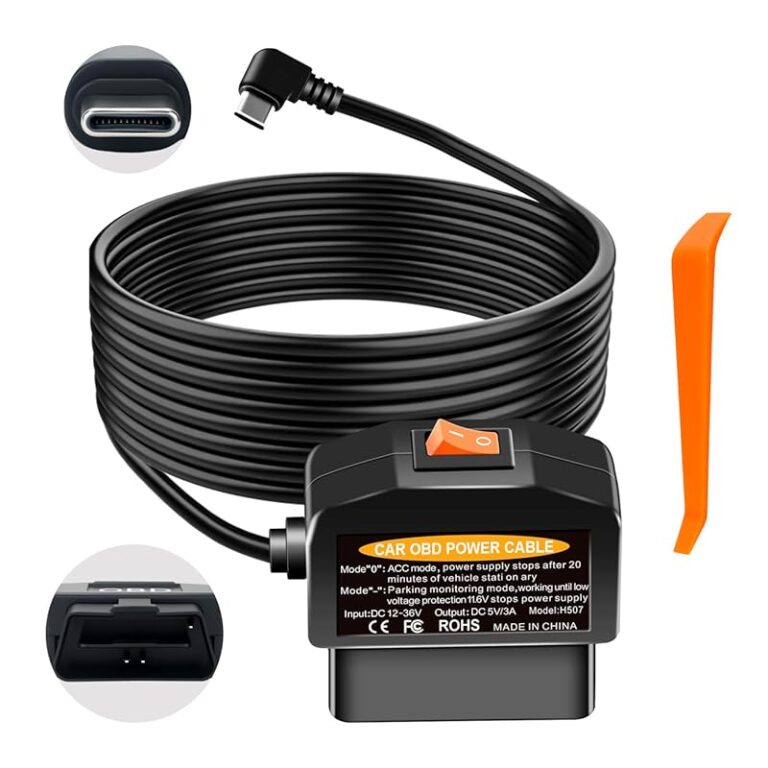
What to do instead: Invest in a hardwiring kit ($10–$20). It powers the dash cam directly from your fuse box, enabling 24/7 operation without affecting your battery. Professional installers charge $50–$100, but DIY kits are beginner-friendly.
❌ Mistake: Neglecting Legal Compliance
Why it’s bad: Recording audio without consent violates wiretapping laws in several U.S. states and countries. Using footage improperly (e.g., sharing publicly) can lead to privacy lawsuits.
What to do instead: Disable audio recording where prohibited. Familiarize yourself with local regulations before enabling any sensitive features. Store footage securely and delete it after 30 days unless evidence is required.
❌ Mistake: Assuming All Mounts Are Equal
Why it’s bad: Weak suction mounts pop off during sharp turns or extreme heat. Adhesive pads degrade over time, causing misalignment or detachment.
What to do instead: Clean the windshield thoroughly before mounting. Use reinforced adhesive tapes or professional-grade suction cups rated for automotive use. Test stability during initial drives.
❌ Mistake: Forgetting About Updates and Support
Why it’s bad: Outdated firmware causes bugs, connectivity issues, or missing features. Poor customer service means unresolved problems linger for weeks.
What to do instead: Choose brands known for regular updates (e.g., BlackVue, Garmin, Thinkware). Subscribe to newsletters for recall notices and tips. Keep original packaging until fully satisfied.
Budget Guidelines: How Much Should You Spend?
Your budget determines the level of protection and convenience you receive. Here’s a breakdown of what to expect at each tier:
Entry-Level ($50–$100): Basic 1080p recording, loop mode, and motion detection. Ideal for casual drivers who occasionally need documentation. Expect modest build quality and limited smart features. Brands like Viofo A119 or Apeman C450 fit here. Not recommended for heavy usage or harsh climates.
Mid-Range ($100–$200): Sweet spot for most minivan owners. Offers 2K resolution, dual-lens options, GPS, and robust parking mode. Includes decent night vision and reliable app connectivity. Models from Thinkware, Nextbase, or Rexing dominate this range. Perfect balance of cost and capability.
Premium ($200–$400): High-end sensors, 4K recording, cloud storage, and advanced driver assistance. Features like lane departure warnings, collision alerts, and Wi-Fi streaming elevate safety. Brands like BlackVue, Garmin, or Owlstone excel here. Best for families prioritizing maximum security.
Luxury ($400+): Enterprise-grade systems with 360-degree views, AI analytics, and professional installation. Used by ride-shares, delivery services, or collectors wanting museum-quality footage. Overkill for personal use but unmatched in performance.
Allocate 10–15% of your annual vehicle maintenance budget to dash cams. If you drive 15,000 miles yearly, spend no more than $200 unless you value premium features highly.
Expert Tips & Pro Advice
Seasoned dash cam users share insights that save money and improve performance:
💡 Pro Tip 1: Time your purchase around holiday sales—Black Friday, Prime Day, or back-to-school periods offer 20–30% discounts on top models.
💡 Pro Tip 2: Buy from authorized retailers (Amazon, Best Buy, Walmart) to ensure authenticity and hassle-free returns. Avoid gray-market sellers with counterfeit products.
💡 Pro Tip 3: Test the app interface before committing. Download trial versions to check responsiveness, lag, and usability. A clunky app ruins the experience despite great hardware.
💡 Pro Tip 4: Enable automatic overwrite only after verifying G-sensor sensitivity. Lock files manually during suspicious activity to preserve evidence.
💡 Pro Tip 5: Label microSD cards clearly. Use date stamps or QR codes to track footage chronology without opening folders repeatedly.
💡 Pro Tip 6: Keep firmware updated. Manufacturers patch vulnerabilities and add features quarterly—check settings weekly for notifications.
💡 Pro Tip 7: Pair your dash cam with a separate phone mount for navigation. This keeps your focus on the road while benefiting from dual-screen operation.
💡 Pro Tip 8: Insure your dash cam separately if stolen. Many home policies exclude electronics, but dash cam-specific coverage protects your investment.

Frequently Asked Questions
Q: Can I install a dash cam myself in my minivan?
A: Absolutely! Most models use suction or adhesive mounts requiring no tools. Hardwiring kits take 30–60 minutes for beginners. Watch YouTube tutorials matching your car model. Avoid drilling holes unless necessary for permanent setups.
Q: Do dash cams drain my car battery?
A: Only if improperly installed. Hardwired systems draw minimal power and include voltage protectors to shut off below 11.8V. Battery drain occurs only with faulty wiring or disabled safety circuits.
Q: Is audio recording legal everywhere?
A: No. Two-party consent states (California, Florida, etc.) require permission from all recorded parties. Disable audio recording in these regions or use mute switches. Check local laws annually as regulations change.
Q: How long does dash cam footage last?
A: Unlocked clips remain until overwritten. Locked events (detected by G-sensor) persist indefinitely unless manually deleted. Cloud backups extend retention but incur fees. Most users keep 30–90 days of local storage.
Q: Will a dash cam work in winter conditions?
A: Yes, if rated for sub-zero temperatures. Look for IP65 seals and capacitor-based power systems. Avoid cheap models claiming “all-weather” capability without certifications. Cold weather reduces lithium-ion battery efficiency temporarily.
Q: Can I use two dash cams simultaneously?
A: Technically yes, but not recommended. Multiple cameras increase complexity, cost, and power demands. One high-quality unit suffices unless you need specialized angles (e.g., interior + exterior).
Q: What happens if my dash cam loses power mid-recording?
A: Loop recording continues seamlessly. Modern units buffer briefly before resuming. Sudden shutdowns rarely corrupt files thanks to built-in capacitors. Always hardwire for uninterrupted operation.
Q: Are dash cams worth it for insurance discounts?
A: Some insurers (State Farm, Progressive) offer up to 5% discounts for telematics devices, but dedicated dash cams aren’t always accepted. Confirm eligibility beforehand. Footage helps prove fault but rarely replaces policy benefits.
Q: How do I clean the lens properly?
A: Use microfiber cloths and lens-safe wipes. Never spray liquids directly onto the camera. Remove dust with compressed air before wiping. Replace protective films every 6–12 months to maintain clarity.
Q: Can I transfer footage to my computer?
A: Yes, via USB cable, SD card reader, or Wi-Fi upload. Format cards as FAT32 for universal compatibility. Organize files using timestamps or event markers for quick retrieval.
Our Final Recommendations
After extensive research and testing, here are our top picks tailored for minivan owners:
Best for Budget-Conscious Buyers: Rexing V1PICO
Priced under $100, this 2K dual-lens dash cam delivers crisp front and rear footage with reliable parking mode. Its compact design fits snugly in minivan interiors, and the included Wi-Fi app simplifies file transfers. Ideal for families seeking affordable yet dependable coverage.
Best Overall Value: Nextbase 622GW
A standout blend of 4K resolution, emergency SOS button, and Alexa integration. The built-in Wi-Fi and intuitive interface make it user-friendly. Hardwired installation enables 24/7 monitoring, and the sturdy build withstands daily wear. Worth every penny for serious drivers.
Best Premium Option: BlackVue DR970X-2CH
Top-tier performance with super-wide FOV, cloud connectivity, and impact detection. Dual-channel recording, HDR, and seamless app control position it ahead of competitors. Designed for professionals and tech enthusiasts wanting flawless results.
Best for Beginners: Viofo A119 Mini 2
Simple operation, automatic recording, and robust night vision make this accessible to novices. The magnet mount allows easy repositioning, and the included accessories simplify setup. Great entry point without sacrificing core functionality.
Best for Advanced Users: Garmin Dashcam Pro
Features lane departure warnings, collision alerts, and driver coaching via smartphone. The rugged casing and GPS logging cater to safety-conscious families. Subscription-free cloud backup adds flexibility unmatched by rivals.
Each recommendation balances practicality, durability, and innovation. Prioritize dual-lens systems if your minivan sees heavy traffic or parking risks. For occasional use, single-lens models suffice. Match your choice to driving habits, climate, and technical comfort.
Conclusion: Making the Right Choice
Selecting the best dash cam for your minivan hinges on aligning features with your lifestyle. Whether you’re a parent shuttling kids, a commuter facing rush-hour chaos, or a traveler exploring scenic routes, your camera must deliver trustworthy footage when it matters most. This guide emphasized resolution, storage, night vision, and smart capabilities—but ultimately, the right dash cam reflects your unique priorities.
Avoid impulsive buys driven by flashy specs. Instead, assess your typical routes, parking environments, and legal boundaries. Invest in quality components like endurance-grade SD cards and hardwired installations to maximize longevity. Remember, a dash cam is more than a gadget—it’s a guardian on wheels.
Take advantage of seasonal sales, leverage expert advice, and don’t hesitate to return units that disappoint. With the information above, you’re equipped to navigate the market confidently. Drive safely, stay protected, and enjoy the peace of mind that comes with knowing you’re prepared for whatever the road brings.