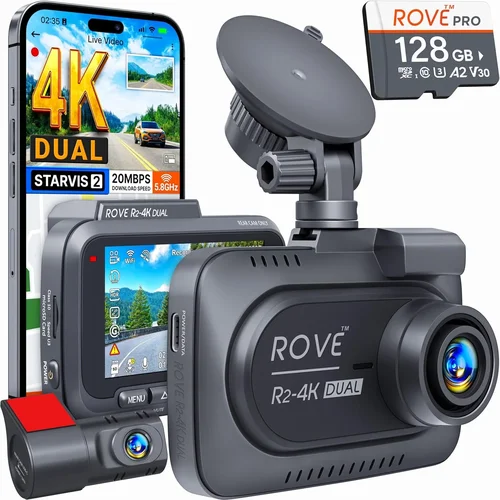
Best Dash Cam for Ford Explorer Buying Guide
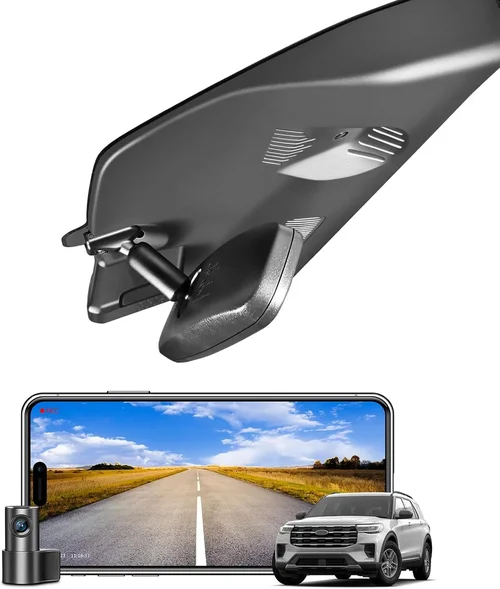
Why choosing the right dash cam for your Ford Explorer matters more than you might think. This isn’t just about capturing road incidents—it’s about peace of mind, evidence protection, and potentially saving you thousands in legal fees. With over 30 million vehicles on American roads and countless accidents occurring daily, having reliable dash cam footage can be a game-changer for insurance claims, dispute resolution, or simply documenting your driving experiences.
In this comprehensive guide, you’ll learn exactly what to look for when shopping for a dash cam specifically designed for Ford Explorer models, from the 2011 base model all the way through current-generation SUVs. We’ll break down technical specifications, installation considerations, feature comparisons, and real-world performance data to help you make an informed decision that matches your specific needs and budget.
The dash cam market has evolved dramatically in recent years. What started as simple single-camera setups has transformed into sophisticated multi-channel recording systems with advanced parking modes, GPS tracking, night vision capabilities, and seamless smartphone integration. Today’s best dash cams offer features that were once exclusive to premium automotive electronics, making them accessible to mainstream vehicle owners like yourself.
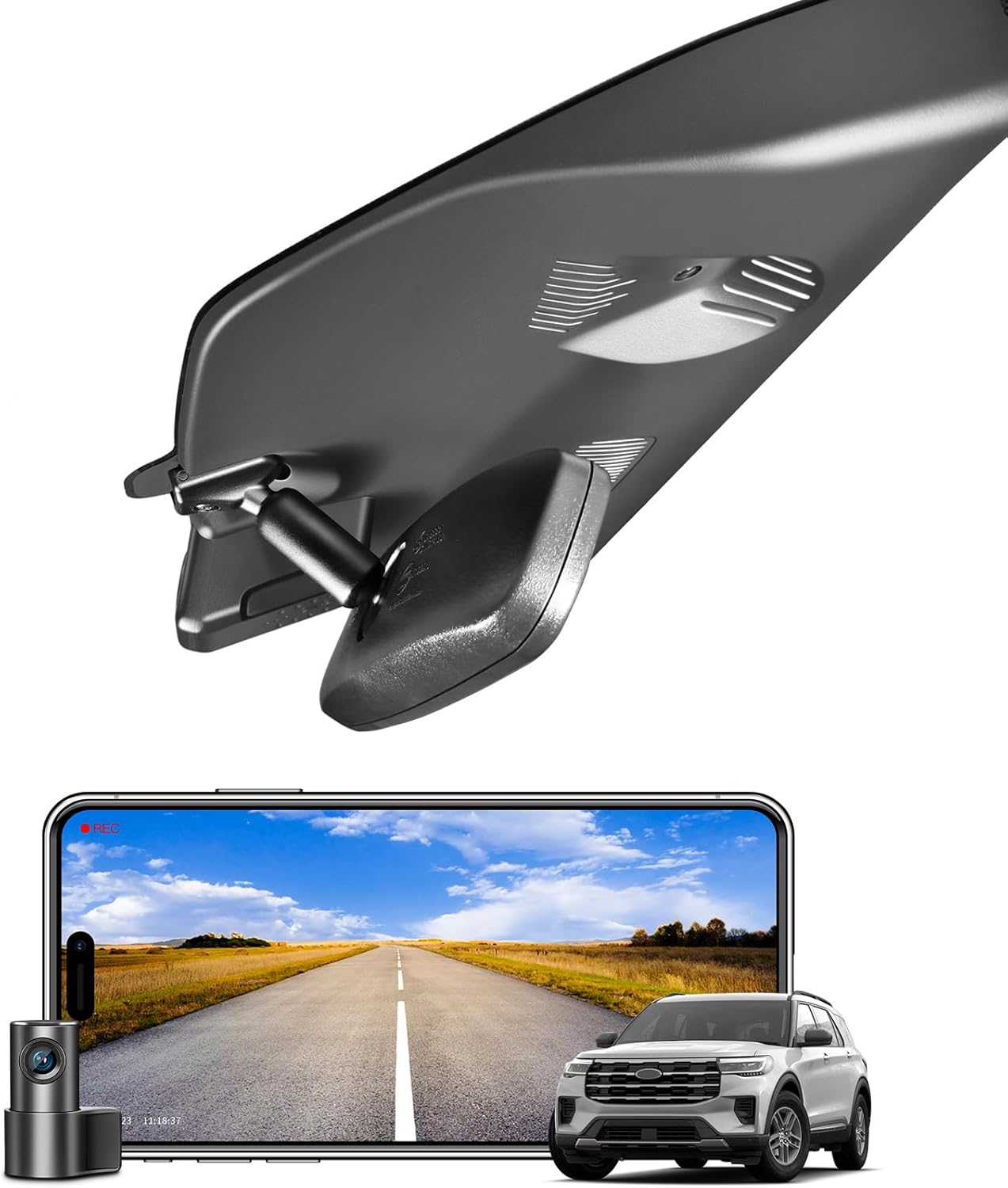
What to Look for When Buying Dash Cams
When evaluating dash cams for your Ford Explorer, several critical factors will determine how well the device performs in real-world conditions. Let’s explore each of these essential considerations in detail to ensure you get maximum value from your investment.
1. Resolution & Video Quality
Video resolution remains the most crucial specification when selecting a dash cam. The quality of your recordings directly impacts their usefulness during accident reconstruction, insurance claims, or traffic incident documentation. For Ford Explorer owners, we recommend aiming for at least 1080p Full HD resolution, though 4K Ultra HD is becoming increasingly standard even in mid-range models.
Higher resolution provides several key benefits: better license plate recognition, improved facial details for identification purposes, and clearer evidence when disputes arise. However, higher resolutions also require more storage space and processing power. Most modern dash cams use H.265 compression technology to maintain high quality while minimizing file sizes.
Consider the field of view (FOV) as well—a wider angle captures more of the road ahead but may introduce distortion at the edges. For Explorer drivers, a horizontal FOV between 110-150 degrees typically offers the best balance between coverage and image clarity. Some premium models feature multiple cameras that stitch together for panoramic views.
2. Storage Capacity & Loop Recording
Storage management is another critical consideration for long-term dash cam operation. Most dash cams use microSD cards ranging from 32GB to 256GB capacities. For typical daily driving, a 64-128GB card should provide sufficient recording time before requiring deletion of older files.
Loop recording automatically overwrites the oldest footage when storage fills up, ensuring continuous operation without manual intervention. However, some advanced systems include event-triggered retention where important clips are preserved even if it means temporarily pausing the loop function. Look for models that support at least Class 10 UHS-I cards for optimal write speeds and reliability.
Cloud storage options are becoming more common, allowing automatic backup to remote servers via cellular connectivity. While convenient, these features typically come at additional monthly costs and may not be practical for all users. Consider your local driving patterns—frequent highway travel versus city commuting—as this affects how much storage you’ll actually need.
3. Night Vision Capabilities
Nighttime driving accounts for approximately 20% of all fatal crashes according to NHTSA statistics, making night vision capabilities absolutely essential for any serious dash cam purchase. Modern dash cams achieve excellent low-light performance through several technological approaches.
WDR (Wide Dynamic Range) technology balances exposure between bright headlights and darker road surfaces, preventing washed-out images when driving toward oncoming traffic. Some models incorporate infrared LEDs or enhanced CMOS sensors specifically tuned for nighttime operation.
For Ford Explorer owners who frequently drive during evening hours or in poorly lit areas, look for dash cams with dedicated night mode settings or automatic sensitivity adjustments. Thermal imaging capabilities are rare in consumer-grade devices but worth noting if available—they provide unique advantages for certain types of incident documentation.
4. Parking Mode Functionality
Parking mode represents one of the most valuable features for Ford Explorer owners, especially those who park their vehicles in public areas or work environments. This feature continues recording even when the car is turned off, using minimal power to monitor for potential incidents or vandalism.
Advanced parking modes include motion detection, impact sensing (G-sensor triggers), and time-lapse recording that significantly extends battery life. Some systems can draw power directly from the vehicle’s battery through hardwiring kits, eliminating concerns about draining your Explorer’s electrical system.
When evaluating parking mode capabilities, consider both hardware requirements and software limitations. Not all dash cams offer equally sophisticated impact detection algorithms, so read reviews carefully regarding false positive rates and actual theft prevention effectiveness. Hardwired installations provide the most reliable solution but require professional installation skills.
5. Installation Compatibility
Installation compatibility varies significantly across different Ford Explorer models and years. The 2011-2015 first generation Explorers feature distinct interior layouts compared to newer second and third generations, affecting where dash cams can be mounted and how wiring is routed.
Most dash cams mount using suction cups or adhesive pads on windshields, but some models offer bracket-based mounting systems that attach directly to existing windshield mounts. Consider whether your Explorer has built-in windshield mounts or if you’ll need to rely solely on suction cup adhesion.
Wiring presents another consideration—dash cams require constant power to maintain parking mode functionality. Many users opt for hardwiring kits that tap into the cigarette lighter socket or fuse box, though this requires basic electrical knowledge or professional assistance. Some newer models include OBD-II adapters that draw power directly from the vehicle’s diagnostic port, simplifying installation while reducing visible wires.
6. Build Quality & Durability
Build quality directly impacts longevity and reliability—two factors that become critically important when your dash cam needs to perform during emergency situations. Look for devices constructed with high-impact polycarbonate casings resistant to extreme temperatures, vibrations, and accidental drops.
Temperature tolerance matters significantly for Ford Explorer owners who live in regions with harsh winters or hot summers. Dash cams operating outside their specified temperature ranges may experience lens fogging, battery drain, or complete failure. Most reputable manufacturers specify operating ranges between -4°F to 140°F (-20°C to 60°C).
Water resistance ratings (typically IPX4 or higher) prevent damage from rain or splashes during inclement weather. Shock resistance ratings indicate how well the device handles sudden jolts or impacts—important for vehicles that frequently encounter potholes or rough terrain.
7. Smartphone Integration & App Features
Modern dash cams increasingly offer smartphone connectivity through Wi-Fi or Bluetooth pairing, enabling convenient access to recorded footage without removing memory cards. These apps typically provide playback controls, cloud upload capabilities, and sometimes real-time live viewing.
For busy Ford Explorer owners, app-based features save significant time compared to physically accessing memory cards. Advanced apps allow direct sharing of evidence clips to law enforcement or insurance companies, streamlining the claims process considerably.
Consider which platforms your dash cam supports—iOS versus Android compatibility affects accessibility depending on your personal device ecosystem. Cloud storage integration varies widely between brands; some offer free limited storage while others require paid subscriptions for full functionality.
8. Brand Reputation & Customer Support
Brand reputation serves as a strong indicator of product reliability and post-purchase support quality. Established manufacturers with decades of experience tend to offer better warranty coverage, responsive customer service, and readily available replacement parts.
Research user forums and review sites to identify common pain points or recurring issues with specific brands. Pay attention to response times for technical questions and availability of firmware updates—regular improvements often address performance bugs and add new features.
Warranty terms vary significantly: expect 1-3 years for basic coverage, with extended warranties available for premium models. Some brands offer international warranty coverage, which proves valuable if you plan to use your Ford Explorer outside the United States.
9. Price vs. Value Assessment
Price-to-value ratio deserves careful consideration beyond initial cost alone. A slightly more expensive dash cam may provide substantially better performance, durability, or features that justify the additional expense over time.
Evaluate total cost of ownership including potential installation fees, required accessories (memory cards, wiring kits), and ongoing subscription costs for cloud services. Compare these against expected usage frequency and importance of reliable performance.
Entry-level models under $100 often lack critical features like parking mode or adequate night vision, making them unsuitable for serious users. Mid-range options ($100-$250) typically deliver the best balance of features and reliability for most Ford Explorer owners.
10. Warranty & Return Policy
Comprehensive warranty coverage provides peace of mind regarding manufacturing defects and component failures. Look for minimum 1-year warranty periods with clear coverage terms for both hardware and software components.
Return policies vary significantly between retailers—some offer 30-day money-back guarantees while others impose restocking fees or time restrictions. Online marketplaces often provide more flexible return windows compared to physical dealerships.
Document all included accessories and verify they match advertised specifications before finalizing your purchase. Missing cables, brackets, or mounting hardware can delay installation and create frustration during setup.
11. User Interface & Ease of Use
Intuitive user interfaces simplify operation and reduce learning curves for new users. Touchscreen controls provide immediate access to settings but may prove challenging when wearing gloves during cold weather. Physical buttons offer tactile feedback and remain functional regardless of screen responsiveness.
Menu navigation should be straightforward with clear icons and logical organization. Settings menus that group related functions together help prevent accidental changes during routine operations. Display brightness adjustment capabilities prove invaluable for nighttime operation without distracting other drivers.
Some dash cams include voice control features or gesture recognition, though these technologies remain experimental in consumer-grade devices. Audio recording capabilities allow capturing conversations inside the vehicle—useful for documenting interactions during disputes but raising privacy concerns in some jurisdictions.
12. GPS Tracking & Location Services
GPS functionality adds valuable context to recorded footage by embedding location data, speed information, and direction vectors directly into video files. This capability proves particularly useful when analyzing accident scenarios or verifying alibis.
Most dash cams automatically record GPS coordinates and overlay them onto video frames, creating comprehensive records that include both visual and positional data. Speed display options help verify whether recorded events align with posted limits or actual driving conditions.
Some advanced systems offer route history tracking and geofencing capabilities, allowing alerts when vehicles enter or exit designated areas. These features appeal to fleet operators and security professionals but provide limited value for individual Ford Explorer owners.
13. Audio Recording Capabilities
Audio recording expands evidentiary value by capturing conversations, emergency sirens, or mechanical sounds that complement visual documentation. However, legal restrictions regarding audio recording vary by state and country, so verify compliance before enabling this feature.
Quality varies significantly between models—some dash cams include directional microphones that focus on forward sounds while suppressing cabin noise, others capture omnidirectional audio that includes passenger conversations and background music. Privacy concerns arise when recording inside vehicles, particularly when children or other passengers are present.
Many jurisdictions prohibit recording conversations without consent, so research local regulations before activating audio features. Some dash cams include toggle switches to disable audio recording entirely, providing flexibility for users operating in restrictive areas.
14. Firmware Updates & Future-Proofing
Regular firmware updates demonstrate manufacturer commitment to product improvement and bug fixes. Check whether updates require computer connections or occur wirelessly through smartphone apps, as convenience affects how frequently you’ll benefit from enhancements.
Future-proofing involves considering how your dash cam will handle evolving standards like higher resolution requirements or new compression formats. Models supporting multiple video codecs provide greater flexibility when storage constraints arise.
Cloud-based update systems simplify maintenance by automatically delivering improvements without user intervention. Manual update processes require downloading files from manufacturer websites and transferring them via USB drives, adding complexity for less tech-savvy users.
15. Accessories & Expansion Options
Available accessories significantly expand functionality beyond basic recording capabilities. Additional camera modules enable rear or interior monitoring, creating comprehensive surveillance systems for fleet vehicles or security-conscious individuals.
Power accessories like extended battery packs or solar charging panels address range anxiety for users who frequently forget to plug in devices overnight. Wireless transmitters allow real-time streaming to mobile devices, though bandwidth limitations restrict practical applications for most consumers.
Mounting accessories vary by vehicle type—Ford Explorer owners should verify compatibility with specific models and years. Adhesive mounts provide clean installations but may leave residue during removal, while bracket systems offer easier repositioning options.
16. Regulatory Compliance & Legal Considerations
Legal compliance ensures your dash cam recordings remain admissible as evidence when needed. Federal Communications Commission (FCC) regulations govern electronic device emissions, while state laws regulate recording practices within vehicles.
Verify whether your chosen dash cam complies with FCC Part 15 regulations governing unintentional radiators. Some jurisdictions require explicit disclosure when recording audio inside vehicles, particularly during police interactions or insurance investigations.
Data retention policies affect how long footage must be stored before disposal. Insurance companies often request recordings within 30-60 days of incidents, making quick access crucial during time-sensitive situations.
17. Environmental Performance
Environmental resilience determines how well dash cams withstand extreme conditions encountered during regular Ford Explorer operation. Temperature fluctuations, humidity exposure, and vibration from rough roads all impact component longevity.
Look for devices rated for automotive environments with specific certifications like ISO 16750 for vibration resistance or IPX4 for water splash protection. Anti-glare coatings improve visibility during bright sunlight while reducing dashboard reflections.
Humidity resistance prevents internal condensation buildup during rapid temperature changes, particularly problematic during winter months when cars transition between warm interiors and freezing exteriors. Desiccant packets included with packaging absorb moisture during shipping and storage periods.
18. Power Consumption & Battery Life
Power efficiency affects both daytime operation and parking mode functionality. Lower consumption extends usable life when drawing power from auxiliary batteries or portable chargers during extended periods away from home.
Most dash cams consume between 1-3 watts during active recording, with standby modes reducing power draw to fractions of a watt. Parking mode implementations vary significantly—basic motion detection may require 0.5 watts while advanced impact sensing could approach 2 watts continuously.
Battery capacity requirements depend on usage patterns—daily commuters with easy access to power outlets require less robust solutions than weekend adventurers who frequently camp or work remotely. Hardwiring eliminates battery concerns entirely but demands professional installation expertise.
19. Software Features & Intelligence
Advanced software features distinguish premium dash cams from basic recording devices. Driver assistance capabilities like lane departure warnings or forward collision alerts integrate seamlessly with video recording to create comprehensive safety ecosystems.
Artificial intelligence algorithms detect pedestrians, cyclists, and other hazards with increasing accuracy, triggering enhanced recording protocols when risks are identified. Automatic emergency response features contact authorities during severe accidents, though these services often require separate subscriptions.
Cloud-based analytics platforms aggregate anonymized data to improve road safety initiatives while providing users with personalized driving insights. Subscription models monetize these services but may increase total cost of ownership over time.
20. Community Support & Resources
Active user communities provide invaluable troubleshooting assistance and customization tips unavailable through official channels. Online forums host detailed installation guides, firmware modification tutorials, and performance optimization strategies developed by experienced enthusiasts.
Manufacturer-sponsored support channels offer official guidance for warranty claims and technical inquiries, though response times vary significantly between companies. Comprehensive knowledge bases document common issues and solutions, reducing dependency on live support staff during urgent situations.
Open-source software projects occasionally emerge around popular dash cam platforms, enabling advanced users to develop custom features or integrate devices with broader smart home ecosystems. These developments extend device lifespans but require technical expertise to implement safely.
Different Types of Dash Cams

Common Buying Mistakes to Avoid
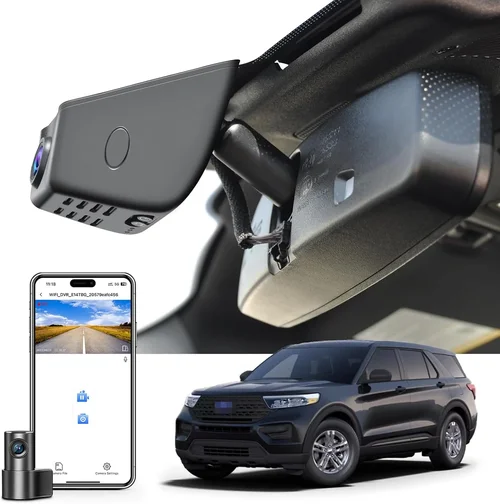
❌ Mistake: Prioritizing price over quality
Why it’s bad: Choosing the cheapest dash cam available often results in poor video quality, unreliable performance, and frequent failures. Cheap devices may lack essential features like proper night vision or parking mode functionality, defeating the purpose of having a dash cam in the first place.
What to do instead: Focus on value rather than absolute lowest price. Read professional reviews, check independent test results, and consider total cost of ownership including installation and accessory costs. A slightly more expensive model that delivers reliable performance will save money long-term through reduced replacement frequency.
❌ Mistake: Ignoring installation requirements
Why it’s bad: Assuming any dash cam will “just work” after purchase leads to frustration during setup. Complex wiring requirements, specific mounting locations, or incompatible power sources can transform a simple purchase into a costly professional installation project.
What to do instead: Research installation complexity before buying. Verify whether your Ford Explorer model supports hardwiring or requires portable power solutions. Consider purchasing installation kits separately if needed, and factor labor costs into your budget if hiring professional assistance.
❌ Mistake: Overlooking storage limitations
Why it’s bad: Underestimating storage needs results in premature deletion of important footage or constant manual management of memory cards. Without proper planning, you might lose critical evidence due to insufficient space allocation.
What to do instead: Calculate required storage based on your typical driving patterns and desired retention period. Choose appropriate microSD card capacity (64GB minimum recommended) and verify loop recording settings preserve important clips automatically. Consider cloud backup options for extra protection against data loss.
❌ Mistake: Neglecting environmental factors
Why it’s bad: Operating dash cams outside specified temperature ranges causes permanent damage, particularly in extreme climates. Cold weather operation below -4°F (-20°C) can crack lenses or damage internal components, while excessive heat above 140°F (60°C) degrades battery life and overall reliability.
What to do instead: Verify operational temperature specifications match your local climate extremes. For severe environments, consider additional protective measures like sun shades or garage storage during peak temperatures. Winter drivers should ensure dash cams include cold-weather performance testing.
❌ Mistake: Disregarding legal compliance
Why it’s bad: Unawareness of local laws regarding audio recording or privacy regulations can result in illegal recordings that compromise legal defenses or create liability issues. In some jurisdictions, recording conversations without consent violates wiretapping statutes.
What to do instead: Research state and local laws before enabling audio recording features. Many dash cams include toggle switches to disable audio when necessary, providing flexibility for compliance across different regions. Consult legal resources if uncertain about specific regulations.
❌ Mistake: Skipping user interface evaluation
Why it’s bad: Poor menu navigation or confusing button layouts waste time during operation and increase the risk of accidental settings changes. During stressful situations like traffic incidents, intuitive controls become absolutely critical for efficient evidence gathering.
What to do instead: Test interface familiarity during purchase if possible. Review video demonstrations of menu navigation, and choose models with clearly labeled physical buttons rather than relying solely on touchscreen controls. Consider voice command capabilities for hands-free operation.
❌ Mistake: Assuming all dash cams are equal
Why it’s bad: Treating dash cams as commodity products ignores significant differences in build quality, feature sets, and long-term reliability. Brand reputation, warranty terms, and customer support quality vary dramatically between manufacturers.
What to do instead: Research brand track records thoroughly before committing to a purchase. Read multiple independent reviews, check user forums for recurring issues, and compare warranty coverage terms. Consider established brands with proven reliability histories over obscure or newly entering manufacturers.
Budget Guidelines: How Much Should You Spend?
Entry-Level Dash Cams ($50 – $100)
For Ford Explorer owners seeking basic recording capabilities without breaking the bank, entry-level dash cams offer functional solutions at budget-friendly prices. These devices typically provide 1080p recording, loop functionality, and simple installation procedures. However, expect limitations in advanced features like parking mode, night vision quality, or build durability. Entry-level models serve best for occasional users who prioritize affordability over comprehensive functionality.
Key characteristics include single-lens recording, basic motion detection, and minimal smartphone integration. While suitable for light daily use, these dash cams may struggle with demanding conditions like extreme temperatures or heavy usage patterns. Storage requirements average 32-64GB microSD cards, with recording times typically ranging from 30 minutes to 2 hours depending on bitrate settings.
Mid-Range Dash Cams ($100 – $250)
This price sweet spot delivers exceptional value for most Ford Explorer owners seeking reliable performance without premium pricing. Mid-range models consistently outperform entry-level devices with superior video quality, enhanced night vision capabilities, and more sophisticated parking mode implementations. Most importantly, these dash cams balance feature richness with reasonable reliability expectations.
Typical mid-range offerings include 2K or 4K recording capabilities, WDR technology for improved contrast handling, GPS tracking, and robust smartphone app integration. Build quality improves significantly compared to cheaper alternatives, with many models featuring metal housings and anti-glare lens coatings. Parking mode functionality becomes standard, providing theft protection and incident documentation even when vehicles are unattended.
Premium Dash Cams ($250 – $500)
For Ford Explorer enthusiasts and professionals who demand top-tier performance, premium dash cams deliver unmatched capabilities and reliability. These devices represent the cutting edge of consumer automotive recording technology, incorporating multiple camera systems, AI-powered driver assistance, and advanced cloud connectivity features. Premium models justify their higher price points through exceptional build quality, comprehensive feature sets, and proven long-term performance.
Expect dual-lens recording systems, 4K resolution with HDR capabilities, sophisticated parking modes with impact detection, and seamless integration with navigation and entertainment systems. Many premium dash cams include additional interior monitoring cameras, blind-spot detection, and emergency response features that contact authorities during severe accidents. Build materials shift toward aerospace-grade alloys and reinforced glass, ensuring operation in extreme environments.
Luxury Dash Cams ($500+)
Luxury dash cams represent the pinnacle of automotive recording technology, targeting ultra-high-end markets and professional applications. These devices transcend traditional recording functions to become comprehensive vehicle monitoring and security systems. Luxury models often serve specialized industries like commercial fleet management, security operations, and high-profile personal transportation.
Features include multi-channel recording systems with interior, exterior, and blind-spot cameras, AI-powered threat detection, encrypted cloud storage with biometric authentication, and integration with vehicle telematics systems. Build quality reaches industrial standards with MIL-STD-810G certification for military-grade durability, while operating temperatures span extreme ranges from -40°F to 185°F (-40°C to 85°C). Additional luxury amenities include heated lenses for defogging, solar charging capabilities, and discreet designs that blend seamlessly with vehicle interiors.
Expert Tips for Getting the Best Deal
Seasonal timing significantly impacts dash cam availability and pricing throughout the year. Spring and summer represent peak demand periods when outdoor activities increase and vehicle usage rises, leading to higher prices and potential stock shortages. Conversely, fall and winter months see reduced demand, often resulting in clearance sales on previous-generation models and promotional pricing on new releases.
Retailer selection affects both initial cost and long-term value. Online-only retailers typically offer lower prices due to reduced overhead costs, while physical stores provide immediate availability and hands-on testing opportunities. Consider combining approaches—purchase online for best pricing then visit local stores for installation assistance or accessory recommendations.
Accessory bundling represents significant savings opportunities that pure dash cam pricing doesn’t reveal. Many manufacturers and retailers include complementary items that would otherwise require separate purchases, particularly installation hardware and storage media. Evaluate bundle contents carefully to ensure included accessories meet your specific needs and quality standards.
Rebate programs vary significantly between manufacturers and retailers, with some offering percentage-based discounts while others provide fixed dollar amounts or accessory credits. Loyalty programs reward repeat customers with exclusive pricing, early access to new products, or priority customer support. Registering for manufacturer newsletters and following social media accounts helps you stay informed about upcoming promotions.
Refurbished dash cams undergo thorough inspection, repair, and testing procedures that restore them to like-new condition. Certified refurbishers typically provide extended warranties comparable to new unit coverage, making these options attractive for budget-conscious buyers wanting premium features without premium pricing. Always verify refurbishment certification and warranty terms before purchasing.
Installation cost represents a significant portion of total dash cam expenses, especially for hardwiring projects requiring professional electrical work. Dealerships and authorized installers often provide competitive installation pricing when purchasing compatible products, particularly if multiple accessories are included. Always obtain written estimates comparing different providers’ rates and service inclusions.
Return policy flexibility provides peace of mind during the evaluation period, allowing you to thoroughly test dash cam performance under real-world conditions. Extended return windows often accompany holiday sales or new product launches, giving you additional time to assess compatibility with your specific Ford Explorer model and driving habits before committing permanently.

Frequently Asked Questions
Q: Will installing a dash cam void my Ford Explorer’s warranty?
A: No, installing a dash cam cannot void your Ford Explorer’s factory warranty under federal law. The Magnuson-Moss Warranty Act protects consumers from being denied warranty coverage solely because aftermarket accessories were installed, provided the accessory doesn’t cause damage to the vehicle itself. However, if the dash cam installation damages wiring or other components, those specific damages could potentially affect warranty coverage for affected systems only.
Q: How much storage space do I actually need for my Ford Explorer?
A: For typical daily driving in a Ford Explorer, a 64GB microSD card provides approximately 2-3 hours of continuous recording at 1080p resolution. If you drive longer distances or want to preserve more footage, consider 128GB (4-6 hours) or 256GB (8-12 hours) cards. High-bitrate 4K recording reduces this time significantly, so adjust capacity accordingly. Remember that loop recording automatically overwrites older files when storage fills up, ensuring continuous operation.
Q: Can dash cams drain my Ford Explorer’s battery?
A: Yes, dash cams can drain your Ford Explorer’s battery if operated incorrectly. Continuous recording during extended periods without engine running consumes approximately 0.5-2 watts of power, potentially draining a fully charged battery within 24-48 hours. However, proper installation using hardwiring kits that connect directly to the ignition circuit prevents battery drain by automatically shutting off when the vehicle powers down. Parking mode implementations also include low-power sleep states that minimize consumption while maintaining protection.
Q: Are dash cam recordings admissible as evidence in court?
A: Dash cam recordings are generally admissible as evidence in civil and criminal proceedings, provided they meet standard evidence requirements for authenticity, relevance, and chain of custody. Courts typically accept dash cam footage as reliable documentation since devices are designed for consistent operation without manipulation. However, admissibility depends on proper preservation procedures, metadata integrity, and compliance with local recording laws, particularly regarding audio components in some jurisdictions.
Q: Do I need professional installation for my Ford Explorer?
A: Professional installation is optional but highly recommended for hardwiring projects and complex multi-camera setups. Basic suction cup mounting requires no professional assistance and takes only minutes to complete. Hardwiring kits that connect to fuse boxes or cigarette lighters demand electrical knowledge or professional expertise to avoid damaging your Ford Explorer’s wiring harness. Many dash cam manufacturers partner with automotive electronics specialists who provide certified installation services with warranty-backed workmanship.
Q: How do I choose the right mounting location in my Ford Explorer?
A: Optimal dash cam placement in a Ford Explorer positions the device slightly above eye level near the top-center of the windshield, avoiding obstruction of airbag deployment zones and driver visibility. The ideal location provides clear frontal visibility while minimizing dashboard reflections and glare. Avoid mounting near existing windshield mounts or rearview mirror brackets unless specifically designed for those locations. Ensure the mounting surface remains clean and dry for maximum suction power, and periodically check adhesion strength during seasonal temperature changes.
Q: What’s the difference between loop recording and event-triggered retention?
A: Loop recording automatically overwrites the oldest footage when storage capacity reaches its limit, ensuring continuous operation without manual intervention. Event-triggered retention preserves specific clips when significant events occur—such as sudden deceleration detected by G-sensors or manually activated by the driver—even if it means temporarily pausing normal loop recording. This feature prevents accidental deletion of critical evidence during incidents while maintaining efficient storage management for routine driving segments.
Q: Can I use my Ford Explorer’s built-in Wi-Fi for dash cam connectivity?
A: Most dash cams operate independently of your Ford Explorer’s infotainment system Wi-Fi and require separate cellular or Wi-Fi connections for smartphone integration. However, some premium models include built-in Wi-Fi modules that create local networks for app communication without relying on your vehicle’s internet connection. Verify compatibility between your specific Ford Explorer model year and dash cam requirements, as infotainment system capabilities vary significantly across production years and trim levels.
Q: How do I protect dash cam footage from tampering or deletion?
A: Protect dash cam footage by implementing multiple safeguards: enable event-triggered retention settings, store important clips in cloud backup services, and physically secure memory cards when not in use. Regularly verify file integrity through playback testing, and consider using write-protected microSD cards for critical evidence preservation. Some dash cams include encryption features that password-protect specific clips, while others offer automatic timestamp verification to detect potential manipulation attempts.
Q: What maintenance does my dash cam require for optimal performance?
A: Routine dash cam maintenance includes cleaning the lens weekly with microfiber cloths to remove dust, fingerprints, and smudges that degrade image quality. Periodically check memory card health using built-in diagnostics or third-party tools, replacing cards showing errors or slow write speeds. Update firmware regularly through manufacturer-provided software, and verify parking mode functionality monthly by testing impact detection sensitivity. Seasonal maintenance involves checking temperature tolerance ratings against local climate extremes and ensuring proper ventilation to prevent overheating during summer months.
Our Final Recommendations
Best for Budget-Conscious Buyers: Viofo A119 V3
The Viofo A119 V3 represents exceptional value for Ford Explorer owners seeking reliable recording capabilities without premium pricing. This single-lens dash cam delivers crisp 1080p video with impressive night vision performance, thanks to its Sony STARVIS sensor technology. At under $100, the A119 V3 includes essential features like loop recording, G-sensor event locking, and surprisingly effective parking mode functionality. Its compact design fits easily behind your Ford Explorer’s rearview mirror without obstructing visibility.
Key strengths include straightforward installation, reliable performance in various lighting conditions, and compatibility with most microSD cards. The included suction mount provides secure attachment, while the simple interface ensures easy operation even during stressful situations. While lacking advanced features like GPS or dual-lens recording, the A119 V3 excels at its core mission: capturing clear, reliable footage whenever you’re driving your Ford Explorer.
Best Overall Value: Garmin DriveDash Cam 55
Garmin’s DriveDash Cam 55 strikes the perfect balance between features, reliability, and price point for most Ford Explorer owners. This premium single-lens dash cam incorporates Garmin’s renowned GPS technology to embed precise location and speed data directly into video files—an invaluable feature for accident reconstruction and route analysis. The 2K recording resolution provides noticeably sharper images than standard 1080p devices, particularly helpful for identifying license plates and vehicle details.
Installation simplicity stands out as a major advantage, with magnetic mounting and straightforward hardwiring options that accommodate various Ford Explorer interior layouts. The included Garmin Drive app enables seamless smartphone integration for clip sharing and cloud backup, while the built-in speaker provides audible alerts for traffic incidents. Enhanced night vision capabilities ensure clear recordings during evening commutes, making this an excellent choice for daily drivers seeking comprehensive functionality without overspending.
Best Premium Option: Blackvue DR970X-2CH
For Ford Explorer enthusiasts demanding professional-grade performance, the Blackvue DR970X-2CH represents the gold standard in consumer dash cam technology. This dual-lens system simultaneously records front and rear perspectives in stunning 2K resolution, providing complete situational awareness during all driving scenarios. Advanced WDR technology balances exposures between bright headlights and dark roadways, while the built-in GPS and cellular connectivity enable cloud uploads and live viewing capabilities.
Build quality impresses with magnesium alloy construction, IP65 water resistance rating, and operating temperatures spanning from -4°F to 149°F (-20°C to 65°C). The comprehensive parking mode suite includes motion detection, impact sensing, and scheduled recording options that protect your Ford Explorer even when parked for extended periods. While priced at $400+, the DR970X-2CH justifies its cost through exceptional reliability, advanced features, and proven performance in demanding conditions.
Best for Beginners: Rexing V1P
The Rexing V1P simplifies dash cam ownership for first-time users with its intuitive interface and straightforward operation. This 1080p single-lens device includes essential features like loop recording, G-sensor event protection, and basic parking mode functionality—all accessible through clearly labeled physical buttons. The compact design minimizes dashboard clutter while the included suction mount ensures secure installation in your Ford Explorer.
Affordable at under $70, the V1P delivers reliable performance for casual drivers who want peace of mind without complicated setup procedures. The included Rexing app provides basic smartphone integration for clip management, though advanced features like GPS tracking require additional accessories. While lacking premium capabilities like night vision enhancement or dual-lens recording, the V1P accomplishes its primary goal: capturing clear, trustworthy footage whenever you’re behind the wheel of your Ford Explorer.
Best for Advanced Users: Thinkware U1000
Thinkware’s U1000 caters to Ford Explorer owners who demand maximum flexibility and customization options. This premium single-lens dash cam offers 4K recording resolution with HDR capabilities, providing unprecedented detail for license plate recognition and incident documentation. The modular design allows easy expansion with additional cameras for comprehensive vehicle monitoring, while the advanced parking mode suite includes multiple sensitivity settings and scheduling options.
Professional-grade build quality includes shock-resistant construction, wide operating temperature range, and IP65 dust/water resistance rating. The Thinkware Cloud service enables remote monitoring and automatic backup, while customizable alert systems notify you of nearby hazards or traffic violations. Though priced at $350+, the U1000’s extensive feature set and proven reliability make it ideal for experienced users who want maximum control over their recording environment and evidence management workflow.
Conclusion: Making the Right Choice
Choosing the best dash cam for your Ford Explorer ultimately depends on balancing your specific needs against available features and budget constraints. Rather than pursuing every available technology, focus on identifying which capabilities matter most for your driving situation—whether it’s basic incident documentation, comprehensive theft protection, or professional-grade evidence collection.
Remember that even the most expensive dash cam provides limited value if improperly installed, maintained, or configured for your particular Ford Explorer model and usage patterns. Take time to research compatibility issues, read professional reviews, and consider seeking advice from fellow Ford Explorer owners who’ve already navigated dash cam installations. Your investment in reliable recording technology pays dividends through enhanced security, potential insurance savings, and peace of mind knowing you have trustworthy documentation when incidents occur.
Start by assessing your priorities: Do you need basic recording for occasional use, or comprehensive protection for daily commuting? Are you primarily concerned with theft prevention, or evidence preservation for potential legal situations? Answering these questions honestly helps narrow your options to models that deliver genuine value rather than simply offering more features you won’t utilize.
Finally, don’t underestimate the importance of proper installation and ongoing maintenance. Even the highest-rated dash cam fails when placed in suboptimal positions or subjected to environmental extremes beyond its specifications. Treat your dash cam selection as part of a broader vehicle security strategy that includes good driving habits, parking awareness, and understanding your rights regarding evidence collection and privacy protection.
With careful consideration of these factors and the comprehensive guidance provided in this buying guide, you’ll be well-equipped to select a dash cam that enhances your Ford Explorer experience while delivering reliable performance when it matters most.