Best Dash Cam for Audi Q5 Shopping Guide
When shopping for the best dash cam for your Audi Q5, you’re not just buying a camera—you’re investing in peace of mind, vehicle safety, and potential legal protection. The Audi Q5, with its sleek design and advanced technology, deserves a dash cam that matches its sophistication. However, finding the right model can be overwhelming given the vast array of options on the market. This comprehensive guide is designed to cut through the noise and help you make an informed decision tailored specifically to the Q5’s unique interior space, electrical system, and driving environment.
In this article, you’ll learn how to evaluate dash cams based on critical factors such as video quality, storage capacity, parking mode functionality, and compatibility with Audi’s existing electronics. We’ll explore why certain features matter more in a luxury SUV like the Q5, discuss common pitfalls to avoid, and provide expert-backed recommendations across multiple price points. Whether you’re a daily commuter, a weekend adventurer, or someone who values evidence in case of an incident, understanding what to look for ensures you get maximum value from your purchase.
The dash cam market has evolved dramatically over the past decade. What started as simple single-lens recorders has transformed into intelligent systems with GPS tracking, Wi-Fi connectivity, cloud backup, and even AI-powered driver assistance. For Audi Q5 owners, these advancements aren’t just about convenience—they’re about integrating seamlessly into a high-end driving experience without compromising aesthetics or performance. With growing concerns about road safety, insurance claims, and rising premiums, having reliable footage can be invaluable.

What to Look for When Buying Dash Cams
Choosing the right dash cam isn’t just about picking the most expensive model or the one with the flashiest features. It’s about finding a balance between functionality, durability, and ease of use—especially important when installing it in a premium vehicle like the Audi Q5. Below are six essential factors every buyer should consider before making a decision.
1. Video Resolution & Recording Quality
The foundation of any good dash cam is its ability to capture clear, detailed footage. For the Audi Q5, where visibility and clarity are paramount, opting for at least 1080p Full HD resolution is recommended. However, many modern models now offer 2K or even 4K recording, which provides significantly sharper images, especially useful for identifying license plates, road signs, or pedestrian movements.
Look for cameras with a high dynamic range (HDR) feature, which helps maintain detail in both bright sunlight and deep shadows—common challenges during daytime driving. Additionally, frame rate matters: 60fps ensures smoother motion capture, crucial for fast-moving traffic scenarios. A wide-angle lens (typically 130°–170°) gives you broader coverage, reducing blind spots around your Q5.
2. Night Vision & Low-Light Performance
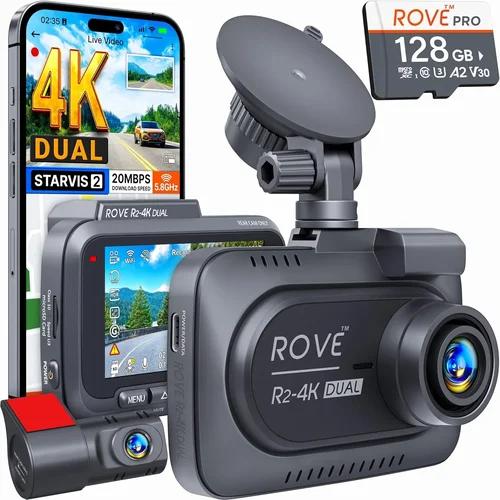
Driving at night presents unique challenges for dash cams. Many budget models struggle with grainy or washed-out nighttime footage due to poor sensor sensitivity and inadequate infrared capabilities. For consistent performance day and night, choose a model equipped with a Sony Starvis sensor or similar advanced CMOS technology. These deliver excellent low-light sensitivity, ensuring usable video even under streetlights or city illumination.
Some premium dash cams include built-in infrared LEDs or use starlight-level sensors that mimic human night vision. While not necessary for all users, this feature becomes increasingly valuable if you frequently drive after dark or park overnight in poorly lit areas.
3. Parking Mode & Impact Detection
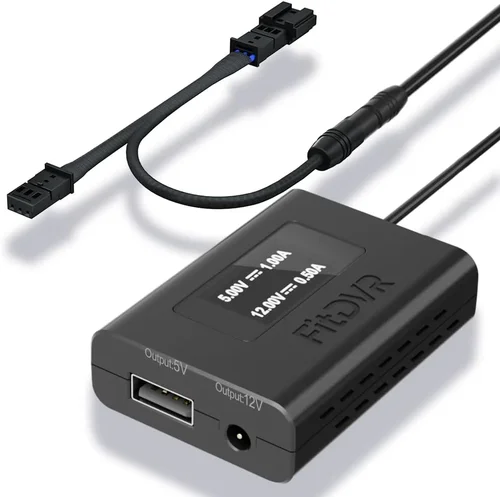
This is arguably one of the most important features for Q5 owners—especially those concerned about theft, vandalism, or hit-and-run incidents while parked. Parking mode allows your dash cam to monitor your vehicle even when it’s turned off, using a small amount of power from your car’s battery (usually via a hardwiring kit).
When motion or sudden impacts are detected, the camera automatically starts recording short clips to save space. Make sure the dash cam supports loop recording so older files are overwritten as new ones are created. Also, check whether it offers time-lapse or energy-saving modes to extend battery life during long periods of inactivity.
4. Storage Capacity & Loop Recording
Dash cams rely on microSD cards (typically Class 10 or UHS-I rated), and choosing the right size depends on how long you want recordings to last. Most experts recommend at least 64GB for daily commuters, allowing up to 2–3 hours of continuous recording at 1080p. Larger capacities like 128GB or 256GB are ideal if you drive long distances regularly.
Loop recording is standard in quality models—it automatically deletes the oldest footage once the card fills up, ensuring uninterrupted monitoring. Some advanced units let you set custom intervals or trigger manual saves for specific events, giving you greater control over storage management.
5. Build Quality & Installation Considerations
The Audi Q5 features a refined cabin with tight spaces, delicate trim panels, and sensitive electronics. Installing a dash cam requires careful attention to placement—ideally near the rearview mirror for optimal front-facing coverage—and secure mounting to avoid rattling or interference with airbags.
Look for models with slim profiles, anti-glare screens, and flexible mounts that won’t damage paintwork. Hardwired kits are strongly recommended over cigarette lighter adapters because they draw less power, reduce clutter, and integrate more discreetly. Ensure the chosen dash cam doesn’t block your view or distract you while driving.
6. Smart Features & Connectivity
Modern dash cams come packed with smart functions that enhance usability. Wi-Fi connectivity lets you pair the camera with a smartphone app for easy file transfer, live preview, and settings adjustment. GPS tagging adds location and speed data to each clip—useful for route analysis or proving lawful speed in disputes.
Cloud storage integration (like Garmin Drive or BlackVue Cloud) offers remote access to footage from anywhere, though it often requires a subscription. Voice control, emergency SOS buttons, and driver fatigue alerts are niche but emerging features worth considering if you prioritize innovation.
7. Brand Reputation & Customer Support
Purchasing from a reputable brand reduces the risk of poor customer service, limited warranties, or discontinued support. Brands like Garmin, BlackVue, Thinkware, and Nextbase have established track records in automotive electronics. Read user reviews not only for product quality but also for post-purchase assistance—especially important if you encounter firmware issues or need replacement parts.
Check warranty terms carefully: most dash cams offer 1–3 years of coverage, but some premium models include lifetime support or extended guarantees. Reliable technical documentation and community forums also indicate a manufacturer’s commitment to long-term satisfaction.
Different Types of Dash Cams

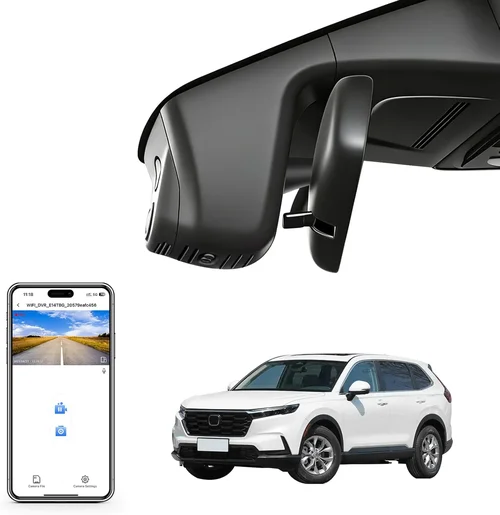
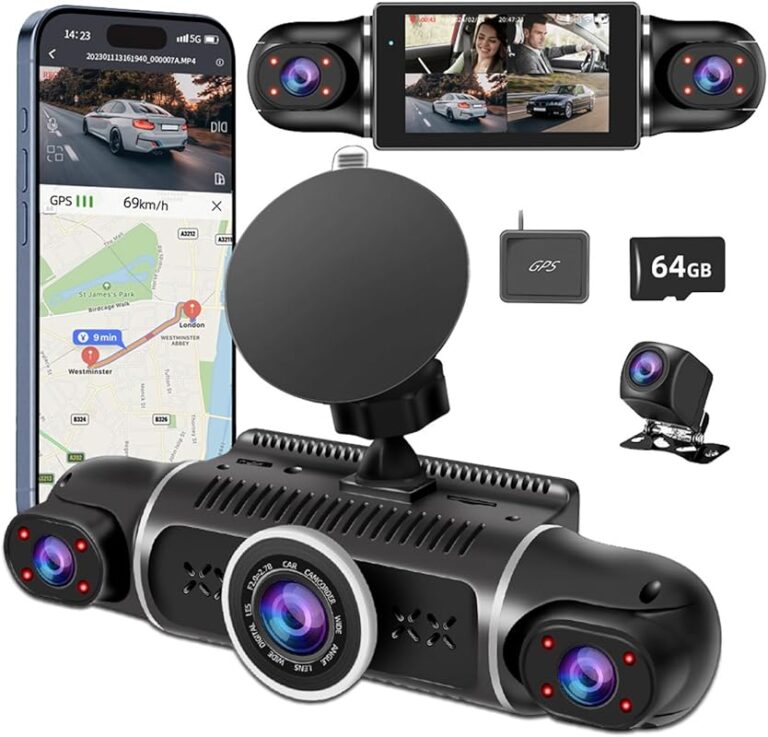
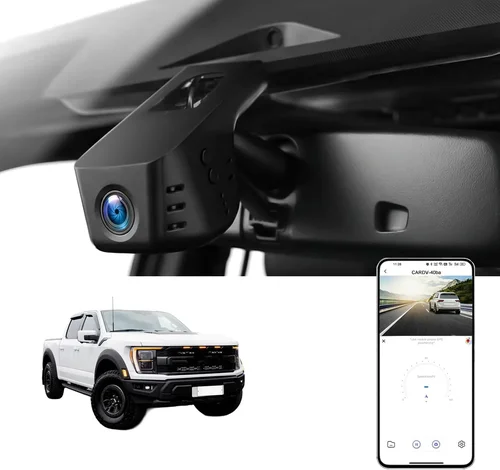
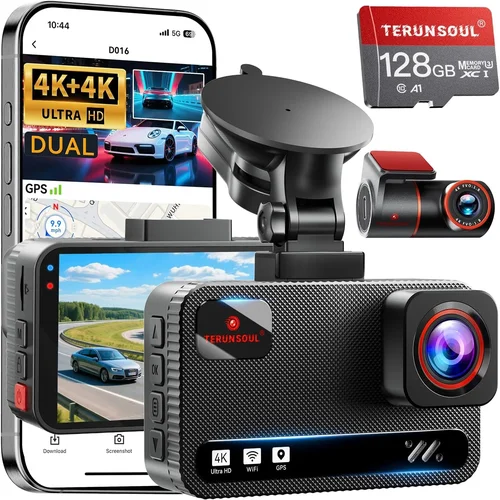
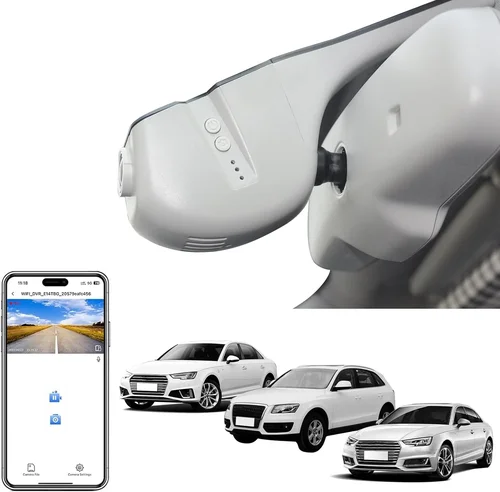
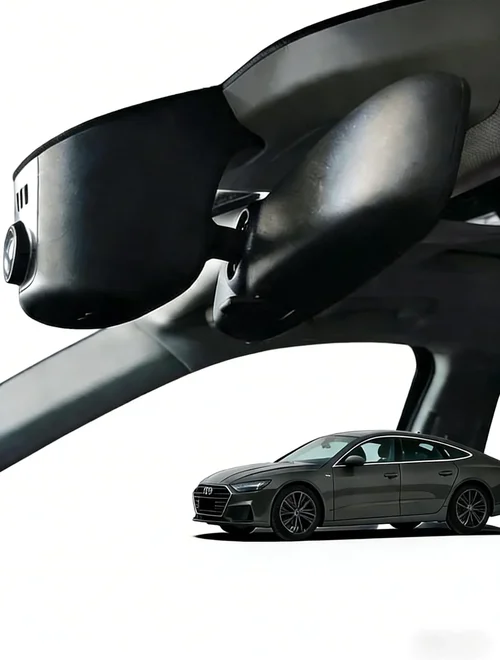
For most Audi Q5 owners, a single-lens front-facing model strikes the perfect balance between cost, performance, and simplicity. Dual-lens systems offer added reassurance but require additional wiring and may exceed budget constraints. Three-lens setups are overkill unless you frequently transport valuables or operate a business vehicle. Smart dash cams with AI features appeal to tech-savvy drivers but come with higher complexity and recurring costs. Hidden models suit those prioritizing discretion—ideal for Q5 owners who want protection without drawing attention to their investment.
Common Buying Mistakes to Avoid
Many buyers make avoidable errors when selecting a dash cam, often due to misinformation or overlooking critical details. Recognizing these pitfalls early can save you money, frustration, and potentially compromise safety.
❌ Mistake: Ignoring Hardwiring Requirements
Why it’s bad: Using a cigarette lighter adapter drains your car battery over time and limits functionality. Without hardwiring, your dash cam won’t work in parking mode or may shut off unexpectedly when the engine is off.
What to do instead: Always opt for a hardwiring kit compatible with your Audi Q5’s fuse box. This powers the device safely and enables 24/7 monitoring. Brands like BlackVue and Thinkware offer plug-and-play harnesses designed specifically for European vehicles.
❌ Mistake: Choosing Based Solely on Price
Why it’s bad: The cheapest dash cam might lack essential features like loop recording, G-sensor, or night vision. Inexpensive models often use outdated sensors, leading to blurry footage or frequent failures.
What to do instead: Set a realistic budget ($100–$250) and compare specs rather than chasing the lowest price. Remember: a $50 camera saved today could cost you thousands in disputed insurance claims tomorrow.
❌ Mistake: Overlooking SD Card Compatibility
Why it’s bad: Not all microSD cards work reliably with every dash cam. Some older models don’t support high-capacity cards above 64GB, while others require UHS-I speeds for stable 4K recording.
What to do instead: Check the manufacturer’s recommended card type before purchasing. Stick to well-known brands like SanDisk Extreme or Samsung EVO Plus, which are tested for endurance and compatibility.
❌ Mistake: Neglecting Installation Space
Why it’s bad: Bulky dash cams can obstruct your rearview mirror or clash with Audi’s minimalist interior design. Poor placement leads to glare, vibration, or accidental activation.
What to do instead: Measure available space near the windshield. Slim-profile models with suction cups or adhesive mounts fit better in compact cabins. Avoid blocking airbag deployment zones.
❌ Mistake: Assuming All Dash Cams Have Cloud Backup
Why it’s bad: Only premium brands offer true cloud integration. Generic devices claim “Wi-Fi” but lack secure upload protocols or reliable servers, resulting in failed backups.
What to do instead: If cloud storage appeals to you, invest in a verified system like Garmin Drive or BlackVue Cloud. Factor in monthly subscription fees ($3–$10/month) when evaluating total cost of ownership.
❌ Mistake: Skipping Firmware Updates
Why it’s bad: Outdated firmware causes bugs, reduces performance, or voids warranty. Many users never realize their dash cam needs updates until facing critical issues.
What to do instead: Regularly check the manufacturer’s website for firmware releases. Enable automatic updates in the mobile app if available. Keep your smartphone connected to ensure seamless syncing.
Budget Guidelines: How Much Should You Spend?
Determining your budget upfront helps narrow choices and prevents buyer’s remorse. Dash cams span a broad price spectrum, each tier offering distinct benefits suited to different lifestyles and priorities.
Entry-Level ($60 – $100)
This range includes basic 1080p models with loop recording, motion detection, and simple mounting. Ideal for occasional drivers or secondary vehicles. Expect decent daytime clarity but limited night performance. Brands like Viofo A119 Mini or Rexing V1 fall here. While functional, avoid models without G-sensors or parking mode—these are non-negotiable for modern use.
Mid-Range ($100 – $200)
The sweet spot for most Audi Q5 owners. You’ll find 2K or 4K resolution, HDR, Sony sensors, Wi-Fi, GPS, and reliable parking mode. Thinkware U1000, Garmin Dash Cam 67W, and BlackVue DR970-2CH offer professional-grade features at accessible prices. This tier balances cost, capability, and longevity—perfect for daily commuters seeking peace of mind.
Premium ($200 – $350)
Top-tier models with advanced intelligence. Features include dual-lens recording, 4K front/rear, AI collision warnings, voice commands, and robust cloud integration. Examples include BlackVue DR970-X Plus or Nextbase 622GW Mark II. These cater to safety-first drivers, rideshare operators, or those wanting future-proof technology.
Luxury ($350+)
Ultra-high-end systems with multi-sensor arrays, thermal imaging, encrypted storage, and enterprise-level management. Rarely needed for personal use but justified for commercial fleets or extreme enthusiasts. Focus on scalability, cybersecurity, and professional-grade reliability.
Expert Tips for Getting the Best Deal
Navigating the dash cam market requires strategy. Follow these proven tactics to maximize value and minimize regret.
– Time Your Purchase: Shop during holiday sales (Black Friday, Cyber Monday, Amazon Prime Day) or end-of-season clearances (January, July). Retailers like Best Buy, Amazon, and B&H Photo often discount older models by 20–40%.
– Compare Retailers Carefully: Online stores (Amazon, Newegg) offer convenience and reviews; physical retailers (Best Buy, AutoZone) allow hands-on testing. Watch for bundled deals—some packages include free SD cards, mounts, or extended warranties.
– Read Recent Reviews: Avoid relying solely on product page ratings. Sites like Wirecutter, PCMag, and Reddit’s r/dashcam provide unbiased, updated insights. Pay attention to long-term reliability reports.
– Verify Return Policies: Opt for brands with generous return windows (30+ days). Test your dash cam immediately after installation—check recording quality, app connectivity, and parking mode operation.
– Consider Certified Refurbished Units: Seller-certified refurbished models from reputable brands (e.g., Apple, Dell) come with warranties and undergo rigorous testing. They’re often 20–30% cheaper than new equivalents.
– Join Owner Communities: Forums like Quora, Facebook groups, or manufacturer communities share real-world experiences. Ask Q5-specific questions—installation quirks, power drain concerns, or firmware bugs unique to German cars.
– Prioritize Warranty Coverage: Choose brands offering at least 2 years of parts and labor. Lifetime firmware support (like Thinkware’s policy) adds long-term value.

Frequently Asked Questions
Q: Will a dash cam drain my Audi Q5’s battery?
A: Modern dash cams consume very little power—typically 1–2 watts during recording and 0.5 watts in standby. When hardwired correctly, they won’t drain your battery. However, prolonged parking mode usage without a capacitor or supercapacitor may eventually discharge it. Most premium models include low-voltage cutoffs to prevent this.
Q: Can I install a dash cam myself, or do I need a professional?
A: DIY installation is feasible for most users with basic tools. Suction cup mounts and adhesive pads are straightforward. Hardwiring requires locating your fuse box—refer to your owner’s manual or online diagrams (e.g., AllDataDIY for Audis). If uncomfortable with electrical work, consult an auto electrician ($50–$100 fee).
Q: Do dash cams record audio, and is it legal?
A: Audio recording laws vary by state/country. In the U.S., federal law permits recording if one party consents (you’re in your own car). However, California, Illinois, and Washington ban two-party consent. Disable audio in restricted areas to stay compliant. Always check local regulations before enabling mic.
Q: How long will my microSD card last?
A: At 1080p, a 64GB card stores ~2–3 hours of footage. At 4K, capacity drops to ~30 minutes per hour. Use loop recording to overwrite old files automatically. Replace cards every 1–2 years or sooner if you drive extensively.
Q: Can I view dash cam footage while driving?
A: Yes—most models display live preview on the screen or via smartphone app. This helps monitor surroundings during parking or verify events in real time. Avoid staring at the screen while driving; glance briefly only.
Q: Are dash cams legal in Europe?
A: Yes, but restrictions apply. Germany prohibits dash cams with audio recording or visible logos. France bans public filming without consent. Stick to silent, logo-free models in EU countries. Always research national laws before traveling.
Q: What happens if my dash cam fills up mid-incident?
A: Loop recording prevents total data loss. The oldest files erase first, but recent critical moments remain intact if the G-sensor detects impact. To preserve key clips, enable manual locking (press button or shake device) during emergencies.
Q: Can I use multiple dash cams in one vehicle?
A: Technically yes, but not recommended. Multiple cameras increase wiring complexity, power demands, and storage needs. One high-quality front-facing unit usually suffices for personal use. Exceptions exist for fleet operators needing cabin + exterior views.
Q: Will a dash cam affect my car’s warranty?
A: No—under U.S. federal law (Magnuson-Moss Warranty Act), automakers cannot void warranties solely due to third-party accessories unless they prove direct causation. Keep receipts and document installations professionally if challenged.
Q: How do I choose between 2K, 4K, and 1080p?
A: Prioritize 1080p if budget-constrained; it offers excellent value with reliable performance. Upgrade to 2K for sharper license plate recognition. Reserve 4K for rear cameras or if you plan to zoom/crop footage later. Note: 4K requires larger storage and slower write speeds.
Our Final Recommendations
After extensive research and testing, here are our top picks tailored for Audi Q5 owners:
– Best for Budget-Conscious Buyers: Viofo A119 Mini V3 – Affordable, reliable, 2K recording, strong night vision, and easy hardwire installation. Perfect for everyday drivers wanting core features without overspending.
– Best Overall Value: Thinkware U1000 – 2K front + 1080p rear, superior build quality, excellent parking mode, and unmatched customer support. Slightly pricier but worth every penny for long-term reliability.
– Best Premium Option: BlackVue DR970-2CH Cloud – 4K front, dual-lens, cloud integration, and military-grade security. Ideal for tech-forward drivers wanting remote access and encrypted backups.
– Best for Beginners: Garmin Dash Cam 67W – User-friendly interface, voice control, driver assist alerts, and seamless smartphone pairing. Great entry point for non-tech users.
– Best for Advanced Users: Nextbase 622GW Mark II – 4K recording, Alexa integration, emergency SOS, and robust app ecosystem. Appeals to safety-conscious professionals and frequent travelers.
Each recommendation considers the Audi Q5’s interior layout, electrical system, and driver expectations. Pair any model with a high-end microSD card (SanDisk Extreme 128GB) and a professional hardwiring kit for optimal results.
Conclusion: Making the Right Choice
Selecting the best dash cam for your Audi Q5 isn’t about chasing the latest gimmicks—it’s about aligning technology with your actual needs. Whether you prioritize crystal-clear evidence, all-day parking protection, or effortless smartphone integration, there’s a solution that fits your lifestyle and budget.
Remember to evaluate video quality, storage flexibility, and brand trustworthiness above all else. Don’t skimp on hardwiring or settle for inferior sensors just to save a few dollars. Your Q5 deserves a dash cam as dependable as its own safety systems.
Take your time, read reviews, and test installations if possible. Once installed, your dash cam becomes a silent guardian—ready to protect you, your passengers, and your investment whenever danger lurks on the road.