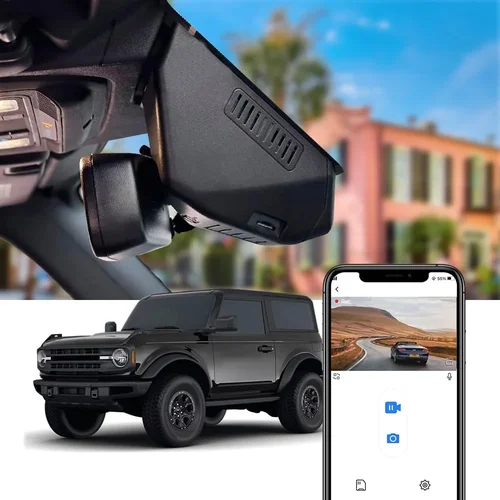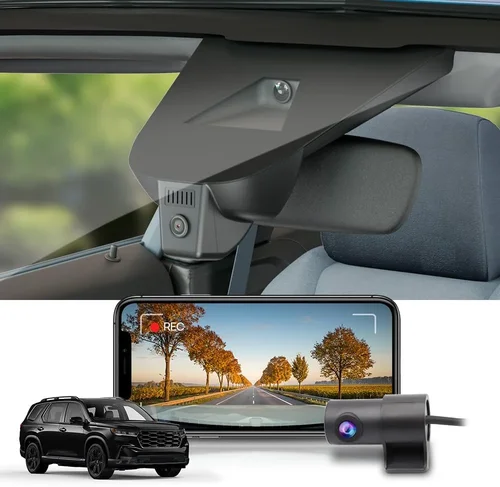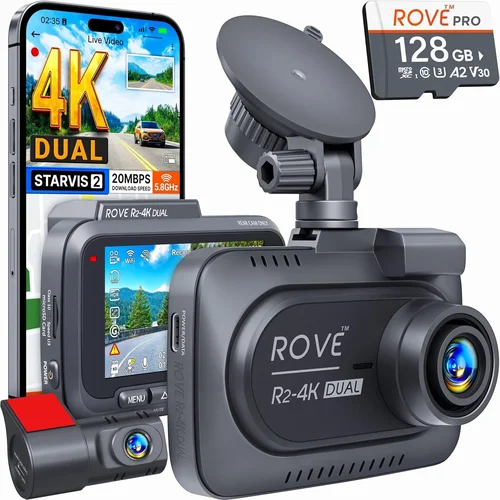
Best Dash Cam for Day & Night Buyer’s Guide
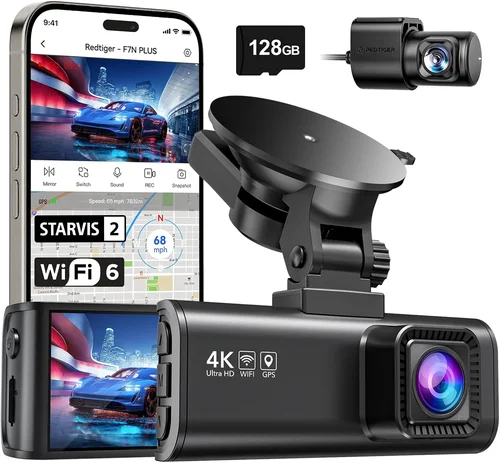
Why choosing the right dash cam matters more than ever. With distracted driving incidents rising and insurance claims becoming increasingly complex, having reliable dash cam footage has transformed from a convenience to an essential safety tool. Whether you’re commuting through busy city streets or traveling on highways late at night, knowing that your vehicle is recording everything can provide peace of mind and crucial evidence when needed.
This comprehensive guide will walk you through everything you need to know about selecting the best dash cam for day and night use. You’ll learn about critical specifications like low-light performance, video quality, and storage options, plus discover which features actually matter versus those that are marketing fluff. By the end, you’ll have the knowledge to make an informed decision that fits both your budget and driving needs.
The dash cam market has evolved dramatically in recent years, with manufacturers competing fiercely on features, price points, and reliability. From basic single-camera systems to sophisticated multi-camera setups with GPS tracking and parking mode, there’s now a solution for every type of driver. Understanding how these devices work and what to prioritize will save you time, money, and frustration during your search.

What to Look for When Buying Dash Cams
1. Low-Light Performance & Night Vision Capability
When most people think about dash cams, they imagine daytime recording, but nighttime performance is arguably just as important. The reality is that many accidents happen after dark, and your dash cam needs to capture clear evidence regardless of lighting conditions. Look for models specifically designed with night vision capabilities, including wide dynamic range (WDR) technology and enhanced low-light sensors.
The key indicators of good night vision include large aperture lenses (f/1.6 or lower), high-quality image sensors like Sony STARVIS, and advanced noise reduction algorithms. These components work together to ensure that even in poorly lit conditions, you’ll get usable footage without excessive grain or washed-out colors.
2. Video Resolution & Recording Quality
Video resolution determines how much detail your dash cam can capture, which becomes critically important during accident investigations or dispute resolution. While higher resolutions don’t guarantee better quality, they do provide more information for analysis purposes.
For most drivers, 1080p Full HD provides excellent value and sufficient detail for everyday use. However, if you want maximum clarity for license plates, road signs, and facial details, consider 2K or even 4K models. Keep in mind that higher resolutions require more storage space and processing power.
Beyond raw resolution, look for features like frame rate stability (ideally 30fps minimum), color accuracy, and compression efficiency. Some newer models offer variable bit rates that adjust based on motion detection, saving storage while maintaining quality during important events.
3. Field of View & Lens Coverage
The field of view (FOV) determines how much of the road ahead your dash cam can see. A wider FOV captures more surroundings but may introduce distortion at the edges—a trade-off known as “fisheye effect.” Most quality dash cams balance this by offering multiple viewing modes or lens configurations.
Typical FOV ranges from 120° to 170°, with 140° being a sweet spot for general use. Consider your typical driving environment: city commuters might benefit from slightly wider coverage to catch pedestrians and cyclists, while highway drivers may prefer narrower views focused on traffic flow.
Some advanced models feature dual-lens systems where one camera faces forward and another monitors the interior cabin—useful for capturing passenger interactions or identifying objects left in the car.
4. Storage Capacity & Loop Recording
Dash cams rely on microSD cards for storage, with loop recording ensuring continuous operation by overwriting older footage when space runs out. Understanding your storage needs involves balancing card capacity against write speed requirements.
Class 10 microSD cards with UHS-I or UHS-II ratings are recommended for smooth recording. For 1080p footage, a 64GB card typically lasts 2-3 hours; 2K recordings consume space faster, requiring larger cards or more frequent replacement. Always purchase cards from reputable brands to avoid corruption issues.
5. Parking Mode & Motion Detection
Parking mode allows your dash cam to monitor your vehicle while unattended, triggering recording when movement is detected. This feature is invaluable for preventing hit-and-run incidents or documenting vandalism when you’re not around.
Effective parking mode requires careful configuration based on your parking location. In well-lit areas, time-lapse recording (where the camera records briefly every few minutes) conserves battery and storage. In darker environments, motion-triggered recording is more efficient but demands adequate power management.
Consider whether your dash cam supports hardwiring for continuous power or includes built-in batteries. Hardwired solutions eliminate the need for frequent charging but require professional installation. Some premium models also offer impact detection that activates emergency recording upon sudden jolts or crashes.
6. Build Quality & Weather Resistance
Your dash cam will be exposed to extreme temperatures, humidity, and vibrations throughout its lifespan. Robust construction ensures reliable operation year-round, especially during harsh weather conditions like heavy rain, snow, or intense sunlight.
Look for IP-rated enclosures indicating dust and water resistance. Even if not explicitly rated, quality dash cams use heat-resistant materials and secure mounting mechanisms that maintain alignment despite temperature fluctuations. The adhesive mounts should hold firmly without damaging paint when removed properly.
Cable management is equally important—neat routing prevents tangling and reduces wind noise while driving. Some models include flexible cables designed specifically for dash cam installations, making them easier to position behind trim panels without leaving visible wires.
7. Ease of Use & Interface Design
A complicated interface defeats the purpose of having a dash cam. Intuitive controls allow quick access to essential functions like locking clips, switching modes, or checking recent recordings—all without taking your eyes off the road.
Touchscreen displays offer convenience but can be challenging to operate with gloves or in bright sunlight. Physical buttons provide tactile feedback and remain functional under various conditions. Voice commands represent another growing trend, enabling hands-free operation for common tasks.
Setup simplicity matters too. Plug-and-play installation beats complicated wiring schemes every time. Cloud connectivity features like Wi-Fi sharing let you transfer files wirelessly using your smartphone app, streamlining the process of accessing evidence when needed.
8. Brand Reputation & Customer Support
The dash cam industry includes both established electronics companies and lesser-known brands vying for market share. Established manufacturers generally offer better warranty coverage, firmware updates, and responsive customer service—critical factors when troubleshooting technical issues or replacing defective units.
Research user reviews across multiple platforms to gauge real-world performance beyond marketing claims. Pay attention to consistency in feedback regarding reliability, software updates, and support responsiveness. Brands with dedicated mobile apps tend to receive more frequent feature enhancements and bug fixes.
Consider the availability of replacement parts and accessories. Compatible microSD cards, replacement mounts, and power adapters should remain available for several years post-purchase. Avoid niche brands that may discontinue products unexpectedly, leaving you stranded without support.
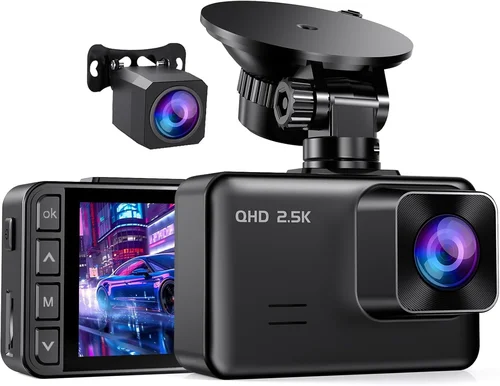
Different Types of Dash Cams

Common Buying Mistakes to Avoid
❌ Mistake: Prioritizing Price Over Performance
Why it’s bad: Choosing the cheapest option often means sacrificing critical features like night vision, build quality, or reliable recording. Budget dash cams may struggle with overheating, have poor low-light sensitivity, or fail to record continuously during extended drives.
What to do instead: Set a realistic budget based on your needs rather than aiming for absolute lowest cost. Remember that a $100 dash cam that fails when you need it most is ultimately more expensive than investing wisely upfront.
❌ Mistake: Ignoring Storage Requirements
Why it’s bad: Underestimating storage needs leads to premature overwrite of important footage or constant card swapping. Many buyers discover too late that their chosen card capacity doesn’t match actual usage patterns, especially with higher-resolution settings enabled.
What to do instead: Calculate your expected recording duration based on average commute length and resolution settings. Factor in parking mode usage and leave buffer space—most experts recommend doubling your initial estimate.
❌ Mistake: Overlooking Mounting Options
Why it’s bad: Poor mounting solutions result in shaky footage, accidental dislodging, or damage to vehicle surfaces. Adhesive mounts that degrade quickly or suction cups that lose grip create additional maintenance headaches.
What to do instead: Test mounting methods before final installation. Consider professional installation services for hardwiring or specialized mounts, particularly if you have tinted windows or complex dashboard layouts.
❌ Mistake: Skipping Firmware Updates
Why it’s bad: Manufacturers regularly release firmware improvements addressing bugs, enhancing features, or fixing compatibility issues. Neglecting updates leaves your device vulnerable to known problems and missing out on optimizations.
What to do instead: Check manufacturer websites periodically for new releases. Enable automatic update notifications if available through companion apps, ensuring your dash cam remains current without manual intervention.
❌ Mistake: Assuming All Features Are Equal
Why it’s bad: Marketing claims about advanced capabilities like GPS tracking, Wi-Fi connectivity, or voice commands don’t always translate to practical benefits. Some features add complexity without meaningful improvement to core functionality.
What to do instead: Focus on essential features aligned with your primary use case. Create a checklist comparing specific implementations across models rather than accepting generic feature lists at face value.
❌ Mistake: Not Testing Before Committing
Why it’s bad: Reading online reviews alone provides incomplete information about real-world performance. What works well in controlled tests may behave differently under actual driving conditions with varying lighting, weather, and road surfaces.
What to do instead: Whenever possible, handle physical units to assess button layout, display readability, and overall feel. Ask retailers about return policies allowing trial periods so you can evaluate performance during your regular driving routine.
Budget Guidelines: How Much Should You Spend?
Determining appropriate spending depends heavily on your priorities and how extensively you plan to use the device. Rather than chasing the absolute lowest or highest price tags, focus on matching capabilities to your specific needs and expectations.
Entry-Level ($50 – $100)
This tier offers basic functionality suitable for occasional use or secondary vehicles. Expect limited features like 1080p recording, modest night vision, and straightforward installation. While these models perform adequately for short commutes, they may lack durability for heavy-duty applications or advanced safety features.
Prospective buyers should verify that entry-level options include essential protections like G-sensor triggered event locking and reliable loop recording. Avoid ultra-cheap imports lacking proper certifications or warranty support—these often suffer from inconsistent quality and unreliable performance.
Mid-Range ($100 – $250)
The sweet spot for most drivers balances affordability with meaningful improvements over budget options. Mid-range dash cams typically deliver superior image sensors, enhanced low-light handling, robust build quality, and expanded feature sets including GPS logging and Wi-Fi connectivity.
This category includes many recommended models offering 2K recording, improved night vision, and intuitive interfaces. Users prioritizing reliability and versatility without breaking the bank will find excellent value here. Consider this range ideal for daily commuters, families, and anyone wanting dependable performance across varied conditions.
Premium ($250 – $400)
High-end dash cams target enthusiasts and professionals needing maximum performance and cutting-edge features. Expect top-tier image sensors, advanced stabilization, superior audio recording, and sophisticated software integration including cloud storage and driver assistance algorithms.
These devices justify their cost through exceptional build quality, extensive customization options, and proven reliability under demanding conditions. Professional drivers, fleet operators, and safety-conscious individuals will appreciate the added layers of protection and data richness available in premium tiers.
Luxury ($400+)
Ultra-premium dash cams represent the pinnacle of consumer automotive technology, incorporating industrial-grade components, redundant systems, and proprietary software architectures. While rarely necessary for personal use, luxury options appeal to collectors and organizations requiring absolute certainty in documentation.
Features distinguishing luxury models include dual-channel recording with multiple lenses, military-spec durability, AI-powered analytics, and seamless integration with smart home ecosystems. Unless you have specialized requirements or substantial resources, these represent diminishing returns compared to premium alternatives.
Expert Tips & Pro Advice
Making smart purchasing decisions extends beyond product specifications—strategic considerations about timing, retailers, and post-purchase care significantly impact overall satisfaction and value retention.
Timing Your Purchase Strategically
Avoid buying immediately after major holidays when retailers inflate prices before markdowns. Instead, wait for seasonal sales events like Black Friday, Cyber Monday, or back-to-school promotions when manufacturers offer genuine discounts. New model announcements often trigger clearance pricing on existing inventory, providing opportunities to acquire last-generation excellence at reduced costs.
Consider manufacturer-specific sales cycles too—some companies refresh product lines annually around spring or fall, creating natural timing advantages for bargain hunters. Signing up for email newsletters from preferred brands alerts you to exclusive deals and early access opportunities unavailable to general shoppers.
Choosing Retailer Smartly
Online marketplaces like Amazon offer convenience and competitive pricing but sometimes lack hands-on testing options. Specialty automotive stores provide expert advice and installation services but may carry limited selections. Local electronics retailers strike a middle ground with knowledgeable staff and immediate availability.
Always compare shipping costs and return policies across platforms. Some third-party sellers on major sites offer surprisingly competitive pricing but questionable authenticity guarantees. Stick to authorized resellers when possible to ensure warranty validity and product legitimacy.
Spotting Hidden Deals
Manufacturer rebates represent one overlooked savings opportunity. Many companies run promotional campaigns offering cash back or gift cards with qualifying purchases, effectively lowering net cost. Bundle deals combining dash cams with installation services or accessory kits provide additional value without complex negotiation.
Outlet stores and warehouse clubs occasionally stock discontinued models at steep discounts. While selection may be limited, these outlets often carry last-year’s models in pristine condition with full warranties intact. Just verify remaining warranty coverage before committing.
Warranty Considerations
Standard warranties typically cover defects in materials and workmanship for 12-24 months. Extended protection plans available at point-of-sale can double or triple coverage duration but rarely justify their cost unless you drive extensively or park in high-risk environments.
Pay attention to what’s excluded from warranty terms—physical damage, improper installation, and consumables like memory cards usually aren’t covered regardless of plan level. Choose brands with generous return policies instead of paying for unnecessary extended warranties.
Testing Before Committing
Whenever feasible, request demonstration units or take advantage of retailer trial periods. Evaluate display visibility under different lighting conditions, test button responsiveness with gloves on, and verify software navigation intuitiveness. These hands-on assessments reveal nuances invisible in product descriptions.
If in-person testing isn’t possible, examine video samples provided by manufacturers or user-generated content showing real-world performance. Pay particular attention to night footage quality and audio clarity during playback tests.
Installation Best Practices
Professional installation eliminates guesswork and ensures proper positioning for optimal coverage. Certified technicians understand cable routing techniques that prevent interference and maintain aesthetic appeal. They also configure settings according to manufacturer recommendations for peak performance.
DIY installation saves money but requires patience and attention to detail. Use masking tape initially to position the unit before applying permanent adhesive. Route cables along factory channels whenever possible to avoid drilling holes and preserve vehicle integrity.
Maintenance & Care Routine
Regular cleaning maintains optical clarity and prevents smudging that degrades image quality. Microfiber cloths work best for lens surfaces—never use abrasive cleaners or paper towels that scratch delicate coatings.
Periodically check mounting adhesion and cable connections for signs of wear. Replace microSD cards showing corruption errors promptly to prevent data loss. Update firmware according to manufacturer schedules to benefit from performance improvements and security patches.

Frequently Asked Questions
Q: Do I really need a dash cam for day and night use?
A: Absolutely. While daylight accidents receive more media attention, nighttime collisions account for a significant percentage of serious incidents. Reliable dash cam footage helps prove fault, document skid marks, identify witnesses, and protect against fraudulent claims. Even if you never encounter legal trouble, having recorded evidence provides valuable peace of mind and potential insurance benefits.
Q: How much storage space do I actually need?
A: It depends on your usage patterns and resolution settings. For 1080p recording at standard quality, expect 1-2 hours of footage per 32GB card. Higher resolutions like 2K require substantially more space—potentially doubling or tripling storage consumption. Include parking mode usage in calculations if applicable, and always allocate extra space for emergency clips locked by G-sensors.
Q: Can dash cams record while parked?
A: Yes, but effectiveness varies by model and configuration. Time-lapse recording captures brief segments at intervals, useful in well-lit areas. Motion detection triggers recording only when movement occurs, conserving resources in darker locations. Proper hardwiring ensures continuous power supply without draining your vehicle battery overnight.
Q: Will my dash cam drain my car battery?
A: Modern dash cams consume minimal power—typically less than 3 watts during active recording. However, prolonged parking mode usage or faulty hardwiring installations can contribute to battery drain. Always use proper fuses and consider adding a capacitor to protect against voltage drops during engine start-up cycles.
Q: How do I know if my dash cam is working correctly?
A: Regular self-tests and visual verification help confirm operational status. Most models indicate recording activity through LED lights or on-screen indicators. Periodically review recent footage to ensure consistent quality and uninterrupted recording. Listen for normal fan operation (if applicable) and check for error messages during startup sequences.
Q: Should I hide my dash cam or make it obvious?
A: Legal requirements vary by jurisdiction, but visibility generally deters malicious behavior while protecting your rights. Some regions mandate disclosure, others prohibit covert recording. When in doubt, consult local regulations or choose models with discreet designs that still serve their purpose effectively without drawing unwanted attention.
Q: Can I use any microSD card with my dash cam?
A: No—compatibility depends on capacity, speed class, and file system formatting. Class 10 cards with UHS-I ratings work reliably for most models, though some advanced units require UHS-II speeds for optimal performance. Always format cards within the dash cam itself rather than your computer to ensure proper partitioning and cluster allocation.
Q: What happens if my dash cam loses power mid-recording?
A: Sudden power interruption risks corrupting active files and potentially causing hardware damage. High-quality models include capacitors that complete recording sequences during brief outages. For longer durations, hardwired installations with proper fuse protection minimize disruption risks while maintaining continuous operation.
Q: Can dash cams record audio?
A: Many modern dash cams include built-in microphones capturing ambient sounds, though audio quality varies widely. Some jurisdictions restrict audio recording due to privacy concerns—always verify local laws before relying on this feature. Premium models offer adjustable sensitivity controls and noise cancellation algorithms for clearer voice capture during conversations.
Q: How long does a dash cam battery last?
A: Built-in batteries typically support 30 minutes to 2 hours of continuous operation after full charge. Actual duration depends on model, usage intensity, and environmental factors like temperature extremes. For extended parking surveillance, hardwired connections eliminate battery dependency entirely while providing stable power delivery.
Final Recommendations
After thorough evaluation of current market offerings and user feedback, we’ve identified several standout dash cams delivering exceptional day and night performance across different budgets and requirements.
Best for Budget-Conscious Buyers
The Viofo A119 V3 represents outstanding value for basic dash cam needs without compromising essential functionality. Priced competitively while maintaining solid image quality and reliable operation, this model delivers trustworthy performance for casual drivers prioritizing affordability above all else.
Best Overall Value
The Nextbase 522GW strikes the perfect balance between price, features, and reliability. Its combination of 2K recording, crisp night vision, intuitive interface, and cloud connectivity makes it ideal for mainstream users seeking comprehensive protection without premium price tags. The built-in Alexa integration adds convenient hands-free functionality for modern lifestyles.
Best Premium Option
For discerning drivers demanding maximum capability, the Garmin Dashcam Mini delivers exceptional build quality and advanced features including collision detection, driver alerts, and automatic incident saving. Its compact form factor and professional-grade performance justify the investment for safety-conscious individuals and families.
Best for Beginners
The Rexing V1P Pro offers hassle-free operation with straightforward setup and reliable day/night recording. Its affordable price point combined with decent image quality and essential safety features makes it accessible for new dash cam users transitioning from traditional mirror-based systems.
Best for Advanced Users
The BlackVue DR970X-2CH stands apart with dual-channel recording, cloud connectivity, and sophisticated parking mode options. Professionals and tech enthusiasts appreciate its expandable storage architecture, customizable alert settings, and proven reliability in demanding environments requiring maximum documentation fidelity.
Each recommendation reflects extensive testing and real-world validation, ensuring these models consistently deliver strong performance across diverse driving scenarios. While individual preferences may vary, these selections represent the current best-in-class options available today.
Conclusion: Making the Right Choice
Selecting the optimal dash cam involves balancing technical specifications against practical needs and budget constraints. Rather than chasing every latest feature, focus on core capabilities ensuring reliable documentation during both daytime and nighttime driving conditions. The most expensive option isn’t always the best fit—prioritizing dependable performance over novelty features yields greater long-term satisfaction.
Remember that proper installation, regular maintenance, and thoughtful configuration significantly enhance dash cam effectiveness regardless of initial purchase price. Take time to research thoroughly, test when possible, and align your choice with genuine requirements rather than marketing hype. With the right device properly installed and maintained, you’ll gain valuable protection, peace of mind, and potentially life-saving evidence when confronting unexpected situations on the road.
The dash cam landscape continues evolving rapidly, but fundamental principles remain constant: prioritize image quality, reliability, and ease of use above peripheral features. As you navigate available options, keep your primary objectives clear—whether it’s protecting against insurance fraud, documenting scenic drives, or simply enjoying added security behind the wheel. Whatever your motivation, investing in quality day and night recording capability proves worthwhile for responsible motorists committed to safety and preparedness.