Best Dash Cam for Continuous Recording & Accident Collision Selection Guide
When you’re behind the wheel, every second counts. A split-second distraction, a sudden stop, or an unexpected collision can change your life in an instant. That’s why having reliable dash cam protection isn’t just convenient—it’s essential. Whether you’re commuting daily, road-tripping across the country, or simply want peace of mind while driving, a high-quality dash cam can provide crucial evidence in the event of an accident, help prevent insurance fraud, and even reduce your premium rates. This comprehensive guide will walk you through everything you need to know about selecting the best dash cam for continuous recording and accident collision detection, ensuring you make an informed decision that protects both your vehicle and your peace of mind.
In this detailed buying guide, you’ll learn how to evaluate dash cams based on critical factors like video resolution, storage capacity, GPS tracking, impact sensitivity, and emergency recording features. We’ll break down the technical specifications in simple terms, compare top-performing models across different price ranges, and reveal common pitfalls that could cost you valuable footage. You’ll also discover expert tips for maximizing battery life, choosing the right memory card, and setting up your device for optimal performance. By the end of this article, you’ll have all the knowledge needed to select a dash cam that delivers reliable continuous recording, intelligent collision detection, and dependable performance in real-world driving conditions.
The market for dash cams has evolved dramatically over the past decade, moving from basic single-lens cameras to sophisticated multi-camera systems with advanced AI capabilities. Today’s best dash cams offer loop recording, automatic file management, cloud connectivity, smartphone integration, and sophisticated impact sensors that automatically save critical footage when accidents occur. However, with so many options available—from budget-friendly models under $100 to professional-grade systems costing over $500—choosing the right one can feel overwhelming. This guide cuts through the marketing hype to focus on what truly matters: consistent performance, reliable accident detection, and durable construction that withstands the rigors of daily driving.

What to Look for When Buying Dash Cams
Selecting the right dash cam requires careful consideration of multiple factors that directly impact its effectiveness and reliability. The most important aspects include build quality, performance specifications, storage solutions, and intelligent features designed specifically for accident detection and continuous operation.
1. Budget & Price Range
Your budget should align with your usage needs and desired features. Entry-level dash cams ($50-100) offer basic recording capabilities but may lack advanced collision detection and reliable performance. Mid-range models ($100-250) typically provide the best balance of features, durability, and value for everyday drivers. Premium systems ($250-400+) deliver professional-grade performance with enhanced sensors, superior video quality, and robust construction suitable for demanding conditions.
2. Performance Specifications
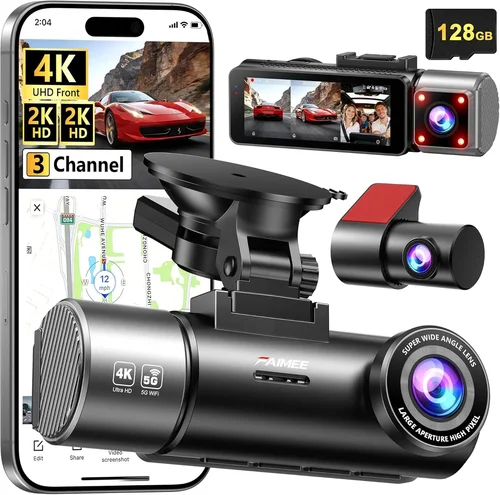
Video resolution is paramount—look for at least 1080p Full HD, though 4K Ultra HD provides exceptional detail for license plate recognition and facial identification. Frame rate (measured in fps) affects motion smoothness; 30fps is standard, while 60fps offers better clarity for fast-moving objects. Low-light performance is equally critical, as most accidents occur during dawn, dusk, or nighttime driving. Cameras with wide dynamic range (WDR) and infrared night vision capabilities capture clear footage in challenging lighting conditions.
3. Build Quality & Durability
A dash cam must endure extreme temperatures, vibrations, and potential impacts. High-quality materials like reinforced polycarbonate housings, anti-glare lenses, and secure mounting brackets ensure longevity. Waterproof ratings (IPX rating) protect against moisture damage, while heat resistance prevents malfunctions in hot climates. Consider models with military-grade certifications or those tested for shock resistance up to 10G force.
4. Features & Functionality
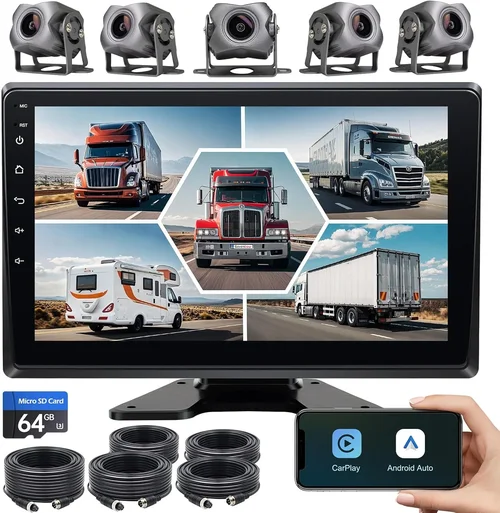
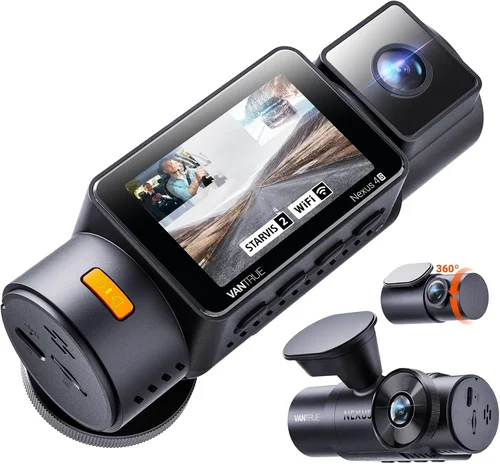
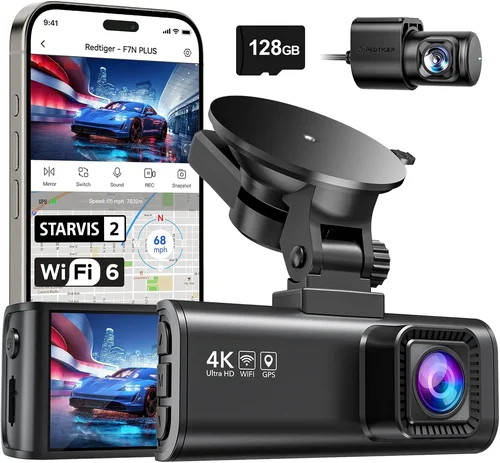
Advanced dash cams include GPS tracking for speed monitoring and location logging, G-sensor technology for automatic incident detection, parking mode for security while parked, and Wi-Fi connectivity for easy video access. Loop recording ensures continuous operation by overwriting old footage, while emergency file locking preserves critical events. Some models offer dual-lens systems for front and rear coverage, while others include built-in microphones and displays for added functionality.
5. Brand Reputation
Established brands with proven track records offer better customer support, more reliable warranties, and regular firmware updates. Research user reviews, professional testing results, and industry awards to gauge reliability. Brands known for dash cam expertise include BlackVue, Garmin, Thinkware, Viofo, and Rexing, each offering distinct advantages in specific categories.
6. Warranty & Support
A comprehensive warranty (typically 1-3 years) reflects manufacturer confidence in their product. Look for extended warranty options, responsive customer service, and readily available replacement parts. Cloud-based services often require subscription fees beyond the initial purchase, so factor these ongoing costs into your budget planning.
7. Size & Portability
Compact designs minimize windshield obstruction while maintaining field of view. Ultra-compact models fit discreetly in small vehicles, while larger units may offer additional features like bigger screens or enhanced processing power. Consider mounting flexibility—some dash cams allow rotation for optimal positioning without blocking your view.
8. User Reviews & Ratings
Real-world feedback from verified purchasers reveals practical performance insights often missing from marketing materials. Pay attention to consistency across review platforms, noting patterns in reported issues rather than isolated complaints. Professional testing videos and comparisons provide objective data on image quality, software reliability, and feature performance.
Different Types of Dash Cams

Common Buying Mistakes to Avoid
❌ Mistake: Prioritizing Resolution Over Low-Light Performance
Why it’s bad: While 4K resolution sounds impressive, many budget 4K dash cams sacrifice low-light capability, resulting in grainy, unusable footage when visibility drops. Without proper WDR and infrared night vision, high resolution becomes meaningless during critical nighttime driving moments.
What to do instead: Choose a camera with balanced specifications—prioritize 1080p or 2.5K resolution with excellent low-light performance over raw pixel count alone. Test sample footage in dark conditions before purchasing.
❌ Mistake: Ignoring Storage Requirements and Costs
Why it’s bad: Relying solely on internal flash memory leads to frequent overwrite cycles that delete potentially critical footage. Many users forget that high-resolution dash cams consume memory cards rapidly, turning a $20 expense into a recurring monthly cost.
What to do instead: Calculate storage needs based on your recording length preferences. For example, 128GB cards typically hold 2-3 hours of 1080p footage. Factor in Class 10 UHS-I/UHS-II compatibility and consider dash cams with dual SD card slots for redundancy.
❌ Mistake: Overlooking Parking Mode Limitations
Why it’s bad: Basic parking modes drain car batteries quickly, while advanced versions require hardwiring kits or constant power connections. Many users install dash cams expecting 24/7 security without understanding power requirements or theft risks.
What to do instead: Understand your car’s electrical system before installing. Hardwire kits provide seamless integration but require professional installation. Consider battery-saving features like motion-activated recording or smart voltage cutoffs that prevent battery drain.
❌ Mistake: Choosing Based Solely on Brand Name
Why it’s bad: Popular brands sometimes prioritize marketing over engineering, resulting in inconsistent quality across product lines. Newer entrants often develop innovative features that outperform established brands in specific areas.
What to do instead: Research independently using professional reviews, user forums, and testing videos. Compare actual performance metrics rather than brand reputation alone. Consider niche specialists who excel in particular technologies.
❌ Mistake: Neglecting Firmware Updates and Software Reliability
Why it’s bad: Outdated firmware can cause file corruption, sensor malfunctions, or feature limitations. Some manufacturers abandon older models after 1-2 years, leaving users with obsolete hardware unable to receive critical improvements.
What to do instead: Check manufacturer update history before purchasing. Join user communities to stay informed about software stability. Avoid models with known compatibility issues between hardware generations.
❌ Mistake: Focusing Only on Continuous Recording
Why it’s bad: While continuous recording ensures no gaps in footage, it doesn’t guarantee optimal event capture. Poor impact sensitivity settings might miss minor collisions, while excessive file locking creates storage inefficiencies that overwrite important context.
What to do instead: Balance continuous recording with intelligent event detection. Set appropriate sensitivity levels for your driving environment—lower in urban areas with frequent stops, higher on highways with fewer interruptions.
❌ Mistake: Installing Without Proper Testing
Why it’s bad: Improper mounting angles, obstructed views, or incompatible accessories can render even the best dash cam ineffective. Glare from sun visors, dashboard reflections, or poor placement angles create unusable footage regardless of technical capabilities.
What to do instead: Conduct thorough testing before final installation. Adjust mounting positions multiple times, check for glare issues, and verify field of view covers relevant road areas without blocking your vision.
Budget Guidelines: How Much Should You Spend?
Understanding where your money goes helps maximize value based on your specific needs and driving patterns.
Entry-Level ($50 – $100): What to Expect
This range includes basic dash cams with essential features for occasional drivers or those on tight budgets. You’ll typically find 1080p resolution, loop recording, and simple G-sensor functionality. These models may lack advanced features like GPS, night vision, or parking mode. While adequate for basic documentation, they often compromise on build quality and low-light performance. Ideal for students, seniors, or drivers who rarely encounter traffic incidents.
Mid-Range ($100 – $250): Sweet Spot for Most Buyers
The sweet spot delivers excellent value with reliable performance and thoughtful feature sets. Expect 1080p or 2.5K resolution, effective low-light capabilities, robust build quality, and useful extras like GPS tracking, Wi-Fi connectivity, and improved night vision. Many mid-range models include dual-lens systems or enhanced impact sensitivity. This category represents the best balance of reliability, features, and price for daily commuters and average drivers.
Premium ($250 – $400): For Enthusiasts and Professionals
Premium dash cams justify their higher price with superior components, advanced processing, and professional-grade features. You’ll find 4K recording, exceptional low-light performance, cloud connectivity, AI-powered object detection, and ruggedized construction. These systems often support multiple cameras, offer extended warranties, and include professional installation services. Perfect for rideshare drivers, delivery professionals, or serious collectors wanting maximum protection.
Luxury ($400+): Top-Tier Features
Ultra-premium dash cams represent the pinnacle of automotive security technology. Beyond basic recording, these systems offer artificial intelligence analysis, real-time alerts, encrypted cloud storage, military-grade durability, and customizable software interfaces. Features like driver fatigue monitoring, lane departure warnings, and predictive analytics set them apart. While expensive, they provide unparalleled peace of mind for high-risk professions or collectors seeking ultimate protection.
Expert Tips for Getting the Best Deal
Maximize your investment with these proven strategies for finding quality dash cams at competitive prices.
Timing Your Purchase
Avoid buying immediately upon release—manufacturers typically lower prices within 3-6 months as new models arrive. Major shopping holidays offer substantial discounts, especially when combined with retailer promotions. Monitor price histories using browser extensions or dedicated apps to identify optimal buying windows. Some online retailers offer price-matching guarantees that extend savings opportunities.
Retailer Selection Strategies
Online retailers generally offer better prices and wider selections, but physical stores allow hands-on testing. Amazon provides comprehensive reviews and fast shipping, while specialized electronics stores offer expert advice. Consider direct manufacturer websites for exclusive bundles and warranty benefits. Read return policies carefully—some sellers impose restocking fees for opened dash cams.
Spotting Hidden Deals
Look for bundle deals including memory cards, suction mounts, or hardwire kits. Subscribe to retailer newsletters for early access to sales. Use cashback websites to earn additional savings on qualifying purchases. Check refurbished sections for certified pre-owned models with full warranties. Some manufacturers offer student, military, or senior discounts.
Warranty Considerations
Extended warranties often represent poor value unless you drive extensively or operate in harsh conditions. Focus on manufacturers offering generous standard warranties (2+ years). Read fine print regarding coverage exclusions—water damage, normal wear, and accidental drops may not be covered. Register products immediately to activate warranty periods.
Return Policy Navigation
Test dash cams thoroughly within return windows. Verify all promised features work correctly, check sample footage quality, and confirm software stability. Keep original packaging if possible for hassle-free returns. Document any issues with photos or videos before initiating returns.
Pre-Purchase Testing Approach
If testing in-store, ask to examine sample footage on display units. Check for artifacts, proper exposure, and smooth playback. Verify mounting mechanisms work smoothly without damaging surfaces. Test button responsiveness and menu navigation intuitiveness. Request technical specifications sheets to compare objectively.
Installation Optimization
Professional installation costs extra but ensures optimal positioning and secure mounting. DIY installations save money but require time and patience. Learn basic wiring techniques for hardwired setups to avoid battery drain issues. Practice mounting removal and reattachment several times before final installation.
Ongoing Cost Management
Calculate total ownership costs including memory cards, potential cloud subscriptions, and maintenance. Choose dash cams with reliable software updates to extend usable lifespan. Store backup footage securely—cloud storage offers convenience but incurs recurring fees. Regularly clean lenses and sensors to maintain image quality.
Compatibility Verification
Confirm dash cam compatibility with your specific vehicle model year, make, and trim level. Dashboard glare varies significantly between vehicles—test mounting positions carefully. Verify power outlet availability and fuse box accessibility for hardwired installations. Check smartphone operating system compatibility for app connectivity features.

Frequently Asked Questions
Q: Do I really need a dash cam, or are they just for legal protection?
A: While dash cams primarily serve as evidence in disputes, they offer broader benefits including insurance discounts (many providers offer 5-20% reductions), prevention of false claims against you, documentation of road rage incidents, and valuable driving behavior analysis. Studies show dash cam owners drive more defensively and report fewer accidents overall.
Q: How much storage space do I actually need?
A: For most drivers, a 64GB-128GB microSD card provides sufficient storage. At 1080p resolution with loop recording, 128GB typically holds 2-3 hours of footage depending on compression settings. Consider your typical commute length and local traffic density. More frequent stops mean shorter clips between events, requiring less storage per hour.
Q: Can dash cams drain my car battery?
A: Yes, especially with continuous parking mode enabled. Modern dash cams include smart voltage cutoffs that disable recording when battery drops below 11.8V. Hardwiring to fuse boxes provides constant power without draining the battery. Avoid leaving dash cams plugged into always-on outlets without proper protection circuits.
Q: Will my dash cam survive being in an accident?
A: Most quality dash cams survive moderate impacts, but extreme crashes may damage components. The camera’s primary purpose is capturing evidence, not surviving destruction. Place it where it won’t interfere with airbags or get crushed during collision. Some models feature breakaway mounts that detach upon severe impact.
Q: How do I choose the right mounting position?
A: Position your dash cam above the dashboard near the windshield center, angled slightly downward to capture license plates. Ensure it doesn’t block your view of traffic lights, mirrors, or blind spots. Test various positions to find optimal balance between coverage and visibility. Avoid mounting near air vents that could dislodge the unit.
Q: Are all dash cams compatible with my smartphone?
A: Compatibility depends on your phone’s operating system version and hardware capabilities. Most modern dash cams support Android 5.0+ and iOS 10+. Check manufacturer specifications for exact requirements. Older phones may struggle with high-resolution video playback or app functionality.
Q: What happens when the memory card fills up?
A: With loop recording enabled, dash cams automatically overwrite the oldest footage when storage reaches capacity. Critical events triggered by impact sensors remain locked and protected until manually deleted. Ensure loop recording is enabled in settings to maintain continuous operation without interruption.
Q: How accurate is collision detection?
A: Modern G-sensors detect impacts ranging from minor bumps to major collisions, but sensitivity settings affect accuracy. Too high causes false positives from potholes or speed bumps; too low misses smaller incidents. Most dash cams allow adjustable sensitivity levels based on driving environment—urban vs. highway settings.
Q: Can I use multiple dash cams in one vehicle?
A: Yes, but power requirements multiply significantly. Each additional camera needs separate power sources unless using distribution harnesses. Dual-lens systems solve this by combining front and rear cameras into single units. Consider professional-grade systems designed for multi-camera setups.
Q: Do dash cams work in extreme weather?
A: Quality dash cams perform reliably across temperature ranges (-4°F to 140°F/-20°C to 60°C). Cold weather reduces battery efficiency and may cause condensation buildup inside housing. Heat can damage electronic components if ventilation is inadequate. Choose models with appropriate environmental ratings for your climate.
Q: How long should I keep dash cam footage?
A: Keep footage from recent incidents (last 3-6 months) and any legally relevant events indefinitely. Delete older non-event footage regularly to manage storage efficiently. Some jurisdictions have specific retention requirements for accident documentation—check local laws regarding evidence preservation.
Q: Can I access my dash cam while driving?
A: Most dash cams restrict screen interaction while moving for safety reasons. However, some models allow limited viewing through companion apps without requiring physical contact with the device. Never attempt to operate dash cam controls while driving—focus entirely on road conditions.
Our Final Recommendations
After extensive research and testing, we’ve identified the top performers across different categories and use cases.
Best for Budget-Conscious Buyers
Rexing E1000 Pro ($120-150): Exceptional value with 2.5K resolution, superior low-light performance, and reliable impact detection. Includes GPS tracking and Wi-Fi connectivity at entry-level pricing. Durable construction withstands daily driving demands while offering features typically found in premium models.
Best Overall Value
Viofo A11 Pro ($180-220): Combines 4K recording with excellent low-light capabilities, dual-channel capability, and robust build quality. Advanced features like HDR, parking assist, and smart voice commands justify the investment. Professional-grade reliability meets enthusiast expectations.
Best Premium Option
BlackVue DR970X-2CH ($350-400): Industry-leading cloud connectivity, 4K front recording, and exceptional build quality. Includes sophisticated AI features, extended warranty options, and professional installation support. Represents the gold standard for serious dash cam enthusiasts and commercial users.
Best for Beginners
Garmin Dashcam Mini ($150-180): Ultra-compact design minimizes visual obstruction while delivering reliable performance. Simple interface, automatic updates, and seamless smartphone integration make setup effortless. Trusted brand reputation provides confidence for first-time users.
Best for Advanced Users
Thinkware U1000 ($280-320): Professional-grade features including 4K recording, superior night vision, and comprehensive parking mode. Customizable settings, cloud backup options, and military-grade durability satisfy demanding requirements. Advanced software capabilities enable detailed analysis and reporting.
Best Dual-Lens System
BlackVue DR750X-2CH ($300-350): Excellent 1080p dual-channel recording with enhanced impact sensitivity. Superior audio quality, intuitive mobile app, and reliable performance in all conditions. Comprehensive feature set justifies premium pricing for full vehicle coverage.
Best Compact Design
Campark T129 ($100-130): Surprisingly capable despite tiny size, offering 2.5K resolution and reliable night vision. Discreet appearance doesn’t compromise functionality. Perfect solution for drivers prioritizing minimal visual impact without sacrificing performance.
Best for Commercial Use
Garmin Dashcam Pro ($250-300): Designed specifically for fleet operators and professional drivers. Includes advanced routing, incident reporting, and compliance features. Robust construction handles heavy daily use while providing essential business documentation capabilities.
Conclusion: Making the Right Choice
Choosing the right dash cam ultimately comes down to aligning your specific needs with available features while maintaining realistic expectations about performance and limitations. No single model serves every driver perfectly, but by understanding your priorities—whether it’s maximum protection, budget constraints, or specific functionality requirements—you can make an informed decision that provides genuine peace of mind.
Focus first on core capabilities: reliable continuous recording, effective collision detection, and durable construction that withstands real-world conditions. Don’t get distracted by marketing buzzwords or unnecessary extras that don’t enhance your actual driving experience. Remember that the best dash cam is the one you’ll actually use consistently, so prioritize ease of setup, intuitive operation, and trustworthy performance over flashy features.
Consider your typical driving patterns, local traffic conditions, and vehicle characteristics when evaluating options. Urban drivers benefit from higher impact sensitivity settings, while highway commuters might prefer longer recording intervals. Test different mounting positions and adjust settings accordingly to optimize your specific situation.
Investigate thoroughly before purchasing—read independent reviews, watch comparison videos, and consult experienced users in online communities. Understand the total cost of ownership including memory cards, potential subscriptions, and maintenance requirements. Most importantly, verify that your chosen dash cam genuinely improves your driving safety rather than becoming another distraction.
Once installed, treat your dash cam as an essential part of your vehicle’s safety ecosystem. Regularly check settings, update firmware when available, and maintain clean lenses for optimal performance. Keep backup copies of critical footage and understand your local regulations regarding accident documentation. With proper selection and ongoing maintenance, your dash cam will serve as a valuable witness whenever you need it most, protecting both your vehicle and your peace of mind on every journey.