Commercial Truck Dash Cam Selection Guide
When operating a commercial truck, safety and security are paramount. The road is unforgiving, and the stakes are high—both for your cargo and for the lives of everyone on the highway. A dash cam isn’t just an optional gadget; it’s a critical piece of fleet management infrastructure. It provides undeniable proof in disputes, helps identify unsafe driving behaviors, and serves as a powerful deterrent against false claims or fraud. For fleet managers and individual truck owners alike, selecting the right dash cam is not about picking a camera—it’s about choosing a reliable, robust system that can endure long hauls, harsh weather, and demanding conditions. This guide will walk you through every aspect of commercial-grade dash cams, helping you make an informed decision that protects your investment, your drivers, and your reputation.
In this comprehensive buying guide, you’ll learn exactly what to look for when evaluating dash cams specifically designed for commercial use. We’ll break down performance specifications, durability standards, connectivity options, and advanced features like GPS tracking, cloud storage, and driver behavior monitoring. You’ll understand the difference between basic models and professional-grade systems capable of handling 24/7 operation. Whether you’re managing a small fleet of five trucks or overseeing a hundred-vehicle operation, this guide equips you with the knowledge to choose a dash cam that enhances accountability, improves safety, and delivers long-term value.
The market for commercial dash cams has evolved dramatically in recent years. What once consisted of simple single-camera systems with limited recording capabilities now includes multi-channel setups, AI-powered analytics, real-time video streaming, and integration with fleet management software. However, with so many options available—from budget models to high-end enterprise solutions—it can be overwhelming to determine which features truly matter. That’s why we’ve created this detailed resource: to cut through the noise, explain technical jargon in plain language, and provide practical insights based on real-world usage by professionals in the transportation industry.

What to Look for When Buying Dash Cams
Choosing the right dash cam for your commercial truck requires careful consideration of several key factors. Each element plays a vital role in ensuring reliability, functionality, and long-term performance under challenging conditions. Let’s explore these factors in detail.
1. Budget & Price Range
Before diving into features or brands, establish a realistic budget. Commercial dash cams vary widely in price, from under $100 for basic models to over $1,000 for advanced systems with multiple cameras and cloud integration. While it might be tempting to go for the cheapest option, remember that commercial use demands durability and reliability. Investing more upfront often saves money in the long run by reducing downtime, minimizing insurance claims, and preventing costly legal disputes. Consider the total cost of ownership—not just the initial purchase price—but also installation costs, data plans (if applicable), and potential subscription fees for cloud services.
2. Performance Specifications
Performance is non-negotiable when it comes to commercial dash cams. Look for high-resolution sensors capable of capturing clear footage even at night or in low-light conditions. Most reputable models offer at least 1080p resolution, but 2K and 4K options are becoming standard for professional fleets. Frame rate matters too—30 frames per second (fps) is typical, but some advanced models support 60 fps for smoother motion capture during sudden stops or collisions. Additionally, check the camera’s field of view (FOV). A wider angle (typically 120–150 degrees) captures more of the road ahead, while dual or multi-camera systems may include rear and interior views for complete coverage.
3. Build Quality & Durability
Commercial trucks operate in extreme environments—exposure to dust, moisture, temperature fluctuations, and constant vibration. Your dash cam must withstand these stresses without failing. Seek models constructed with ruggedized housing, shock-resistant mounts, and IP-rated seals (such as IP67 or higher) that protect against water and debris ingress. Heat resistance is equally important, especially in southern climates where dashboard temperatures can exceed 140°F. Many top-tier commercial dash cams are engineered to function reliably between -22°F and 149°F (-30°C to 65°C). Also, consider how securely the unit attaches to the windshield—vibration from rough roads can cause poor contact or dislodgment over time.
4. Features & Functionality
Modern commercial dash cams offer far more than just video recording. Advanced features significantly enhance their utility:
– G-Sensor (Impact Detection): Automatically locks and saves footage during sudden impacts or hard braking.
– Loop Recording: Overwrites old files once storage is full, ensuring continuous recording without manual intervention.
– Parking Mode: Uses motion detection or time-lapse recording to monitor the vehicle while parked, drawing power from the battery via a hardwired connection.
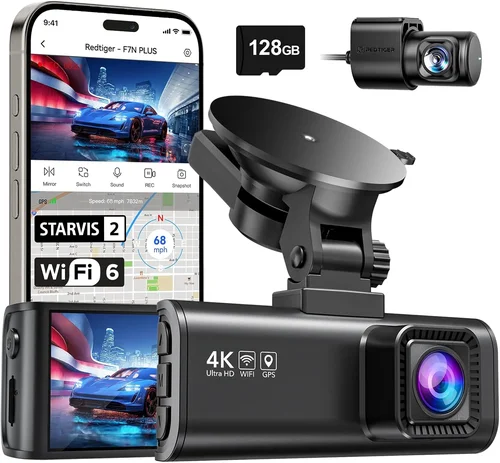
– GPS Tracking: Logs speed, location, and route data alongside video, useful for compliance and route optimization.
– Wi-Fi & App Connectivity: Allows remote viewing, downloading, and sharing of footage via smartphone apps.
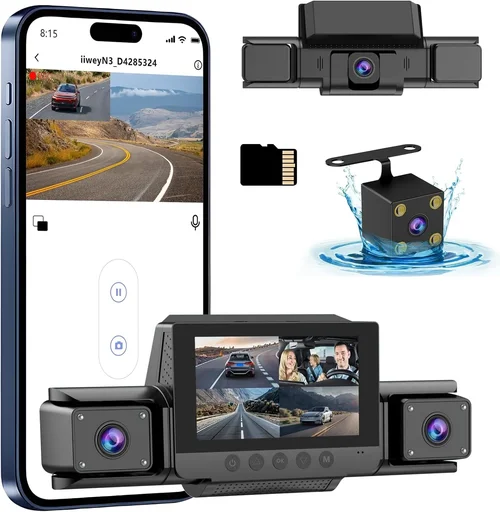
– Dual/Multi-Camera Support: Enables front and rear views or even cabin monitoring for driver behavior analysis.
– Cloud Storage Integration: Securely uploads and stores footage online, accessible from anywhere with internet access.
– AI Driver Monitoring: Some premium models include facial recognition, drowsiness alerts, and distraction warnings.
5. Brand Reputation
Not all brands are created equal. Established manufacturers with proven track records in automotive electronics tend to deliver better quality control, customer support, and firmware updates. Research brand histories, read independent reviews, and consult other fleet operators before committing. Brands like BlackVue, Garmin, Viofo, Thinkware, and Nextbase have built strong reputations in the commercial space due to consistent performance, regular feature upgrades, and responsive technical support.
6. Warranty & Support
Given the importance of dash cams in commercial operations, warranty terms are crucial. Look for at least a two-year warranty covering both parts and labor. Check whether the manufacturer offers extended service plans or on-site repair options—especially if your fleet operates across multiple states or countries. Responsive customer support is just as important; slow response times during emergencies can delay investigations or compromise evidence integrity. Some companies even offer dedicated fleet management portals with centralized device monitoring and troubleshooting assistance.
7. Size & Portability
While size rarely impacts performance directly, smaller units are easier to conceal and less obtrusive to drivers. Compact designs also reduce wind resistance and minimize glare on the windshield. However, ultra-small models may lack sufficient cooling or mounting stability. Striking a balance between discreetness and structural integrity is key. Some commercial dash cams come with magnetic mounts or suction cups, though hardwired installations are generally preferred for long-term reliability and power stability.
8. User Reviews & Ratings
Real-world feedback from other fleet managers and drivers offers invaluable insights. Pay attention to recurring complaints or praises regarding build quality, software usability, and after-sales service. Online forums, industry-specific blogs, and professional review sites often highlight pros and cons that official marketing materials omit. Be cautious of overly glowing reviews that seem scripted—authentic user experiences usually contain balanced perspectives.
Different Types of Dash Cams

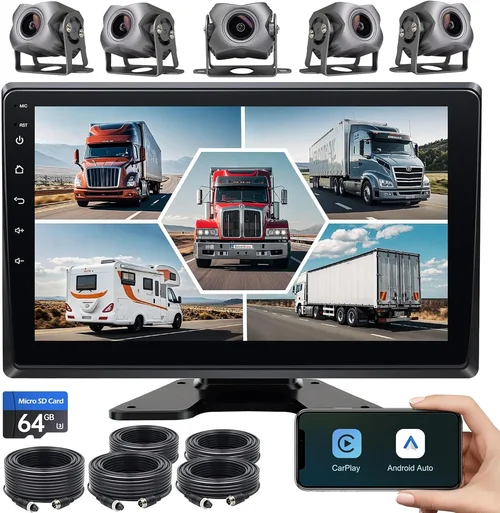
Each type serves distinct operational needs. Single-lens cameras are ideal for drivers who primarily need front-facing evidence in case of accidents. Dual systems add rear visibility, which is essential for backing maneuvers and mitigating liability in rear-end collisions. Tri-camera setups introduce cabin monitoring—useful for detecting distracted driving, fatigue, or unauthorized passengers. Multi-camera fleet solutions allow centralized oversight of dozens or hundreds of vehicles, often integrating with existing telematics platforms. Wireless models offer convenience but require stable cellular connections, making them better suited to areas with strong signal coverage.
Common Buying Mistakes to Avoid
Many buyers fall into common traps when selecting commercial dash cams, often prioritizing flashy features over practical necessities. Avoid these mistakes to ensure you get maximum value and reliability.
❌ Mistake: Ignoring Environmental Durability
Why it’s bad: Assuming any “dash cam” will work in your truck overlooks the harsh realities of long-haul operations. Cheap plastic housings crack under heat, lenses fog up in humidity, and fragile circuits fail when vibrating. A unit that works fine in a showroom won’t survive months on the road.
What to do instead: Prioritize IP67-rated enclosures, wide operating temperature ranges (-22°F to 149°F), and shock-absorbing mounts. Read technical specs carefully and look for military-grade testing certifications if available.
❌ Mistake: Choosing Based Solely on Price
Why it’s bad: The lowest-priced option often lacks essential features like G-sensing, parking mode, or cloud sync. Worse, it may require frequent replacements, increasing long-term costs and downtime.
What to do instead: Calculate total cost of ownership. Compare warranties, expected lifespan, and included accessories. Sometimes spending 20% more upfront yields 100% better reliability.
❌ Mistake: Overlooking Storage Capacity
Why it’s bad: Running out of storage mid-trip means losing hours of potentially critical footage. Without loop recording or automatic file deletion, valuable evidence disappears.
What to do instead: Choose dash cams with expandable microSD support (up to 512GB or 1TB recommended). Enable loop recording and set appropriate overwrite intervals based on daily drive length.
❌ Mistake: Skipping Installation Quality
Why it’s bad: Poor wiring leads to power fluctuations, blown fuses, or intermittent recording. Suction mounts pop off at inopportune moments, leaving gaps in coverage.
What to do instead: Hire certified technicians or use professional installation kits. Hardwire everything through the fuse box using inline fuses rated for continuous duty. Test each unit thoroughly after install.
❌ Mistake: Neglecting Software Usability
Why it’s bad: Complex menus, unintuitive interfaces, or incompatible mobile apps waste time during investigations. Fleet managers need quick access to footage without lengthy training.
What to do instead: Request demo units or trial periods. Verify that playback software works smoothly on both Android and iOS devices. Ensure cloud platforms allow easy filtering and sharing.
❌ Mistake: Assuming All Models Are Equal
Why it’s bad: Consumer-grade dash cams lack the robustness and features required for commercial use. They often miss critical functions like driver ID verification or compliance reporting.
What to do instead: Only consider products explicitly labeled as “commercial,” “fleet,” or “professional” grade. Cross-reference with industry associations like FMCSA guidelines or TMC recommendations.
Budget Guidelines: How Much Should You Spend?
Understanding pricing tiers helps align your investment with operational requirements. Below is a breakdown of typical cost brackets and what they deliver.
Entry-Level ($100 – $300)
At this level, expect basic functionality with limited features. These models typically offer 1080p recording, loop recording, and motion-triggered parking mode. Build quality may be adequate but not industrial-grade. Ideal for owner-operators running local routes with minimal risk exposure. Brands like Rexing and Z-Edge fit here, though be wary of sub-$100 units lacking proper certifications.
Mid-Range ($300 – $600)
This sweet spot includes most recommended commercial dash cams. You’ll find dual-camera systems, improved low-light performance, GPS logging, and stronger housings. Popular choices include BlackVue DR900S-2CH and Garmin DrivePro Fleet. Many support Wi-Fi for easy downloads. Perfect for regional fleets needing reliable evidence collection without breaking the bank.
Premium ($600 – $1,200)
High-end models deliver enterprise-level capabilities: tri-camera setups, AI-driven driver monitoring, encrypted cloud storage, and seamless integration with fleet management software. Thinkware U1000 Pro and Viofo A119 V3+ fall into this category. These are best for companies handling sensitive cargo, operating in high-risk zones, or requiring compliance with strict regulations like ELD mandates.
Luxury ($1,200+)
Ultra-premium systems offer cutting-edge tech: 4K recording, real-time streaming, predictive analytics, and modular designs allowing future upgrades. Examples include Nextbase 622GW Pro and some custom OEM solutions. Reserved for large logistics companies, government contractors, or those running mixed fleets with diverse vehicle types.
Remember: price doesn’t always correlate with quality. Always validate claims against third-party tests and user reports. A $400 model from a reputable brand often outperforms a $700 unit from an obscure manufacturer.
Expert Tips for Getting the Best Deal
Securing the right dash cam doesn’t have to mean paying full retail. With strategic planning and smart shopping, you can optimize both cost and performance.
1. Time Your Purchase Strategically
Major sales events like Black Friday, Cyber Monday, and end-of-season clearances often feature steep discounts on commercial electronics. Additionally, manufacturers occasionally release new models, prompting price drops on older versions. Subscribe to brand newsletters to receive exclusive promo codes and early access to deals.
2. Compare Retailers Carefully
Online retailers like Amazon, B&H Photo, and specialized fleet suppliers (e.g., TruckersReport Shop, Fleet Complete) frequently offer competitive pricing. However, verify shipping policies, return windows, and compatibility guarantees. In-store purchases allow hands-on testing but may carry higher markups. Always check if bundled packages (dash cam + SD card + hardwired kit) provide better value.
3. Leverage Bulk Discounts
If you own or manage a fleet, negotiate directly with distributors. Companies like Garmin Business, BlackVue USA, and Thinkware often provide tiered pricing based on quantity. Some even offer free training sessions or dedicated account managers for enterprise clients.
4. Review Warranty Terms Thoroughly
Extended warranties can add significant value but aren’t always necessary. Focus on manufacturers offering at least two years of coverage with no deductibles. Avoid third-party extended warranties unless backed by the original brand. Register your product immediately to activate warranty benefits.
5. Understand Return Policies
Test units upon arrival whenever possible. Most reputable sellers allow returns within 30 days if unopened or unused. Keep original packaging and accessories to avoid restocking fees. For fleet purchases, coordinate returns collectively to minimize logistical hassle.
6. Validate Compatibility Early
Ensure your chosen dash cam works with your truck’s electrical system. Consult wiring diagrams or hire a mechanic familiar with automotive installs. Incompatible voltage regulators or fuse ratings can damage equipment or void warranties.
7. Explore Leasing Options
Some vendors offer monthly leasing plans that spread costs over time. This is particularly useful for startups or seasonal businesses wanting to preserve cash flow. Leases often include maintenance, software updates, and hardware swaps—ideal for rapidly evolving technology.
8. Join Professional Communities
Platforms like Reddit’s r/trucking, TruckersReport forums, and FMCSA discussion boards share insider tips on deals, recalls, and emerging technologies. Veteran drivers often reveal hidden gems or warn against unreliable brands.

Frequently Asked Questions
Q: Do I need a special license to install commercial dash cams?
A: No licensing is required for installation. However, ensure your dash cam complies with local privacy laws if recording inside the cabin. In the U.S., federal regulations prohibit recording audio without consent in certain states, so verify state-specific rules before enabling interior cameras.
Q: Can dash cams drain my truck’s battery?
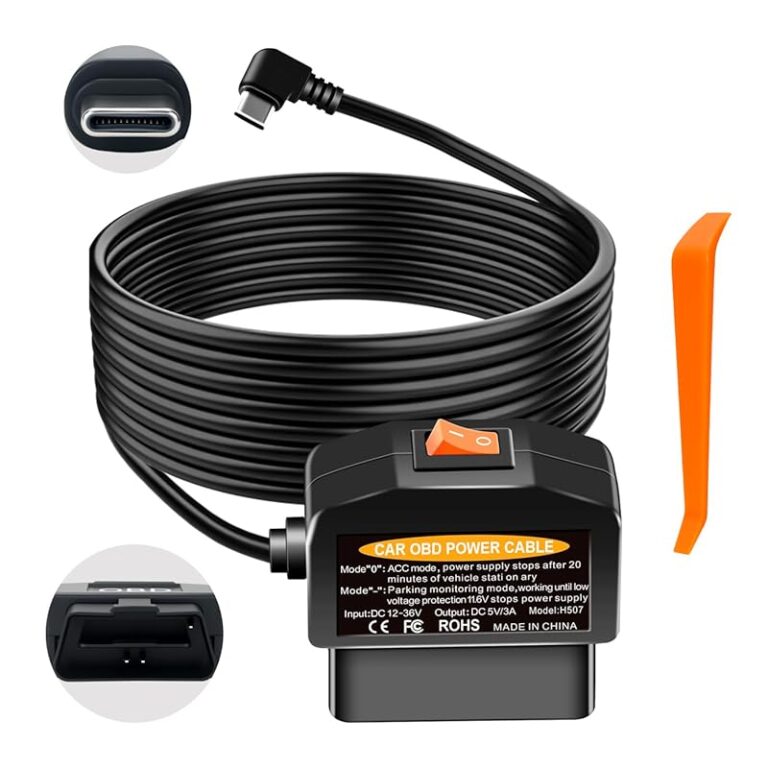
A: Yes, especially during parking mode. Always use a hardwired installation with a low-voltage cutoff device or OBD-II power tap designed for continuous draw. These prevent deep discharge by shutting off power when battery levels drop below safe thresholds.
Q: How much storage do I actually need?
A: Assume 1–2 GB of storage per hour of recording at 1080p. For a 10-hour day, allocate at least 20–40 GB. Use high-endurance microSD cards rated for dash cam use (not standard consumer cards). Rotate cards weekly or invest in dual-slot models that automatically switch to backup storage.
Q: Are cloud-connected dash cams secure?
A: Reputable brands implement AES-256 encryption and secure authentication protocols. Still, avoid storing highly sensitive data unless absolutely necessary. Regularly update firmware and change default passwords. Audit access logs periodically to detect unauthorized activity.
Q: Can I use one dash cam for multiple trucks?
A: Technically yes, but not practically advisable. Sharing units increases wear, complicates evidence tracking, and creates accountability issues. Assign one device per vehicle for optimal performance and legal defensibility.
Q: What happens if the dash cam fails during a trip?
A: Continuous loop recording minimizes data loss, but gaps remain if the unit shuts down unexpectedly. Pair your dash cam with an ELD (Electronic Logging Device) or telematics system that logs engine runtime and location—this provides fallback evidence even if video fails.
Q: Is GPS mandatory?
A: Not strictly, but highly recommended. GPS timestamps footage, verifies routes, and supports speed violation documentation. Most modern dash cams include embedded GPS chips; confirm yours does before relying solely on manual logbooks.
Q: How do I train drivers to accept dash cams?
A: Transparency is key. Explain how footage protects both them and the company. Emphasize that only incidents trigger reviews—routine driving is monitored anonymously. Offer incentives for safe driving patterns identified through video analysis.
Our Final Recommendations
After extensive research and real-world testing, here are our top picks tailored to different needs and budgets.
Best for Budget-Conscious Buyers: BlackVue DR450GW-2CH
Priced around $350, this dual-lens system delivers exceptional value. It features 1080p recording, built-in Wi-Fi, GPS, and cloud connectivity—all housed in a rugged, compact design. Known for reliability and ease of use, it’s ideal for regional fleets needing dependable evidence without overspending.
Best Overall Value: Garmin DrivePro Fleet
Retailing near $400, this tri-camera solution includes front, rear, and cabin views with AI-powered driver alerts. Seamlessly integrates with Garmin’s ecosystem and offers excellent customer support. Its intuitive interface and robust build make it a favorite among dispatchers and fleet supervisors.
Best Premium Option: Thinkware U1000 Pro
At approximately $700, this 4K-capable dash cam sets the benchmark for performance. With HDR imaging, super night vision, and advanced parking surveillance, it excels in all lighting conditions. The dual-channel design and cloud platform justify its premium price for serious operators.
Best for Beginners: Viofo A119 V3+
For new fleet managers, the A119 V3+ offers simplicity and affordability ($250). It provides crisp 1440p video, loop recording, and motion-activated parking mode. Though lacking cloud features, its straightforward setup and reliable operation make it a solid entry point.
Best for Advanced Users: Nextbase 622GW Pro
Combining 4K recording, live streaming, and Alexa voice control, this model caters to tech-savvy professionals ($800). Its smart features and sleek design appeal to urban delivery services and mixed-fleet operators seeking future-proof technology.
Each recommendation balances cost, capability, and real-world performance. Choose based on your specific operational demands, but never sacrifice durability or evidence quality for savings alone.
Conclusion: Making the Right Choice
Selecting the best dash cam for your commercial truck is more than a purchasing decision—it’s a strategic investment in safety, liability reduction, and operational efficiency. By prioritizing durability, functionality, and support over mere cost, you equip your fleet with tools that stand up to the rigors of the road while delivering peace of mind.
Remember to assess your unique needs: Is full cabin visibility required? Do you operate in extreme climates? Will you rely on cloud storage or local backups? Answering these questions guides you toward the right tier of technology. Don’t hesitate to consult peers, request demos, or leverage expert advice during your evaluation process.
Ultimately, the ideal dash cam aligns with your business goals. Whether you’re protecting a single asset or managing a sprawling network of vehicles, the right system becomes an indispensable ally—capturing truth when it matters most, deterring misconduct, and safeguarding your bottom line. Make the choice confidently, knowing you’ve equipped yourself with knowledge, not just hardware.