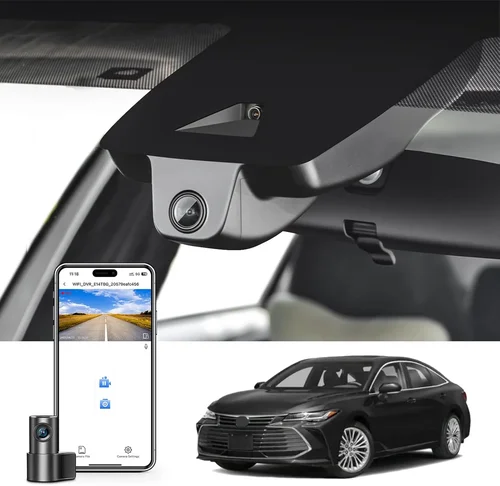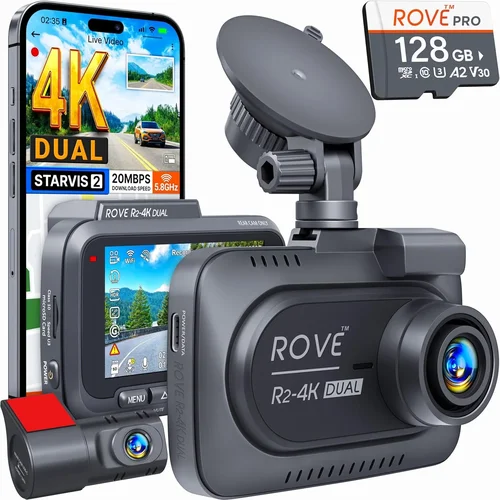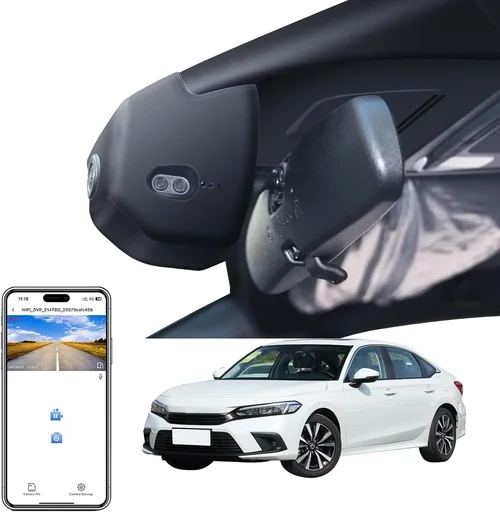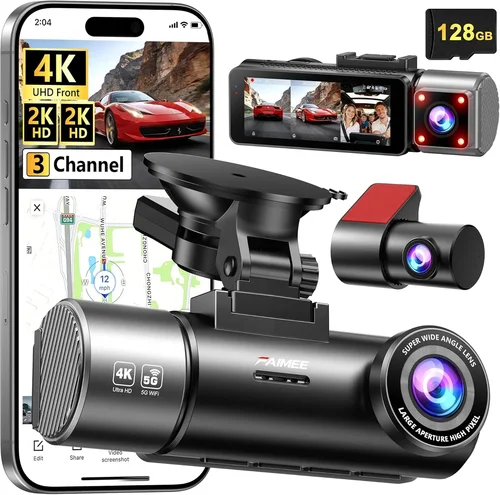
Smart Dash Cam Buying Guide
## Introduction
As a professional driver, your safety and the integrity of your vehicle are paramount. In today’s increasingly complex transportation landscape, having reliable protection is not just a convenience—it’s a necessity. A quality dash cam can provide crucial evidence in accidents, protect against false claims, and even improve your driving habits through monitoring features. With the rapid evolution of automotive technology, 2026 brings us more advanced, intelligent dash cams specifically designed for commercial use than ever before.
This comprehensive buying guide will walk you through everything you need to know about selecting the best dash cam for your cab. Whether you’re a rideshare driver, delivery professional, or fleet manager, understanding the key features, performance metrics, and practical considerations will help you make an informed decision that aligns with your specific needs and budget constraints. We’ll explore the latest technological advancements, compare different types and models, and provide expert insights to ensure you get maximum value from your investment.
The market has evolved significantly from basic single-lens recorders to sophisticated multi-camera systems with AI-powered analytics. Modern cab dash cams now offer features like automatic incident detection, cloud connectivity, driver behavior monitoring, and even integration with vehicle telematics systems. This guide will demystify these technologies and help you navigate the overwhelming array of options available.
## What to Look for When Buying Dash Cams
### 1. Resolution and Video Quality
When it comes to dash cam performance, video resolution is arguably the most critical factor. You need crystal-clear footage that captures license plates, road signs, and potential hazards with exceptional detail. Most modern professional-grade dash cams offer at least 1080p Full HD resolution, but many top models now feature 2K, 4K Ultra HD, or even higher resolutions that provide superior clarity and zoom capability.
Look for cameras with high dynamic range (HDR) capabilities, which help maintain visibility in challenging lighting conditions—whether you’re driving into tunnels during sunset or navigating bright city streets at night. The combination of high resolution and HDR ensures that both license plate numbers and facial features remain identifiable even in low-light situations.
Consider the frame rate as well; 30fps is standard, but 60fps provides smoother motion capture, particularly important for fast-moving traffic scenarios. Some premium models offer variable frame rates that automatically adjust based on driving conditions, optimizing storage usage while maintaining essential detail.
### 2. Field of View and Lens Quality
The field of view (FOV) determines how much of the road ahead and surrounding areas your dash cam can capture. For cab drivers, a wider FOV is generally better as it provides comprehensive coverage without requiring multiple cameras. Typical FOV ranges from 120° to 170°, with ultra-wide lenses offering up to 180° coverage.
However, there’s a trade-off between width and image distortion. Very wide angles can cause significant fish-eye distortion at the edges, making objects appear stretched or warped. Look for cameras with advanced lens correction technology that minimizes distortion while maximizing effective coverage area.
The quality of the lens itself matters greatly—optical glass lenses perform significantly better than plastic alternatives, especially in temperature extremes. Professional-grade dash cams typically use multi-element glass lenses with anti-reflective coatings that reduce glare and improve image clarity.
### 3. Storage Capacity and Management
Storage management is one of the most overlooked aspects when choosing a dash cam, yet it’s absolutely critical for reliable operation. Dash cams continuously record and overwrite old footage, so understanding how this system works is essential. Most models use loop recording, where new footage overwrites the oldest files when storage fills up.
Consider the storage capacity carefully. While some budget models come with microSD cards as small as 8GB, professional cab drivers should aim for at least 64GB or more. Larger capacity allows longer continuous recording times and provides a buffer during incidents before the oldest footage gets overwritten.
Look for cameras with dual storage options or cloud backup capabilities. Some premium models allow simultaneous recording to both internal memory and external storage, or even upload critical events directly to secure cloud servers for permanent preservation. This redundancy ensures that important footage isn’t lost due to card failures or accidental deletion.
### 4. Night Vision and Low-Light Performance
Night driving presents unique challenges for dash cams, including reduced visibility, increased glare, and the need to clearly capture details in poorly lit environments. Advanced night vision capabilities are non-negotiable for professional drivers who work extended hours or operate in urban environments with limited street lighting.
Modern dash cams use several technologies to enhance nighttime performance: infrared LEDs for true night vision (though these typically don’t work well through glass), enhanced CMOS sensors with larger pixel sizes, and sophisticated noise reduction algorithms. Some models also incorporate starlight-level sensors that perform exceptionally well in near-darkness.
Pay attention to the minimum illumination rating—the lower the number (measured in lux), the better the camera performs in very dark conditions. Professional-grade models often achieve performance down to 0.001 lux, allowing clear recording even in pitch-black environments when headlights aren’t available.
### 5. GPS and Location Tracking
GPS functionality adds tremendous value for cab drivers by providing precise location data for every recording. This feature creates a detailed timeline of your route, complete with timestamps and coordinates, which is invaluable for accident reconstruction, dispute resolution, and compliance documentation.
Advanced GPS dash cams can overlay location data directly onto video footage, creating what’s known as “breadcrumb” trails that show exactly where you were at any given moment. Some models also include speed tracking, allowing you to monitor whether you exceeded posted limits—which could be important for insurance purposes or fleet management.
Consider cameras with built-in GPS versus those requiring external modules. Integrated GPS eliminates wiring complexity and potential failure points, while also providing more reliable signal reception since the antenna is permanently mounted in an optimal position.
### 6. Power Source and Installation
Power sourcing is a crucial consideration, especially for professional drivers whose vehicles may have limited dashboard space or specialized electrical systems. Most dash cams connect directly to the vehicle’s cigarette lighter socket or hardwire to the fuse box using a professional installation kit.
Hardwiring is generally preferred for cab drivers because it provides cleaner installation, eliminates the need for constant plugging/unplugging, and allows for parking mode operation—recording when the car is turned off but still powered (typically using the ignition circuit). This feature captures activity around your parked vehicle, which is essential for protecting against vandalism or theft.
When evaluating power requirements, consider the impact on your vehicle’s electrical system. High-resolution cameras with advanced features consume more power, potentially affecting battery life if left connected overnight. Look for models with intelligent power management that automatically reduces recording quality or enters standby mode when the vehicle is parked for extended periods.
### 7. Additional Features and Connectivity
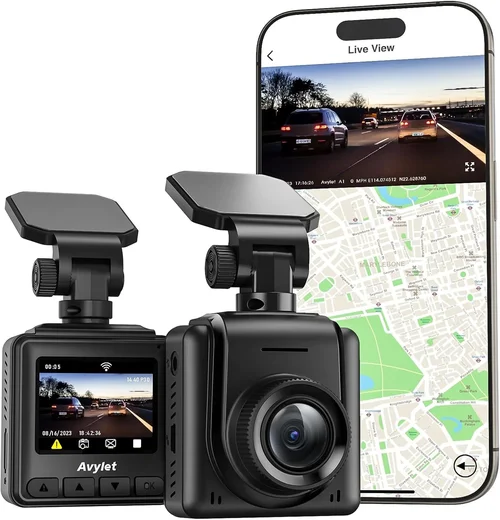
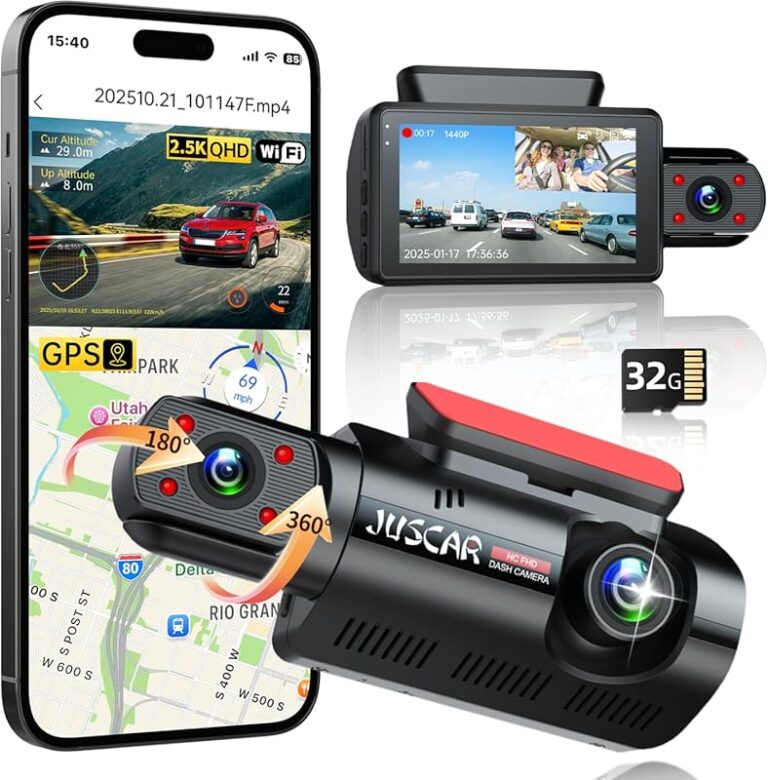
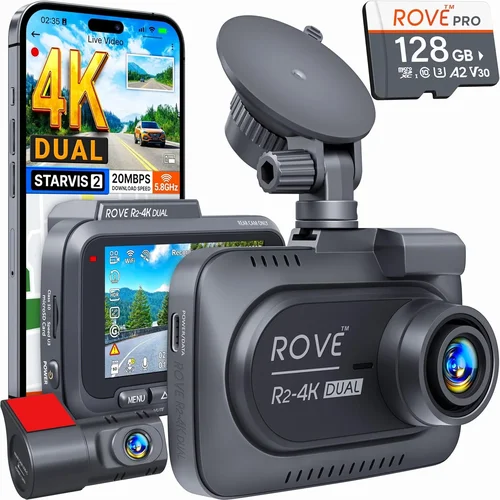
Modern dash cams offer numerous additional features that enhance their utility for professional drivers. Consider cameras with built-in Wi-Fi and smartphone apps that allow you to view live feeds, download footage wirelessly, or configure settings remotely. These connectivity features save significant time compared to physically accessing the device.
Some models include built-in microphones for audio recording, which can capture important environmental sounds during incidents. However, be aware that audio recording laws vary by jurisdiction and may require consent notifications depending on local privacy regulations.
Advanced features worth considering include:
– Driver fatigue detection using AI algorithms
– Collision warning systems that alert you to potential hazards
– Emergency event recording that automatically saves footage when sudden deceleration or impact is detected
– Cloud synchronization for backup and remote access
– Two-way communication capabilities for fleet management
While these features add cost, they can provide valuable operational insights and enhance safety for both drivers and passengers.
## Different Types of Dash Cams
## Common Buying Mistakes to Avoid
### ❌ Mistake: Choosing Based Solely on Price
One of the biggest mistakes professional drivers make is focusing exclusively on cost when selecting a dash cam. While budget considerations are important, viewing price as the sole determinant leads to poor long-term value. A cheap dash cam might seem economical initially, but it could lack essential features, have inferior build quality, or require frequent replacements—ultimately costing more money and providing inadequate protection.
Instead, evaluate the total cost of ownership by considering factors like warranty length, expected lifespan, maintenance requirements, and potential savings from reduced insurance premiums or incident disputes. Many mid-range professional models offer better overall value than budget options simply because they last longer and require fewer replacements.
### ❌ Mistake: Ignoring Storage Requirements
Failing to account for adequate storage capacity is another common error that can leave you vulnerable during critical moments. Many users underestimate how quickly dash cams fill up their memory cards, especially with high-resolution recording and longer recording intervals. When storage becomes full, older footage gets overwritten automatically, potentially erasing crucial evidence before you realize the problem.
To avoid this issue, calculate your storage needs based on recording duration, resolution, and typical usage patterns. Consider cameras with expandable storage or cloud backup options that automatically preserve important events. Some professional models even offer intelligent storage management that identifies and protects footage from incidents while overwriting routine driving footage.
### ❌ Mistake: Overlooking Build Quality and Durability
Dash cams face extreme environmental conditions—from intense heat inside parked vehicles to freezing temperatures in winter, plus constant vibration and exposure to dust and moisture. Choosing a model with questionable build quality can result in premature failure, especially when you need the device most. Cheap plastic casings may crack under stress, lenses can fog up or become misaligned, and electronic components may fail in temperature extremes.
Look for cameras built with military-grade materials, shock-resistant designs, and IP-rated water/dust resistance. Professional models often feature metal housings, reinforced mounts, and operating temperature specifications that exceed consumer-grade equipment. These durability features are particularly important for cab drivers who operate in varied weather conditions and demanding environments.
### ❌ Mistake: Neglecting Installation Complexity
Installation is frequently underestimated as a factor in dash cam selection, yet it can significantly impact reliability and usability. Simple adhesive mounts might seem convenient, but they can fail over time due to temperature changes, vibration, or improper surface preparation. Complex installations involving hardwiring or multiple connections increase the risk of wiring issues, electrical problems, or improper placement.
Consider the ease of installation and whether professional assistance is required. Some cameras feature magnetic mounts, tool-free adjustments, or universal mounting brackets that simplify setup. For fleet operators, centralized management systems that allow uniform installation across multiple vehicles can save substantial time and ensure consistent performance standards.
### ❌ Mistake: Forgetting About Compatibility Issues
Compatibility extends beyond physical mounting—it includes electrical systems, software platforms, and integration with existing vehicle technology. Using a dash cam incompatible with your vehicle’s electrical system can cause battery drain, trigger error lights, or even damage the vehicle’s computer. Similarly, software incompatibilities may prevent firmware updates, cloud synchronization, or smartphone app connectivity.
Always verify compatibility before purchasing by checking manufacturer specifications against your vehicle’s make, model, year, and electrical system. Some dash cams specifically designed for commercial vehicles include adapters and wiring harnesses tailored to common fleet configurations, simplifying integration and reducing installation complications.
### ❌ Mistake: Underestimating Power Consumption
Power consumption is particularly critical for cab drivers who may leave dash cams running for extended periods or park vehicles overnight. High-power draw devices can rapidly drain your vehicle’s battery, especially in older cars with weaker charging systems or when parked for days without engine operation. This not only inconveniences you but could strand you if the battery completely dies.
Look for energy-efficient models with intelligent power management features that automatically reduce recording quality or enter low-power modes when the vehicle is stationary. Some professional dash cams include smart triggers that activate recording only when movement is detected, dramatically reducing unnecessary power usage while ensuring critical events are captured.
## Budget Guidelines: How Much Should You Spend?
### Entry-Level ($50 – $150)
For occasional drivers or those testing dash cam technology, entry-level options provide essential recording capabilities at an affordable price point. These models typically offer 1080p Full HD recording, basic motion detection, and loop recording functionality. While they may lack advanced features like GPS tracking or night vision enhancements, they deliver fundamental protection for everyday driving scenarios.
Expect to find single-lens cameras in this range with plastic construction, limited field of view (around 120°), and basic mobile app connectivity. Storage usually requires separate microSD cards (sold separately), and power connections typically use the standard cigarette lighter adapter. These options work well for drivers who prioritize simplicity and cost-effectiveness over premium features.
### Mid-Range ($150 – $300)
The sweet spot for most professional cab drivers falls within the mid-range category, offering excellent balance between features and affordability. This tier includes dual-lens systems that capture both front and cabin views, enhancing protection for passenger interactions and cargo security. Video quality typically reaches 2K resolution with improved low-light performance and wider field of view (140°-160°).
Mid-range models often include built-in GPS tracking, enhanced night vision capabilities, and more robust build quality with metal components. Many feature intelligent parking mode that activates when the vehicle is turned off, capturing activity around your parked car. Smartphone connectivity via Wi-Fi or Bluetooth allows convenient footage review and configuration changes without physically accessing the device.
### Premium ($300 – $600)
Premium dash cams target serious professionals and fleet operators who demand top-tier performance and reliability. These models typically offer 4K Ultra HD recording with advanced image processing, HDR technology, and exceptional low-light sensitivity. Multi-lens configurations are common, including front, cabin, and sometimes rear cameras for comprehensive coverage.
Advanced features include AI-powered driver assistance, cloud synchronization for automatic backup, and sophisticated event detection algorithms that identify collisions, lane departures, or sudden braking. Premium systems often integrate with vehicle telematics and offer centralized fleet management capabilities for organizations overseeing multiple vehicles.
### Luxury ($600+)
At the highest end of the spectrum, luxury dash cams represent the pinnacle of automotive surveillance technology. These systems provide military-grade durability, cutting-edge imaging sensors, and comprehensive analytics suites that transform raw footage into actionable insights. Expect features like thermal imaging, 360-degree coverage with multiple synchronized cameras, and real-time streaming capabilities.
Luxury models often include proprietary software platforms that analyze driving patterns, generate detailed reports, and provide predictive maintenance alerts based on vehicle telemetry. For commercial operations, these systems can interface with existing fleet management infrastructure, offering seamless integration and enterprise-level security features. While the price point is substantial, the comprehensive protection and operational benefits justify the investment for high-value operations.
## Expert Tips for Getting the Best Deal
### Timing Your Purchase Strategically
Understanding seasonal patterns can significantly impact your dash cam acquisition costs. Major sales events like Black Friday, Cyber Monday, and Memorial Day weekend often feature substantial discounts on automotive electronics. Additionally, new model releases typically trigger price reductions on previous-generation dash cams, so keeping an eye on release cycles can yield excellent deals.
Avoid peak summer months when demand surges due to road trip season, and instead shop during late fall or early spring when retailers clear inventory. Sign up for email newsletters from major retailers and manufacturers to receive exclusive promotions and early access to sales events. Some companies also offer referral programs that provide additional discounts for both the referrer and new customers.
### Choosing the Right Retailer
The purchasing channel significantly affects both price and post-purchase support availability. Authorized dealers and manufacturer websites typically offer the best warranty coverage and customer service, though they may carry higher base prices. Third-party retailers like Amazon, Best Buy, or specialty automotive stores often provide competitive pricing with added convenience and return flexibility.
For professional drivers, consider retailers that specialize in commercial vehicle equipment, as they understand the unique requirements of fleet operations and can provide tailored recommendations. Always verify seller ratings and read recent reviews before making purchases online to avoid counterfeit products or unreliable vendors.
### Evaluating Warranty and Support
Comprehensive warranty coverage is essential for dash cam investments, especially given the harsh operating environment these devices endure. Look for warranties that cover both parts and labor, with reasonable response times for repairs or replacements. Premium brands typically offer 2-3 year warranty periods, while budget models may provide only 12 months or less.
Consider the availability of technical support and whether it’s included free or requires additional fees. Some manufacturers offer dedicated phone support lines, online chat services, or comprehensive knowledge bases that can resolve common issues quickly. For fleet operators, centralized support that can assist multiple vehicles simultaneously provides significant operational advantages.
### Understanding Return Policies
Flexible return policies are crucial when testing dash cam performance, particularly for features like video quality, ease of installation, or compatibility with your specific vehicle. Most reputable retailers offer 30-day return windows, but some extend this period for certain products or membership programs. Always check restocking fees and return shipping requirements before purchasing.
If possible, test the device in your actual vehicle before committing to long-term use. Many professional dash cams come with trial periods that allow you to experience real-world performance under normal driving conditions. This hands-on evaluation helps identify any compatibility issues or functional limitations that product descriptions might overlook.
### Spotting Hidden Costs
Be aware of additional expenses that can significantly impact the total cost of ownership. MicroSD cards are frequently sold separately, with high-quality cards required for reliable performance costing $20-50 each. Professional installation services can add $50-150 depending on complexity, and cloud subscription plans may charge monthly or annual fees for storage and backup services.
Some dash cams require proprietary software licenses or premium features that unlock only after purchase. Always read the fine print regarding ongoing costs and ensure you understand the full financial commitment before making a decision. Factor these additional expenses into your budget calculations to avoid unexpected surprises.
### Testing Before Committing
Whenever possible, examine dash cams in person at retail locations or through demonstration units provided by manufacturers. Test video quality in various lighting conditions, attempt installation procedures, and verify all advertised features work as described. Pay particular attention to button responsiveness, menu navigation intuitiveness, and overall user interface design.
Ask about firmware update processes and whether manufacturers provide regular improvements that enhance functionality over time. Some companies release quarterly updates that add new features or improve existing capabilities, while others may discontinue support for older models. Understanding the long-term development roadmap helps ensure your investment remains valuable throughout its intended lifespan.
## Frequently Asked Questions
Q: Do I need a dash cam specifically designed for professional or commercial use?
A: While consumer-grade dash cams work adequately for personal vehicles, professional drivers benefit significantly from commercial-grade models designed for heavier usage patterns. Commercial dash cams typically offer enhanced durability, better low-light performance, more robust storage management, and features tailored to fleet operations. They also often include compliance reporting capabilities and integration options for business management systems.
Q: How much storage space do I actually need for my dash cam?
A: Storage requirements depend on several factors including video resolution, compression efficiency, recording duration per file, and whether you use motion detection. As a general guideline, expect to need 16-64GB for basic 1080p recording and up to 256GB+ for 4K content. Professional drivers should plan for at least 64GB capacity with expandable storage options, as smaller cards fill up quickly during long shifts and may overwrite critical footage prematurely.
Q: Can dash cams really help reduce insurance premiums?
A: Yes, many insurance providers offer discounts for vehicles equipped with dash cams, particularly those that record continuously and automatically save incident footage. The exact discount varies by insurer, coverage type, and local regulations, but savings typically range from 5-15% on comprehensive and liability coverage. Some insurers even require dash cam installation as a condition for certain policy terms, especially for commercial fleet operations.
Q: Are there legal restrictions on using dash cams in commercial vehicles?
A: Regulations regarding dash cam usage vary significantly by jurisdiction and purpose. Most regions permit recording public roads and highways, but restrictions exist for private property, sensitive locations, or areas requiring consent for audio recording. Commercial operations must comply with privacy laws, employment regulations regarding employee monitoring, and industry-specific requirements for evidence preservation. Always consult local laws and obtain necessary permits before deploying dash cams in regulated environments.
Q: How often should I replace my dash cam?
A: Professional dash cams typically have 3-5 year lifespans, though actual longevity depends on build quality, usage patterns, and maintenance practices. Signs indicating replacement is needed include degraded video quality, failed startup, corrupted files, or outdated firmware unsupported by current software. Environmental factors like extreme temperatures, moisture exposure, or physical impacts can accelerate wear regardless of manufacturer specifications.
Q: Can I install multiple dash cams in my vehicle?
A: Yes, many professional drivers use multi-camera systems for comprehensive coverage, particularly for delivery vehicles, taxis, or fleet operations. Front, cabin, and rear cameras provide different perspectives that capture various aspects of driving scenarios. When installing multiple units, ensure adequate power distribution, separate storage systems, and synchronized recording capabilities to avoid conflicts and maximize evidentiary value during investigations.
Q: What should I look for in dash cam software and mobile apps?
A: Effective software and mobile applications should provide intuitive interfaces for playback, organization, and sharing of recorded footage. Key features include chronological timeline views, incident tagging, geotagging with map overlays, and cloud synchronization options. For professional users, advanced capabilities like driver behavior analytics, fleet management dashboards, automated report generation, and secure sharing protocols significantly enhance operational efficiency and evidence management capabilities.
## Final Recommendations
Best for Budget-Conscious Buyers
For drivers seeking essential protection without breaking the bank, the Viofo A119 V3 offers excellent value with 2K recording, built-in GPS, and reliable performance at an accessible price point. Its compact design and straightforward installation make it ideal for drivers prioritizing core functionality over advanced features.
Best Overall Value
The BlackVue DR970X-2CH stands out as the top choice for professional cab drivers, combining 4K front recording, dual-lens cabin monitoring, cloud connectivity, and exceptional build quality. Its intelligent features like automatic incident detection and seamless smartphone integration provide comprehensive protection while offering outstanding long-term reliability.
Best Premium Option
For those requiring ultimate performance and enterprise-grade capabilities, the Thinkware U1000 delivers unmatched 4K recording quality, advanced HDR imaging, and robust cloud management platform. Its military-grade durability and comprehensive analytics suite make it the gold standard for serious professional operations.
Best for Beginners
New drivers transitioning to professional use will appreciate the Garmin Dash Cam 67W for its user-friendly interface, reliable performance, and integrated safety features like collision warnings. Its simple setup process and familiar Garmin ecosystem provide confidence during the learning curve.
Best for Advanced Users
Experienced fleet managers demanding maximum control and customization will find the Nextbase 622GW Pro ideal, featuring 4K recording, dual-channel monitoring, Alexa voice control, and extensive integration options. Its advanced software platform supports complex operational requirements while maintaining ease of use for diverse team members.
Each recommendation balances specific needs with proven performance characteristics, ensuring professional drivers can select the optimal solution for their unique operational requirements and budget constraints.