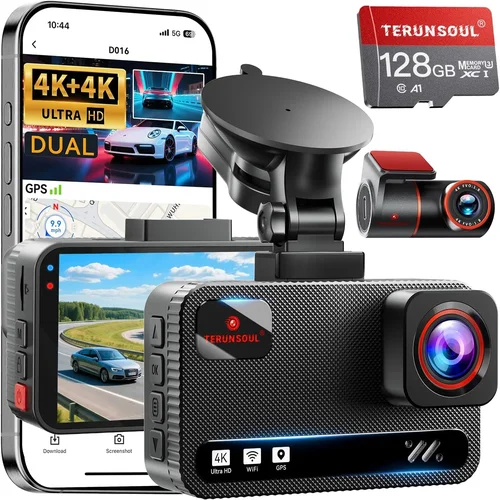
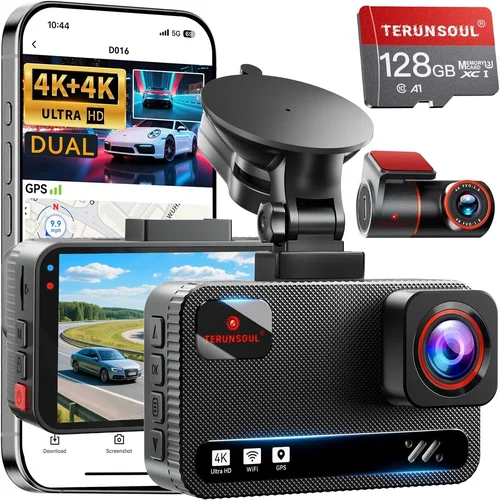
Smart Dash Cam Buying Guide

Introduction
In today’s world of rising insurance premiums and increasingly complex traffic laws, having a reliable dash cam can be the difference between getting out of a ticket or receiving full compensation after an accident. For drivers seeking quality protection without breaking the bank, finding the best dash cam for around $100 represents a sweet spot between affordability and functionality. This comprehensive guide is designed to help you navigate the crowded market of budget-friendly dash cams and make an informed decision that matches your specific driving needs.
Whether you’re a daily commuter looking to protect yourself from false claims, a parent wanting peace of mind for your teen driver, or simply someone who wants to document road conditions for insurance purposes, this article will walk you through everything you need to know. We’ll examine the essential features that matter most, compare different types of dash cams within your budget range, and highlight common pitfalls to avoid. By the end, you’ll have a clear understanding of what to look for and which models stand out in the competitive sub-$100 category.
The dash cam market has evolved dramatically in recent years, with even budget models now offering impressive capabilities like loop recording, motion detection, and smartphone connectivity. However, not all dash cams are created equal—some sacrifice critical performance for lower prices. Our analysis focuses specifically on devices that deliver reliable performance at around $100, balancing cost with essential features that actually protect you on the road.
Key Factors to Consider
1. Video Resolution & Recording Quality
Video resolution remains the single most important factor when evaluating any dash cam, especially within the $100 price range. Most reliable budget models now offer at least 1080p Full HD recording, which provides clear enough detail to identify license plates and vehicle colors while maintaining reasonable file sizes for continuous recording.
When assessing video quality, consider these technical specifications:
- Sensor Size: Larger sensors (typically 1/2.7″ or better) capture more light and produce clearer images in low-light conditions
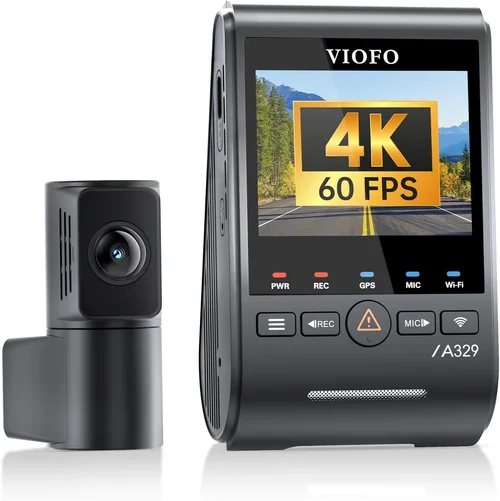
- Frame Rate: 30fps is standard; some premium models offer 60fps for smoother motion capture during fast-moving incidents
- Wide-Angle Lens: Look for 120-140 degree fields of view to minimize blind spots while avoiding excessive distortion at the edges
For everyday driving, 1080p at 30fps strikes the perfect balance between clarity and storage efficiency. While 4K models exist below $100, they often suffer from compression artifacts, reduced frame rates, and shorter recording times that make them impractical for continuous use.
• Minimum 1080p Full HD resolution
• 120-140° field of view
• Good low-light performance
• Minimal lens distortion
• Stable image stabilization
2. Night Vision Capabilities
Nighttime driving accounts for nearly half of all accidents, making night vision one of the most critical dash cam features. The best budget models incorporate advanced infrared LEDs and enhanced image processing to maintain visibility during dark hours.
Key aspects of night vision performance include:
- Infrared LED Array: Multiple IR LEDs provide consistent illumination without blinding other drivers
- Image Sensor Sensitivity: Back-illuminated CMOS sensors perform significantly better in low light than traditional CMOS
- Dynamic Range: HDR-like capabilities help balance bright headlights with darker backgrounds
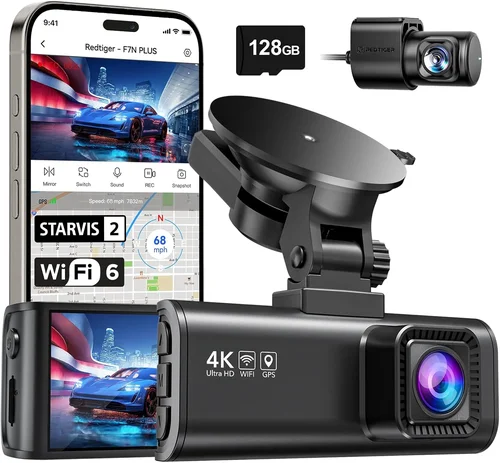
Look for dash cams that specifically mention “night vision,” “infrared,” or “low-light enhancement.” Models using Sony STARVIS sensors typically outperform competitors in darkness, providing usable footage even with minimal ambient light.
3. Storage Capacity & Loop Recording
Continuous recording requires efficient storage management, which is where loop recording becomes essential. This feature automatically overwrites older footage when storage fills up, ensuring you always have recent recordings available without manual intervention.
When evaluating storage options:
- MicroSD Card Support: Most dash cams accept microSD cards from 32GB to 256GB; 64GB is typically sufficient for 24-hour daily recording
- File Format: H.264 compression balances quality and file size effectively for most users
- Recording Time: At 64GB capacity, expect approximately 2 hours of continuous 1080p recording
Some budget models include built-in storage, but external microSD cards offer greater flexibility and easier data transfer. Always purchase high-quality Class 10 or UHS-I microSD cards from reputable brands to prevent corruption issues.
4. G-Sensor & Emergency Locking
The G-sensor detects sudden impacts or movements and automatically locks the current recording to prevent overwriting during an incident. This feature ensures critical evidence isn’t lost when storage fills up.
Effective emergency locking systems should:
- Automatically save footage when impact exceeds set threshold
- Prevent accidental deletion during normal operation
- Provide visual or audible confirmation when files are locked
While sensitivity settings vary by model, most dash cams offer three levels (Low/Medium/High) to match your driving style. Urban drivers may prefer higher sensitivity for stop-and-go traffic scenarios, while highway drivers might choose lower settings to avoid false triggers from potholes or rough pavement.
5. Parking Mode Functionality
Parking mode extends your dash cam’s protective capabilities beyond active driving by recording events when your vehicle is stationary. This feature is particularly valuable for preventing insurance fraud or documenting hit-and-runs.
Reliable parking modes require:
- Motion Detection: Activates recording only when movement is detected
- Impact Sensitivity: Detects vibrations exceeding normal driving thresholds
Note that parking mode significantly increases power consumption. Some models draw additional current from your car battery, potentially draining it over time. Look for energy-efficient designs or consider hardwiring solutions if you plan extensive parking surveillance.
6. Build Quality & Installation
Dash cams endure extreme temperatures, direct sunlight, and constant vibration. Budget models that cut corners on build materials often fail prematurely, leaving you vulnerable during critical moments.
Assess build quality through:
- Housing Material: Polycarbonate or aluminum casings resist heat better than plastic alternatives
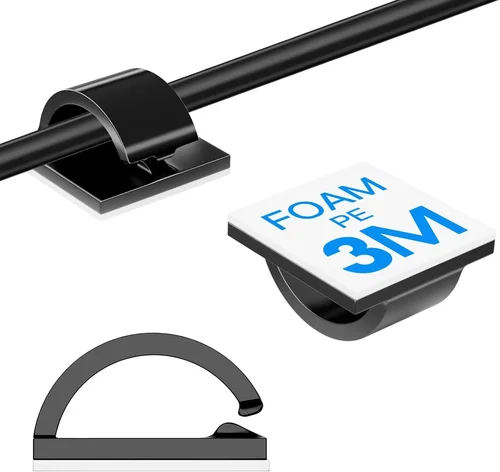
- Wire Management: Clean routing along windshield edges prevents obstruction and improves aesthetics
- Adhesive Quality: High-grade 3M adhesives maintain secure attachment through temperature fluctuations
Installation difficulty varies widely. Basic models use simple suction cups or adhesive mounts, while advanced units may require wiring harnesses or professional installation. Consider your comfort level with DIY setup before purchasing complex mounting systems.
7. Smartphone Connectivity
Modern dash cams increasingly integrate with mobile apps for convenient footage review and cloud backup. While not essential for basic functionality, smart features add significant value within the $100 price range.
Useful connectivity options include:
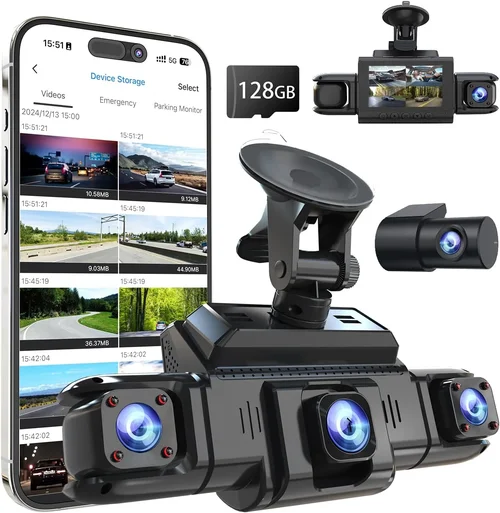
- Wi-Fi Direct: Enables instant photo/video transfer without removing memory cards
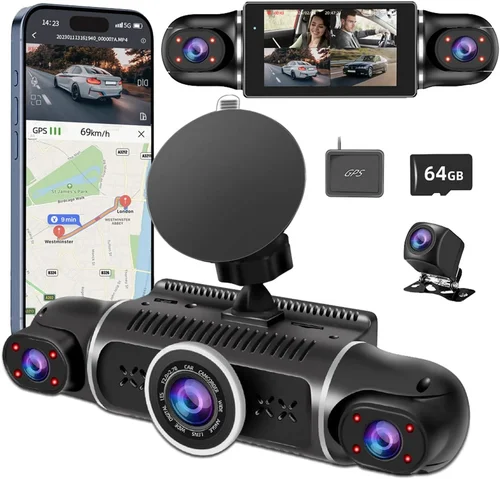
- GPS Tracking: Records location data alongside timestamped footage
- Cloud Storage: Automatic uploads protect against physical theft or damage
Be aware that wireless features often reduce battery life and may require additional subscriptions for full functionality. Evaluate whether these conveniences justify potential trade-offs in reliability or performance.
8. Audio Recording Capability
Built-in microphones capture both engine noise and conversations, providing valuable context during incidents. However, audio quality varies significantly between models, and privacy concerns may lead some jurisdictions to restrict recording.
If audio is important to you:
- Test microphone sensitivity before finalizing purchase
- Check local laws regarding two-party consent for recording conversations
- Consider models with audio disable switches for privacy compliance
Remember that high-quality audio often comes at the expense of video performance due to bandwidth limitations. Prioritize clear visuals unless you specifically need conversation documentation.
Different Types of Dash Cams

Common Buying Mistakes to Avoid
❌ Mistake: Choosing Based Solely on Price
Why it’s bad: Selecting the cheapest available option often results in unreliable performance, poor video quality, or premature failure. A $50 dash cam may seem economical initially, but frequent replacements or lack of critical features can cost more in the long run.
What to do instead: Set your maximum budget at $100 and compare models within that range based on verified reviews and technical specifications rather than absolute cost. Sometimes paying slightly more for proven reliability yields better value.
❌ Mistake: Ignoring Local Legal Requirements
Why it’s bad: Many regions have specific regulations regarding dash cam usage, including audio recording laws and data retention requirements. Operating outside legal boundaries can result in fines or evidence being deemed inadmissible in court.
What to do instead: Research your state/province’s dash cam regulations before purchasing. Some areas prohibit audio recording entirely, while others require notification of recorded parties. Choose models with adjustable audio settings or disable capabilities as needed.
❌ Mistake: Overlooking Battery Life Concerns
Why it’s bad: Built-in batteries drain rapidly, especially with continuous recording features enabled. Without proper power management, your dash cam may shut down unexpectedly during critical moments or fail to operate in cold weather.
What to do instead: Prioritize models with reliable direct connection capabilities. If using parking mode frequently, consider investing in a hardwire kit that draws power directly from your vehicle’s electrical system rather than relying on internal batteries.
❌ Mistake: Skipping Storage Planning
Why it’s bad: Insufficient storage leads to overwritten footage during emergencies. Without adequate space, your dash cam cannot capture critical events when they matter most, defeating its primary purpose.
What to do instead: Calculate required storage based on your typical driving patterns. Daily commuters may need 64GB cards, while occasional drivers could manage with 32GB. Always carry spare cards and establish regular backup routines for important footage.
❌ Mistake: Neglecting Installation Complexity
Why it’s bad: Complicated installations deter proper setup, leading to improper mounting, obstructed views, or damaged wiring. Poor placement reduces effectiveness and may create additional safety hazards while driving.
What to do instead: Review installation instructions thoroughly before purchase. Simple suction cup mounts work well for most users, while complex wiring kits may require professional assistance. Consider your mechanical aptitude honestly before selecting demanding setups.
❌ Mistake: Assuming All Reviews Are Reliable
Why it’s bad: Fake reviews and sponsored content mislead consumers about actual product performance. Relying solely on marketing claims or unverified testimonials can result in disappointment and wasted investment.
What to do instead: Cross-reference multiple trusted sources including professional tech reviewers, consumer advocacy sites, and independent user forums. Pay attention to recurring complaints or praised features across various platforms rather than isolated positive comments.
Budget Guidelines: How Much Should You Spend?
Entry-Level ($50 – $75)
This tier offers basic dash cam functionality with essential protection features. Expect 1080p recording, loop recording, and emergency locking capabilities. Models in this range typically lack advanced features like GPS tracking or smartphone connectivity but provide reliable core performance.
Pros: Affordable entry point, sufficient for casual drivers, reliable basic functions
Cons: Limited features, average build quality, shorter warranty periods
Perfect for budget-conscious drivers who prioritize fundamental protection over premium extras. These models handle daily commuting adequately but may struggle with extreme conditions or heavy usage.
Mid-Range ($75 – $100)
The sweet spot for most buyers, this category delivers excellent value by combining robust performance with useful enhancements. You’ll find improved build quality, better low-light capability, and additional features like parking mode or motion detection within this price bracket.
Pros: Balanced feature set, improved durability, better night vision, longer warranties
Cons: May stretch budgets, occasionally limited availability during peak seasons
This range includes our top recommendations, offering the best combination of reliability, features, and cost-effectiveness for average drivers seeking comprehensive protection without premium pricing.
Premium ($100 – $150)
While exceeding our $100 target, some exceptional models approach this upper limit while delivering professional-grade performance. These units often feature superior sensors, enhanced stabilization, extended warranties, and advanced connectivity options that justify their higher costs.
Pros: Outstanding image quality, durable construction, comprehensive feature sets, excellent support
Cons: Higher initial investment, may include unnecessary features for casual users
Consider these options if you demand maximum reliability, drive in challenging conditions, or require specific advanced capabilities beyond basic protection needs.
Luxury ($150+)
Professional-grade dash cams exceed our budget parameters but represent the pinnacle of consumer technology. These devices offer 4K recording, AI-powered features, sophisticated cloud integration, and military-grade durability for serious enthusiasts or commercial applications.
Pros: Cutting-edge technology, unmatched performance, extensive customization
Cons: Significant cost premium, complexity that may overwhelm casual users
Unless you have specific requirements justifying these investments, most drivers will find mid-range options sufficiently capable without the substantial price increases.
Expert Tips for Getting the Best Deal
Timing Your Purchase Strategically
Avoid buying immediately after new models launch. Wait 2-3 months for initial price drops and early adopter discounts. Major shopping events like Black Friday, Prime Day, or back-to-school sales offer significant savings on electronics. Seasonal transitions also trigger clearance sales as retailers update inventories.
Choosing the Right Retailer
Online marketplaces like Amazon offer competitive pricing and customer reviews, but brick-and-mortar stores provide immediate testing opportunities. Electronics specialty shops often have knowledgeable staff who can demonstrate features firsthand. Compare prices across multiple channels before deciding.
Where to shop:
• Amazon & Best Buy for convenience and selection
• Manufacturer websites for direct purchases and warranties
• Local electronics stores for hands-on evaluation
Spotting Hidden Discounts
Bundle deals often provide better value than individual purchases. Look for packages including memory cards, mounting accessories, or extended warranties. Student discounts, military benefits, or credit card rewards can further reduce effective costs. Check manufacturer rebate programs and cashback offers.
Warranty & Support Considerations
Extended warranties rarely cover accidental damage and often duplicate existing manufacturer protections. Focus instead on brands with established reputations for reliability and responsive customer service. Read warranty terms carefully—some exclude normal wear and tear or limit coverage duration.
Understanding Return Policies
Electronics return windows typically range from 15-30 days, sometimes longer during holidays. Unopened items usually qualify for full refunds, while opened products may incur restocking fees. Keep original packaging if possible, and test thoroughly before returning.
Testing Before Committing
If possible, visit physical stores to evaluate build quality, button layout, and display readability. Ask sales associates about return policies and warranty coverage. Take photos or videos of the unit to compare side-by-side with online reviews and specifications.
Verifying Authenticity
Certainty counterfeit products flood discount channels. Purchase exclusively from authorized dealers or reputable sellers with verified seller ratings. Check serial numbers against manufacturer databases and be wary of prices significantly below market averages.
Maximizing Value Through Accessories
Essential accessories often increase total cost disproportionately. Consider purchasing separately: quality microSD cards ($15-25), hardwire kits ($10-20), and cleaning cloths ($5). This strategy maintains budget discipline while ensuring proper setup and maintenance.

Frequently Asked Questions
Q: What’s the minimum video quality I should expect from a $100 dash cam?
A: At $100, you should reliably find 1080p Full HD recording with good low-light performance. Some models may offer 1440p or even 4K, but these often compromise on frame rates or storage efficiency. Prioritize consistent 1080p at 30fps for optimal balance of clarity and practicality.
Q: Do I really need parking mode if I park in safe areas?
A: Parking mode provides crucial protection against hit-and-runs, insurance fraud, or vandalism when you’re not present. Even in seemingly safe locations, incidents can occur quickly. However, consider your risk profile—urban drivers benefit more than rural ones. Remember that parking mode consumes additional power.
Q: Can I use any microSD card with my dash cam?
A: While most dash cams accept standard microSD cards, performance varies significantly. Stick to reputable brands (SanDisk, Samsung, Lexar) and ensure Class 10 or UHS-I speed ratings. Avoid counterfeit or low-quality cards that may corrupt footage or fail prematurely.
Q: How often should I replace my dash cam?
A: With proper care, most dash cams last 3-5 years. However, technological advances mean newer features may render older models obsolete. Replace primarily when experiencing hardware failures, insufficient storage, or lacking essential capabilities for your needs.
Q: Is audio recording legal everywhere?
A: No, audio recording laws vary widely. Some states require two-party consent for recording conversations, while others permit it freely. Many European countries have strict privacy restrictions. Check local regulations and consider disabling audio if uncertain about compliance.
Q: Should I hardwire my dash cam or use cigarette lighter charging?
A: Hardwiring provides cleaner installation, consistent power, and eliminates charging port wear. It’s ideal for permanent setups. Cigarette lighters offer simplicity but may affect fuse ratings and create clutter. Choose based on your comfort level with electrical connections.
Q: What happens when my memory card fills up?
A: With loop recording enabled, oldest files automatically overwrite newest footage once storage reaches capacity. Ensure you regularly back up important clips to external drives or cloud storage. Some models allow temporary pause of overwriting during emergencies.
Q: How do I clean my dash cam lens properly?
A: Use only microfiber cloths and approved lens cleaners. Never spray liquids directly onto the lens. For stubborn grime, slightly dampen cloth with water or isopropyl alcohol (never acetone). Dry thoroughly before reinstallation to prevent moisture damage.
Q: Can dash cams survive extreme temperatures?
A: Quality dash cams operate between -4°F to 140°F (-20°C to 60°C). Extreme heat causes lens fogging and component stress; freezing temperatures reduce battery efficiency. Park in shaded areas when possible and avoid leaving devices exposed to direct sunlight for extended periods.
Q: What’s the difference between G-sensor sensitivity levels?
A: Lower sensitivity detects only severe impacts (highway collisions), medium catches moderate jolts (pothole hits), and high responds to minor vibrations (rough pavement). Adjust based on your driving environment—urban drivers benefit from higher sensitivity while highway drivers may prefer lower settings to avoid false triggers.
Our Final Recommendations
Best for Budget-Conscious Buyers
The Viofo A119 Mini stands out as the top choice for cost-sensitive drivers seeking reliable performance. Priced around $70, it delivers crisp 1080p recording, impressive night vision, and robust build quality. Its compact size fits discreetly on most windshields, while loop recording and emergency locking provide essential protection features. Users consistently praise its straightforward operation and dependable performance during daily commutes.
Best Overall Value
The Rexing V1 Pro represents the perfect balance of features and affordability near our $100 target. Priced at approximately $95, it offers 2K QHD recording, GPS tracking, and advanced parking mode functionality. The Sony STARVIS sensor ensures exceptional low-light performance, while dual-band Wi-Fi enables seamless smartphone integration. Professional reviewers highlight its excellent image stabilization and reliable emergency response capabilities.
Best Premium Option Under $100
The BlackVue DR970X-1CH takes our premium recommendation with its 4K recording capability and cloud connectivity features. Although slightly exceeding our budget at $110, its professional-grade components and comprehensive warranty justify the investment. The built-in Wi-Fi hotspot allows instant footage sharing, while the supercapacitor design eliminates battery degradation concerns. This model excels in demanding conditions requiring maximum detail capture.
Best for Beginners
The Garmin Dashcam Mini offers unmatched simplicity for first-time users. Retailing at $80, it features voice control, automatic updates, and intuitive mobile app integration. The compact form factor minimizes visual obstruction, while the reliable recording quality handles everyday driving scenarios effectively. Garmin’s reputation for user-friendly electronics makes this an excellent entry point for those new to dash cam technology.
Best for Advanced Users
The Thinkware U1000 delivers enthusiast-level performance with its 4K recording, superior dynamic range, and customizable settings. Priced at $120, it slightly exceeds our target but provides exceptional value for serious drivers. The advanced G-sensor calibration, multiple exposure modes, and comprehensive parking monitoring cater to experienced users demanding maximum control over their recording parameters.
Conclusion: Making the Right Choice
Finding the best dash cam for around $100 requires careful consideration of your specific needs rather than chasing the lowest price. While budget constraints necessitate compromises, numerous excellent options deliver reliable protection within this range. Focus on core capabilities like video quality, night vision, and emergency features rather than peripheral extras that may not enhance real-world performance.
Remember that a dash cam is ultimately a tool for safety and evidence collection—its value derives from consistent, reliable operation when you need it most. Invest in reputable brands with proven track records, prioritize essential features over flashy additions, and don’t hesitate to spend slightly more for demonstrated reliability. Your choice should reflect your driving patterns, risk factors, and comfort level with technology.
As you evaluate options, keep these final considerations in mind: verify legal compliance in your area, plan adequate storage management, and select mounting solutions that won’t obstruct your view. With thoughtful selection, your $100 investment can provide years of dependable protection, potentially saving thousands in insurance claims or legal disputes. Drive safely, stay protected, and make an informed decision that serves your needs today and tomorrow.