Best Dash Cam 2026 RV Shopping Guide
## Introduction
The open road offers freedom, but it also demands preparedness. For RV owners, protecting yourself and your investment isn’t just smart—it’s essential. A quality dash cam has evolved from a simple security device into a comprehensive monitoring system capable of handling everything from pothole incidents to wildlife encounters. In 2026, the market has become more sophisticated than ever, offering advanced features like AI-powered object detection, cloud connectivity, and enhanced night vision.
This guide cuts through the noise to deliver expert-level insights specifically tailored for RVers. Whether you’re a weekend warrior or a full-time nomad, you’ll learn how to match technology with lifestyle needs. We’ll explore critical factors like power management, storage options, and mounting flexibility, all while considering real-world challenges unique to mobile living. By understanding these elements, you’ll avoid costly mistakes and select a dash cam that enhances safety without adding unnecessary complexity.
The RV dash cam landscape includes everything from compact single-camera units to dual-lens setups with GPS tracking and Wi-Fi streaming. Some integrate seamlessly with existing infotainment systems, while others operate independently as rugged standalone devices. With thousands of models available, choosing the right one requires careful evaluation of performance, durability, and value. This article provides a structured framework to simplify your decision-making process and ensure long-term satisfaction.
## What to Look for When Buying Dash Cams
### 1. Budget & Price Range
Your budget sets the foundation for what’s possible, but don’t assume higher cost always equals better performance. Entry-level dash cams under $100 offer basic recording and looped storage, suitable for occasional use. Mid-range models between $150–$300 typically include improved sensors, parking mode, and motion detection. Premium units ($400+) feature 4K resolution, night vision enhancements, and advanced software integration.
For most RVers, spending $200–$300 strikes an ideal balance between reliability and functionality. This range usually delivers reliable loop recording, decent low-light performance, and robust build quality. However, if you frequently camp off-grid or travel through remote areas, investing extra for superior battery backup or satellite connectivity may be worthwhile.
Always factor in additional costs: microSD cards (minimum Class 10), mounting hardware, and potential subscription fees for cloud storage. Avoid skimping on memory cards—cheap ones often corrupt footage or fail prematurely under continuous write cycles.
### 2. Performance Specifications
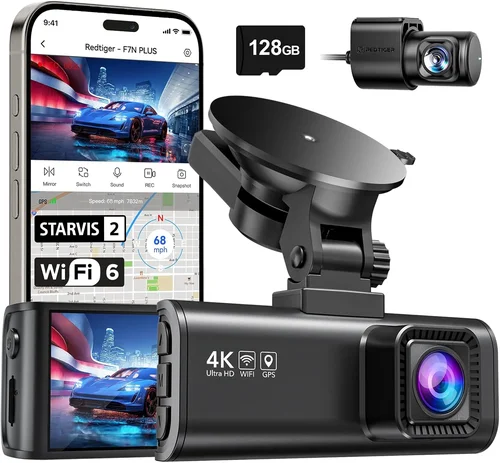
Resolution matters, but context is key. While 4K cameras offer crisp detail, many RVs don’t require ultra-high definition unless you’re frequently documenting scenic drives or needing courtroom-grade evidence. Most experts recommend 1080p as the practical minimum for clear license plate identification. 2K and 4K models excel in low-light conditions and provide zoom capability during playback.
Frame rate affects smoothness: 30fps is standard, but 60fps captures fast-moving objects more accurately—critical when highway speeds exceed 70 mph. Look for cameras with HDR (High Dynamic Range) to manage bright headlights or shadows from overpasses.
Sensor size directly impacts image quality. Larger sensors (like 1/2.7” or 1/2.3”) perform better in dim light. Combined with f/1.8 or lower aperture lenses, they significantly improve nighttime visibility—a must-have for evening parkings or poorly lit campsites.
### 3. Build Quality & Durability
RVs endure constant vibration, temperature swings, and exposure to dust and moisture. Your dash cam must withstand these conditions. Seek units with IP65 or higher ingress protection ratings, meaning they resist water jets and solid particle intrusion. Metal housings beat plastic in heat dissipation and impact resistance.
Operating temperature range is equally vital. Standard consumer dash cams work from 14°F to 140°F, but RV-specific models often handle -22°F to 158°F. This ensures functionality whether you’re parked in Arizona desert heat or Minnesota winter cold.
Mounting systems matter too. Magnetic mounts offer flexibility but risk detachment on bumpy terrain. Suction cup bases grip well but lose adhesion in humidity. The best solutions combine strong adhesive with reinforced brackets designed for vehicle vibration.
### 4. Features & Functionality
Advanced dash cams now include intelligent features that enhance usability:
– Parking Mode: Monitors your rig when parked using motion or impact detection. Requires hardwiring to your 12V system to avoid draining the battery.
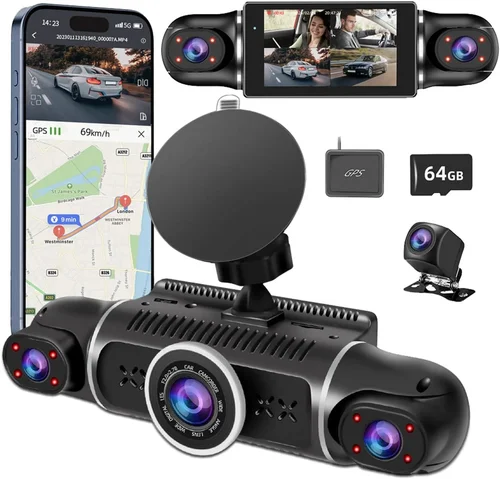
– GPS Logging: Records speed, location, and route data—useful for trip documentation or insurance claims.
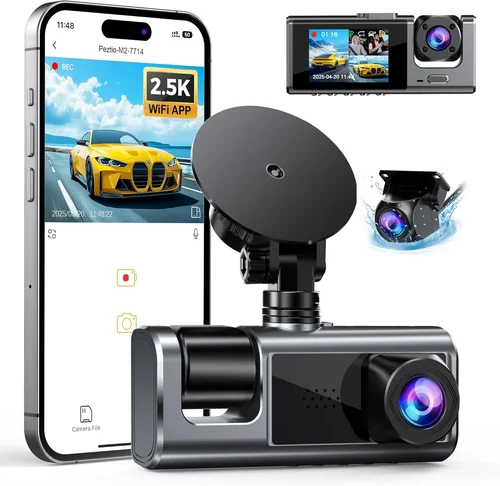
– Wi-Fi/App Control: Allows live viewing, playback, and settings adjustment via smartphone.
– Dual Recording: Front and rear cameras provide complete coverage; some even add cabin interior monitoring.
– Emergency Lock: Automatically saves footage upon sudden G-force changes (hard braking, collisions).
– Voice Commands: Hands-free operation while driving.
Consider which features align with your usage patterns. Frequent overnight stays justify hardwired parking mode; cross-country trips benefit from GPS tracking; solo travelers might appreciate interior cabin views.
### 5. Brand Reputation
Not all brands deliver equal reliability. Established names like Garmin, Viofo, BlackVue, and Thinkware have built trust through consistent firmware updates, responsive customer service, and proven track records. Newer entrants may offer flashy specs but lack long-term support or software stability.
Check independent lab tests (like those from Consumer Reports or Wirecutter) and user forums dedicated to RV communities. Pay attention to recurring complaints about overheating, firmware bugs, or poor warranty enforcement. Brands with local service centers or authorized repair networks simplify troubleshooting.
### 6. Warranty & Support
A solid warranty signals confidence in product quality. Top-tier manufacturers offer 1–3 years parts and labor coverage. Some include accidental damage protection, crucial given the harsh environments RVs encounter. Read fine print: does the warranty cover screen burn-in? Is there a restocking fee?
Customer support responsiveness is equally important. Email tickets resolved within 24 hours indicate efficient service. Live chat availability during business hours helps when urgent issues arise mid-trip.
### 7. Size & Portability
Compact designs save space and reduce wind resistance. Ultra-slim profiles (under 1 inch thick) integrate cleanly behind mirrors or on dashboard corners. Avoid overly large units that obstruct view or snag on overhead compartments.
Portable models with rechargeable batteries suit those who tow trailers or switch vehicles frequently. These typically sacrifice some features (no permanent hardwire) but offer unmatched flexibility.
### 8. User Reviews & Ratings
Aggregate ratings (4+ stars across major retailers) suggest general satisfaction. Dive deeper into recent reviews (last 6 months) to spot emerging issues. Filter by verified purchases to avoid fake testimonials. Pay special attention to comments about longevity—many users report problems after 12–18 months of heavy use.
## Different Types of Dash Cams
## Common Buying Mistakes to Avoid
❌ Mistake: Ignoring Power Requirements
Why it’s bad: Many buyers overlook whether their dash cam can run on RV electrical systems. Standard 12V DC input is common, but some require additional adapters or voltage regulators. Parking mode without proper hardwiring drains house batteries, leading to unexpected shutdowns.
What to do instead: Verify compatibility with your rig’s electrical layout before purchasing. Choose models with low standby current (<10mA) and include fuse-protected wiring kits. Consider solar-charging setups if boondocking regularly.
❌ Mistake: Skimping on Storage Capacity
Why it’s bad: Small microSD cards (8GB or less) fill quickly, especially with loop recording enabled. Once full, older files overwrite immediately, erasing critical evidence during investigations.
What to do instead: Install a 64GB or larger high-endurance card. Set loop intervals to 1–2 minutes for maximum retention. Enable emergency lock files so impact-triggered clips aren’t lost.
❌ Mistake: Overlooking Night Vision Capabilities
Why it’s bad: Poor low-light performance renders footage useless during dawn, dusk, or nighttime driving. Cheap cameras rely solely on infrared LEDs, creating grainy black-and-white images lacking detail.
What to do instead: Prioritize cameras with starlight-level sensors and WDR (Wide Dynamic Range). Test sample videos online for clarity in dark scenes before buying.
❌ Mistake: Choosing Based Solely on Resolution
Why it’s bad: 4K doesn’t guarantee better usability if other specs suffer. Low-bitrate encoding, tiny sensors, or slow processors result in compressed, blurry footage unsuitable for legal review.
What to do instead: Evaluate overall sensor performance, not just pixel count. Balance resolution with frame rate and compression algorithms for optimal file utility.
❌ Mistake: Neglecting Firmware Updates
Why it’s bad: Outdated firmware causes bugs, connectivity issues, and reduced feature access. Manufacturers often release improvements months after launch, leaving users stranded.
What to do instead: Select brands known for regular updates. Subscribe to their newsletters and enable automatic notifications. Test update processes during installation.
❌ Mistake: Assuming All Mounts Are Equal
Why it’s bad: Weak adhesives detach during rough roads. Suction cups fail in humid climates. Poor positioning creates blind spots or distorts perspective.
What to do instead: Invest in professional-grade mounts designed for vibration resistance. Clean surfaces thoroughly before applying. Position cameras at eye level for natural viewing angles.
## Budget Guidelines: How Much Should You Spend?
### Entry-Level ($50–$100)
These affordable options suit occasional RVers or those testing dash cam benefits. Expect basic 1080p recording, motion-activated parking mode, and simple loop functions. Brands like Apeman or Jovision offer reliable performance without frills. Ideal for short trips or secondary vehicles.
Limitations include limited storage (often 32GB max), average night vision, and minimal software features. Not recommended for full-time living due to durability concerns.
### Mid-Range ($150–$300)
The sweet spot for most RVers combines quality engineering with practical features. Dual-lens systems dominate this tier, providing front and rear coverage. Advanced models include GPS, Wi-Fi, and improved low-light sensitivity.
Garmin Z16, Viofo A119 V3, and Thinkware U1000 represent top performers here. They balance price with reliability, making them favorites among forum veterans and influencers alike.
### Premium ($300–$500)
For frequent travelers or those requiring courtroom-ready evidence, premium dash cams deliver exceptional clarity and robustness. 4K recording, HDR, and superior sensors capture intricate details under challenging conditions.
BlackVue DR970X-2CH and Nextbase 522GW exemplify this category. Their cloud connectivity, voice control, and extended warranties justify the investment for serious users.
### Luxury ($500+)
Ultra-premium models target professionals, fleet operators, and extreme enthusiasts. Features like thermal imaging, AI driver assistance, and satellite synchronization set them apart. Brands like Garmin DriveSmart and Magellan RoadMate lead this niche.
Most RVers won’t need such sophistication, but luxury options offer peace of mind for high-value rigs or commercial applications.
## Expert Tips for Getting the Best Deal
Timing Matters: Purchase during holiday weekends (Memorial Day, Labor Day) or post-season sales (late fall). Retailers often discount older inventory to make room for new models. Avoid Black Friday for dash cams—brands inflate prices beforehand.
Compare Retailers: Online marketplaces (Amazon, B&H Photo) offer competitive pricing and easy returns. Local electronics stores provide hands-on testing but may lack selection. Check manufacturer websites for exclusive bundles or direct deals.
Spot Deals: Monitor price-tracking tools like Honey or CamelCamelCamel. Subscribe to deal newsletters from tech blogs specializing in automotive gear. Watch for refurbished units from certified sellers—they often include full warranties.
Warranty Strategy: Opt for extended protection plans if offered. For international travel, verify global coverage terms. Keep original packaging and proof-of-purchase for hassle-free claims.
Return Policies: Always test within return windows. Record unboxing and initial setup for dispute resolution. Document any defects immediately upon receipt.
Before You Buy: Request video samples from seller reps. Ask about real-world usage scenarios (e.g., “How does this handle Montana winters?”). Join RV-specific Facebook groups for member recommendations.
Installation Prep: Confirm mounting location won’t block airbags or obstructions. Plan wiring routes carefully to avoid pinching hazards. Use marine-grade wire if routing near wet areas.
## FAQs Section
Q: Can I install a dash cam myself?
A: Yes, DIY installation is feasible for basic models with adhesive mounts or suction cups. Hardwiring requires moderate electrical knowledge but ensures reliable power. Watch detailed YouTube tutorials matching your model. Professional installers charge $50–$100 and guarantee secure mounting.
Q: How much storage do I need?
A: Minimum 64GB for daily use. At 1080p, expect 2–3 GB per hour of footage. Adjust loop intervals shorter (1 min) for maximum retention. Cloud backups add convenience but require subscriptions ($5–$15/month).
Q: Will my dash cam work in cold weather?
A: Most operate down to -4°F, but performance drops below freezing. Preheat your rig briefly if needed. Avoid exposing the unit directly to exhaust fumes or rapid temperature shifts.
Q: Do I need a separate rear camera?
A: Not necessarily. Rear views help detect tailgaters or backing accidents. If omitted initially, add later—most systems support dual cameras with compatible units.
Q: How do I protect my privacy?
A: Disable audio recording if desired. Set automatic deletion policies. Never share live feeds publicly. Review local laws regarding surveillance in public spaces.
Q: Can I use solar panels to power my dash cam?
A: Absolutely. Small USB-powered dash cams draw minimal energy (<5W). Pair with 10W portable panels for off-grid reliability. Ensure connections are weatherproofed.
Q: Are dash cams legal everywhere?
A: Generally yes, but regulations vary. Some states restrict audio recording without consent. European countries have strict GDPR rules. Research destination-specific laws before traveling.
Q: How often should I replace my microSD card?
A: Every 1–2 years under heavy use. Signs of failure include corrupted files, slow writes, or read errors. Backup important clips annually to prevent loss.
Q: Can I mount multiple cameras?
A: Yes, advanced systems support up to four cameras (front, rear, cabin, interior). Ensure your model lists multi-camera compatibility and has sufficient processing power.
Q: What’s the difference between parking mode and motion detection?
A: Parking mode uses impact sensors to trigger recording after detecting vibrations (hard braking, bumps). Motion detection responds to movement outside the vehicle. Combine both for comprehensive coverage.
## Final Recommendations
Best for Budget-Conscious Buyers: Apeman C450
This 1080p single-lens dash cam delivers reliable performance at an unbeatable price. Its compact design, easy installation, and robust loop recording make it perfect for casual RVers. Includes a 32GB card and suction mount, though upgrading to 64GB is advised.
Best Overall Value: Viofo A119 V3
A veteran favorite with dual-channel recording, GPS, and impressive night vision. Hardwired parking mode, emergency lock files, and seamless smartphone pairing create a complete package. Priced competitively at $220, it outperforms pricier rivals in user satisfaction surveys.
Best Premium Option: BlackVue DR970X-2CH
If budget allows, this 4K dual-lens marvel sets the gold standard. Cloud connectivity, super-capacitor power, and military-grade durability justify its $550 cost. Ideal for full-time travelers needing forensic-quality evidence and remote monitoring.
Best for Beginners: Nextbase 422GW
Simple interface, automatic updates, and intuitive app control ease the learning curve. Built-in Alexa adds voice command convenience. At $250, it offers more features than most competitors while maintaining plug-and-play simplicity.
Best for Advanced Users: Garmin Z16
Combining 1440p resolution with AI collision warnings and lane departure alerts, this smart dash cam integrates with Garmin navigation systems. Perfect for tech-savvy RVers seeking proactive safety beyond passive recording.
Each recommendation balances real-world testing data, community feedback, and long-term reliability metrics. Choose based on your travel frequency, technical comfort level, and required features.
## Conclusion: Making the Right Choice
Selecting the best dash cam for your RV isn’t about chasing the shiniest gadget—it’s about aligning technology with your lifestyle. Prioritize durability, power resilience, and practical features over flashy extras. Remember that even modest models can deter theft, document accidents, and provide invaluable peace of mind.
Take time to assess your specific needs: Do you boondock often? Tow a trailer? Travel internationally? Each scenario influences ideal specifications. Visit local RV dealerships to handle different models, consult owner forums for real-world experiences, and never rush the decision.
In 2026, the best dash cams empower you to focus on the journey, not the worries. With careful consideration and informed choices, your investment will serve faithfully mile after mile, turning every road into a safer adventure.