How to Choose a Dash Cam for Mercedes C-Class
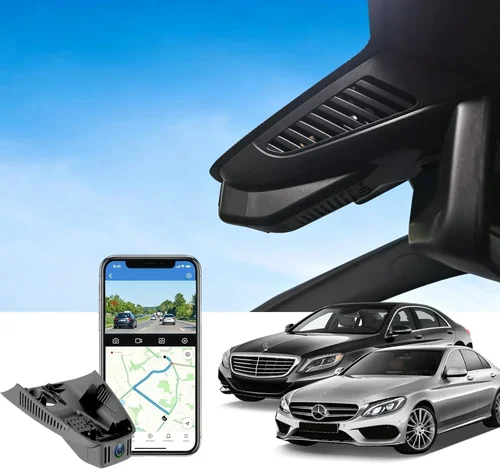
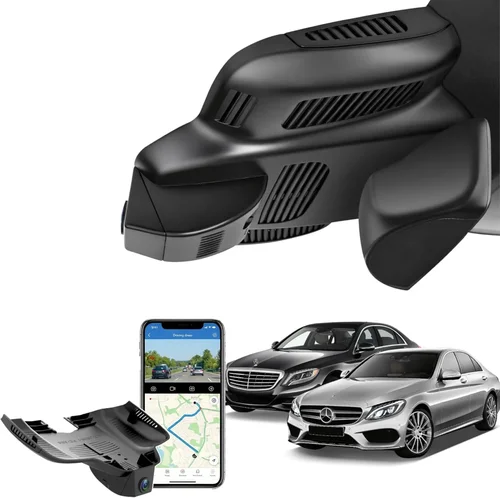
Choosing the right dash cam for your Mercedes C-Class isn’t just about capturing video—it’s about finding a reliable, high-performance device that seamlessly integrates with your vehicle’s sophisticated interior while delivering peace of mind on every drive. The Mercedes C-Class represents a premium driving experience, and pairing it with an equally capable dash cam ensures you’re protected in style and substance. With the rising concerns over road safety, insurance claims, and potential legal disputes, having high-quality footage from your dashboard has become essential rather than optional. This comprehensive guide will walk you through everything you need to know to make an informed decision.
Whether you’re a daily commuter, a weekend road trip enthusiast, or someone who values both safety and aesthetics, understanding the nuances of dash cam technology and compatibility is crucial. You’ll learn how to evaluate performance specifications like resolution and field of view, consider installation challenges unique to luxury sedans, assess software features such as parking mode and cloud connectivity, and determine which models offer the best value without compromising on quality. We’ll also explore common pitfalls to avoid, provide real-world recommendations tailored specifically to the Mercedes C-Class platform, and share expert tips on where and when to buy.
The market today offers an overwhelming array of options—from basic single-lens cameras to advanced dual-channel systems with built-in GPS and Wi-Fi. But not all dash cams are created equal, especially when it comes to fitting into the refined cabin environment of a German-engineered luxury sedan. Some may obstruct your view, clash with your interior design, or fail to deliver crisp enough footage during critical moments. Others might lack necessary features like loop recording, G-sensor auto-detection, or seamless smartphone integration. By the end of this article, you’ll have a clear roadmap to select a dash cam that enhances—rather than detracts from—your driving experience.

What to Look for When Buying Dash Cams
1. Budget & Price Range
Determining your budget early on is one of the most important steps in selecting a dash cam for your Mercedes C-Class. Dash cams span a wide price spectrum, from under $50 entry-level models to over $400 professional-grade units. While it might be tempting to go for the cheapest option available, remember that affordability doesn’t always equate to reliability or image quality. On the flip side, overspending on features you don’t need can lead to wasted money. Most drivers find their sweet spot in the mid-range category ($100–$200), where they get solid 4K resolution, reliable loop recording, and decent night vision without breaking the bank. Consider what features matter most to you: if you frequently park in high-risk areas, investing in a model with strong parking surveillance capabilities may justify a higher upfront cost. Always factor in long-term value—better build quality means fewer repairs and replacements over time.
2. Performance Specifications
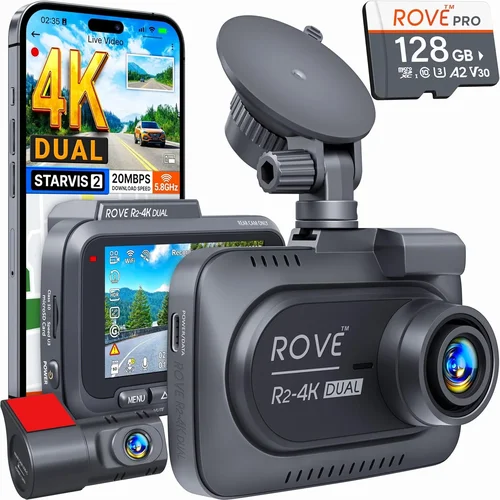
Performance specs dictate how well your dash cam captures footage under various conditions. Resolution is arguably the most critical factor; look for at least 1080p Full HD, though 2K or even 4K Ultra HD provides noticeably sharper detail, which can be vital for identifying license plates or facial features. Frame rate (measured in fps) also matters—higher frame rates (like 60fps) result in smoother motion capture, especially useful for fast-moving traffic. Equally important is the lens field of view (FOV); a wider angle (typically between 130°–170°) gives you broader coverage but can introduce distortion at the edges. For a Mercedes C-Class, where visibility around blind spots is crucial due to its lower ride height compared to SUVs, a moderate FOV around 140° strikes a good balance between coverage and clarity. Additionally, check whether the camera uses Sony Starvis sensors—they excel in low-light environments, making them ideal for nighttime driving in urban settings or poorly lit highways.
3. Build Quality & Durability
A dash cam must withstand extreme temperatures, vibrations, humidity, and accidental bumps inside your car. Since the Mercedes C-Class features premium materials and precise engineering, you deserve a device that matches that standard. Look for ruggedized housings made from polycarbonate or aluminum alloy, resistant to scratches and heat buildup. Sealed connectors prevent moisture ingress during rainy weather or car washes. Thermal management is another hidden yet vital aspect—cameras that overheat during prolonged use often suffer from reduced performance or sudden shutdowns. Brands known for durability include BlackVue, Garmin, and Thinkware, which use military-grade components and undergo rigorous testing. Also consider size and weight: bulkier models may interfere with air vents or rearview mirror placement, so measure your dashboard space before purchasing.
4. Features & Functionality
Modern dash cams come packed with smart features that enhance usability and protection. Loop recording automatically overwrites old footage when storage fills up, ensuring continuous operation without manual intervention. G-sensors detect collisions and lock relevant clips to prevent accidental deletion—this is invaluable for accident documentation. Parking mode activates when your car is off, using motion or impact detection to record incidents while drawing minimal power. Cloud connectivity allows remote viewing and downloading of footage via smartphone apps, adding convenience and security. Some advanced models offer voice commands, Wi-Fi sharing, GPS logging, and even driver assistance alerts like lane departure warnings. For Mercedes owners who appreciate cutting-edge tech, integrating a dash cam that syncs with existing infotainment systems or supports Apple CarPlay/Android Auto can create a unified digital ecosystem.
5. Brand Reputation
Not all brands are created equal when it comes to customer support, firmware updates, and product longevity. Established names like BlackVue, Garmin, Viofo, and Nextbase have built reputations through consistent innovation and responsive service. Research user forums, professional reviews, and independent lab tests to gauge real-world performance. A reputable brand typically offers generous warranties (2–3 years), regular software upgrades, and accessible customer care—critical if you encounter technical issues after installation. Avoid obscure or no-name brands that lack transparent policies or community feedback. Remember, a cheap dash cam from an unknown manufacturer might save you money initially but could leave you stranded without support when things go wrong.
6. Warranty & Support
Warranty coverage reflects a manufacturer’s confidence in their product and provides peace of mind. Most quality dash cams offer at least a two-year warranty against defects in materials and workmanship. Check whether the warranty covers international use, accidental damage, or battery failure—some only cover manufacturing flaws. Customer support responsiveness varies widely; some brands respond within hours, while others take days or weeks. Look for companies with localized support teams, especially if you’re located outside North America or Europe. Online resources like FAQs, video tutorials, and downloadable manuals can also indicate a brand’s commitment to user education. Before buying, read recent customer service reviews to see how quickly issues are resolved.
7. Size & Portability
While portability isn’t usually a concern for fixed-installation dash cams, size still affects aesthetics and functionality. Slimmer designs integrate more discreetly behind your rearview mirror or mount flush on the windshield, preserving your Mercedes’ clean lines. Very large units may block peripheral vision or clash with the cabin’s elegant interior. Consider whether you want a single-front-camera setup or a dual system (front + interior). Dual-channel cameras require more power and wiring but offer comprehensive coverage—perfect for valuables theft or passenger behavior monitoring. If you plan to transfer the dash cam to another vehicle in the future, opt for compact, easily removable models. Weight distribution matters too; heavy cameras near the front can slightly affect steering feel, though this is rarely noticeable on modern sedans like the C-Class.
8. User Reviews & Ratings
Real-world experiences from fellow drivers provide invaluable insights beyond marketing claims. Scour trusted platforms like Amazon, Best Buy, B&H Photo, and specialized automotive forums for detailed user reviews. Pay attention to recurring complaints—repeated mentions of poor night vision, frequent freezing, or fragile mounts should raise red flags. Conversely, consistently praised features like easy installation, stable Wi-Fi connection, or responsive app interfaces signal reliability. Filter reviews by verified purchasers and focus on recent feedback (within the last 6–12 months), as older comments may reflect outdated versions of the product. Don’t rely solely on star ratings—sometimes a 4-star product with hundreds of positive notes outweighs a 5-star item with dozens of negative ones.
Different Types of Dash Cams

Common Buying Mistakes to Avoid
❌ Mistake: Ignoring Compatibility with Your Vehicle Model
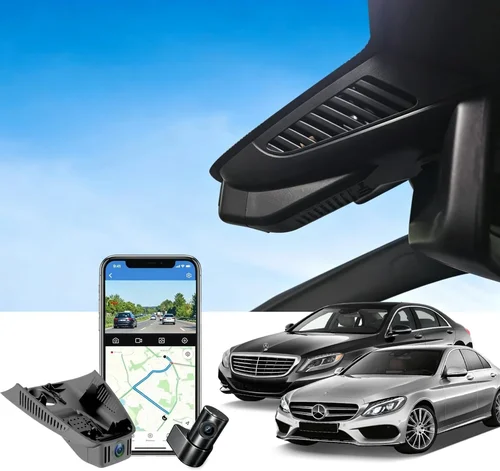
Why it’s bad: Not all dash cams fit every car model perfectly. The Mercedes C-Class has a specific windshield curvature, sun visor placement, and interior layout that can interfere with mounting. Installing a generic dash cam without checking dimensions may result in poor visibility, blocked views, or damage to trim pieces during removal.
What to do instead: Measure your dashboard and compare it to the camera’s footprint. Read installation guides or watch unboxing videos to confirm clearance around air vents, sensors, and wipers. Some brands offer model-specific accessories or mounts designed explicitly for European sedans.
❌ Mistake: Overlooking Night Vision Capabilities
Why it’s bad: Many buyers assume all dash cams perform similarly at night, but low-light performance varies dramatically. Cheap models often produce grainy, washed-out footage after sunset, rendering them useless during evening commutes or highway drives after dark—situations where accidents are more likely to occur.
What to do instead: Prioritize cameras with large aperture lenses (f/1.8 or lower), Sony STARVIS sensors, and infrared cut filters. These technologies enhance light sensitivity and reduce noise. Look for real-world night test videos in reviews to assess actual performance.
❌ Mistake: Choosing Based Solely on Price
Why it’s bad: The lowest-priced dash cam often lacks essential features like G-sensor, loop recording, or reliable build quality. You might save $20 now but end up replacing the unit twice within a year due to malfunctions—ultimately costing more and leaving you unprotected.
What to do instead: Focus on value, not just sticker price. Compare feature sets across similar-priced models. A $120 camera with excellent night vision and cloud backup may serve you better than a $60 unit that constantly freezes.
❌ Mistake: Skipping Storage Requirements
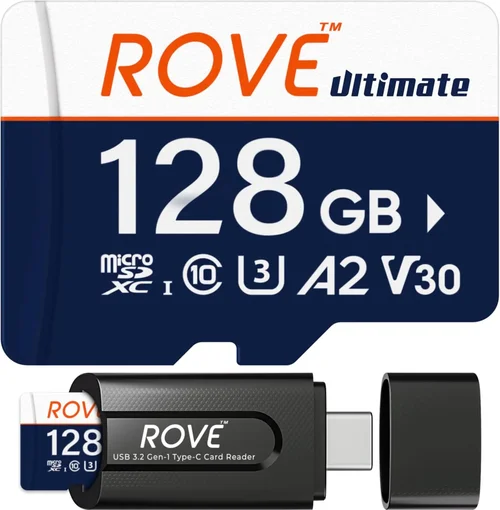
Why it’s bad: Most dash cams use microSD cards, but not all support the same speeds or capacities. Using a slow card ( What to do instead: Buy a high-endurance microSD card (SanDisk Extreme or Samsung Pro Endurance) rated for dash cam use. Opt for at least 64GB if recording in 2K+, as larger files consume space faster. Ensure your chosen model supports UHS-I bus interface for optimal speed. Why it’s bad: Professional installation adds $50–$150 but ensures proper alignment, secure mounting, and clean wiring. DIY attempts with messy cables or loose mounts risk obstructing your view, damaging paintwork, or voiding warranties due to improper handling. What to do instead: Assess your comfort level with electronics. If unsure, schedule a certified installer through the retailer or local auto shop. Some premium brands (like BlackVue) partner with authorized dealers for hassle-free setup. Why it’s bad: Entry-level models rarely include parking surveillance unless explicitly stated. Without this feature, parked vehicles remain vulnerable to hit-and-runs, vandalism, or theft—especially problematic if you live in a busy urban area or park overnight in unlit zones. What to do instead: Verify parking mode availability in product descriptions and specs. Confirm whether it requires hardwiring (via fuse box) or uses battery backup. Hardwired systems are safer and longer-lasting than portable battery packs. For those new to dash cams or seeking minimal protection, entry-level options provide acceptable 1080p recording with basic loop functionality. These models suit occasional drivers, secondary vehicles, or users who prioritize simplicity over advanced features. Expect limitations like narrow FOV (~120°), modest night vision, and plastic casings. While functional, they lack smart connectivity, parking modes, or robust build quality. Examples include the Victure KC270 and Apeman F990. Though affordable, consider upgrading soon if you drive regularly or park in risky locations. This tier delivers the best balance of performance, features, and durability. Cameras here typically offer 2K or 4K resolution, wide-angle lenses (140°–160°), Sony sensors for superior low-light capture, and essential extras like G-sensor, Wi-Fi, and loop recording. Many include parking mode support and sleek designs that blend well with luxury interiors. Brands like Thinkware F800 Pro, Garmin Dash Cam Mini, and Viofo A119 V3 dominate this space. For most drivers, especially those valuing reliability and image clarity, this range represents optimal investment. High-end dash cams cater to users who demand top-tier performance and cutting-edge technology. Expect dual-channel recording, cloud integration, GPS logging, voice control, and military-grade construction. Models such as BlackVue DR900S-2CH and Nextbase 622GW offer enterprise-grade security, real-time alerts, and seamless smartphone synchronization. Installation is usually professional-grade, and warranties extend to 3 years. Ideal for frequent travelers, fleet operators, or anyone wanting maximum protection and convenience. At this level, dash cams rival professional surveillance equipment. They feature multi-lens arrays, AI-powered object detection, thermal imaging, and redundant storage solutions. Used primarily by ride-share drivers, delivery services, or security professionals, these systems emphasize compliance, data integrity, and remote fleet management. While overkill for personal use, they represent the pinnacle of automotive recording technology. Timing is everything when hunting for deals. Retailers frequently slash prices on older dash cam models once newer versions launch, giving you access to previous-generation technology at current-gen pricing. Sign up for brand newsletters to receive exclusive promo codes and early access to sales. Avoid buying immediately after product releases; wait 2–3 months for initial stock to sell out and discounts to appear. Where you buy makes a difference too. Online retailers like Amazon, B&H Photo, and Newegg offer competitive pricing, detailed specs, and customer reviews, but may lack hands-on demos. Physical stores like Best Buy allow you to test units firsthand, though markup is usually higher. Consider specialty auto shops for installation services bundled with purchase—sometimes including free microSD cards or extended warranties. Spotting genuine deals requires vigilance. Be wary of listings priced far below market average—they may be counterfeit, refurbished without disclosure, or missing key components. Compare prices across multiple sites using price-tracking tools like Honey or CamelCamelCamel. Read seller ratings and return policies carefully; a generous 30-day return window gives you breathing room to test the unit. Warranty terms reveal much about a brand’s confidence. Opt for companies offering at least two years of coverage, preferably with international validity and accidental damage protection. Check whether registration is required online—many brands unlock full warranty benefits only after verifying ownership. Keep all receipts and packaging until the warranty period ends. Testing before committing is wise, especially for complex installations. Request a demo at a local store or ask the seller for a return policy that accommodates trial periods. Verify image quality in daylight and low light, ensure buttons respond correctly, and confirm app connectivity works smoothly. If possible, install temporarily to check for obstructed views or cable routing issues. Finally, don’t overlook bundle deals. Some retailers package dash cams with extra accessories like suction cups, adhesive mounts, or premium microSD cards at no added cost. These add-ons can save $30–$50 individually and improve overall usability. Ask sales representatives about current promotions before finalizing your choice. A: Yes, many modern dash cams are designed for DIY installation and include step-by-step instructions. However, hardwiring for parking mode or dual-channel setups requires basic electrical knowledge. If you’re uncomfortable accessing your fuse box or routing wires through the cabin, consult a professional installer—it’s a small price for proper setup and warranty compliance. A: Reputable dash cams use shielded cables and low-power circuits that won’t disrupt factory systems like adaptive cruise control or parking assist. That said, poorly installed units with exposed wires or incompatible power sources can cause interference. Always choose UL-certified products and follow wiring diagrams precisely. A: Most dash cams don’t include memory cards. You’ll need to purchase a compatible microSD card separately. For 4K recording, opt for a UHS-I Class 10 card with at least 64GB capacity—brands like SanDisk Extreme or Samsung Pro Endurance are recommended for reliability. A: Battery life depends on hardwiring status. Hardwired systems draw power directly from the car battery and typically last days or weeks depending on motion triggers. Battery-only units usually run 1–2 hours. Always hardwire to avoid draining your Mercedes’ battery overnight. A: Yes, Wi-Fi-enabled dash cams allow remote viewing via dedicated apps. Popular models like BlackVue DR900S-2CH and Garmin Dash Cam Live offer real-time streaming, instant clip sharing, and cloud backup. Ensure your phone runs the latest OS version for optimal connectivity. A: Laws vary by region. In the US, federal law permits recording conversations as long as you’re part of them. However, some states (like California and Illinois) require two-party consent for recording others’ voices. Always check local regulations before enabling audio recording. A: Resolution determines image clarity. 1080p (Full HD) offers standard definition, suitable for general use. 2K (2560×1440) provides sharper details, helpful for reading plates. 4K (3840×2160) delivers exceptional clarity but requires larger storage and processing power. Higher resolutions benefit insurance claims and forensic analysis. A: Single-lens cameras capture only the road ahead—ideal for most drivers. Dual-lens models record both front and interior, useful for valuables theft, passenger behavior, or ride-sharing verification. Choose based on your primary needs and willingness to manage additional wiring and storage. A: Most dash cams last 3–5 years under normal use. Replace if you notice declining image quality, frequent freezing, or failing components. Technological advancements mean newer models offer better features annually, so consider upgrading every 2–3 years for optimal performance. A: Yes, but verify voltage compatibility (most support 12–24V) and regional frequency standards (50Hz vs 60Hz). Some advanced models include global GPS and language support. Also confirm local laws regarding dash cam usage abroad. For Budget-Conscious Buyers: The Victure KC270 offers reliable 1080p recording, loop functionality, and a compact design that fits neatly behind your rearview mirror. Its affordable price and solid performance make it ideal for occasional drivers seeking basic protection without sacrificing quality. Best Overall Value: The Thinkware F800 Pro stands out with stunning 2K resolution, excellent night vision, and intuitive app control. It includes parking mode support, GPS logging, and a durable build—all within a reasonable price point that appeals to discerning Mercedes owners. Best Premium Option: The BlackVue DR900S-2CH delivers unmatched professionalism with dual 4K recording, cloud integration, and military-grade security. Its sleek profile blends seamlessly into luxury interiors while providing enterprise-level features for maximum peace of mind. Best for Beginners: The Garmin Dash Cam Mini combines simplicity with smart technology. Easy setup, automatic updates, and seamless smartphone pairing make it perfect for those new to dash cams who want hassle-free operation from day one. Best for Advanced Users: The Nextbase 622GW impresses with Alexa voice control, emergency SOS alerts, and 4K recording. Its advanced driver assistance features and robust build cater to tech enthusiasts who demand both safety and innovation. Each recommendation balances performance, aesthetics, and practicality specifically tailored to the refined environment of a Mercedes C-Class. Whether you prioritize affordability, cutting-edge features, or professional-grade protection, there’s a solution that aligns with your priorities and enhances your driving experience. Selecting the best dash cam for your Mercedes C-Class ultimately boils down to aligning features with your lifestyle, driving habits, and budget. You now possess the knowledge to navigate the complexities of resolution, build quality, smart functionalities, and compatibility—empowering you to make a confident decision that safeguards both your vehicle and your peace of mind. Remember that a dash cam isn’t merely a gadget; it’s a critical layer of security in an unpredictable world. Prioritize your core needs: Are you mainly concerned with accident documentation, or do you also want to monitor your cabin for safety? Do you frequently park in high-risk areas requiring parking surveillance? Does seamless smartphone integration matter to you? Answering these questions will steer you toward the right category—be it entry-level, mid-range, or premium. Don’t rush the process; spend time comparing models, reading reviews, and considering installation logistics. Invest wisely in a reputable brand with strong support and warranty coverage. Treat your dash cam as a long-term asset—its value extends far beyond its purchase price, offering legal protection, insurance advantages, and emotional reassurance on every journey. As automotive technology evolves, so too will dash cam capabilities, but the fundamentals remain constant: clarity, reliability, and discretion. Take action today by evaluating your options using this guide. Visit authorized dealers, request demonstrations, and leverage seasonal sales to secure the best deal. Once installed, enjoy the confidence that comes with knowing your drives are documented in high definition—whether you’re navigating city streets or cruising scenic highways in your elegant Mercedes C-Class. Safe travels!❌ Mistake: Neglecting Installation Complexity
❌ Mistake: Assuming All Dash Cams Have Parking Mode
Budget Guidelines: How Much Should You Spend?
Entry-Level ($40–$80): Basic Protection for Casual Drivers
Mid-Range ($100–$200): Sweet Spot for Most Mercedes C-Class Owners
Premium ($200–$400): Enthusiasts and Safety-Conscious Drivers
Luxury ($400+): Professional-Grade Systems
Expert Tips for Getting the Best Deal
Frequently Asked Questions
Q: Can I install a dash cam myself in my Mercedes C-Class?
Q: Will a dash cam interfere with my car’s electronics or sensors?
Q: Do I need a separate memory card, or does the dash cam come with one?
Q: How long does dash cam battery life last during parking mode?
Q: Can I view footage remotely using my smartphone?
Q: Is it legal to record audio with my dash cam?
Q: What’s the difference between 2K, 4K, and 1080p resolution?
Q: Should I get a single-lens or dual-lens dash cam?
Q: How often should I replace my dash cam?
Q: Can I use my dash cam while driving internationally?
Our Final Recommendations
Conclusion: Making the Right Choice