Ultimate Mazda CX-5 Dash Cam Buying Guide
Choosing the right dash cam for your Mazda CX-5 isn’t just about capturing video—it’s about peace of mind, legal protection, and ensuring you’re prepared for whatever the road throws at you. The Mazda CX-5 is a popular compact SUV known for its reliability, comfort, and advanced safety features, making it an ideal platform for a quality dash cam installation. However, with dozens of models on the market, each boasting different resolutions, features, and price points, finding the perfect match can feel overwhelming. This comprehensive guide cuts through the noise to provide expert-level insights specifically tailored to the Mazda CX-5’s unique cabin layout, parking requirements, and driving conditions.
Whether you’re a daily commuter navigating city streets, a weekend adventurer heading off-road, or someone who simply values having a reliable witness in case of an incident, this guide will walk you through every critical decision point. You’ll learn how to evaluate performance specifications like resolution and low-light capability, understand the importance of build quality and mounting solutions compatible with your CX-5’s interior, and discover which advanced features—like parking mode, GPS tracking, and Wi-Fi connectivity—are worth the investment. We’ll also explore common pitfalls to avoid, budget considerations across multiple tiers, and share pro tips from automotive electronics experts who’ve tested countless models in real-world CX-5 installations.
By the end of this article, you won’t just know which dash cam works best for your Mazda CX-5—you’ll understand why it’s the right choice based on your specific needs, driving habits, and long-term expectations. Let’s dive into what makes a dash cam truly stand out in today’s competitive market.

What to Look for When Buying Dash Cams
Selecting a dash cam involves more than just picking the most expensive option or the one with flashy features. It requires careful consideration of several interrelated factors that determine how well the device will perform in real-world scenarios—especially inside the Mazda CX-5’s cabin environment. Below are the most important criteria every buyer should evaluate before making a purchase.
1. Budget & Price Range
Your budget sets the foundation for all other decisions. Dash cams range dramatically in price: entry-level models start around $50, mid-range devices typically cost between $100 and $200, while premium units can exceed $300. While it might be tempting to go for the cheapest option, remember that a sub-$75 dash cam often lacks essential features like loop recording, G-sensor functionality, or reliable parking mode. For Mazda CX-5 owners, who benefit from compact designs that fit neatly under the rearview mirror, investing slightly more upfront usually yields significantly better long-term value.
Why it matters: A higher budget allows access to superior image sensors (like Sony Starvis), enhanced night vision, and durable builds designed to withstand temperature fluctuations common in vehicles.
Tip: Consider the total cost of ownership—including SD card expenses, replacement parts, and potential professional installation fees—when setting your price ceiling.
2. Performance Specifications
The heart of any dash cam lies in its ability to capture clear, usable footage under varying lighting and weather conditions. Key performance metrics include resolution (measured in pixels), frame rate (fps), sensor quality, and low-light sensitivity. Most modern dash cams offer at least 1080p Full HD recording; however, 2K and 4K models provide noticeably sharper detail, crucial for identifying license plates or reading dashboard indicators during nighttime drives.
Mazda CX-5 drivers frequently encounter urban traffic with sudden stops, highway merges, and complex intersections—scenarios where high-resolution footage becomes indispensable for insurance claims or dispute resolution.
3. Build Quality & Durability
A dash cam must endure extreme temperatures, constant vibrations, and exposure to sunlight. The Mazda CX-5’s interior reaches up to 160°F (71°C) in summer heat, demanding components rated for industrial-grade operation. Look for devices constructed with fire-resistant PC+ABS plastics, anti-glare lenses, and robust internal circuitry. Additionally, the mounting system should securely attach without damaging your CX-5’s windshield trim or leaving residue.
Units with IPX ratings indicate resistance to water ingress—a valuable trait if you drive through heavy rain or snow.
4. Features & Functionality
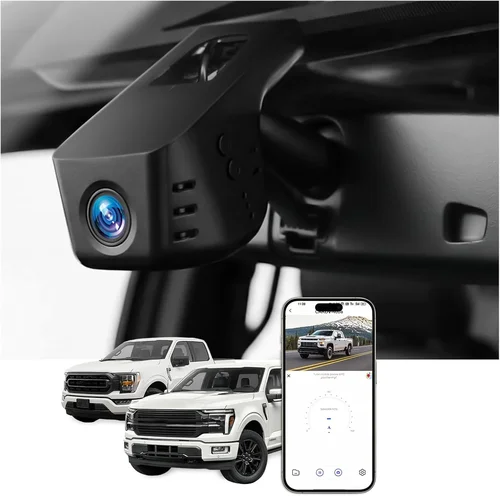
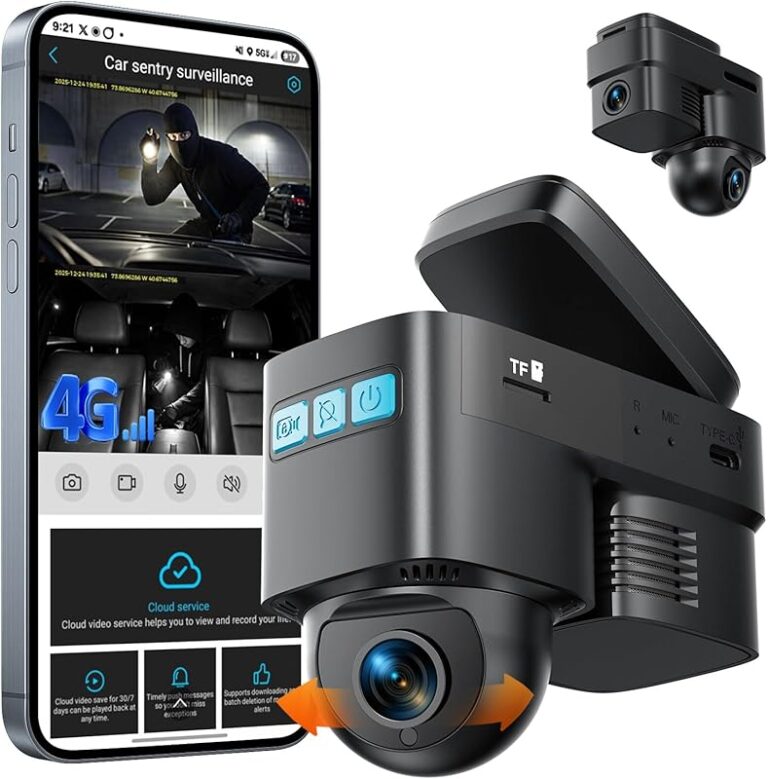
Modern dash cams offer a suite of smart features beyond basic video recording. Parking Mode is arguably the most important for Mazda CX-5 owners, as it enables continuous surveillance while parked, activating only when motion or impact is detected. This feature relies on a hardwired connection to your vehicle’s battery via fuse tap or direct wiring—consider whether your chosen model supports this.
Other valuable capabilities include:
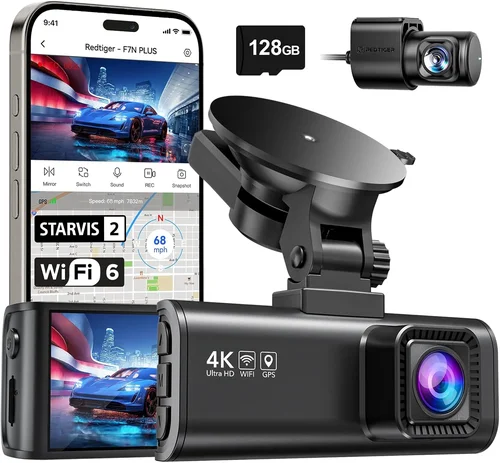
- GPS Logging: Tracks speed, location, and route history.
- Wi-Fi Connectivity: Allows wireless file transfer and live preview via smartphone app.
- Loop Recording: Automatically overwrites old footage when storage fills up.
- G-Sensor (Impact Detection): Locks current clip to prevent accidental deletion during minor bumps.
- Wide-Angle Lens: Captures broader field of view—ideally 130° to 170° diagonal.
- Night Vision Enhancement: Uses infrared LEDs or advanced image processing for clarity after dark.
For Mazda CX-5 users, compatibility with OBD-II ports or direct cigarette lighter connections affects ease of setup and power stability.
5. Brand Reputation
Not all brands deliver equal reliability. Established manufacturers like BlackVue, Garmin, Nextbase, Viofo, and Thinkware have spent years refining their technology and customer support systems. Research third-party reviews, user forums, and professional tech blogs to gauge long-term performance. Avoid lesser-known private-label brands with limited warranties or poor return policies.
Reputable brands typically offer firmware updates, responsive technical support, and transparent troubleshooting guides—all critical if your dash cam malfunctions unexpectedly.
6. Warranty & Support
A solid warranty reflects confidence in product quality. Most reputable dash cam brands provide at least a 1-year manufacturer warranty covering defects in materials and workmanship. Premium models may extend coverage to 2–3 years. Check whether repairs require shipping the unit back or if local service centers exist near major metropolitan areas accessible via Mazda CX-5 routes.
Additionally, verify if cloud-based backup services (common with BlackVue and Garmin) are included free of charge or require separate subscription fees.
7. Size & Portability
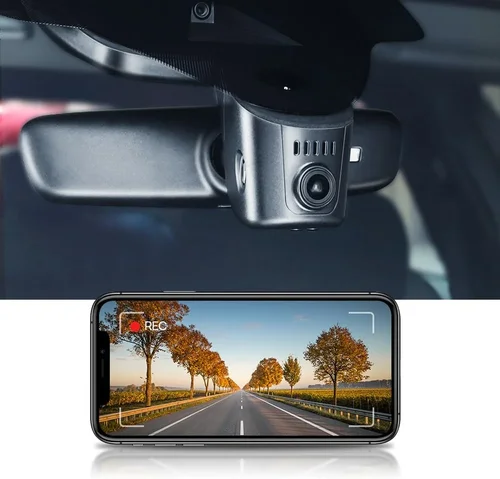
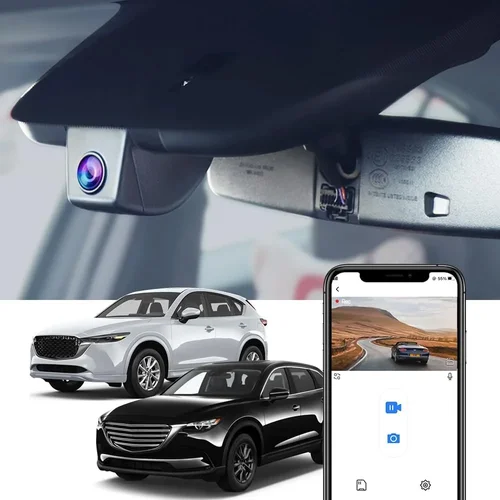
The Mazda CX-5 has a relatively tight interior space behind the rearview mirror, so compact dimensions matter. Bulky dash cams can obstruct driver visibility or interfere with airbag deployment zones. Ideal units measure no more than 2.5 inches wide and 1 inch tall, fitting flush against the windshield without protruding awkwardly.
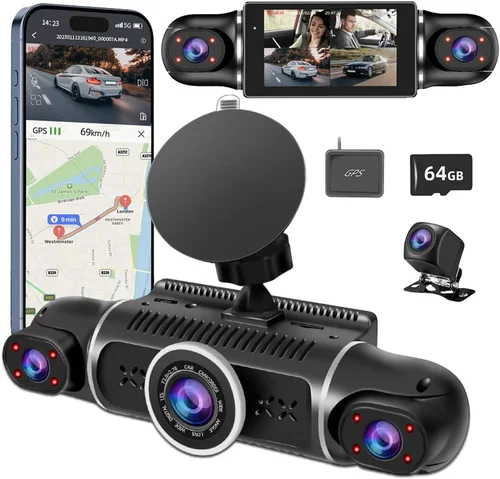
Some dual-camera systems split recording between front and interior/rear views using two separate devices, requiring additional mounting locations—consider whether your CX-5’s dashboard layout accommodates extra hardware.
8. User Reviews & Ratings
Real-world feedback reveals hidden flaws and unexpected strengths. Prioritize Amazon, Best Buy, B&H Photo, and specialized automotive electronics retailers for authentic customer experiences. Pay attention to recurring complaints about battery drain, software bugs, or difficulty accessing files post-recording.
Look for reviewers who mention specific driving scenarios relevant to Mazda CX-5 owners—such as frequent stop-and-go traffic in Seattle fog, mountain passes in Colorado, or suburban commutes with school zones.
Different Types of Dash Cams

Common Buying Mistakes to Avoid
❌ Mistake: Ignoring Parking Mode Requirements
Why it’s bad: Many inexpensive dash cams lack proper parking mode functionality or consume excessive standby power, draining your Mazda CX-5’s battery overnight. Without reliable parking surveillance, you risk missing hit-and-run incidents or unauthorized tampering while parked at home or work.
What to do instead: Choose a model explicitly designed for parking mode with low-power draw (< 200mA). Ensure it supports hardwiring via fuse tap or direct connection to avoid draining your battery. Test the setup before relying on it long-term.
❌ Mistake: Overlooking Storage Capacity Needs
Why it’s bad: Using a small SD card (≤32GB) leads to rapid storage depletion, especially if you record at higher resolutions like 2K or 4K. Loop recording then deletes older clips prematurely, eliminating valuable context in accident reconstruction.
What to do instead: Opt for at least a 64GB Class 10 UHS-I microSD card for Full HD recording. For 2K+, use 128GB or larger. Calculate retention time: a 128GB card at 2K/30fps typically stores ~6–8 hours of footage—adjust based on your driving frequency.
❌ Mistake: Choosing Based Solely on Resolution
Why it’s bad: A 4K dash cam with poor low-light performance produces grainy, unusable nighttime footage. Similarly, a 1080p device with advanced HDR and noise reduction may outperform a technically higher-resolution model in real-world conditions.
What to do instead: Prioritize sensor quality (e.g., Sony STARVIS vs. CMOS) and image stabilization over raw pixel count. Read independent lab tests comparing night vision performance rather than marketing claims alone.
❌ Mistake: Skipping Compatibility Checks
Why it’s bad: Installing a dash cam incompatible with your Mazda CX-5’s fuse box layout or cigarette lighter socket can lead to electrical issues, voided warranties, or improper mounting that obstructs driver sightlines.
What to do instead: Verify physical dimensions fit under your CX-5’s rearview mirror. Confirm power source options (cigarette lighter vs. hardwire kit). Consult owner’s manual diagrams for fuse locations if planning direct wiring.
❌ Mistake: Neglecting Software Usability
Why it’s bad: Complex menu navigation or incompatible playback software makes retrieving footage frustrating after an incident. Some brands require proprietary apps that fail on certain smartphones or operating systems.
What to do instead: Download demo videos from the manufacturer’s website. Test file extraction on both Android and iOS devices. Prefer brands with intuitive desktop players and universal format support (AVI/MOV).
❌ Mistake: Assuming All Dash Cams Are Equal
Why it’s bad: Generic no-name brands often cut corners on firmware development, resulting in frequent crashes, corrupted files, or inability to update. These issues become critical during legal proceedings when evidence integrity is paramount.
What to do instead: Stick with established brands offering regular firmware updates and documented changelogs. Join user communities (like Reddit’s r/Dashcam) to hear real-time feedback about software bugs.
Budget Guidelines: How Much Should You Spend?
Entry-Level ($50 – $100): Basic Protection
This tier suits occasional drivers or those seeking minimal coverage. Expect 1080p recording, basic loop recording, and simple motion detection. Models like the Vantrue N4 or Apeman F800 offer decent performance within this range but may lack advanced features like GPS or Wi-Fi. While sufficient for light commuting, these devices rarely include robust parking modes or cloud backups. Ideal for Mazda CX-5 owners who prioritize affordability over long-term reliability.
Mid-Range ($100 – $200): Sweet Spot for Most Buyers
Representing excellent value, mid-range dash cams deliver balanced performance across all critical areas. Devices such as the Nextbase 522GW, BlackVue DR900S-1CH, or Garmin Dash Cam 67W fall here. They typically feature 2K resolution, superior night vision, built-in GPS, Wi-Fi connectivity, and reliable parking mode. This category is perfect for daily Mazda CX-5 commuters who want dependable evidence collection without overspending.
Premium ($200 – $350): Enthusiasts and Professionals
Top-tier models offer cutting-edge technology, including 4K recording, starlight sensors, dual-channel recording, and seamless cloud integration. Thinkware U1000, Viofo A119 V3, and BlackVue DR970-1CH exemplify this segment. These units excel in harsh environments and demanding applications—ideal for adventurous CX-5 owners who traverse rural roads, tow trailers, or require courtroom-ready documentation.
Luxury ($350+): Top-Tier Everything
Ultra-premium dash cams combine industrial-grade durability with AI-powered features like facial recognition, lane departure warnings, and automatic emergency braking alerts. Brands like Garmin’s DriveAssist series or BlackVue’s Pro Series cater to fleet operators and high-net-worth individuals. While overkill for casual drivers, these systems represent the pinnacle of automotive surveillance technology.
Expert Tips & Pro Advice
1. Time Your Purchase Strategically
Avoid buying immediately after major holidays like Memorial Day or Labor Day when retailers raise prices. Instead, target Black Friday/Cyber Monday sales or end-of-season clearance events (typically August–September for dash cams). Sign up for price alerts on Amazon or Best Buy to catch sudden markdowns.
2. Prefer Authorized Retailers
Purchase exclusively from reputable sources like Amazon (sold by verified vendors), Best Buy, B&H Photo, or the manufacturer’s official website. Avoid gray-market sellers on eBay or unverified third-party platforms—they often sell refurbished or counterfeit units lacking genuine warranties.
3. Inspect Before Committing
If buying in-store, request to hold the unit. Check for loose buttons, scratched lenses, or ill-fitting packaging. Ask staff about return policies—most electronics stores allow returns within 15–30 days if unopened.
4. Leverage Bundle Deals
Many brands bundle accessories like extra batteries, suction cups, or hardwire kits at discounted rates. For example, purchasing a Thinkware U1000 with their optional hardwire kit saves $30–$50 versus buying separately.
5. Understand Return Policies Thoroughly
Read fine print regarding opened items. Some retailers charge restocking fees (up to 15%) for returned dash cams even if undamaged. Opt for companies offering free returns and prepaid shipping labels.
6. Test Installation Early
Before finalizing your Mazda CX-5 setup, practice mounting the dash cam on a spare window or cardboard. Ensure the angle captures the license plate clearly without distorting faces or dashboard controls. Adjust placement until optimal visibility is achieved.
7. Keep Firmware Updated
Manufacturers release periodic updates improving stability, adding features, or fixing bugs. Enable auto-update notifications in your dash cam’s settings menu. Outdated firmware can compromise evidence validity during disputes.
8. Document Everything
Take photos of your installation process—mounting angles, wire routing, and fuse connections. Store them digitally alongside purchase receipts and warranty cards. In case of damage or theft, this documentation accelerates insurance claims and replacements.

Frequently Asked Questions
Q: Can I install a dash cam myself in my Mazda CX-5?
A: Absolutely! Most single-lens dash cams mount directly to the windshield using suction cups and plug into the cigarette lighter or 12V accessory port. Dual-camera systems require minor wiring but still qualify as DIY-friendly with basic tools. Hardwiring kits add complexity but enable true parking mode without draining your battery.
Q: Will a dash cam affect my Mazda CX-5’s fuel efficiency?
A: No. Modern dash cams consume less than 2 watts of power—equivalent to a single LED bulb. Even with continuous recording, they have negligible impact on gas mileage or electric range.
Q: What resolution should I choose for my Mazda CX-5?
A: For most drivers, 2K (2560×1440) offers the best balance between detail and file size. It captures license plates clearly while keeping storage manageable. Reserve 4K for situations requiring extreme detail (e.g., highway accidents) unless you plan to frequently review footage.
Q: Do I need GPS if I have a dash cam?
A: GPS adds valuable metadata—speed, direction, and timestamps—that strengthens insurance claims and helps reconstruct events. While not essential, it’s a worthwhile upgrade if your budget allows, especially for Mazda CX-5 owners who drive frequently on highways or unfamiliar routes.
Q: How long does a dash cam battery last?
A: Built-in rechargeable batteries typically last 1–2 hours when disconnected from power. However, true parking mode relies on hardwiring to your vehicle’s battery via fuse tap—eliminating battery concerns entirely. Always disable parking mode when parked for extended periods to conserve energy.
Q: Can dash cam footage be used in court?
A: Yes, but authenticity matters. Footage must be unaltered, timestamped, and stored securely. Courts prefer dash cams with tamper-proof logging and cloud backups (like BlackVue or Garmin). Always preserve original files rather than editing or converting them.
Q: Is it legal to record audio with my dash cam in my Mazda CX-5?
A: Laws vary by state. In California, Arizona, Connecticut, Florida, Illinois, Maryland, Massachusetts, New Hampshire, Pennsylvania, and Washington D.C., one-party consent laws allow recording conversations involving yourself. Two-party consent states (like Illinois and Michigan) prohibit recording others without explicit permission. Check your local regulations before enabling audio recording.
Q: How often should I replace my microSD card?
A: Every 1–2 years under normal use. Cards degrade over time due to write cycles and environmental stress. Replace if you notice dropped frames, corruption, or slow playback. Use reputable brands like SanDisk Extreme, Samsung EVO Plus, or Lexar Professional.
Q: What happens if my dash cam runs out of storage?
A: With loop recording enabled, the oldest files automatically overwrite new ones once the card fills up. To preserve critical clips, ensure your G-sensor locks footage upon detecting impact or sudden movement—preventing accidental deletion.
Q: Can I use my dash cam while charging my phone?
A: Yes, but avoid using the same USB port simultaneously unless your car supports shared power output. Some Mazda CX-5 models limit current to auxiliary ports, causing phone charging interruptions. Use a dedicated dash cam mount with integrated power supply for stable operation.
Our Final Recommendations
Best for Budget-Conscious Buyers: Vantrue N4
The Vantrue N4 delivers impressive dual-lens recording at an affordable price point. Its compact design fits perfectly under the Mazda CX-5’s rearview mirror, while 1080p front and 720p cabin cameras provide comprehensive coverage. Features like loop recording, G-sensor, and parking mode make it a solid choice for everyday drivers seeking added security without breaking the bank.
Best Overall Value: Nextbase 522GW
Winner of multiple awards, the Nextbase 522GW combines stunning 2K clarity, Alexa voice control, emergency SOS button, and crisp night vision. Its intuitive interface and robust build quality justify the mid-range price. Ideal for Mazda CX-5 owners who want top-tier performance with everyday usability.
Best Premium Option: BlackVue DR900S-1CH
As a leader in cloud-connected dash cams, BlackVue’s DR900S-1CH offers 4K recording, starlight sensor technology, and seamless cloud uploads. Its military-grade construction and reliable firmware updates make it a favorite among professionals. Perfect for adventurous CX-5 drivers needing courtroom-grade evidence.
Best for Beginners: Apeman F800
Simple to operate and easy to install, the Apeman F800 introduces newcomers to dash cam technology without overwhelming complexity. It includes essential features like loop recording, motion detection, and built-in microphone—all wrapped in a sleek, compact package tailored for compact SUVs like the CX-5.
Best for Advanced Users: Thinkware U1000
Engineered for demanding environments, the Thinkware U1000 provides 2K recording, dual-channel support, and advanced parking guard mode. Its customizable settings and rugged design handle everything from icy mountain roads to scorching desert highways—making it the ultimate tool for Mazda CX-5 enthusiasts who demand perfection.
Conclusion: Making the Right Choice
Selecting the best dash cam for your Mazda CX-5 ultimately depends on aligning features with your lifestyle, driving patterns, and financial priorities. Whether you’re drawn to the affordability of the Vantrue N4 or the uncompromising excellence of the BlackVue DR900S-1CH, remember that the ideal device protects both your vehicle and your peace of mind. Prioritize reliability over novelty, invest wisely in storage and mounting hardware, and never underestimate the importance of clear, timestamped evidence in resolving disputes fairly.
The Mazda CX-5’s blend of safety technology and spacious interior creates the perfect canvas for a high-performance dash cam setup. Take time to research, test installations, and consult fellow owners in online communities. With the right choice, your dash cam becomes more than just a camera—it transforms into a silent guardian watching over every mile you drive.
Ready to enhance your driving experience? Start by assessing your specific needs today, and let this guide illuminate the path to smarter, safer, and more confident journeys in your Mazda CX-5.