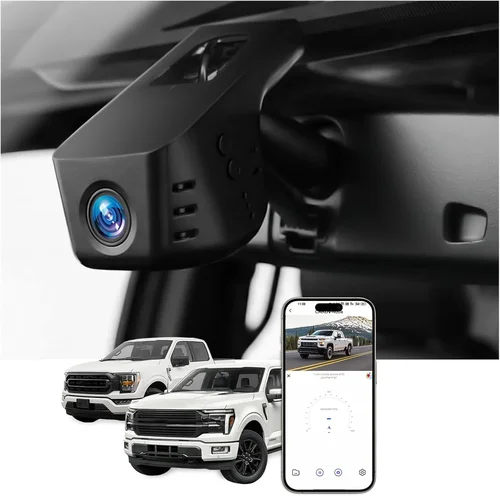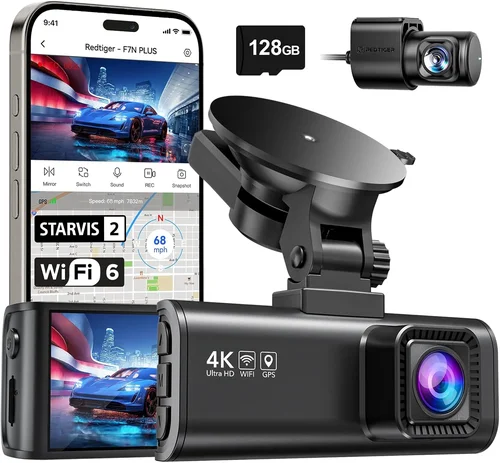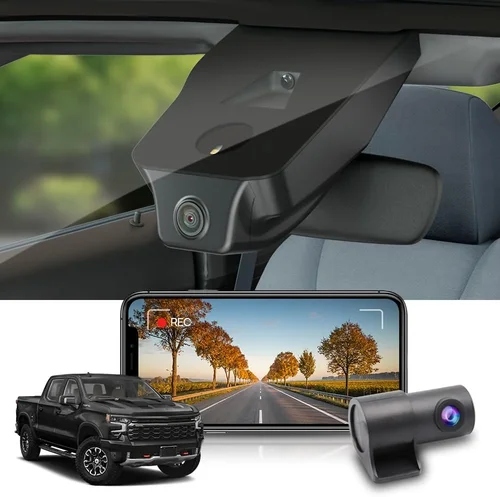
Best Dash Cam Buying Guide for Chevy Silverado
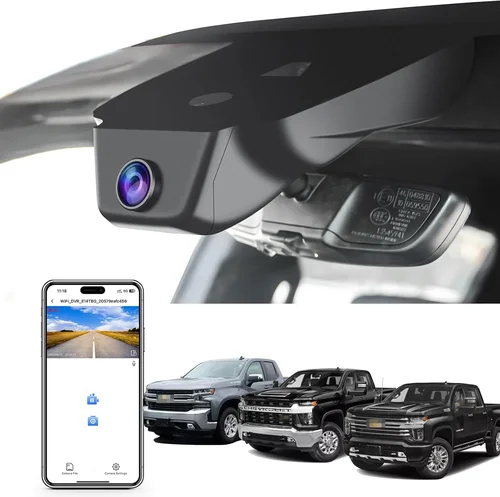
Why every Chevy Silverado driver should invest in a dash cam and how to choose the perfect one for your truck.
If you’re a proud owner of a Chevy Silverado—whether it’s the rugged Silverado 1500, the heavy-duty Silverado HD, or the electric Silverado EV—you already know that this truck is built for adventure. But with great power and capability comes great responsibility. Whether you’re hauling gear across the desert, navigating mountain passes, or simply commuting through city traffic, having a reliable dash cam can make all the difference. This guide is designed to help you navigate the vast world of dash cams and find the best model tailored specifically for your Silverado. We’ll walk you through the essential features to consider, compare top-performing models, avoid common pitfalls, and provide expert recommendations based on real-world performance. By the end of this article, you’ll have all the knowledge you need to make an informed decision that enhances both your safety and peace of mind on the road.
The market for dash cameras has exploded over the past decade, offering everything from basic single-lens recorders to advanced dual-camera systems with night vision, GPS tracking, and cloud connectivity. For Silverado owners, choosing the right dash cam isn’t just about recording the road—it’s about ensuring compatibility with your truck’s interior space, power system, and mounting options. With so many brands and models available, it’s easy to feel overwhelmed. That’s why we’ve broken down the selection process into manageable sections, focusing on what truly matters: image quality, durability, ease of use, and long-term value. Whether you’re a daily commuter or a weekend warrior, this guide will equip you with the insights needed to select a dash cam that fits seamlessly into your driving lifestyle.
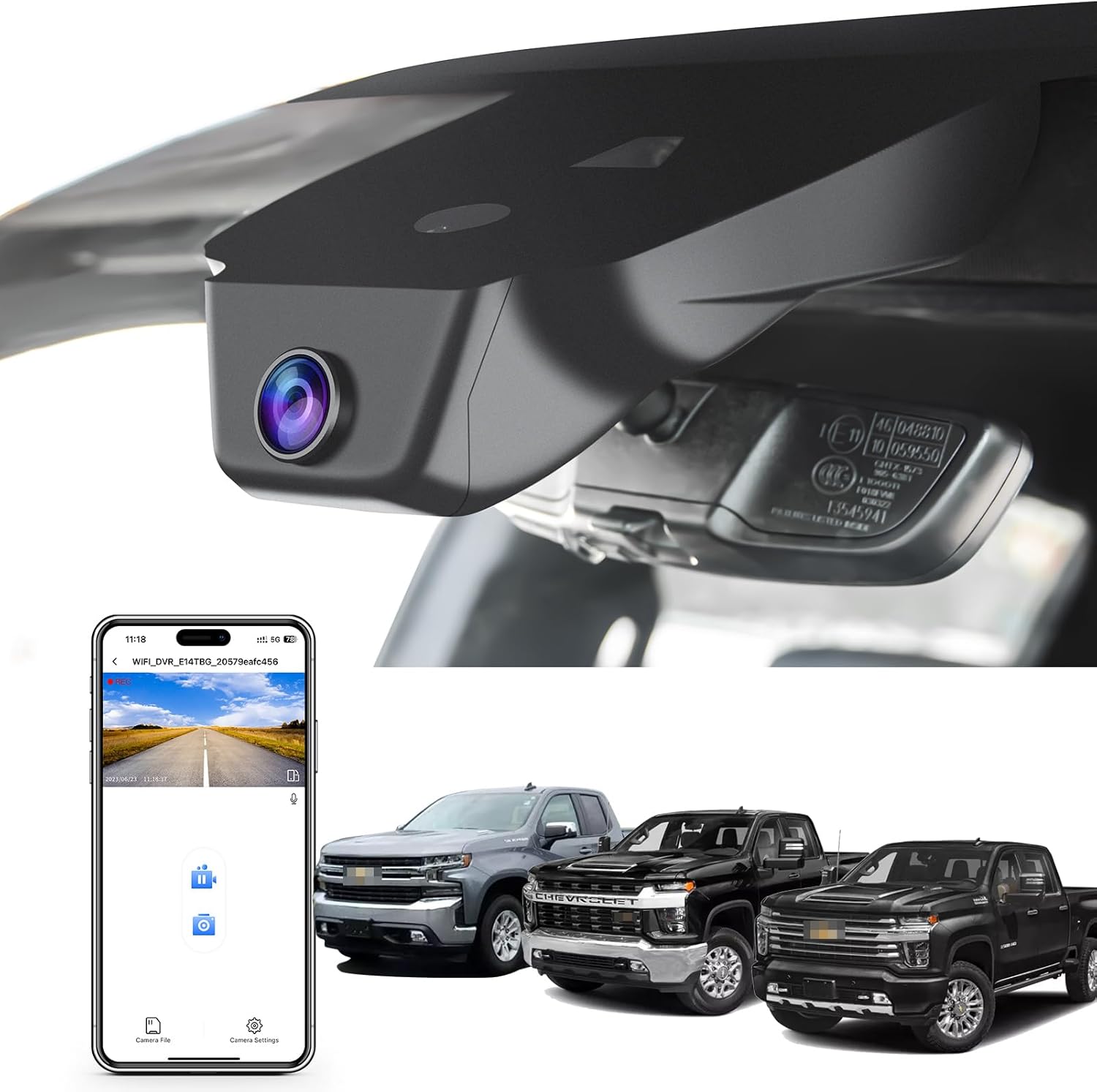
What to Look for When Buying Dash Cams
1. Budget & Price Range
One of the first decisions you’ll face when shopping for a dash cam is how much you’re willing to spend. Dash cams range from under $50 to over $500, and price often correlates with features and build quality. While it might be tempting to go for the cheapest option, remember that a dash cam is a long-term investment in your vehicle’s safety and security. For most Silverado drivers, a mid-range model offers the best balance between affordability and functionality.
When setting your budget, consider not only the upfront cost but also potential add-ons like extra memory cards, mounting accessories, or extended warranties. A $100 dash cam may seem expensive now, but if it includes loop recording, G-sensor auto-save, and a sturdy build, it could save you money in the long run by preventing costly repairs or insurance disputes. Always aim for a model that offers good value rather than simply the lowest price.
2. Performance Specifications
The heart of any dash cam lies in its video quality, which depends on several key technical specifications. The most important factors include resolution (measured in pixels), frame rate, sensor size, and low-light performance. For Silverado drivers who often travel at high speeds or drive in varying lighting conditions, these specs directly impact how clearly you can capture incidents.
Resolution is typically measured in Full HD (1920×1080) or 4K. Most experts agree that 1080p is sufficient for most users, as higher resolutions require larger storage files and faster write speeds. However, if you frequently drive in urban areas with frequent stop-and-go traffic or want to capture fine details like license plates, consider a 2K or 4K model. Frame rate should be at least 30fps; anything below that results in choppy footage during fast movements.
Another critical specification is the sensor size—larger sensors perform better in low light and provide wider dynamic range. Look for models with Sony Starvis sensors if possible, as they offer superior night vision compared to standard CMOS sensors found in cheaper devices. Additionally, check whether the camera supports HDR (High Dynamic Range), which helps balance exposure in scenes with both bright headlights and dark shadows.
3. Build Quality & Durability
Your Chevy Silverado is built tough, so your dash cam should be too. Since the device will be mounted near the windshield—often exposed to direct sunlight, temperature extremes, and vibrations—durability is non-negotiable. High-quality dash cams are constructed with heat-resistant materials, shockproof housing, and secure wiring that won’t come loose over time.
Look for models with IP65 or higher ingress protection ratings, meaning they’re dust-tight and protected against water jets. This is especially important if you frequently drive in rain, snow, or dusty environments common to off-road trails or rural roads. Also, ensure the adhesive mount or suction cup is strong enough to stay fixed even during sudden stops or pothole impacts.
Power source is another aspect of durability to consider. Hardwiring your dash cam ensures it remains operational even if your Silverado’s battery dies during an incident. Many premium models come with dedicated hardwire kits that connect directly to your fuse box, eliminating the need to leave the device plugged into the cigarette lighter permanently.
4. Features & Functionality
Modern dash cams offer far more than just video recording. Advanced features can significantly enhance usability and reliability. When evaluating models, prioritize those that include:
- Loop Recording: Automatically overwrites old footage once the SD card is full, ensuring continuous operation without manual intervention.
- G-Sensor (Impact Detection): Detects sudden shocks or collisions and saves the relevant video segment to prevent accidental deletion.
- Parking Mode: Monitors your vehicle while parked using motion or impact detection, recording events even when you’re not around. Some models support time-lapse parking mode to conserve battery.
- GPS Tracking: Records location data and speed alongside your video, useful for verifying routes or proving innocence in accidents.
- Wi-Fi Connectivity: Allows wireless transfer of videos to your smartphone via an app, making playback and sharing effortless.
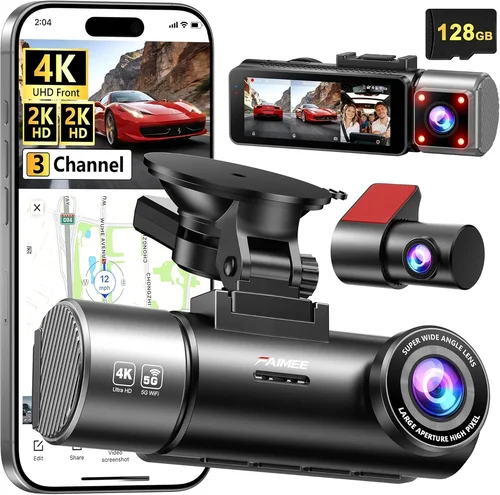
- Wide-Angle Lens: Captures a broader field of view (ideally 140°–170°) to minimize blind spots around your Silverado.
- Time & Date Stamping: Adds crucial metadata to each clip for legal and insurance purposes.
For Silverado owners who frequently tow trailers or navigate tight spaces, additional features like lane departure warnings or forward collision alerts (available in some AI-powered models) can offer extra layers of safety. However, these intelligent features often come at a premium and may drain battery life faster.
5. Brand Reputation
Not all dash cam brands are created equal. Established manufacturers like Garmin, BlackVue, Thinkware, and Nextbase have spent years refining their technology and customer service infrastructure. These companies typically offer consistent firmware updates, responsive support teams, and reliable warranty coverage—factors that can save you headaches down the line.
Conversely, lesser-known brands may cut corners on hardware quality or fail to provide timely software fixes. While budget models from unknown retailers might look appealing, their lack of brand accountability means you’re essentially on your own if something goes wrong. Stick with reputable names, especially if you plan to rely on footage for insurance claims or legal disputes.
6. Warranty & Support
A solid warranty reflects a manufacturer’s confidence in their product. Most trustworthy brands offer at least a one-year limited warranty covering defects in materials and workmanship. Premium models may include extended warranties up to three years or even lifetime support for firmware updates.
Before purchasing, review the terms carefully. Does the warranty cover accidental damage? What’s the return policy if the device fails within the first 30 days? Responsive customer support—via phone, email, or live chat—is equally important. Test the company’s responsiveness by contacting them before buying; a quick reply to your questions can indicate how well they’ll treat customers after the sale.
7. Size & Portability
While most dash cams are compact enough to fit discreetly behind your rearview mirror, size does matter depending on your setup. Larger models with built-in screens or multiple lenses can be bulkier and interfere with visibility. If you drive a full-size Silverado with a tall cabin, ensure the camera doesn’t obstruct your view of the instrument cluster or center console.
Portability is less of a concern for fixed installations, but if you occasionally transfer the dash cam between vehicles, choose a lightweight model with removable mounts. Some drivers prefer smaller form factors that blend seamlessly into the dashboard, reducing visual clutter while maintaining functionality.
8. User Reviews & Ratings
Real-world feedback from other Silverado owners can reveal hidden flaws or unexpected benefits that specs alone can’t convey. Pay attention to recurring complaints about poor night vision, short battery life, or unreliable Wi-Fi connections. Conversely, consistently praised features like easy installation, clear audio, or seamless app integration are red flags worth following up on.
Check multiple sources: Amazon customer reviews, Reddit forums like r/Dashcam, and specialized automotive blogs often provide honest assessments. Be wary of overly glowing reviews that lack detail—they may be fake. Instead, focus on detailed posts that describe actual usage scenarios similar to your own driving habits.
Different Types of Dash Cams
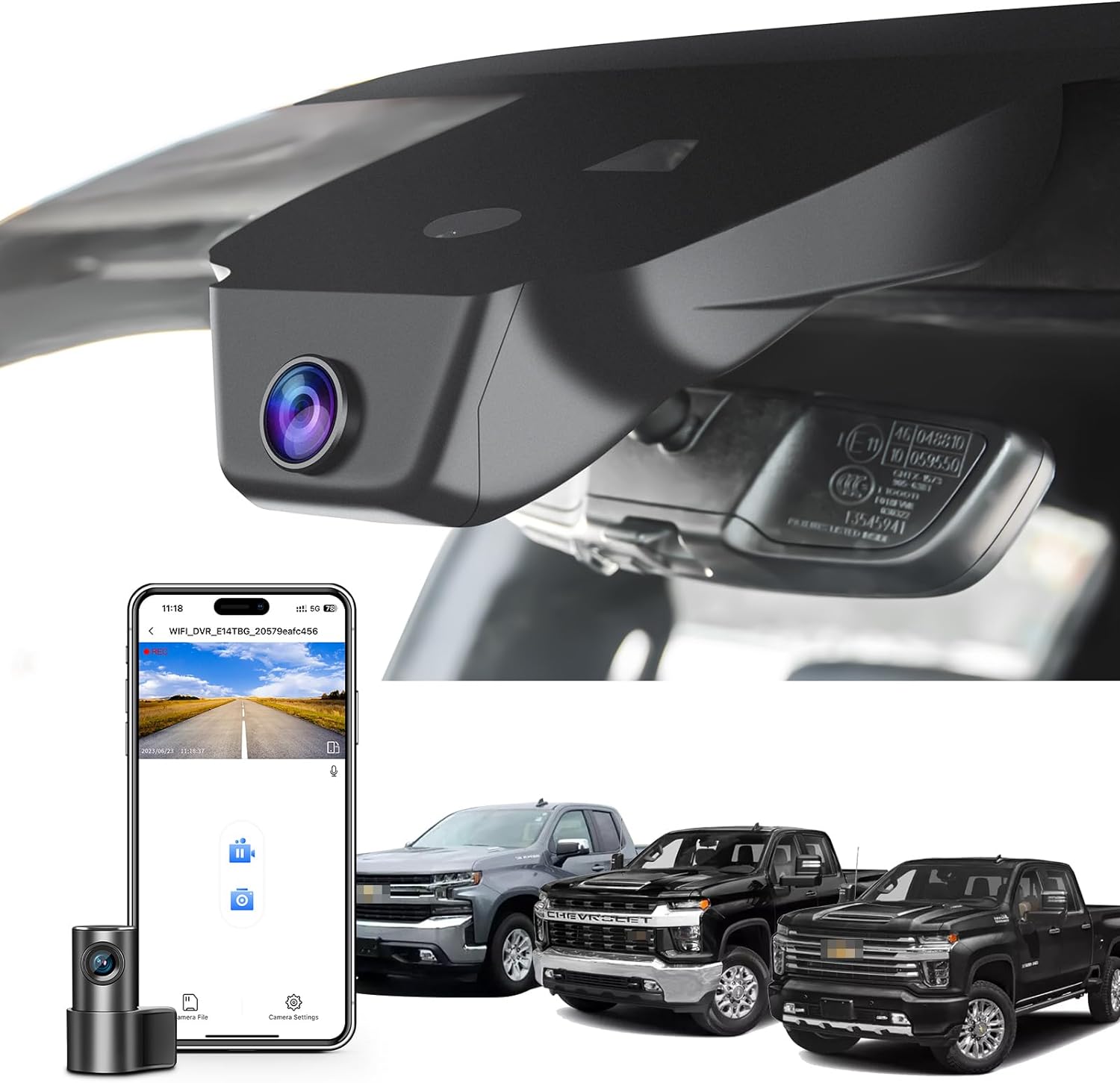
Common Buying Mistakes to Avoid
❌ Mistake: Ignoring Storage Requirements
Why it’s bad: Many buyers assume a dash cam will work indefinitely without needing new memory cards. In reality, high-resolution recordings consume storage quickly—especially with loop recording enabled. Without proper planning, you risk losing critical footage due to a full SD card.
What to do instead: Choose a model compatible with high-endurance microSD cards (like SanDisk High Endurance or Samsung PRO Endurance) rated for continuous write cycles. For most drivers, a 64GB card lasting 2–3 hours per file is sufficient. Consider models that support up to 256GB for extended recording sessions.
❌ Mistake: Skipping Hardwiring
Why it’s bad: Relying solely on a USB cable connected to the 12V outlet leaves your dash cam vulnerable to power loss during accidents or theft. If your Silverado’s battery dies, the device shuts off and misses vital evidence.
What to do instead: Invest in a hardwiring kit (usually included with premium models or sold separately). This allows the dash cam to draw power directly from your fuse box and enter parking mode safely. Ensure the kit includes a capacitor or voltage monitor to protect against surges.
❌ Mistake: Choosing Based Solely on Price
Why it’s bad: Ultra-cheap dash cams often suffer from poor image quality, short lifespans, and unreliable software. You might save $30 upfront but end up frustrated with blurry footage or a unit that fails within months.
What to do instead: Compare features across similar-priced models rather than chasing the lowest number. Read verified reviews and watch sample videos before deciding. Remember: your safety and legal protection depend on clear, accurate recordings.
❌ Mistake: Overlooking Night Vision Capabilities
Why it’s bad: Most driving happens during daylight, but many serious accidents occur at dawn, dusk, or nighttime. A dash cam with weak low-light performance will produce grainy, unusable footage when it’s most needed.
What to do instead: Prioritize models with large aperture lenses (f/1.8 or lower) and advanced night vision algorithms. Look for terms like “Starlight Sensor,” “Night Vision 2.0,” or “HDR” in the description. Test night performance through reviews or sample clips if possible.
❌ Mistake: Not Checking Compatibility
Why it’s bad: Some dash cams don’t play nicely with certain smartphones, operating systems, or SD card formats. You might discover halfway through setup that your favorite app isn’t supported or that your car’s USB port lacks sufficient power.
What to do instead: Verify compatibility with your Silverado’s year/model and your mobile device before purchasing. Check if the manufacturer lists supported OS versions (iOS/Android) and recommended SD card types. When in doubt, contact customer support for clarification.
❌ Mistake: Forgetting About Legal Admissibility
Why it’s bad: Not all dash cam footage is admissible in court. Poor audio quality, timestamp errors, or lack of metadata can render evidence useless. Some jurisdictions even restrict where and how dash cams can be used.
What to do instead: Ensure your chosen model timestamps each clip accurately and includes GPS data. Avoid placing the camera too close to the steering wheel or dashboard controls, as this may violate privacy laws in some states. Consult local regulations if you plan to use footage legally.
Budget Guidelines: How Much Should You Spend?
Entry-Level ($50 – $120)
If you’re new to dash cams or primarily need basic recording for peace of mind, entry-level models deliver solid performance at a fraction of the cost. These devices typically offer 1080p resolution, loop recording, and built-in G-sensors. They’re ideal for occasional drivers or those on a tight budget. However, expect limitations in low-light clarity, shorter battery life, and fewer smart features. Brands like Viofo B11GC Mini or Apeman C450 fall into this category and provide reliable entry points into dash cam ownership.
Mid-Range ($120 – $250)
This sweet spot offers the best balance between price and performance for most Silverado owners. Mid-range models usually include dual-lens systems, superior night vision, Wi-Fi connectivity, and robust build quality. You’ll find advanced features like parking mode, GPS logging, and app-based control here. Thinkware U1000, Garmin Drive DUO Cam, and BlackVue DR970X-1CH are standout choices that justify their investment through reliability and versatility.
Premium ($250 – $400)
For drivers who demand top-tier performance—whether for professional use, frequent towing, or extreme weather conditions—premium dash cams deliver unmatched capabilities. These units often feature 4K recording, AI-powered alerts, cloud connectivity, and military-grade durability. While pricier, they reduce long-term risks associated with poor-quality footage or equipment failure. Examples include the BlackVue DR970X-2CH or the Garmin Dash Cam 77.
Luxury ($400+)
At the high end, luxury dash cams integrate cutting-edge technology like facial recognition, automatic emergency calling, and multi-camera ecosystems. These aren’t just recorders—they’re comprehensive safety suites. Designed for fleet operators, rideshare drivers, or tech enthusiasts, luxury models represent the pinnacle of dash cam innovation. Expect features like real-time incident alerts, encrypted cloud storage, and seamless integration with telematics systems.
Expert Tips & Pro Advice
Timing Your Purchase Wisely
Avoid buying during peak summer months (June–August) when dash cam prices spike due to demand. Instead, shop during holiday sales like Black Friday, Cyber Monday, or back-to-school season (July–September). Manufacturers often release updated models in spring, making older inventory cheaper in fall.
Choose Trusted Retailers
Amazon, Best Buy, and Crutchfield offer competitive pricing, fast shipping, and generous return policies. Avoid obscure online stores with no customer service history. If buying locally, ask if the store carries extended warranties or tech support services.
Spot Hidden Deals
Sign up for newsletters from brands like Garmin or BlackVue—they often send exclusive discounts to subscribers. Use price-tracking tools like CamelCamelCamel (for Amazon) to monitor fluctuations. Sometimes waiting a week or two yields better deals than impulsive purchases.
Test Before Committing
If possible, visit an electronics store to handle the physical device. Check button placement, screen readability, and mount stability. Ask staff about compatibility with your Silverado’s year and trim level.
Understand Return Policies
Most reputable sellers allow returns within 30 days, but opened software products may incur restocking fees. Keep original packaging and accessories to maximize refund eligibility.
Prioritize Firmware Updates
Regular firmware updates improve performance, fix bugs, and add features. Choose brands known for consistent update schedules—avoid models that haven’t received updates in over a year.
Secure Your Investment
After installation, register your dash cam with the manufacturer to activate warranty coverage. Store purchase receipts and serial numbers securely—you’ll need them for insurance or replacement claims.

Frequently Asked Questions
Q: Can I install a dash cam myself in my Chevy Silverado?
A: Yes, most modern dash cams are designed for DIY installation. Mount the camera behind your rearview mirror using adhesive or suction cups, route the power cable along the headliner edge, and connect it to your 12V outlet or fuse box (with a hardwire kit). Online tutorials and YouTube guides specific to your Silverado model can simplify the process.
Q: Will a dash cam drain my Silverado’s battery?
A: Standard dash cams draw minimal power (~2–5 watts), so leaving it plugged in overnight won’t harm your battery. However, parking mode—when the camera monitors for motion or impacts—can increase drain. Using a hardwired kit with a capacitor or voltage-sensitive relay prevents deep discharges and protects your battery.
Q: What resolution should I choose for my Silverado?
A: For everyday driving, 1080p Full HD is sufficient and strikes a good balance between quality and storage efficiency. If you frequently drive highways or need to capture fine details (like license plates), consider 2K or 4K. Note that higher resolutions require faster SD cards and more storage space.
Q: Do I need a separate rear camera for my Silverado?
A: It depends on your needs. A front-only camera covers the primary accident zone. Adding a rear camera is beneficial if you frequently reverse into tight spaces, tow trailers, or park in busy lots. Dual-lens systems are widely available and worth the extra cost for enhanced security.
Q: How long do dash cam batteries last?
A: Built-in rechargeable batteries typically last 1–2 hours. For extended parking monitoring, hardwire the device to your Silverado’s electrical system. This eliminates battery concerns and ensures uninterrupted recording during incidents.
Q: Is dash cam footage admissible in court?
A: Generally, yes—if properly maintained and timestamped. Courts accept dash cam footage as evidence if it’s unaltered, clearly shows events, and includes accurate metadata (time, date, location). Always preserve original files and avoid editing clips unless necessary for clarity.
Q: Can I use a dash cam in extreme temperatures?
A: Most dash cams operate between -4°F to 140°F (-20°C to 60°C). Silverados often endure harsh climates—from Arizona heat to Montana cold—so choose a model with wide operating temperature ranges and heat-resistant housing. Look for IP65-rated devices for added protection.
Q: Should I enable parking mode?
A: Absolutely—if you park your Silverado in public areas or worry about hit-and-runs. Parking mode activates when motion or impact is detected, saving critical footage. Pair it with a hardwire kit to avoid battery drain and ensure constant vigilance.
Our Final Recommendations
Best for Budget-Conscious Buyers
Viofo B11GC Mini: Priced around $80, this compact 1080p dash cam delivers excellent daytime clarity and reliable loop recording. Its small footprint fits perfectly behind Silverado mirrors without obstructing views. While lacking Wi-Fi or GPS, it includes a powerful G-sensor and works seamlessly with high-endurance microSD cards.
Best Overall Value
Garmin Drive DUO Cam: At approximately $220, this dual-lens system offers 1080p front and rear recording with impressive night vision. Integrated GPS, voice commands, and automatic incident detection make it ideal for Silverado owners who value convenience and safety. The sturdy mount and intuitive interface simplify setup.
Best Premium Option
BlackVue DR970X-2CH: For those willing to invest in professional-grade performance, this 4K dual-camera system provides crystal-clear footage, cloud connectivity, and advanced parking surveillance. Though priced at $350+, its military-grade durability and global warranty justify the cost for serious drivers.
Best for Beginners
Apeman C450: With a user-friendly design and affordable $70 price tag, this dash cam is perfect for first-time buyers. It includes loop recording, motion detection, and a built-in display—no smartphone required. Easy to install and maintain, it’s a hassle-free introduction to dash cam technology.
Best for Advanced Users
Thinkware U1000: This 2K-capable dual-lens recorder combines superb image quality with smart features like AI collision alerts and Wi-Fi sharing. Its robust build and customizable settings cater to tech-savvy Silverado drivers who demand precision and control over their recording experience.
Conclusion: Making the Right Choice
Choosing the best dash cam for your Chevy Silverado ultimately boils down to aligning your needs with the right mix of features, performance, and budget. Whether you’re seeking basic protection for daily commutes or advanced surveillance for off-road adventures, understanding the core factors—resolution, durability, smart functionality, and brand reliability—will guide you toward a confident purchase. Remember that a dash cam isn’t just an accessory; it’s a silent guardian on every mile of your journey. By investing wisely and avoiding common pitfalls, you’ll gain not only clearer evidence in case of disputes but also greater peace of mind knowing your Silverado and loved ones are protected. Take your time, research thoroughly, and prioritize quality over cost-cutting. After all, when it comes to safety, there’s no such thing as being too prepared.