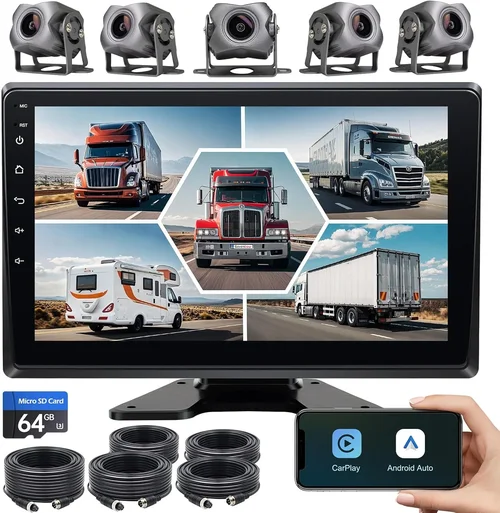
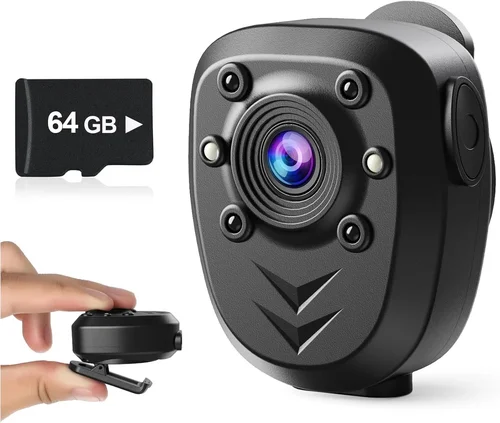
Best Wireless Dash Cam Selection Guide
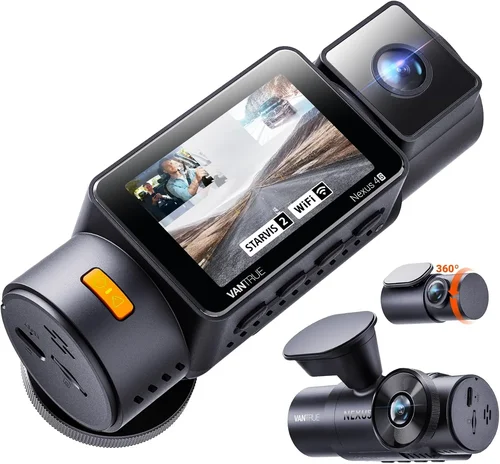
Why this guide matters
Choosing the right wireless dash cam for your car can feel overwhelming. With dozens of models hitting the market every year, each boasting different features and capabilities, it’s easy to get lost in the specifications and marketing claims. This comprehensive buying guide cuts through the noise to help you make an informed decision that matches your specific needs, budget, and driving habits. Whether you’re a new driver looking for peace of mind or an experienced commuter wanting to protect yourself from false claims, understanding what makes a quality wireless dash cam is essential.
What readers will learn
This expert-level guide will walk you through everything you need to know about wireless dash cams, from fundamental features to advanced capabilities. You’ll discover how to evaluate performance specifications, understand storage options, assess build quality, and compare brands objectively. We’ll cover common pitfalls to avoid, provide realistic budget expectations, share insider tips for getting the best value, and answer frequently asked questions. By the end, you’ll have the knowledge to confidently select a wireless dash cam that provides reliable protection, captures clear footage, and integrates seamlessly with your vehicle.
Brief overview of the market
The wireless dash cam market has evolved significantly over the past decade, moving beyond simple video recording to include sophisticated connectivity features. Today’s wireless dash cams offer cloud storage, real-time GPS tracking, smartphone integration, and even advanced driver assistance systems. The convenience of wireless connectivity eliminates the need for complex wiring while providing remote access to footage and settings. However, this added functionality comes with trade-offs in terms of power consumption, data usage, and potential security concerns. As technology advances, manufacturers continue to push boundaries with higher resolution sensors, improved low-light performance, and smarter AI-powered features, making it increasingly important to understand both the benefits and limitations of wireless versus wired solutions.

What to Look for When Buying Dash Cams
1. Budget & Price Range
Your budget should be the starting point rather than the destination when selecting a wireless dash cam. Entry-level models typically range from $50-100 and offer basic 720p recording with limited features. Mid-range options ($100-250) usually provide 1080p or better resolution, G-sensor auto-saving, and decent build quality. Premium models ($250+) deliver 4K recording, superior image processing, multiple cameras, and advanced connectivity features. Consider what features matter most to you and allocate your budget accordingly. Remember that spending more doesn’t always mean better value—some mid-priced models offer excellent performance at a fraction of the cost.
2. Performance Specifications
The core of any dash cam’s performance lies in its video resolution, frame rate, and sensor quality. Most reputable models now offer at least 1080p recording, but 2K and 4K resolutions are becoming standard. Higher resolution means more detail capture, which is crucial for identifying license plates or facial features. Frame rates should be at least 30fps; 60fps is ideal for smoother motion reproduction. Look for CMOS sensors with good low-light sensitivity (measured in lux ratings). Additional performance considerations include dynamic range (HDR capability), wide-angle coverage (typically 140-160 degrees), and whether the camera can handle extreme temperatures without affecting performance.
3. Build Quality & Durability
A durable construction ensures your dash cam survives daily use and potential impacts. Aluminum alloy housings offer better heat dissipation and structural integrity compared to plastic alternatives. The lens should feature scratch-resistant glass rather than polycarbonate. Temperature tolerance is critical—most quality models operate between -20°C to 70°C (-4°F to 158°F). Water resistance ratings (IP ratings) indicate protection against dust and moisture. Mounting hardware should be secure enough to withstand vibrations and sudden movements. Don’t overlook the quality of internal components; capacitors are preferred over lithium batteries for long-term reliability and safety.
4. Features & Functionality
Modern wireless dash cams come packed with features that enhance usability and protection. Essential features include loop recording (overwrites oldest files when storage is full), G-sensor (automatically saves impact events), parking mode (monitors while parked), and time-lapse recording. Wireless connectivity enables cloud storage, real-time GPS tracking, and smartphone app integration. Advanced models offer lane departure warnings, forward collision alerts, blind spot detection, and emergency SOS buttons. Consider whether you need dual cameras (front and rear), night vision enhancement, voice control, or integration with existing car systems. The best dash cam strikes a balance between useful features and avoiding unnecessary complexity.
5. Brand Reputation
Established brands generally offer better customer support, more reliable products, and longer software updates. Companies like Garmin, BlackVue, Thinkware, and Nextbase have built strong reputations over years of consistent quality. Newer entrants may offer innovative features but sometimes lack the track record for reliability. Check independent review sites, consumer reports, and user forums for unbiased assessments. Pay attention to warranty length and terms—premium brands often provide 1-3 year warranties compared to 6-12 months for budget models. Customer service responsiveness and availability of replacement parts are also important factors in brand evaluation.
6. Warranty & Support
A comprehensive warranty reflects manufacturer confidence in their product. Look for at least a 1-year warranty covering defects and malfunctions. Some brands offer extended warranty options or accidental damage protection. Technical support availability varies greatly—some companies provide phone, email, and chat support, while others rely solely on online resources. Software update frequency indicates ongoing commitment to product improvement. Cloud-based models should specify data retention policies and subscription requirements. Before purchasing, verify what’s covered under warranty and how easily you can file claims. Poor support can turn a good investment into a frustrating experience.
7. Size & Portability
Compact designs reduce visual obstruction and minimize wind resistance. Ultra-compact models measure under 3 inches in length, while larger units might exceed 4 inches. Smaller cameras often sacrifice some features for size reduction, such as smaller screens or reduced sensor quality. Consider your windshield placement and whether the size might interfere with your view of the road or mirror. Portability becomes relevant if you frequently transfer the device between vehicles or need to remove it for security reasons. Some models offer magnetic mounts or quick-release mechanisms for easy removal.
8. User Reviews & Ratings
Real-world feedback provides invaluable insights that specs alone cannot convey. Pay particular attention to reviews from users with similar usage patterns—commuters, families, truck drivers, or city drivers all face different challenges. Look for consistent praise or criticism across multiple sources rather than isolated positive or negative comments. Note recurring issues mentioned by several reviewers, such as Wi-Fi connectivity problems, battery life complaints, or firmware bugs. Star ratings should be considered alongside detailed written reviews to get a complete picture. Be cautious of overly promotional reviews or those lacking specific examples.
Different Types of Dash Cams

Common Buying Mistakes to Avoid
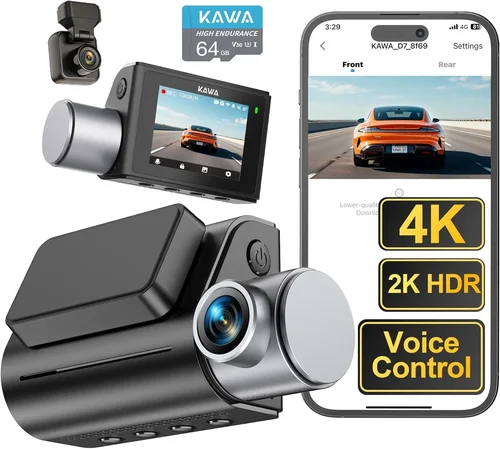
❌ Mistake: Prioritizing resolution over overall quality
Why it’s bad: Many buyers focus solely on megapixel counts or resolution numbers without considering other critical factors like low-light performance, color accuracy, or compression artifacts. A 4K camera with poor sensor quality or excessive digital sharpening will produce grainy, unnatural-looking footage that’s harder to interpret than cleaner 1080p video.
What to do instead: Evaluate complete imaging pipelines including sensor size, aperture (f-stop), dynamic range capabilities, and video codec efficiency. Read sample comparisons and watch actual footage before deciding on resolution requirements. Sometimes lower resolution with superior processing yields better usable evidence.
❌ Mistake: Ignoring storage limitations
Why it’s bad: Assuming unlimited local storage or cloud capacity leads to unexpected costs and frustration. Wireless models often require constant internet connectivity for cloud backup, which consumes mobile data. Local storage fills quickly with high-resolution recordings—a single hour of 4K video can consume 5-10GB depending on compression settings.
What to do instead: Calculate your expected storage needs based on recording duration, resolution, and overwrite policies. Factor in cloud storage subscription costs if applicable. Consider models with dual storage options (local + cloud) or expandable microSD slots. Always verify maximum supported card sizes and recommended brands.
❌ Mistake: Overlooking power requirements
Why it’s bad: Underestimating power needs causes frequent shutdowns, missed recordings during drives, or premature battery drain in parking mode. Wireless dash cams draw continuous power even when recording isn’t active, especially with features like WiFi broadcasting or GPS logging. Insufficient power delivery leads to corrupted files and unreliable operation.
What to do instead: Check voltage/current requirements and ensure your cigarette lighter adapter or hardwiring kit meets specifications. Verify compatibility with different car electrical systems (12V vs 24V). For extended parking mode, confirm minimum battery thresholds and consider external battery packs if needed.
❌ Mistake: Choosing based solely on price
Why it’s bad: The cheapest available model often lacks essential features, has questionable build quality, or requires expensive add-ons to function properly. Low-cost imports may cut corners on safety certifications, use inferior components, or offer poor customer support. Frequent repairs or replacements negate initial savings and create ongoing hassle.
What to do instead: Compare total ownership costs including accessories, subscriptions, potential repairs, and replacement timelines. Read professional reviews alongside user feedback. Consider reputable retailers with return policies rather than unknown sellers. Balance upfront cost with long-term reliability expectations.
❌ Mistake: Neglecting software ecosystem
Why it’s bad: Incompatible apps, poor user interfaces, or discontinued software support render advanced features unusable after purchase. Some manufacturers abandon older models after 1-2 years, leaving users without firmware updates or cloud services. Complex setup processes deter regular use and limit troubleshooting options.
What to do instead: Verify current software availability and compatibility with your devices (iOS/Android versions). Check forum activity and update frequency. Test the companion app during purchase if possible. Prefer platforms with open standards or universal viewers rather than proprietary formats.
❌ Mistake: Assuming all wireless features work equally well
Why it’s bad: Wireless capabilities vary dramatically between models in terms of reliability, speed, and range. Some WiFi connections drop during motion, cloud uploads fail mid-recording, or remote viewing experiences lag severely. Signal interference from other electronics, building materials, or distance limitations affect performance unpredictably.
What to do instead: Research real-world connectivity reports from verified owners. Test signal strength in your typical parking locations. Understand fallback options when wireless fails—does the system automatically save locally until connection resumes? Know recovery procedures for interrupted uploads.
❌ Mistake: Forgetting about legal compliance
Why it’s bad: Recording laws vary by jurisdiction regarding audio capture, data retention periods, and consent requirements. Some regions prohibit recording without all parties’ knowledge, while others mandate specific data handling procedures. Using non-compliant devices could invalidate insurance claims or expose you to privacy violations.
What to do instead: Research local regulations before installation. Disable audio recording where prohibited. Set automatic deletion schedules matching legal requirements. Keep documentation of compliance efforts for insurance purposes. Choose manufacturers that respect regional privacy standards.
Budget Guidelines: How Much Should You Spend?
Entry-Level ($50 – $100): What to expect
This price range delivers functional basics for occasional drivers or those testing dash cam benefits. Expect 720p-1080p recording with modest image processing. Storage typically relies on small microSD cards (8-32GB) requiring frequent manual management. Build quality uses injection-molded plastics rather than metal housings. Features may include basic loop recording and G-sensor functionality. Wireless capabilities are rare at this tier unless purchased separately. While suitable for casual use, entry-level models often lack advanced features like parking mode, night vision enhancements, or reliable cloud integration. Battery life is usually limited to recording duration rather than extended parking surveillance.
Mid-Range ($100 – $250): Sweet spot for most buyers
The mid-tier represents optimal value where technology balances cost and capability. These models typically offer 1080p-2K resolution with improved low-light performance and wider dynamic ranges. Storage expands to 64-256GB capacity supporting several days of recording before overwrite. Build materials incorporate aluminum alloys for better heat dissipation and durability. Most include essential smart features like WiFi connectivity, GPS logging, and smartphone app integration. Parking mode becomes standard with motion or impact detection. Image stabilization and HDR capabilities improve footage clarity. This category includes most recommended consumer-grade dash cams that deliver professional-quality results without enterprise pricing.
Premium ($250 – $500): For enthusiasts and professionals
High-end models target serious users demanding maximum performance and reliability. Resolution reaches 4K with advanced image processors minimizing compression artifacts. Dual-camera systems become common, offering complete front/rear coverage. Enhanced night vision using starlight sensors or infrared illumination provides usable footage in near-total darkness. Military-grade shock resistance and IP67 waterproof ratings ensure operation in extreme conditions. Cloud storage offers unlimited retention with encrypted backups and AI-powered event tagging. Professional features include driver fatigue alerts, lane departure warnings, and collision prevention systems. Integration with telematics devices and fleet management platforms supports commercial applications.
Luxury ($500+): Top-tier features
Ultra-premium dash cams represent the pinnacle of automotive surveillance technology. These systems often feature multiple synchronized cameras capturing 360-degree perspectives with fish-eye correction. Artificial intelligence analyzes traffic patterns, identifies objects, and predicts dangerous situations. Advanced thermal imaging detects pedestrians behind obstacles. Satellite connectivity ensures recording continuity in remote areas without cellular coverage. Enterprise-grade security protocols protect sensitive data from hacking attempts. Subscription services provide unlimited cloud storage with automated evidence categorization. Customizable alert systems integrate with vehicle diagnostics and emergency response networks. While exceeding most consumer needs, luxury models serve specialized applications like racing teams, security contractors, and high-value vehicle protection.
Expert Tips for Getting the Best Deal
Timing Your Purchase
Achieve significant savings by aligning purchases with seasonal sales cycles. Major shopping holidays like Black Friday, Cyber Monday, and Amazon Prime Day offer 20-40% discounts on electronics. End-of-quarter promotions (March, June, September, December) often clear inventory ahead of new model releases. Consider waiting for new generation launches—manufacturers frequently discount previous versions by 25-50% immediately following announcements. Subscribe to retailer newsletters for exclusive early access to deals. Monitor price history tools that alert you when items reach historical lows. Avoid peak summer months when demand spikes due to vacation travel preparation.
Selecting Retailers Wisely
Choose authorized dealers over third-party resellers to ensure authenticity and warranty validity. Electronics superstores (Best Buy, Micro Center) provide hands-on testing opportunities and knowledgeable staff. Online marketplaces (Amazon, B&H Photo) offer competitive pricing but verify seller ratings and return policies carefully. Specialty automotive retailers often carry installation services and compatibility advice. Direct manufacturer websites may include bundle deals or extended warranties unavailable elsewhere. Always compare shipping costs, return windows, and restocking fees before committing to any retailer.
Identifying Authentic Deals
Distinguish genuine discounts from misleading marketing tactics. Compare prices across multiple retailers rather than focusing on single-source “lowest price” claims. Watch for bundled accessories that inflate perceived value—sometimes free items have hidden costs or poor quality. Beware of exaggerated original prices that create false urgency. Check if deals apply to specific configurations or limited quantities. Read fine print regarding warranty restrictions or excluded features. Trusted review sites often publish deal alerts and coupon codes not available to general consumers.
Warranty Strategy
Maximize protection through strategic warranty selection. Manufacturer warranties typically cover 12-36 months with varying terms for parts versus labor. Extended service plans may add 1-2 years but verify coverage details—some exclude wear items like batteries or memory cards. Accidental damage protection proves valuable given dash cams’ exposed mounting positions. Transferable warranties benefit used purchases or shared vehicles. Document serial numbers and registration dates immediately after purchase. Keep proof of purchase for warranty validation and insurance claims.
Return Policy Navigation
Understand return rights before facing disappointment. Most electronics retailers offer 15-30 day return windows; specialty stores may extend this period. Unopened packages enjoy simpler returns than installed devices. Retain original packaging for easier repackaging and shipping. Test thoroughly within return periods to identify subtle issues like minor lens scratches or software glitches. Take photos/video of setup process for troubleshooting reference. Know store-specific policies regarding opened items, restocking fees, and condition requirements.
Pre-Purchase Testing Protocol
Validate performance claims through systematic testing. Request demonstration units when available or purchase from flexible return policies. Test recording quality in various lighting conditions including direct sunlight, shadows, and nighttime scenarios. Verify wireless connectivity strength in typical parking locations. Assess app usability and interface intuitiveness. Check mounting stability on your specific windshield angle. Evaluate audio recording clarity if enabled. Measure boot-up times and recording startup latency. Document any issues immediately for return consideration.
Compatibility Verification
Ensure seamless integration with your vehicle and lifestyle. Confirm mounting hardware fits your windshield curvature and mirror placement. Verify power adapter compatibility with your car’s electrical system. Check microSD card slot specifications and recommended brands. Test app compatibility with your smartphone operating system version. Validate cloud service requirements against your data plan limits. Consider future vehicle changes—will the mount transfer easily? Are spare parts readily available? Does the system support multiple vehicles?
Long-Term Value Optimization
Extend product lifespan through proper maintenance and upgrades. Invest in quality microSD cards rated for continuous write operations. Clean lenses regularly with appropriate microfiber cloths. Update firmware promptly when available. Store devices in cool, dry places when not in vehicle. Replace aging batteries proactively before failure occurs. Utilize protective cases during transfers between vehicles. Keep documentation organized for insurance claims and warranty service. Consider trade-in programs offered by some manufacturers for upgrading to newer models.

Frequently Asked Questions
Q: Do wireless dash cams really provide better protection than wired ones?
A: Both wireless and wired dash cams offer equivalent legal protection when used appropriately. Wireless models excel in convenience and advanced connectivity features like cloud backup and remote viewing, while wired systems often provide more stable power delivery and fewer connectivity issues. The key advantage of wireless technology lies in its ability to enable real-time sharing of evidence and automated cloud storage, which can significantly speed up insurance claim processing. However, wired dash cams may offer slightly better reliability in areas with poor cellular reception since they don’t depend on constant internet connectivity for core recording functions.
Q: How much data does a wireless dash cam use monthly?
A: Data consumption varies significantly based on several factors including resolution, recording frequency, cloud backup settings, and connectivity options. A 1080p dash cam recording continuously might use 5-10GB per month if uploading to cloud storage. Higher resolutions like 2K or 4K can consume 15-30GB monthly. Models with only local storage use zero data unless actively transferring files. Parking mode monitoring adds minimal usage unless triggered frequently. Always check manufacturer specifications and consider adding unlimited data plans if using extensive cloud features regularly.
Q: Can I use any microSD card with my wireless dash cam?
A: While most modern dash cams support standard UHS-I microSD cards, optimal performance requires careful selection. Look for cards specifically designed for continuous video recording rather than burst photography. Recommended specifications include Class 10 or U3 rating, V30 video speed class, and capacities between 32GB-256GB depending on desired recording duration. Popular reliable brands include Samsung EVO Select, SanDisk Extreme, and Lexar Professional series. Avoid counterfeit or low-quality cards that may corrupt files or fail prematurely. Always format cards within the dash cam itself rather than computer systems to ensure proper partition structures.
Q: Will a wireless dash cam drain my car battery?
A: Modern dash cams consume very little power—typically 1-3 watts during recording. Most models enter low-power parking mode drawing less than 0.5 watts when stationary. However, continuous wireless connectivity, GPS tracking, and cloud uploads increase energy consumption. Left connected for extended periods (weeks/months), even standby modes can eventually drain batteries. Solutions include proper hardwiring kits that connect directly to ignition-switched circuits, battery cutoff switches that disconnect during extended parking, or external backup batteries designed for security systems. Always verify your specific model’s power requirements and consider installing appropriate safeguards for long-term parking.
Q: How long do dash cam batteries last?
A: Built-in lithium polymer batteries typically last 1-3 years depending on usage patterns and environmental conditions. Continuous recording depletes battery faster than intermittent use. Extreme temperatures accelerate degradation—both heat and cold reduce effective capacity. Most manufacturers recommend replacing batteries annually for optimal performance. External backup batteries designed for parking mode can last 24-48 hours but require periodic recharging. Hardwired installations eliminate battery concerns entirely by drawing power directly from the vehicle’s electrical system. Always check your specific model’s battery specifications and replacement procedures.
Q: Are wireless dash cams legal in my state?
A: Dash cam legality depends on multiple factors including recording capabilities, audio capture permissions, and local privacy laws. Video recording from outside vehicles is generally permitted in most US states, but audio recording requires consent from all recorded parties in many jurisdictions. Some states like California, Illinois, and Washington have stricter electronic surveillance laws. European countries vary significantly—Germany prohibits recording public spaces without purpose limitation principles. Always research specific regulations in your location and disable audio recording where prohibited. Keep documentation showing compliance efforts for insurance claims and legal proceedings.
Q: What’s the difference between WiFi and cellular connectivity?
A: WiFi dash cams create local wireless networks for smartphone pairing and file transfer, requiring proximity to the vehicle. Cellular-enabled models use SIM cards and mobile networks for remote access, GPS tracking, and cloud uploads from anywhere. WiFi models conserve mobile data but offer limited functionality when away from the car. Cellular versions enable real-time incident reporting, live streaming, and automatic evidence sharing regardless of location but require ongoing data plans and SIM card management. Some advanced models combine both technologies for maximum flexibility depending on usage scenarios.
Q: How do I choose the right field of view?
A: Optimal field of view balances coverage area with image distortion control. Standard 140-150 degree angles capture adequate surroundings while minimizing fisheye effects. Wider angles (160+) provide more peripheral awareness but increase perspective distortion near edges. Narrower fields (120-130) offer crisper center images but risk missing important context. Consider your driving environment—urban drivers benefit from wider views to monitor intersections and pedestrian crossings, while highway drivers may prefer narrower fields for clearer lane markings. Test different angles during purchase and adjust mounting position accordingly.
Q: Should I buy a single or dual camera system?
A: Single-front cameras suffice for basic protection against front-end incidents and provide adequate coverage for most drivers. Dual systems add rear visibility, useful for backing maneuvers, three-point turns, and catching incidents occurring behind your vehicle. Commercial drivers, rideshare operators, and families with children benefit from rear coverage. Consider your parking habits—if you frequently park in tight spaces or busy lots, rear visibility prevents costly scrapes and dings. Dual systems cost 20-50% more but offer comprehensive protection that justifies the investment for frequent drivers.
Q: How often should I replace my microSD card?
A: Replace microSD cards every 1-2 years for optimal performance and reliability. Continuous video writing wears out flash memory cells regardless of capacity. Signs of degradation include slower write speeds, increased corruption errors, and frequent system crashes. High-endurance cards designed for surveillance applications can last longer but still benefit from periodic replacement. Format cards within the dash cam before reuse rather than relying on computer formatting. Maintain spare cards to avoid recording interruptions during replacements. Always backup important footage before discarding old cards.
Our Final Recommendations
Best for Budget-Conscious Buyers
The Viofo A119 v3 represents exceptional value at around $120, delivering 2K recording quality with reliable performance. This model features Sony STARVIS sensor technology ensuring usable night footage, built-in GPS for accurate speed/position logging, and robust WiFi connectivity for seamless smartphone integration. Its compact design minimizes windshield obstruction while maintaining 150-degree field of view. The included capacitor provides better longevity than battery-powered alternatives, and loop recording automatically manages storage efficiently. Despite its affordable price point, the A119 v3 includes essential features like impact-triggered saving, parking mode, and weather-resistant construction. Multiple user reviews confirm consistent reliability over extended usage periods, making it ideal for daily commuters seeking professional-grade protection without premium pricing.
Best Overall Value
The BlackVue DR970X-2CH strikes perfect balance between advanced features and reasonable cost at approximately $350. This dual-camera system offers 4K front and 2K rear recording with HDR enhancement for challenging lighting conditions. Its Super Capacitor design ensures safe operation in extreme temperatures, while cloud connectivity provides unlimited remote viewing and automatic uploads. The built-in Wi-Fi hotspot allows simultaneous connection of two smartphones, and GPS logging tracks precise location data. Advanced parking mode includes vibration detection and motion sensing, while built-in microphone captures clear audio for incident documentation. Professional-grade build quality includes military-standard shock resistance and IP65 water protection. Regular firmware updates demonstrate manufacturer commitment to ongoing improvement, and comprehensive warranty coverage reflects confidence in product reliability.
Best Premium Option
The Garmin Dashcam Mini exemplifies premium engineering with its ultra-compact form factor and intelligent features priced around $200. Measuring just 2.4 inches square, this dash cam disappears behind mirrors while capturing 1440p video with advanced noise reduction algorithms. Its unique design includes a swivel mount allowing flexible positioning and easy removal for security purposes. Smart features include voice control, lane departure warnings, and collision alerts that activate emergency notifications. The included suction cup mount provides secure attachment on curved surfaces, while built-in GPS accurately logs speed and location data. Automatic incident detection uses sophisticated algorithms to identify potential accidents, and cloud backup ensures evidence preservation even if the device is damaged. Premium materials include scratch-resistant lens coating and durable housing rated for harsh environments.
Best for Beginners
The Nextbase 522GW simplifies dash cam ownership with intuitive operation and essential smart features at approximately $150. Its large 3-inch touchscreen provides immediate access to settings and playback without smartphone dependency. Built-in Alexa integration enables voice commands for hands-free operation while driving, and emergency SOS button triggers roadside assistance calls when needed. The 1080p recording quality includes superior night vision using advanced light sensors, while four-camera capability allows optional rear camera addition. Smart parking mode monitors vehicle surroundings using motion detection, and cloud connectivity automatically uploads evidence to secure servers. Clear instructions and responsive customer support help new users navigate setup and troubleshooting, while regular software updates continuously improve functionality and security.
Best for Advanced Users
The Thinkware Q800PRO serves enthusiast drivers demanding maximum performance and customization at around $300. This model features 4K recording with superior dynamic range handling, ensuring clear details in both bright highlights and dark shadows simultaneously. Advanced image stabilization minimizes blur from vehicle vibrations, while starlight sensor technology captures usable footage in extremely low-light conditions. The dual-channel system includes front and rear cameras with independent recording controls, and built-in Wi-Fi provides fast file transfer capabilities. Comprehensive parking surveillance includes time-lapse mode for extended monitoring and impact detection that activates emergency recording. Professional features include driver behavior monitoring, lane departure warnings, and customizable alert thresholds. The robust build quality includes aluminum housing and anti-glare lens coating, while extensive configuration options satisfy technical users seeking granular control over recording parameters.
Conclusion: Making the Right Choice
Selecting the best wireless dash cam involves balancing multiple competing priorities—resolution versus reliability, convenience versus complexity, budget versus features. No single model satisfies every possible requirement, which explains why the market offers such diverse options across price points. The key insight guiding successful selection lies in honest self-assessment: understanding your actual driving patterns, evaluating what features genuinely enhance safety versus those serving marketing purposes, and recognizing where compromises are acceptable versus where quality cannot be sacrificed.
Remember that technological advancement continues rapidly in this space, meaning today’s cutting-edge model may become yesterday’s curiosity within eighteen months. Focus instead on fundamental qualities that remain relevant: robust build quality, consistent performance across conditions, reliable software ecosystems, and responsive customer support. Wireless connectivity offers undeniable conveniences for modern drivers, but don’t let novelty obscure practical necessities like clear daytime recording, effective night vision, and trustworthy impact detection.
Ultimately, the best wireless dash cam protects your interests without creating additional complications. It captures evidence clearly enough for insurance claims, integrates smoothly into your daily routine, and provides peace of mind knowing you’ve taken reasonable precautions against false accusations or unexpected incidents. By prioritizing proven reliability over speculative features and matching capabilities to your specific needs rather than chasing trends, you’ll find lasting satisfaction from your investment regardless of exact model choice.
Take time to research thoroughly, test when possible, consult experienced users, and never hesitate to seek clarification from manufacturer representatives. Your vehicle deserves dependable protection, and making informed decisions today prevents costly mistakes tomorrow. With careful consideration of the factors outlined throughout this guide, you’ll confidently select a wireless dash cam that serves you faithfully for years to come.