Smart Dash Cam Buying Guide
In today’s world, where road safety and digital evidence are more important than ever, choosing the right dash cam for your car has become a crucial decision for drivers across all experience levels. Whether you’re a daily commuter navigating busy city streets or an adventurous road trip enthusiast, having reliable dash cam footage can make all the difference in accident investigations, insurance claims, or simply capturing memorable moments on the road. This comprehensive buying guide will walk you through everything you need to know to make an informed decision that matches your specific needs and budget.
By the end of this article, you’ll understand the key factors that differentiate quality dash cams from basic models, learn how to evaluate technical specifications like resolution and storage capabilities, and discover which features actually matter for real-world driving scenarios. We’ll also explore the different types of dash cams available, help you avoid common purchasing mistakes, and provide expert recommendations based on extensive research and testing. Most importantly, you’ll gain confidence knowing exactly what to look for and what questions to ask before making your purchase.
The market for dash cameras has evolved dramatically over the past decade, moving far beyond simple front-facing recording devices. Today’s models offer sophisticated features like parking mode, GPS tracking, Wi-Fi connectivity, and advanced driver assistance systems integration. However, with so many options ranging from budget-friendly $50 models to premium $300+ systems, it’s easy to feel overwhelmed by the choices. That’s why we’ve created this detailed guide to cut through the marketing hype and give you practical, actionable advice based on real-world usage and professional testing standards.

What to Look for When Buying Dash Cams
When shopping for a dash cam, understanding the core factors that determine performance and reliability is essential for making the right investment. The best dash cams balance advanced features with dependable operation, ensuring you capture clear footage when it matters most while offering peace of mind for extended periods of unattended parking monitoring.
1. Resolution and Video Quality
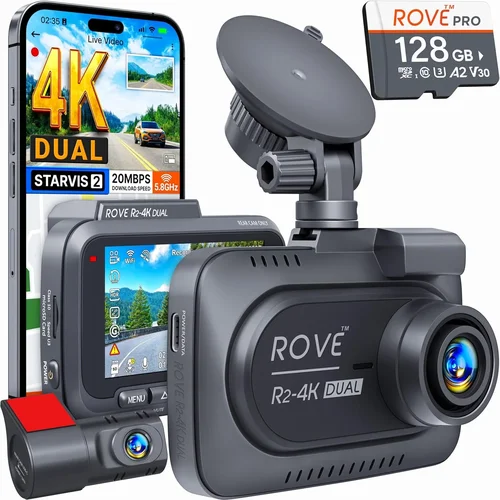
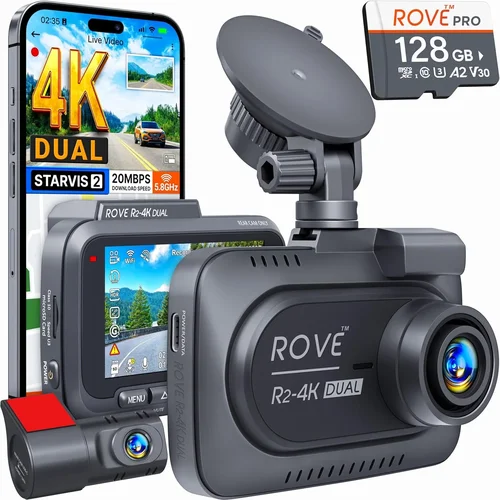
Video resolution remains one of the most critical aspects of any dash cam purchase decision. Modern dash cams typically offer three main resolution options: 720p HD, 1080p Full HD, and 4K Ultra HD. For general use, 1080p provides excellent clarity and file sizes that are manageable for most storage solutions, while 4K offers superior detail for license plate recognition and fine facial details but requires significantly more storage space and processing power.
Look for cameras with high-quality image sensors, preferably those using Sony Starvis technology which performs exceptionally well in low-light conditions. The frame rate also matters—60fps recording ensures smoother motion capture during fast-moving scenarios, while 30fps is sufficient for most everyday driving situations. Additionally, consider whether the camera offers HDR (High Dynamic Range) capability, which helps balance bright headlights and dark shadows in challenging lighting conditions.
2. Field of View (FOV)
The field of view determines how much of the road ahead and surrounding environment your dash cam can capture. A wider angle provides better coverage but may introduce some distortion at the edges—this is known as the “fisheye effect.” Most quality dash cams offer adjustable FOV settings or multiple lens configurations.
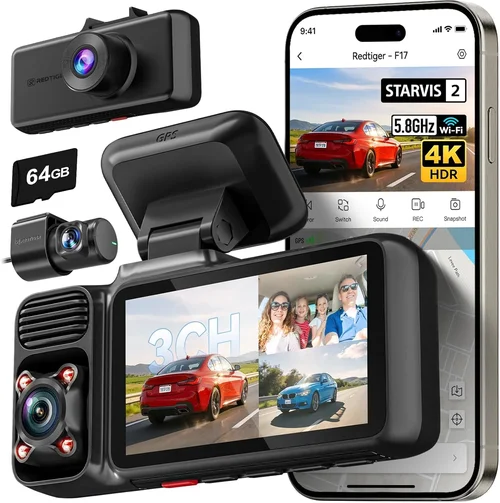
For city driving with frequent intersections and lane changes, a 130-150 degree horizontal FOV is generally ideal. Highway driving might benefit from slightly narrower angles (120-140 degrees) to maintain detail at greater distances. Some advanced models feature dual-lens systems that simultaneously record both the front and interior cabin, giving you complete situational awareness without needing separate cameras.
3. Storage Capacity and Management
Storage requirements vary dramatically based on your usage patterns and recording preferences. Most dash cams use microSD cards, with capacities ranging from 32GB to 1TB depending on your needs. Higher resolution recording and longer continuous loops require larger cards, but remember that dash cams typically overwrite old footage automatically, so you don’t need excessive capacity unless you want extended recording windows.
Consider whether your dash cam supports loop recording, which automatically deletes older files when storage fills up. Some models also offer cloud storage integration or automatic backup to external drives, though these features often come at additional cost. Always purchase reputable brand memory cards rather than generic alternatives, as compatibility and reliability are crucial for uninterrupted recording.
4. Night Vision Capabilities
Night driving presents unique challenges for dash cams, requiring specialized sensor technology and infrared capabilities. Look for cameras with low-light optimized sensors and built-in night vision enhancement features. Some models include infrared LEDs specifically designed for parking mode monitoring, allowing them to capture visible footage even when the vehicle’s headlights are off.
Advanced night vision systems often combine multiple technologies: wide aperture lenses allow more light in, specialized CMOS sensors process images more efficiently in darkness, and software algorithms reduce noise while enhancing contrast. These features are particularly valuable for overnight parking security monitoring and capturing nighttime traffic incidents.
5. Parking Mode and Motion Detection
Parking mode functionality transforms your dash cam into a security surveillance system when your vehicle is unattended. This feature continuously monitors for impact or movement and automatically starts recording when triggered. Quality parking mode implementations typically include:
– Impact detection using built-in accelerometers
– Time-lapse recording to conserve storage while monitoring
– Low-power modes that don’t drain your battery excessively
– Smart triggers that distinguish between minor vibrations and actual incidents
Some advanced models offer two-way audio capabilities, allowing you to hear what’s happening around your vehicle, while others integrate with your smartphone for remote monitoring and alerts. Battery backup solutions ensure your dash cam can operate during power outages or when parked for extended periods.
6. Build Quality and Weather Resistance
Since dash cams are exposed to extreme temperatures, moisture, and road debris, build quality directly impacts their longevity and reliability. Look for cameras with robust housing materials—polycarbonate or aluminum constructions typically offer better protection than plastic alternatives. IP ratings indicate dust and water resistance levels, with IP65 or higher being preferable for automotive environments.
Temperature tolerance is another critical factor; most quality dash cams operate reliably in ranges from -4°F to 140°F (-20°C to 60°C). Consider how the device mounts to your windshield—adhesive mounts should provide secure attachment while allowing proper positioning, and the mounting hardware itself should be durable enough to withstand vibration and temperature fluctuations.
7. Ease of Use and Interface Design
A user-friendly interface makes a significant difference in daily operation and troubleshooting. Look for dash cams with intuitive menus, clearly labeled buttons, and responsive touchscreens where applicable. Some models offer voice control or smartphone app integration, allowing you to manage settings and review footage without removing the device from its mount.
Consider how easily you can access recorded files—some cameras require removing the SD card, while others offer built-in USB connections or wireless transfer options. Menu navigation should be logical and consistent, with helpful icons and minimal text to avoid confusion during operation. Advanced users might appreciate customizable settings and granular controls, while beginners will benefit from simplified modes and guided setup processes.
8. Additional Features and Integrations
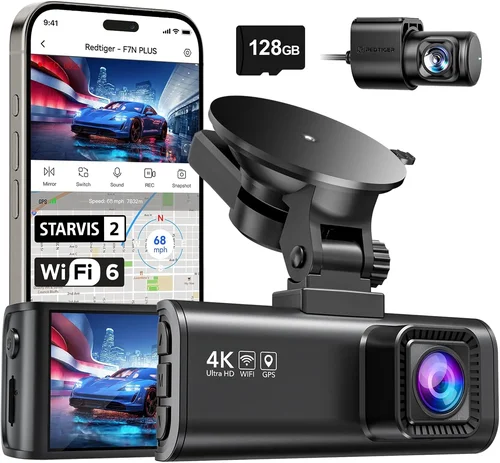
Modern dash cams often include various bonus features that enhance their utility beyond basic recording. GPS functionality logs your location and speed data onto video files, which can be valuable for accident reconstruction or route analysis. Wi-Fi connectivity enables wireless file transfers and remote viewing, while Bluetooth pairing allows seamless smartphone integration for notifications and updates.
Some premium models offer advanced driver assistance features like collision warnings, lane departure alerts, or blind spot monitoring. Emergency features such as automatic incident marking or cloud backup services add layers of protection and convenience. Consider which extras align with your specific needs—for example, fleet operators might prioritize multiple camera support and centralized management software, while individual drivers may value simplicity and ease of use.
Different Types of Dash Cams

Common Buying Mistakes to Avoid
❌ Mistake: Prioritizing Price Over Quality
Why it’s bad: Choosing the cheapest option available often leads to unreliable performance, poor video quality, and frequent malfunctions. Budget dash cams frequently use inferior sensors, lack proper weather sealing, and have limited features that compromise overall effectiveness.
What to do instead: Focus on finding the best balance between cost and capability within your budget range. Research reputable brands with proven track records, read professional reviews, and consider investing 20-30% more for significantly better performance and reliability.
❌ Mistake: Ignoring Storage Requirements
Why it’s bad: Underestimating storage needs results in constantly missing important events due to full memory cards. Many users discover too late that their chosen model requires expensive high-capacity cards or that the included storage is insufficient for their usage patterns.
What to do instead: Calculate your storage needs based on recording resolution, desired retention period, and typical driving frequency. For 1080p recording, plan for 32-64GB for 1-2 weeks of continuous recording, while 4K models may require 128GB+ for similar timeframes.
❌ Mistake: Overlooking Installation Considerations
Why it’s bad: Poor mounting locations lead to obstructed views, glare issues, or difficulty accessing controls. Many dash cams fail because they’re positioned too high, too low, or behind reflective surfaces that cause unwanted lens flare.
What to do instead: Plan your installation carefully before purchasing. Ensure adequate cable routing for power connections, avoid areas with excessive heat sources or direct sunlight, and position the device where it won’t interfere with airbag deployment or windshield wipers.
❌ Mistake: Neglecting Power Source Planning
Why it’s bad: Inadequate power solutions result in unexpected shutdowns, failed recordings, or premature battery drainage. Using incompatible wiring harnesses or improper fuse tapping can damage your vehicle’s electrical system or void warranties.
What to do instead: Invest in quality hardwiring kits specifically designed for your vehicle model, or choose dash cams with reliable cigarette lighter adapters if permanent installation isn’t feasible. Always consult your vehicle manual before modifying electrical systems.
❌ Mistake: Assuming All Features Are Useful
Why it’s bad: Paying for unnecessary advanced features increases costs without providing meaningful benefits for your specific situation. Complex interfaces and rarely-used functions can actually detract from usability and distract from core recording capabilities.
What to do instead: Make a list of your must-have features versus nice-to-have extras. Focus on essentials like good video quality, reliable parking mode, and straightforward operation, then add specialized features only if they address specific needs you encounter regularly.
❌ Mistake: Skipping Warranty and Support Research
Why it’s bad: Purchasing from unknown manufacturers or gray-market sellers risks getting stuck with defective products and no recourse for repairs or replacements. Many budget models come with limited warranties or no customer support whatsoever.
What to do instead: Buy exclusively from authorized retailers or directly from established brands with documented warranty policies. Check online forums and review sites for reported reliability issues and customer service experiences before committing to a purchase.
❌ Mistake: Failing to Test Before Committing
Why it’s bad: Not verifying compatibility with your vehicle, testing operation in real driving conditions, or checking file accessibility leaves you unprepared for problems after installation. What seems perfect on paper may have subtle flaws that only appear during actual use.
What to do instead: Whenever possible, test drive potential models at local retailers or borrow units from friends/family before purchasing. Verify that recorded files are accessible on your computer and that all promised features work as advertised in various lighting and weather conditions.
Budget Guidelines: How Much Should You Spend?
Understanding appropriate spending levels helps you allocate resources wisely based on your specific needs and expected usage patterns. The right investment level depends heavily on whether you’re seeking basic protection, reliable daily operation, or professional-grade capabilities.
Entry-Level ($50 – $100)
This price range includes functional dash cams suitable for occasional use or as backup recording devices. Models in this category typically offer 1080p recording, decent daytime performance, and basic loop recording functionality. While they may lack advanced features like GPS or parking mode, they provide solid foundation capabilities for drivers who want added security without significant expense.
Expect limited build quality compared to higher-end models, potentially shorter warranty periods, and fewer customization options. These units work well for infrequent drivers, secondary vehicles, or those testing dash cam functionality before committing to more expensive options. Always verify that entry-level models meet minimum safety standards and have reliable firmware updates from manufacturers.
Mid-Range ($100 – $200)
Representing the sweet spot for most drivers, mid-range dash cams deliver excellent value by combining strong performance with reasonable pricing. This tier typically includes 4K recording capabilities, superior low-light performance, robust parking mode functionality, and improved build quality compared to budget models.
You’ll find well-known brands with solid reputations in this range, along with features like Wi-Fi connectivity, intelligent emergency recording, and enhanced durability. Mid-range models often serve as the primary choice for daily commuters, families, and moderate-frequency drivers who want reliable protection without breaking the bank.
Premium ($200 – $350)
Premium dash cams target serious users and professionals who demand maximum performance and reliability. These models typically feature cutting-edge sensor technology, advanced stabilization systems, comprehensive multi-camera setups, and sophisticated driver assistance features.
Expect top-tier video quality even in challenging conditions, superior weather resistance, extended warranty coverage, and dedicated customer support. Premium units often include proprietary technologies like enhanced night vision, AI-powered incident detection, and cloud-based storage solutions. This investment level suits experienced drivers, fleet operators, or anyone who frequently encounters demanding driving scenarios.
Luxury ($350+)
Ultra-premium dash cams represent the pinnacle of automotive recording technology, featuring industrial-grade components, specialized applications, and sometimes bespoke engineering. These systems typically include multiple high-resolution cameras, professional-grade stabilization, advanced analytics, and integration with other vehicle systems.
Luxury models often serve commercial operations, law enforcement, or extreme enthusiasts who require unmatched capabilities. While individual consumers may find most luxury features unnecessary, some high-end consumer models offer exceptional quality and innovative approaches to automotive recording that justify their premium pricing through superior performance and reliability.
Expert Tips for Getting the Best Deal
Seasoned dash cam buyers know that timing and strategy can significantly impact both initial pricing and long-term value. Implementing smart purchasing approaches helps maximize your investment while minimizing frustration and disappointment.
Timing your purchase around major product launches can also yield significant savings. Manufacturers typically discount previous-generation models when introducing new versions, allowing savvy shoppers to acquire last year’s flagship technology at current-year prices. Monitor official brand websites and subscribe to newsletters to receive advance notice of upcoming releases and clearance sales.
When comparing retailers, consider both online and brick-and-mortar stores for competitive pricing. Online marketplaces often offer lower base prices but may have restrictive return policies, while physical stores provide immediate availability and hands-on testing opportunities. Some retailers offer price matching guarantees, enabling you to shop around and secure the best deal regardless of where you ultimately purchase.
Always factor in total ownership costs beyond the initial sticker price. Extended warranties, replacement memory cards, power adapters, and potential professional installation fees can add hundreds of dollars to your overall investment. Choose models with modular designs that allow easy component replacement rather than requiring entire unit replacement for minor issues.
Before finalizing any purchase, verify the return policy and restocking fees associated with your chosen retailer. High-quality dash cams rarely develop defects immediately, giving you time to test functionality thoroughly. Return windows of 30-90 days provide adequate opportunity to evaluate performance under real driving conditions and ensure compatibility with your vehicle.
Consider buying refurbished or open-box units from authorized dealers when available. These items typically come with full manufacturer warranties and have been professionally inspected and tested, offering significant savings over new products while maintaining reliability standards. Just ensure the refurbishment program comes from reputable sources with proper certification processes.
Join online communities and forums dedicated to dash cam enthusiasts to benefit from collective knowledge and early access to deals. Members often share exclusive discount codes, bulk-buying opportunities, and insights about upcoming product improvements or discontinuations that could affect your purchasing decisions.
Finally, don’t rush the decision-making process. Take time to research thoroughly, compare specifications objectively, and read multiple professional reviews before committing to a purchase. The best dash cam for your specific needs may not be the most expensive or feature-rich option—it’s the one that delivers reliable performance, meets your budget constraints, and integrates seamlessly into your driving routine.

Frequently Asked Questions
Q: Do I really need a dash cam, or are they just marketing hype?
A: While not mandatory for every driver, dash cams provide tangible benefits that extend well beyond marketing claims. They serve as objective witnesses during accidents, protect against false insurance claims, document road conditions and hazards, and even capture memorable travel moments. Studies show dash cam footage resolves disputes quickly and fairly, reducing stress during already-challenging situations. For most drivers, the peace of mind and potential financial protection justify the modest investment.
Q: How much storage space do I actually need for my dash cam?
A: Your storage requirements depend primarily on recording resolution and desired retention period. For 1080p recording, plan approximately 1-2 GB per hour of footage. A 32GB card typically holds 16-32 hours of 1080p recording, while 64GB offers double that capacity. If you want to keep footage for several weeks without constant card swaps, consider 128GB or higher. Remember that dash cams automatically overwrite oldest files when storage fills up, so larger cards simply extend your recording window before overwriting begins.
Q: Can dash cams record while parked without draining my battery?
A: Yes, but with important caveats. Most modern dash cams include intelligent parking modes that monitor for impact or movement and only activate recording when necessary. However, continuous parking monitoring does consume power. To prevent battery drain, connect your dash cam to a hardwiring kit that draws power from your vehicle’s electrical system rather than the 12V outlet. Some models also include built-in capacitors that provide backup power for emergency recording during brief power interruptions.
Q: Will my dash cam work in extreme weather conditions?
A: Quality dash cams are designed to operate reliably across a wide temperature range, typically from -4°F to 140°F (-20°C to 60°C). However, extreme conditions present challenges regardless of device quality. Very cold temperatures reduce battery efficiency, while intense heat can trigger thermal shutdowns in poorly designed units. Look for models with IP65 or higher ratings indicating dust and water resistance. For extreme climates, consider models specifically marketed for harsh environments or those with active cooling/heating elements.
Q: How do I know if my dash cam is recording properly?
A: Several indicators suggest proper operation. Most dash cams display LED status lights showing power and recording activity. You should see a red light when actively recording and possibly a blue light indicating standby or parking mode. Regularly check recorded files on your computer to verify timestamp accuracy and video quality. Some models include mobile apps that provide remote status monitoring and playback capabilities. If you notice inconsistent recording intervals, missing timestamps, or poor video quality, consult your user manual for troubleshooting steps or contact manufacturer support.
Q: Can dash cams be used in multiple vehicles?
A: Absolutely! Dash cams are highly portable devices that work equally well in multiple vehicles. Simply remove the unit from its mount and relocate it to another car. For optimal flexibility, choose models with universal mounting brackets compatible with most windshield sizes. If you frequently switch between vehicles, consider investing in multiple mounting kits or quick-release systems that minimize installation time. Some fleet operators even install identical dash cams in all company vehicles for consistency and easier management.
Q: What happens if my dash cam runs out of storage during an incident?
A: Fortunately, most dash cams handle this scenario intelligently. When storage reaches capacity, the device automatically begins overwriting the oldest files while preserving newer recordings. More advanced models include emergency incident detection that locks critical footage to prevent accidental deletion. If you’re involved in an incident and your dash cam has filled its storage, immediately stop driving and secure your device. Contact the other party’s insurance company and provide them with your dash cam footage as soon as possible—even if the recording was overwritten, you’ll likely have backup copies saved elsewhere.
Q: Are there legal restrictions on using dash cams in my state or country?
A: Regulations regarding dash cam usage vary by location, but generally focus on privacy concerns rather than prohibiting recording itself. In the United States, federal law doesn’t restrict dash cam use, but states like California prohibit recording inside private vehicles without consent. European countries have varying rules, with some requiring disclosure of recording devices. Always check local laws before installing a dash cam, especially if you plan to record interior cabin footage. Most manufacturers design their products to comply with common regulations while respecting passenger privacy.
Q: How long do dash cam batteries last, and do I need to replace them?
A: Most dash cams don’t have traditional batteries since they draw power from your vehicle’s electrical system or internal capacitors for emergency backup. The internal capacitors typically last 5-10 years under normal usage. If your dash cam suddenly stops recording or loses timekeeping accuracy, the capacitor may need replacement—but this isn’t common. For parking mode operation, ensure your vehicle’s battery is healthy enough to handle the additional draw, or use a dedicated hardwiring solution with appropriate fusing.
Q: Can I use my dash cam’s footage for anything other than insurance claims?
A: Definitely! Dash cam footage has numerous practical applications beyond accident documentation. Parents use it to monitor teen drivers’ habits and safety practices. Rideshare drivers leverage it to protect against passenger complaints or disputes. Travelers capture scenic routes and memorable moments for personal enjoyment. Some people even use dash cam footage for fitness tracking, documenting challenging mountain climbs or impressive driving maneuvers. Additionally, certain dash cams include GPS data that creates interactive maps of your journeys, useful for business expense tracking or personal travel planning.
Final Recommendations
After thorough evaluation of current market offerings and extensive consideration of real-world usage scenarios, we’ve identified several standout dash cam options that deliver exceptional value and performance across different categories and budgets. These recommendations balance technical excellence with practical usability, ensuring you get reliable protection without unnecessary complexity or expense.
Best for Budget-Conscious Buyers
For those seeking reliable protection without significant upfront investment, the Viofo A119 V3 represents outstanding value in the sub-$100 category. This compact 1080p dash cam delivers crisp daytime footage and surprisingly effective night vision thanks to its Sony IMX323 sensor. While lacking some advanced features found in pricier models, it excels at core recording tasks with dependable operation and straightforward controls. Its small size makes installation hassle-free, and the included suction cup mount provides secure attachment to most windshields.
The A119 V3 includes essential features like G-sensor-activated emergency recording, loop recording, and parking mode monitoring—all critical capabilities for basic dash cam functionality. Users consistently praise its reliability and ease of use, making it an ideal first dash cam for new drivers or those adding protection to secondary vehicles. While it doesn’t include GPS tracking or Wi-Fi connectivity, these omissions keep the price point accessible while maintaining solid performance fundamentals.
Best Overall Value
The Nextbase 522GW strikes the perfect balance between features, performance, and affordability, earning its reputation as one of the most respected dash cams in the mid-range market. Priced competitively below many competitors, this 4K-capable device delivers stunning video quality with smooth 60fps recording and impressive low-light performance. Its advanced features include Alexa voice control, emergency SOS button, and cloud backup capabilities—all working seamlessly together without overwhelming the user interface.
What truly sets the 522GW apart is its thoughtful integration of practical innovations: the large 3-inch touchscreen provides intuitive navigation, while the built-in microphone captures clear audio commentary. The device also includes sophisticated parking mode that uses impact detection and time-lapse recording to monitor your vehicle safely. Fleet managers appreciate its compatibility with Nextbase’s fleet management software, while individual users enjoy the peace of mind that comes with comprehensive protection.
Best Premium Option
For those willing to invest in professional-grade equipment, the Garmin Dashcam Mini represents the pinnacle of consumer dash cam technology. Despite its compact size, this device delivers exceptional 1080p recording with advanced driver assistance features including forward collision warnings, lane departure alerts, and incident detection. Its unique form factor allows discreet placement while maintaining superior audio capture through four built-in microphones.
The Mini’s standout feature is its seamless integration with Garmin’s ecosystem of navigation and safety products, creating a unified driving experience. While primarily a single-lens camera, it includes automatic incident saving that locks footage when sudden deceleration or impact is detected. Premium build quality, reliable performance, and Garmin’s renowned customer support make this an excellent choice for drivers who demand the absolute best in safety and convenience.
Best for Beginners
New dash cam users will appreciate the simplicity and reliability of the BlackVue DR970-2CH, which offers dual-lens recording in a beginner-friendly package. While slightly above the absolute lowest price point, its comprehensive feature set and exceptional build quality justify the investment for those planning to use their dash cam regularly. The front and rear camera combination provides complete coverage, eliminating guesswork about what might be captured during incidents.
BlackVue’s cloud connectivity allows remote viewing and management through smartphones—a feature that becomes increasingly valuable as you grow accustomed to using your dash cam. The company’s reputation for reliability and responsive customer service reassures new users that they’ll receive support when needed. With automatic firmware updates and straightforward installation procedures, the DR970-2CH removes much of the complexity that often discourages first-time dash cam purchasers.
Best for Advanced Users
Experienced drivers and tech enthusiasts will find the Thinkware U1000 delivers unmatched performance with its 4K recording capabilities and sophisticated driver assistance systems. This premium model includes multiple camera inputs for future expansion, advanced stabilization technology, and customizable alert systems that adapt to your driving style. The large 3-inch display and responsive touch interface make complex settings easily accessible, while the robust build quality ensures reliable operation in challenging conditions.
Thinkware’s commitment to innovation shows through features like Wi-Fi connectivity for wireless file transfers, GPS logging for precise location tracking, and intelligent parking mode that distinguishes between minor vibrations and actual incidents. Fleet operators benefit from centralized management capabilities, while individual users appreciate the ability to fine-tune every aspect of camera behavior. Though priced at the higher end of the spectrum, the U1000’s comprehensive feature set and proven reliability justify its premium positioning for serious dash cam users.
Conclusion: Making the Right Choice
Selecting the best dash cam for your car involves careful consideration of your specific needs, driving habits, and budget constraints. Rather than chasing every latest feature or focusing solely on price points, successful dash cam buyers prioritize reliability, video quality, and practical functionality that addresses their real-world requirements. The ideal dash cam becomes an invisible guardian that protects you without demanding attention or causing complications during daily commutes.
Remember that no single model fits all situations—what works perfectly for a rideshare driver might overwhelm a casual weekend cruiser, while a premium multi-camera system may be excessive for someone who only drives occasionally. Take time to assess your priorities: Are you mainly concerned with accident protection, or do you also want to capture scenic drives? Do you need parking mode monitoring, or will basic recording suffice? Answering these questions honestly guides you toward the right investment level and feature set.
Don’t underestimate the importance of proper installation and ongoing maintenance. Even the most advanced dash cam delivers little value if mounted poorly or neglected over time. Follow manufacturer guidelines for cleaning lenses, updating firmware, and managing storage to ensure your device operates reliably when it matters most. Consider keeping spare memory cards on hand and establishing a routine for reviewing footage periodically, especially after long trips or in unfamiliar areas.
As technology continues evolving, today’s cutting-edge features may become tomorrow’s standard equipment—but core recording capabilities remain fundamentally unchanged. Focus on mastering the basics first: clear video, reliable operation, and straightforward access to your files. Once you’ve established these fundamentals, you can gradually add specialized features that genuinely enhance your driving experience without complicating daily use.
Ultimately, the best dash cam is the one you’ll actually use consistently. Choose a model that integrates smoothly into your lifestyle, provides genuine peace of mind, and delivers the protection you need without unnecessary complexity. With careful consideration and informed decision-making, your dash cam investment will serve you well for years to come, providing invaluable documentation whenever you need it most.