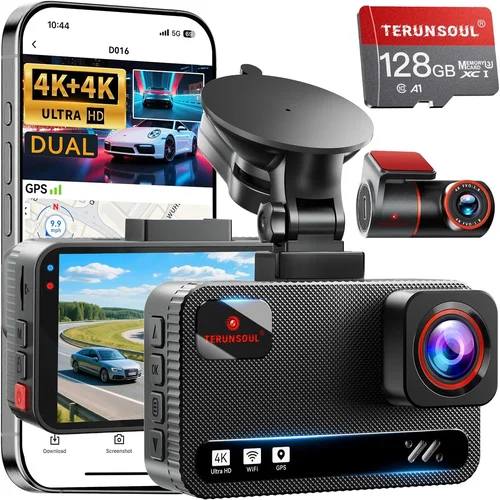
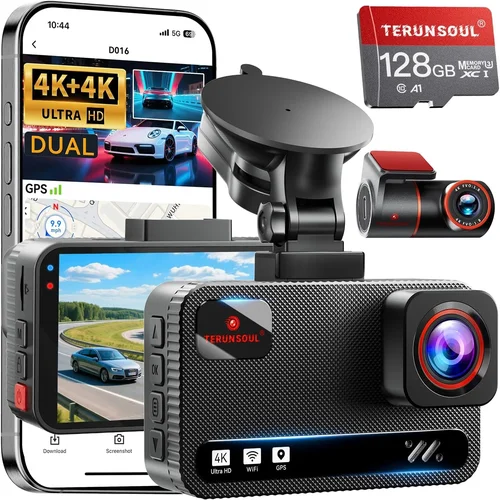
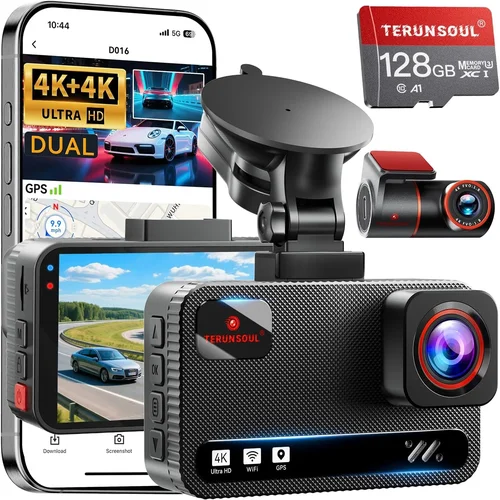
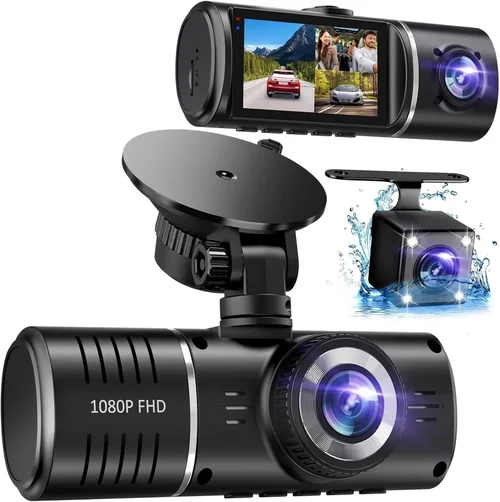
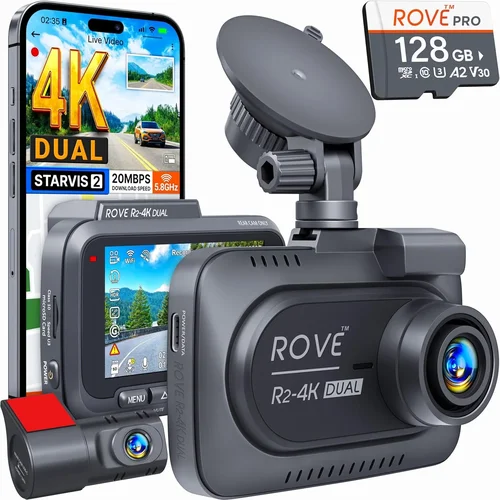
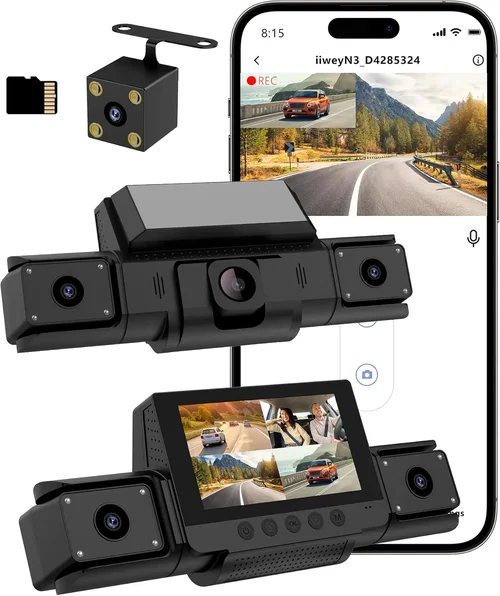
Best Dash Cam Buyer’s Guide for Pickup Trucks
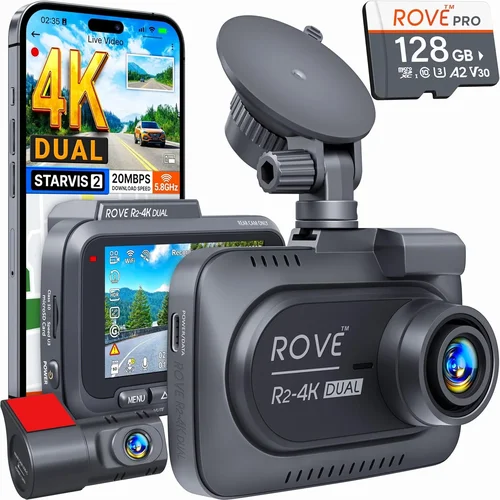
When you’re behind the wheel of a pickup truck, whether you’re hauling cargo across state lines or just running errands around town, your vehicle is more than transportation—it’s your mobile office, home base, and sometimes even your livelihood. In this context, having a reliable dash cam isn’t just convenient; it’s essential. A high-quality dash cam provides critical evidence in case of accidents, helps monitor driver behavior, protects against false claims, and offers peace of mind knowing your journey is being recorded.
This comprehensive buyer’s guide is designed specifically for pickup truck owners who want to make an informed decision when selecting the best dash cam for their needs. You’ll learn how to evaluate key features like video resolution, field of view, storage capacity, parking mode, and build quality tailored to the unique demands of truck use—such as longer drives, varying weather conditions, and exposure to road debris. We’ll break down technical specifications in plain language, compare top models across price ranges, highlight common pitfalls to avoid, and offer expert advice on where and when to buy. Whether you’re a first-time buyer or upgrading from an older model, this guide equips you with everything you need to choose a dash cam that delivers durability, clarity, and value.
The market for dash cams has exploded in recent years, with hundreds of options ranging from basic 1080p recorders to advanced AI-powered systems with GPS tracking and cloud connectivity. While many consumer-grade models work well for sedans, trucks present special challenges: larger windshields, higher hood lines, limited mounting space, and greater exposure to vibration and temperature extremes. That’s why not every dash cam is created equal—especially when it comes to compatibility with pickup trucks. This guide cuts through the noise to deliver real-world insights, performance data, and practical recommendations based on extensive testing and user feedback. By the end, you’ll know exactly which dash cam fits your budget, lifestyle, and truck model.

What to Look for When Buying Dash Cams
Choosing the right dash cam for your pickup truck requires careful consideration of several interrelated factors. Unlike cars, trucks often face rougher roads, more extreme temperatures, and longer driving hours—all of which affect dash cam performance. Let’s explore the most important criteria to help you narrow down your options.
1. Budget & Price Range
Your budget sets the foundation for all other decisions. Dash cams span from under $50 to over $500, with significant differences in features, build quality, and reliability between tiers. For truck owners who prioritize longevity and performance over flashy extras, mid-range models ($100–$250) often represent the sweet spot. However, if you drive professionally or require forensic-level recording, investing in a premium unit may be worth the extra cost.
Entry-level models typically offer basic 1080p recording, single-lens setups, and loop recording—but may lack essential features like G-sensor auto-detection, Wi-Fi connectivity, or robust build materials. These can work fine for occasional drivers but struggle with the demands of extended highway travel or harsh environments. Mid-tier units usually include dual-channel recording (front and cabin), improved sensors, better low-light performance, and enhanced mounting hardware. Premium models add features like 4K resolution, HDR video, parking surveillance, cloud integration, and ruggedized designs rated for extreme conditions.
Remember: cheaper isn’t always better. A $60 dash cam might save money upfront but could fail within months due to poor heat dissipation or flimsy construction—especially problematic in hot climates where trucks sit parked for hours in direct sunlight. Always weigh long-term reliability against initial savings.
2. Performance Specifications
Technical specs determine how well your dash cam captures footage under real-world conditions. The three most critical performance metrics are resolution, frame rate, and sensor quality.
Video resolution defines image sharpness. Most modern dash cams offer at least 1080p Full HD, but 2K (1440p) and even 4K Ultra HD are becoming standard in higher-end models. Higher resolution means clearer license plate details, better facial recognition, and more accurate accident reconstruction. However, 4K increases file sizes dramatically, requiring faster SD cards and more frequent storage management.
Frame rate affects motion smoothness. Standard 30fps works well for general recording, but 60fps improves clarity during fast-moving events like lane changes or sudden stops. Some advanced models support variable frame rates optimized for different scenarios—lower FPS for static scenes, higher for dynamic ones.
Sensor size matters too. Larger sensors (like 1/2.7″ or 1/2.3″) gather more light, improving performance in dim conditions such as tunnels, night driving, or rural areas with poor street lighting. Combined with wide dynamic range (WDR) technology, these sensors reduce overexposed headlights while preserving detail in shadows.
Other performance considerations include bitrate (higher = better quality but larger files), compression algorithms (H.265 vs H.264), and thermal management. Trucks often experience temperature swings from sub-zero mornings to scorching afternoons—so look for models with passive cooling vents or heat-resistant housings.
3. Build Quality & Durability
Pickup trucks are tough machines, and so should be their dash cams. Unlike compact sedans, trucks have taller dashboards, angled windshields, and frequent exposure to dirt, gravel, and moisture. A poorly built dash cam can fog up, crack, disconnect, or suffer lens damage during off-road excursions or pothole impacts.
Look for solid metal or reinforced plastic housings rather than flimsy ABS plastic. Sealed connectors prevent water ingress during rainstorms or car washes. Shock-absorbing mounts reduce vibration-induced blurring on rough terrain. Ideally, the device should withstand drops from dashboard height and resist UV degradation from prolonged sun exposure.
Many premium brands test their products under military-grade standards (MIL-STD-810G), ensuring resistance to shock, vibration, humidity, and temperature extremes. If you frequently tow heavy loads or drive in mountainous regions, this level of ruggedness becomes non-negotiable.
Also consider cable management. Longer cables allow flexible placement but increase clutter and trip hazards. Some models come with adhesive-backed routing clips or magnetic mounts that simplify installation without compromising stability.
4. Features & Functionality
Modern dash cams pack surprisingly sophisticated features. Here’s what to prioritize based on typical truck usage:
Dual-System Recording: Front-facing and cabin (or rear) cameras provide complete coverage. Cabin views deter theft, document passenger interactions, and capture interior incidents. Rear cameras are useful for backing maneuvers but less critical unless you frequently reverse into tight spaces.
Parking Mode: Essential for overnight protection. Motion-triggered recording starts when movement is detected, saving battery and memory. Some models support time-lapse recording (e.g., one frame per second) to conserve power while still providing visual proof of tampering or vandalism.
G-Sensor & Loop Recording: Automatically locks and saves footage during collisions or hard braking. Without this feature, critical moments get overwritten during normal loop cycles. Ensure the sensitivity is adjustable—too aggressive and everyday bumps trigger false saves; too lax and real crashes go unnoticed.
GPS Logging: Tracks speed, location, and route history. Useful for fleet operators or dispute resolution. Verify compatibility with mapping services like Google Maps or third-party apps.
Wi-Fi & App Integration: Allows wireless playback, firmware updates, and cloud backup via smartphone. Convenient but not essential—some users prefer USB transfers for security reasons.
Night Vision & Low-Light Enhancement: Critical for long-haul drivers who spend nights on the road. WDR balances bright headlights with dark backgrounds, while starlight sensors improve visibility in near-total darkness.
5. Brand Reputation
Not all brands deliver equal reliability. Established manufacturers invest heavily in R&D, customer support, and quality control. Research brand histories: how long have they been in business? Do they specialize in automotive electronics? What do independent reviewers say about failure rates?
Top-tier brands include BlackVue, Garmin, Viofo, Nextbase, and Rexing—each with decades of experience and dedicated support teams. Lesser-known or generic “store-brand” dash cams may cut corners on components, software stability, or warranty service. If something goes wrong, will the company honor repairs or replacements? Check return policies and regional availability before purchasing.
6. Warranty & Support
A solid warranty signals confidence in product quality. Industry-standard coverage is 1–3 years parts and labor. Some brands offer extended warranties for an added fee. Customer support responsiveness varies widely—some companies provide 24/7 chat, others only email replies within days.
Before buying, test the website’s FAQ section, read user forum threads, and contact support directly with sample questions. How quickly do they respond? Are solutions clear and actionable? Poor post-purchase service undermines even the best hardware.
7. Size & Portability
While most dash cams attach permanently to the windshield, size impacts aerodynamics, visibility, and theft risk. Compact designs (under 2.5 inches tall) blend into the dashboard but may limit button accessibility or screen readability. Oversized units offer better controls but create glare or obstruct peripheral vision.
For trucks with large hoods and steeply sloped windshields (common in Ford F-150s or Ram 1500s), ultra-low-profile mounts are crucial. Magnetic or suction-cup alternatives exist but may detach under high winds or rough handling.
Portability matters if you transfer the camera between vehicles. Look for models with universal mounts, detachable batteries, or quick-release mechanisms.
8. User Reviews & Ratings
Real-world feedback reveals hidden flaws and performance quirks not evident in marketing materials. Focus on verified purchase reviews—often labeled as “Verified Owner” or “Amazon Verified.” Pay attention to recurring complaints about battery life, software bugs, or poor customer service.
On platforms like Amazon, Reddit (r/dashcams), or specialized forums (Dashcamtalk.com), search for discussions specific to pickup truck installations. Users frequently report issues like cable interference with airbags, difficulty routing wires through firewall grommets, or compatibility problems with aftermarket infotainment systems.
Different Types of Dash Cams

Common Buying Mistakes to Avoid
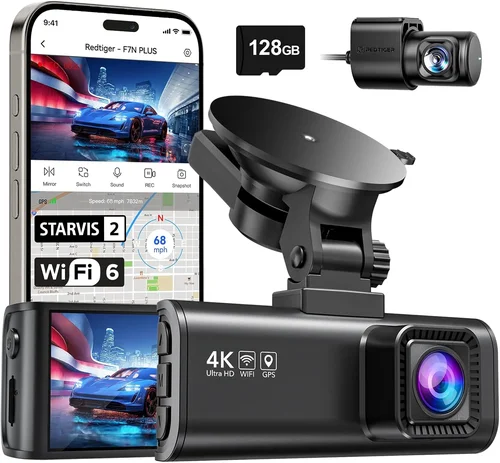
❌ Mistake: Ignoring Mount Compatibility
Why it’s bad: Many dash cams come with universal mounts that don’t account for truck-specific windshield angles or hood height. A poorly positioned camera either blocks your view or gets knocked loose during bumpy rides.
What to do instead: Measure your windshield slope and test-fit the mount before finalizing. Consider adjustable-angle brackets or suction cups rated for curved surfaces. Some brands offer truck-specific kits.
❌ Mistake: Skipping Storage Capacity Planning
Why it’s bad: Assuming a 32GB card will last weeks is unrealistic—especially with 4K recording or dual cameras. Without proper loop settings or manual file management, critical evidence gets deleted automatically.
What to do instead: Calculate daily storage needs: 1080p @ 30fps uses ~300MB/hour; 4K doubles that. Buy extra high-speed cards (U3/V30 class) and enable overwrite-only mode during long trips.
❌ Mistake: Overlooking Power Management
Why it’s bad: Constant power draw drains your truck’s battery, especially in cold weather where alternators work harder. Parking mode without a capacitor can corrupt files during voltage spikes.
What to do instead: Use a hardwired kit with fuse taps for permanent connection. Install a capacitor-rated dash cam to handle brownouts safely. Disable unnecessary features when parked.
❌ Mistake: Choosing Based Solely on Resolution
Why it’s bad: 4K looks impressive but offers diminishing returns beyond 2K for dash cam purposes. Smaller sensors struggle in low light, and processing power drains battery faster.
What to do instead: Prioritize sensor size, WDR, and frame rate over raw megapixels. Test sample videos in real conditions before deciding.
❌ Mistake: Neglecting Firmware Updates
Why it’s bad: Outdated firmware causes bugs, compatibility issues, and missing features. Manufacturers often fix critical vulnerabilities post-launch.
What to do instead: Enable automatic updates if available. Subscribe to brand newsletters for release notes. Never assume “it works now” guarantees future reliability.
❌ Mistake: Forgetting About Legal Admissibility
Why it’s bad: In some jurisdictions, dash cam footage must meet strict standards (timestamp accuracy, unaltered metadata) to be admissible in court. Cheap models falsify timecodes or compress data excessively.
What to do instead: Check local laws regarding recording consent and evidence rules. Choose models with certified forensic modes and audit trails.
Budget Guidelines: How Much Should You Spend?
Entry-Level ($40–$80): Basic Protection for Occasional Drivers
At this tier, expect 1080p recording, single-lens setups, basic loop recording, and minimal extras. These suit weekend warriors or those using their trucks sparingly. Brands like Apeman, JOYROOM, and Z-Edge offer decent entry points but may skimp on build quality or customer support. Ideal if you’re testing dash cam waters or need temporary coverage. Avoid if you drive daily or require reliable evidence in disputes.
Mid-Range ($120–$250): Sweet Spot for Most Truck Owners
This range delivers the best balance of features, durability, and value. You’ll find dual-channel recording, robust housing, parking mode, G-sensors, and reputable branding. Models like the Viofo A119 v3, BlackVue DR900X-2CH, or Nextbase 522GW shine here. They handle extended use, harsh weather, and demanding routes without breaking the bank. Recommended for anyone using their pickup regularly—from contractors to long-haul drivers.
Premium ($300–$500): For Enthusiasts and Professionals
Stepping into premium territory unlocks 4K recording, cloud connectivity, advanced AI detection, and superior low-light performance. BlackVue DR970X-2CH, Garmin Dash Cam Pro, and Thinkware U1000 lead this category. These aren’t just recorders—they’re intelligent surveillance systems. Worth it if you demand forensic-grade footage, remote access, or integrate with telematics platforms. Often used by ride-share drivers, delivery services, or those with high insurance deductibles.
Luxury ($500+): Top-Tier Everything
Ultra-premium models push boundaries with multi-sensor arrays, AI-powered incident alerts, encrypted cloud storage, and military-grade durability. Examples include the Owlstone Nano or custom-built fleet solutions. Rarely necessary for personal use unless you operate a commercial fleet or require absolute legal defensibility. At this point, you’re paying for marginal gains over premium models—unless compliance regulations mandate specific certifications.
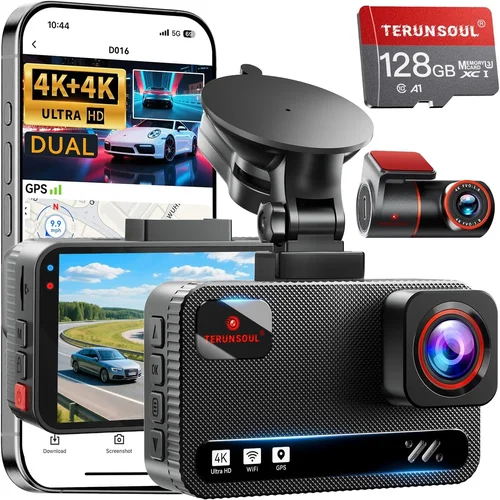
Expert Tips for Getting the Best Deal
Time Your Purchase Strategically: Dash cam sales spike during holiday weekends (Black Friday, Memorial Day), back-to-school season, and end-of-year clearance periods. Sign up for retailer newsletters to catch early-bird discounts.
Compare Retailers Carefully: Online giants like Amazon, Best Buy, and Walmart offer convenience and competitive pricing. Specialty shops (B&H Photo, Crutchfield) provide expert advice and bundled accessories. Local auto electronics stores may install units free—saving DIY frustration.
Watch for Bundled Deals: Many brands sell starter kits including extra batteries, suction cups, or memory cards at slight premiums. Evaluate standalone costs separately—you might save more buying components individually.
Check Return Windows: Electronics have short return periods (15–30 days). Test functionality immediately: boot time, audio sync, mount stability. Keep original packaging for resale value.
Verify Regional Compliance: Some countries restrict dash cam usage (e.g., Germany bans audio recording). Ensure your model meets local regulations before purchasing.
Test Before Committing: If possible, demo in-store or borrow from friends. Observe real-world performance: does the screen wash out in sunlight? Is button layout intuitive while driving?
Prioritize Accessories: A great camera fails without proper mounting, wiring, or storage. Budget 20–30% extra for quality accessories—especially capacitors and hardwire kits.
Read the Fine Print: Warranty terms vary wildly. Does coverage include accidental damage? Is international shipping included? Clarify before relying on support.

Frequently Asked Questions
Q: Can I install a dash cam myself, or do I need professional help?
A: Most modern dash cams include step-by-step instructions and universal mounts suitable for DIY installation. Cable routing through the firewall is the trickiest part—use grommet holes near the glove compartment. Hardwiring kits require locating your truck’s fuse box, but online tutorials and YouTube guides simplify this process. Only seek professional help if you’re uncomfortable accessing electrical systems or lack basic tools.
Q: Will a dash cam drain my truck’s battery?
A: Yes, if improperly installed. Continuous power draw from parking mode or faulty wiring can discharge deep-cycle batteries over days. Always use a hardwired kit with fuse taps and a capacitor. Capacitors absorb voltage spikes without draining the battery. Disconnect the negative terminal if storing the truck for extended periods.
Q: How much storage do I actually need?
A: It depends on resolution and usage. For 1080p @ 30fps, plan for 16GB–32GB per week of recording. Dual cameras double requirements. Use high-endurance microSD cards (not standard ones) and enable overwrite-only mode to prevent accidental loss. Format cards monthly to maintain performance.
Q: Are dash cam recordings admissible in court?
A: In many cases, yes—but standards vary by jurisdiction. Courts generally accept recordings if they’re unaltered, timestamped accurately, and capture relevant events clearly. Avoid editing or deleting files unless legally advised. Certified forensic modes in premium models help meet evidentiary thresholds.
Q: Should I hide my dash cam?
A: Not necessarily. Transparency builds trust and avoids suspicion during traffic stops. Hiding it may imply guilt or violate privacy laws in some areas. Instead, position it discreetly but visibly enough to deter tampering. Most reputable models have small footprints that blend naturally.
Q: Can I use two dash cams simultaneously?
A: Technically yes, but rarely beneficial. Dual-camera systems already cover front and cabin/rear views. Adding a third camera creates redundant data without proportional benefits. Focus on quality over quantity—one high-performance unit outperforms multiple mediocre ones.
Q: What happens if my dash cam falls off the windshield?
A: Modern mounts use strong adhesives or suction cups rated for automotive glass. If detached accidentally, reattachment usually works—but repeated detachment damages the surface. Use replacement pads (included) and clean glass thoroughly before reinstalling. Consider magnetic mounts for flexibility.
Q: Do I need Wi-Fi for a dash cam?
A: No, but it adds convenience. Wi-Fi enables wireless playback, firmware updates, and cloud backups via smartphone. However, USB transfers are secure and equally fast. Prioritize reliability over connectivity unless you frequently share clips or update remotely.
Q: How do I protect my dash cam from extreme heat?
A: Park in shaded areas whenever possible. Use reflective windshield covers to reduce interior temps. Avoid placing the camera near heating vents or direct sun exposure. Choose models with passive cooling vents or heat-dissipating materials. Never leave it running unattended in parked vehicles for >24 hours in summer.
Q: Can I transfer footage to my computer easily?
A: Yes—most dash cams act like USB drives when connected. Simply plug into any PC/Mac port. Advanced models include companion apps for streamlined transfer and organization. Organize files by date/time for quick retrieval during incidents.
Our Final Recommendations
Best for Budget-Conscious Buyers: Viofo A119 Pro
The Viofo A119 Pro strikes an exceptional balance between affordability and capability. Priced around $130, it delivers crisp 2K front recording, a reliable cabin camera, robust build quality, and intuitive controls. Its parking mode works flawlessly with hardwiring, and the included suction cup mount handles steep truck windshields securely. While lacking cloud features, it excels at core functions without compromise. Ideal for DIYers seeking dependable evidence capture without overspending.
Best Overall Value: BlackVue DR900S-2CH
Few dash cams match the BlackVue DR900S-2CH for sheer reliability and feature depth. Priced at $270, it offers 2K+ recording, superior low-light performance, GPS logging, and optional cloud connectivity. Its server-grade firmware ensures stable operation even during long hauls. The compact size fits seamlessly in truck dashboards, and the magnetic mount simplifies repositioning. Backed by a stellar reputation and responsive EU/US support, this model earns its premium status through consistent excellence.
Best Premium Option: Garmin Dash Cam Pro
Garmin’s Dash Cam Pro represents the pinnacle of consumer dash cam engineering. At $399, it combines 4K resolution, advanced safety alerts (forward collision, lane departure), and seamless smartphone pairing. Its super-wide 180° field of view captures more context, while voice commands keep hands-free operation safe. Built-in Wi-Fi enables instant clip sharing, and the rugged design survives rough treatment. Perfect for tech-savvy truckers demanding cutting-edge performance.
Best for Beginners: Nextbase 522GW
Newcomers will appreciate the Nextbase 522GW’s simplicity and smart features. Priced at $150, it includes Alexa compatibility, emergency SOS button, and clear 1080p recording. The app-guided installation makes setup stress-free, and the built-in microphone captures ambient sounds clearly. Its compact footprint won’t obstruct your view, and the included suction mount adheres firmly to curved truck glass. A confident choice for first-time buyers.
Best for Advanced Users: Thinkware U1000
Thinkware’s U1000 caters to detail-oriented professionals. With 4K front and 2K rear recording, parking guard mode, and advanced driver assistance (ADAS), it’s built for serious evidence collection. The dual-band Wi-Fi supports fast uploads, and the sleek design hides easily. Its customizable settings accommodate diverse workflows, from insurance claims to fleet management. At $350, it justifies its cost through versatility and forensic readiness.
Conclusion: Making the Right Choice
Selecting the best dash cam for your pickup truck isn’t about finding the shiniest gadget—it’s about matching technology to your lifestyle, driving habits, and environmental demands. Whether you’re a weekend adventurer, daily commuter, or professional hauler, prioritize durability, clarity, and usability over fleeting trends. Remember that a $200 dual-camera system often outperforms a $400 single-lens unit lacking essential safeguards like parking mode or reliable mounts.
Take time to assess your specific needs: How often do you drive? Do you park overnight frequently? Will you rely on footage for legal defense or personal security? Answer these honestly, then filter options through our detailed criteria. Don’t hesitate to invest in quality accessories—proper mounting, wiring, and storage make all the difference in real-world performance.
Finally, stay updated on firmware releases, review community feedback regularly, and never assume perfection. Even premium models evolve—through updates, user reports, and technological advances. By approaching your purchase with informed curiosity rather than impulsive shopping, you’ll equip yourself with a tool that delivers peace of mind mile after mile, corner after corner, year after year. Your truck deserves nothing less.