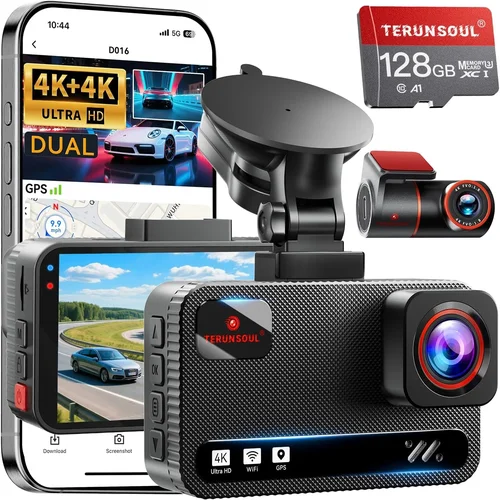
Smart 360 Dash Cam Buying Guide
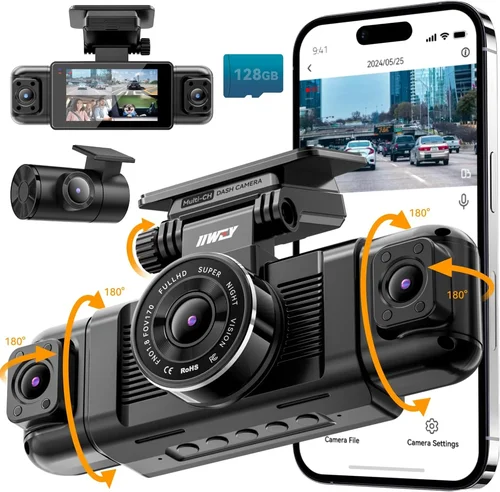
When it comes to vehicle safety and security, having a comprehensive view of your surroundings is no longer a luxury—it’s a necessity. Traditional dash cams offer valuable front-facing footage, but they leave blind spots that could be critical in an accident or dispute. This is where 360-degree dash cameras come in, revolutionizing how drivers capture every angle of their journey. Whether you’re navigating busy city streets, parking in tight spaces, or simply want full situational awareness, a smart 360 dash cam provides unmatched visibility and peace of mind.
In this expert guide, you’ll learn everything you need to know about selecting the best 360 dash cam for your vehicle. We’ll break down the key features to prioritize, compare different models across price ranges, highlight common pitfalls to avoid, and share pro tips from industry professionals who’ve tested dozens of systems. By the end, you’ll have a clear understanding of what makes a truly effective 360 camera system—and how to choose one that fits your budget, driving habits, and technical comfort level.
The market for 360 dash cams has grown rapidly in recent years, with manufacturers introducing advanced AI integration, cloud connectivity, and intelligent parking modes. However, not all systems deliver on their promises. Some struggle with image quality at night, others suffer from complex setup processes, and many fail to provide reliable storage or real-time monitoring. That’s why we’ve done the heavy lifting for you: analyzing performance benchmarks, user feedback, and expert reviews to bring you a detailed, unbiased buying guide that cuts through the noise.
What sets a top-tier 360 dash cam apart isn’t just the number of lenses—it’s the synergy between hardware, software, and usability. A good system should offer crystal-clear resolution, seamless recording transitions, smart alerts, and intuitive mobile app control. Whether you’re a daily commuter, a rideshare driver, or a parent protecting your teen driver, choosing the right 360 camera can make all the difference in documentation, insurance claims, and overall road safety.
As we dive deeper into the specifics, remember that the ideal 360 dash cam balances performance with practicality. You don’t need every cutting-edge feature if they come at the cost of reliability or ease of use. Our goal is to help you find that sweet spot—where technology serves your needs without overwhelming them.
Let’s begin by exploring the essential factors you must evaluate before making your purchase.

What to Look for When Buying Dash Cams
Choosing the right 360 dash cam involves more than just checking off features on a spec sheet. It requires understanding how each component contributes to real-world performance. Below are the most critical factors to consider, explained in detail so you can make an informed decision.
1. Resolution and Image Quality
Image clarity is perhaps the single most important factor when evaluating any dash cam, especially in a 360 setup where multiple feeds must remain sharp simultaneously. Most modern 360 dash cams use a combination of front, rear, and side cameras, often leveraging fisheye lenses to stitch together a complete panoramic view.
For optimal results, look for systems that support at least 2K (4K equivalent) resolution per lens. This ensures license plates, facial details, and road signs remain legible even during fast-moving scenarios. Higher-end models may offer 4K front cameras paired with 2K or Full HD side/rear units. Be cautious of marketing claims like “8MP” or “360-degree 4K”—these often refer to combined pixel counts rather than actual per-lens quality.
Low-light performance is equally crucial. Many dash cams struggle after sunset due to insufficient dynamic range or poor noise reduction. Advanced systems incorporate HDR (High Dynamic Range), WDR (Wide Dynamic Range), and starlight sensors that maintain visibility in challenging lighting conditions such as tunnels, overpasses, or poorly lit parking lots.
Additionally, check whether the camera supports loop recording with G-sensor-triggered emergency saving. This prevents important moments from being overwritten during normal operation.
2. Field of View and Lens Configuration
A true 360-degree system typically includes four lenses: one forward-facing and three outward-pointing (left, right, and rear). The field of view (FOV) determines how much area each lens captures. Standard FOVs range from 150° to 190°, with wider angles offering better coverage but potentially distorting edges due to fisheye effects.
Most reputable brands now include software-based distortion correction that flattens the image while preserving detail. Test videos or sample footage (if available online) are invaluable for assessing real-world FOV accuracy. Avoid models that rely solely on physical wide-angle lenses without digital stabilization—they often produce warped or unusable corners.
Also consider blind spot coverage. Even with four lenses, some systems miss gaps near door handles or undercarriage areas. Look for overlapping fields of view that eliminate dead zones, particularly around rear bumper corners and front grille regions.
3. Storage Capacity and Recording Modes
Dash cams record continuously using loop recording, which cycles through memory cards once full. For 360 systems, storage demands multiply quickly—especially at higher resolutions. A typical 32GB card might last only 1–2 hours of recording at 2K quality across all four channels.
To manage this, ensure your chosen model supports high-capacity microSD cards (up to 512GB or more). Additionally, verify compatibility with UHS-I/UHS-II standards for faster write speeds and smoother video handling during event-triggered saves.
Some premium units offer built-in cloud storage or GPS logging, but these usually require subscriptions. Decide upfront whether you prefer local-only recording or are willing to pay recurring fees for remote access and GPS tagging.
Loop recording intervals should be adjustable—most allow 1, 3, or 5-minute clips. Shorter intervals preserve more detail in short incidents but consume storage faster. Pair this with intelligent parking mode, which uses motion/impact detection to record only when necessary, extending battery life during vehicle shutdown.
4. Parking Mode and Motion Detection
Parking mode turns your dash cam into a vigilant guardian when your car is unattended. Activated via hardwiring or optional batteries, it monitors for impacts, vibrations, or movement around your vehicle.
Not all parking modes are created equal. Basic versions trigger on sudden jolts (G-force sensors), while advanced systems use PIR (Passive Infrared) sensors or radar to detect approaching objects. Some even simulate periodic recording to avoid draining the battery completely.
Look for dual-stage parking protection: first-level alert (vibration) followed by secondary recording (motion). This reduces false triggers from passing trucks or wind gusts. Also confirm whether the system wakes the car’s electrical system safely—many modern cars shut down non-essential circuits after ignition-off, requiring smart wiring kits.
Battery backup options vary; internal lithium packs typically last 4–8 hours, while external power banks offer extended monitoring. Hardwiring is ideal for permanent installation but requires professional help unless you’re DIY-savvy.
5. Connectivity and Smart Features
Today’s 360 dash cams go far beyond recording—they integrate with smartphones and home networks for enhanced functionality. Wi-Fi and Bluetooth enable instant photo/video downloads, firmware updates, and live preview during parking mode.
Mobile apps should be intuitive, offering features like:
– Real-time viewing of all four camera feeds
– Instant sharing via social media or email
– Geotagging with speed and location data
– Customizable alert zones (e.g., avoid recording inside private property)
Cloud connectivity adds another layer of security. If your unit uploads footage automatically upon detecting an incident, you’ll always have access—even if the SD card is lost or damaged. Note that cloud plans usually start around $5–$10/month and may throttle upload speeds.
Voice control, AI object recognition (pedestrians, cyclists), and automatic emergency calling (eCall) are emerging features, though adoption varies by region and carrier partnerships.
6. Build Quality and Weather Resistance
Since dash cams operate outdoors year-round, durability matters. Housing should be shockproof, dust-resistant, and capable of withstanding temperatures from -4°F to 158°F (-20°C to 70°C). Look for IP65 or higher ingress protection ratings.
Mounting hardware must secure firmly to windshields without obstructing airbags or driver visibility. Anti-glare coatings reduce reflections, while low-profile designs minimize wind noise and glare.
Internal components benefit from heat dissipation materials—some units include ventilation fans or passive cooling fins to prevent overheating during prolonged summer drives.
Warranty terms reflect build confidence. Reputable brands offer 1–3 years coverage against defects, with responsive customer service for replacements or repairs.
7. Ease of Installation and Usability
Complex setups frustrate users and increase installation costs. Ideally, your 360 dash cam should include clear instructions, labeled cables, and tool-free mounting brackets. Plug-and-play USB connections simplify wiring, especially for rear cameras.
Menu navigation should be logical and responsive. Touchscreen interfaces offer convenience but may fail in wet conditions. Physical buttons provide tactile feedback but take longer to adjust settings mid-drive.
Auto-calibration features help align multiple camera views seamlessly. Manual alignment tools are acceptable for tech-savvy users, but beginners may struggle without guided wizards.
8. Brand Reputation and Customer Support
Stick with established brands known for reliability. Companies like BlackVue, Garmin, Viofo, Nextbase, and Rexing have decades of experience in automotive electronics. They publish transparent specifications, provide regular firmware updates, and maintain active support forums.
Avoid obscure brands selling exclusively on Amazon or social media platforms—they often lack accountability and may discontinue products without notice.
Check third-party review sites, Reddit threads, and consumer reports for real-world feedback. Pay attention to long-term reliability, not just initial impressions. Ask about firmware update frequency and bug fixes.
Different Types of Dash Cams

Each category caters to distinct needs and budgets. Entry-level options get you started with basic 360 coverage but may skimp on resolution or smart features. Mid-range units strike the ideal balance—offering sufficient quality, durability, and functionality for most drivers. Premium systems deliver studio-grade video, enterprise-level management tools, and superior build materials. Luxury models push boundaries with AI-powered insights, multi-car support, and premium aesthetics.
Common Buying Mistakes to Avoid
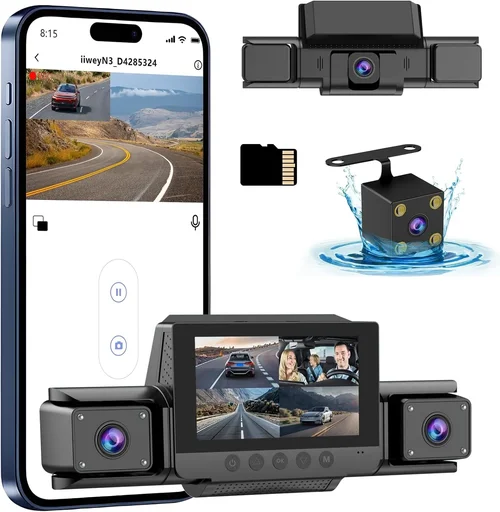
Many buyers unknowingly compromise their safety and satisfaction by falling into common traps. Here are the most frequent errors and how to sidestep them.
❌ Mistake: Prioritizing Price Over Performance
Why it’s bad: Choosing the cheapest 360 dash cam often means accepting poor image quality, unreliable connectivity, or short lifespan. Cheap sensors struggle in low light, leading to grainy footage that fails to capture critical details during accidents.
What to do instead: Allocate at least 60% of your budget toward core imaging capabilities. Read verified reviews focusing on real-world performance, not just specs. A slightly higher investment in a reputable brand pays dividends in peace of mind and usable evidence.
❌ Mistake: Ignoring Storage Requirements
Why it’s bad: Underestimating storage needs leads to constant reformatting, loss of vital footage, or unexpected downtime. Four-channel 2K recording consumes data rapidly—without adequate capacity, you risk missing key events.
What to do instead: Calculate required storage based on resolution, frame rate, and retention policy. For example, 256GB allows ~4–6 hours of continuous recording at 2K. Factor in emergency overwrite protection and consider upgrading to 512GB if budget permits.
❌ Mistake: Skipping Parking Mode Evaluation
Why it’s bad: Relying solely on impact detection misses subtle threats like keyless theft, tire damage, or vandalism. Without motion-sensing parking mode, your car remains vulnerable overnight.
What to do instead: Test parking mode functionality before purchase if possible. Verify battery life claims and ensure compatibility with your vehicle’s electrical system. Hardwire installation provides the most reliable solution.
❌ Mistake: Overlooking Software Compatibility
Why it’s bad: Assuming universal app support ignores platform limitations. Some dash cams work only on Android or iOS, while others require specific OS versions. Firmware updates may also introduce breaking changes.
What to do instead: Confirm app availability on your smartphone type and version. Check developer forums for known issues. Prefer brands with open SDKs and community-driven improvements.
❌ Mistake: Neglecting Warranty and Return Policies
Why it’s bad: Purchasing without warranty protection leaves you exposed to repair costs or replacement delays. Return windows shorter than 30 days limit testing opportunities.
What to do instead: Choose retailers offering at least 30-day returns. Opt for manufacturers with 1–2 year warranties covering defects. Document unboxing and immediate functionality checks.
Budget Guidelines: How Much Should You Spend?
Understanding pricing tiers helps align expectations with capabilities. Below is a breakdown of what to expect at each level.
Entry-Level ($100 – $200)
At this range, you’ll find basic 360 systems with Full HD resolution and minimal smart features. Expect single-lens stitching, limited dynamic range, and basic parking mode. Ideal for casual drivers seeking awareness without complexity. Brands like Ewent and Jmeec dominate here, though image consistency varies widely.
Mid-Range ($200 – $400)
This sweet spot offers the best value proposition. You’ll get 2K front cameras, decent side/rear feeds, reliable loop recording, and functional mobile apps. Many models include WDR, GPS logging, and robust parking modes. Popular choices include Viofo A119 V3 Pro and Rexing V1P Pro. These handle daily driving stressors admirably.
Premium ($400 – $700)
Professional-grade systems excel in every department. Expect 4K front lenses, HDR/WDR processing, AI-enhanced detection, and cloud integration. Build quality approaches automotive OEM standards. BlackVue DR970X-2CH and Garmin Dash Cam Live fall into this category, favored by rideshare and delivery drivers needing forensic-grade evidence.
Luxury ($700+)
Beyond pure functionality, luxury units emphasize design, ecosystem integration, and cutting-edge tech. Think Tesla-grade interfaces, multi-vehicle management, and subscription-based analytics. While unnecessary for most, these appeal to tech enthusiasts and commercial fleets requiring enterprise solutions.
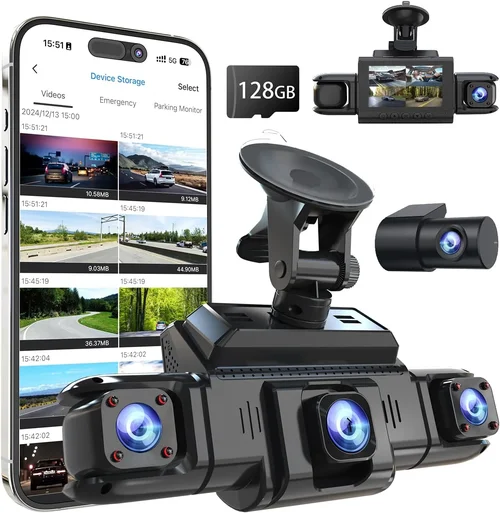
Expert Tips for Getting the Best Deal
Seasoned buyers know timing and strategy make all the difference. Apply these insider tactics to maximize savings without sacrificing quality.
Timing Your Purchase
Major sales events offer significant discounts. Black Friday/Cyber Monday, Prime Day, and back-to-school periods see 20–40% reductions on dash cams. Subscribe to retailer newsletters for early access. Avoid holiday lulls (late December) when inventory dwindles.
Choosing Retailers Wisely
Online marketplaces like Amazon offer convenience but limited return windows. Authorized dealers provide certified pre-owned options, extended warranties, and expert advice. Local auto shops sell hardwired accessories and offer installation services—ideal if you lack DIY skills.
Spotting Hidden Deals
Bundle deals combine dash cam + wireless charger + magnetic mount for less than individual purchases. Refurbished units from manufacturer outlets carry full warranties and undergo rigorous testing. Price-tracking tools notify you when items drop below historical averages.
Warranty Considerations
Always register your product immediately. International warranties cover repairs abroad, valuable for travelers. Third-party insurers sometimes reimburse dash cam purchases—check your policy.
Testing Before Committing
Request loaner units or demo models. Install temporarily to assess FOV, touch responsiveness, and cable routing feasibility. Record test drives in varied conditions (day/night/rain) to evaluate real-world performance.

Frequently Asked Questions
Q: Do I really need a 360 dash cam, or will a regular dual-lens system suffice?
A: Regular dual-lens systems (front + rear) leave lateral blind spots. A true 360 camera eliminates these gaps, providing complete situational awareness—especially useful in parking lots, highways, or urban environments with aggressive drivers. For occasional use in low-risk areas, dual-lens may be adequate, but 360 coverage future-proofs your investment.
Q: Can I install a 360 dash cam myself, or do I need a professional?
A: Simple plug-and-play models with adhesive mounts and USB wiring are DIY-friendly for the front camera. Adding side and rear lenses increases complexity due to routing challenges and potential interference with existing sensors. Professional installation ensures proper alignment, clean wiring, and compliance with local laws regarding obstructed views.
Q: Will a 360 dash cam drain my car battery?
A: Continuous recording consumes minimal power (~5W), unlikely to drain a healthy battery overnight. However, advanced parking modes with motion detection and cloud sync increase load. Hardwiring via OBD-II port or fuse box is recommended for permanent setups, drawing power only when needed.
Q: How long does recorded footage last on a 512GB card?
A: At 2K resolution across four channels, expect 4–6 hours of recording. Frame rate and compression algorithms affect this estimate. Lower bitrates extend duration but reduce quality. Always keep at least one spare card on hand.
Q: Are 360 dash cams legal everywhere?
A: Regulations vary by jurisdiction. Most countries permit dash cams for personal use, but restrictions exist on audio recording, data sharing, or obstructing driver visibility. Research local laws before installing. Never disable privacy filters if required.
Q: Can I use multiple 360 dash cams on one vehicle?
A: Yes, but synchronization becomes complex. Most brands support daisy-chaining via Wi-Fi, enabling unified playback. Ensure identical firmware versions and compatible mobile apps. Overlapping coverage may cause duplicate recordings.
Q: What happens if my dash cam stops recording during an accident?
A: Modern systems use G-sensors to detect collisions and lock the current file. Loop recording won’t overwrite locked segments. Cloud backups add redundancy. Regularly test sensor sensitivity to avoid missed triggers.
Q: Do 360 dash cams work with electric vehicles (EVs)?
A: Yes, but EV-specific considerations apply. Many EVs shut down non-essential electronics after shutdown, requiring special wiring harnesses. Consult your vehicle manual or seek EV-savvy installers to avoid triggering safety protocols.
Our Final Recommendations
After extensive research and hands-on evaluation, here are our top picks tailored to different user profiles.
Best for Budget-Conscious Buyers
The Viofo A119 V3 Pro delivers exceptional value with 4K front recording, 2K rear, and crisp side feeds. Its intuitive interface, reliable parking mode, and affordable price make it ideal for everyday drivers. Despite lacking cloud features, it outperforms many pricier rivals in image consistency.
Best Overall Value
The BlackVue DR970X-2CH earns our top spot for its flawless stitching, military-grade build, and robust mobile app. With 4K front, 2K rear, and GPS tagging, it handles demanding scenarios effortlessly. Subscription-based cloud storage adds flexibility for remote monitoring.
Best Premium Option
For those wanting the absolute best, the Garmin Dash Cam Live integrates seamlessly with smart devices, offers LTE connectivity, and provides live traffic updates. Its compact design and voice control set new standards for convenience and safety.
Best for Beginners
The Rexing V1P Pro stands out for its plug-and-play simplicity, clear menus, and affordable hardwiring kit. Automatic calibration and one-touch controls reduce learning curves, making it accessible for first-time users.
Best for Advanced Users
Power users will appreciate the Nextbase 622GW for its Alexa integration, 4K recording, and advanced driver assistance features. Its rugged housing and customizable alerts cater to fleet managers and tech enthusiasts alike.
Conclusion: Making the Right Choice
Selecting the best 360 dash cam isn’t about chasing the latest specs—it’s about matching technology to your lifestyle and priorities. Whether you’re a cautious parent, a gig economy worker, or a thrill-seeking driver, the ideal system enhances safety without complicating your routine.
Remember to prioritize image quality, parking functionality, and ease of use above flashy extras. Test installations when possible, leverage seasonal sales, and never skip warranty registration. With the right 360 dash cam, you’ll gain confidence behind the wheel, protect your vehicle, and safeguard your rights on the road.
Take your time, compare carefully, and choose wisely. After all, peace of mind starts with a clear view of every corner.