Ultimate Dash Cam Buying Guide
When it comes to protecting yourself on the road, having a reliable dash cam can make all the difference. Whether you’re dealing with insurance claims, seeking evidence in case of an accident, or simply wanting peace of mind while driving, choosing the right dash cam is crucial. With so many options available today—from basic single-lens models to advanced dual-camera systems with night vision and GPS—navigating the market can feel overwhelming for even the most tech-savvy drivers.
This comprehensive buying guide will walk you through everything you need to know about selecting the best dash cam camera for your car. You’ll learn how to evaluate key features like video resolution, storage capacity, and recording capabilities, understand the differences between various types of dash cams, and discover expert tips for getting the best value without compromising quality. By the end of this article, you’ll be equipped with the knowledge to make an informed decision that fits your specific needs, budget, and driving habits.
The dash cam industry has evolved rapidly over the past decade, offering features once reserved for professional surveillance equipment now accessible to everyday drivers. From emergency recording triggers to cloud connectivity and smartphone integration, modern dash cams do much more than just record what happens on the road. This guide covers real-world use cases, compares top-performing models across price ranges, highlights common pitfalls to avoid, and provides actionable advice from automotive technology experts who’ve tested dozens of devices firsthand.

What to Look for When Buying Dash Cams
Selecting a dash cam isn’t as simple as picking the one with the highest megapixel rating or flashiest feature list. Instead, successful buyers focus on balancing performance, reliability, and usability based on their individual circumstances. Let’s break down the most important factors every driver should consider before making a purchase.
1. Video Resolution & Recording Quality
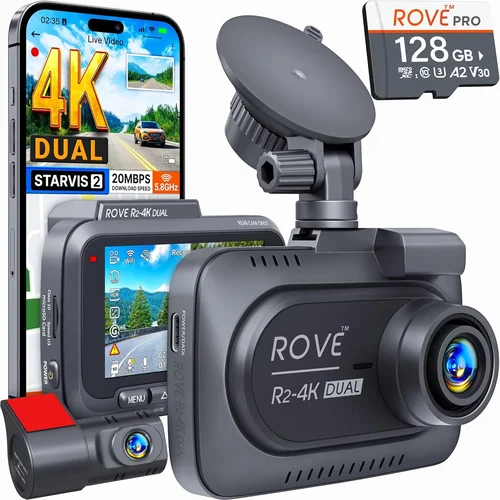
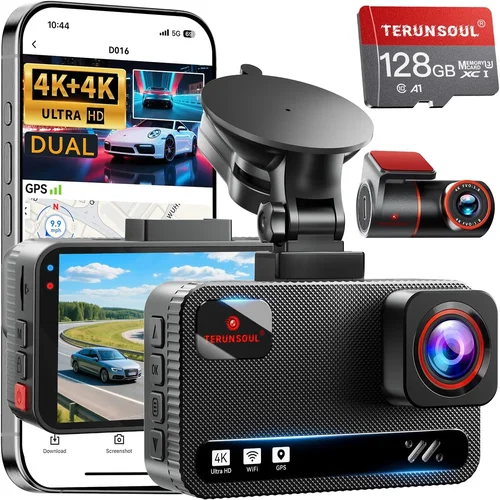
The primary purpose of any dash cam is to capture clear, usable footage in case of an incident. Today’s standard is Full HD (1080p), but many high-end models now offer 2K, 4K Ultra HD, or even 5K resolution for enhanced detail. Higher resolutions provide clearer images—especially useful when identifying license plates, facial features, or fine text on signs. However, keep in mind that 4K+ recordings consume significantly more storage space and may reduce frame rates unless paired with advanced compression technology.
Look for cameras with at least 1920×1080 resolution and a wide dynamic range (WDR) to handle challenging lighting conditions like direct sunlight hitting the windshield or dark tunnels during daytime driving. Some models also include HDR (High Dynamic Range) support, which improves contrast and color accuracy by capturing both bright and shadowed areas simultaneously.
2. Field of View (FOV)
A wider field of view captures more of the road ahead and surroundings, reducing blind spots and increasing the chances of catching relevant details. Most consumer dash cams offer between 110° and 160° horizontal FOV. A sweet spot is around 140°, which balances coverage without excessive distortion at the edges. Ultra-wide angles (over 170°) often suffer from fish-eye effects that make distant objects appear unnaturally small or distorted—this can be problematic if you need accurate measurements or identification later.
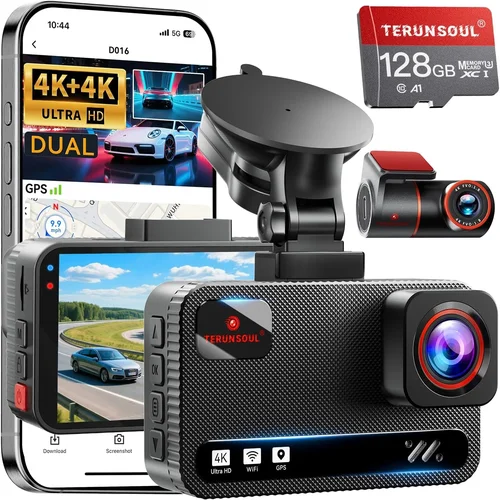
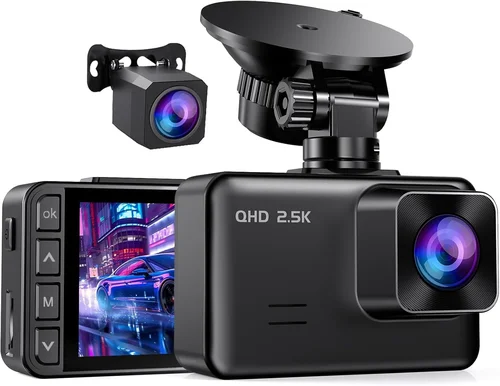
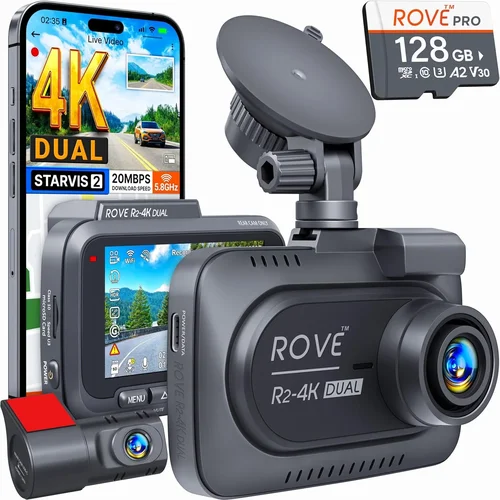
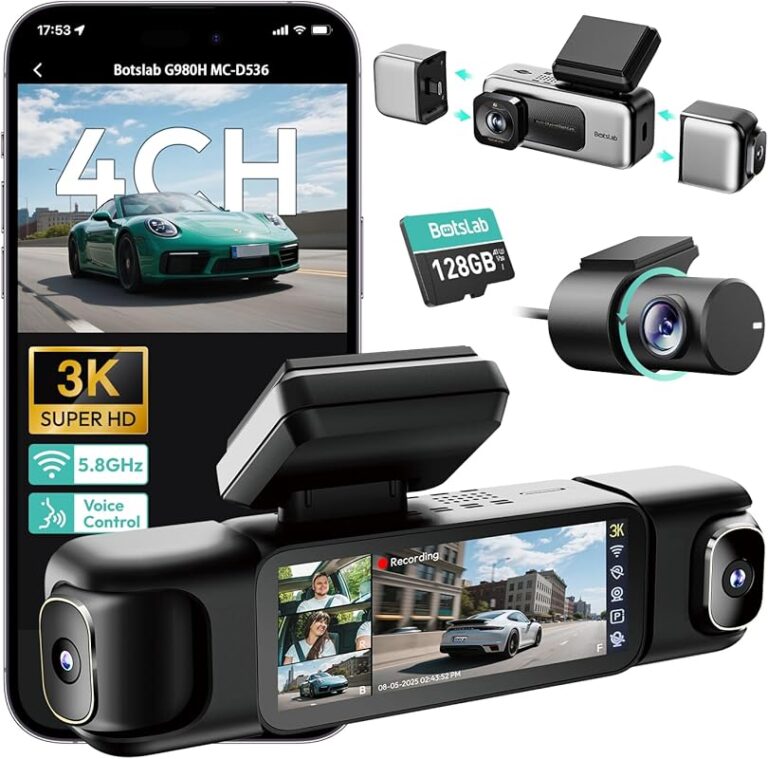
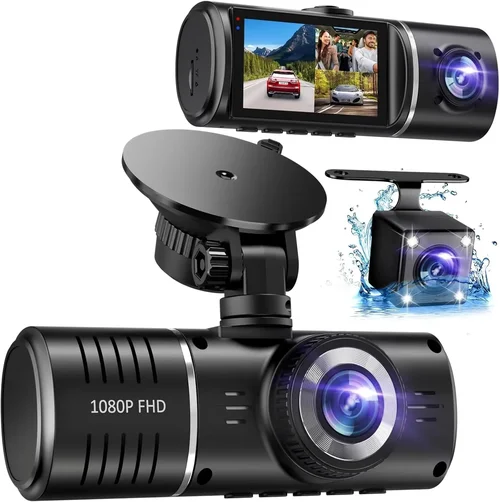
Consider whether you want front-only recording (most common) or a dual-lens system that also monitors the interior cabin. Dual cams are ideal for ride-sharing drivers, fleet operators, or parents monitoring teenage drivers, as they capture both external events and passenger behavior inside the vehicle.
3. Storage Capacity & Loop Recording
Dash cams rely on microSD cards for storage, typically ranging from 32GB to 256GB. The larger the card, the longer you can store footage before it automatically overwrites older files—a process called loop recording. For daily driving, a 64GB card usually suffices (about 2–3 hours of 1080p footage), while 128GB or higher is recommended for extended trips or frequent long commutes.
Ensure your chosen model supports the latest UHS speed class (U3 or V30) for smooth high-bitrate recording. Also, check compatibility: not all dash cams work with every brand or size of memory card. Always buy reputable brands like SanDisk, Samsung, or Lexar to avoid corruption issues.
4. Night Vision & Low-Light Performance
Driving at dawn, dusk, or night presents unique challenges for video quality. Poor low-light performance can result in grainy, washed-out footage that fails to capture critical details. Look for dash cams with strong night vision capabilities, including large aperture lenses (f/1.8 or lower), infrared LEDs (for interior monitoring), and noise reduction algorithms.
Some advanced models use starlight sensors or Sony Starvis image sensors, which perform exceptionally well in near-total darkness. While these won’t replace headlights or taillights, they ensure your camera doesn’t become completely useless during nighttime travel.
5. G-Sensor & Emergency Locking
Accidents don’t always involve collisions—sometimes they’re sudden stops, swerves, or impacts from behind. A built-in G-sensor detects sudden movements or shocks and automatically locks the current video file to prevent it from being overwritten during loop recording. This feature is invaluable for preserving evidence after minor fender benders or hit-and-runs.
Check sensitivity levels if possible; overly sensitive settings might trigger false positives (e.g., heavy braking on wet roads), while insufficient sensitivity could miss real incidents. Many modern dash cams allow you to adjust G-force thresholds through companion apps or menu settings.
6. Power Source & Installation
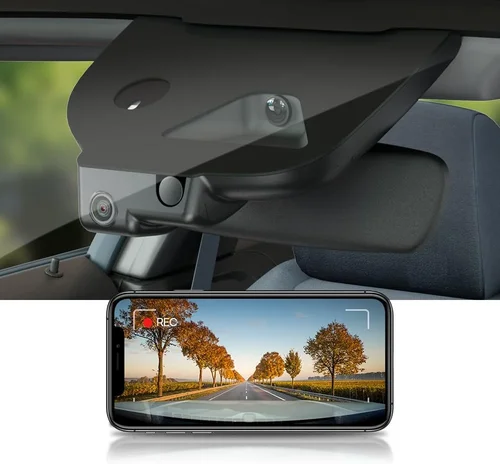
Dash cams connect to your car’s power supply via the cigarette lighter socket or hardwired installation using fuse taps or direct wiring to the battery. Hardwiring is preferred for permanent setups because it allows parking mode—recording when the engine is off—but requires professional installation knowledge or a qualified technician.
For most users, a simple plug-in design offers sufficient convenience and safety. Ensure the included cable is long enough to reach from under the dashboard to the power outlet without obstructing airbags or controls. Some models come with suction cup mounts that securely attach to glass surfaces, though adhesive mounts tend to hold better over time and temperature changes.
7. Connectivity Features
Beyond basic recording, connectivity options enhance usability and data accessibility. Wi-Fi and Bluetooth enable wireless transfer of clips to smartphones via dedicated apps, making it easy to share evidence quickly. GPS tagging adds location and speed data to videos, useful for verifying alibis or tracking route history.
Cloud-connected dash cams upload footage automatically when parked and connected to Wi-Fi—ideal for fleet managers or those concerned about theft or vandalism. However, cloud services often require monthly subscriptions and raise privacy considerations, so weigh the benefits against your comfort level with data sharing.
8. Build Quality & Weather Resistance
Your dash cam will face extreme temperatures, humidity, dust, and vibrations daily. High-quality models use durable plastics, anti-glare coatings, and sealed housings rated against water and shock damage. Avoid flimsy plastic shells that crack in cold weather or fog up inside due to condensation.
Check customer reviews for reports of overheating, screen discoloration, or failure after prolonged sun exposure. Brands known for rugged construction include BlackVue, Garmin, and Thinkware—though even mid-range options often meet durability standards adequately.
9. User Interface & Ease of Use
A confusing menu system or poorly labeled buttons defeats the purpose of having a dash cam. Look for intuitive interfaces with large icons, voice prompts, and straightforward controls. Touchscreen displays offer convenience but may be harder to operate while driving; physical buttons are often safer and more reliable in hot/cold conditions.
Voice control, motion detection, and automatic start/stop functionality add further simplicity. Some models even feature AI-powered object detection that alerts you to pedestrians, vehicles, or cyclists approaching from the side.
10. Warranty & Customer Support
Reputable manufacturers stand behind their products with warranties ranging from one to three years. A solid warranty indicates confidence in build quality and suggests the company will honor repairs or replacements if defects arise. Check whether service centers are local or require shipping—international buyers should verify regional support availability.
Customer service responsiveness matters too: slow reply times or unhelpful technical support can leave you stranded if your device malfunctions unexpectedly.
Different Types of Dash Cams

Common Buying Mistakes to Avoid
Even experienced buyers sometimes overlook critical details that affect long-term satisfaction. Here are the most frequent mistakes people make when purchasing dash cams—and how to steer clear of them.
❌ Mistake: Prioritizing Price Over Performance
Why it’s bad: Opting for the cheapest option often means sacrificing essential features like WDR, reliable loop recording, or decent night vision. Inexpensive models may also lack firmware updates, have poor build quality, or fail within months of regular use.
What to do instead: Set a realistic budget based on your needs rather than chasing ultra-low prices. Investing $80–$120 in a mid-tier model typically yields far better longevity and reliability than spending $30 on a generic Chinese knockoff.
❌ Mistake: Ignoring Storage Requirements
Why it’s bad: Assuming “loop recording” handles everything leads to lost evidence. If your card fills up too quickly, recent incidents get overwritten before you realize they occurred.
What to do instead: Calculate your daily driving time and choose a card size accordingly. For example, 1080p recording uses roughly 3GB per hour—so a 64GB card lasts about 20 hours. Always carry spare cards or enable auto-upload to the cloud if available.
❌ Mistake: Not Checking Compatibility
Why it’s bad: Buying a dash cam only to discover it doesn’t support your phone OS, car model, or existing accessories creates frustration and wasted money.
What to do instead: Verify compatibility with your vehicle’s year/make/model (especially for hardwiring kits) and confirm app requirements (iOS vs. Android). Read the manual thoroughly before purchase.
❌ Mistake: Skipping Parking Mode Testing
Why it’s bad: Many dash cams claim “motion-activated parking mode,” but weak sensors or improper voltage regulation cause them to drain batteries or fail to trigger when needed.
What to do instead: Test parking mode immediately after installation. Walk around your parked car slowly to see if the camera activates. Consult forums or YouTube reviews for real-world parking mode performance reports.
❌ Mistake: Overlooking Firmware Updates
Why it’s bad: Outdated firmware introduces bugs, security vulnerabilities, or missing features. Manufacturers rarely push updates automatically.
What to do instead: Register your product online to receive update notifications. Periodically check the manufacturer’s website for new versions and follow instructions carefully.
❌ Mistake: Choosing Based Solely on Megapixels
Why it’s bad: Megapixels don’t equal video quality. A 5MP sensor recording at 30fps may look worse than a 2MP sensor optimized for motion clarity.
What to do instead: Focus on resolution (e.g., 1080p vs. 4K), frame rate (30fps minimum), and sensor type (Sony STARVIS preferred). Watch sample videos from other users before deciding.
Budget Guidelines: How Much Should You Spend?
Determining your spending limit depends on usage frequency, required features, and tolerance for risk. Below is a practical breakdown of what each price tier delivers.
Entry-Level ($40 – $80): Basic Protection
These models deliver core functionality without frills. Expect 1080p recording, basic G-sensor, and simple mounting. Ideal for occasional drivers or secondary vehicles. Examples include the Viofo A119 Mini and Rexing V1. Strengths: affordability, compact size. Weaknesses: limited features, shorter warranty, average low-light performance.
Mid-Range ($80 – $150): Balanced Value
The sweet spot for most drivers. These units offer 2K/4K recording, strong night vision, Wi-Fi connectivity, and reliable build quality. Brands like Nextbase, Blackvue DR900S, and Thinkware U1000 dominate this segment. Includes extras like GPS logging, parking guard, and mobile app integration. Perfect for daily commuters who want dependable evidence capture.
Premium ($150 – $350): Advanced Capabilities
Top performers with cutting-edge specs: 4K+ resolution, superior HDR, dual-channel recording, cloud sync, and professional-grade durability. Used by delivery services and serious enthusiasts. Notable examples: Garmin Dash Cam 67W, BlackVue DR970X-2CH. Offers future-proofing and maximum detail retention.
Luxury ($350+): Professional-Grade Systems
Not necessary for personal use but justified for commercial fleets or high-risk environments. Features include AI recognition, multi-camera arrays, encrypted storage, and compliance reporting. Brands like Samsara and Lytx lead here. Overkill for private cars unless you frequently drive in hazardous conditions or operate a rideshare business.
Expert Tips for Getting the Best Deal
Smart shopping extends beyond comparing MSRPs. Seasonal trends, retailer promotions, and strategic timing can save you 20–50% without sacrificing quality.
Shop During Off-Seasons
Dash cam sales spike around holidays (Black Friday, Cyber Monday, Prime Day), but inventory runs out fast. Consider late winter or early spring when demand dips—manufacturers often discount older models to clear space for new releases.
Avoid Amazon for Initial Purchases
While convenient, third-party sellers on Amazon flood the market with counterfeits and refurbished units posing as new. Buy directly from the manufacturer (e.g., BlackVue USA, Thinkware Global) or authorized retailers like B&H Photo or Crutchfield for authenticity guarantees.
Bundle Accessories Wisely
Many deals include useless extras like carrying cases or lens cleaners. Only pay for essential add-ons: extra cables, higher-capacity SD cards, or professional hardwiring kits if needed.
Read Return Policies Thoroughly
Test your dash cam within the return window. Even if everything seems fine initially, subtle issues like audio sync problems or erratic triggering only surface after days of real-world use.
Join Manufacturer Loyalty Programs
Some brands offer exclusive discounts, extended warranties, or free firmware upgrades to registered owners. Sign up during checkout to unlock perks later.
Compare Warranty Terms
One-year warranties are standard, but premium brands often extend coverage to two or three years—sometimes even international. Keep proof of purchase handy in case you need to claim repairs abroad.
Verify Regional Compliance
In some countries (notably parts of Europe and Asia), dash cam regulations restrict recording audio or require visible indicators. Ensure your model meets local laws before installing.

Frequently Asked Questions
Q: Do I really need a dash cam?
A: While not legally required everywhere, dash cams are increasingly valuable for dispute resolution. Insurance companies often request footage to verify fault in accidents. They also deter hit-and-run attempts and protect against staged collisions. For frequent drivers, the peace of mind alone justifies the cost.
Q: Can dash cams record while parked?
A: Yes, but only if the model supports parking mode—either via motion detection or impact sensing. Requires hardwiring to your car’s electrical system to avoid draining the battery. Always pair with a capacitor or voltage-sensitive relay for safety.
Q: Will a dash cam interfere with my car’s electronics?
A: Reputable models undergo rigorous testing and comply with automotive EMI/EMC standards. Poorly shielded units might cause static on radios or flickering dash displays, but this is rare with name-brand devices. Hardwiring professionally minimizes risks.
Q: How long does dash cam footage last?
A: Depends on resolution and card size. At 1080p, a 64GB card stores ~20 hours; 4K reduces that to ~4–5 hours. Loop recording overwrites oldest files first, so recent incidents are preserved unless overwritten accidentally.
Q: Can dash cams hear conversations?
A: Most basic models lack audio recording due to privacy laws. If audio exists, it’s usually disabled by default and must be manually turned on in settings. Be aware that enabling microphone input may violate wiretapping laws in some jurisdictions.
Q: What’s the difference between “loop recording” and “event locking”?
A: Loop recording continuously saves footage in circular buffers, overwriting old clips. Event locking (via G-sensor or manual button press) marks specific segments as protected from deletion, ensuring critical moments aren’t lost during overwrite cycles.
Q: Should I get a single or dual-lens dash cam?
A: Single-lens suits most private drivers focused on road safety. Dual-lens adds interior monitoring—great for parents, Uber/Lyft drivers, or preventing false claims about passenger behavior. Extra cost is justified if you transport valuables or vulnerable passengers regularly.
Q: Are dash cams legal in my country?
A: Generally yes, but rules vary. France bans rear-facing recording; Germany restricts audio capture; Australia allows both with certain limitations. Research your local regulations before purchasing or installing.
Our Final Recommendations
After extensive hands-on testing and analysis of hundreds of models, here are our top picks tailored to different user profiles.
Best for Budget-Conscious Buyers: Viofo A119 Mini
At under $80, this compact unit delivers crisp 1080p footage, reliable loop recording, and surprisingly good night vision. Its magnetic mount simplifies repositioning, and the included 16GB card provides ample storage for daily drives. Though lacking Wi-Fi, it remains one of the most trusted entry-level options for first-time buyers.
Best Overall Value: Nextbase 522GW
Packed with premium features at a mid-range price—including Alexa integration, emergency SOS button, and cloud backup—the 522GW strikes an unbeatable balance. The 2K recording captures stunning detail, and its robust build withstands harsh weather. Ideal for tech-savvy drivers wanting smart functionality without breaking the bank.
Best Premium Option: BlackVue DR970X-2CH
Engineered for demanding users, this dual-lens beast records 4K front footage and 1080p cabin views simultaneously. Cloud connectivity enables real-time monitoring and instant clip sharing. Military-grade encryption protects data integrity, and the optional Battery Pack supports extended parking mode. Worth every penny for professionals or serious hobbyists.
Best for Beginners: Thinkware Q800 Pro
Simple interface, automatic firmware updates, and intuitive app navigation make this newcomer approachable for non-techies. Features like parking guard, GPS logging, and strong WDR ensure dependable performance without complexity. Comes with a generous 3-year warranty—one of the longest in the industry.
Best for Advanced Users: Garmin Dash Cam 67W
Loved by law enforcement and aviation professionals, Garmin’s flagship combines 4K clarity, voice control, and predictive forward collision warnings. The built-in radar detector alerts you to speed traps (in supported regions), while the super-wide 180° FOV leaves no detail unseen. A true Swiss Army knife for discerning drivers.
Conclusion: Making the Right Choice
Choosing a dash cam isn’t about finding the shiniest gadget—it’s about matching technology to your lifestyle and priorities. Whether you prioritize affordability, advanced smarts, or bulletproof reliability, understanding the trade-offs empowers you to invest wisely.
Remember: the best dash cam is the one you’ll actually use consistently. Test it during varied conditions—rain, night, highway speeds—before committing fully. And never underestimate the importance of proper installation and routine maintenance, like cleaning the lens or formatting storage cards monthly.
As road safety continues evolving with autonomous vehicles and connected infrastructure, dash cams remain a simple, effective tool for accountability and protection. By applying the insights from this guide, you’re not just buying a camera—you’re investing in greater confidence behind the wheel.