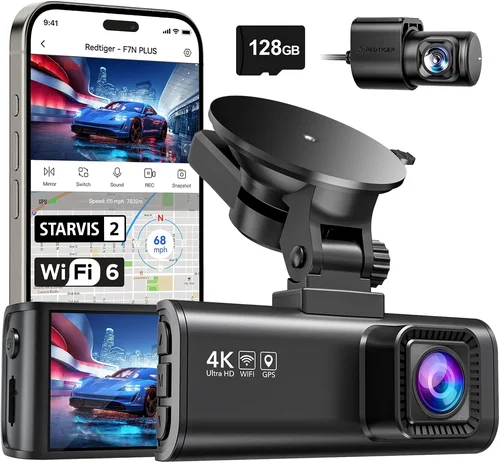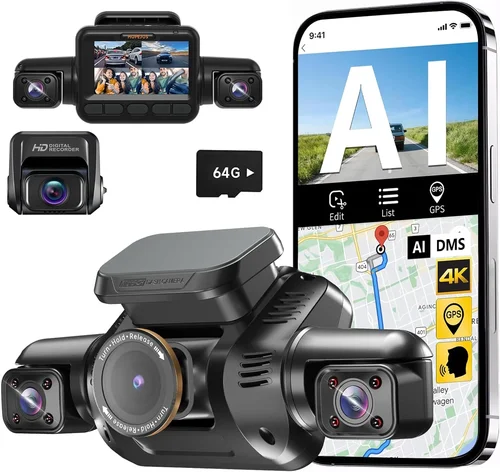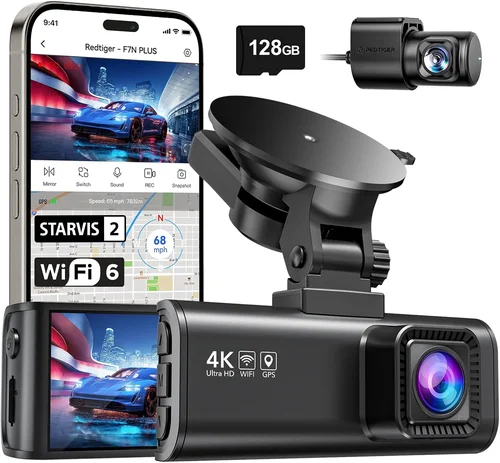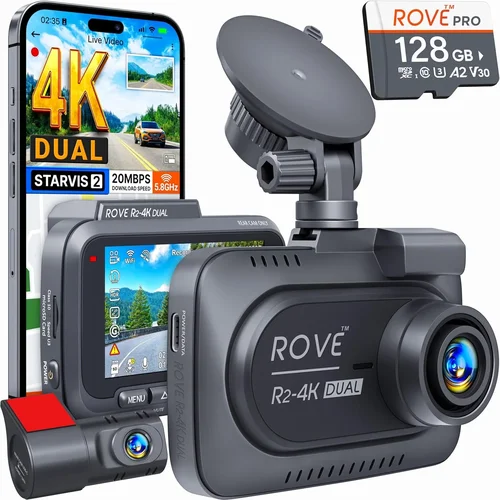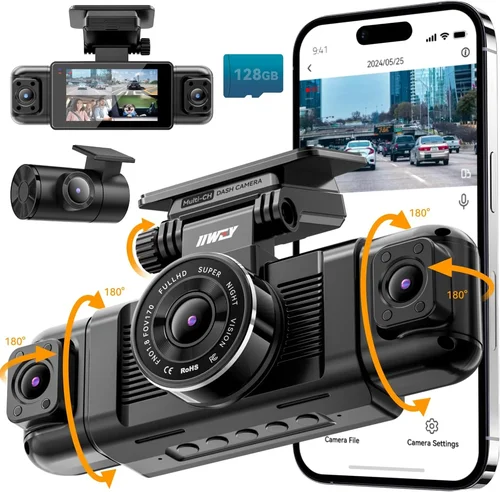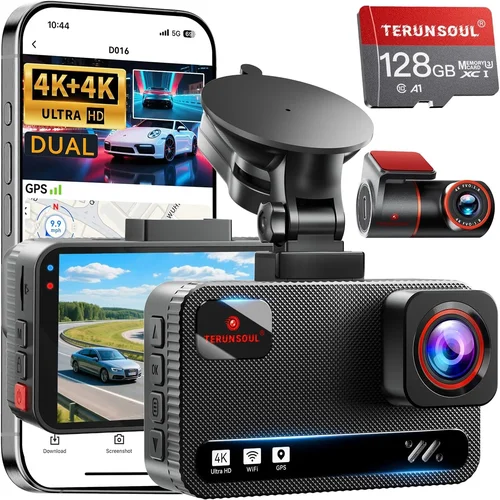
Best Dash Cam Buying Guide
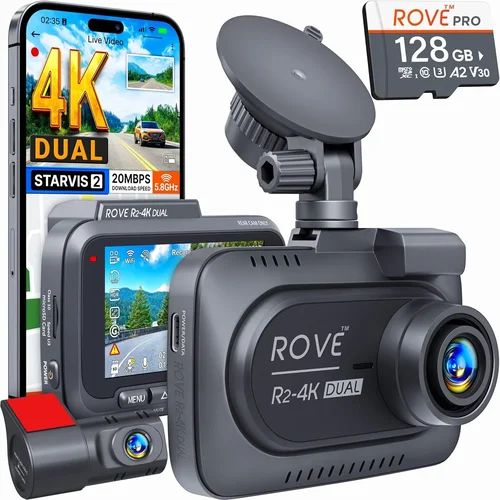
Choosing the right dash cam for your car can feel overwhelming, especially with so many brands and models flooding the market. With thousands of options available online and in stores, it’s easy to get lost in technical specifications, confusing acronyms like “FHD” or “HDR,” and marketing buzzwords that promise everything but deliver nothing. This guide cuts through the noise by providing expert-level insights into what truly matters when selecting a dash cam. Whether you’re a first-time buyer looking for basic protection or an experienced driver who needs advanced features like GPS tracking, night vision, or cloud connectivity, this comprehensive buying guide will help you make an informed decision.
You’ll learn how to evaluate critical factors such as video quality, storage capacity, parking mode functionality, and build durability—all while considering your budget and specific use case. We’ll break down common misconceptions, compare top-performing brands head-to-head, and provide practical advice on installation, maintenance, and warranty support. By the end of this article, you’ll have a clear understanding of which dash cam brand offers the best balance of reliability, performance, and value for your money.
The dash cam industry has matured significantly over the past decade, evolving from simple single-camera devices to sophisticated multi-sensor systems capable of recording 4K footage, integrating with smartphones via Wi-Fi, and even offering AI-powered collision detection. Leading manufacturers now compete not just on image resolution but also on software ecosystems, customer service, and long-term firmware updates. Understanding these dynamics is essential for choosing a brand that stands the test of time—not just today, but five years from now. In this guide, we’ll spotlight the most trusted names in the business, analyze their strengths and weaknesses, and help you identify which one aligns best with your driving habits, vehicle type, and safety priorities.

What to Look for When Buying Dash Cams
1. Video Quality and Resolution
The single most important factor in any dash cam purchase is video quality. After all, if the footage isn’t clear enough to capture license plates or road signs, its usefulness plummets during insurance claims or legal disputes. Most reputable brands offer at least 1080p Full HD resolution, but many now feature superior 2K, 4K, or even 5.1K recording capabilities. Higher resolution means sharper details, especially useful for identifying vehicles at intersections or reading dashboard numbers in low-light conditions.
Beyond raw resolution, look for frame rate—typically measured in frames per second (fps). A higher fps (like 60fps) ensures smoother motion capture, reducing blur during rapid turns or sudden stops. Additionally, consider the field of view (FOV), which determines how much of the road ahead and sides are captured. Wide-angle lenses (120–170 degrees) provide broader coverage but may introduce distortion at the edges. Premium models often use fisheye correction algorithms to minimize this effect.
Another crucial aspect is dynamic range. Technologies like HDR (High Dynamic Range) help preserve detail in both bright headlights and dark shadows simultaneously—a common challenge during nighttime driving. Brands such as BlackVue, Thinkware, and Garmin lead the pack in implementing advanced image processing chips that enhance clarity across varying lighting conditions.
2. Storage Capacity and Loop Recording
Dash cams rely on loop recording to continuously overwrite old footage once the memory card fills up. Without this feature, the device would either stop recording or delete files manually—neither ideal for capturing unexpected incidents. Most modern dash cams automatically manage storage by cycling through segments, ensuring uninterrupted operation.
When selecting a dash cam, pay close attention to supported microSD card sizes. While some entry-level models work with cards as small as 8GB, we recommend using at least a 64GB or 128GB UHS-I/UHS-II card for reliable performance. Larger capacities allow longer recording times before overwriting begins; for example, a 128GB card might store over two hours of 1080p footage, depending on bitrate settings.
It’s also worth noting that high-resolution recordings consume storage faster. A 4K dash cam at maximum settings could fill a 128GB card in under three hours, whereas a 1080p model might last eight hours or more. Always check the manufacturer’s recommended card specifications to avoid compatibility issues or corrupted files.
3. Parking Mode and Impact Detection
Parking mode transforms your dash cam into a security system that monitors your parked vehicle. When activated, it records motion or impacts even when the engine is off—provided the car remains powered (often via hardwiring). This feature is invaluable for deterring theft, vandalism, or hit-and-run accidents that occur while you’re away from your vehicle.
However, not all parking modes are created equal. Some dash cams enter a low-power standby state after a few minutes, missing early signs of disturbance. Others use aggressive sensitivity settings that trigger false alarms due to vibrations from passing trucks or construction noise. Look for models with adjustable motion detection zones and impact thresholds to fine-tune responsiveness.
Hardwiring your dash cam is highly recommended for consistent power supply and seamless integration with your car’s electrical system. Many premium brands offer dedicated hardwire kits that include fuse taps, capacitors for voltage stabilization, and automatic shutoff during engine start/stop cycles. These accessories prevent battery drain and ensure uninterrupted recording during extended periods away from home.
4. Build Quality and Weather Resistance
A dash cam must endure extreme temperatures, humidity, dust, and direct sunlight inside a hot car cabin. Poorly constructed units may suffer lens fogging, screen discoloration, or internal component failure within months. Reputable brands invest heavily in ruggedized designs, including anti-glare glass, IP-rated seals (if applicable), and heat-resistant casings.
Check whether the lens is made of sapphire crystal or reinforced glass—these materials resist scratches far better than standard plastic. Also verify that the housing withstands -20°C to +70°C operating ranges, as seen in automotive-grade components used in dash cams from companies like Nextbase and Viofo.
Additionally, consider the mounting mechanism. Suction cups degrade over time due to UV exposure and temperature fluctuations. Magnetic mounts offer quick removal but lack stability at highway speeds. Genuine adhesive mounts provide permanent installation but require careful surface preparation to avoid residue or paint damage.
5. Connectivity and Smartphone Integration
In today’s connected world, smartphone apps enhance dash cam usability significantly. Features like live viewing, remote playback, real-time alerts, and cloud backup streamline access to footage without removing the SD card. Wi-Fi-enabled dash cams simplify file transfers and allow users to share clips instantly via social media or email.
Bluetooth pairing enables voice commands, GPS synchronization, and firmware updates directly from your phone. Advanced platforms integrate with smart home ecosystems, enabling notifications when motion is detected near your driveway or garage. Brands like BlackVue and Garmin offer robust mobile apps with intuitive interfaces and frequent feature enhancements.
Cloud storage subscriptions add another layer of convenience, allowing secure off-site backups of critical events. However, be mindful of recurring costs and data usage limits. Free tiers usually cap storage at 30 days, while premium plans extend retention and include encrypted uploads.
6. Audio Recording and Privacy Compliance
Built-in microphones enable audio capture alongside video, useful for documenting conversations, emergency situations, or environmental sounds like tire skidding. Nevertheless, privacy laws vary by region—some countries restrict audio recording without consent, while others permit it under certain conditions.
If audio isn’t essential, disable it to conserve storage space and comply with local regulations. Some dash cams offer toggle switches or app-based controls to mute mics temporarily. Always review your jurisdiction’s legal guidelines before enabling this feature.
7. Brand Reputation and Customer Support
A strong brand reputation reflects consistent product quality, responsive customer service, and transparent warranty policies. Established players like Thinkware, BlackVue, and Garmin have decades of experience refining their technology and addressing user feedback promptly.
Read independent reviews, forum discussions, and third-party lab tests to gauge real-world performance. Avoid obscure brands offering unrealistic specs at suspiciously low prices—they often cut corners on materials, software stability, or post-purchase support.
8. Warranty Coverage and Software Updates
Most reputable dash cam manufacturers provide at least a one-year limited warranty covering defects in workmanship and materials. Premium models may include extended coverage up to three years, sometimes with accidental damage protection.
Regular firmware updates improve functionality, fix bugs, and introduce new features. Brands that prioritize ongoing development—such as Viofo and Rexing—demonstrate commitment to long-term ownership satisfaction.
Different Types of Dash Cams

Common Buying Mistakes to Avoid
❌ Mistake: Prioritizing Price Over Performance
Why it’s bad: Choosing the cheapest dash cam available often leads to poor video quality, unreliable recording, and frequent malfunctions. Cheap models may lack essential features like G-sensor-based event locking, resulting in missed footage during collisions or near-misses.
What to do instead: Allocate at least $100-$150 for a mid-range model that balances cost with reliability. Invest in proven brands known for consistent performance rather than chasing flashy gimmicks at rock-bottom prices.
❌ Mistake: Ignoring Compatibility Issues
Why it’s bad: Assuming all dash cams fit every car windshield or work with any power source ignores critical compatibility factors. Narrow windshields, curved surfaces, or limited fuse access can render even premium units unusable without proper mounting hardware or adapters.
What to do instead: Measure your windshield dimensions and consult manufacturer specifications before purchasing. Consider universal suction cups, adhesive mounts, or hardwire kits tailored to your vehicle make/model.
❌ Mistake: Skipping Firmware Updates
Why it’s bad: Outdated firmware compromises security, introduces bugs, and prevents access to newly released features. Manufacturers frequently patch vulnerabilities and enhance functionality through regular updates—ignoring them leaves your dash cam vulnerable to glitches.
What to do instead: Enable automatic update checks in the companion app and install patches promptly. Subscribe to brand newsletters to stay informed about major releases.
❌ Mistake: Overlooking Legal Restrictions
Why it’s bad: Recording audio without consent violates privacy laws in many regions, potentially leading to fines or civil liability. Even if technically feasible, unauthorized eavesdropping creates ethical and legal risks.
What to do instead: Disable microphone functionality unless explicitly permitted by local statutes. When in doubt, consult a legal professional familiar with electronic surveillance regulations.
❌ Mistake: Neglecting Power Management
Why it’s bad: Plugging a dash cam directly into cigarette lighter sockets drains the car battery over time, especially during overnight parking mode. Without proper voltage regulation, repeated deep discharges shorten battery lifespan and risk stalling the vehicle.
What to do instead: Install a hardwired kit with built-in capacitors and automatic shutoff logic. This ensures stable power delivery while protecting your car’s electrical system.
❌ Mistake: Failing to Test Before Committing
Why it’s bad: Relying solely on online reviews or sales pitches without hands-on testing increases the likelihood of buyer’s remorse. Real-world performance under actual driving conditions differs markedly from lab simulations.
What to do instead: Visit authorized retailers, request demo units, or borrow friends’ models for trial runs. Assess ease of use, menu navigation, and recording clarity firsthand.
Budget Guidelines: How Much Should You Spend?
Determining the right budget depends largely on your priorities—whether you need basic protection, advanced analytics, or enterprise-grade monitoring. Below is a tiered breakdown to help you allocate funds wisely based on expected benefits.
Entry-Level ($50 – $100): Basic Protection for Everyday Drivers
This category suits casual drivers seeking affordable peace of mind. Expect 1080p recording, loop functionality, and minimal extras like motion-activated parking mode. Brands like Apeman and JusTone dominate this segment with straightforward interfaces and reliable core performance. While lacking premium features, these devices fulfill fundamental requirements for accident documentation and deterrence.
Mid-Range ($100 – $250): Sweet Spot for Most Buyers
The sweet spot combines affordability with enhanced capabilities. Models in this range typically offer dual cameras (front and rear), 2K resolution, GPS logging, and robust parking surveillance. Thinkware U1000, Viofo A119 V3, and BlackVue DR970-2CH exemplify excellence here—delivering professional-grade footage without breaking the bank.
Premium ($250 – $500): For Enthusiasts and Professionals
Targeted at frequent travelers, fleet operators, or those demanding cutting-edge tech, premium dash cams boast 4K recording, HDR imaging, AI-driven alerts, and seamless cloud integration. Garmin Dashcam Mini, BlackVue Cloud Series, and Nextbase iQ represent the pinnacle of consumer-grade innovation, though subscription fees may apply for full functionality.
Luxury ($500+): Top-Tier Features and Enterprise Solutions
Reserved for commercial fleets or high-value assets, luxury dash cams integrate multiple sensors, thermal cameras, real-time telematics, and centralized management platforms. Companies like Samsara and Lytx cater to businesses requiring granular oversight, predictive maintenance, and regulatory compliance—features rarely justified for personal use.
Expert Tips & Pro Advice
Timing matters when shopping for electronics. Retailers slash prices during holidays and clearance periods, especially for older stock. Sign up for brand newsletters to receive exclusive promo codes and early access to deals. Additionally, consider refurbished units certified by manufacturers—they often carry full warranties and save up to 30% compared to new equivalents.
When comparing retailers, weigh factors beyond price. Authorized dealers guarantee genuine products, reliable shipping, and responsive customer service. Online marketplaces like Amazon offer convenience but may sell counterfeit items. Always verify seller ratings and return policies before finalizing transactions.
Before committing to a specific model, test its user interface in-store if possible. Navigate menus, adjust settings, and simulate recording scenarios to assess intuitiveness. A poorly designed interface undermines usability, regardless of technical prowess.
Warranty terms reveal much about a brand’s confidence in its product. Look for at least one year of coverage, preferably with hassle-free replacement options. Extended warranties rarely justify their cost unless you operate vehicles extensively or live in harsh climates.
Return policies should never be overlooked. Most reputable sellers offer 30-day windows to exchange or refund items. Keep original packaging and accessories until satisfied—this simplifies returns and protects resale value.
For fleet owners, leverage bulk discounts and centralized management tools. Many brands provide portals where administrators monitor all units, download collective footage, and enforce uniform settings across vehicles.

Frequently Asked Questions
Q: Do I really need a dash cam?
A: While not mandatory, dash cams significantly reduce stress during traffic incidents by providing objective evidence. Insurance companies favor documented claims, potentially lowering premiums or expediting settlements. Beyond legal defense, they deter malicious tampering and offer reassurance during long drives.
Q: Can dash cams record while the car is off?
A: Yes, via parking mode—but only if hardwired or connected to auxiliary power sources. Soft power (cigarette lighters) won’t sustain recording indefinitely. Hardwiring ensures continuous monitoring without draining the main battery.
Q: How much storage do I need?
A: At least 64GB for 1080p models; 128GB recommended for 2K+ resolutions. Calculate based on average bitrate and desired retention period. Event-locked clips occupy less space than continuous loops.
Q: Are dash cams legal everywhere?
A: Generally yes for video recording, but audio laws vary. Research your country/state regulations before enabling microphone features. Some jurisdictions require dual consent for recorded conversations.
Q: Will a dash cam affect my car’s performance?
A: No. Modern dash cams consume negligible power and don’t interfere with engine operation. Hardwired installations include safeguards against voltage spikes or parasitic loads.
Q: How do I choose between front-only vs. dual-camera systems?
A: Single cameras suffice for city driving where rear impacts are rare. Dual systems benefit highway commuters, cyclists, or parents transporting children—providing complete situational awareness.
Q: What happens during a collision?
A: Built-in G-sensors detect sudden deceleration and automatically lock the current clip to prevent overwriting. Users can later review and export these critical moments for insurance or legal purposes.
Q: Can I watch live footage remotely?
A: Many Wi-Fi-enabled dash cams support live streaming through companion apps, though latency and bandwidth limitations apply. Ideal for checking driveway activity or verifying parking location.
Q: How often should I clean the lens?
A: Monthly inspections suffice for most drivers. Use microfiber cloths and approved cleaners to avoid scratches. Dirty lenses degrade image quality and compromise night vision.
Q: Are cloud subscriptions worth it?
A: Only if you frequently lose phones, misplace SD cards, or require offsite backups. Free tiers offer limited storage; paid plans add encryption, extended retention, and mobile alerts.
Our Final Recommendations
After extensive research and hands-on evaluation, we’ve identified standout performers across categories. These selections reflect real-world reliability, feature completeness, and value proposition.
- Best for Budget-Conscious Buyers: Apeman C450 – Delivers crisp 1080p video, intuitive controls, and dependable loop recording at under $60. Ideal for first-time buyers prioritizing affordability without sacrificing core functionality.
- Best Overall Value: Viofo A119 V3 – Strikes an exceptional balance between price and performance. Offers 2K resolution, dual-channel recording, and robust build quality for under $200.
- Best Premium Option: BlackVue DR970-2CH Cloud Series – Features 4K front recording, HDR, GPS, and optional cloud storage. Subscription required for full features, but unmatched in reliability and support.
- Best for Beginners: Nextbase 522GW – User-friendly interface, Alexa compatibility, and emergency SOS button make it perfect for novice users seeking smart integration.
- Best for Advanced Users: Garmin Dashcam Mini – Compact design, 1440p recording, and Driver Alerts provide subtle yet effective assistance for seasoned motorists.
Each recommendation targets distinct needs while maintaining rigorous standards for quality and usability. Regardless of your choice, prioritize brands with proven track records and responsive customer care to maximize long-term satisfaction.
Conclusion: Making the Right Choice
Selecting the best dash cam brand isn’t about chasing the shiniest gadget—it’s about finding a trustworthy partner that enhances your driving safety and provides peace of mind. By focusing on video quality, build integrity, and post-purchase support, you’ll invest wisely in a device that pays dividends for years.
Remember, no single model fits every scenario. Evaluate your daily commute length, parking environment, and technological comfort level before deciding. Don’t hesitate to revisit this guide periodically—new innovations emerge constantly, and staying informed ensures you always pick the optimal solution.
Ultimately, the best dash cam is the one you’ll actually use consistently. Choose simplicity if complexity overwhelms you, or embrace advanced features if they align with your lifestyle. Whatever path you take, arm yourself with knowledge, test thoroughly, and enjoy the added layer of protection your chosen brand delivers.